Battery 12 Hyundai H350 2016 Owner's Guide
[x] Cancel search | Manufacturer: HYUNDAI, Model Year: 2016, Model line: H350, Model: Hyundai H350 2016Pages: 473, PDF Size: 26.4 MB
Page 204 of 473
4-12
Multimedia System
Information -Using the iPod ®
device
Some iPod ®
models may not sup-
port communication protocol and
files may not properly play.
Supported iPod ®
models:
- iPod ®
Mini
- iPod ®
4th (Photo) ~ 6th (Classic)
generation
- iPod ®
Nano 1st~4th generation
- iPod ®
Touch 1st~2nd generation
The order of search or playback of songs in the iPod ®
can be different
from the order searched in the audio
system.
If the iPod ®
disabled due to its own
malfunction, reset the iPod ®
. (Reset:
Refer to iPod ®
manual)
An iPod ®
may not operate normally
on low battery.
If you connect any external device while driving, it may lose the vehicle
control and increase the accident
risk. Park the vehicle before con-
necting any external devices.
Park the vehicle on a safe location before connecting an iPod ®
.
(Continued) (Continued)
Some iPod
®
devices, such as the
iPhone ®
, can be connected through
the Bluetooth ®
Wireless Technology
interface. The device must have
audio Bluetooth®
Wireless
Technology capability (such as for
stereo headphone Bluetooth®
Wireless Technology ). The device
can play, but it will not be controlled
by the audio system.
To use iPod ®
features within the
audio, use the cable provided upon
purchasing an iPod ®
device.
Skipping or improper operation may occur depending on the charac-
teristics of your iPod ®
/iPhone ®
device.
If your iPhone ®
is connected to both
the Bluetooth ®
Wireless Technology
and USB, the sound may not be
properly played. In your iPhone ®
,
select the Dock connector or
Bluetooth ®
Wireless Technology to
change the sound output (source).
(Continued)(Continued)
When connecting iPod
®
with the
iPod ®
Power Cable, insert the con-
nector to the multimedia socket
completely. If not inserted complete-
ly, communications between iPod ®
and audio may be interrupted.
When adjusting the sound effects of the iPod ®
and the audio system, the
sound effects of both devices will
overlap and might reduce or distort
the quality of the sound.
Deactivate (turn off) the equalizer function of an iPod ®
when adjusting
the audio system's volume, and turn
off the equalizer of the audio system
when using the equalizer of an
iPod ®
.
When not using iPod ®
with vehicle
audio, detach the iPod ®
cable from
iPod ®
. Otherwise, iPod ®
may
remain in accessory mode, and may
not work properly.i
Page 221 of 473
![Hyundai H350 2016 Owners Guide 4-29
Multimedia System
4
Bluetooth®Wireless
Technology System Off
This feature is used when you do not wish to use the
Bluetooth®Wireless
Technology system.
Select [Bluetooth System Off] Set
thro](/img/35/14880/w960_14880-220.png "Hyundai H350 2016 Owners Guide 4-29
Multimedia System
4
Bluetooth®Wireless
Technology System Off
This feature is used when you do not wish to use the
Bluetooth®Wireless
Technology system.
Select [Bluetooth System Off] Set
thro")
4-29
Multimedia System
4
Bluetooth®Wireless
Technology System Off
This feature is used when you do not wish to use the
Bluetooth®Wireless
Technology system.
Select [Bluetooth System Off] Set
through TUNE knob ❈ If a phone is already connected, disconnect the currently connect-
ed phone and turn the
Bluetooth®
Wireless Technology system off.
Using the Bluetooth®Wireless
Technology System
To use Bluetooth®Wireless Technology
when the system is currently off, fol-
low these next steps.
Turning On Bluetooth ®
Wireless
Technology through the
Key
Press the key ScreenGuidance ❈ Moves to the screen where
Bluetooth ®
Wireless Technology
functions can be used and dis-
plays guidance. Turning On Bluetooth
®
Wireless
Technology through the
Key
Press the key Select[Phone] ➀ A screen asking whether to turn on
Bluetooth®Wireless Technology will
be displayed.
➁ On the screen, select to turn on
Bluetooth®Wireless Technology
and display guidance.
❈ If the Bluetooth ®
Wireless
Technology system is turned on,
the system will automatically try toconnect the most recently con-nected Bluetooth ®
Wireless
Technology mobile phone.
Bluetooth®Wireless Technology
connection may become inter-
mittently disconnected in some
mobile phones. Follow these
next steps to try again.
1) Turn the
Bluetooth®Wireless
Technology function within the
mobile phone ON/OFF and try
to connect again.
2) Turn the mobile phone power ON/OFF and try to connect
again.
3) Completely remove the mobile phone battery, reboot, and then
try to connect again.
4) Reboot the audio system and try to connect again
5) Delete all paired devices in your mobile phone and the audio
system and pair again for use.
NOTICE
YES
SETUP
CLOCK
SETUP
CLOCK
PHONE
PHONE
Page 258 of 473
4-66
Multimedia System
Information
Bluetooth ®
Wireless Technology con-
nection may become intermittently
disconnected in some mobile phones.
Follow these next steps to try again.
1)Turn the Bluetooth®
Wireless
Technology function within the
mobile phone ON/OFF and try to
connect again.
2)Turn the mobile phone power ON/OFF and try to connect again.
3)Completely remove the mobile phone battery, reboot, and then try
to connect again.
4)Reboot the audio system and try to connect again
5)Delete all paired devices in your mobile phone and the audio system
and pair again for use.RRAA DDIIOO (( ff oo rr RR DD SS mm ooddeell))
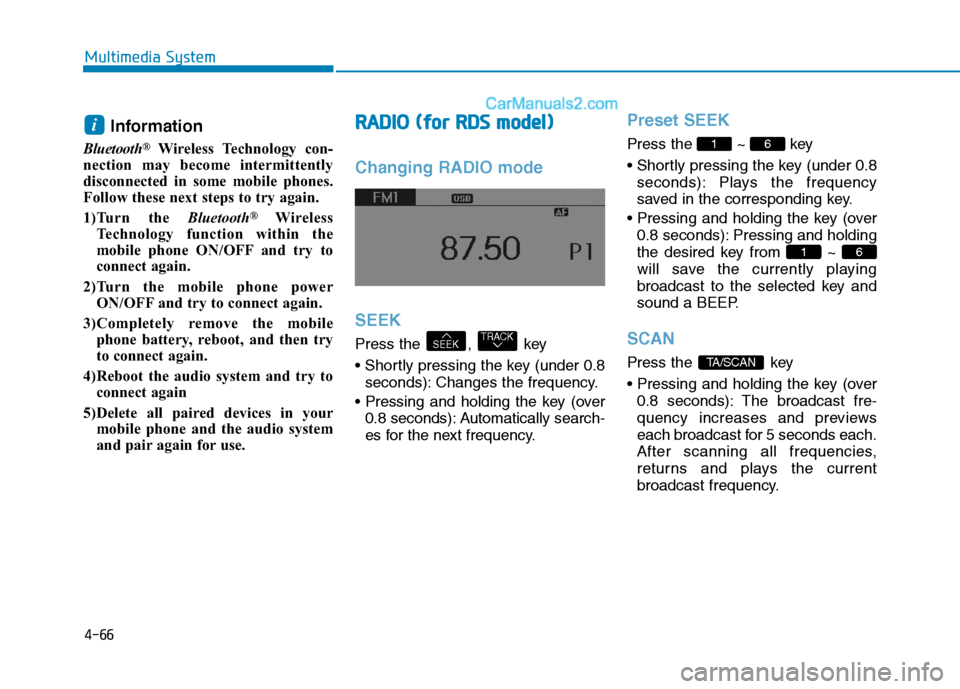
Changing RADIO mode SEEK
Press the , key
seconds): Changes the frequency.
0.8 seconds): Automatically search-
es for the next frequency.
Preset SEEK
Press the ~ key
seconds): Plays the frequency
saved in the corresponding key.
0.8 seconds): Pressing and holding
the desired key from ~
will save the currently playing
broadcast to the selected key and
sound a BEEP.
SCAN
Press the key
0.8 seconds): The broadcast fre-
quency increases and previews
each broadcast for 5 seconds each.
After scanning all frequencies,
returns and plays the current
broadcast frequency.TA/SCAN
61
61
TRACKSEEK
i
Page 276 of 473
5-5
Driving your vehicle
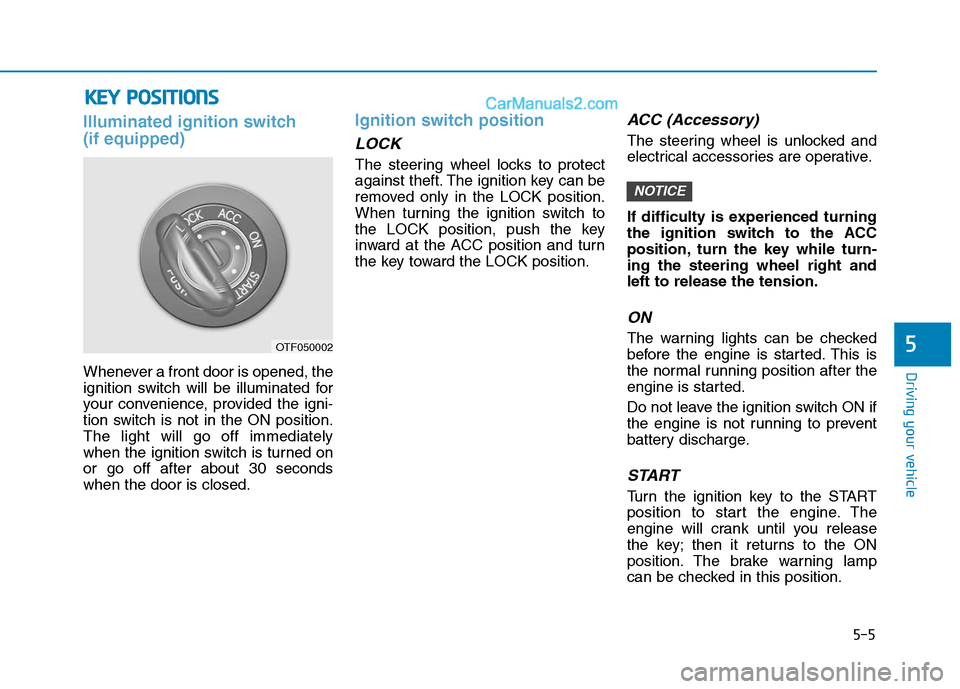
Illuminated ignition switch (if equipped)
Whenever a front door is opened, the
ignition switch will be illuminated for
your convenience, provided the igni-
tion switch is not in the ON position.The light will go off immediately
when the ignition switch is turned onor go off after about 30 secondswhen the door is closed.
Ignition switch position
LOCK
The steering wheel locks to protect
against theft. The ignition key can be
removed only in the LOCK position.
When turning the ignition switch to
the LOCK position, push the key
inward at the ACC position and turn
the key toward the LOCK position.
ACC (Accessory)
The steering wheel is unlocked and
electrical accessories are operative.
If difficulty is experienced turning
the ignition switch to the ACC
position, turn the key while turn-ing the steering wheel right andleft to release the tension.
ON
The warning lights can be checked
before the engine is started. This is
the normal running position after the
engine is started.
Do not leave the ignition switch ON if
the engine is not running to prevent
battery discharge.
START
Turn the ignition key to the START
position to start the engine. The
engine will crank until you release
the key; then it returns to the ON
position. The brake warning lamp
can be checked in this position.
NOTICE
5
KKEEYY PP OO SSIITT IIOO NNSS
OTF050002
Page 281 of 473
5-10
Driving your vehicle
(continued)
Also, a message "Auto Stop deac-
tivated. start manually will appear
on the LCD display. Turn the igni-
tion switch to the START position
to start the engine manually. Or if
you fasten the seat belt or closethe driver's door(or engine hood),
ISG system will be activate.Auto start
To restart the engine from idlestop mode
shift lever is in the N (Neutral) posi- tion.
The engine will start and the green
AUTO STOP indicator ( ) on the
instrument cluster will go out.
The engine will also restart automatically without the dri-
ver’s any actions if the followingoccurs:
- The fan speed of manual climate control system is set above the 3rdposition when the air conditioning ison.
- When a certain amount of time has passed with the climate control sys-tem on.
- The fan speed of manual climate control system is set above the 1stposition when the defroster is on.
- The brake vacuum pressure is low.
- The battery charging status is low.
- The vehicle speed exceeds 5 km/h.
The green AUTO STOP indicator
( ) on the instrument cluster will
blink for 5 seconds and a message
"Auto Start" will appear on the LCD
display.
Page 282 of 473
5-11
Driving your vehicle
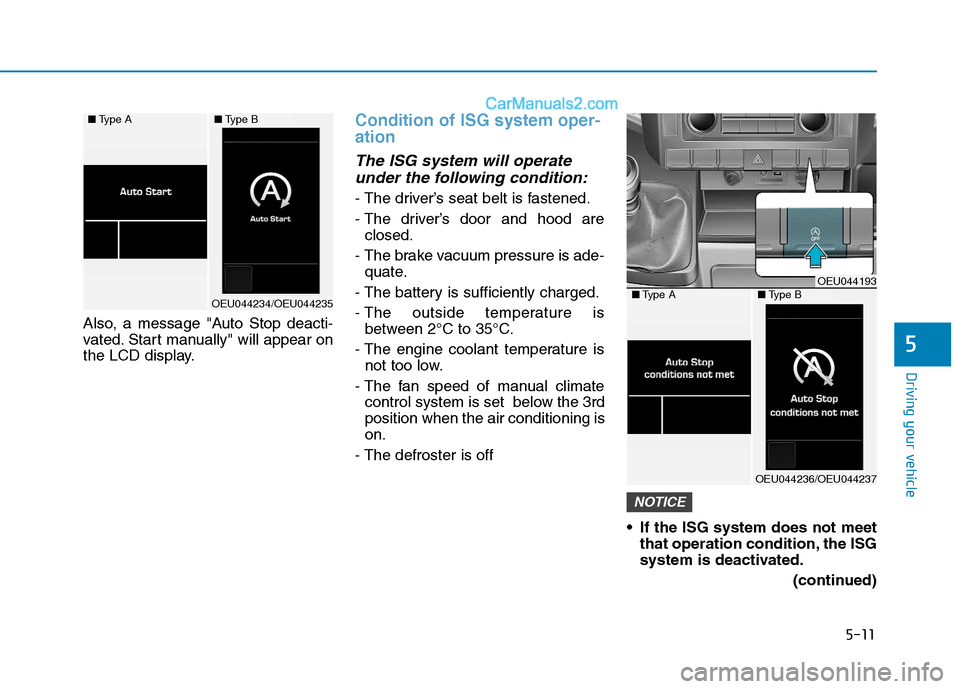
Also, a message "Auto Stop deacti-
vated. Start manually" will appear on
the LCD display.
Condition of ISG system oper- ation
The ISG system will operateunder the following condition:
- The driver’s seat belt is fastened.
- The driver’s door and hood are closed.
- The brake vacuum pressure is ade- quate.
- The battery is sufficiently charged.
- The outside temperature is between 2°C to 35°C.
- The engine coolant temperature is not too low.
- The fan speed of manual climate control system is set below the 3rd position when the air conditioning ison.
- The defroster is off
If the ISG system does not meetthat operation condition, the ISG
system is deactivated.
(continued)
NOTICE
5
■Type A■Type B
OEU044234/OEU044235
OEU044193■Type A■Type B
OEU044236/OEU044237
Page 294 of 473
5-23
Driving your vehicle
5
When you jump start your vehicle
because of a drained battery, the
engine may not run as smoothly
and the ABS warning light may
turn on at the same time. This hap-
pens because of the low battery
voltage. It does not mean yourABS is malfunctioning.
Do not pump your brakes!
Have the battery rechargedbefore driving the vehicle.
NOTICE
W-78
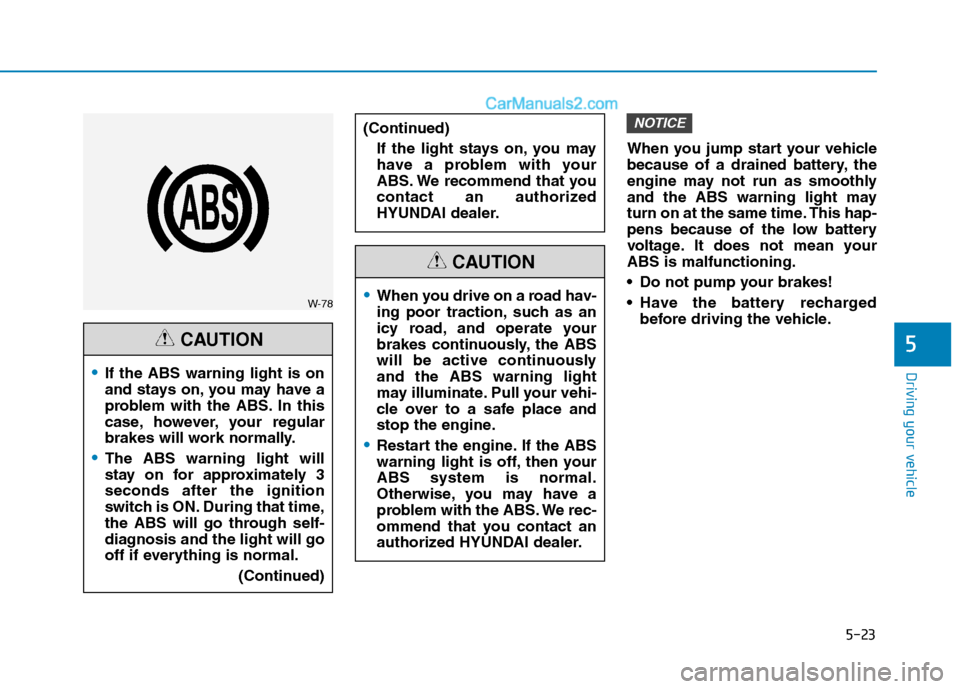
If the ABS warning light is on
and stays on, you may have a
problem with the ABS. In this
case, however, your regular
brakes will work normally.
The ABS warning light will
stay on for approximately 3seconds after the ignition
switch is ON. During that time,
the ABS will go through self-
diagnosis and the light will go
off if everything is normal.
(Continued)
CAUTION
When you drive on a road hav-
ing poor traction, such as an
icy road, and operate your
brakes continuously, the ABS
will be active continuouslyand the ABS warning light
may illuminate. Pull your vehi-
cle over to a safe place and
stop the engine.
Restart the engine. If the ABS
warning light is off, then yourABS system is normal.
Otherwise, you may have a
problem with the ABS. We rec-
ommend that you contact an
authorized HYUNDAI dealer.
CAUTION
(Continued)
If the light stays on, you may
have a problem with your
ABS. We recommend that you
contact an authorized
HYUNDAI dealer.
Page 321 of 473
5-50
Driving your vehicle
Chains that are the wrong sizeor improperly installed can dam-
age your vehicle's brake lines,
suspension, body and wheels.
Stop driving and retighten the chains any time you hear them
hitting the vehicle.
Winter precautions
Use high quality ethylene glycol
coolant
Your vehicle is delivered with high
quality ethylene glycol coolant in the
cooling system. It is the only type ofcoolant that should be used because
it helps prevent corrosion in the cool-
ing system, lubricates the water
pump and prevents freezing. Be sure
to replace or replenish your coolantin accordance with the maintenance
schedule in section 7. Before winter,
have your coolant tested to assure
that its freezing point is sufficient for
the temperatures anticipated during
the winter.
Check battery and cables
Winter puts additional burdens on
the battery system. Visually inspect
the battery and cables as described
in section 7. We recommend that the
system be checked by an authorized
HYUNDAI dealer.
Change to "winter weight" oil ifnecessary
In some climates it is recommended
that a lower viscosity "winter weight"
oil be used during cold weather. See
section 8 for recommendations. If
you aren't sure what weight oil you
should use, we recommend that you
consult an authorized HYUNDAI
dealer.
Check spark plugs and ignitionsystem
Inspect your spark plugs as
described in section 7 and replace
them if necessary. Also check all
ignition wiring and components to be
sure they are not cracked, worn or
damaged in any way.
NOTICE
Tire chains
The use of chains may
adversely affect vehicle han-dling.
Do not exceed 30 km/h (20
mph) or the chain manufactur-
er’s recommended speed
limit, whichever is lower.
Drive carefully and avoid
bumps, holes, sharp turns,
and other road hazards, which
may cause the vehicle to
bounce.
Avoid sharp turns or locked- wheel braking.
WARNING
Page 338 of 473
6-3
What to do in an emergency
If you have a flat tire while driving
If a tire goes flat while you are driv- ing:
1.Take your foot off the acceleratorpedal and let the vehicle slow
down while driving straight ahead.
Do not apply the brakes immedi-ately or attempt to pull off the road
as this may cause a loss of control.
When the vehicle has slowed to
such a speed that it is safe to do
so, brake carefully and pull off the
road. Drive off the road as far as
possible and park on firm, level
ground. If you are on a divided
highway, do not park in the median
area between the two traffic lanes.
2.When the vehicle is stopped, turn on your emergency hazard flash-
ers, set the parking brake and put
the transmission in reverse.
3.Have all passengers get out of the vehicle. Be sure they all get out on
the side of the vehicle that is away
from traffic.
4.When changing a flat tire, follow the instruction provided later in thissection.
If engine stalls while driving
1.Reduce your speed gradually,keeping a straight line. Move cau-
tiously off the road to a safe place.
2.Turn on your emergency flashers.
3.Try to start the engine again. If your vehicle will not start, we recom-
mend that you contact an author-
ized HYUNDAI dealer.If engine doesn't turn over or
turns over slowly
1.Check the battery connections tobe sure they are clean and tight.
2.Turn on the interior light. If the light dims or goes out when you operate
the starter, the battery is dis-charged.
3.Check the starter connections to be sure they are securely tight-ened.
4.Do not push or pull the vehicle to start it. See instructions for "Jump
starting".
6
IIFF TT HH EE EE NN GGIINN EE WW IILL LL NN OO TT
S
S TT AA RRTT
If the engine will not start, do
not push or pull the vehicle to
start it. This could result in acollision or cause other dam-
age. In addition, push or pull
starting may cause the catalytic
converter to be overloaded and
create a fire hazard.
WARNING
Page 339 of 473
6-4
If engine turns over normally
but does not start
1.Check fuel level.
2.With the ignition switch in theLOCK/ OFF position, check all connectors at ignition, coil and
spark plugs. Reconnect any that
may be disconnected or loose.
3.Check the fuel line in the engine compartment.
4.If the engine still does not start, we recommend that you call an
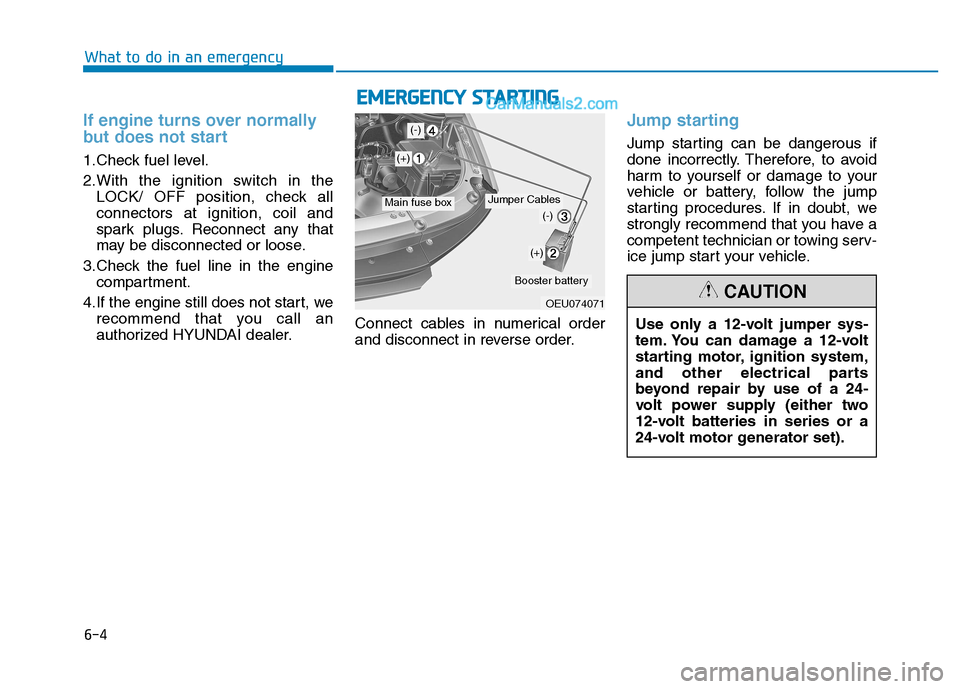
authorized HYUNDAI dealer. Connect cables in numerical order
and disconnect in reverse order.
Jump starting
Jump starting can be dangerous if
done incorrectly. Therefore, to avoid
harm to yourself or damage to your
vehicle or battery, follow the jump
starting procedures. If in doubt, we
strongly recommend that you have a
competent technician or towing serv-
ice jump start your vehicle.
What to do in an emergency
E
EMM EERR GG EENN CCYY SS TT AA RRTTIINN GG
OEU074071
Jumper CablesMain fuse box
Booster battery
Use only a 12-volt jumper sys-
tem. You can damage a 12-volt
starting motor, ignition system,
and other electrical parts
beyond repair by use of a 24-
volt power supply (either two
12-volt batteries in series or a
24-volt motor generator set).CAUTION
(+)
(+)
(-)
(-)