door lock Hyundai H350 2016 Owner's Guide
[x] Cancel search | Manufacturer: HYUNDAI, Model Year: 2016, Model line: H350, Model: Hyundai H350 2016Pages: 473, PDF Size: 26.4 MB
Page 94 of 473
3-32
Convenient features of your vehicle
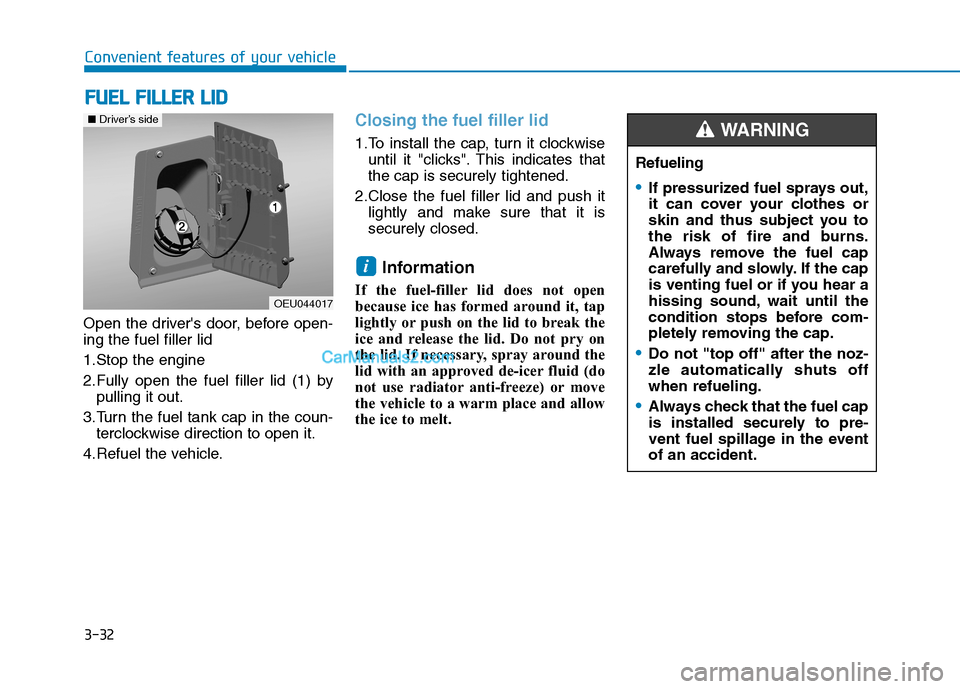
Open the driver's door, before open- ing the fuel filler lid
1.Stop the engine
2.Fully open the fuel filler lid (1) bypulling it out.
3.Turn the fuel tank cap in the coun- terclockwise direction to open it.
4.Refuel the vehicle.
Closing the fuel filler lid
1.To install the cap, turn it clockwise until it "clicks". This indicates that the cap is securely tightened.
2.Close the fuel filler lid and push it lightly and make sure that it issecurely closed.
Information
If the fuel-filler lid does not open
because ice has formed around it, tap
lightly or push on the lid to break the
ice and release the lid. Do not pry on
the lid. If necessary, spray around the
lid with an approved de-icer fluid (do
not use radiator anti-freeze) or move
the vehicle to a warm place and allow
the ice to melt.
i
FF UU EELL FF IILL LLEE RR LL IIDD
OEU044017
■Driver’s side
Refueling
If pressurized fuel sprays out,
it can cover your clothes or
skin and thus subject you to
the risk of fire and burns.
Always remove the fuel cap
carefully and slowly. If the cap
is venting fuel or if you hear a
hissing sound, wait until the
condition stops before com-
pletely removing the cap.
Do not "top off" after the noz-
zle automatically shuts offwhen refueling.
Always check that the fuel cap
is installed securely to pre-
vent fuel spillage in the eventof an accident.
WARNING
Page 114 of 473
3-52
Convenient features of your vehicle
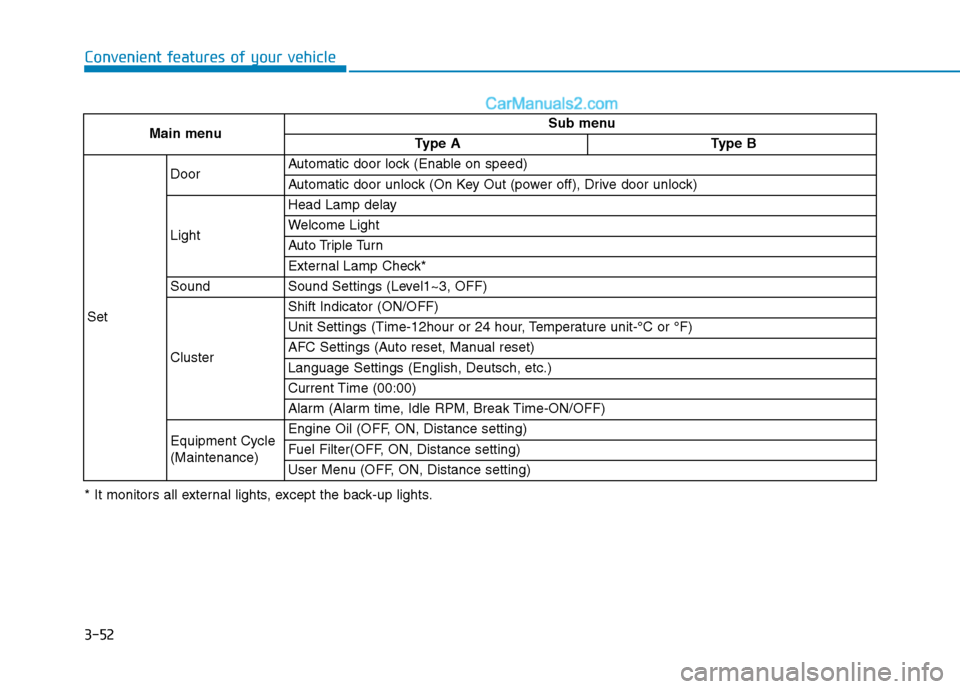
Main menuSub menu
Type AType B
Set
DoorAutomatic door lock (Enable on speed)
Automatic door unlock (On Key Out (power off), Drive door unlock)
Light
Head Lamp delay
Welcome Light
Auto Triple Turn
External Lamp Check*
SoundSound Settings (Level1~3, OFF)
Cluster
Shift Indicator (ON/OFF)
Unit Settings (Time-12hour or 24 hour, Temperature unit-°C or °F)
AFC Settings (Auto reset, Manual reset)
Language Settings (English, Deutsch, etc.)
Current Time (00:00)
Alarm (Alarm time, Idle RPM, Break Time-ON/OFF)
Equipment Cycle (Maintenance)Engine Oil (OFF, ON, Distance setting)
Fuel Filter(OFF, ON, Distance setting)
User Menu (OFF, ON, Distance setting)
* It monitors all external lights, except the back-up lights.
Page 118 of 473
3-56
Convenient features of your vehicle
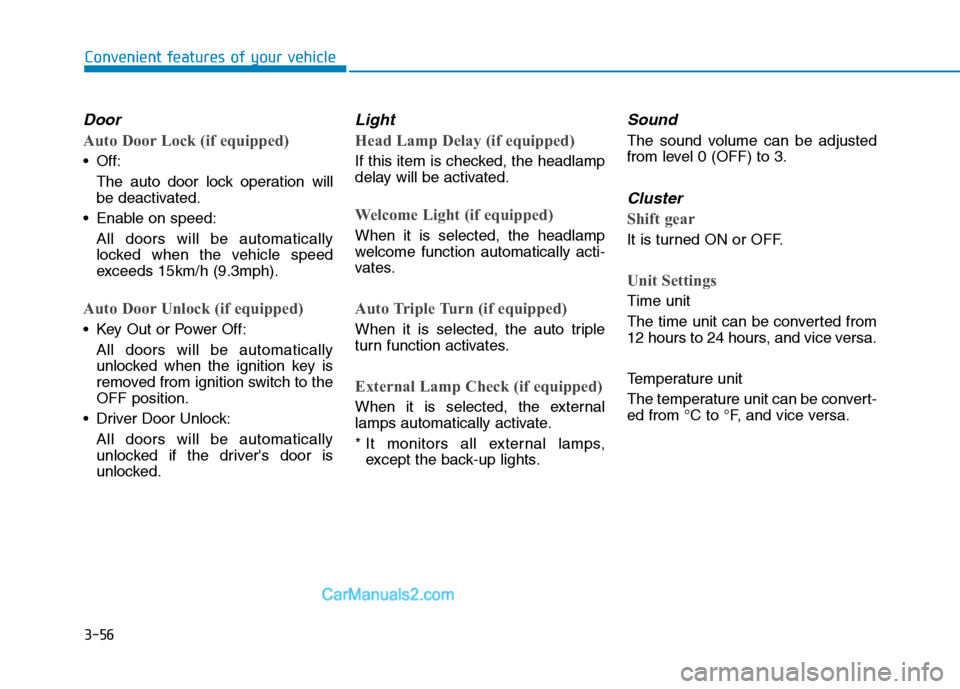
Door
Auto Door Lock (if equipped)
Off:The auto door lock operation willbe deactivated.
Enable on speed: All doors will be automaticallylocked when the vehicle speed
exceeds 15km/h (9.3mph).
Auto Door Unlock (if equipped)
Key Out or Power Off:
All doors will be automaticallyunlocked when the ignition key is
removed from ignition switch to theOFF position.
Driver Door Unlock:
All doors will be automatically
unlocked if the driver's door is
unlocked.
Light
Head Lamp Delay (if equipped)
If this item is checked, the headlamp
delay will be activated.
Welcome Light (if equipped)
When it is selected, the headlamp
welcome function automatically acti-
vates.
Auto Triple Turn (if equipped)
When it is selected, the auto triple
turn function activates.
External Lamp Check (if equipped)
When it is selected, the external
lamps automatically activate.
* It monitors all external lamps,except the back-up lights.
Sound
The sound volume can be adjusted
from level 0 (OFF) to 3.
Cluster
Shift gear
It is turned ON or OFF.
Unit Settings
Time unit
The time unit can be converted from
12 hours to 24 hours, and vice versa.
Temperature unit
The temperature unit can be convert-
ed from °C to °F, and vice versa.
Page 138 of 473
3-76
Convenient features of your vehicle
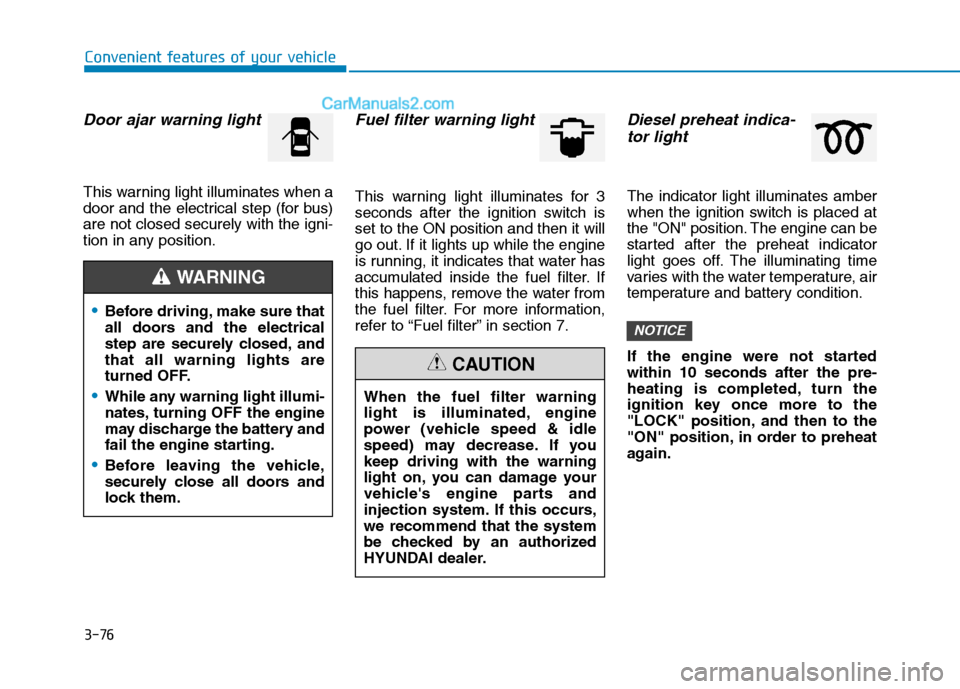
Door ajar warning light
This warning light illuminates when a
door and the electrical step (for bus)are not closed securely with the igni-
tion in any position.
Fuel filter warning light
This warning light illuminates for 3
seconds after the ignition switch isset to the ON position and then it will
go out. If it lights up while the engine
is running, it indicates that water has
accumulated inside the fuel filter. If
this happens, remove the water from
the fuel filter. For more information,
refer to “Fuel filter” in section 7.
Diesel preheat indica-tor light
The indicator light illuminates amber
when the ignition switch is placed at
the "ON" position. The engine can be
started after the preheat indicator
light goes off. The illuminating time
varies with the water temperature, air
temperature and battery condition.
If the engine were not started within 10 seconds after the pre-
heating is completed, turn the
ignition key once more to the
"LOCK" position, and then to the
"ON" position, in order to preheat
again.
NOTICE
When the fuel filter warning
light is illuminated, engine
power (vehicle speed & idle
speed) may decrease. If youkeep driving with the warning
light on, you can damage your
vehicle's engine parts and
injection system. If this occurs,we recommend that the system
be checked by an authorized
HYUNDAI dealer.
CAUTION
Before driving, make sure that
all doors and the electrical
step are securely closed, andthat all warning lights are
turned OFF.
While any warning light illumi-
nates, turning OFF the engine
may discharge the battery and
fail the engine starting.
Before leaving the vehicle,
securely close all doors and
lock them.
WARNING
Page 158 of 473
3-96
Convenient features of your vehicle
Headlight escort function (if equipped)
The headlights (and/or taillights)
remain on for approximately 5 min-
utes after the ignition key is removed
or turned to the ACC or LOCK posi-
tion. However, if the driver’s door isopened and closed, the headlights
are turned off after 30 seconds.
The headlights can be turned off by
pressing the lock button on the trans-
mitter twice or turning off the light
switch from the headlight or Autolight position.
Headlight welcome function (if equipped)
When the headlight switch is in the
ON or AUTO position and all doors
(and tailgate) are closed and locked,
if you press the door unlock button
on the transmitter the headlights will
come on for about 15 seconds.
If the headlight switch is in the AUTO position, the function can only oper-ate at night.
At this time, if you press the door
unlock button again or door lock but-
ton on the transmitter, the headlights
will turn off immediately.
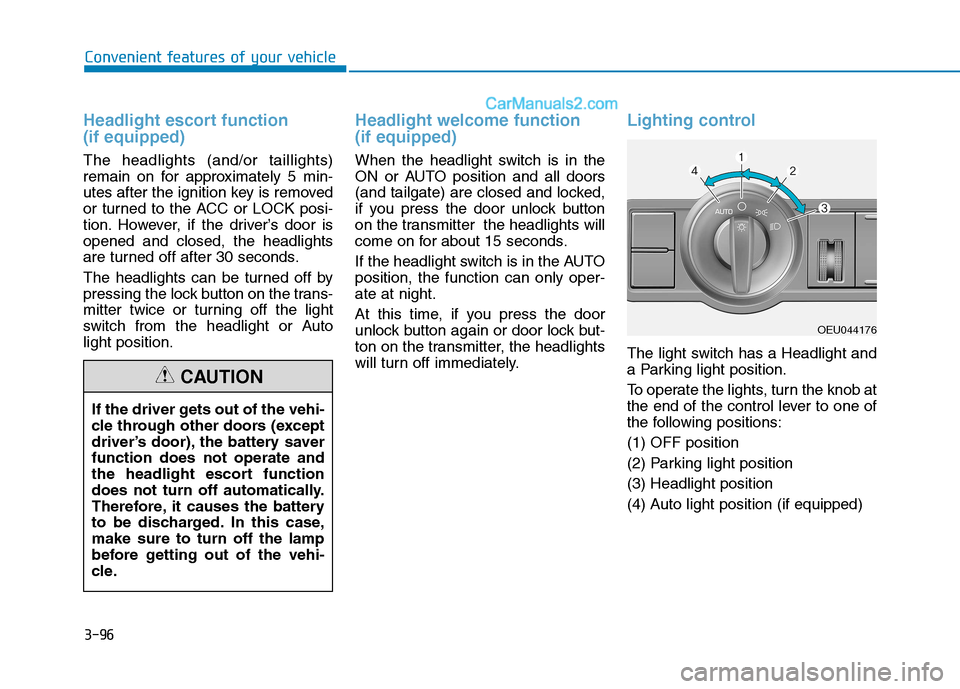
Lighting control
The light switch has a Headlight and
a Parking light position.
To operate the lights, turn the knob at
the end of the control lever to one of
the following positions: (1) OFF position
(2) Parking light position(3) Headlight position
(4) Auto light position (if equipped)
If the driver gets out of the vehi-
cle through other doors (except
driver’s door), the battery saverfunction does not operate and
the headlight escort function
does not turn off automatically.
Therefore, it causes the battery
to be discharged. In this case,make sure to turn off the lamp
before getting out of the vehi-
cle.
CAUTION
OEU044176
Page 168 of 473
3-106
Convenient features of your vehicle
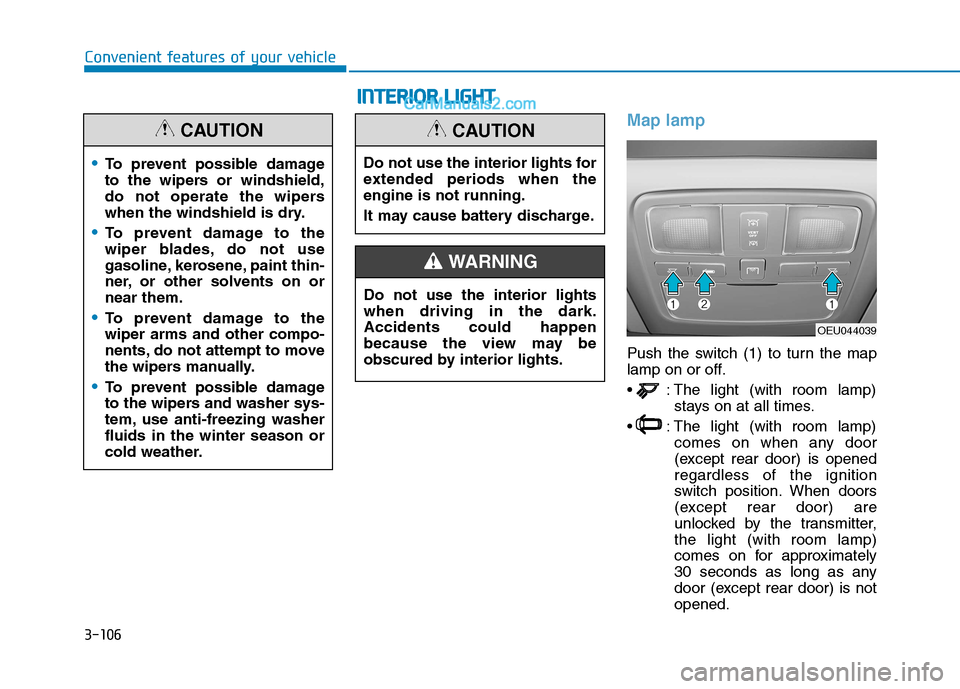
Map lamp
Push the switch (1) to turn the map
lamp on or off.
: The light (with room lamp)stays on at all times.
: The light (with room lamp) comes on when any door
(except rear door) is openedregardless of the ignition
switch position. When doors
(except rear door) are
unlocked by the transmitter,the light (with room lamp)
comes on for approximately
30 seconds as long as any
door (except rear door) is notopened.
To prevent possible damage
to the wipers or windshield,
do not operate the wipers
when the windshield is dry.
To prevent damage to the
wiper blades, do not use
gasoline, kerosene, paint thin-
ner, or other solvents on ornear them.
To prevent damage to the wiper arms and other compo-
nents, do not attempt to move
the wipers manually.
To prevent possible damage
to the wipers and washer sys-
tem, use anti-freezing washerfluids in the winter season or
cold weather.
CAUTION
OEU044039
Do not use the interior lights for
extended periods when theengine is not running.
It may cause battery discharge.
CAUTION
Do not use the interior lights when driving in the dark.Accidents could happen
because the view may be
obscured by interior lights.
WARNING
II
NN TTEERR IIOO RR LL IIGG HH TT
Page 169 of 473
3-107
Convenient features of your vehicle
3
Also, the light (with room
lamp) goes out gradually
after approximately 30 sec-
onds if the door (except rear
door) is closed. However, if
the ignition switch is ON or
all doors (except rear door)
are locked, the light will turn
off immediately.
If a door (except rear door) is opened with the ignition
switch in the ACC or LOCKposition, the light (with room
lamp) stays on for about 20
minutes. However, if a door
(except rear door) is opened
with the ignition switch in theON position, the light (with
room lamp) stays on contin-
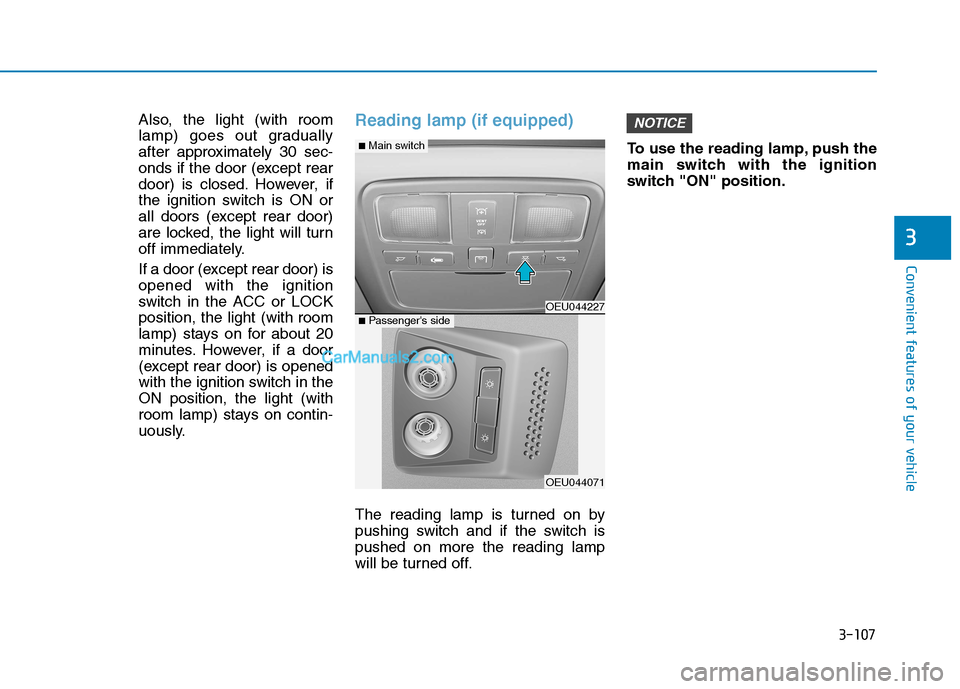
uously.Reading lamp (if equipped)
The reading lamp is turned on by
pushing switch and if the switch ispushed on more the reading lamp
will be turned off.To use the reading lamp, push the
main switch with the ignition
switch "ON" position.
NOTICE
OEU044227
OEU044071
■
Main switch
■ Passenger's side
Page 274 of 473
5-3
Driving your vehicle
BBEEFFOO RREE DD RRIIVV IINN GG
5
Before entering the vehicle
• Be sure that all windows, outside
mirror(s), and outside lights are clean.
Check the condition of the tires.
Check under the vehicle for any sign of leaks.
Be sure there are no obstacles behind you if you intend to back up.
Necessary inspections
Fluid levels, such as engine oil,
engine coolant, power steering fluid,
brake fluid, and washer fluid should
be checked on a regular basis, with
the exact interval depending on the
fluid. Further details are provided in
Section 7, “Maintenance”.
Before starting
Close and lock all doors.
Position the seat so that all con-trols are easily reached.
Adjust the inside and outside rearview mirrors.
Be sure that all lights work.
Check all gauges.
Check the operation of warning lights when the ignition switch is
turned to the ON position.
Release the parking brake and make sure the brake warning lightgoes out.
For safe operation, be sure you are
familiar with your vehicle and itsequipment.
Driving while distracted can
result in a loss of vehicle con-
trol, that may lead to an acci-
dent, severe personal injury,
and death. The driver’s primary
responsibility is in the safe and
legal operation of a vehicle, and
use of any handheld devices,
other equipment, or vehicle sys-
tems which take the driver’s
eyes, attention and focus away
from the safe operation of a
vehicle or which are not permis-
sible by law should never beused during operation of the
vehicle.
WARNING
Page 276 of 473
5-5
Driving your vehicle
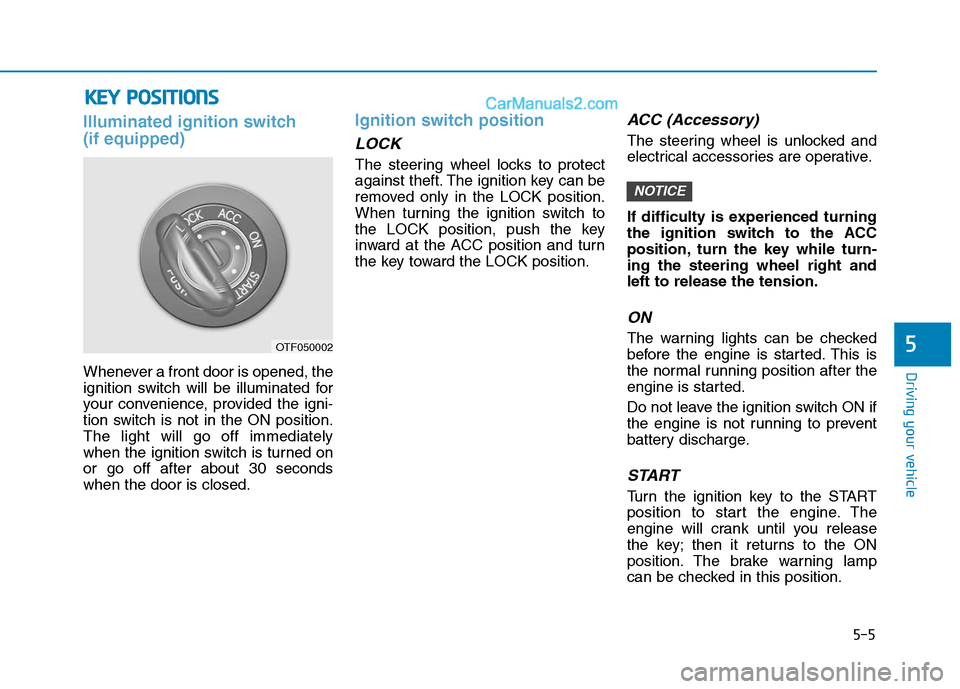
Illuminated ignition switch (if equipped)
Whenever a front door is opened, the
ignition switch will be illuminated for
your convenience, provided the igni-
tion switch is not in the ON position.The light will go off immediately
when the ignition switch is turned onor go off after about 30 secondswhen the door is closed.
Ignition switch position
LOCK
The steering wheel locks to protect
against theft. The ignition key can be
removed only in the LOCK position.
When turning the ignition switch to
the LOCK position, push the key
inward at the ACC position and turn
the key toward the LOCK position.
ACC (Accessory)
The steering wheel is unlocked and
electrical accessories are operative.
If difficulty is experienced turning
the ignition switch to the ACC
position, turn the key while turn-ing the steering wheel right andleft to release the tension.
ON
The warning lights can be checked
before the engine is started. This is
the normal running position after the
engine is started.
Do not leave the ignition switch ON if
the engine is not running to prevent
battery discharge.
START
Turn the ignition key to the START
position to start the engine. The
engine will crank until you release
the key; then it returns to the ON
position. The brake warning lamp
can be checked in this position.
NOTICE
5
KKEEYY PP OO SSIITT IIOO NNSS
OTF050002
Page 334 of 473
5-63
Driving your vehicle
5
GVWR (Gross vehicle weight rating)
This is the maximum allowable
weight of the fully loaded vehicle
(including all options, equipment,
passengers and cargo). The GVWR
is shown on the certification label.
Overloading
A locking differential, if equipped, is
for the rear wheel differential only.
The features of this locking differen-
tial are described below:
Just as with a conventional differen-
tial, the wheel on one side is allowed
to turn at a different speed from thewheel on the other side when the
vehicle is cornering. The difference
between the locking differential and a
conventional differential is that if the
wheel on one side of the vehicle
loses traction, a greater amount oftorque is applied to the rear wheel on
the other side to improve traction.Information
In a stationary position, the LD
(Locking Differential) will operate
when the difference of the revolution
speed between the rear right wheel
and the rear left wheel occurs.
i
The gross axle weight rating
(GAWR) and the gross vehicle
weight rating (GVWR) for your
vehicle are on the certification
label attached to the driver's (or
front passenger’s) door.Exceeding these ratings can
cause an accident or vehicle
damage. You can calculate the
weight of your load by weighing
the items (and people) before
putting them in the vehicle. Be
careful not to overload your
vehicle.
WARNING
LL OO CCKK IINN GG DD IIFF FFEE RR EENN TTIIAA LL
(
( IIFF EE QQ UUIIPP PP EEDD ))