lights Hyundai H350 2016 Owner's Guide
[x] Cancel search | Manufacturer: HYUNDAI, Model Year: 2016, Model line: H350, Model: Hyundai H350 2016Pages: 473, PDF Size: 26.4 MB
Page 159 of 473
3-97
Convenient features of your vehicle
3
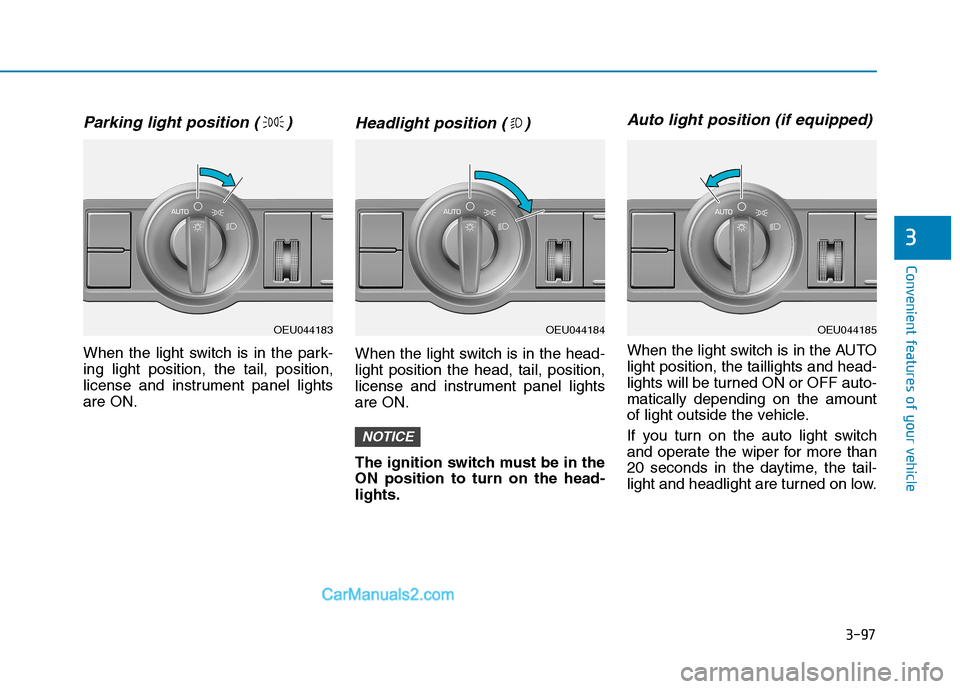
Parking light position ( )
When the light switch is in the park- ing light position, the tail, position,
license and instrument panel lightsare ON.
Headlight position ( )
When the light switch is in the head-light position the head, tail, position,
license and instrument panel lightsare ON.
The ignition switch must be in the ON position to turn on the head-lights.
Auto light position (if equipped)
When the light switch is in the AUTOlight position, the taillights and head-
lights will be turned ON or OFF auto-matically depending on the amount
of light outside the vehicle.
If you turn on the auto light switch
and operate the wiper for more than
20 seconds in the daytime, the tail-
light and headlight are turned on low.
NOTICE
OEU044183OEU044185OEU044184
Page 160 of 473
3-98
Convenient features of your vehicle
Don’t clean the sensor using awindow cleaner, the cleaner may
leave a light film which could
interfere with sensor operation.
If your vehicle has window tint or other types of coating on the
front windshield, the Auto light
system may not work properly.
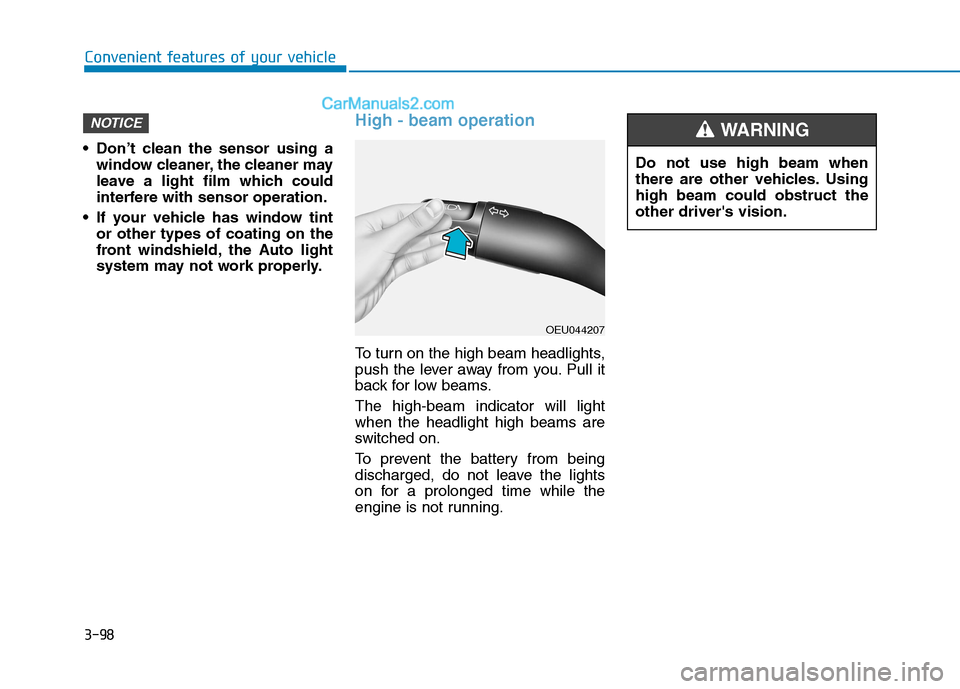
High - beam operation
To turn on the high beam headlights,
push the lever away from you. Pull it
back for low beams. The high-beam indicator will light when the headlight high beams are
switched on.
To prevent the battery from being
discharged, do not leave the lights
on for a prolonged time while the
engine is not running.
NOTICE
OEU044207 Do not use high beam when
there are other vehicles. Usinghigh beam could obstruct theother driver's vision.
WARNING
Page 161 of 473
3-99
Convenient features of your vehicle
3
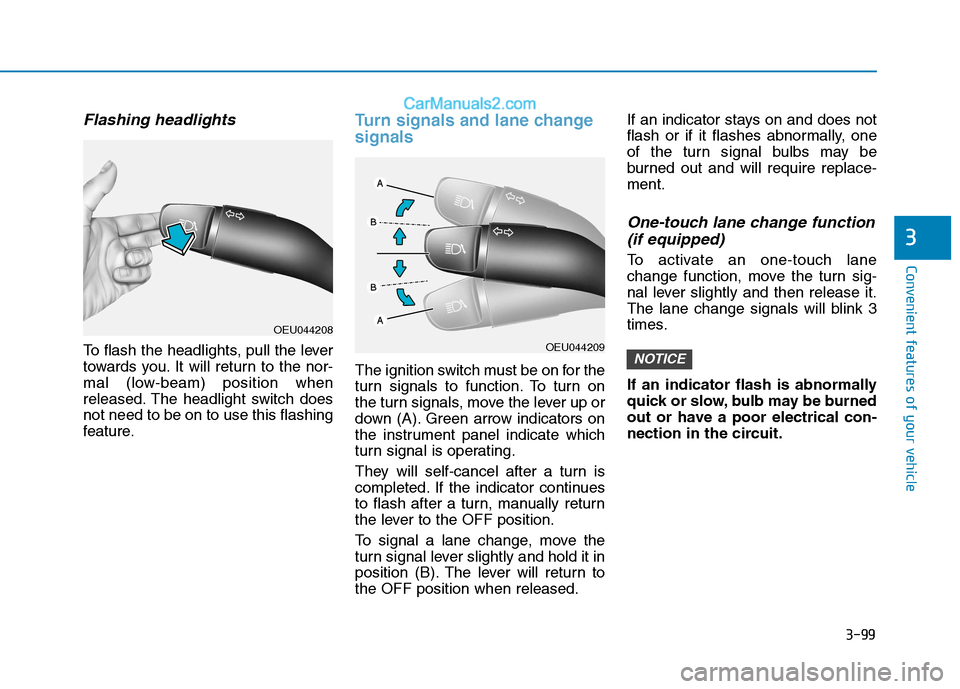
Flashing headlights
To flash the headlights, pull the lever
towards you. It will return to the nor-
mal (low-beam) position when
released. The headlight switch doesnot need to be on to use this flashing
feature.
Turn signals and lane change signals
The ignition switch must be on for the
turn signals to function. To turn on
the turn signals, move the lever up or
down (A). Green arrow indicators on
the instrument panel indicate which
turn signal is operating.
They will self-cancel after a turn is
completed. If the indicator continues
to flash after a turn, manually return
the lever to the OFF position.
To signal a lane change, move the
turn signal lever slightly and hold it in
position (B). The lever will return tothe OFF position when released.If an indicator stays on and does not
flash or if it flashes abnormally, one
of the turn signal bulbs may be
burned out and will require replace-ment.
One-touch lane change function
(if equipped)
To activate an one-touch lane
change function, move the turn sig-
nal lever slightly and then release it.
The lane change signals will blink 3
times.
If an indicator flash is abnormally
quick or slow, bulb may be burned
out or have a poor electrical con-
nection in the circuit.
NOTICEOEU044209
OEU044208
Page 162 of 473
3-100
Convenient features of your vehicle
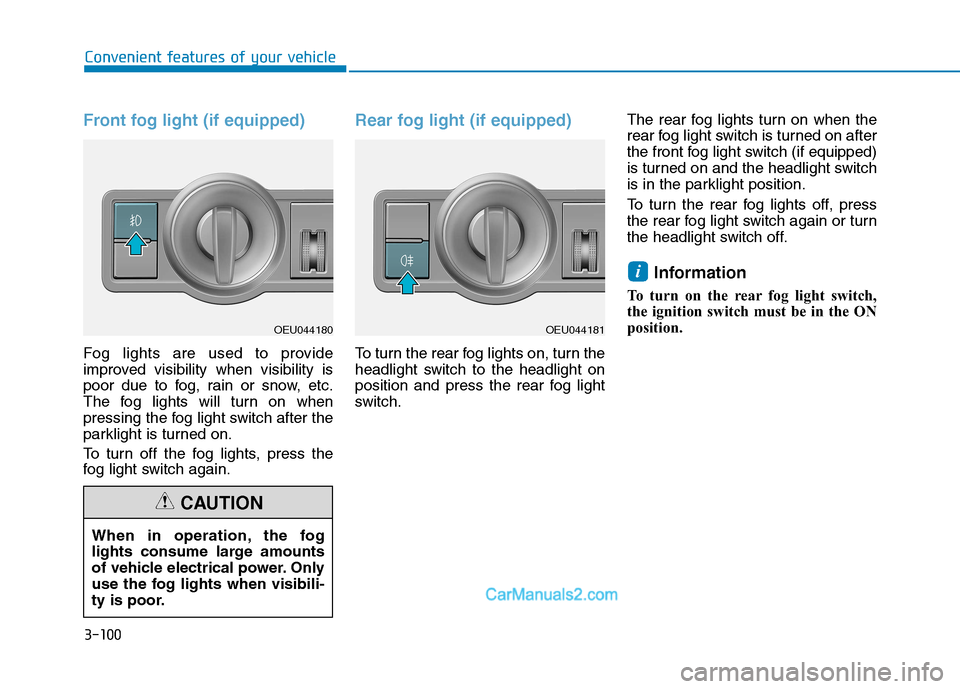
Front fog light (if equipped)
Fog lights are used to provide
improved visibility when visibility is
poor due to fog, rain or snow, etc.
The fog lights will turn on when
pressing the fog light switch after the
parklight is turned on.
To turn off the fog lights, press the
fog light switch again.
Rear fog light (if equipped)
To turn the rear fog lights on, turn the
headlight switch to the headlight on
position and press the rear fog light
switch.The rear fog lights turn on when the
rear fog light switch is turned on after
the front fog light switch (if equipped)
is turned on and the headlight switch
is in the parklight position.
To turn the rear fog lights off, press
the rear fog light switch again or turn
the headlight switch off.
Information
To turn on the rear fog light switch,
the ignition switch must be in the ON
position.
i
When in operation, the fog
lights consume large amounts
of vehicle electrical power. Only
use the fog lights when visibili-
ty is poor.
CAUTION
OEU044181OEU044180
Page 163 of 473
3-101
Convenient features of your vehicle
3
Daytime running light (if equipped)
Daytime Running Lights (DRL) can
make it easier for others to see the
front of your vehicle during the day.
DRL can be helpful in many different
driving conditions, and it is especial-
ly helpful after dawn and before sun-set.
The DRL system will make the head-
lights turn OFF when:
1. The parklight switch is ON.
2. Engine stops.
Headlight leveling device (if equipped)
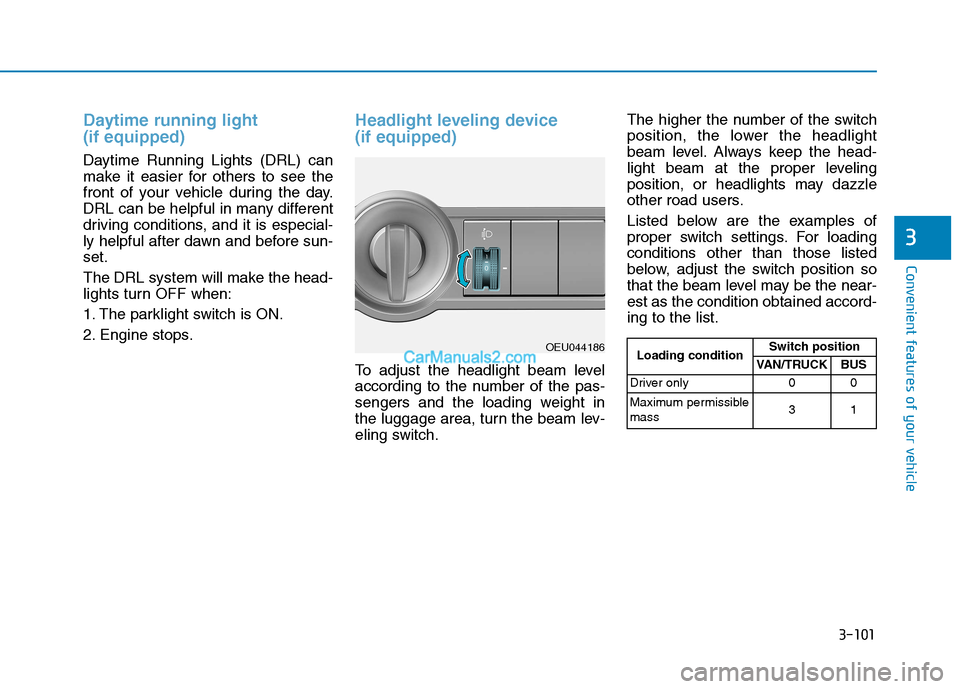
To adjust the headlight beam level
according to the number of the pas-
sengers and the loading weight in
the luggage area, turn the beam lev-
eling switch.The higher the number of the switch
position, the lower the headlight
beam level. Always keep the head-
light beam at the proper leveling
position, or headlights may dazzle
other road users.
Listed below are the examples of
proper switch settings. For loadingconditions other than those listed
below, adjust the switch position so
that the beam level may be the near-est as the condition obtained accord-ing to the list.
OEU044186
Loading condition Switch position
VAN/TRUCK BUS
Driver only 0 0
Maximum permissible mass 31
Page 168 of 473
3-106
Convenient features of your vehicle
Map lamp
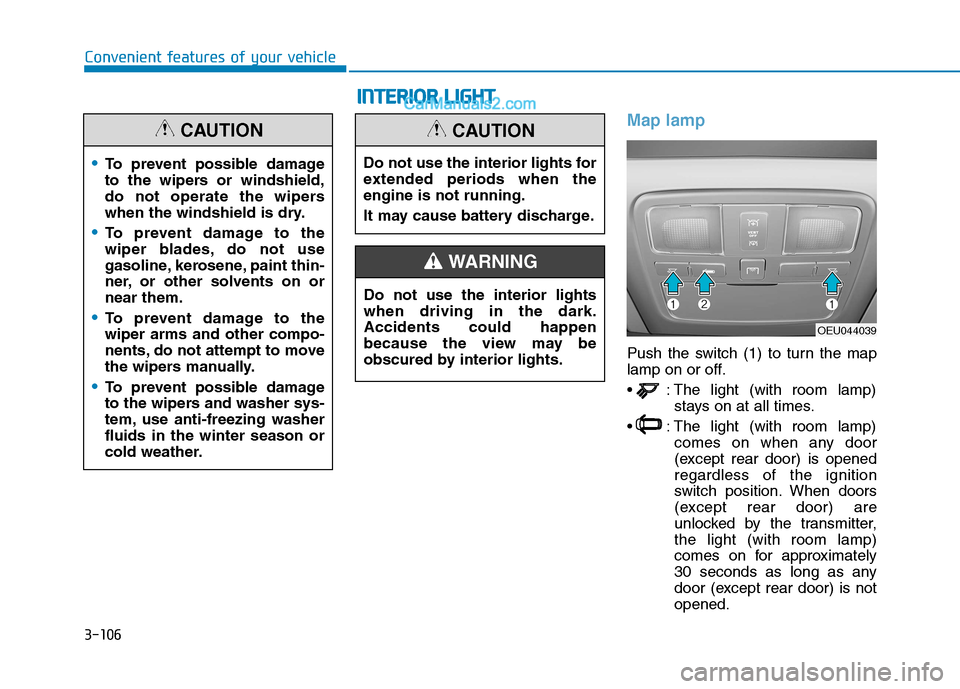
Push the switch (1) to turn the map
lamp on or off.
: The light (with room lamp)stays on at all times.
: The light (with room lamp) comes on when any door
(except rear door) is openedregardless of the ignition
switch position. When doors
(except rear door) are
unlocked by the transmitter,the light (with room lamp)
comes on for approximately
30 seconds as long as any
door (except rear door) is notopened.
To prevent possible damage
to the wipers or windshield,
do not operate the wipers
when the windshield is dry.
To prevent damage to the
wiper blades, do not use
gasoline, kerosene, paint thin-
ner, or other solvents on ornear them.
To prevent damage to the wiper arms and other compo-
nents, do not attempt to move
the wipers manually.
To prevent possible damage
to the wipers and washer sys-
tem, use anti-freezing washerfluids in the winter season or
cold weather.
CAUTION
OEU044039
Do not use the interior lights for
extended periods when theengine is not running.
It may cause battery discharge.
CAUTION
Do not use the interior lights when driving in the dark.Accidents could happen
because the view may be
obscured by interior lights.
WARNING
II
NN TTEERR IIOO RR LL IIGG HH TT
Page 274 of 473
5-3
Driving your vehicle
BBEEFFOO RREE DD RRIIVV IINN GG
5
Before entering the vehicle
• Be sure that all windows, outside
mirror(s), and outside lights are clean.
Check the condition of the tires.
Check under the vehicle for any sign of leaks.
Be sure there are no obstacles behind you if you intend to back up.
Necessary inspections
Fluid levels, such as engine oil,
engine coolant, power steering fluid,
brake fluid, and washer fluid should
be checked on a regular basis, with
the exact interval depending on the
fluid. Further details are provided in
Section 7, “Maintenance”.
Before starting
Close and lock all doors.
Position the seat so that all con-trols are easily reached.
Adjust the inside and outside rearview mirrors.
Be sure that all lights work.
Check all gauges.
Check the operation of warning lights when the ignition switch is
turned to the ON position.
Release the parking brake and make sure the brake warning lightgoes out.
For safe operation, be sure you are
familiar with your vehicle and itsequipment.
Driving while distracted can
result in a loss of vehicle con-
trol, that may lead to an acci-
dent, severe personal injury,
and death. The driver’s primary
responsibility is in the safe and
legal operation of a vehicle, and
use of any handheld devices,
other equipment, or vehicle sys-
tems which take the driver’s
eyes, attention and focus away
from the safe operation of a
vehicle or which are not permis-
sible by law should never beused during operation of the
vehicle.
WARNING
Page 276 of 473
5-5
Driving your vehicle
Illuminated ignition switch (if equipped)
Whenever a front door is opened, the
ignition switch will be illuminated for
your convenience, provided the igni-
tion switch is not in the ON position.The light will go off immediately
when the ignition switch is turned onor go off after about 30 secondswhen the door is closed.
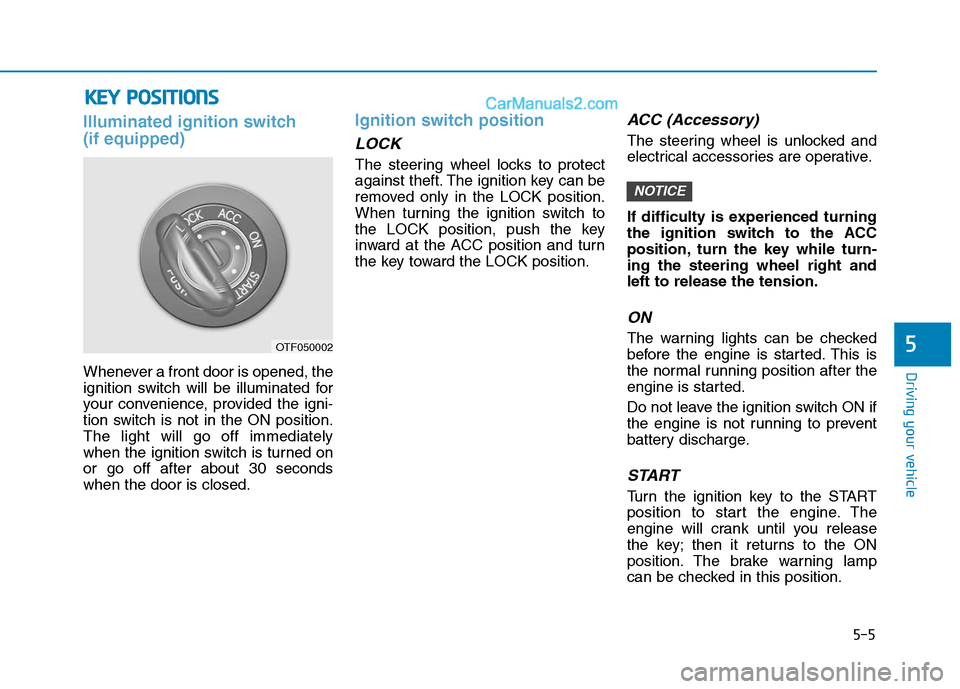
Ignition switch position
LOCK
The steering wheel locks to protect
against theft. The ignition key can be
removed only in the LOCK position.
When turning the ignition switch to
the LOCK position, push the key
inward at the ACC position and turn
the key toward the LOCK position.
ACC (Accessory)
The steering wheel is unlocked and
electrical accessories are operative.
If difficulty is experienced turning
the ignition switch to the ACC
position, turn the key while turn-ing the steering wheel right andleft to release the tension.
ON
The warning lights can be checked
before the engine is started. This is
the normal running position after the
engine is started.
Do not leave the ignition switch ON if
the engine is not running to prevent
battery discharge.
START
Turn the ignition key to the START
position to start the engine. The
engine will crank until you release
the key; then it returns to the ON
position. The brake warning lamp
can be checked in this position.
NOTICE
5
KKEEYY PP OO SSIITT IIOO NNSS
OTF050002
Page 279 of 473
5-8
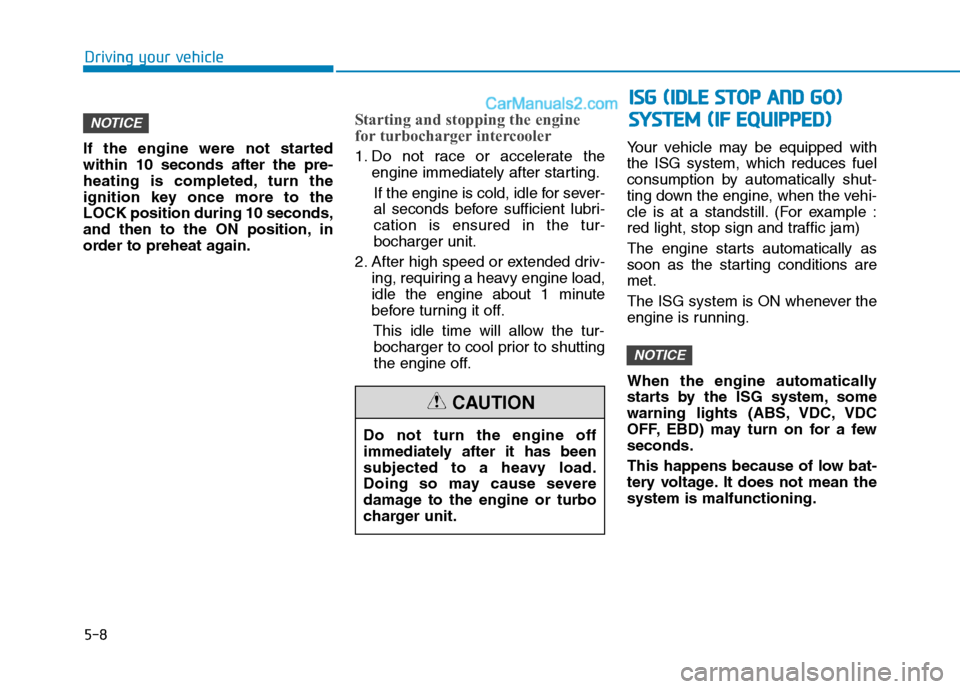
If the engine were not started within 10 seconds after the pre-
heating is completed, turn the
ignition key once more to theLOCK position during 10 seconds,
and then to the ON position, in
order to preheat again.
Starting and stopping the engine
for turbocharger intercooler
1. Do not race or accelerate the
engine immediately after starting.
If the engine is cold, idle for sever-
al seconds before sufficient lubri-cation is ensured in the tur-bocharger unit.
2. After high speed or extended driv- ing, requiring a heavy engine load,
idle the engine about 1 minute
before turning it off.
This idle time will allow the tur-bocharger to cool prior to shutting
the engine off. Your vehicle may be equipped withthe ISG system, which reduces fuel
consumption by automatically shut-
ting down the engine, when the vehi-
cle is at a standstill. (For example :
red light, stop sign and traffic jam)
The engine starts automatically as
soon as the starting conditions aremet.
The ISG system is ON whenever the
engine is running.
When the engine automatically
starts by the ISG system, some
warning lights (ABS, VDC, VDC
OFF, EBD) may turn on for a fewseconds.
This happens because of low bat-
tery voltage. It does not mean thesystem is malfunctioning.
NOTICE
NOTICE
Driving your vehicle
Do not turn the engine off
immediately after it has been
subjected to a heavy load.
Doing so may cause severe
damage to the engine or turbo
charger unit.
CAUTION
II
SS GG (( IIDD LLEE SS TT OO PP AA NN DD GG OO ))
S
S YY SSTT EEMM (( IIFF EE QQ UUIIPP PPEEDD ))
Page 295 of 473
5-24
Driving your vehicle
Vehicle Dynamic Control (VDC) (if equipped)
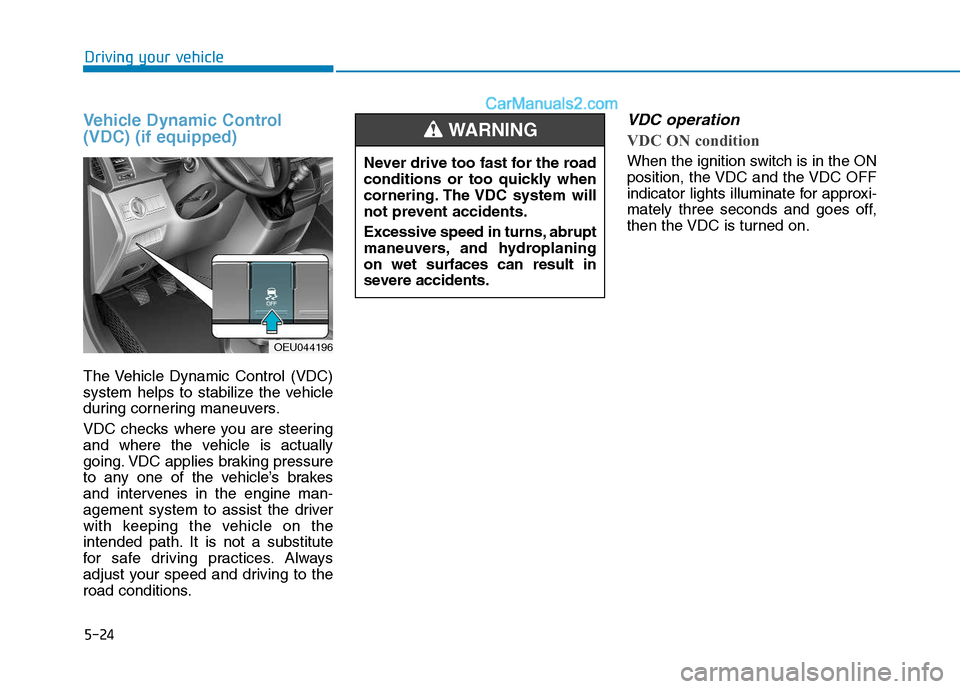
The Vehicle Dynamic Control (VDC)
system helps to stabilize the vehicle
during cornering maneuvers.
VDC checks where you are steering
and where the vehicle is actually
going. VDC applies braking pressure
to any one of the vehicle’s brakes
and intervenes in the engine man-
agement system to assist the driver
with keeping the vehicle on the
intended path. It is not a substitute
for safe driving practices. Always
adjust your speed and driving to the
road conditions.
VDC operation
VDC ON condition
When the ignition switch is in the ON
position, the VDC and the VDC OFF
indicator lights illuminate for approxi-
mately three seconds and goes off,
then the VDC is turned on.
OEU044196Never drive too fast for the road
conditions or too quickly when
cornering. The VDC system will
not prevent accidents.
Excessive speed in turns, abrupt
maneuvers, and hydroplaningon wet surfaces can result in
severe accidents.
WARNING