audio HYUNDAI I10 2017 Owner's Manual
[x] Cancel search | Manufacturer: HYUNDAI, Model Year: 2017, Model line: I10, Model: HYUNDAI I10 2017Pages: 343, PDF Size: 9.14 MB
Page 170 of 343
![HYUNDAI I10 2017 Owners Manual 4109
Features of your vehicle
Sound Settings
This menu allows you to set the ‘Bass,
Middle, Treble’ and the Sound Fader and
Balance.
Select [Audio Settings] Select menu
through TUNE knob Turn TUNE](/img/35/56220/w960_56220-169.png "HYUNDAI I10 2017 Owners Manual 4109
Features of your vehicle
Sound Settings
This menu allows you to set the ‘Bass,
Middle, Treble’ and the Sound Fader and
Balance.
Select [Audio Settings] Select menu
through TUNE knob Turn TUNE")
4109
Features of your vehicle
Sound Settings
This menu allows you to set the ‘Bass,
Middle, Treble’ and the Sound Fader and
Balance.
Select [Audio Settings] Select menu
through TUNE knob Turn TUNE
knob left/right to set
• Bass, Middle, Treble : Selects the sound
tone.
• Fader, Balance : Moves the sound fader
and balance.
• Default : Restores default settings.
❈Return : While adjusting values, re-
pressing the TUNE knob will restore
the parent menu.
Virtual Sound
The PowerTreble, and Surround can be
set.
Select [Virtual Sound] Set menu
through
TUNEknob Set /
through
TUNEknob
• PowerTreble : This is a sound system fea-
ture that provides live tremble.
• Surround : This is a sound system fea-
ture that provides surround sound.
❈May differ depending on the selected
audio.
Speed Dependent Volume Control
This feature is used to automatically con-
trol the volume level according to the
speed of the vehicle.
Select [Speed Dependent Vol.] Set in 4
levels [Off/Low/Mid/High] of TUNE knob
Off
On
Page 171 of 343
![HYUNDAI I10 2017 Owners Manual Features of your vehicle
110 4
Clock Settings
Press the key Select [Clock]
through TUNE knob or key
Select menu through TUNE knob
Clock Settings
This menu is used to set the time.
Select [Clock Set](/img/35/56220/w960_56220-170.png "HYUNDAI I10 2017 Owners Manual Features of your vehicle
110 4
Clock Settings
Press the key Select [Clock]
through TUNE knob or key
Select menu through TUNE knob
Clock Settings
This menu is used to set the time.
Select [Clock Set")
Features of your vehicle
110 4
Clock Settings
Press the key Select [Clock]
through TUNE knob or key
Select menu through TUNE knob
Clock Settings
This menu is used to set the time.
Select [Clock Settings] Set through
TUNE knob Press TUNE knob
❈Adjust the number currently in focus to
set the [hour] and press the tune knob
to set the [minute].
Callendar Settings
This menu is used to set the date.
Select [Callendar Settings ] Set through
TUNE knob Press TUNE knob
❈Adjust the number currently in focus to
make the settings and press the tune
knob to move to the next setting. (Set
in order of Year/Month/Day)
Time Format
This function is used to set the 12/24
hour time format of the audio system.
Select [Time Format] Set 12Hr / 24Hr
through TUNE knob
Clock Display when Power is OFF
Select [Clock Disp.(Pwr Off) Set /
through TUNE knob
• : Displays time/date on screen
• : Turn off.
Off
On
Off
On
3
SETUP
CLOCK
Page 174 of 343
![HYUNDAI I10 2017 Owners Manual 4113
Features of your vehicle
• Changing connection sequence
(Priority)
This is used to change the order (pri-
ority) of automatic connection for the
paired mobile phones.
Select [Phone List] Select](/img/35/56220/w960_56220-173.png "HYUNDAI I10 2017 Owners Manual 4113
Features of your vehicle
• Changing connection sequence
(Priority)
This is used to change the order (pri-
ority) of automatic connection for the
paired mobile phones.
Select [Phone List] Select")
4113
Features of your vehicle
• Changing connection sequence
(Priority)
This is used to change the order (pri-
ority) of automatic connection for the
paired mobile phones.
Select [Phone List] Select [Priority]
through TUNE knob Select No. 1
Priority mobile phone
➀Select [Priority].
➁From the paired phones, select
the phone desired for No.1 priority.
➂The changed priority sequence is
displayed.
❈Once the connection sequence
(priority) is changed, the new no. 1
priority mobile phone will be con-
nected.
- when the no. 1 priority cannot be
connected: Automatically
attempts to connect the most
recently connected phone.
- Cases when the most recently
connected phone cannot be con-
nected: Attempts to connect in
the order in which paired phones
are listed.- The connected phone will auto-
matically be changed to No. 1
priority.
• Delete
Select [Phone List] Select mobile
phone through TUNE knob
Select [Delete]
➀ Select the desired mobile phone.
➁ Delete the selected mobile phone.
➂ Deletion completion is displayed.
❈When attempting to delete a cur-
rently connected phone, the
phone is first disconnected.Contacts Download
This feature is used to download
contacts and call histories into the
audio system.
Select [Contacts Download] Select
through TUNE knob
CAUTION
• When you delete a mobile
phone, the mobile phone con-
tacts will also be erased.
• For stable Bluetooth
®Wireless
Technology communication,
delete the mobile phone from
the audio and also delete the
audio from your mobile phone.
CAUTION
• The download feature may not
be supported in some mobile
phones.
• If a different operation is per-
formed while Contacts are
being downloaded, download-
ing will be discontinued.
Contacts already downloaded
will be saved.
• When downloading new
Contacts, delete all previously
saved Contacts before start-
ing download.
Page 175 of 343
![HYUNDAI I10 2017 Owners Manual Features of your vehicle
114 4
Auto Download
When connecting a mobile phone, it is
possible to automatically download new
Contacts and Call Histories.
Select [Auto Download] Set /
through TUNE knob
A](/img/35/56220/w960_56220-174.png "HYUNDAI I10 2017 Owners Manual Features of your vehicle
114 4
Auto Download
When connecting a mobile phone, it is
possible to automatically download new
Contacts and Call Histories.
Select [Auto Download] Set /
through TUNE knob
A")
Features of your vehicle
114 4
Auto Download
When connecting a mobile phone, it is
possible to automatically download new
Contacts and Call Histories.
Select [Auto Download] Set /
through TUNE knob
Audio Streaming
Songs (files) saved in your Bluetooth®
Wireless Technology enabled mobile
phone can be played through the audio
system.
Select [Audio Streaming] Set /
through TUNE knob
Outgoing Volume
This is used to set the volume of your
voice as heard by the other party while
on a
Bluetooth®Wireless Technology
enabled handsfree call.
Select [Outgoing Volume] Set volume
through TUNE knob
❈While on a call, the volume can be
changed by using the key.
Bluetooth®Wireless Technology
System Off
This feature is used when you do not
wish to use the Bluetooth®Wireless
Technology system.
Select [Bluetooth System Off] Set
through TUNE knob
❈If a phone is already connected, dis-
connect the currently connected phone
and turn the
Bluetooth®Wireless
Technology system off.
Using the Bluetooth®Wireless
Technology System
To use Bluetooth®Wireless Technology
when the system is currently off, follow
these next steps.
• Turning On
Bluetooth®Wireless
Technology through the Key.
Press the key Screen Guidance
❈Moves to the screen where
Bluetooth®
Wireless Technology functions can be
used and displays guidance.
• Turning On
Bluetooth®Wireless
Technology through the Key.
Press the key Select [Phone]
➀A screen asking whether to turn on
Bluetooth®Wireless Technology will be
displayed.
➁On the screen, select to turn on
Bluetooth®Wireless Technology and
display guidance.
❈If the
Bluetooth®Wireless Technology
system is turned on, the system will
automatically try to connect the most
recently connected
Bluetooth®Wireless
Technology mobile phone.
YES
SETUP
CLOCK
SETUP
CLOCK
PHONE
PHONE
SEEK
TRACK
OffOn
OffOn
CAUTION
The Bluetooth®Wireless Technology
audio streaming feature may not be
supported in some mobile phones.
Page 176 of 343
![HYUNDAI I10 2017 Owners Manual 4115
Features of your vehicle
System Settings
Press the key Select [System]
Memory Information
(if equipped)
Displays currently used memory and
total system memory.
Select [Memory Information] OK
T](/img/35/56220/w960_56220-175.png "HYUNDAI I10 2017 Owners Manual 4115
Features of your vehicle
System Settings
Press the key Select [System]
Memory Information
(if equipped)
Displays currently used memory and
total system memory.
Select [Memory Information] OK
T")
4115
Features of your vehicle
System Settings
Press the key Select [System]
Memory Information
(if equipped)
Displays currently used memory and
total system memory.
Select [Memory Information] OK
The currently used memory is displayed
on the left side while the total system
memory is displayed on the right side.
SETUP
CLOCK
CAUTION
Bluetooth®Wireless Technology
connection may become intermit-
tently disconnected in some mobile
phones. Follow these next steps to
try again.
1) Turn the Bluetooth
®Wireless
Technology function within the
mobile phone ON/OFF and try to
connect again.
2) Turn the mobile phone power
ON/OFF and try to connect again.
3) Completely remove the mobile
phone battery, reboot, and then
try to connect again.
4) Reboot the audio system and try
to connect again
5) Delete all paired devices in your
mobile phone and the audio sys-
tem and pair again for use.
Page 178 of 343
4117
Features of your vehicle
BASIC METHOD OF USE :
Audio CD / MP3 CD / USB /
iPod
®/ My Music
(for CD player model)
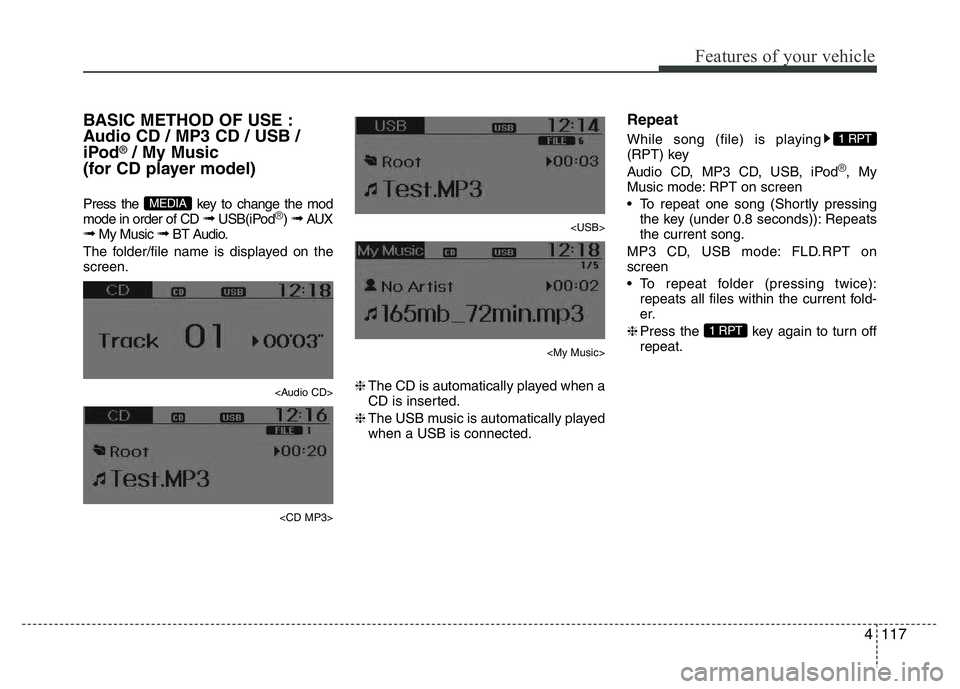
Press the key to change the mod
mode in order of CD ➟ USB(iPod®) ➟ AUX➟ My Music ➟ BT Audio.
The folder/file name is displayed on the
screen.
Page 179 of 343
Features of your vehicle
118 4
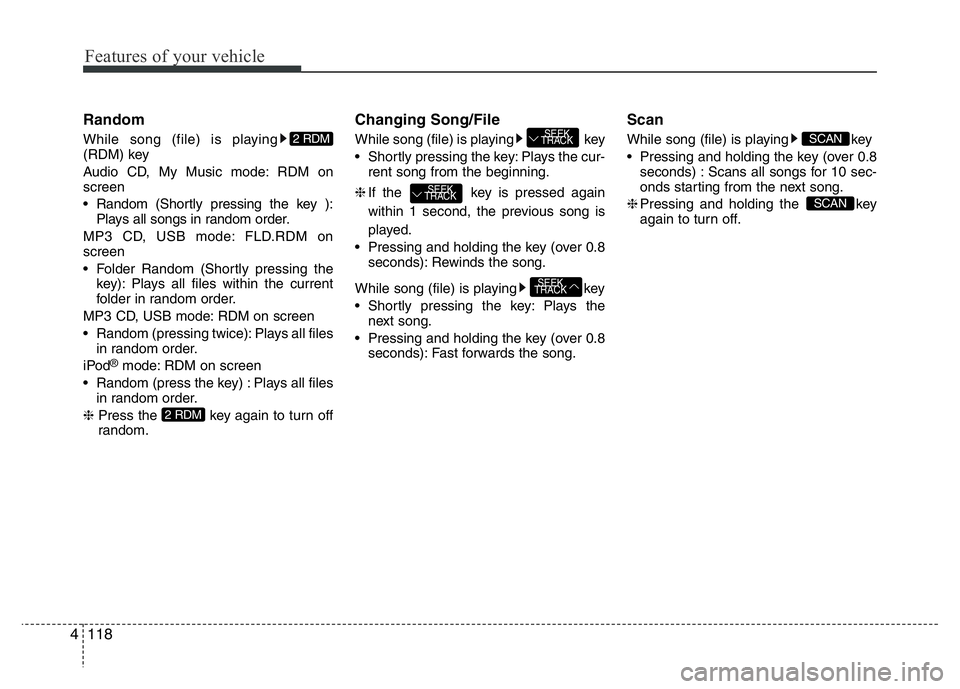
Random
While song (file) is playing
(RDM) key
Audio CD, My Music mode: RDM on
screen
• Random (Shortly pressing the key ):
Plays all songs in random order.
MP3 CD, USB mode: FLD.RDM on
screen
• Folder Random (Shortly pressing the
key): Plays all files within the current
folder in random order.
MP3 CD, USB mode: RDM on screen
• Random (pressing twice): Plays all files
in random order.
iPod
®mode: RDM on screen
• Random (press the key) : Plays all files
in random order.
❈ Press the key again to turn off
random.
Changing Song/File
While song (file) is playing key
• Shortly pressing the key: Plays the cur-
rent song from the beginning.
❈If the key is pressed again
within 1 second, the previous song is
played.
• Pressing and holding the key (over 0.8
seconds): Rewinds the song.
While song (file) is playing key
• Shortly pressing the key: Plays the
next song.
• Pressing and holding the key (over 0.8
seconds): Fast forwards the song.
Scan
While song (file) is playing key
• Pressing and holding the key (over 0.8
seconds) : Scans all songs for 10 sec-
onds starting from the next song.
❈Pressing and holding the key
again to turn off.
SCAN
SCAN
SEEK
TRACK
SEEK
TRACK
SEEK
TRACK
2 RDM
2 RDM
Page 180 of 343
4119
Features of your vehicle
Folder Search : MP3 CD, USB
Mode
While file is playing (Folder
Up) key
• Searches the next folder.
While file is playing (Folder
Down) key
• Searches the parent folder.
❈ If a folder is selected by pressing the
TUNE knob, the first file within the
selected folder will be played.
Searching Songs (File)
• Turning TUNE knob : Searches for
songs (files)
• Pressing TUNE knob : Plays select-
ed song (file).
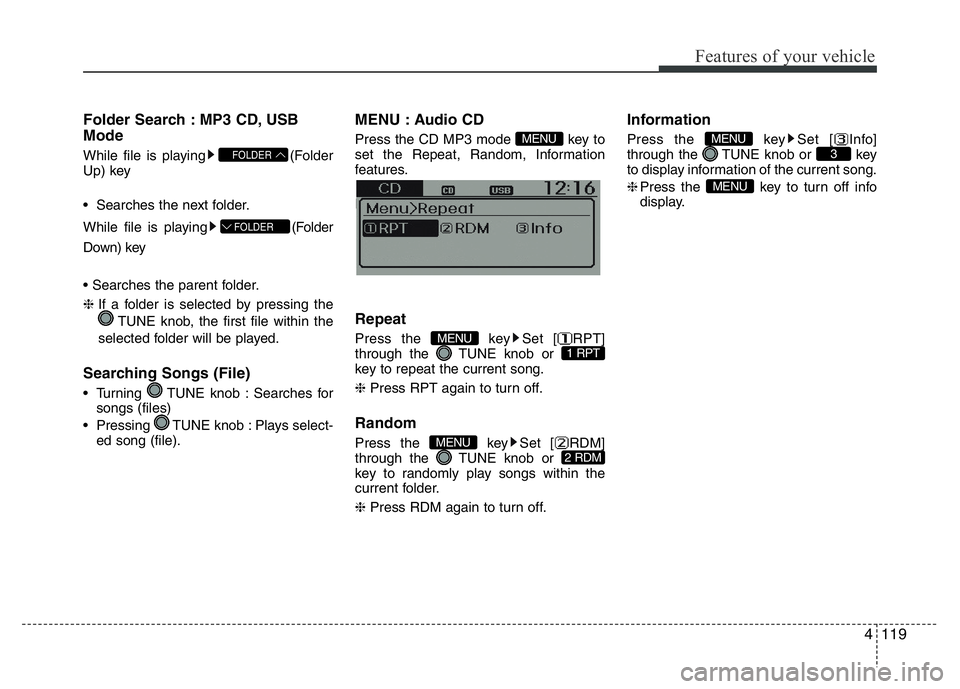
MENU : Audio CD
Press the CD MP3 mode key to
set the Repeat, Random, Information
features.
Information features.
Repeat
Press the key Set [ RPT]
through the TUNE knob or
key to repeat the current song.
❈ Press RPT again to turn off.
Random
Press the key Set [ RDM]
through the TUNE knob or
key to randomly play songs within the
current folder.
❈ Press RDM again to turn off.
Information
Press the key Set [ Info]
through the TUNE knob or key
to display information of the current song.
❈Press the key to turn off info
display.
MENU
3MENU
2 RDMMENU
1 RPTMENU
MENU
FOLDER
FOLDER
Page 189 of 343
Bluetooth®Wireless
Technology AUDIO
(if equipped)
What is Bluetooth®Wireless
Technology?
Bluetooth®Wireless Technology allows
devices to be connected in a short dis-
tance, including hands-free devices,
stereo headsets, wireless remote con-
trollers, etc. For more information, visit
the
Bluetooth®Wireless Technology
website at www.Bluetooth.com
Before using Bluetooth®Wireless
Technology audio features
•
Bluetooth®Wireless Technology audio
may not be supported depending on
the compatibility of your
Bluetooth®
Wireless Technology mobile phone.
• In order to use
Bluetooth®Wireless
Technology audio, you must first pair
and connect the
Bluetooth®Wireless
Technology mobile phone.• The
Bluetooth®word mark and logos
are registered trademarks owned by
Bluetooth®SIG, Inc. and any use of
such marks is under license. Other
trademarks and trade names are those
of their respective owners. A
Bluetooth®
enabled cell phone is required to useBluetooth®Wireless Technology
•
Bluetooth®Wireless Technology audio
can be used only when the [Audio
Streaming] of Phone is turned On.
❈Setting
Bluetooth®Wireless Technology
Audio Streaming : Press the
key Select [Phone] through the tune
knob Select [Audio Streaming] through
the TUNE knob Set /
Starting Bluetooth®Wireless
Technology Audio
• Press the key to change the
mode in order of CD ➟ USB ➟ AUX ➟
My Music ➟ BT Audio.
• If BT Audio is selected,
Bluetooth®
Wireless Technology audio will start
playing.
❈Audio may not automatically start play-
ing in some mobile phones.
Using the Bluetooth®Wireless
Technologyaudio features
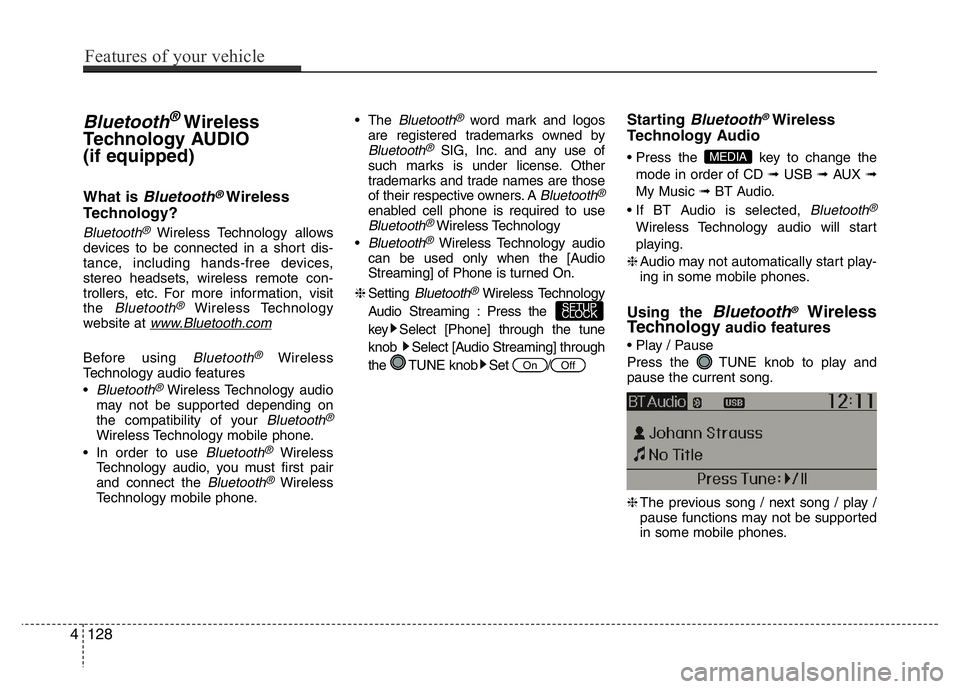
• Play / Pause
Press the TUNE knob to play and
pause the current song.
❈The previous song / next song / play /
pause functions may not be supported
in some mobile phones.
MEDIA
OffOn
SETUP
CLOCK
4128
Features of your vehicle
Page 192 of 343
✽NOTICE - USING THE
Bluetooth®Wireless Technology
CELLULAR PHONE
• Do not use a cellular phone or perform
Bluetooth®Wireless Technology set-
tings (e.g. pairing a phone) while driv-
ing.
• Some Bluetooth
®Wireless Technology -
enabled phones may not be recognized
by the system or fully compatible with
the system.
• Before using Bluetooth
®Wireless
Technology related features of the
audio system, refer your phone’s User’s
Manual for phone-side Bluetooth
®
Wireless Technology operations.
• The phone must be paired to the audio
system to use Bluetooth
®Wireless
Technology related features.
• You will not be able to use the hands-
free feature when your phone (in the
car) is outside of the cellular service
area (e.g. in a tunnel, in a underground,
in a mountainous area, etc.).
(Continued)(Continued)
• If the cellular phone signal is poor or
the vehicles interior noise is too loud, it
may be difficult to hear the other per-
son’s voice during a call.
• Do not place the phone near or inside
metallic objects, otherwise communica-
tions with Bluetooth
®Wireless
Technology system or cellular service
stations can be disturbed.
• While a phone is connected through
Bluetooth
®Wireless Technology your
phone may discharge quicker than
usual for additional Bluetooth
®
Wireless Technology-related opera-
tions.
• Some cellular phones or other devices
may cause interference noise or mal-
function to audio system. In this case,
store the device in a different location
may resolve the condition.
• Phone contact names should be saved
in English or they may not be displayed
correctly.
(Continued)(Continued)
• If Priority is set upon vehicle
ignition(IGN/ACC ON), the Bluetooth
®
Wireless Technology phone will be
automatically connected.
Even if you are outside, the Bluetooth
®
Wireless Technology phone will be
automatically connected once you are
in the vicinity of the vehicle.
If you do not want automatic
Bluetooth
®Wireless Technology con-
nection, turn the Bluetooth®Wireless
Technology feature off.
• The hands-free call volume and quality
may differ depending on the mobile
phone type.
•Bluetooth
®Wireless Technology fea-
tures can be used only when the mobile
phone has been paired and connected
with the device. For more information
on pairing and connecting Bluetooth
®
Wireless Technology enabled mobile
phones, refer to the “Phone Setup” sec-
tion.
(Continued)
Features of your vehicle
131 4