parking HYUNDAI I10 2018 User Guide
[x] Cancel search | Manufacturer: HYUNDAI, Model Year: 2018, Model line: I10, Model: HYUNDAI I10 2018Pages: 343, PDF Size: 9.14 MB
Page 113 of 343
Features of your vehicle
52 4
Your vehicle is equipped with dual-diago-
nal braking systems. This means you still
have braking on two wheels even if one of
the dual systems should fail. With only one
of the dual systems working, more than
normal pedal travel and greater pedal
pressure are required to stop the vehicle.
Also, the vehicle will not stop in as short a
distance with only a portion of the brake
system working. If the brakes fail while you
are driving, shift to a lower gear for addi-
tional engine braking and stop the vehicle
as soon as it is safe to do so.
To check bulb operation, check whether
the parking brake and brake fluid warning
light illuminates when the ignition switch
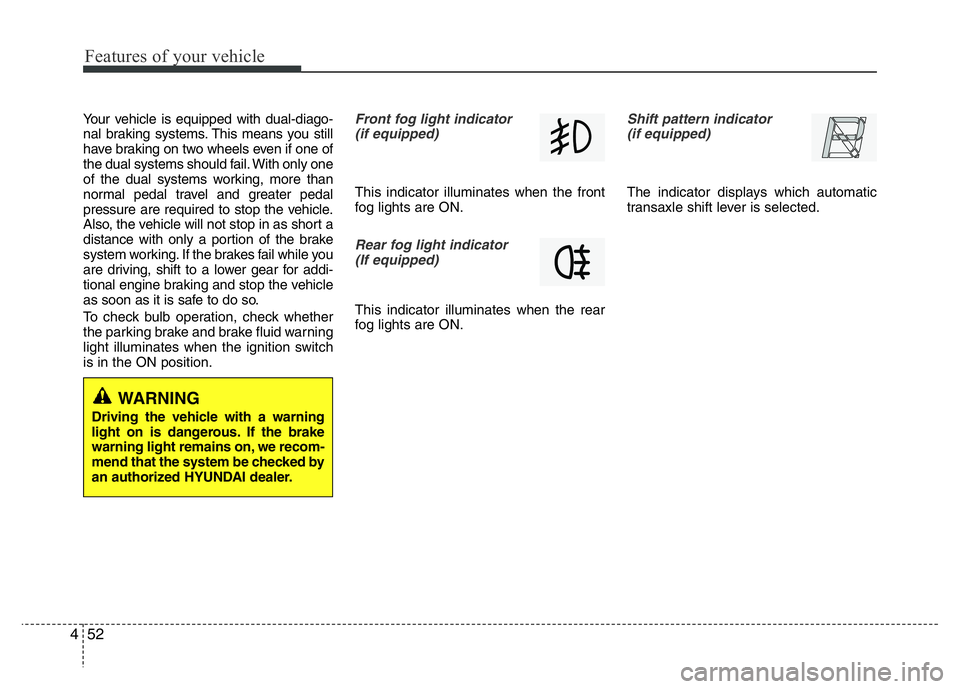
is in the ON position.Front fog light indicator
(if equipped)
This indicator illuminates when the front
fog lights are ON.
Rear fog light indicator
(If equipped)
This indicator illuminates when the rear
fog lights are ON.
Shift pattern indicator
(if equipped)
The indicator displays which automatic
transaxle shift lever is selected.
WARNING
Driving the vehicle with a warning
light on is dangerous. If the brake
warning light remains on, we recom-
mend that the system be checked by
an authorized HYUNDAI dealer.
Page 120 of 343
459
Features of your vehicle
Battery saver function (if equipped)
• The purpose of this feature is to pre-
vent the battery from being dis-
charged. The system automatically
turns off the exterior lights when the
driver removes the ignition key and
opens the driver-side door.
• With this feature, the parking lights will
turn off automatically if the driver parks
on the side of road at night.
If necessary, to keep the lights on
when the ignition key is removed, per-
form the following :
1) Open the driver-side door.
2) Turn the parking lights OFF and ON
again using the light switch on the
steering column.
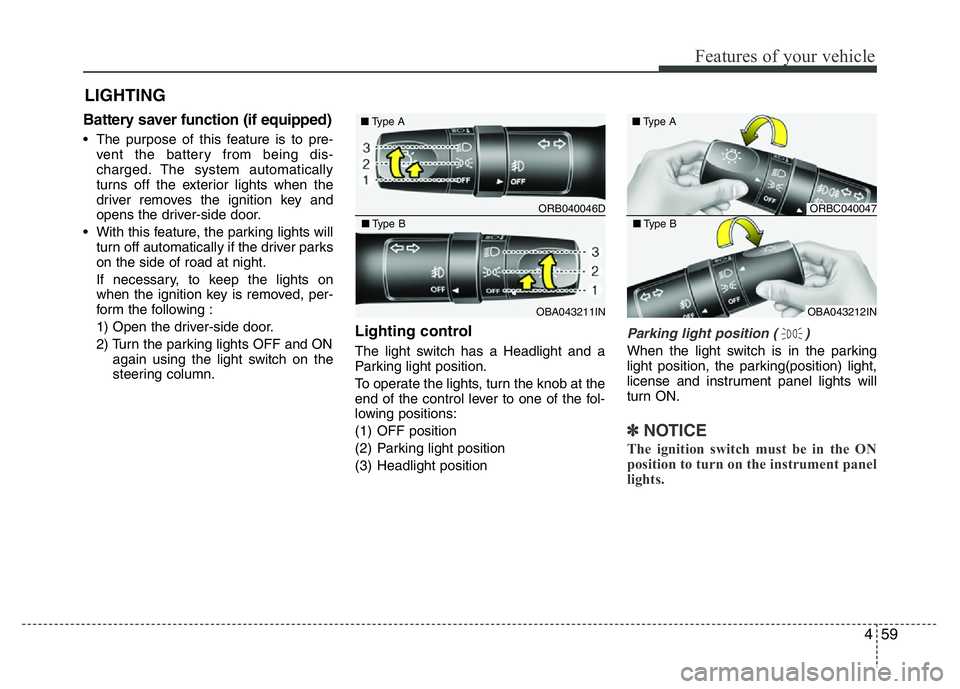
Lighting control
The light switch has a Headlight and a
Parking light position.
To operate the lights, turn the knob at the
end of the control lever to one of the fol-
lowing positions:
(1) OFF position
(2) Parking light position
(3) Headlight position
Parking light position ( )
When the light switch is in the parking
light position, the parking(position) light,
license and instrument panel lights will
turn ON.
✽NOTICE
The ignition switch must be in the ON
position to turn on the instrument panel
lights.
LIGHTING
ORB040046D ■Type A
OBA043211IN ■Type B
ORBC040047 ■Type A
OBA043212IN ■Type B
Page 121 of 343
Features of your vehicle
60 4
WARNING
Do not use high beam when there
are other vehicles. Using high beam
could obstruct the other driver's
vision.
Headlight position ( )
When the light switch is in the headlight
position, the headlight, parking(position)
light, license and instrument panel lights
will turn ON.
✽NOTICE
The ignition switch must be in the ON
position to turn on the headlights.
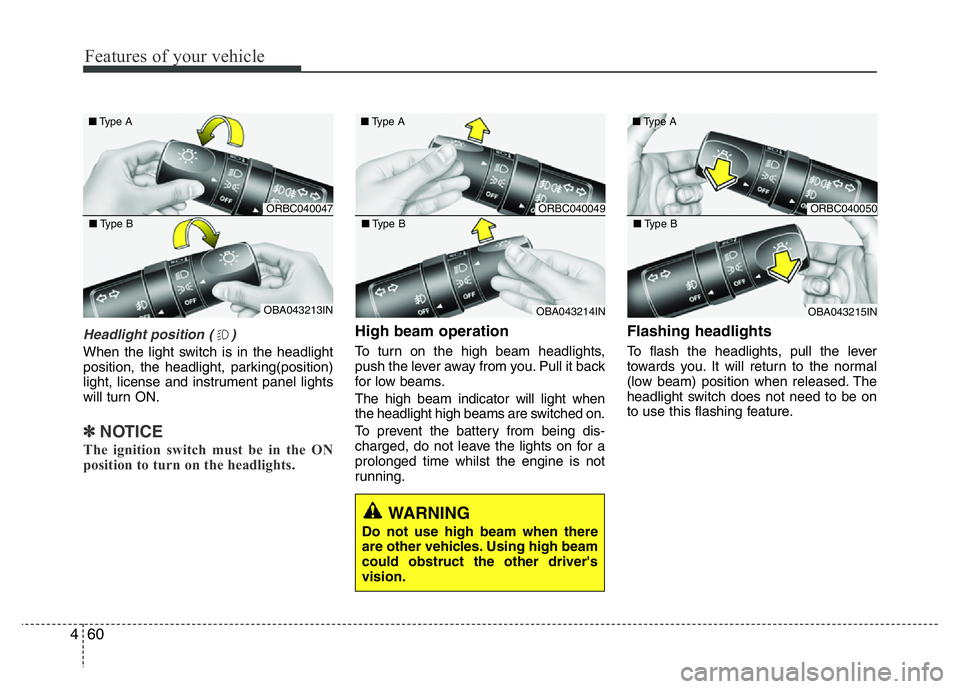
High beam operation
To turn on the high beam headlights,
push the lever away from you. Pull it back
for low beams.
The high beam indicator will light when
the headlight high beams are switched on.
To prevent the battery from being dis-
charged, do not leave the lights on for a
prolonged time whilst the engine is not
running.
Flashing headlights
To flash the headlights, pull the lever
towards you. It will return to the normal
(low beam) position when released. The
headlight switch does not need to be on
to use this flashing feature.
ORBC040047 ■Type A
OBA043213IN ■Type B
ORBC040049 ■Type A
OBA043214IN ■Type B
ORBC040050 ■Type A
OBA043215IN ■Type B
Page 123 of 343
Features of your vehicle
62 4
✽NOTICE
The ignition switch must be in the ON
position to turn on the front fog light.
CAUTION
When in operation, the fog lights
consume large amounts of vehicle
electrical power. Only use the fog
lights when visibility is poor or
unnecessary battery and generator
drain could occur.
■Type B
■Type A
■Type D
■Type C
ORBC040052/ORB040052D/OTA040219R/ORBI041052
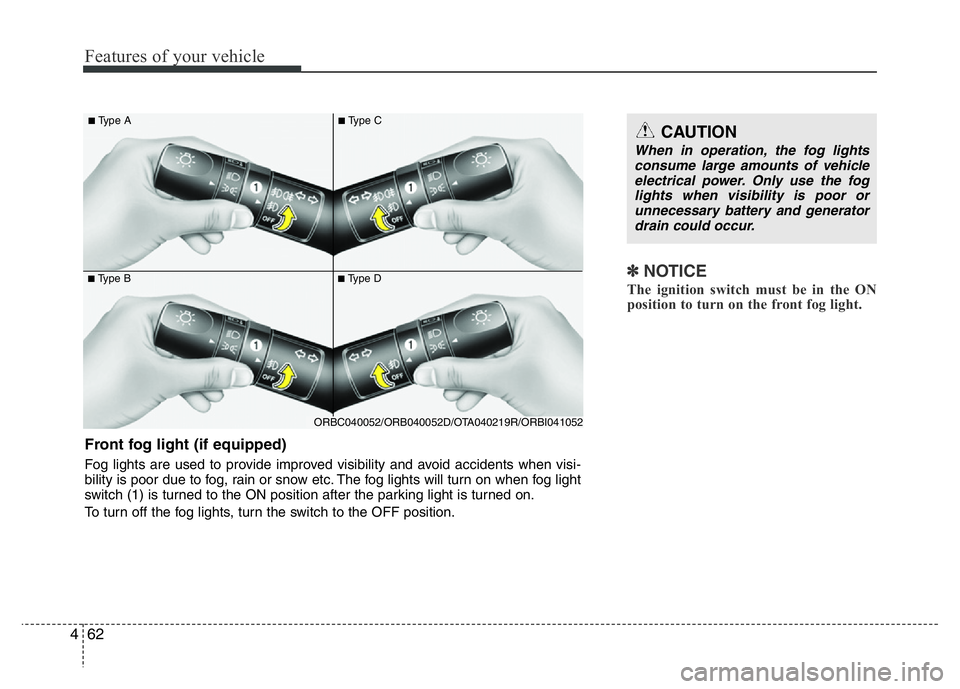
Front fog light (if equipped)
Fog lights are used to provide improved visibility and avoid accidents when visi-
bility is poor due to fog, rain or snow etc. The fog lights will turn on when fog light
switch (1) is turned to the ON position after the parking light is turned on.
To turn off the fog lights, turn the switch to the OFF position.
Page 124 of 343
463
Features of your vehicle
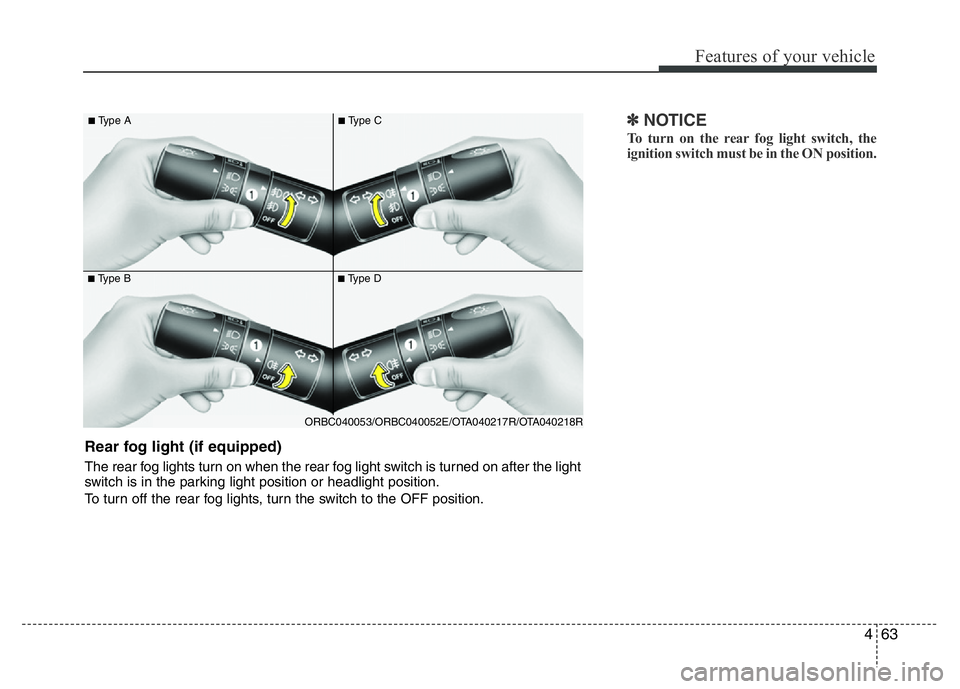
✽NOTICE
To turn on the rear fog light switch, the
ignition switch must be in the ON position.
■Type B
■Type A
■Type D
■Type C
ORBC040053/ORBC040052E/OTA040217R/OTA040218R
Rear fog light (if equipped)
The rear fog lights turn on when the rear fog light switch is turned on after the light
switch is in the parking light position or headlight position.
To turn off the rear fog lights, turn the switch to the OFF position.
Page 130 of 343
469
Features of your vehicle
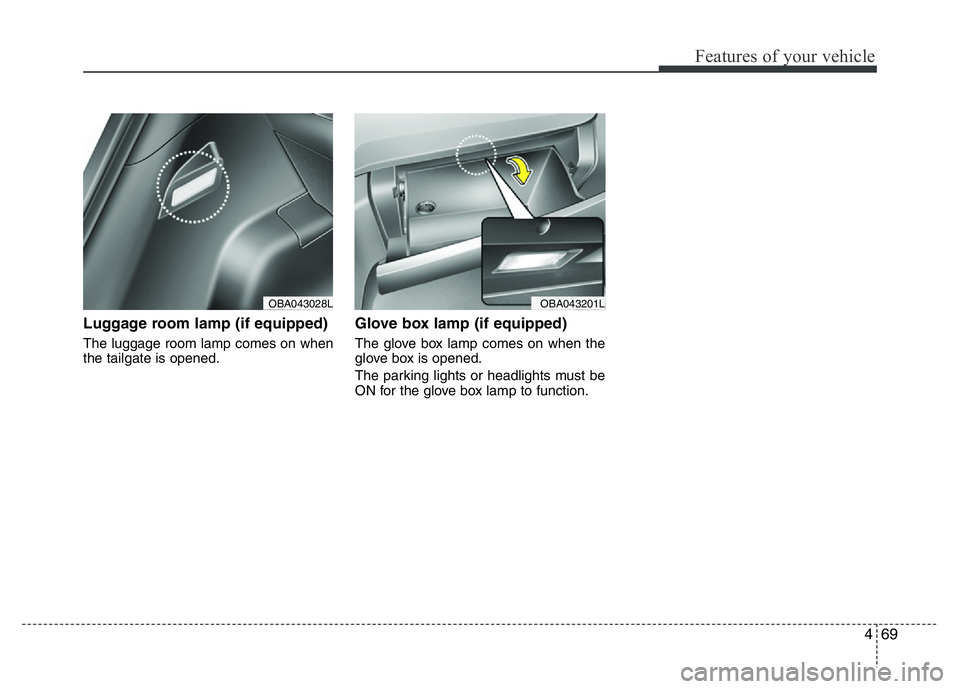
Luggage room lamp (if equipped)
The luggage room lamp comes on when
the tailgate is opened.
Glove box lamp (if equipped)
The glove box lamp comes on when the
glove box is opened.
The parking lights or headlights must be
ON for the glove box lamp to function.
OBA043201LOBA043028L
Page 149 of 343
Features of your vehicle
88 4
✽NOTICE
• If you install an aftermarket HID
head lamp, your vehicle’s audio and
electronic device may malfunction.
• Prevent chemicals such as perfume,
cosmetic oil, sun cream, hand cleaner
and air freshener from contacting the
interior parts because they may cause
damage or discoloration.
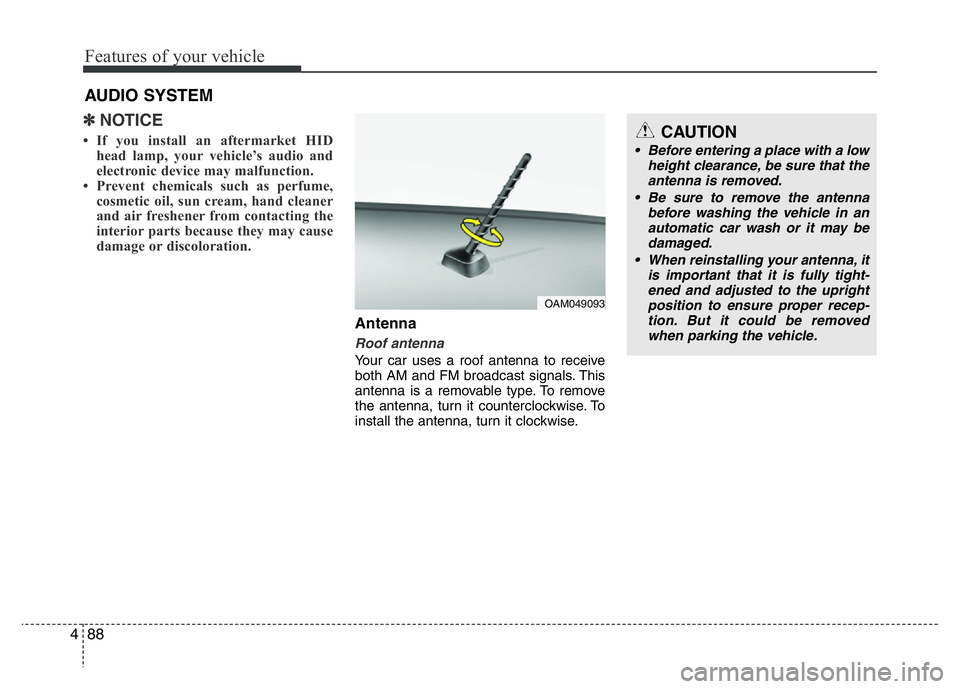
Antenna
Roof antenna
Your car uses a roof antenna to receive
both AM and FM broadcast signals. This
antenna is a removable type. To remove
the antenna, turn it counterclockwise. To
install the antenna, turn it clockwise.
AUDIO SYSTEM
CAUTION
• Before entering a place with a low
height clearance, be sure that the
antenna is removed.
• Be sure to remove the antenna
before washing the vehicle in an
automatic car wash or it may be
damaged.
• When reinstalling your antenna, it
is important that it is fully tight-
ened and adjusted to the upright
position to ensure proper recep-
tion. But it could be removed
when parking the vehicle.
OAM049093
Page 156 of 343
495
Features of your vehicle
WARNING
• Do not stare at the screen while
driving. Staring at the screen for
prolonged periods of time could
lead to traffic accidents.
• Do not disassemble, assemble, or
modify the audio system. Such
acts could result in accidents,
fire, or electric shock.
• Using the phone while driving
may lead to a lack of attention of
traffic conditions and increase
the likelihood of accidents. Use
the phone feature after parking
the vehicle.
• Heed caution not to spill water or
introduce foreign objects into the
device. Such acts could lead to
smoke, fire, or product malfunc-
tion.
(Continued)
(Continued)
• Driving while distracted can result in
a loss of vehicle control that may
lead to an accident, severe personal
injury, and death. The driver’s pri-
mary responsibility is in the safe and
legal operation of a vehicle, and use
of any handheld devices, other
equipment, or vehicle systems
which take the driver’s eyes, atten-
tion and focus away from the safe
operation of a vehicle or which are
not permissible by law should never
be used during operation of the
vehicle.(Continued)
• Please refrain from use if the
screen is blank or no sound can
be heard as these signs may indi-
cate product malfunction.
Continued use in such conditions
could lead to accidents(fires,
electric shock) or product mal-
functions.
• Do not touch the antenna during
thunder or lightening as such
acts may lead to lightning
induced electric shock.
• Do not stop or park in parking-
restricted areas to operate the
product. Such acts could lead to
traffic accidents.
• Use the system with the vehicle
ignition turned on. Prolonged use
with the ignition turned off could
result in battery discharge.
(Continued)
Page 194 of 343
Driving your vehicle
BEFORE DRIVING. . . . . . . . . . . . . . . . . . . . . . . . . 5-3
• Before entering vehicle . . . . . . . . . . . . . . . . . . . . . . . . . 5-3
• Before starting . . . . . . . . . . . . . . . . . . . . . . . . . . . . . . . 5-3
KEY IGNITION SWITCH . . . . . . . . . . . . . . . . . . . 5-4
• Ignition switch position . . . . . . . . . . . . . . . . . . . . . . . . . 5-4
• Starting the engine . . . . . . . . . . . . . . . . . . . . . . . . . . . . 5-5
ENGINE START/STOP BUTTON . . . . . . . . . . . . . 5-6
• Illuminated engine start/stop button . . . . . . . . . . . . . . 5-6
• Engine start/stop button position. . . . . . . . . . . . . . . . . 5-6
• Starting the engine . . . . . . . . . . . . . . . . . . . . . . . . . . . . 5-9
MANUAL TRANSAXLE . . . . . . . . . . . . . . . . . . . 5-11
• Manual transaxle operation . . . . . . . . . . . . . . . . . . . 5-11
• Good driving practices . . . . . . . . . . . . . . . . . . . . . . . . 5-12
AUTOMATIC TRANSAXLE . . . . . . . . . . . . . . . 5-14
• Automatic transaxle operation . . . . . . . . . . . . . . . . . 5-15
• Parking . . . . . . . . . . . . . . . . . . . . . . . . . . . . . . . . . . . . 5-18
• Good driving practices . . . . . . . . . . . . . . . . . . . . . . . . 5-18
BRAKING SYSTEM . . . . . . . . . . . . . . . . . . . . . . 5-20
• Power brakes . . . . . . . . . . . . . . . . . . . . . . . . . . . . . . . 5-20
• Disc brakes wear indicator . . . . . . . . . . . . . . . . . . . . 5-21
• Rear drum brakes . . . . . . . . . . . . . . . . . . . . . . . . . . . . 5-21
• Parking brake . . . . . . . . . . . . . . . . . . . . . . . . . . . . . . . 5-21
• Anti-lock Brake System (ABS). . . . . . . . . . . . . . . . . . 5-23
• Electronic Stability Control (ESC) . . . . . . . . . . . . . . 5-26
• Vehicle Stability Management (VSM) . . . . . . . . . . . . 5-29• Hill-Start Assist Control (HAC) . . . . . . . . . . . . . . . . 5-30
• Emergency Stop Signal (ESS) . . . . . . . . . . . . . . . . . . 5-31
• Good braking practices . . . . . . . . . . . . . . . . . . . . . . . 5-31
REAR PARKING ASSIST SYSTEM. . . . . . . . . . 5-32
SPECIAL DRIVING CONDITIONS . . . . . . . . . . 5-34
• Hazardous driving conditions . . . . . . . . . . . . . . . . . 5-34
• Rocking the vehicle . . . . . . . . . . . . . . . . . . . . . . . . . . . 5-34
• Smooth cornering . . . . . . . . . . . . . . . . . . . . . . . . . . . . 5-35
• Driving at night . . . . . . . . . . . . . . . . . . . . . . . . . . . . . . 5-35
• Driving in the rain . . . . . . . . . . . . . . . . . . . . . . . . . . . . 5-35
• Driving in flooded areas . . . . . . . . . . . . . . . . . . . . . . . 5-36
WINTER DRIVING . . . . . . . . . . . . . . . . . . . . . . . 5-37
• Snow or icy conditions . . . . . . . . . . . . . . . . . . . . . . . . 5-37
VEHICLE WEIGHT . . . . . . . . . . . . . . . . . . . . . . 5-40
• Overloading . . . . . . . . . . . . . . . . . . . . . . . . . . . . . . . . . 5-40
5
Page 197 of 343
Driving your vehicle
4 5
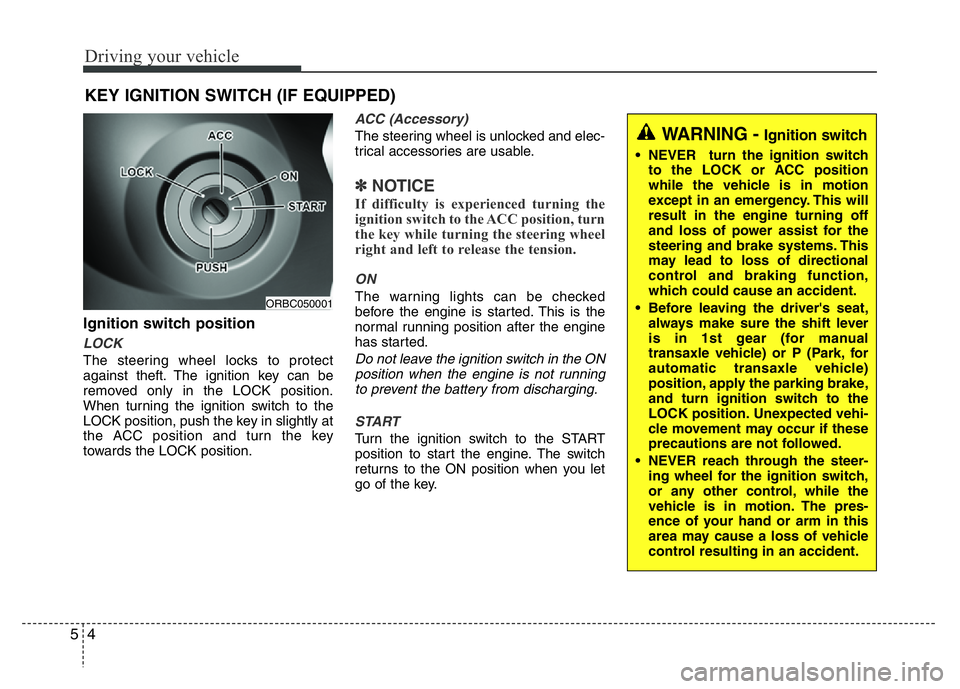
Ignition switch position
LOCK
The steering wheel locks to protect
against theft. The ignition key can be
removed only in the LOCK position.
When turning the ignition switch to the
LOCK position, push the key in slightly at
the ACC position and turn the key
towards the LOCK position.
ACC (Accessory)
The steering wheel is unlocked and elec-
trical accessories are usable.
✽NOTICE
If difficulty is experienced turning the
ignition switch to the ACC position, turn
the key while turning the steering wheel
right and left to release the tension.
ON
The warning lights can be checked
before the engine is started. This is the
normal running position after the engine
has started.
Do not leave the ignition switch in the ON
position when the engine is not running
to prevent the battery from discharging.
START
Turn the ignition switch to the START
position to start the engine. The switch
returns to the ON position when you let
go of the key.
KEY IGNITION SWITCH (IF EQUIPPED)
ORBC050001
WARNING - Ignition switch
• NEVER turn the ignition switch
to the LOCK or ACC position
while the vehicle is in motion
except in an emergency. This will
result in the engine turning off
and loss of power assist for the
steering and brake systems. This
may lead to loss of directional
control and braking function,
which could cause an accident.
• Before leaving the driver's seat,
always make sure the shift lever
is in 1st gear (for manual
transaxle vehicle) or P (Park, for
automatic transaxle vehicle)
position, apply the parking brake,
and turn ignition switch to the
LOCK position. Unexpected vehi-
cle movement may occur if these
precautions are not followed.
• NEVER reach through the steer-
ing wheel for the ignition switch,
or any other control, while the
vehicle is in motion. The pres-
ence of your hand or arm in this
area may cause a loss of vehicle
control resulting in an accident.