ECU HYUNDAI I20 2020 User Guide
[x] Cancel search | Manufacturer: HYUNDAI, Model Year: 2020, Model line: I20, Model: HYUNDAI I20 2020Pages: 444, PDF Size: 8.93 MB
Page 65 of 444
4-32
Safety system
OAI3039016OAI3039016
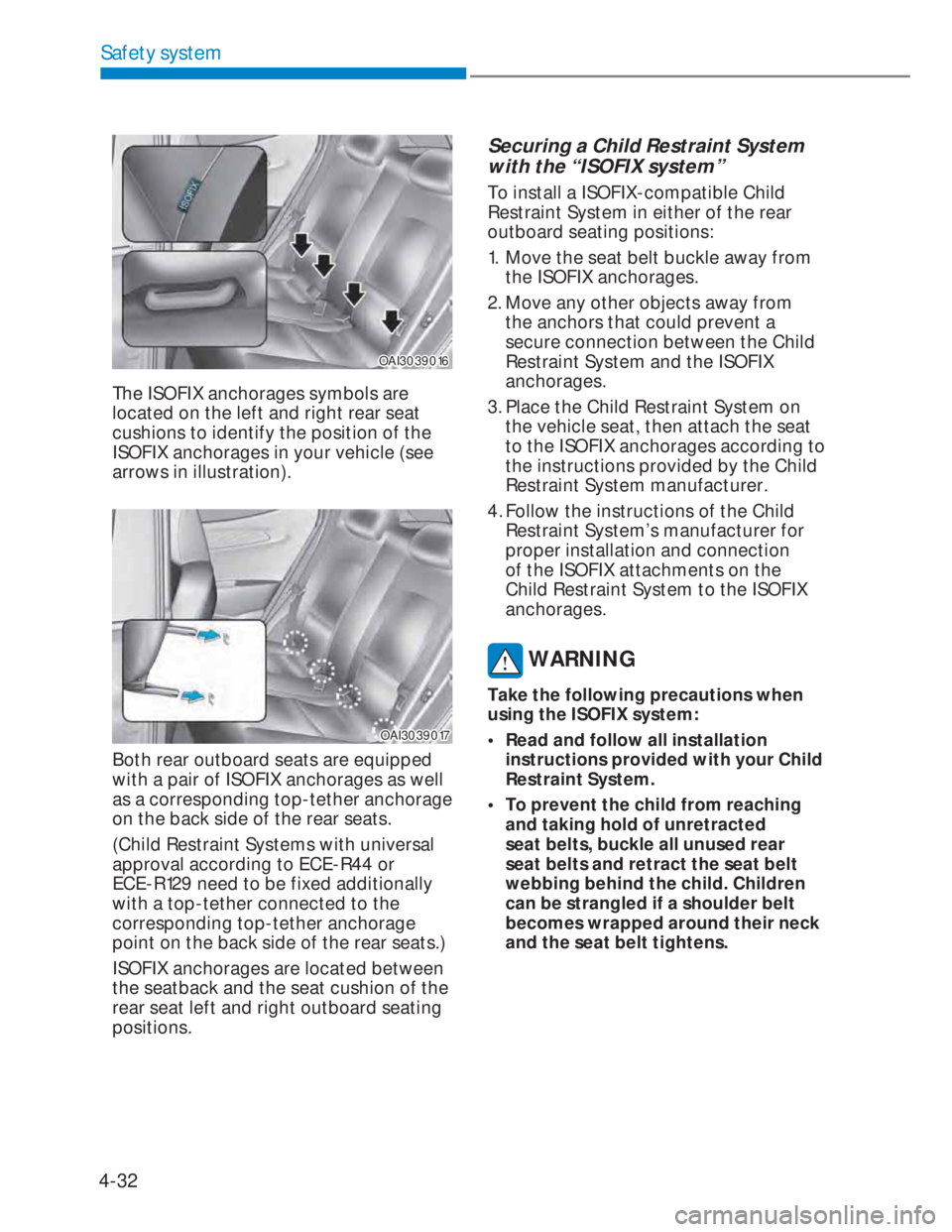
The ISOFIX anchorages symbols are
located on the left and right rear seat
cushions to identify the position of the
ISOFIX anchorages in your vehicle (see
arrows in illustration).
OAI3039017OAI3039017
Both rear outboard seats are equipped
with a pair of ISOFIX anchorages as well
as a corresponding top-tether anchorage
on the back side of the rear seats.
(Child Restraint Systems with universal
approval according to ECE-R44 or
ECE-R129 need to be fixed additionally
with a top-tether connected to the
corresponding top-tether anchorage
point on the back side of the rear seats.)
ISOFIX anchorages are located between
the seatback and the seat cushion of the
rear seat left and right outboard seating
positions.
Securing a Child Restraint System
with the “ISOFIX system”
To install a ISOFIX-compatible Child
Restraint System in either of the rear
outboard seating positions:
1. Move the seat belt buckle away from
the ISOFIX anchorages.
2. Move any other objects away from
the anchors that could prevent a
secure connection between the Child
Restraint System and the ISOFIX
anchorages.
3. Place the Child Restraint System on
the vehicle seat, then attach the seat
to the ISOFIX anchorages according to
the instructions provided by the Child
Restraint System manufacturer.
4. Follow the instructions of the Child
Restraint System’s manufacturer for
proper installation and connection
of the ISOFIX attachments on the
Child Restraint System to the ISOFIX
anchorages.
WARNING
Take the following precautions when
using the ISOFIX system:
• Read and follow all installation
instructions provided with your Child
Restraint System.
• To prevent the child from reaching
and taking hold of unretracted
seat belts, buckle all unused rear
seat belts and retract the seat belt
webbing behind the child. Children
can be strangled if a shoulder belt
becomes wrapped around their neck
and the seat belt tightens.
Page 66 of 444
4-33
04
• NEVER attach more than one
Child Restraint System to a single
anchorage. This could cause the
anchor or attachment to come loose
or break.
• Always have the ISOFIX system
inspected by your dealer after an
accident. An accident can damage
the ISOFIX system and may not
properly secure the Child Restraint
System.
Securing a Child Restraint System
with “Top-tether anchorage”
system (if equipped)
OBI3030004OBI3030004
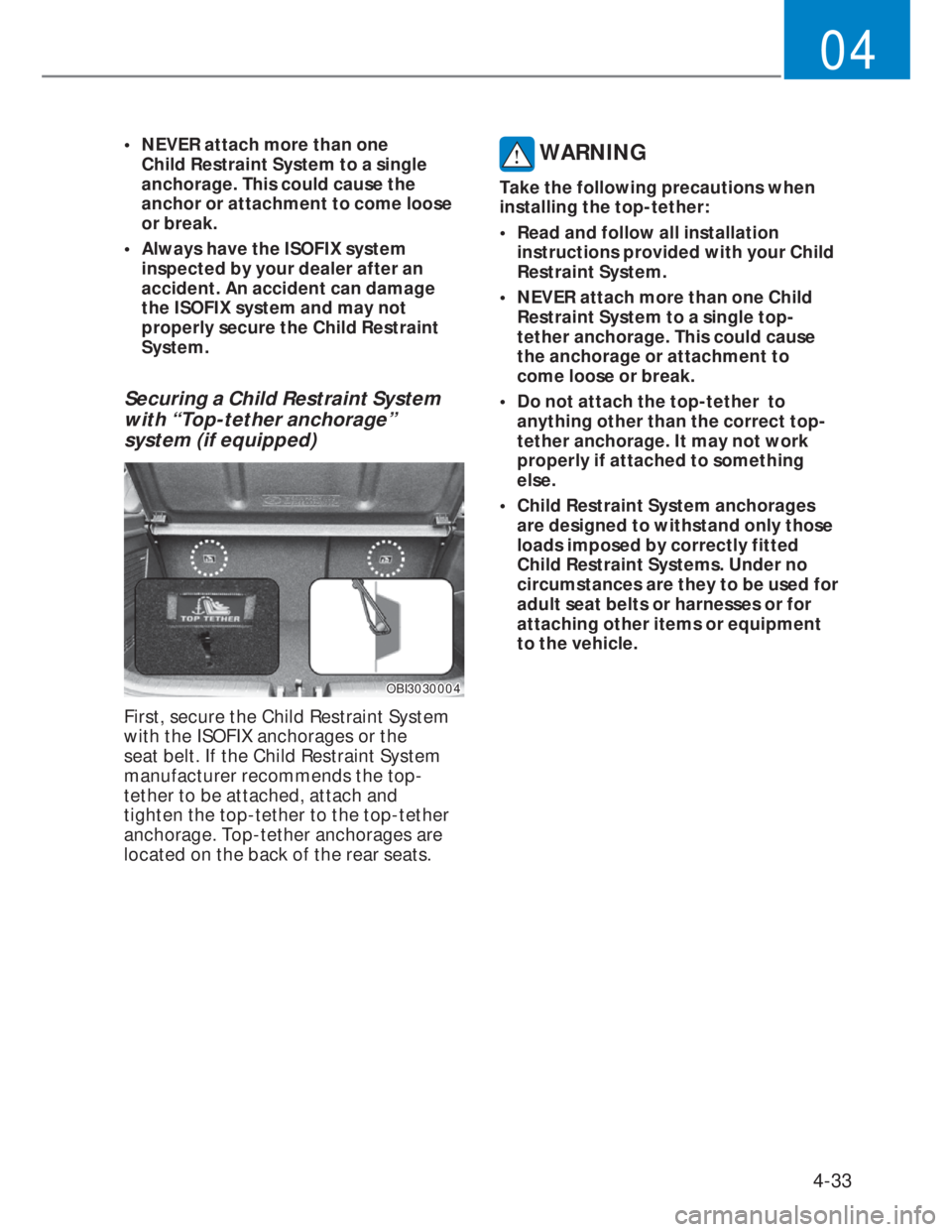
First, secure the Child Restraint System
with the ISOFIX anchorages or the
seat belt. If the Child Restraint System
manufacturer recommends the top-
tether to be attached, attach and
tighten the top-tether to the top-tether
anchorage. Top-tether anchorages are
located on the back of the rear seats.
WARNING
Take the following precautions when
installing the top-tether:
• Read and follow all installation
instructions provided with your Child
Restraint System.
• NEVER attach more than one Child
Restraint System to a single top-
tether anchorage. This could cause
the anchorage or attachment to
come loose or break.
• Do not attach the top-tether to
anything other than the correct top-
tether anchorage. It may not work
properly if attached to something
else.
• Child Restraint System anchorages
are designed to withstand only those
loads imposed by correctly fitted
Child Restraint Systems. Under no
circumstances are they to be used for
adult seat belts or harnesses or for
attaching other items or equipment
to the vehicle.
Page 67 of 444
4-34
Safety system
OAI3039018OAI3039018
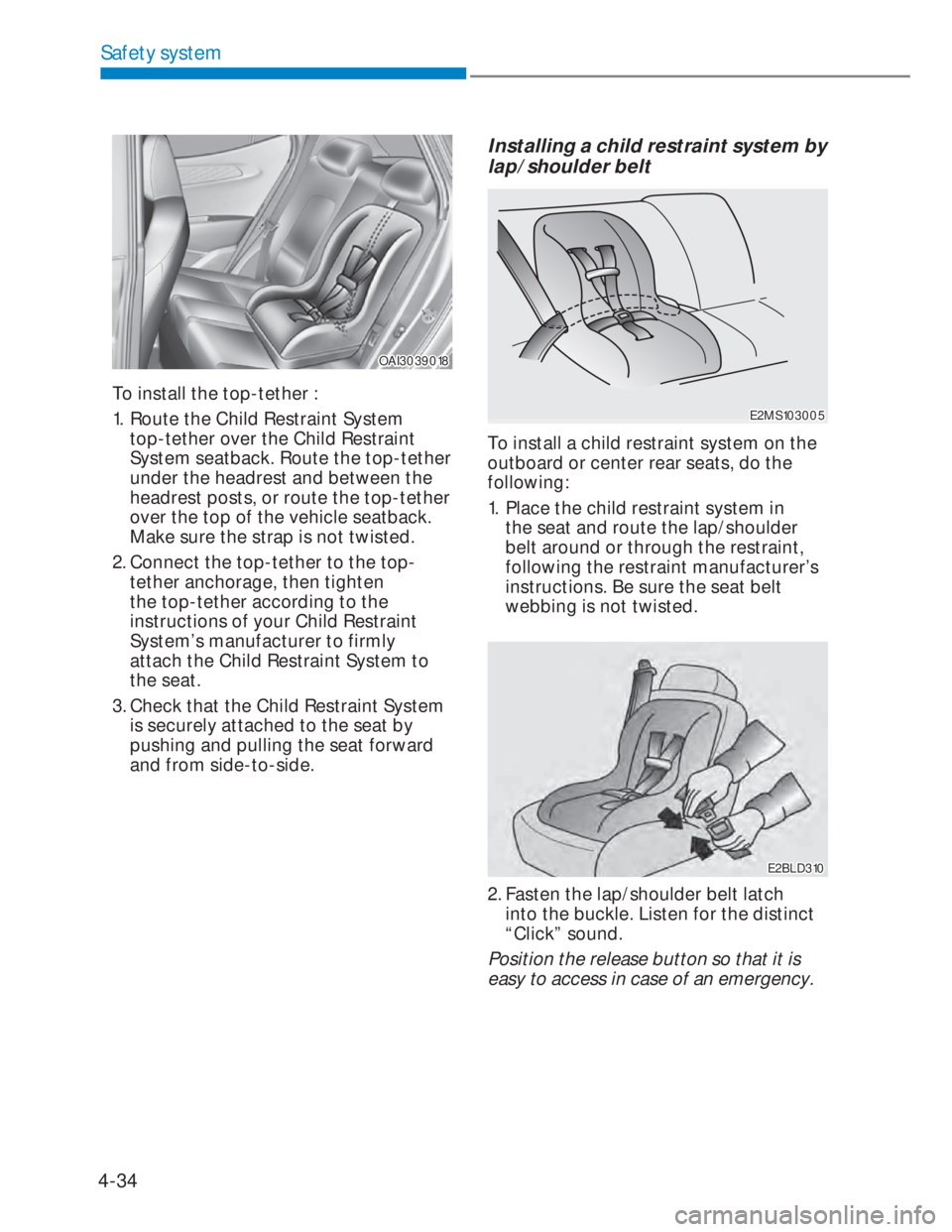
To install the top-tether :
1. Route the Child Restraint System
top-tether over the Child Restraint
System seatback. Route the top-tether
under the headrest and between the
headrest posts, or route the top-tether
over the top of the vehicle seatback.
Make sure the strap is not twisted.
2. Connect the top-tether to the top-
tether anchorage, then tighten
the top-tether according to the
instructions of your Child Restraint
System’s manufacturer to firmly
attach the Child Restraint System to
the seat.
3. Check that the Child Restraint System
is securely attached to the seat by
pushing and pulling the seat forward
and from side-to-side.
Installing a child restraint system by
lap/shoulder belt
E2MS103005E2MS103005
To install a child restraint system on the
outboard or center rear seats, do the
following:
1. Place the child restraint system in
the seat and route the lap/shoulder
belt around or through the restraint,
following the restraint manufacturer’s
instructions. Be sure the seat belt
webbing is not twisted.
E2BLD310E2BLD310
2. Fasten the lap/shoulder belt latch
into the buckle. Listen for the distinct
“Click” sound.
Position the release button so that it is
easy to access in case of an emergency.
Page 68 of 444
4-35
04
MMSA3030MMSA3030
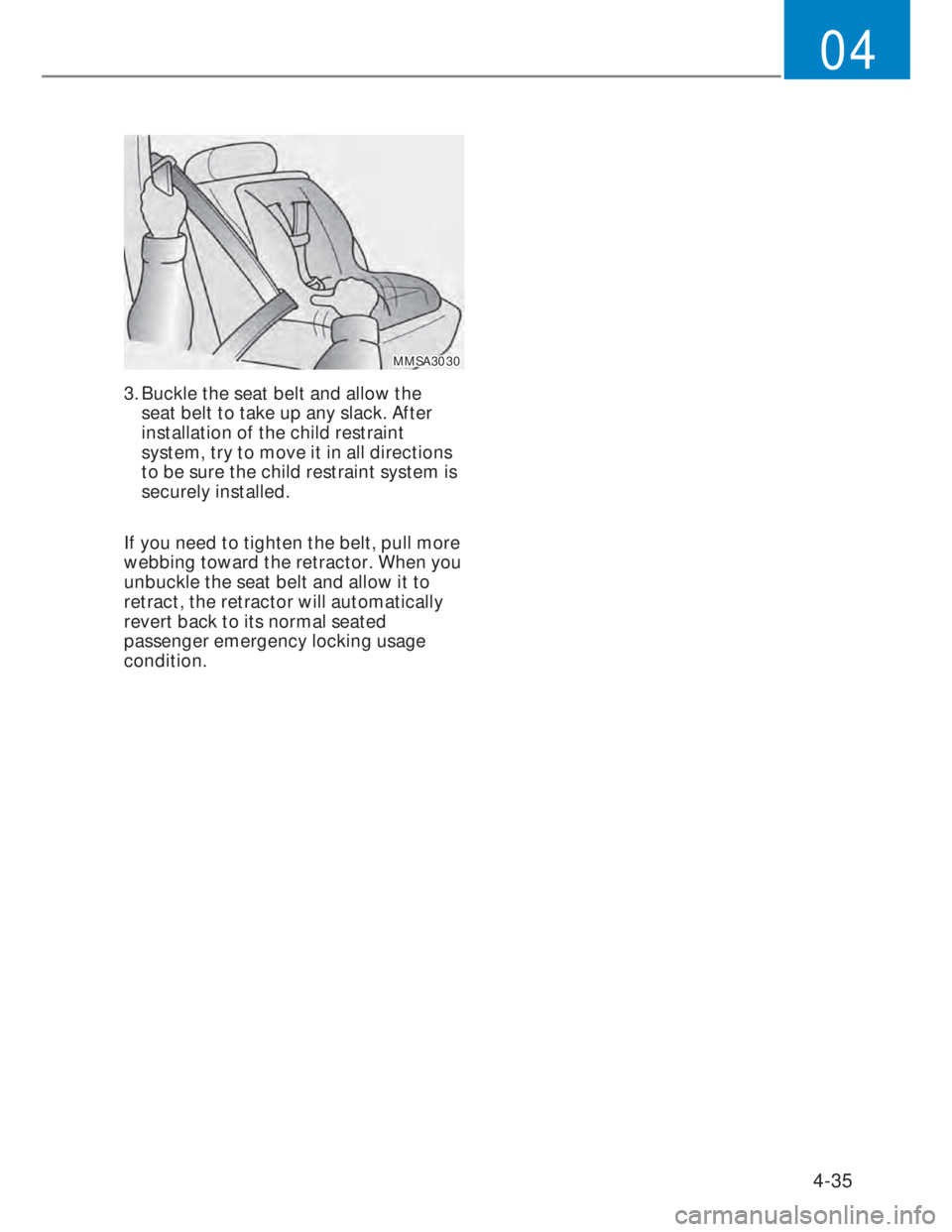
3. Buckle the seat belt and allow the
seat belt to take up any slack. After
installation of the child restraint
system, try to move it in all directions
to be sure the child restraint system is
securely installed.
If you need to tighten the belt, pull more
webbing toward the retractor. When you
unbuckle the seat belt and allow it to
retract, the retractor will automatically
revert back to its normal seated
passenger emergency locking usage
condition.
Page 82 of 444
4-49
04
WARNING
• In order for side impact and
curtain air bags to provide the best
protection, both front seat occupants
and both outboard rear occupants
should sit in an upright position with
the seat belts properly fastened.
Importantly, children should sit in a
proper child restraint system in the
rear seat.
• When children are seated in the rear
outboard seats, they must be seated
in the proper child restraint system.
Make sure to put the child restraint
system as far away from the door
side as possible, and secure the child
restraint system in a locked position.
• Do not place any objects over the air
bag. Also, do not attach any objects
around the area the air bag inflates
such as the door, side door glass,
front and rear pillar, roof side rail.
• Do not hang other objects except
clothes, especially hard or breakable
objects. In an accident, it may cause
vehicle damage or personal injury.
• Do not allow the passengers to lean
their heads or bodies onto doors,
put their arms on the doors, stretch
their arms out of the window, or
place objects between the doors and
passengers when they are seated
on seats equipped with side and/or
curtain air bags.
• Do not open or repair the side curtain
air bags.
• Never try to open or repair any
components of the side curtain air
bag system. We recommend that the
system be serviced by an authorized
HYUNDAI dealer.
Failure to follow the above mentioned
instructions can result in injury or death
to the vehicle occupants in an accident.Why didn’t my air bag go off in a
collision? (Inflation and non-inflation
conditions of the air bag)
There are many types of accidents
in which the air bag would not be
expected to provide additional
protection.
These include rear impacts, second
or third collisions in multiple impact
accidents, as well as low speed
impacts.
Page 106 of 444
5-16
Instrument cluster
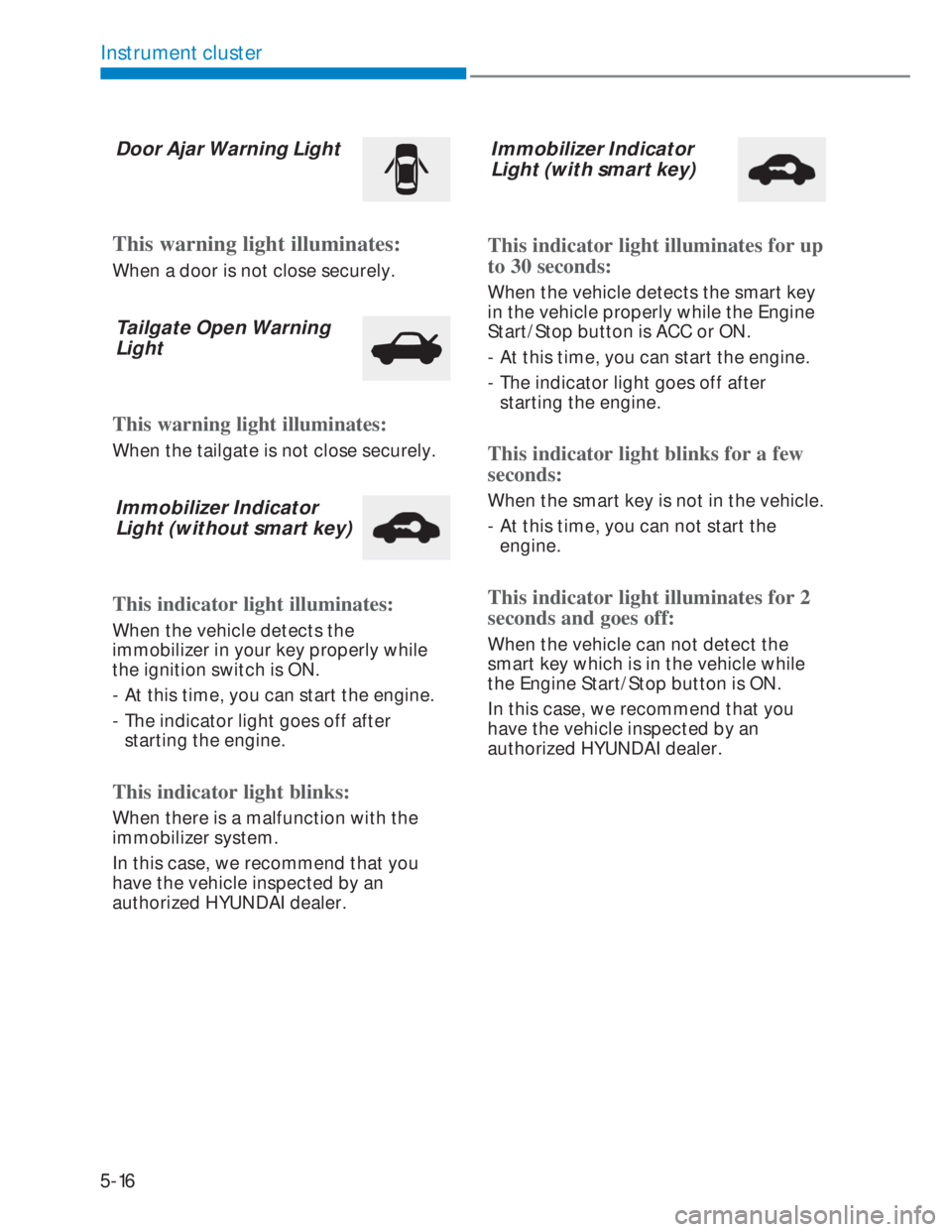
Door Ajar Warning Light
This warning light illuminates:
When a door is not close securely.
Tailgate Open Warning
Light
This warning light illuminates:
When the tailgate is not close securely.
Immobilizer Indicator
Light (without smart key)
This indicator light illuminates:
When the vehicle detects the
immobilizer in your key properly while
the ignition switch is ON.
- At this time, you can start the engine.
- The indicator light goes off after
starting the engine.
This indicator light blinks:
When there is a malfunction with the
immobilizer system.
In this case, we recommend that you
have the vehicle inspected by an
authorized HYUNDAI dealer.
Immobilizer Indicator
Light (with smart key)
This indicator light illuminates for up
to 30 seconds:
When the vehicle detects the smart key
in the vehicle properly while the Engine
Start/Stop button is ACC or ON.
- At this time, you can start the engine.
- The indicator light goes off after
starting the engine.
This indicator light blinks for a few
seconds:
When the smart key is not in the vehicle.
- At this time, you can not start the
engine.
This indicator light illuminates for 2
seconds and goes off:
When the vehicle can not detect the
smart key which is in the vehicle while
the Engine Start/Stop button is ON.
In this case, we recommend that you
have the vehicle inspected by an
authorized HYUNDAI dealer.
Page 143 of 444
6-15
06
DOOR LOCKS
Operating door locks from
outside the vehicle
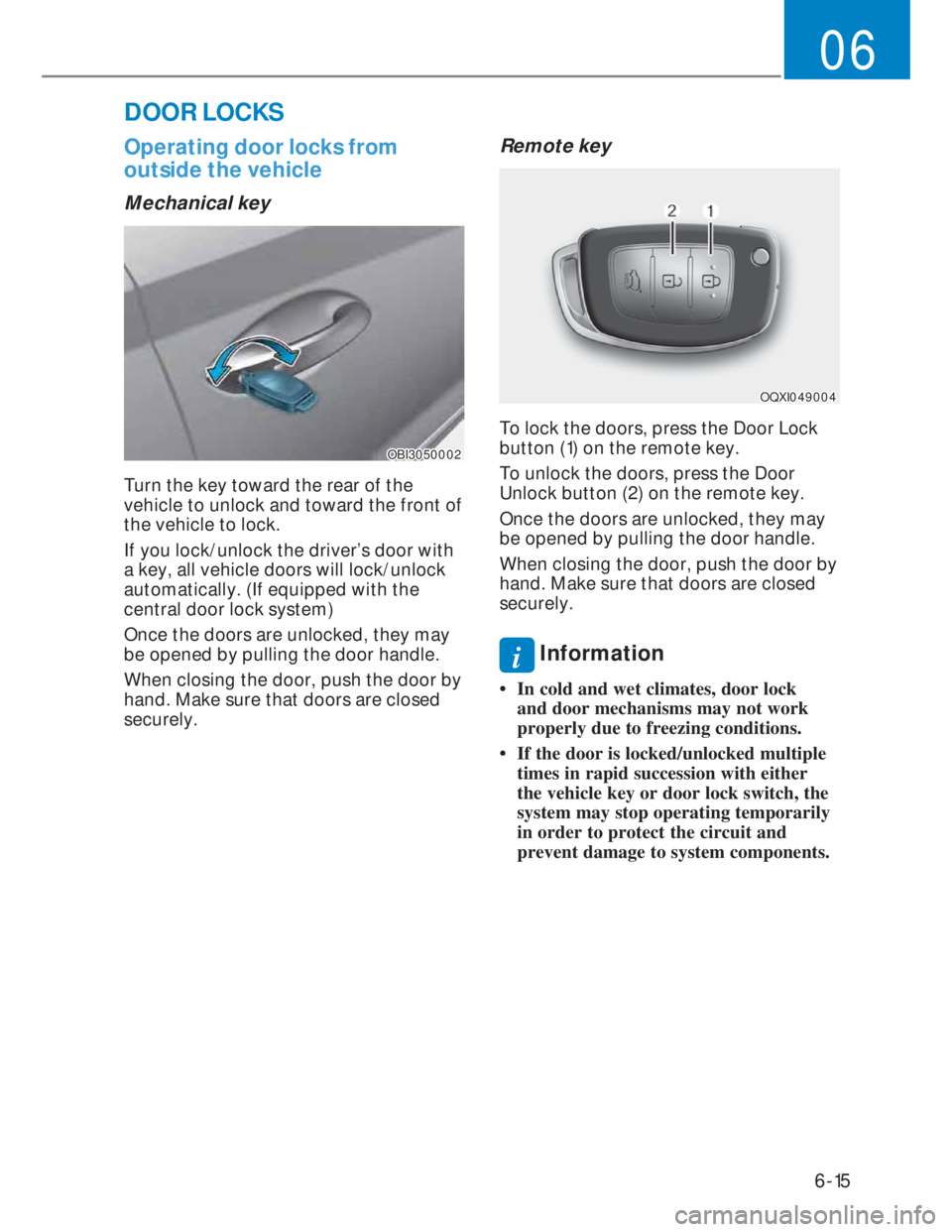
Mechanical key
OBI3050002OBI3050002
Turn the key toward the rear of the
vehicle to unlock and toward the front of
the vehicle to lock.
If you lock/unlock the driver’s door with
a key, all vehicle doors will lock/unlock
automatically. (If equipped with the
central door lock system)
Once the doors are unlocked, they may
be opened by pulling the door handle.
When closing the door, push the door by
hand. Make sure that doors are closed
securely.
Remote key
OQXI049004OQXI049004
To lock the doors, press the Door Lock
button (1) on the remote key.
To unlock the doors, press the Door
Unlock button (2) on the remote key.
Once the doors are unlocked, they may
be opened by pulling the door handle.
When closing the door, push the door by
hand. Make sure that doors are closed
securely.
i Information
• In cold and wet climates, door lock
and door mechanisms may not work
properly due to freezing conditions.
• If the door is locked/unlocked multiple
times in rapid succession with either
the vehicle key or door lock switch, the
system may stop operating temporarily
in order to protect the circuit and
prevent damage to system components.
Page 144 of 444
6-16
Convenient features
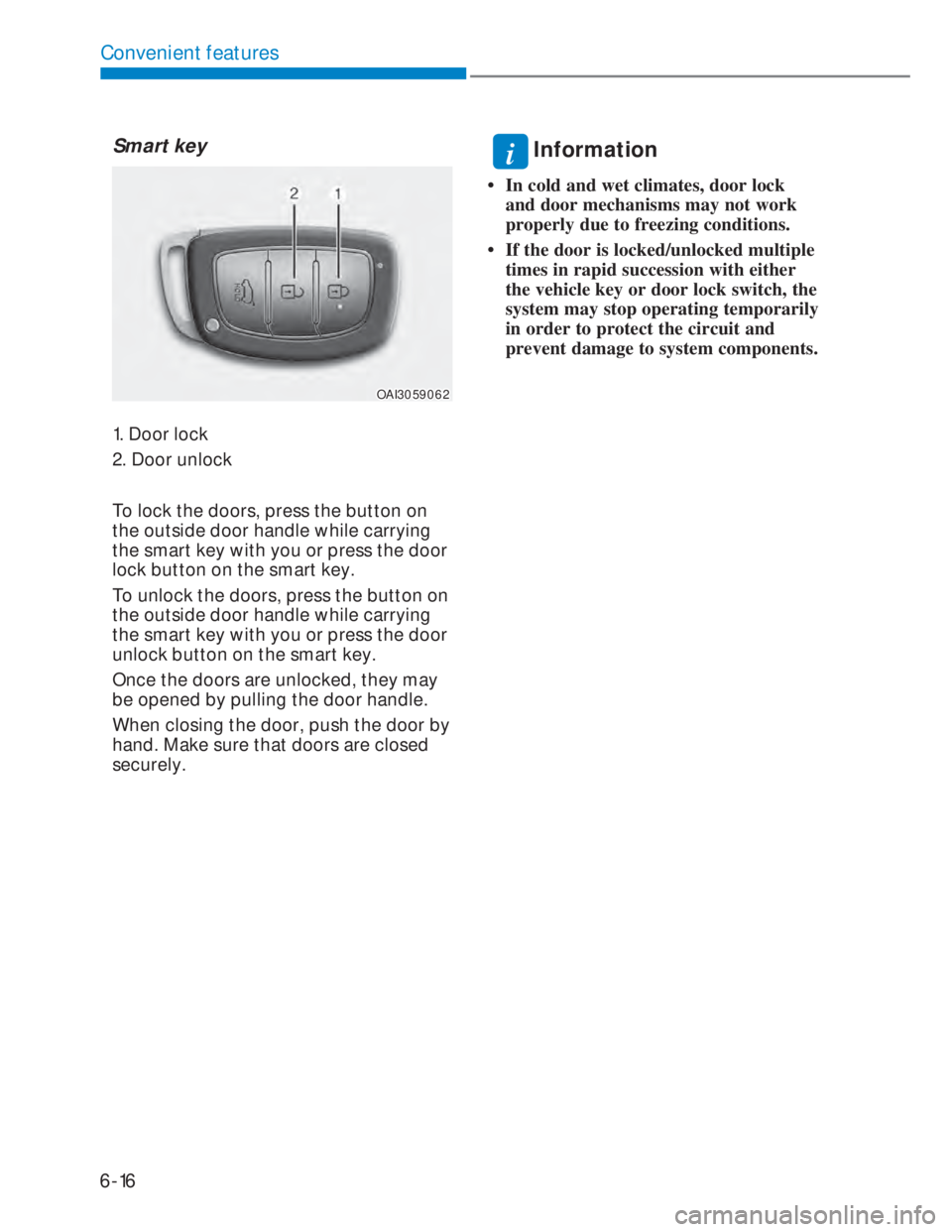
Smart key
OAI3059062OAI3059062
1. Door lock
2. Door unlock
To lock the doors, press the button on
the outside door handle while carrying
the smart key with you or press the door
lock button on the smart key.
To unlock the doors, press the button on
the outside door handle while carrying
the smart key with you or press the door
unlock button on the smart key.
Once the doors are unlocked, they may
be opened by pulling the door handle.
When closing the door, push the door by
hand. Make sure that doors are closed
securely.
i Information
• In cold and wet climates, door lock
and door mechanisms may not work
properly due to freezing conditions.
• If the door is locked/unlocked multiple
times in rapid succession with either
the vehicle key or door lock switch, the
system may stop operating temporarily
in order to protect the circuit and
prevent damage to system components.
Page 146 of 444
6-18
Convenient features
With the central door lock/unlock
switch
OBI3050004OBI3050004
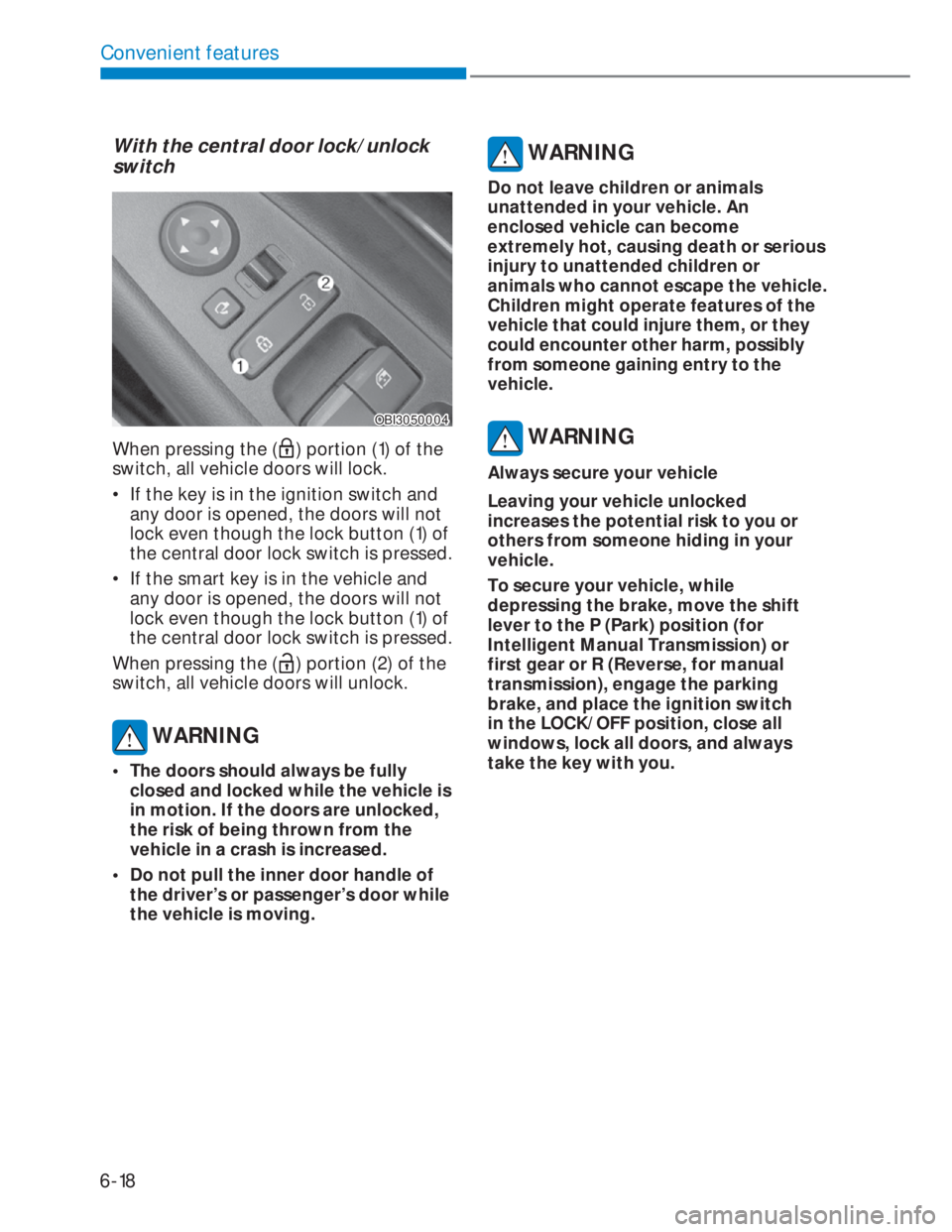
When pressing the () portion (1) of the
switch, all vehicle doors will lock.
• If the key is in the ignition switch and
any door is opened, the doors will not
lock even though the lock button (1) of
the central door lock switch is pressed.
• If the smart key is in the vehicle and
any door is opened, the doors will not
lock even though the lock button (1) of
the central door lock switch is pressed.
When pressing the (
) portion (2) of the
switch, all vehicle doors will unlock.
WARNING
• The doors should always be fully
closed and locked while the vehicle is
in motion. If the doors are unlocked,
the risk of being thrown from the
vehicle in a crash is increased.
• Do not pull the inner door handle of
the driver’s or passenger’s door while
the vehicle is moving.
WARNING
Do not leave children or animals
unattended in your vehicle. An
enclosed vehicle can become
extremely hot, causing death or serious
injury to unattended children or
animals who cannot escape the vehicle.
Children might operate features of the
vehicle that could injure them, or they
could encounter other harm, possibly
from someone gaining entry to the
vehicle.
WARNING
Always secure your vehicle
Leaving your vehicle unlocked
increases the potential risk to you or
others from someone hiding in your
vehicle.
To secure your vehicle, while
depressing the brake, move the shift
lever to the P (Park) position (for
Intelligent Manual Transmission) or
first gear or R (Reverse, for manual
transmission), engage the parking
brake, and place the ignition switch
in the LOCK/OFF position, close all
windows, lock all doors, and always
take the key with you.
Page 164 of 444
6-36
Convenient features
Closing the hood
1. Before closing the hood, check the
following:
• All filler caps in engine compartment
must be correctly installed.
• Gloves, rags or any other
combustible material must
be removed from the engine
compartment.
2. Return the support rod to its clip to
prevent it from rattling.
3. Lower the hood halfway (lifted
approximately 30 cm from the closed
position) and push down to securely
lock in place. Then double check to be
sure the hood is secure.
WARNING
Always double check to be sure that the
hood is firmly latched before driving
away. Check there is no hood open
warning light or message displayed on
the instrument cluster. Driving with the
hood opened may cause a total loss
of visibility, which might result in an
accident.
WARNING
• Before closing the hood, ensure that
all obstructions are removed from
the hood opening. Closing the hood
with an obstruction present in the
hood opening may result in property
damage or severe personal injury.
• Do not leave gloves, rags or any other
combustible material in the engine
compartment. Doing so may cause a
heat-induced fire.
• Do not move the vehicle with
the hood raised. The view will be
blocked and the hood could fall or be
damaged.
Tailgate
Opening the tailgate
OBI3050014OBI3050014
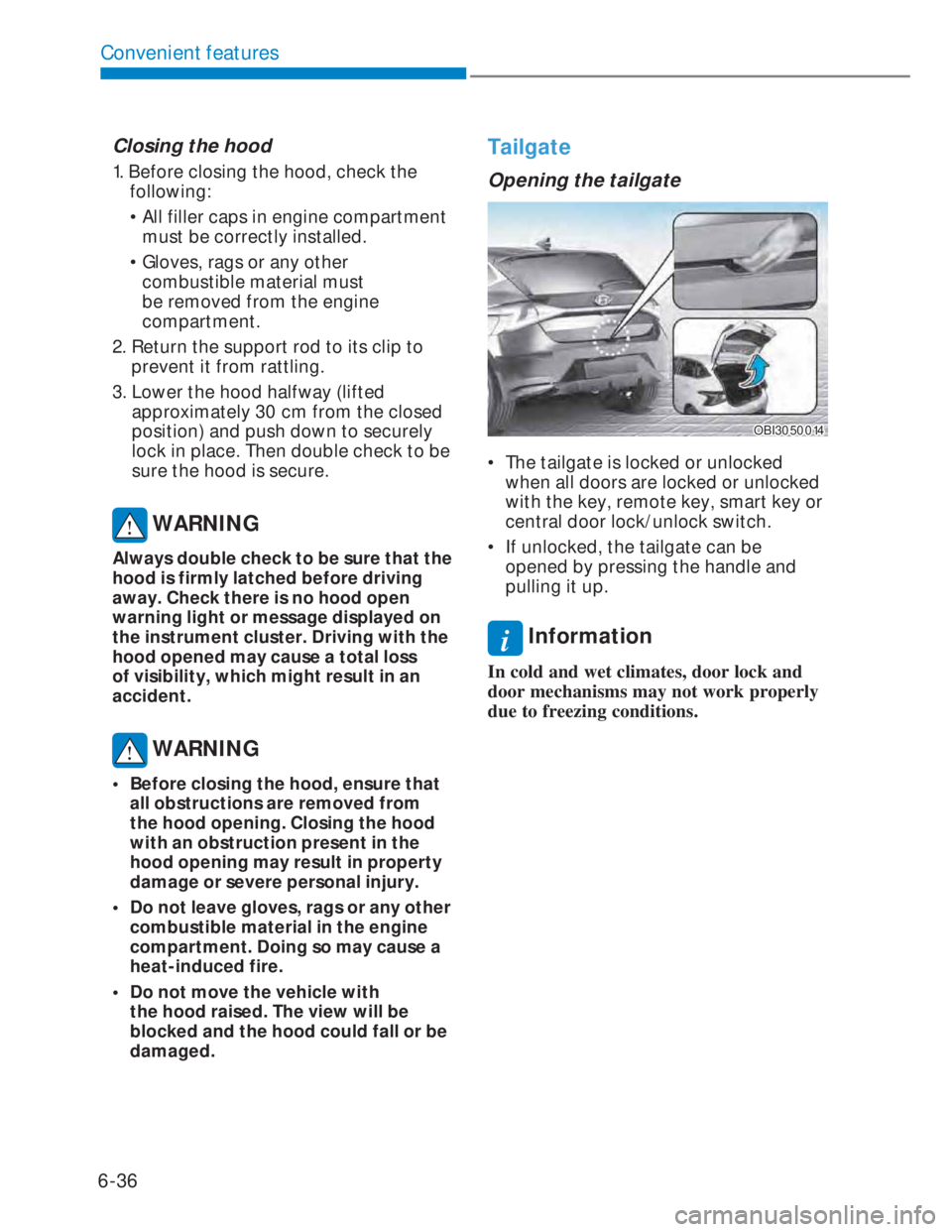
• The tailgate is locked or unlocked
when all doors are locked or unlocked
with the key, remote key, smart key or
central door lock/unlock switch.
• If unlocked, the tailgate can be
opened by pressing the handle and
pulling it up.
i Information
In cold and wet climates, door lock and
door mechanisms may not work properly
due to freezing conditions.