ignition HYUNDAI I30 2012 Owner's Manual
[x] Cancel search | Manufacturer: HYUNDAI, Model Year: 2012, Model line: I30, Model: HYUNDAI I30 2012Pages: 635, PDF Size: 40.66 MB
Page 89 of 635
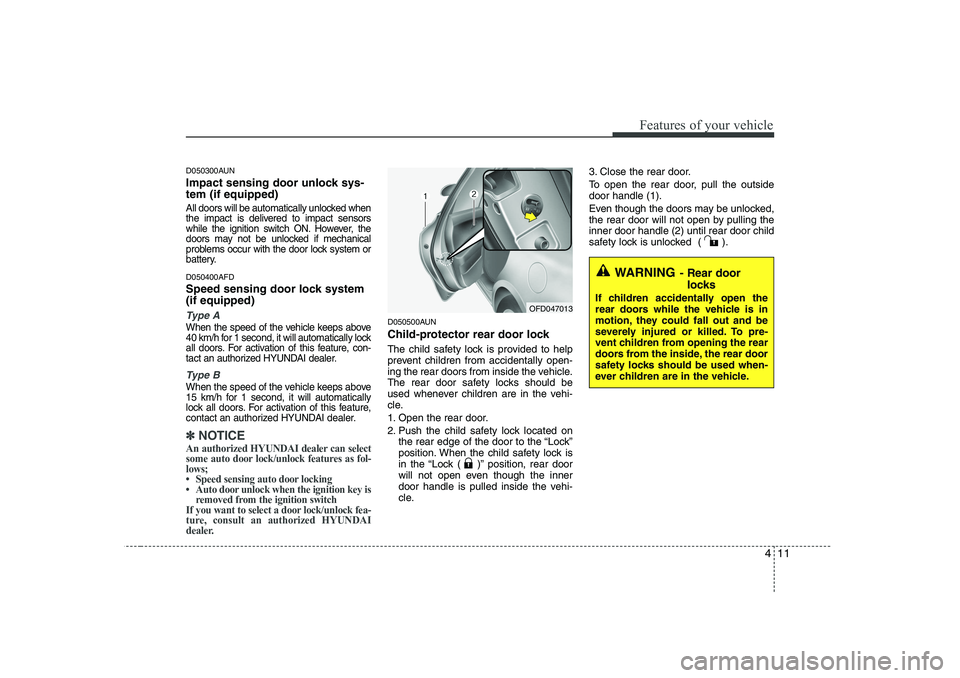
411
Features of your vehicle
D050300AUN
Impact sensing door unlock sys- tem (if equipped)
All doors will be automatically unlocked when
the impact is delivered to impact sensors
while the ignition switch ON. However, the
doors may not be unlocked if mechanical
problems occur with the door lock system or
battery.
D050400AFD
Speed sensing door lock system (if equipped)
Ty p e A
When the speed of the vehicle keeps above
40 km/h for 1 second, it will automatically lock
all doors. For activation of this feature, con-
tact an authorized HYUNDAI dealer.
Type B
When the speed of the vehicle keeps above
15 km/h for 1 second, it will automatically
lock all doors. For activation of this feature,
contact an authorized HYUNDAI dealer.
✽✽NOTICE
An authorized HYUNDAI dealer can select
some auto door lock/unlock features as fol-lows;
Page 93 of 635
415
Features of your vehicle
D080100BFD
Power windows
The ignition switch must be in the ON
position for power windows to operate.
Each door has a power window switch
that controls the door’s window. The driv-
er has a power window lock switch which
can block the operation of rear passen-
ger windows.
The power windows can be operated for
approximately 30 seconds after the igni-
tion key is removed or turned to the ACC
or LOCK position. However, if the front
doors are opened, the power windows
cannot be operated even within the 30
seconds period after the ignition key
removal.
✽✽NOTICE
While driving with the rear windows
down or with the sunroof (if equipped)
in an open (or partially open position),
your vehicle may demonstrate a wind
buffeting or pulsation noise. This
noise is a normal occurrence and can be
reduced or eliminated by taking the fol-
lowing actions. If the noise occurs with
one or both of the rear windows down,
partially lower both front windows
approximately one inch. If you experi-
ence the noise with the sunroof open,
slightly reduce the size of the sunroofopening.
D080101AUN
Window opening and closing (if equipped)
The driver’s door has a master power
window switch that controls all the win-
dows in the vehicle.
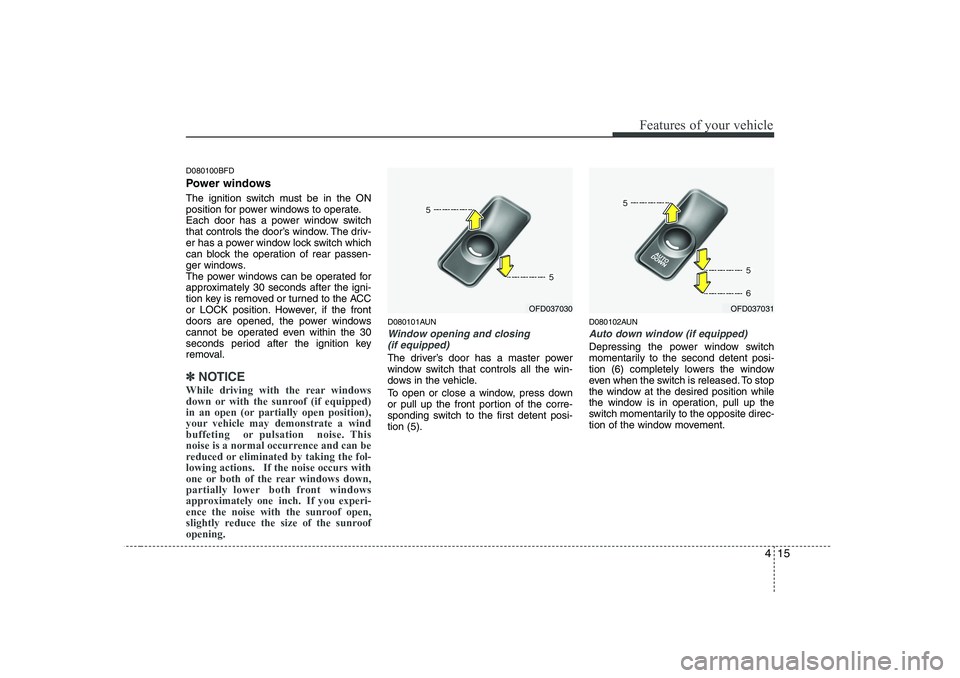
To open or close a window, press down
or pull up the front portion of the corre-
sponding switch to the first detent posi-tion (5). D080102AUN
Auto down window (if equipped)
Depressing the power window switch
momentarily to the second detent posi-
tion (6) completely lowers the window
even when the switch is released. To stop
the window at the desired position while
the window is in operation, pull up the
switch momentarily to the opposite direc-
tion of the window movement.
OFD037031OFD037030
Page 94 of 635
Features of your vehicle
16
4
D080103AUN
Auto up/down window (if equipped)
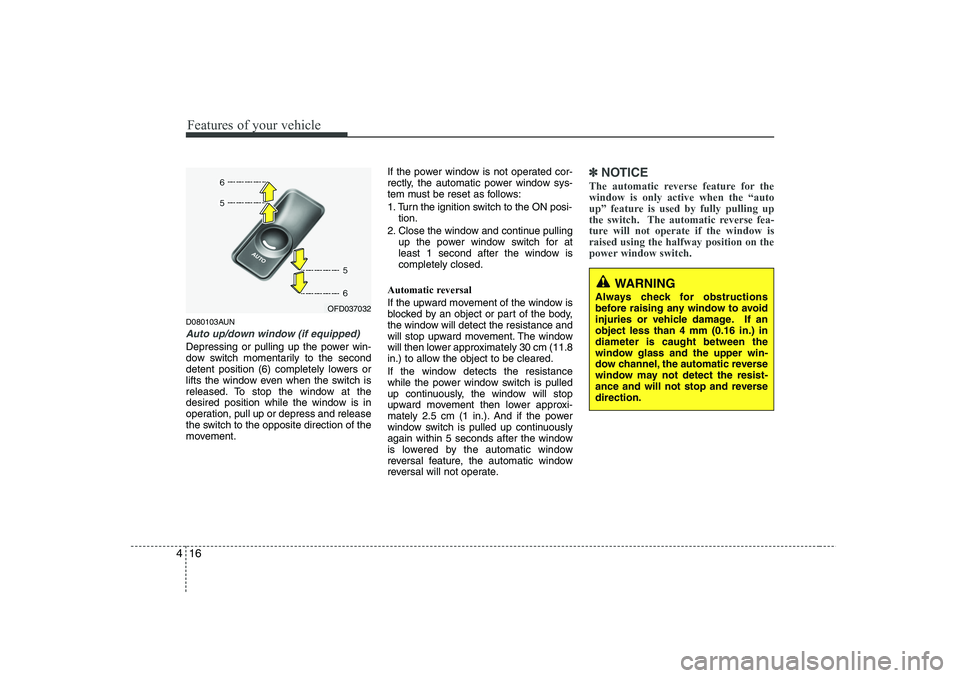
Depressing or pulling up the power win-
dow switch momentarily to the second
detent position (6) completely lowers or
lifts the window even when the switch is
released. To stop the window at the
desired position while the window is in
operation, pull up or depress and release
the switch to the opposite direction of the
movement. If the power window is not operated cor-
rectly, the automatic power window sys-
tem must be reset as follows:
1. Turn the ignition switch to the ON posi-
tion.
2. Close the window and continue pulling up the power window switch for at
least 1 second after the window iscompletely closed.
Automatic reversal
If the upward movement of the window is
blocked by an object or part of the body,
the window will detect the resistance and
will stop upward movement. The window
will then lower approximately 30 cm (11.8
in.) to allow the object to be cleared.
If the window detects the resistance
while the power window switch is pulled
up continuously, the window will stop
upward movement then lower approxi-
mately 2.5 cm (1 in.). And if the power
window switch is pulled up continuously
again within 5 seconds after the window
is lowered by the automatic window
reversal feature, the automatic window
reversal will not operate.
✽✽ NOTICE
The automatic reverse feature for the window is only active when the “auto
up” feature is used by fully pulling up
the switch. The automatic reverse fea-
ture will not operate if the window israised using the halfway position on the
power window switch.
WARNING
Always check for obstructions
before raising any window to avoid
injuries or vehicle damage. If anobject less than 4 mm (0.16 in.) indiameter is caught between the
window glass and the upper win-
dow channel, the automatic reverse
window may not detect the resist-
ance and will not stop and reversedirection.
OFD037032
Page 95 of 635
417
Features of your vehicle
D080104AUN
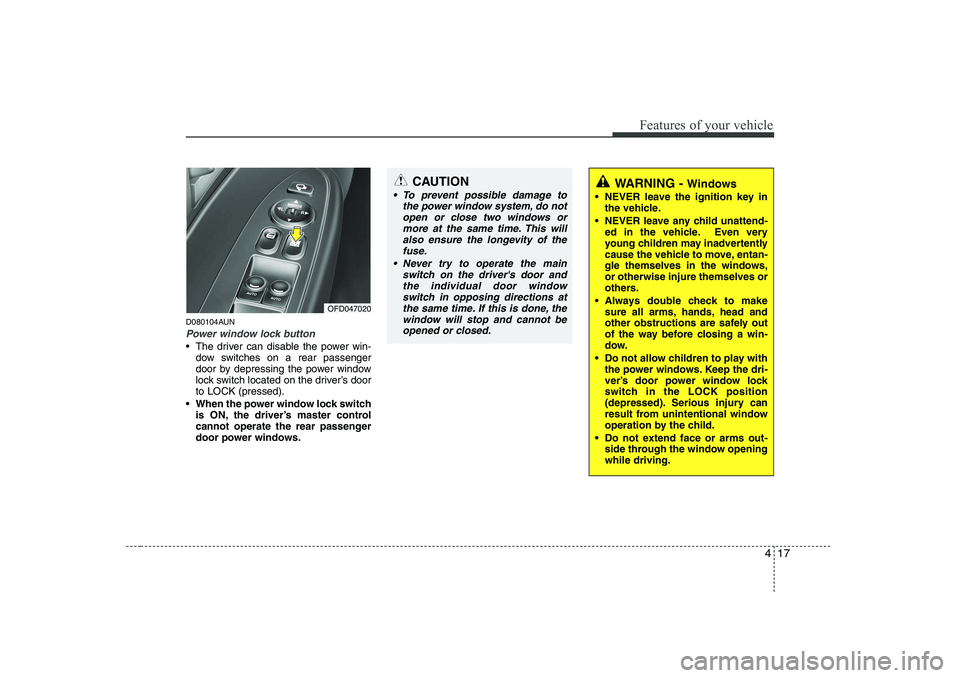
Power window lock button
The driver can disable the power win-dow switches on a rear passenger
door by depressing the power window
lock switch located on the driver’s doorto LOCK (pressed).
When the power window lock switch is ON, the driver’s master control
cannot operate the rear passenger
door power windows.
OFD047020
CAUTION
To prevent possible damage to
the power window system, do not
open or close two windows ormore at the same time. This willalso ensure the longevity of thefuse.
Never try to operate the main switch on the driver's door andthe individual door windowswitch in opposing directions at
the same time. If this is done, the window will stop and cannot beopened or closed.WARNING - Windows
NEVER leave the ignition key in the vehicle.
NEVER leave any child unattend- ed in the vehicle. Even very
young children may inadvertently
cause the vehicle to move, entan-
gle themselves in the windows,or otherwise injure themselves or
others.
Always double check to make sure all arms, hands, head and
other obstructions are safely out
of the way before closing a win-
dow.
Do not allow children to play with the power windows. Keep the dri-
ver’s door power window lock
switch in the LOCK position
(depressed). Serious injury can
result from unintentional window
operation by the child.
Do not extend face or arms out- side through the window openingwhile driving.
Page 102 of 635
Features of your vehicle
24
4
D110000AUN
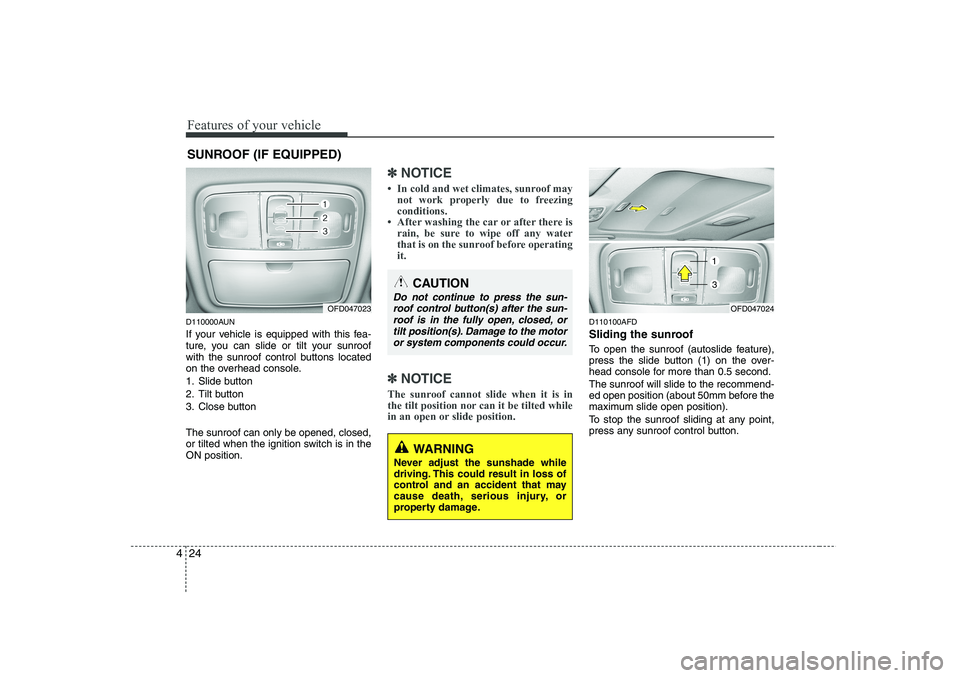
If your vehicle is equipped with this fea-
ture, you can slide or tilt your sunroof
with the sunroof control buttons located
on the overhead console.
1. Slide button
2. Tilt button
3. Close button The sunroof can only be opened, closed,
or tilted when the ignition switch is in theON position.
✽✽
NOTICE
Page 105 of 635
427
Features of your vehicle
Resetting the sunroof
Whenever the vehicle battery is discon- nected or discharged, or related fuse is
blown, you must reset your sunroof sys-
tem as follows:
1. Turn the ignition switch to the ONposition and close the sunroof com-
pletely.
2. Release the control button.
3. Press and hold the close button until the sunroof tilts and slightly moves up
and down. Then, release the button. 4. Press and hold the close button until
the sunroof is operated as follows;
TILT DOWN →SLIDE OPEN →
SLIDE CLOSE
Then, release the control button.
When this is complete, the sunroof sys- tem is reset. ❈ For more detailed information, contact
an authorized HYUNDAI dealer.
CAUTION
If the sunroof is not reset when the
vehicle battery is disconnected or discharged, or related fuse isblown, the sunroof may operate improperly.
Page 110 of 635
Features of your vehicle
32
4
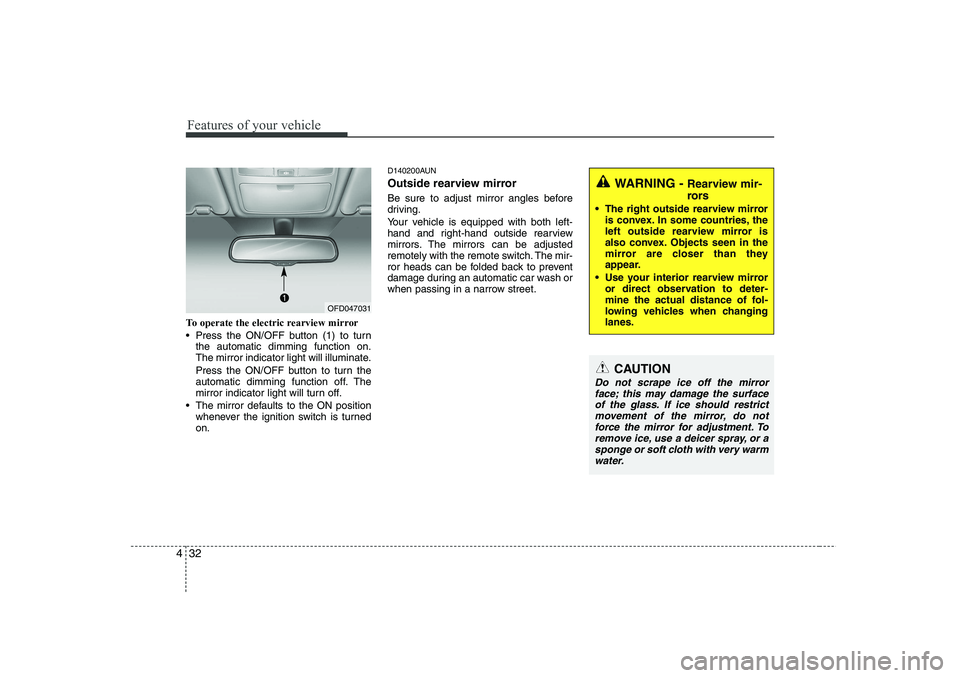
To operate the electric rearview mirror
Press the ON/OFF button (1) to turn
the automatic dimming function on.
The mirror indicator light will illuminate.
Press the ON/OFF button to turn the
automatic dimming function off. The
mirror indicator light will turn off.
The mirror defaults to the ON position whenever the ignition switch is turnedon. D140200AUN
Outside rearview mirror
Be sure to adjust mirror angles before
driving.
Your vehicle is equipped with both left-
hand and right-hand outside rearview
mirrors. The mirrors can be adjusted
remotely with the remote switch. The mir-
ror heads can be folded back to prevent
damage during an automatic car wash or
when passing in a narrow street.
WARNING -
Rearview mir-
rors
The right outside rearview mirror is convex. In some countries, the
left outside rearview mirror is
also convex. Objects seen in the
mirror are closer than they
appear.
Use your interior rearview mirror or direct observation to deter-
mine the actual distance of fol-
lowing vehicles when changinglanes.
CAUTION
Do not scrape ice off the mirror
face; this may damage the surface of the glass. If ice should restrictmovement of the mirror, do not force the mirror for adjustment. To
remove ice, use a deicer spray, or a sponge or soft cloth with very warmwater.
OFD047031
Page 114 of 635
Features of your vehicle
36
4
D150100AFD Instrument panel illumination (if equipped)
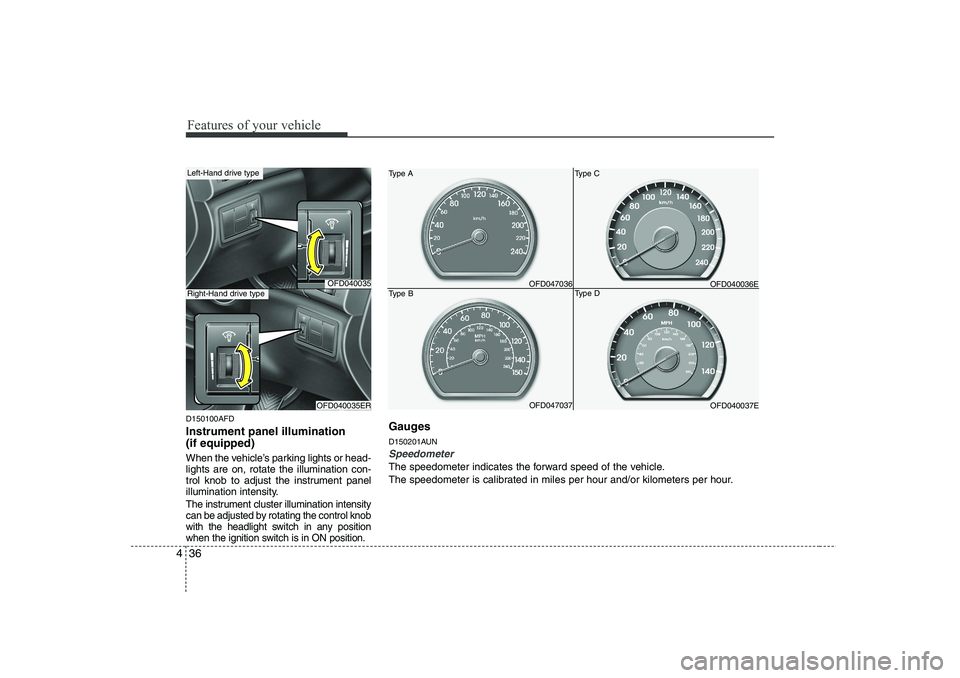
When the vehicle’s parking lights or head- lights are on, rotate the illumination con-
trol knob to adjust the instrument panel
illumination intensity.
The instrument cluster illumination intensity
can be adjusted by rotating the control knob
with the headlight switch in any position
when the ignition switch is in ON position.
OFD040035
OFD040035ER
Left-Hand drive type
Right-Hand drive typeOFD047036
Type A
Type B OFD047037OFD040036E
Type C
Type D OFD040037E
Gauges
D150201AUN
Speedometer
The speedometer indicates the forward speed of the vehicle.
The speedometer is calibrated in miles per hour and/or kilometers per hour.
Page 115 of 635
437
Features of your vehicle
D150202AFD
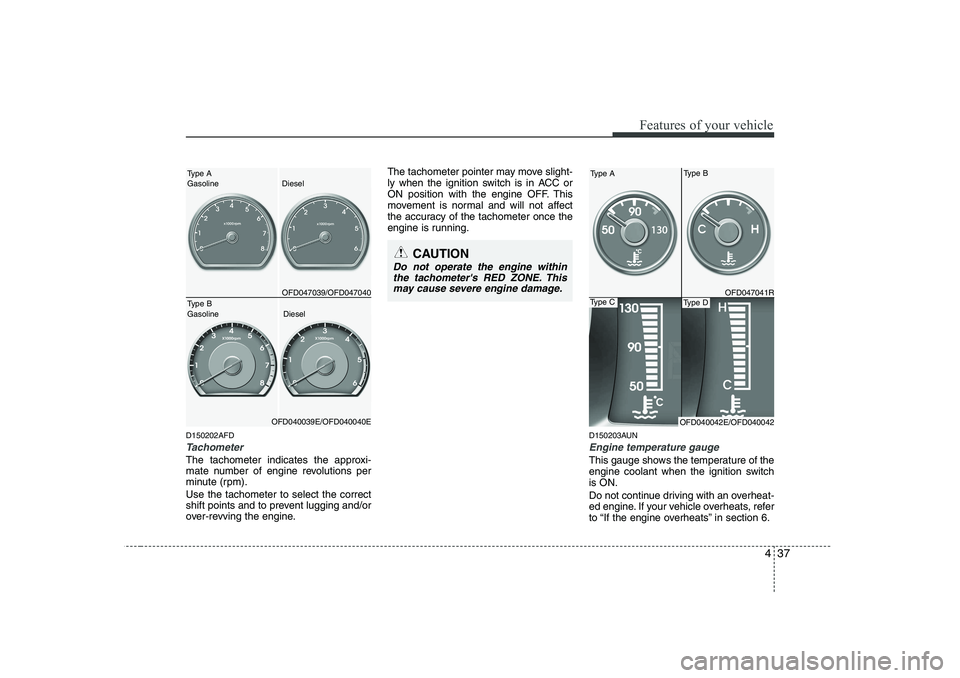
Tachometer
The tachometer indicates the approxi-
mate number of engine revolutions per
minute (rpm). Use the tachometer to select the correct
shift points and to prevent lugging and/or
over-revving the engine.The tachometer pointer may move slight-
ly when the ignition switch is in ACC or
ON position with the engine OFF. This
movement is normal and will not affect
the accuracy of the tachometer once the
engine is running.
D150203AUN
Engine temperature gauge
This gauge shows the temperature of the
engine coolant when the ignition switchis ON.
Do not continue driving with an overheat-
ed engine. If your vehicle overheats, refer
to “If the engine overheats” in section 6.
CAUTION
Do not operate the engine withinthe tachometer's RED ZONE. This may cause severe engine damage.
Type BType A Gasoline Diesel
OFD047039/OFD047040Type B Gasoline Diesel
OFD040039E/OFD040040E
Type A
OFD047041R
OFD040042E/OFD040042
Type DType C
Page 117 of 635
439
Features of your vehicle
D150206AFD
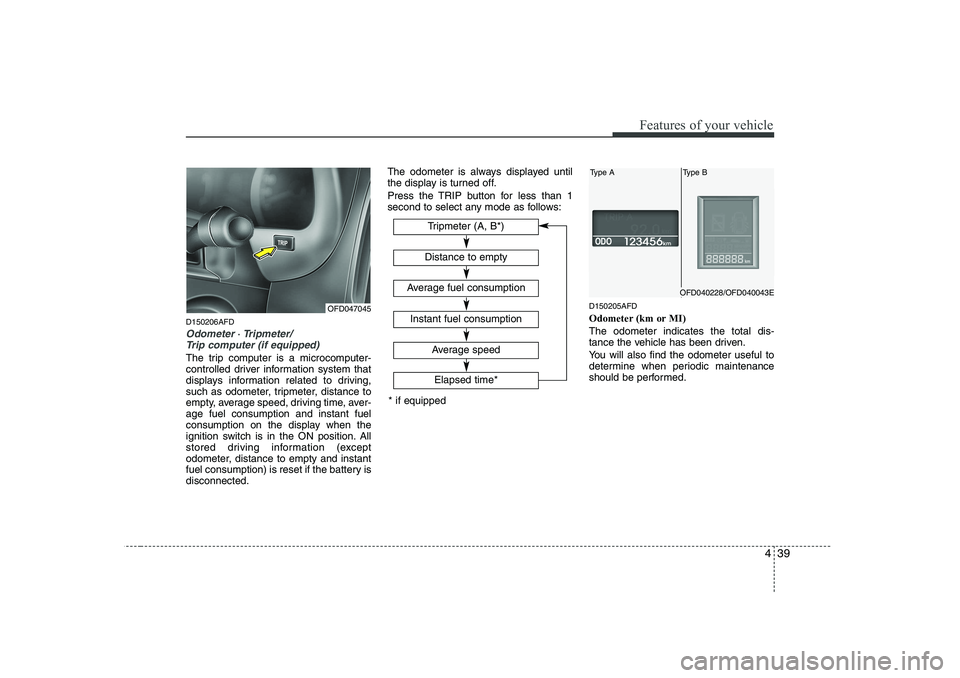
Odometer ⋅ Tripmeter/
Trip computer (if equipped)
The trip computer is a microcomputer-
controlled driver information system that
displays information related to driving,
such as odometer, tripmeter, distance to
empty, average speed, driving time, aver-age fuel consumption and instant fuel
consumption on the display when the
ignition switch is in the ON position. All
stored driving information (except
odometer, distance to empty and instant
fuel consumption) is reset if the battery isdisconnected. The odometer is always displayed until
the display is turned off.
Press the TRIP button for less than 1
second to select any mode as follows:
D150205AFD
Odometer (km or MI) The odometer indicates the total dis-
tance the vehicle has been driven.
You will also find the odometer useful to
determine when periodic maintenance
should be performed.
OFD047045Average speed
Elapsed time*
Tripmeter (A, B*)
Distance to empty
Average fuel consumption
Instant fuel consumption
* if equipped
Type AType B
OFD040228/OFD040043E