Heat HYUNDAI I30 2016 Owner's Manual
[x] Cancel search | Manufacturer: HYUNDAI, Model Year: 2016, Model line: I30, Model: HYUNDAI I30 2016Pages: 659, PDF Size: 17.14 MB
Page 145 of 659
3-143
Convenient features of your vehicle
3
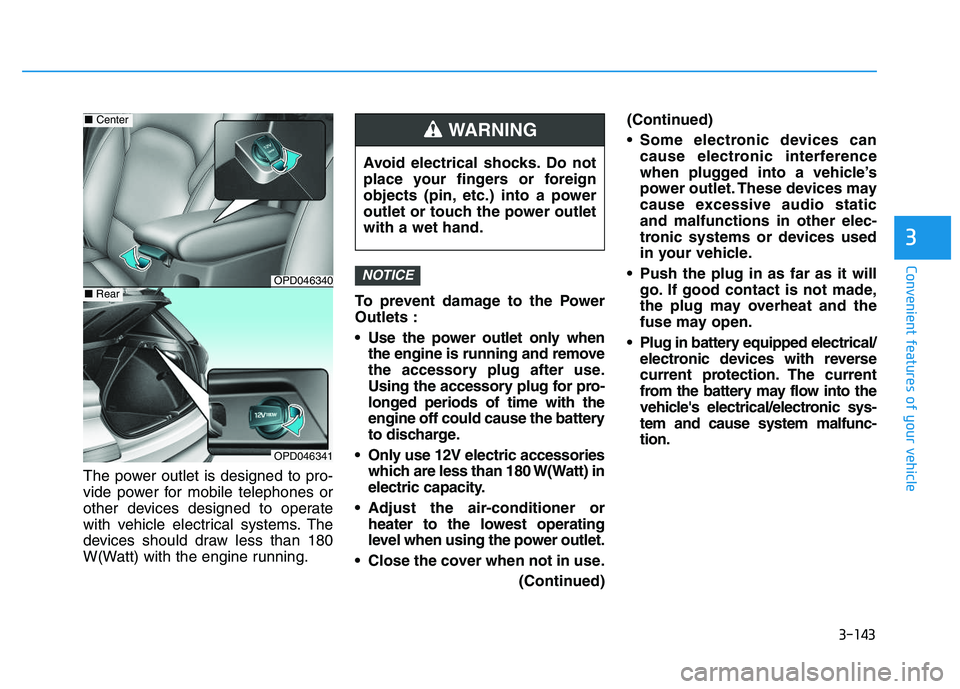
The power outlet is designed to pro-
vide power for mobile telephones or
other devices designed to operate
with vehicle electrical systems. The
devices should draw less than 180
W(Watt) with the engine running.To prevent damage to the Power
Outlets :
Use the power outlet only when
the engine is running and remove
the accessory plug after use.
Using the accessory plug for pro-
longed periods of time with the
engine off could cause the battery
to discharge.
Only use 12V electric accessories which are less than 180 W(Watt) in
electric capacity.
Adjust the air-conditioner or heater to the lowest operating
level when using the power outlet.
Close the cover when not in use. (Continued)(Continued)
Some electronic devices can
cause electronic interference
when plugged into a vehicle’s
power outlet. These devices may
cause excessive audio static
and malfunctions in other elec-
tronic systems or devices used
in your vehicle.
Push the plug in as far as it will go. If good contact is not made,
the plug may overheat and the
fuse may open.
Plug in battery equipped electrical/ electronic devices with reverse
current protection. The current
from the battery may flow into the
vehicle's electrical/electronic sys-
tem and cause system malfunc-
tion.
NOTICE
Avoid electrical shocks. Do not
place your fingers or foreign
objects (pin, etc.) into a power
outlet or touch the power outlet
with a wet hand.
WARNING
OPD046340
■ Center
OPD046341
■Rear
Page 146 of 659
3-144
Convenient features of your vehicle
Cigarette lighter (if equipped)
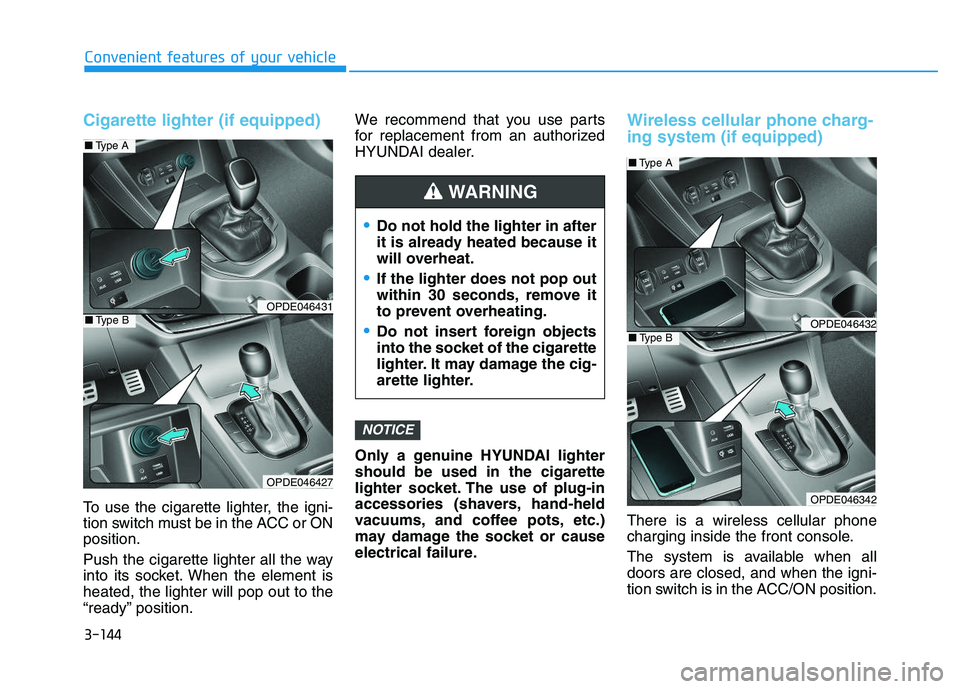
To use the cigarette lighter, the igni-
tion switch must be in the ACC or ON
position.
Push the cigarette lighter all the way
into its socket. When the element is
heated, the lighter will pop out to the
“ready” position.We recommend that you use parts
for replacement from an authorized
HYUNDAI dealer.
Only a genuine HYUNDAI lighter
should be used in the cigarette
lighter socket. The use of plug-in
accessories (shavers, hand-held
vacuums, and coffee pots, etc.)
may damage the socket or cause
electrical failure.
Wireless cellular phone charg-
ing system (if equipped)
There is a wireless cellular phone
charging inside the front console.
The system is available when all
doors are closed, and when the igni-
tion switch is in the ACC/ON position.
NOTICE
Do not hold the lighter in after
it is already heated because it
will overheat.
If the lighter does not pop out
within 30 seconds, remove it
to prevent overheating.
Do not insert foreign objects
into the socket of the cigarette
lighter. It may damage the cig-
arette lighter.
WARNING
OPDE046431
OPDE046427
■
Type A
■Type BOPDE046432
OPDE046342
■Type A
■Type B
Page 152 of 659
Interior lights ....................................................................3-93
Wipers and washers ............................................3-97
Windshield wipers ..........................................................3-98
Windshield washers .......................................................3-99
Rear window wiper and washer switch ..................3-100
Driver assist system ..........................................3-101
Rear view camera ........................................................3-101
Rear parking assist system ........................................3-102
Parking assist system .................................................3-106
Defroster .............................................................3-109
Rear window defroster ...............................................3-109
Manual climate control system........................3-111
Heating and air conditioning......................................3-112
System operation ..........................................................3-116
System maintenance ....................................................3-118
Automatic climate control system ...................3-121
Automatic heating and air conditioning ..................3-122
Manual heating and air conditioning .......................3-123
System operation ..........................................................3-128
System maintenance ....................................................3-131
Windshield defrosting and defogging ............3-133
Manual climate control system .................................3-133
Automatic climate control system ............................3-134
Defogging logic ............................................................3-135
Auto defogging system
(only for automatic climate control system) .........3-136
Climate control additional features.................3-137
Cluster ionizer ..............................................................3-137
Automatic ventilation ..................................................3-137
To cancel or set the automatic ventilation ............3-137
Sunroof inside air recirculation ...............................3-137
Storage compartment ........................................3-138
Center console storage ...............................................3-138
Glove box ........................................................................3-138
Sunglass holder ............................................................3-139
Multi box ........................................................................3-139
Interior features ...............................................3-140
Ashtray ...........................................................................3-140
Cup holder.......................................................................3-140
Sliding armrest .............................................................3-141
Sunvisor ...........................................................................3-142
Power outlet .................................................................3-142
Cigarette lighter ...........................................................3-144
Wireless cellular phone charging system ..............3-144
Clock .................................................................................3-146
Clothes hanger .............................................................3-146
Floor mat anchor(s) ....................................................3-147
Luggage net (holder) ...................................................3-147
Cargo area cover .........................................................3-148
Exterior features ...............................................3-149
Mounting bracket for roof carrier ..........................3-149
3
Page 154 of 659
3-4
Convenient features of your vehicle
Tailgate unlocking
To unlock:
1. Press the Tailgate Unlock button(3) on the remote key for more
than one second.
2. The hazard warning lights will blink two times.
Information
The word "HOLD" is written on the
button to inform you that you must
press and hold the button for more
than one second.
Start-up
For detailed information refer to “Key
Ignition Switch” in chapter 5.
To prevent damaging the remote
key:
• Keep the remote key away fromwater or any liquid and fire. If the
inside of the remote key gets
damp (due to drinks or mois-
ture), or is heated, internal cir-
cuit may malfunction, excluding
the car from the warranty.
Avoid dropping or throwing the remote key.
Protect the remote key from extreme temperatures.
Mechanical key
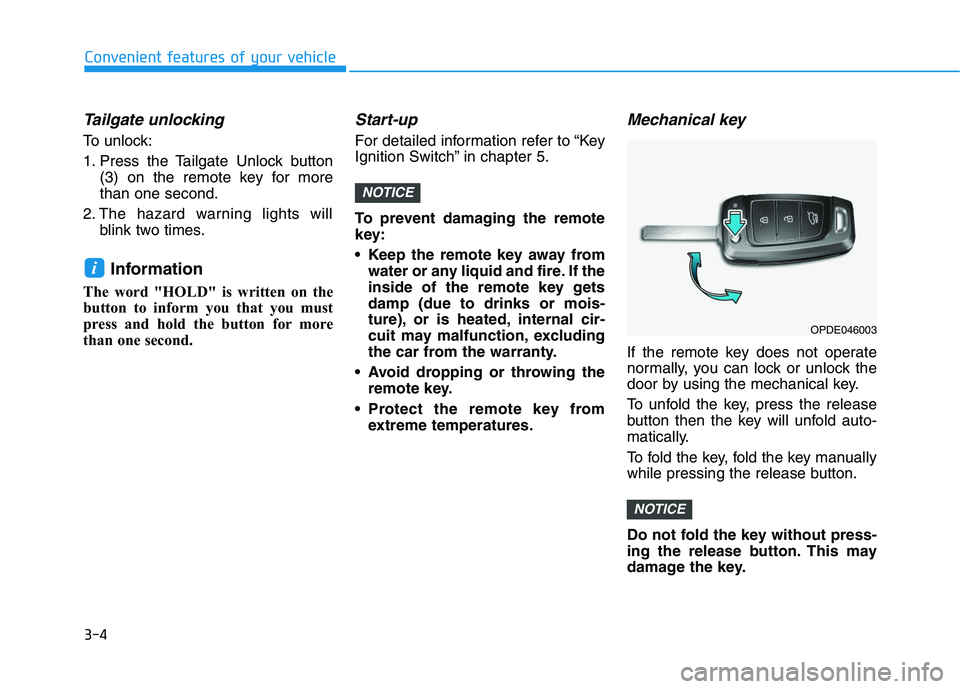
If the remote key does not operate
normally, you can lock or unlock the
door by using the mechanical key.
To unfold the key, press the release
button then the key will unfold auto-
matically.
To fold the key, fold the key manually
while pressing the release button.
Do not fold the key without press-
ing the release button. This may
damage the key.
NOTICE
NOTICE
i
OPDE046003
Page 158 of 659
3-8
Convenient features of your vehicle
Start-up
You can start the engine without
inserting the key.For detailed infor-
mation refer to the Engine
Start/Stop button in chapter 5.
To prevent damaging the smart
key:
Keep the smart key away from water or any liquid and fire. If the
inside of the smart key gets
damp (due to drinks or moisture),
or is heated, internal circuit may
malfunction, excluding the car
from the warranty.
Avoid dropping or throwing the smart key.
Protect the smart key from extreme temperatures.
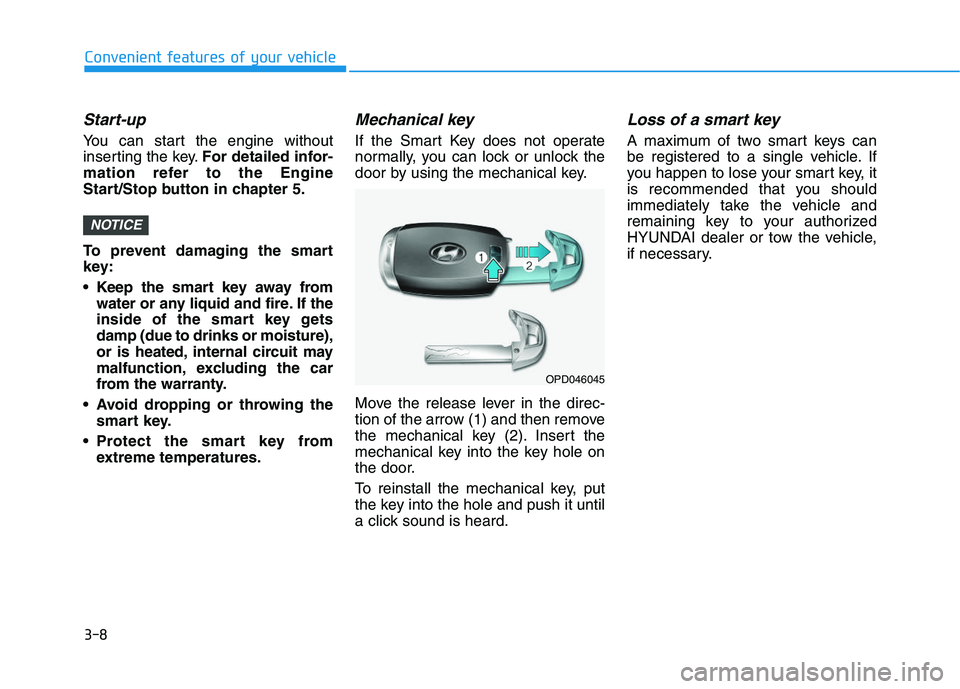
Mechanical key
If the Smart Key does not operate
normally, you can lock or unlock the
door by using the mechanical key.
Move the release lever in the direc-
tion of the arrow (1) and then remove
the mechanical key (2). Insert the
mechanical key into the key hole on
the door.
To reinstall the mechanical key, put
the key into the hole and push it until
a click sound is heard.
Loss of a smart key
A maximum of two smart keys can
be registered to a single vehicle. If
you happen to lose your smart key, it
is recommended that you should
immediately take the vehicle and
remaining key to your authorized
HYUNDAI dealer or tow the vehicle,
if necessary.
NOTICE
OPD046045
Page 171 of 659
3-21
Convenient features of your vehicle
3
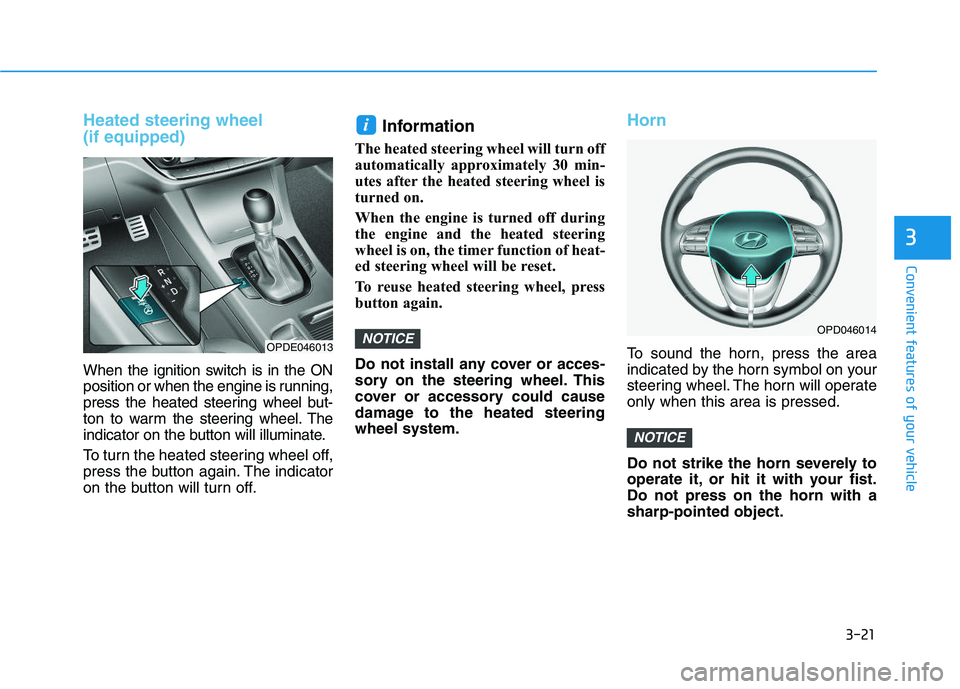
Heated steering wheel
(if equipped)
When the ignition switch is in the ON
position or when the engine is running,
press the heated steering wheel but-
ton to warm the steering wheel. The
indicator on the button will illuminate.
To turn the heated steering wheel off,
press the button again. The indicator
on the button will turn off.
Information
The heated steering wheel will turn off
automatically approximately 30 min-
utes after the heated steering wheel is
turned on.
When the engine is turned off during
the engine and the heated steering
wheel is on, the timer function of heat-
ed steering wheel will be reset.
To reuse heated steering wheel, press
button again.
Do not install any cover or acces-
sory on the steering wheel. This
cover or accessory could cause
damage to the heated steering
wheel system.
Horn
To sound the horn, press the area
indicated by the horn symbol on your
steering wheel. The horn will operate
only when this area is pressed.
Do not strike the horn severely to
operate it, or hit it with your fist.
Do not press on the horn with a
sharp-pointed object.
NOTICE
NOTICE
i
OPD046014
OPDE046013
Page 189 of 659
3-39
Convenient features of your vehicle
3
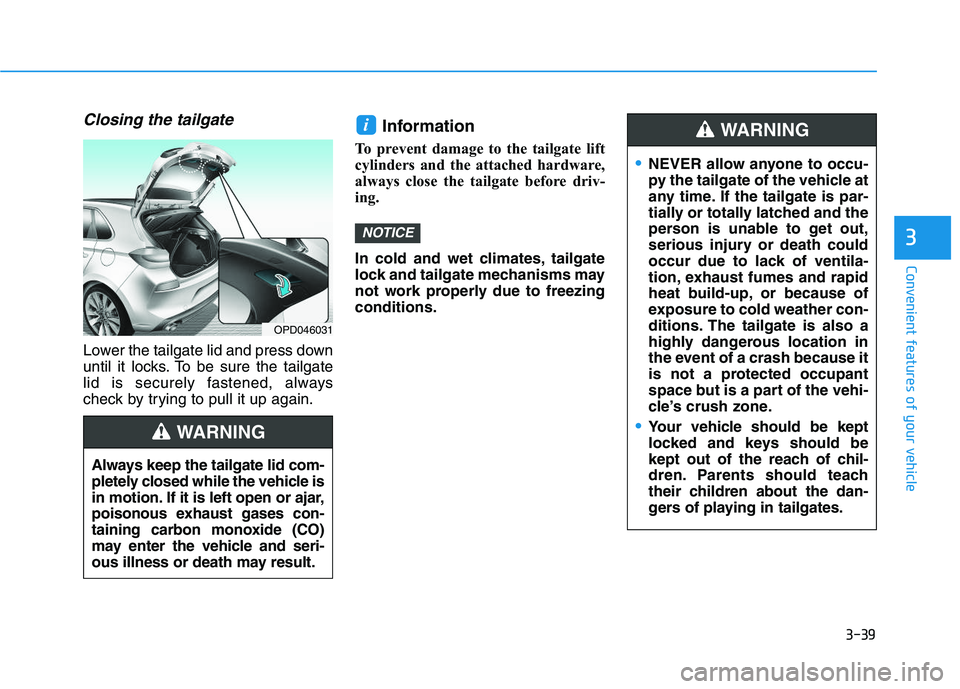
Closing the tailgate
Lower the tailgate lid and press down
until it locks. To be sure the tailgate
lid is securely fastened, always
check by trying to pull it up again.
Information
To prevent damage to the tailgate lift
cylinders and the attached hardware,
always close the tailgate before driv-
ing.
In cold and wet climates, tailgate
lock and tailgate mechanisms may
not work properly due to freezing
conditions.
NOTICE
i
Always keep the tailgate lid com-
pletely closed while the vehicle is
in motion. If it is left open or ajar,
poisonous exhaust gases con-
taining carbon monoxide (CO)
may enter the vehicle and seri-
ous illness or death may result.
WARNING
OPD046031
NEVER allow anyone to occu-
py the tailgate of the vehicle at
any time. If the tailgate is par-
tially or totally latched and the
person is unable to get out,
serious injury or death could
occur due to lack of ventila-
tion, exhaust fumes and rapid
heat build-up, or because of
exposure to cold weather con-
ditions. The tailgate is also a
highly dangerous location in
the event of a crash because it
is not a protected occupant
space but is a part of the vehi-
cle’s crush zone.
Your vehicle should be kept
locked and keys should be
kept out of the reach of chil-
dren. Parents should teach
their children about the dan-
gers of playing in tailgates.
WARNING
Page 195 of 659
3-45
Convenient features of your vehicle
3
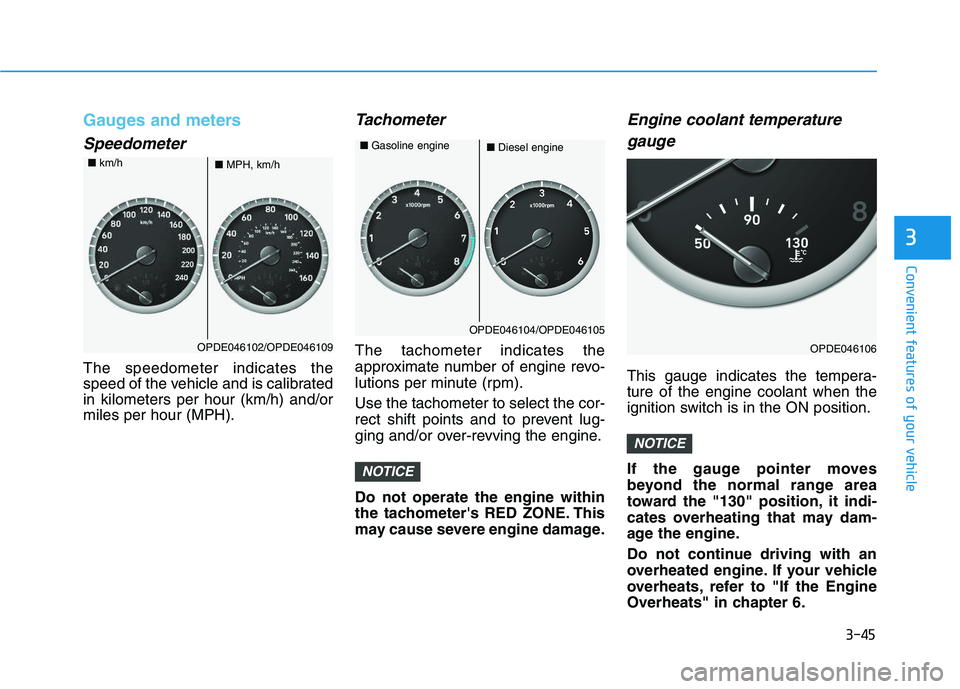
Gauges and meters
Speedometer
The speedometer indicates the
speed of the vehicle and is calibrated
in kilometers per hour (km/h) and/or
miles per hour (MPH).
Tachometer
The tachometer indicates the
approximate number of engine revo-
lutions per minute (rpm).
Use the tachometer to select the cor-
rect shift points and to prevent lug-
ging and/or over-revving the engine.
Do not operate the engine within
the tachometer's RED ZONE. This
may cause severe engine damage.
Engine coolant temperaturegauge
This gauge indicates the tempera-
ture of the engine coolant when the
ignition switch is in the ON position.
If the gauge pointer moves
beyond the normal range area
toward the "130" position, it indi-
cates overheating that may dam-
age the engine.
Do not continue driving with an
overheated engine. If your vehicle
overheats, refer to "If the Engine
Overheats" in chapter 6.
NOTICE
NOTICE
OPDE046102/OPDE046109
■ MPH, km/h
■
km/h
OPDE046104/OPDE046105
■Diesel engine
■
Gasoline engine
OPDE046106
Page 208 of 659
3-58
Convenient features of your vehicle
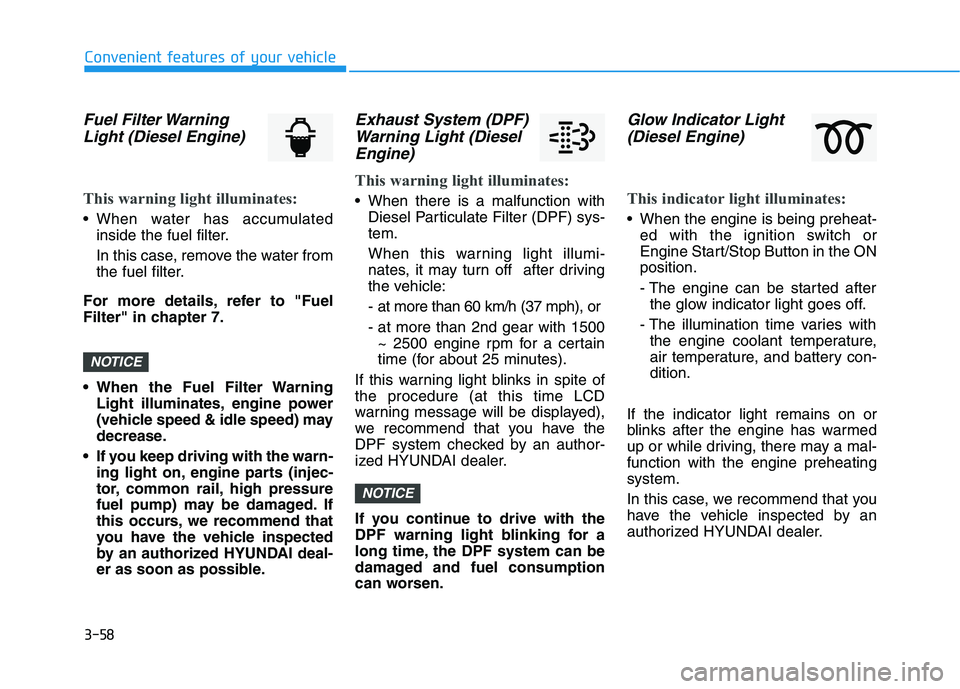
Fuel Filter WarningLight (Diesel Engine)
This warning light illuminates:
• When water has accumulated
inside the fuel filter.
In this case, remove the water from
the fuel filter.
For more details, refer to "Fuel
Filter" in chapter 7.
• When the Fuel Filter Warning Light illuminates, engine power
(vehicle speed & idle speed) may
decrease.
If you keep driving with the warn- ing light on, engine parts (injec-
tor, common rail, high pressure
fuel pump) may be damaged. If
this occurs, we recommend that
you have the vehicle inspected
by an authorized HYUNDAI deal-
er as soon as possible.
Exhaust System (DPF)Warning Light (DieselEngine)
This warning light illuminates:
When there is a malfunction with
Diesel Particulate Filter (DPF) sys-
tem.
When this warning light illumi-
nates, it may turn off after driving
the vehicle:
- at more than 60 km/h (37 mph), or
- at more than 2nd gear with 1500~ 2500 engine rpm for a certain
time (for about 25 minutes).
If this warning light blinks in spite of
the procedure (at this time LCD
warning message will be displayed),
we recommend that you have the
DPF system checked by an author-
ized HYUNDAI dealer.
If you continue to drive with the
DPF warning light blinking for a
long time, the DPF system can be
damaged and fuel consumption
can worsen.
Glow Indicator Light (Diesel Engine)
This indicator light illuminates:
When the engine is being preheat-
ed with the ignition switch or
Engine Start/Stop Button in the ON
position.
- The engine can be started afterthe glow indicator light goes off.
- The illumination time varies with the engine coolant temperature,
air temperature, and battery con-
dition.
If the indicator light remains on or
blinks after the engine has warmed
up or while driving, there may a mal-
function with the engine preheating
system.
In this case, we recommend that you
have the vehicle inspected by an
authorized HYUNDAI dealer.
NOTICE
NOTICE
Page 209 of 659
3-59
Convenient features of your vehicle
3
Information
If the engine does not start within 10
seconds after the preheating is com-
pleted, set the ignition switch or
Engine Start/Stop Button to the
LOCK or OFF position for 10 seconds
and then to the ON position in order
to preheat the engine again.
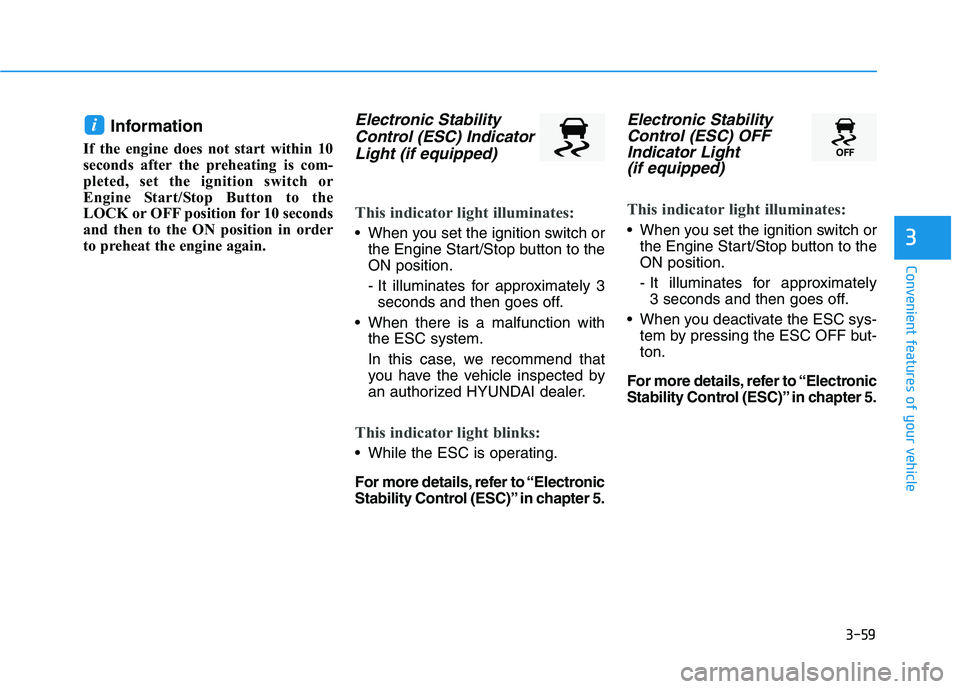
Electronic StabilityControl (ESC) IndicatorLight (if equipped)
This indicator light illuminates:
When you set the ignition switch or
the Engine Start/Stop button to the
ON position.
- It illuminates for approximately 3seconds and then goes off.
When there is a malfunction with the ESC system.
In this case, we recommend that
you have the vehicle inspected by
an authorized HYUNDAI dealer.
This indicator light blinks:
While the ESC is operating.
For more details, refer to “Electronic
Stability Control (ESC)” in chapter 5.
Electronic StabilityControl (ESC) OFFIndicator Light (if equipped)
This indicator light illuminates:
When you set the ignition switch or
the Engine Start/Stop button to the
ON position.
- It illuminates for approximately 3 seconds and then goes off.
When you deactivate the ESC sys- tem by pressing the ESC OFF but-
ton.
For more details, refer to “Electronic
Stability Control (ESC)” in chapter 5.
i