TURN HYUNDAI I30 2019 Owners Manual
[x] Cancel search | Manufacturer: HYUNDAI, Model Year: 2019, Model line: I30, Model: HYUNDAI I30 2019Pages: 659, PDF Size: 17.14 MB
Page 376 of 659
5-72
Driving your vehicle
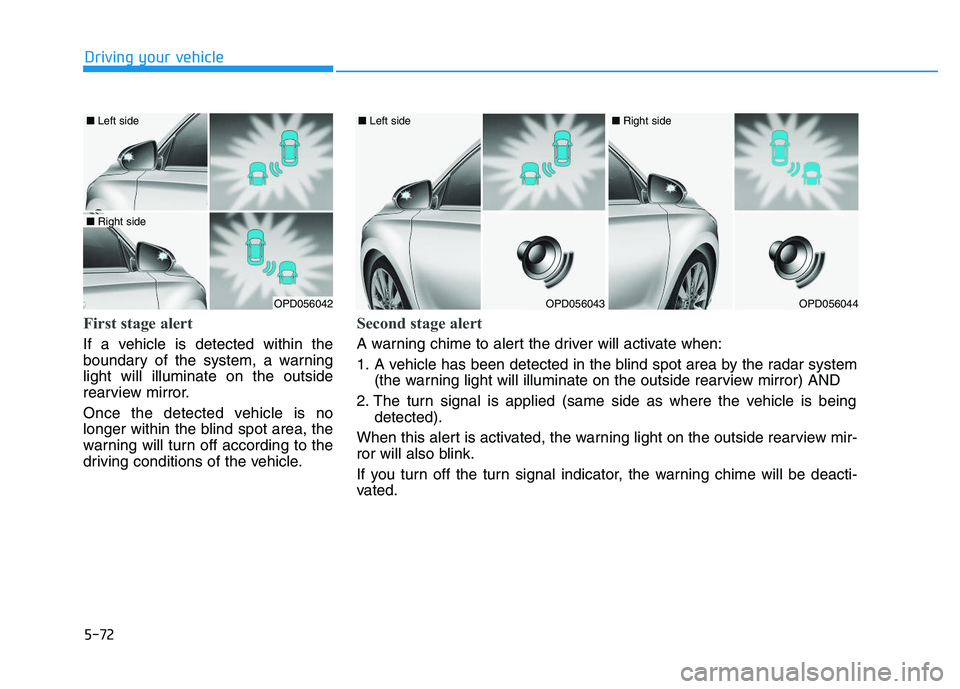
First stage alert
If a vehicle is detected within the
boundary of the system, a warning
light will illuminate on the outside
rearview mirror.
Once the detected vehicle is no
longer within the blind spot area, the
warning will turn off according to the
driving conditions of the vehicle.
OPD056042
■ Left side
■ Right side
OPD056043
■ Left side
OPD056044
■ Right side
Second stage alert
A warning chime to alert the driver will activate when:
1. A vehicle has been detected in the blind spot area by the radar system
(the warning light will illuminate on the outside rearview mirror) AND
2. The turn signal is applied (same side as where the vehicle is being detected).
When this alert is activated, the warning light on the outside rearview mir-
ror will also blink.
If you turn off the turn signal indicator, the warning chime will be deacti-
vated.
Page 378 of 659
5-74
Driving your vehicle
If any of these conditions occur, the
light on the BSD switch and the sys-
tem will turn off automatically.
When the BSD canceled warning
message is displayed in the cluster,
check to make sure that the rear
bumper is free from any dirt or snow
in the areas where the sensor is
located. Remove any dirt, snow, or
foreign material that could interfere
with the radar sensors.
After any dirt or debris is removed,
the BSD system should operate nor-
mally after about 10 minutes of driv-
ing the vehicle.
If the system still does not operate
normally have your vehicle inspected
by an authorized HYUNDAI dealer.
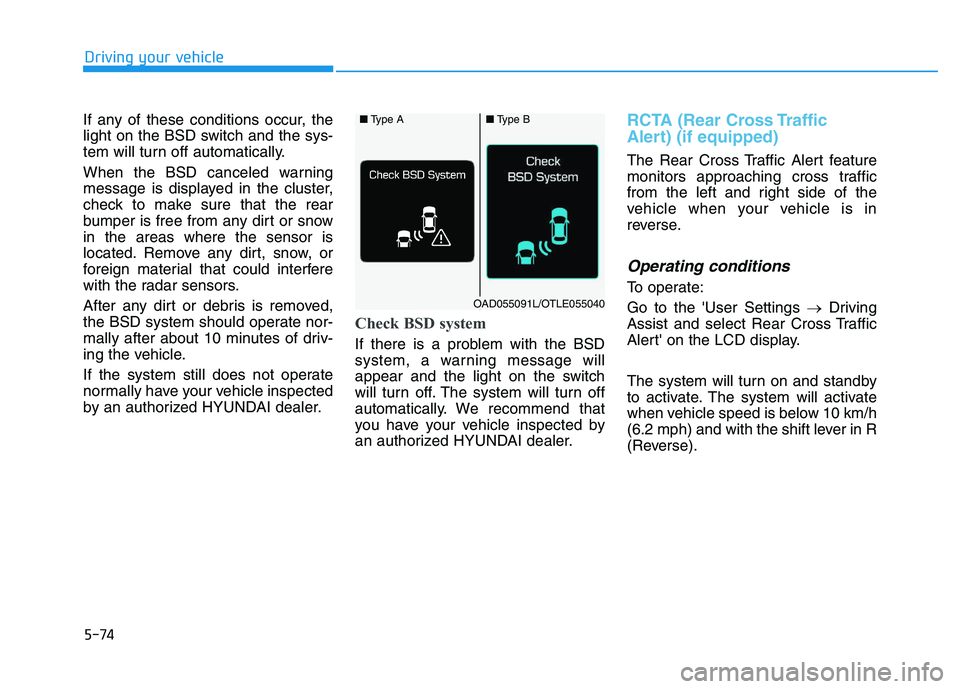
Check BSD system
If there is a problem with the BSD
system, a warning message will
appear and the light on the switch
will turn off. The system will turn off
automatically. We recommend that
you have your vehicle inspected by
an authorized HYUNDAI dealer.
RCTA (Rear Cross Traffic
Alert) (if equipped)
The Rear Cross Traffic Alert feature
monitors approaching cross traffic
from the left and right side of the
vehicle when your vehicle is in
reverse.
Operating conditions
To operate:
Go to the 'User Settings →Driving
Assist and select Rear Cross Traffic
Alert' on the LCD display.
The system will turn on and standby
to activate. The system will activate
when vehicle speed is below 10 km/h
(6.2 mph) and with the shift lever in R
(Reverse).
■ Type A■Type B
OAD055091L/OTLE055040
Page 379 of 659
5-75
Driving your vehicle
5
Information
The Rear Cross Traffic Alert (RCTA)
detecting range is approximately
0.5 m ~ 20 m (1 ft ~ 65 ft). An
approaching vehicle will be detected if
their vehicle speed is within 4 km/h ~
36 km/h (2.5 ~ 22.5 mph ).
Note that the detecting range may
vary under certain conditions. As
always, use caution and pay close
attention to your surroundings when
backing up your vehicle.
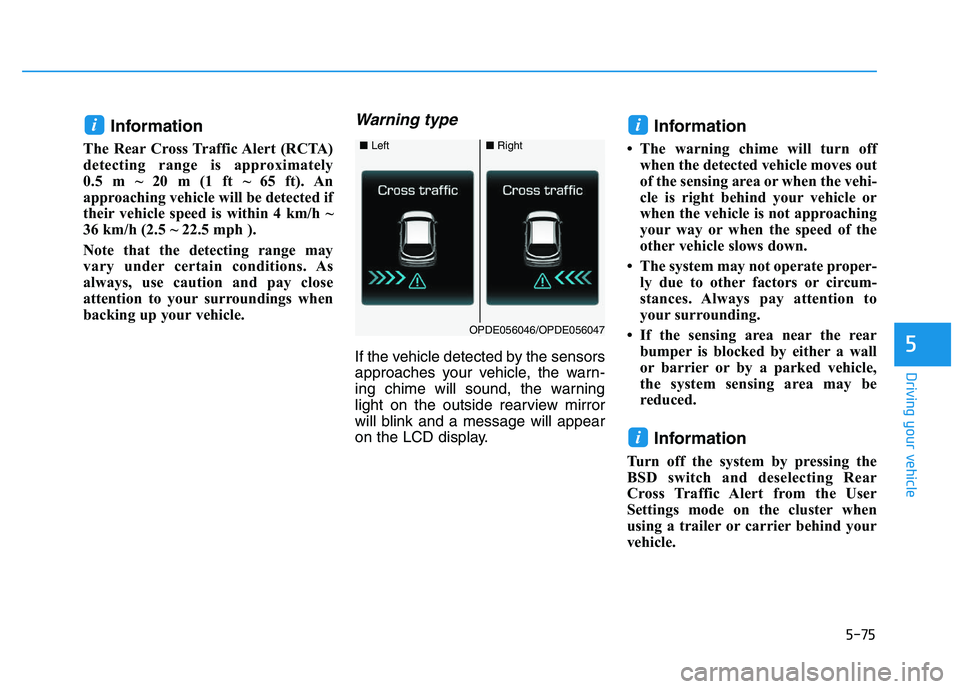
Warning type
If the vehicle detected by the sensors
approaches your vehicle, the warn-
ing chime will sound, the warning
light on the outside rearview mirror
will blink and a message will appear
on the LCD display.
Information
• The warning chime will turn offwhen the detected vehicle moves out
of the sensing area or when the vehi-
cle is right behind your vehicle or
when the vehicle is not approaching
your way or when the speed of the
other vehicle slows down.
• The system may not operate proper- ly due to other factors or circum-
stances. Always pay attention to
your surrounding.
• If the sensing area near the rear bumper is blocked by either a wall
or barrier or by a parked vehicle,
the system sensing area may be
reduced.
Information
Turn off the system by pressing the
BSD switch and deselecting Rear
Cross Traffic Alert from the User
Settings mode on the cluster when
using a trailer or carrier behind your
vehicle.
i
ii
■ Left■Right
OPDE056046/OPDE056047
Page 380 of 659
5-76
Driving your vehicle The system may not work prop-erly when the bumper has been
damaged, or if the rear bumper
has been replaced or repaired.
The sensing range differs some- what according to the width of
the road. When the road is nar-
row, the system may detect
other vehicles in the next lane
Or when the road is wide, the
system may not detect other
vehicles in the next lane.
The system may turn off due to strong electromagnetic waves.
Non-operating condition
The BSD indicator on the outer side
view mirror may not illuminate
properly when:
The outside rearview mirror hous-ing is damaged.
The mirror is covered with dirt, snow, or debris.
The window is covered with dirt, snow, or debris.
The window is tinted.
NOTICE
(Continued)
The Blind Spot Detection
System (BSD) and Rear Cross
Traffic Alert (RCTA) are not a
substitute for proper and safe
driving practices. Always
drive safely and use caution
when changing lanes or back-
ing up your vehicle. The Blind
Spot Detection System (BSD)
may not detect every object
alongside the vehicle.
The warning light on the out-
side rearview mirror will illu-
minate whenever a vehicle is
detected at the rear side by
the system.
To avoid accidents, do not
focus only on the warning
light and neglect to see the
surrounding of the vehicle.
Drive safely even though the
vehicle is equipped with a
Blind Spot Detection System
(BSD) and Rear Cross Traffic
Alert (RCTA). Do not solely
rely on the system but check
your surrounding before
changing lanes or backing the
vehicle up.
The system may not alert the
driver in some conditions so
always check your surround-
ings while driving. (Continued)
WARNING
Page 381 of 659
5-77
Driving your vehicle
5
Limitations of the system
The driver must be cautious in the
below situations, because the sys-
tem may not detect other vehicles or
objects in certain circumstances.
The vehicle drives on a curvedroad or through a tollgate.
The vehicle is turning left or right at a crossroad.
The sensor is polluted with rain, snow, mud, etc.
The rear bumper where the sensor is located is covered with a foreign
object such as a bumper sticker, a
bumper guard, a bike rack, etc.
The rear bumper is damaged, or the sensor is out of the original
default position.
The vehicle height gets lower or higher due to heavy loading in the
luggage compartment, abnormal
tire pressure, etc.
The vehicle drives in inclement weather such as heavy rain or
snow. There is a fixed object near the
vehicle, such as a guardrail, per-
son, animal, etc.
The vehicle is driven near areas containing metal substances such
as a construction zone, railroad,
etc.
A big vehicle is near such as a bus or truck.
A motorcycle or bicycle is near.
A flat trailer is near.
If the vehicle has started at the same time as the vehicle next to
you and has accelerated.
When the other vehicle passes at a very fast speed.
While changing lanes.
While going down or up a steep road where the height of the lane is
different.
When the other vehicle approach- es very close.
When a trailer or carrier is installed.
When the temperature near the rear bumper area is high or low. When the sensors are blocked by
other vehicles, walls or parking-lot
pillars.
When the detected vehicle also moves back, as your vehicle drives
back.
If there are small objects in the detecting area such as a shopping
cart or a baby stroller.
If there is a low height vehicle such as a sports car.
When other vehicles are close to your vehicle.
When the vehicle in the next lane moves two lanes away from you
OR when the vehicle two lanes
away moves to the next lane from
you.
When driving through a narrow road with many trees or bushes.
When driving through a large area with few cars or structures around,
such as a desert, rural area, etc.
When driving on wet surface.
Page 382 of 659
5-78
Driving your vehicle
The Autonomous Emergency
Braking (AEB) system is designed to
detect and monitor the vehicle ahead
or detect a pedestrian (if equipped)
in the roadway through radar signals
and camera recognition to warn the
driver that a collision is imminent,
and if necessary, apply emergency
braking.
System setting and activation
System setting
The driver can activate the AEB by placing the ignition switch to the
ON position and by selecting:
'User Settings →Driving Assist →
Assist Emergency Braking'
The AEB deactivates, when the driv-
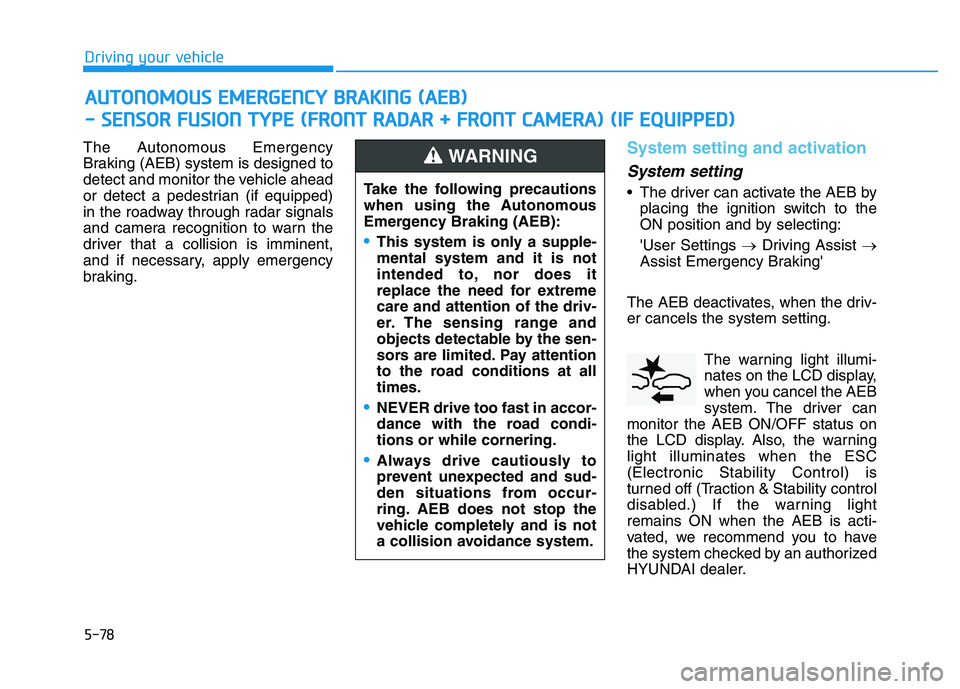
er cancels the system setting. The warning light illumi-
nates on the LCD display,
when you cancel the AEB
system. The driver can
monitor the AEB ON/OFF status on
the LCD display. Also, the warning
light illuminates when the ESC
(Electronic Stability Control) is
turned off (Traction & Stability control
disabled.) If the warning light
remains ON when the AEB is acti-
vated, we recommend you to have
the system checked by an authorized
HYUNDAI dealer.
A
A U
U T
T O
O N
N O
O M
M O
O U
U S
S
E
E M
M E
E R
R G
G E
E N
N C
C Y
Y
B
B R
R A
A K
K I
I N
N G
G
(
( A
A E
E B
B )
)
-
-
S
S E
E N
N S
S O
O R
R
F
F U
U S
S I
I O
O N
N
T
T Y
Y P
P E
E
(
( F
F R
R O
O N
N T
T
R
R A
A D
D A
A R
R
+
+
F
F R
R O
O N
N T
T
C
C A
A M
M E
E R
R A
A )
)
(
( I
I F
F
E
E Q
Q U
U I
I P
P P
P E
E D
D )
)
Take the following precautions
when using the Autonomous
Emergency Braking (AEB):
This system is only a supple-
mental system and it is not
intended to, nor does it
replace the need for extreme
care and attention of the driv-
er. The sensing range and
objects detectable by the sen-
sors are limited. Pay attention
to the road conditions at all
times.
NEVER drive too fast in accor-
dance with the road condi-
tions or while cornering.
Always drive cautiously to
prevent unexpected and sud-
den situations from occur-
ring. AEB does not stop the
vehicle completely and is not
a collision avoidance system.
WARNING
Page 387 of 659
5-83
Driving your vehicle
5
(Continued)
If the front bumper becomesdamaged in the area around the
radar sensor, the AEB system
may not operate properly. We
recommend you to have the
vehicle inspected by authorized
HYUNDAI.
Use only genuine parts to repair or replace a damaged sensor or
sensor cover. Do not apply paint
to the sensor cover. NEVER install any accessories
or stickers on the front wind-
shield, nor tint the front wind-
shield.
NEVER locate any reflective objects (i.e. white paper, mirror)
over the dashboard. Any light
reflection may cause a malfunc-
tion of the system.
Pay extreme caution to keep the camera out of water.
NEVER arbitrarily disassemble the camera assembly, nor apply
any impact on the camera
assembly.
Playing the vehicle audio sys- tem at high volume may offset
the system warning sounds.
Information
We recommend you have the system
checked by an authorized HYUNDAI
dealer when:
• The windshield glass is replaced.
• The camera or related parts arerepaired or removed.
Warning message and warninglight
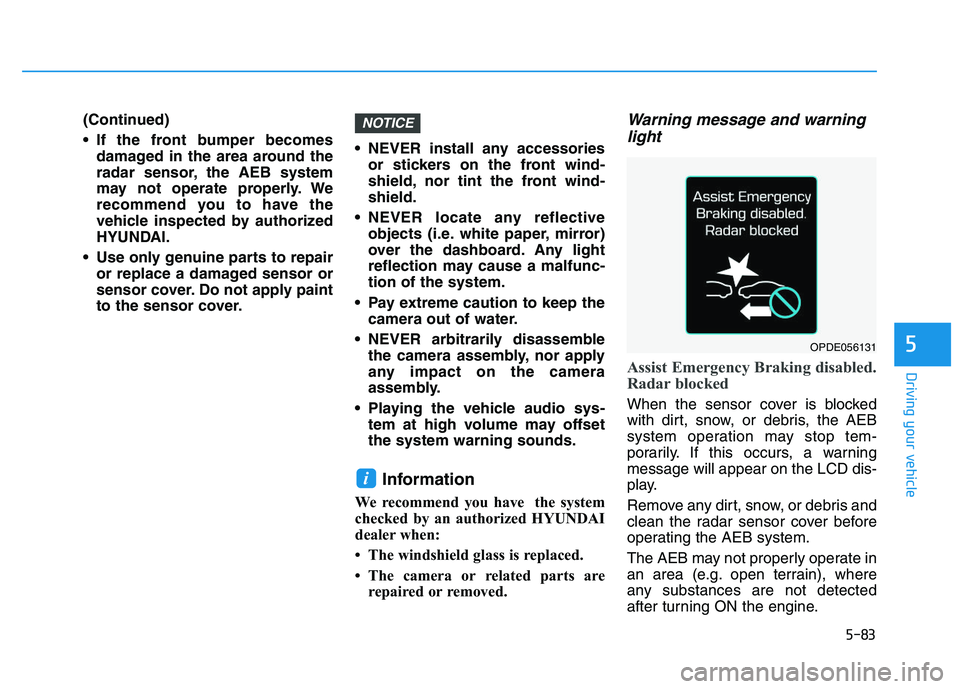
Assist Emergency Braking disabled.
Radar blocked
When the sensor cover is blocked
with dirt, snow, or debris, the AEB
system operation may stop tem-
porarily. If this occurs, a warning
message will appear on the LCD dis-
play.
Remove any dirt, snow, or debris and
clean the radar sensor cover before
operating the AEB system.
The AEB may not properly operate in
an area (e.g. open terrain), where
any substances are not detected
after turning ON the engine.
i
NOTICE
OPDE056131
Page 390 of 659
5-86
Driving your vehicle
The vehicle in front does not have their rear lights properly turned ON
The outside brightness changes suddenly, for example when enter-
ing or exiting a tunnel
When light coming from a street light or an oncoming vehicle is
reflected on a wet road surface
such as a puddle in the road
The field of view in front is obstructed by sun glare
The windshield glass is fogged up; a clear view of the road is obstruct-
ed
The vehicle in front is driving errat- ically
The vehicle drives through a con- struction area, on an unpaved
road, or above metal materials,
such as a railway
The vehicle drives inside a build- ing, such as a basement parking
lot
The adverse road conditions cause excessive vehicle vibrations while
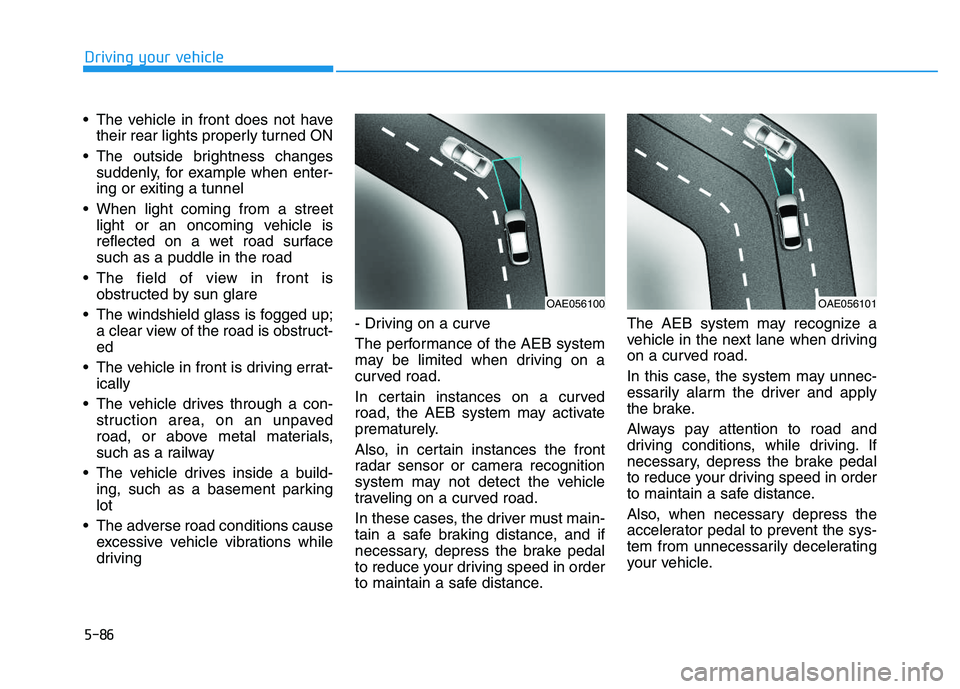
driving - Driving on a curve
The performance of the AEB system
may be limited when driving on a
curved road.
In certain instances on a curved
road, the AEB system may activate
prematurely.
Also, in certain instances the front
radar sensor or camera recognition
system may not detect the vehicle
traveling on a curved road.
In these cases, the driver must main-
tain a safe braking distance, and if
necessary, depress the brake pedal
to reduce your driving speed in order
to maintain a safe distance. The AEB system may recognize a
vehicle in the next lane when driving
on a curved road.
In this case, the system may unnec-
essarily alarm the driver and apply
the brake.
Always pay attention to road and
driving conditions, while driving. If
necessary, depress the brake pedal
to reduce your driving speed in order
to maintain a safe distance.
Also, when necessary depress the
accelerator pedal to prevent the sys-
tem from unnecessarily decelerating
your vehicle.
OAE056100OAE056101
Page 394 of 659
5-90
Driving your vehicle
The Autonomous Emergency
Braking (AEB) system is designed to
detect and monitor the vehicle ahead
in the roadway through camera
recognition to warn the driver that a
collision is imminent, and if neces-
sary, apply emergency braking.
System setting and activation
System setting
The driver can activate the AEB by placing the ignition switch to the
ON position and by selecting:
'User Settings →Driving Assist →
Assist Emergency Braking'
The AEB deactivates, when the driv-
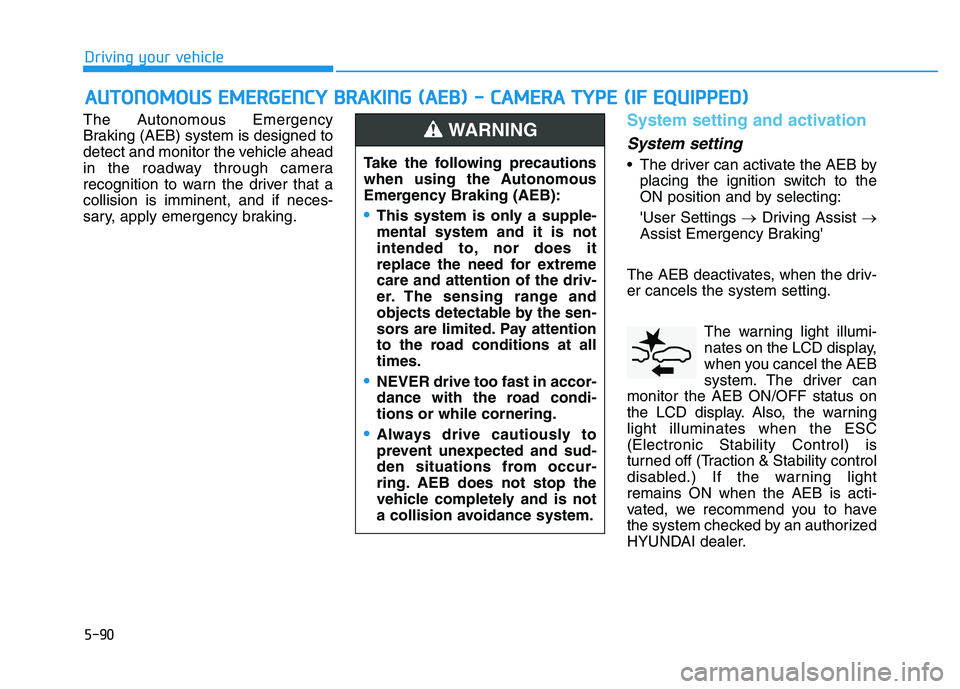
er cancels the system setting. The warning light illumi-
nates on the LCD display,
when you cancel the AEB
system. The driver can
monitor the AEB ON/OFF status on
the LCD display. Also, the warning
light illuminates when the ESC
(Electronic Stability Control) is
turned off (Traction & Stability control
disabled.) If the warning light
remains ON when the AEB is acti-
vated, we recommend you to have
the system checked by an authorized
HYUNDAI dealer.
A
A U
U T
T O
O N
N O
O M
M O
O U
U S
S
E
E M
M E
E R
R G
G E
E N
N C
C Y
Y
B
B R
R A
A K
K I
I N
N G
G
(
( A
A E
E B
B )
)
-
-
C
C A
A M
M E
E R
R A
A
T
T Y
Y P
P E
E
(
( I
I F
F
E
E Q
Q U
U I
I P
P P
P E
E D
D )
)
Take the following precautions
when using the Autonomous
Emergency Braking (AEB):
This system is only a supple-
mental system and it is not
intended to, nor does it
replace the need for extreme
care and attention of the driv-
er. The sensing range and
objects detectable by the sen-
sors are limited. Pay attention
to the road conditions at all
times.
NEVER drive too fast in accor-
dance with the road condi-
tions or while cornering.
Always drive cautiously to
prevent unexpected and sud-
den situations from occur-
ring. AEB does not stop the
vehicle completely and is not
a collision avoidance system.
WARNING
Page 399 of 659
5-95
Driving your vehicle
5
NEVER install any accessoriesor stickers on the front wind-
shield, nor tint the front wind-
shield.
NEVER locate any reflective objects (i.e. white paper, mirror)
over the dashboard. Any light
reflection may cause a malfunc-
tion of the system.
Pay extreme caution to keep the camera out of water.
NEVER arbitrarily disassemble the camera assembly, nor apply
any impact on the camera
assembly.
Playing the vehicle audio sys- tem at high volume may offset
the system warning sounds.
Information
We recommend you have the system
checked by an authorized HYUNDAI
dealer when:
• The windshield glass is replaced.
• The camera or related parts arerepaired or removed.
Warning message and warninglight
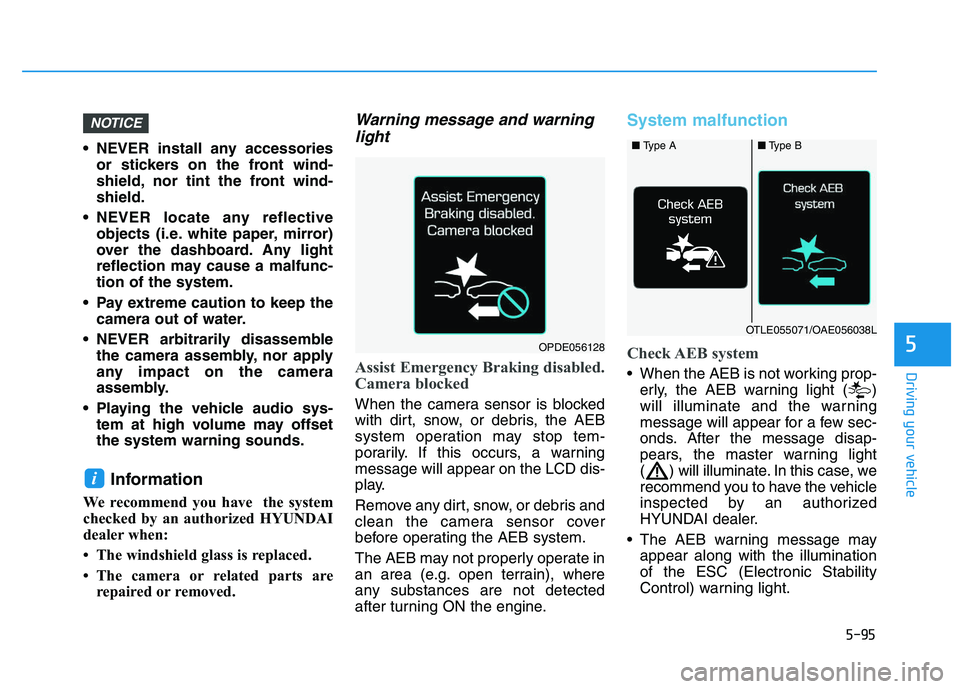
Assist Emergency Braking disabled.
Camera blocked
When the camera sensor is blocked
with dirt, snow, or debris, the AEB
system operation may stop tem-
porarily. If this occurs, a warning
message will appear on the LCD dis-
play.
Remove any dirt, snow, or debris and
clean the camera sensor cover
before operating the AEB system.
The AEB may not properly operate in
an area (e.g. open terrain), where
any substances are not detected
after turning ON the engine.
System malfunction
Check AEB system
When the AEB is not working prop-
erly, the AEB warning light ( )
will illuminate and the warning
message will appear for a few sec-
onds. After the message disap-
pears, the master warning light
( ) will illuminate. In this case, we
recommend you to have the vehicle
inspected by an authorized
HYUNDAI dealer.
The AEB warning message may appear along with the illumination
of the ESC (Electronic Stability
Control) warning light.
i
NOTICE
■ Type A■Type B
OTLE055071/OAE056038L
OPDE056128