collision HYUNDAI I30 2019 Owner's Manual
[x] Cancel search | Manufacturer: HYUNDAI, Model Year: 2019, Model line: I30, Model: HYUNDAI I30 2019Pages: 659, PDF Size: 17.14 MB
Page 108 of 659
3-106
Convenient features of your vehicle
Parking assist system
(if equipped)
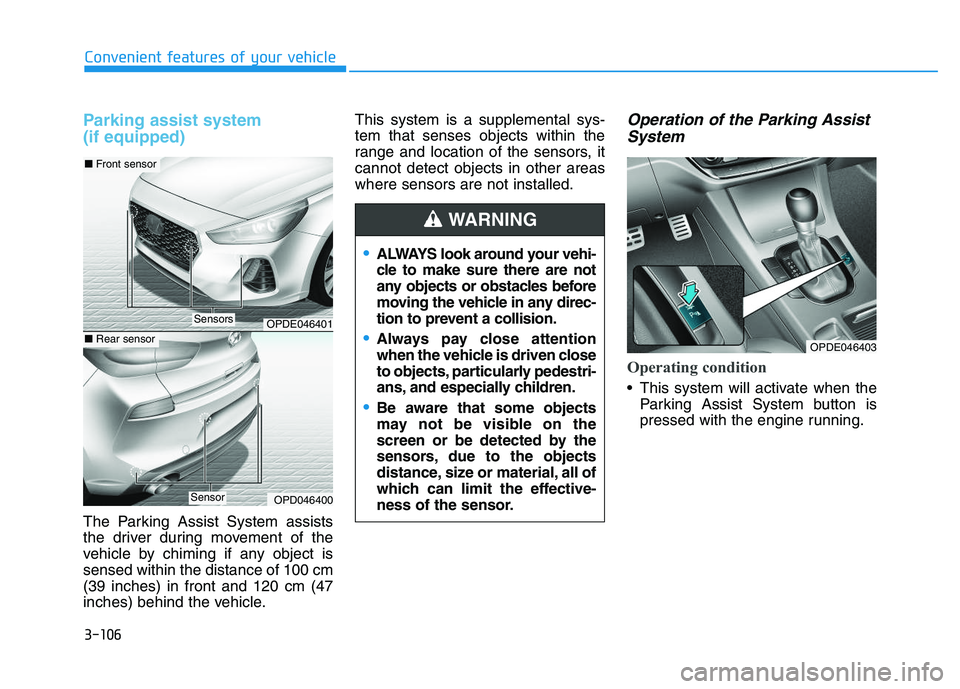
The Parking Assist System assists
the driver during movement of the
vehicle by chiming if any object is
sensed within the distance of 100 cm
(39 inches) in front and 120 cm (47
inches) behind the vehicle.This system is a supplemental sys-
tem that senses objects within the
range and location of the sensors, it
cannot detect objects in other areas
where sensors are not installed.
Operation of the Parking Assist
System
Operating condition
This system will activate when the
Parking Assist System button is
pressed with the engine running.
ALWAYS look around your vehi-
cle to make sure there are not
any objects or obstacles before
moving the vehicle in any direc-
tion to prevent a collision.
Always pay close attention
when the vehicle is driven close
to objects, particularly pedestri-
ans, and especially children.
Be aware that some objects
may not be visible on the
screen or be detected by the
sensors, due to the objects
distance, size or material, all of
which can limit the effective-
ness of the sensor.
WARNING
OPDE046401
OPD046400
■ Front sensor
■Rear sensor
Sensors
Sensor
OPDE046403
Page 143 of 659
3-141
Convenient features of your vehicle
3
Keep your drinks sealed whiledriving to prevent spilling your
drink. If liquid spills, it may get
into the vehicle's electrical/elec-
tronic system and damage elec-
trical/electronic parts.
When cleaning spilled liquids, do not dry the cup holder at high
temperature. This may damage
the cup holder.
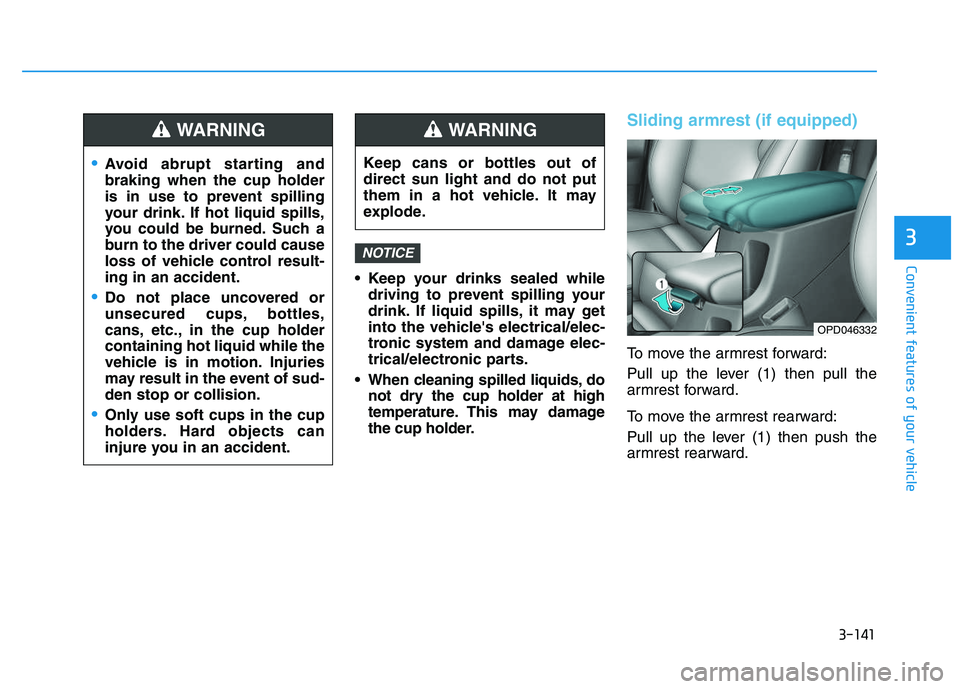
Sliding armrest (if equipped)
To move the armrest forward:
Pull up the lever (1) then pull the
armrest forward.
To move the armrest rearward:
Pull up the lever (1) then push the
armrest rearward.
NOTICE
Avoid abrupt starting and
braking when the cup holder
is in use to prevent spilling
your drink. If hot liquid spills,
you could be burned. Such a
burn to the driver could cause
loss of vehicle control result-
ing in an accident.
Do not place uncovered or
unsecured cups, bottles,
cans, etc., in the cup holder
containing hot liquid while the
vehicle is in motion. Injuries
may result in the event of sud-
den stop or collision.
Only use soft cups in the cup
holders. Hard objects can
injure you in an accident.
WARNING
Keep cans or bottles out of
direct sun light and do not put
them in a hot vehicle. It may
explode.
WARNING
OPD046332
Page 185 of 659
3-35
Convenient features of your vehicle
3
Periodically remove any dirt thatmay accumulate on the sunroof
guide rail or between the sun-
roof and roof panel, which can
make a noise.
Do not try to open the sunroof when the temperature is below
freezing or when the sunroof is
covered with snow or ice, the
motor could be damaged. In
cold and wet climates, the sun-
roof may not work properly.
Information
After the vehicle is washed or in a
rainstorm, be sure to wipe off any
water that is on the sunroof before
operating it.
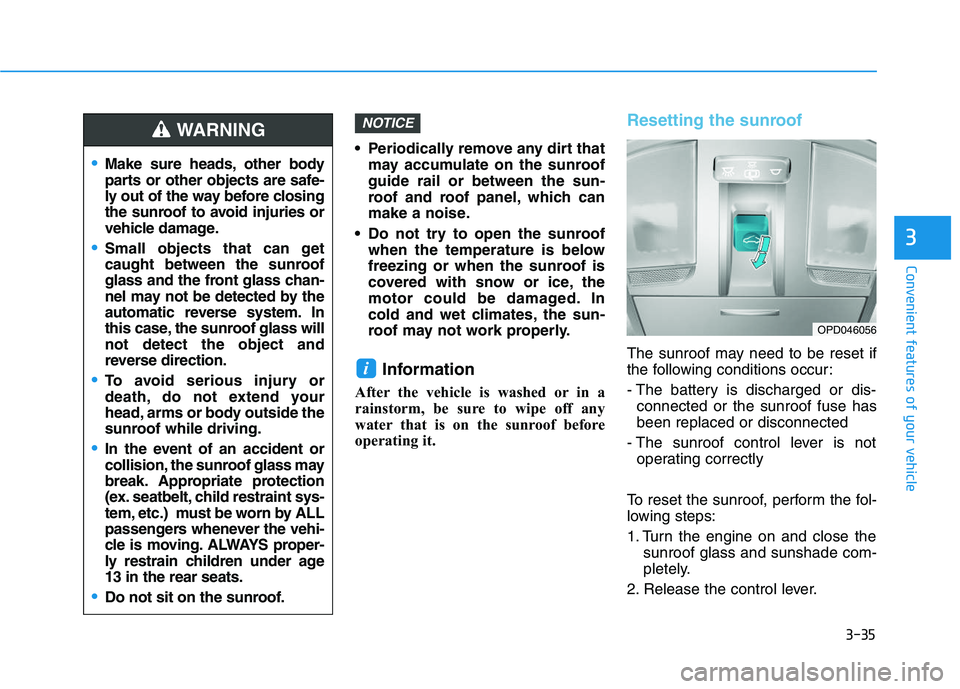
Resetting the sunroof
The sunroof may need to be reset if
the following conditions occur:
- The battery is discharged or dis-connected or the sunroof fuse has
been replaced or disconnected
- The sunroof control lever is not operating correctly
To reset the sunroof, perform the fol-
lowing steps:
1. Turn the engine on and close the sunroof glass and sunshade com-
pletely.
2. Release the control lever.
i
NOTICE
Make sure heads, other body
parts or other objects are safe-
ly out of the way before closing
the sunroof to avoid injuries or
vehicle damage.
Small objects that can get
caught between the sunroof
glass and the front glass chan-
nel may not be detected by the
automatic reverse system. In
this case, the sunroof glass will
not detect the object and
reverse direction.
To avoid serious injury or
death, do not extend your
head, arms or body outside the
sunroof while driving.
In the event of an accident or
collision, the sunroof glass may
break. Appropriate protection
(ex. seatbelt, child restraint sys-
tem, etc.) must be worn by ALL
passengers whenever the vehi-
cle is moving. ALWAYS proper-
ly restrain children under age
13 in the rear seats.
Do not sit on the sunroof.
WARNING
OPD046056
Page 327 of 659
5-23
Driving your vehicle
5
To reduce the risk of SERIOUS
INJURY or DEATH:
ALWAYS wear your seatbelt.
In a collision, an unbelted
occupant is significantly more
likely to be seriously injured
or killed than a properly belt-
ed occupant.
Avoid high speeds when cor-
nering or turning.
Do not make quick steering
wheel movements, such as
sharp lane changes or fast,
sharp turns.
The risk of rollover is greatly
increased if you lose control
of your vehicle at highway
speeds.
Loss of control often occurs if
two or more wheels drop off
the roadway and the driver
over steers to reenter the
roadway.(Continued)
WARNING (Continued)
In the event your vehicle
leaves the roadway, do not
steer sharply. Instead, slow
down before pulling back into
the travel lanes.
HYUNDAI recommends you
follow all posted speed limits.
Page 334 of 659
5-30
Driving your vehicle
Information - Kickdown
Mechanism (if equipped)
Use the kickdown mechanism for
maximum acceleration. Depress the
accelerator pedal beyond the pressure
point. The automatic transmission will
shift to a lower gear depending on the
engine speed.i
(Continued)
In the event your vehicle
leaves the roadway, do not
steer sharply. Instead, slow
down before pulling back into
the travel lanes.
HYUNDAI recommends you
follow all posted speed limits.
To reduce the risk of SERIOUS
INJURY or DEATH:
ALWAYS wear your seatbelt.
In a collision, an unbelted
occupant is significantly more
likely to be seriously injured
or killed than a properly belt-
ed occupant.
Avoid high speeds when cor-
nering or turning.
Do not make quick steering
wheel movements, such as
sharp lane changes or fast,
sharp turns.
The risk of rollover is greatly
increased if you lose control
of your vehicle at highway
speeds.
Loss of control often occurs if
two or more wheels drop off
the roadway and the driver
over steers to reenter the
roadway. (Continued)
WARNING
Page 344 of 659
5-40
Driving your vehicle
Information - Kickdown
Mechanism (if equipped)
Use the kickdown mechanism for
maximum acceleration. Depress the
accelerator pedal beyond the pressure
point. The automatic transmission will
shift to a lower gear depending on the
engine speed.i
To reduce the risk of SERIOUS
INJURY or DEATH:
ALWAYS wear your seatbelt.
In a collision, an unbelted
occupant is significantly more
likely to be seriously injured
or killed than a properly belt-
ed occupant.
Avoid high speeds when cor-
nering or turning.
Do not make quick steering
wheel movements, such as
sharp lane changes or fast,
sharp turns.
The risk of rollover is greatly
increased if you lose control
of your vehicle at highway
speeds.
Loss of control often occurs if
two or more wheels drop off
the roadway and the driver
over steers to reenter the
roadway. (Continued)
(Continued)
In the event your vehicle
leaves the roadway, do not
steer sharply. Instead, slow
down before pulling back into
the travel lanes.
HYUNDAI recommends you
follow all posted speed limits.
WARNING
Page 382 of 659
5-78
Driving your vehicle
The Autonomous Emergency
Braking (AEB) system is designed to
detect and monitor the vehicle ahead
or detect a pedestrian (if equipped)
in the roadway through radar signals
and camera recognition to warn the
driver that a collision is imminent,
and if necessary, apply emergency
braking.
System setting and activation
System setting
The driver can activate the AEB by placing the ignition switch to the
ON position and by selecting:
'User Settings →Driving Assist →
Assist Emergency Braking'
The AEB deactivates, when the driv-
er cancels the system setting. The warning light illumi-
nates on the LCD display,
when you cancel the AEB
system. The driver can
monitor the AEB ON/OFF status on
the LCD display. Also, the warning
light illuminates when the ESC
(Electronic Stability Control) is
turned off (Traction & Stability control
disabled.) If the warning light
remains ON when the AEB is acti-
vated, we recommend you to have
the system checked by an authorized
HYUNDAI dealer.
A
A U
U T
T O
O N
N O
O M
M O
O U
U S
S
E
E M
M E
E R
R G
G E
E N
N C
C Y
Y
B
B R
R A
A K
K I
I N
N G
G
(
( A
A E
E B
B )
)
-
-
S
S E
E N
N S
S O
O R
R
F
F U
U S
S I
I O
O N
N
T
T Y
Y P
P E
E
(
( F
F R
R O
O N
N T
T
R
R A
A D
D A
A R
R
+
+
F
F R
R O
O N
N T
T
C
C A
A M
M E
E R
R A
A )
)
(
( I
I F
F
E
E Q
Q U
U I
I P
P P
P E
E D
D )
)
Take the following precautions
when using the Autonomous
Emergency Braking (AEB):
This system is only a supple-
mental system and it is not
intended to, nor does it
replace the need for extreme
care and attention of the driv-
er. The sensing range and
objects detectable by the sen-
sors are limited. Pay attention
to the road conditions at all
times.
NEVER drive too fast in accor-
dance with the road condi-
tions or while cornering.
Always drive cautiously to
prevent unexpected and sud-
den situations from occur-
ring. AEB does not stop the
vehicle completely and is not
a collision avoidance system.
WARNING
Page 383 of 659
5-79
Driving your vehicle
5
The driver can select the initial warn-ing activation time on the LCD dis-
play.
Go to the 'User Settings →Driving
Assist →Forward Collision Warning
→ Late/Normal/Early'.
The options for the initial Forward
Collision Warning includes the fol-
lowing:
- Early: When this condition is selected,
the initial Forward Collision
Warning is activated earlier than
normal. This setting maximizes the
amount of distance between the
vehicle or pedestrian ahead before
the initial warning occurs.
Even though, 'Early' is selected if
the front vehicle suddenly stops
the initial warning activation time
may not seem fast. - Normal:
When this condition is selected,the initial Forward Collision
Warning is activated normally. This
setting allows for a nominal
amount of distance between the
vehicle or pedestrian ahead before
the initial warning occurs.
- Late: When this condition is selected,the initial Forward Collision
Warning is activated later than nor-
mal. This setting reduces the
amount of distance between the
vehicle or pedestrian ahead before
the initial warning occurs.
Select 'Late' when traffic is light
and when driving speed is slow.Prerequisite for activation
The AEB gets ready to be activated,
when the AEB is selected on the
LCD display, and when the following
prerequisites are satisfied.
- The ESC (Electronic Stability Control) is on.
- Vehicle speed is over 10 km/h (6 mph). (The AEB is only activated
within a certain speed range.)
- The system detects a pedestrian or a vehicle in front, which may col-
lide with your vehicle. (The AEB
may not be activated or may sound
a warning alarm in accordance
with the driving situation or vehicle
condition.)
Page 384 of 659
5-80
Driving your vehicle
AEB warning message and
system control
The AEB produces warning mes-
sages and warning alarms in accor-
dance with the collision risk levels,
such as abrupt stopping of the vehi-
cle in front, insufficient braking dis-
tance, or pedestrian detection. Also,
it controls the brakes in accordance
with the collision risk levels.
The driver can select the initial warn-
ing activation time in the User
Settings in the LCD display. The
options for the initial Forward
Collision Warning include Early,
Normal or Late initial warning time.
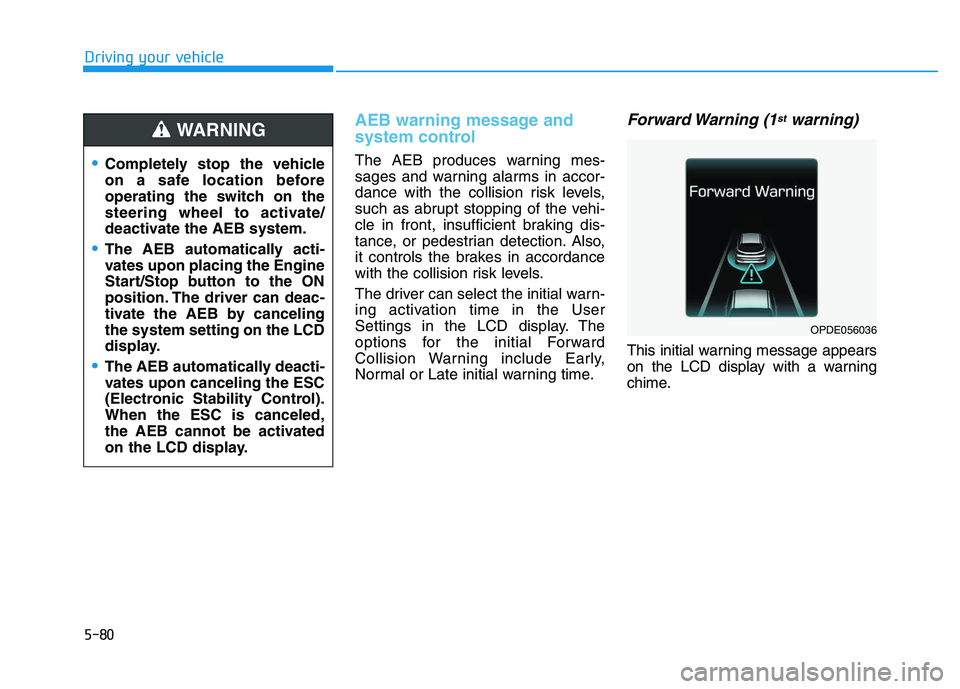
Forward Warning (1stwarning)
This initial warning message appears
on the LCD display with a warning
chime.
Completely stop the vehicle
on a safe location before
operating the switch on the
steering wheel to activate/
deactivate the AEB system.
The AEB automatically acti-
vates upon placing the Engine
Start/Stop button to the ON
position. The driver can deac-
tivate the AEB by canceling
the system setting on the LCD
display.
The AEB automatically deacti-
vates upon canceling the ESC
(Electronic Stability Control).
When the ESC is canceled,
the AEB cannot be activated
on the LCD display.
WARNING
OPDE056036
Page 385 of 659
5-81
Driving your vehicle
5
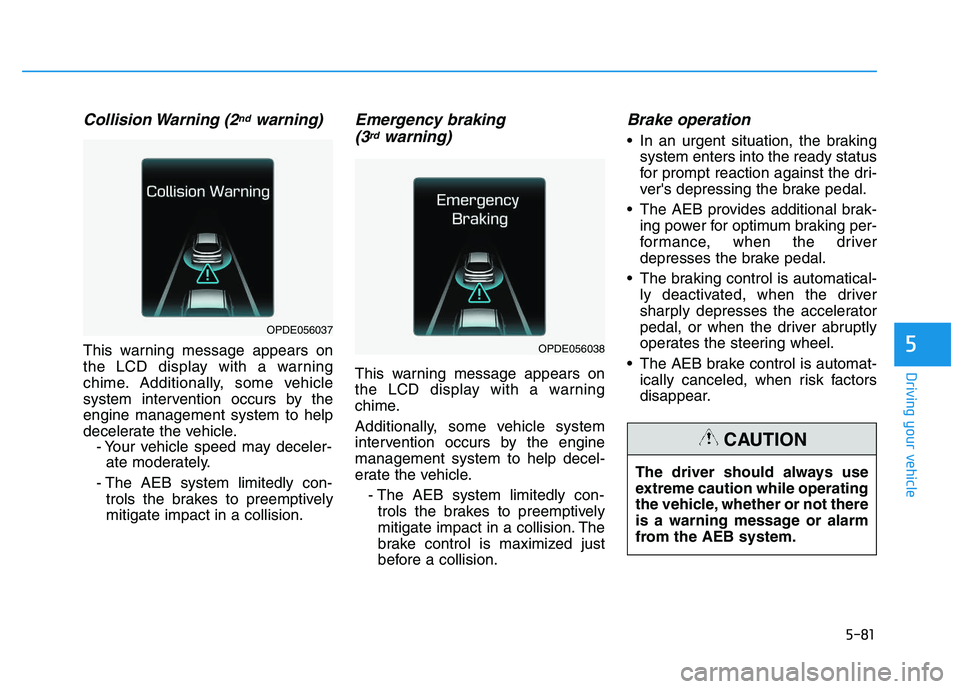
Collision Warning (2ndwarning)
This warning message appears on
the LCD display with a warning
chime. Additionally, some vehicle
system intervention occurs by the
engine management system to help
decelerate the vehicle.- Your vehicle speed may deceler-ate moderately.
- The AEB system limitedly con- trols the brakes to preemptively
mitigate impact in a collision.
Emergency braking (3rdwarning)
This warning message appears on
the LCD display with a warning
chime.
Additionally, some vehicle system
intervention occurs by the engine
management system to help decel-
erate the vehicle.
- The AEB system limitedly con-trols the brakes to preemptively
mitigate impact in a collision. The
brake control is maximized just
before a collision.
Brake operation
In an urgent situation, the braking system enters into the ready status
for prompt reaction against the dri-
ver's depressing the brake pedal.
The AEB provides additional brak- ing power for optimum braking per-
formance, when the driver
depresses the brake pedal.
The braking control is automatical- ly deactivated, when the driver
sharply depresses the accelerator
pedal, or when the driver abruptly
operates the steering wheel.
The AEB brake control is automat- ically canceled, when risk factors
disappear.
OPDE056038
OPDE056037
The driver should always use
extreme caution while operating
the vehicle, whether or not there
is a warning message or alarm
from the AEB system.
CAUTION