Change HYUNDAI I30 2019 Workshop Manual
[x] Cancel search | Manufacturer: HYUNDAI, Model Year: 2019, Model line: I30, Model: HYUNDAI I30 2019Pages: 659, PDF Size: 17.14 MB
Page 289 of 659
4-57
Multimedia System
4
iPod®
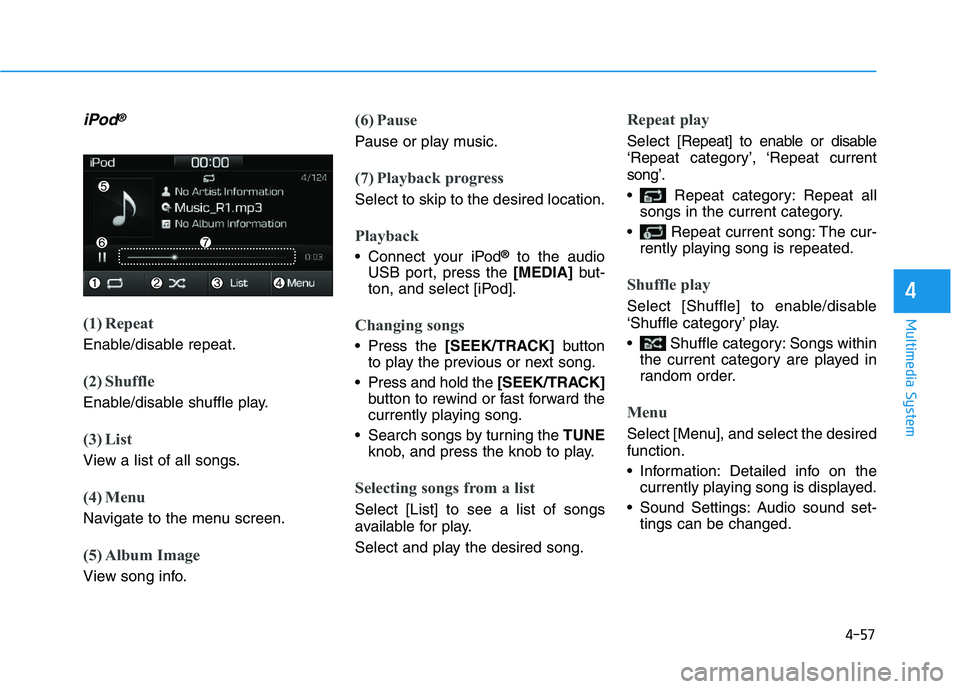
(1) Repeat
Enable/disable repeat.
(2) Shuffle
Enable/disable shuffle play.
(3) List
View a list of all songs.
(4) Menu
Navigate to the menu screen.
(5) Album Image
View song info.
(6) Pause
Pause or play music.
(7) Playback progress
Select to skip to the desired location.
Playback
Connect your iPod®to the audio
USB port, press the [MEDIA]but-
ton, and select [iPod].
Changing songs
Press the [SEEK/TRACK] button
to play the previous or next song.
Press and hold the [SEEK/TRACK]
button to rewind or fast forward the
currently playing song.
Search songs by turning the TUNE
knob, and press the knob to play.
Selecting songs from a list
Select [List] to see a list of songs
available for play.
Select and play the desired song.
Repeat play
Select [Repeat] to enable or disable
‘Repeat category’, ‘Repeat current
song’.
Repeat category: Repeat all songs in the current category.
Repeat current song: The cur- rently playing song is repeated.
Shuffle play
Select [Shuffle] to enable/disable
‘Shuffle category’ play.
Shuffle category: Songs withinthe current category are played in
random order.
Menu
Select [Menu], and select the desired
function.
Information: Detailed info on thecurrently playing song is displayed.
Sound Settings: Audio sound set- tings can be changed.
Page 290 of 659
4-58
Multimedia System
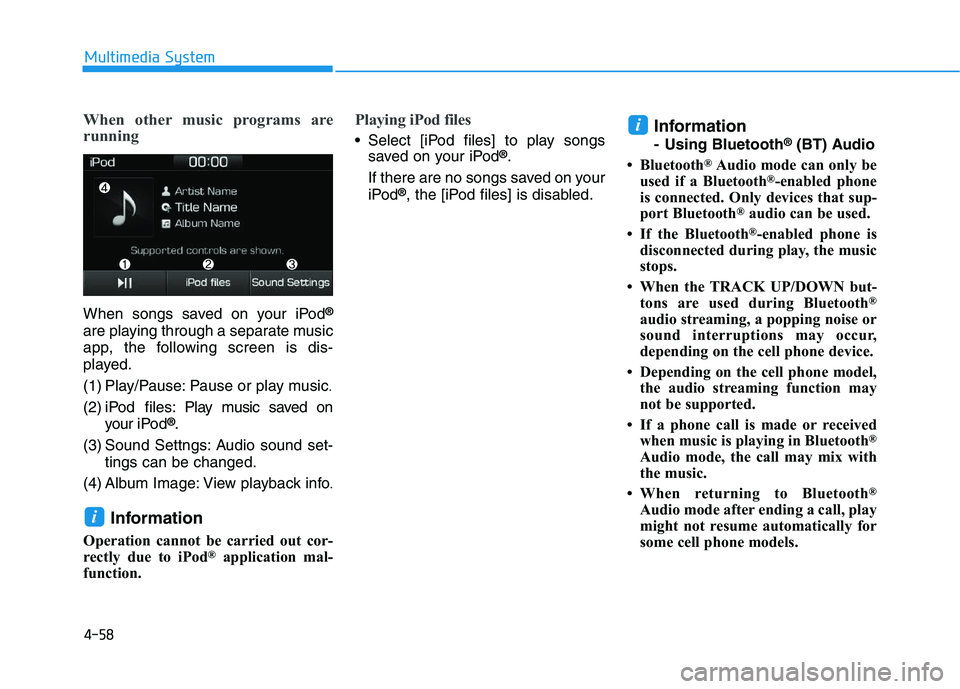
When other music programs are
running
When songs saved on your iPod®
are playing through a separate music
app, the following screen is dis-
played.
(1) Play/Pause: Pause or play music
.
(2) iPod files: Play music saved on
your iPod®.
(3) Sound Settngs: Audio sound set- tings can be changed.
(4) Album Image: View playback info
.
Information
Operation cannot be carried out cor-
rectly due to iPod®application mal-
function.
Playing iPod files
Select [iPod files] to play songs saved on your iPod®.
If there are no songs saved on your
iPod
®, the [iPod files] is disabled.
Information
- Using Bluetooth®(BT) Audio
• Bluetooth
®Audio mode can only be
used if a Bluetooth®-enabled phone
is connected. Only devices that sup-
port Bluetooth
®audio can be used.
• If the Bluetooth
®-enabled phone is
disconnected during play, the music
stops.
• When the TRACK UP/DOWN but- tons are used during Bluetooth
®
audio streaming, a popping noise or
sound interruptions may occur,
depending on the cell phone device.
• Depending on the cell phone model, the audio streaming function may
not be supported.
• If a phone call is made or received when music is playing in Bluetooth
®
Audio mode, the call may mix with
the music.
• When returning to Bluetooth
®
Audio mode after ending a call, play
might not resume automatically for
some cell phone models.
i
i
Page 292 of 659
![HYUNDAI I30 2019 Workshop Manual 4-60
Multimedia System
Information
The repeat play function is engaged,
depending on the operation of the con-
nected Bluetooth
®device.
Shuffle play
Select [Shuffle] to enable/disable
‘Shuffle’](/img/35/56148/w960_56148-291.png "HYUNDAI I30 2019 Workshop Manual 4-60
Multimedia System
Information
The repeat play function is engaged,
depending on the operation of the con-
nected Bluetooth
®device.
Shuffle play
Select [Shuffle] to enable/disable
‘Shuffle’")
4-60
Multimedia System
Information
The repeat play function is engaged,
depending on the operation of the con-
nected Bluetooth
®device.
Shuffle play
Select [Shuffle] to enable/disable
‘Shuffle’, ‘Shuffle category’ play.
Shuffle: Songs are played inrandom order.
Shuffle category: Songs within the current category are played in
random order.
Information
The shuffle function is engaged,
depending on the operation of the con-
nected Bluetooth
®device.
Menu
Select [Menu], and select the desired
function.
Connections: The currently connectedBluetooth
®device can be changed.
Information: Detailed information on the currently playing song is displayed.
Sound Settings: Audio sound set- tings can be changed.
AUX
Running AUX
Press the [MEDIA]button, and
select [AUX].
Connect the external device con- nection jack to the AUX terminal to
run AUX.
(1) Sound Settings: Audio sound set- tings can be changed.
My Music
(1) Repeat
Enable/disable repeat.
(2) Shuffle
Enable/disable shuffle play.
(3) List
View a list of all songs.
(4) Menu
Navigate to the menu screen.
(5) Album Image
View song info.
i
i
Page 294 of 659
![HYUNDAI I30 2019 Workshop Manual 4-62
Multimedia System
(4) Delete: Delete the selected file(s)
.
- Select the file to delete, then select [Delete] to delete it.
- Delete is canceled if phone calls are received or made during
delete.](/img/35/56148/w960_56148-293.png "HYUNDAI I30 2019 Workshop Manual 4-62
Multimedia System
(4) Delete: Delete the selected file(s)
.
- Select the file to delete, then select [Delete] to delete it.
- Delete is canceled if phone calls are received or made during
delete.")
4-62
Multimedia System
(4) Delete: Delete the selected file(s)
.
- Select the file to delete, then select [Delete] to delete it.
- Delete is canceled if phone calls are received or made during
delete.
Add to playlist: Frequently played songs can be paired in a [Playlist].
- Songs can be played from the[Playlist].
Information: Detailed info on the currently playing song is displayed.
Sound Settings: Audio sound set- tings can be changed.
Delete from playlist
When a song in the playlist is play-
ing, select [Menu] and select [Delete
from playlist].
Select the song to delete, then select
[Delete].
Phone
Information
- Using Bluetooth®(BT) Phone
• Bluetooth
®is a near-field wireless
networking technology that uses the
2.4 GHz frequency to connect vari-
ous devices within a certain distance
wirelessly.
• The technology is used in PCs, peripherals, Bluetooth
®phones,
tablet PCs, household appliances
and automobiles. Devices support-
ing Bluetooth
®can exchange data at
high speeds without physical cable
connections.
• Bluetooth
®Handsfree devices enable
convenient access to phone functions
through cell phones equipped with
Bluetooth
®.
• Some Bluetooth
®devices may not
be supported by the Bluetooth®
Handsfree function.
(Continued)(Continued)
• When Bluetooth
®is connected and
calls are attempted through a con-
nected cell phone from outside the
vehicle, the call is connected
through the Bluetooth
®Handsfree
function of the vehicle.
• Please be sure to disconnect the Bluetooth
®Handsfree function through
your Bluetooth®device or the audio
screen.
i
Page 300 of 659
4-68
Multimedia System
(2) Add to favourites: Add a down- loaded phone number to
favourites.
(3) Delete: Delete a saved Favourites.
Information
• Up to 20 favourites can be paired for each paired Bluetooth®device.
• Favourites can be accessed when the Bluetooth
®device they were paired
from is connected.
• The audio system does not down- load favourites from Bluetooth
®
devices. Favourites must be newly
saved before use.
• To add to favourites, contacts must be downloaded first.
• Saved favourites are not updated even if the contacts of the connected
Bluetooth
®device are changed. In
this case, favourites need to be delet-
ed and added again.
Call history
Press the [PHONE]button on the
audio system ➟Select [Call history]
➟ Call history is displayed.
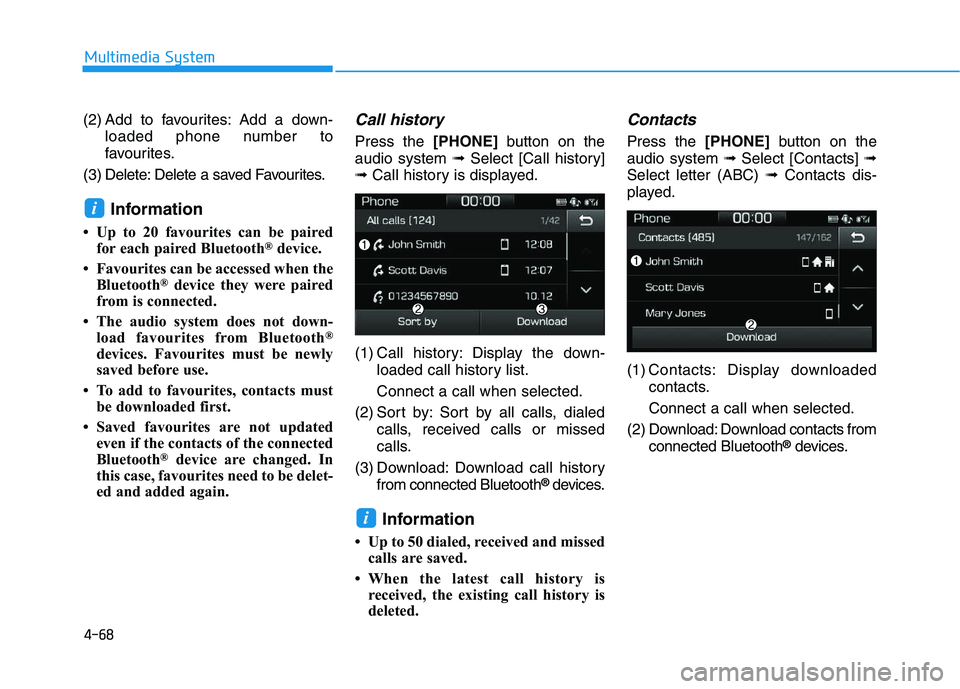
(1) Call history: Display the down- loaded call history list.
Connect a call when selected.
(2) Sort by: Sort by all calls, dialed calls, received calls or missed
calls.
(3) Download: Download call history from connected Bluetooth
®devices.
Information
• Up to 50 dialed, received and missedcalls are saved.
• When the latest call history is received, the existing call history is
deleted.
Contacts
Press the [PHONE]button on the
audio system ➟Select [Contacts] ➟
Select letter (ABC) ➟Contacts dis-
played.
(1) Contacts: Display downloaded contacts.
Connect a call when selected.
(2) Download: Download contacts from connected Bluetooth
®devices.
i
i
Page 302 of 659
![HYUNDAI I30 2019 Workshop Manual 4-70
Multimedia System
Setup
Access Display, Sound, Date/Time,
Bluetooth, System, Screensaver and
Display Off settings.
Press the[SETUP]button on the
audio system.
Display
Press the [SETUP]button on](/img/35/56148/w960_56148-301.png "HYUNDAI I30 2019 Workshop Manual 4-70
Multimedia System
Setup
Access Display, Sound, Date/Time,
Bluetooth, System, Screensaver and
Display Off settings.
Press the[SETUP]button on the
audio system.
Display
Press the [SETUP]button on")
4-70
Multimedia System
Setup
Access Display, Sound, Date/Time,
Bluetooth, System, Screensaver and
Display Off settings.
Press the[SETUP]button on the
audio system.
Display
Press the [SETUP]button on the
audio system ➟Select [Display].
Dimming mode: Audio screen bright- ness can be adjusted to the time of
day.
Brightness: The brightness of the audio screen can be changed.
Text scroll: If text is too long to be displayed on the screen, enable the
text scroll function. (if equipped)
Sound
Press the [SETUP]button on the
audio system ➟Select [Sound].
Position: Sound balance and pan- ning can be adjusted.
Equaliser: Sound tone color can be adjusted.
Rear parking sensors prioritised: Automatically lower audio volume
while reversing.
Speed dependent volume control: Automatically adjust volume based
on vehicle speed.
Beep: Select whether to play a beep sound when the screen is touched.
Date/Time
Press the [SETUP]button on the
audio system ➟Select [Date/Time].
Set time: Set the time displayed on the audio screen.
Time format: Choose between 12- hour and 24-hour time formats.
Set date: Set the date displayed on the audio screen.
Bluetooth
Press the [SETUP]button on the
audio system ➟Select [Bluetooth].
Connections: Control pairing, dele- tion, connection and disconnection
of Bluetooth
®devices.
Auto connection priority: Set the connection priority of Bluetooth
®
devices when the vehicle is started.
Update contacts: Contacts can be downloaded from connected
Bluetooth
®devices.
Bluetooth voice guidance: Play or mute voice prompts for Bluetooth
®
device pairing, connection and
errors.
Page 303 of 659
4-71
Multimedia System
4
Information
• When paired devices are deleted,the call history and contacts of the
device saved to the audio system are
deleted.
• For Bluetooth
®connections with
low connection priority, some time
may be required for the connection
to be established.
• Contacts can be downloaded only from the currently connected
Bluetooth
®device.
• If no Bluetooth
®device is connected,
the Download Contacts button is
disabled.
• If the language setting is Slovakian, Hungarian or Korean, Bluetooth
voice guidance is not supported.
System
Press the [SETUP]button on the
audio system ➟Select [System].
Memory information: View My Music memory usage.
Language: Change the user lan- guage.
Default: Reset the audio system.
Information
The system resets to the default val-
ues, and all saved data and settings
are lost.
Screensaver
Set the information displayed when
the audio system is switched off or
the screen is turned off.
Press the [SETUP]button on the
audio system ➟Select [Screensaver].
Analogue: An analog clock is dis-
played.
Digital: A digital clock is displayed.
None: No information is displayed.
Display Off
To prevent glare, the screen can be
turned off with the audio system in
operation.
Press the [SETUP]button on the
audio system ➟Select [Display Off].
Information
Use ‘Screensaver’ to set the informa-
tion to be displayed when the screen is
turned off.
i
i
i
Page 305 of 659
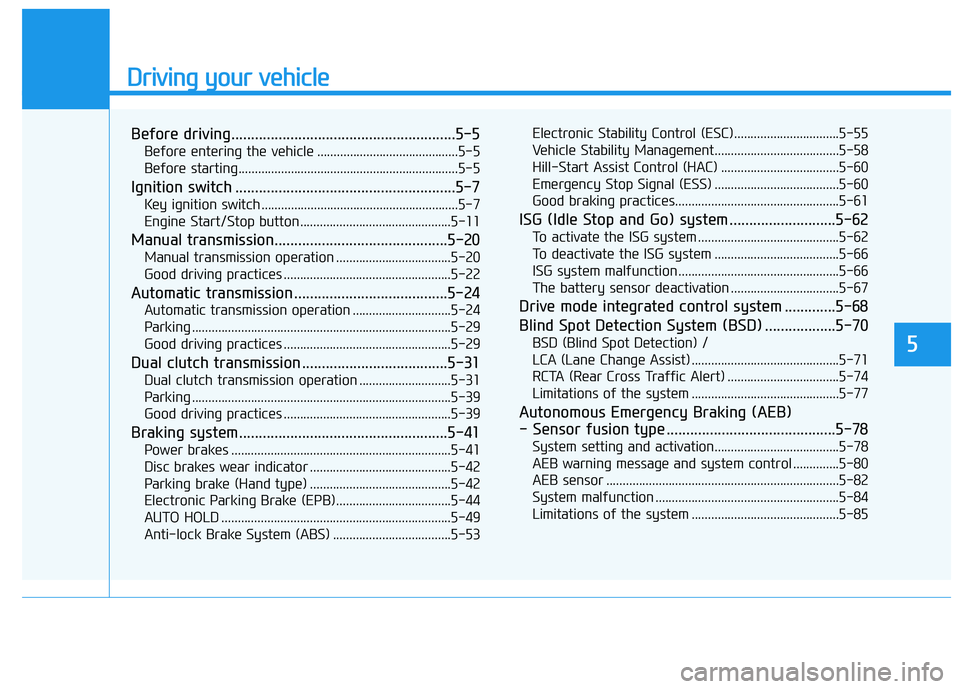
Driving your vehicle
Before driving.........................................................5-5
Before entering the vehicle ...........................................5-5
Before starting...................................................................5-5
Ignition switch ........................................................5-7
Key ignition switch ............................................................5-7
Engine Start/Stop button ..............................................5-11
Manual transmission............................................5-20
Manual transmission operation ...................................5-20
Good driving practices ...................................................5-22
Automatic transmission .......................................5-24
Automatic transmission operation ..............................5-24
Parking ...............................................................................5-29
Good driving practices ...................................................5-29
Dual clutch transmission .....................................5-31
Dual clutch transmission operation ............................5-31
Parking ...............................................................................5-39
Good driving practices ...................................................5-39
Braking system.....................................................5-41
Power brakes ...................................................................5-41
Disc brakes wear indicator ...........................................5-42
Parking brake (Hand type) ...........................................5-42
Electronic Parking Brake (EPB)...................................5-44
AUTO HOLD ......................................................................5-49
Anti-lock Brake System (ABS) ....................................5-53Electronic Stability Control (ESC)................................5-55
Vehicle Stability Management......................................5-58
Hill-Start Assist Control (HAC) ....................................5-60
Emergency Stop Signal (ESS) ......................................5-60
Good braking practices..................................................5-61
ISG (Idle Stop and Go) system ...........................5-62
To activate the ISG system ...........................................5-62
To deactivate the ISG system ......................................5-66
ISG system malfunction .................................................5-66
The battery sensor deactivation .................................5-67
Drive mode integrated control system .............5-68
Blind Spot Detection System (BSD) ..................5-70
BSD (Blind Spot Detection) /
LCA (Lane Change Assist) .............................................5-71
RCTA (Rear Cross Traffic Alert) ..................................5-74
Limitations of the system .............................................5-77
Autonomous Emergency Braking (AEB)
- Sensor fusion type ...........................................5-78
System setting and activation......................................5-78
AEB warning message and system control ..............5-80
AEB sensor .......................................................................5-82
System malfunction ........................................................5-84
Limitations of the system .............................................5-85
5
Page 306 of 659
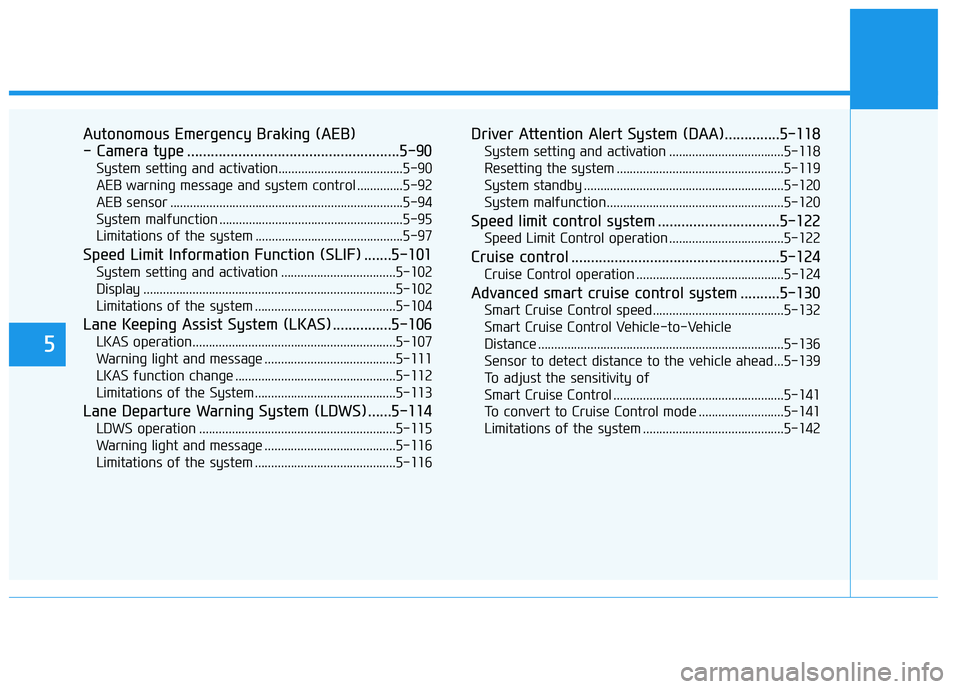
5
Autonomous Emergency Braking (AEB)
- Camera type ......................................................5-90
System setting and activation......................................5-90
AEB warning message and system control ..............5-92
AEB sensor .......................................................................5-94
System malfunction ........................................................5-95
Limitations of the system .............................................5-97
Speed Limit Information Function (SLIF) .......5-101
System setting and activation ...................................5-102
Display .............................................................................5-102
Limitations of the system ...........................................5-104
Lane Keeping Assist System (LKAS) ...............5-106
LKAS operation..............................................................5-107
Warning light and message ........................................5-111
LKAS function change .................................................5-112
Limitations of the System...........................................5-113
Lane Departure Warning System (LDWS) ......5-114
LDWS operation ............................................................5-115
Warning light and message ........................................5-116
Limitations of the system ...........................................5-116
Driver Attention Alert System (DAA)..............5-118
System setting and activation ...................................5-118
Resetting the system ...................................................5-119
System standby .............................................................5-120
System malfunction......................................................5-120
Speed limit control system ...............................5-122
Speed Limit Control operation ...................................5-122
Cruise control .....................................................5-124
Cruise Control operation .............................................5-124
Advanced smart cruise control system ..........5-130
Smart Cruise Control speed........................................5-132
Smart Cruise Control Vehicle-to-Vehicle
Distance ...........................................................................5-136 Sensor to detect distance to the vehicle ahead ...5-139
To adjust the sensitivity of
Smart Cruise Control ....................................................5-141 To convert to Cruise Control mode ..........................5-141
Limitations of the system ...........................................5-142
Page 308 of 659
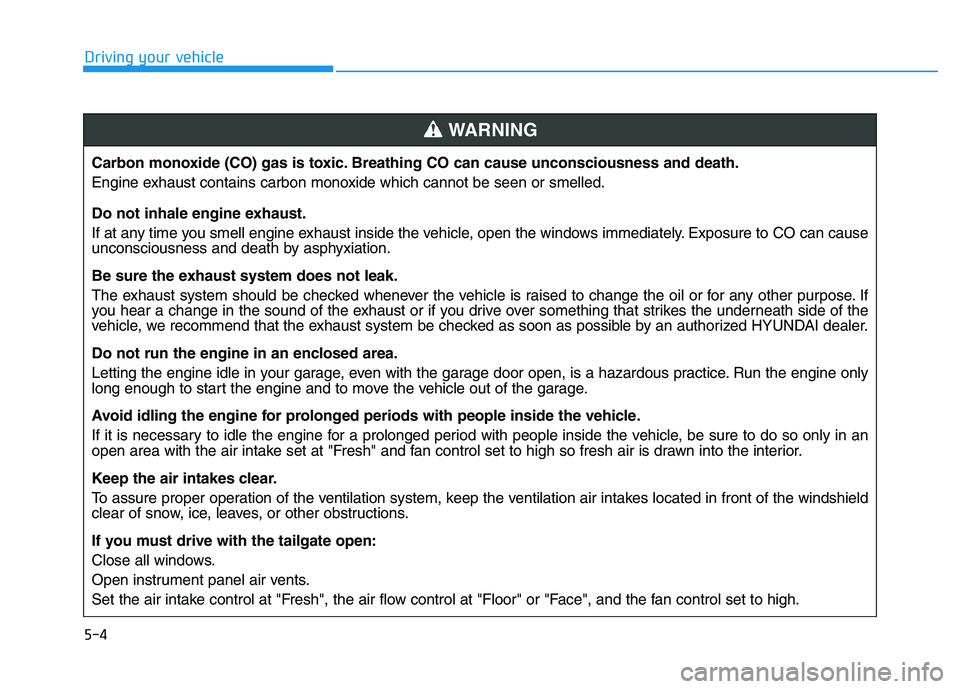
5-4
Driving your vehicleCarbon monoxide (CO) gas is toxic. Breathing CO can cause unconsciousness and death.
Engine exhaust contains carbon monoxide which cannot be seen or smelled.
Do not inhale engine exhaust.
If at any time you smell engine exhaust inside the vehicle, open the windows immediately. Exposure to CO can cause
unconsciousness and death by asphyxiation.
Be sure the exhaust system does not leak.
The exhaust system should be checked whenever the vehicle is raised to change the oil or for any other purpose. If
you hear a change in the sound of the exhaust or if you drive over something that strikes the underneath side of the
vehicle, we recommend that the exhaust system be checked as soon as possible by an authorized HYUNDAI dealer.
Do not run the engine in an enclosed area.
Letting the engine idle in your garage, even with the garage door open, is a hazardous practice. Run the engine only
long enough to start the engine and to move the vehicle out of the garage.
Avoid idling the engine for prolonged periods with people inside the vehicle.
If it is necessary to idle the engine for a prolonged period with people inside the vehicle, be sure to do so only in an
open area with the air intake set at "Fresh" and fan control set to high so fresh air is drawn into the interior.
Keep the air intakes clear.
To assure proper operation of the ventilation system, keep the ventilation air intakes located in front of the windshield
clear of snow, ice, leaves, or other obstructions.
If you must drive with the tailgate open:
Close all windows.
Open instrument panel air vents.
Set the air intake control at "Fresh", the air flow control at "Floor" or "Face", and the fan control set to high.
WARNING