sim HYUNDAI I30 2021 Owners Manual
[x] Cancel search | Manufacturer: HYUNDAI, Model Year: 2021, Model line: I30, Model: HYUNDAI I30 2021Pages: 659, PDF Size: 17.14 MB
Page 10 of 659
F10
Introduction
This vehicle should not be modified.
Modification of your vehicle could
affect its performance, safety or
durability and may even violate gov-
ernmental safety and emissions reg-
ulations.
In addition, damage or performance
problems resulting from any modifi-
cation may not be covered under
warranty.
If you use unauthorized electronicdevices, it may cause the vehicle to
operate abnormally, wire damage,
battery discharge and fire. For your
safety, do not use unauthorized
electronic devices. By following a few simple precautions
for the first 1,000 km (600 miles) you
may add to the performance, econo-
my and life of your vehicle.
Do not race the engine.
While driving, keep your engine
speed (rpm, or revolutions per
minute) between 2,000 rpm and
4,000 rpm.
Do not maintain a single speed for long periods of time, either fast or
slow. Varying engine speed is need-
ed to properly break-in the engine.
Avoid hard stops, except in emer- gencies, to allow the brakes to seat
properly.
Don't tow a trailer during the first 2,000 km (1,200 miles) of operation. HYUNDAI promotes an environmen-
tally sound treatment for end of life
vehicles and offers to take back your
HYUNDAI end of life vehicles in
accordance with the European Union
(EU) End of Life Vehicles Directive.
You can get detailed information
from your national HYUNDAI home-
page.
V
V E
E H
H I
I C
C L
L E
E
B
B R
R E
E A
A K
K -
- I
I N
N
P
P R
R O
O C
C E
E S
S S
S
V
V E
E H
H I
I C
C L
L E
E
M
M O
O D
D I
I F
F I
I C
C A
A T
T I
I O
O N
N S
S
R
R E
E T
T U
U R
R N
N I
I N
N G
G
U
U S
S E
E D
D
V
V E
E H
H I
I C
C L
L E
E S
S
(
( F
F O
O R
R
E
E U
U R
R O
O P
P E
E )
)
Page 68 of 659
2-48
Safety system of your vehicle
Passenger’s front air bag ON/OFF
switch (if equipped)
The purpose of the switch is to dis-
able the passenger’s front air bag in
order to transport occupants who are
at increased risk for air bag-related
injury due to age, size, or medical
condition.To deactivate the passenger’s front
air bag:
Insert the key or a similar rigid device
into the passenger’s front air bag
ON/OFF switch and turn it to the
OFF position. The passenger air bag
OFF indicator ( ) will illuminate and
stay on until the passenger’s front air
bag is reactivated.
OPDE036064OPDE036036
(Continued)
No objects (such as crash pad
cover, cellular phone holder,
cup holder, perfume or stickers)
should be placed over or near
the air bag modules on the
steering wheel, instrument
panel, windshield glass, and
the front passenger's panel
above the glove box. Such
objects could cause harm if the
vehicle is in a crash severe
enough to cause the air bags to
deploy.
Do not attach any objects on
front windshield and inside mir-
ror.
Page 69 of 659
2-49
Safety system of your vehicle
2
To reactivate the passenger’s front
air bag:
Insert the key or a similar rigid device
into the passenger’s front air bag
ON/OFF switch and turn it to the ON
position. The passenger air bag ON
indicator ( ) will illuminate and stay
on for 60 seconds.
Information
The passenger’s front air bag ON/OFF
indicator illuminates for about 4 sec-
onds after the ignition switch is placed
in the ON position.
i
Never allow an adult passenger
to ride in the front passenger
seat when the passenger air
bag OFF indicator is illuminat-
ed. During a collision, the air
bag will not inflate if the indica-
tor is illuminated. Turn on the
passenger’s front air bag or
have your passenger move to
the rear seat.
WARNING
If the passenger’s front air bag
ON/OFF switch malfunctions,
the following conditions may
occur:
The air bag warning light ( )
on the instrument cluster will
illuminate.
The passenger air bag OFF
indicator ( ) will not illumi-
nate and the ON indicator ( )
will come on and go off after
approximately 60 seconds.
The passenger’s front air bag
will inflate in a frontal impact
even though the passenger’s
front air bag ON/OFF switch is
set to the OFF position.
We recommend that an author-
ized HYUNDAI dealer inspect
the passenger’s front air bag
ON/OFF switch and the SRS air
bag system as soon as possi-
ble.
WARNING
OPDE036065
Page 74 of 659
2-54
Safety system of your vehicle
Air bag deployment depends on a number of factors including vehicle
speed, angles of impact and the
density and stiffness of the vehicles
or objects which your vehicle
impacts during a collision. The
determining factors are not limited
to those mentioned above.
The front air bags will completely inflate and deflate in an instant. It is
virtually impossible for you to see
the air bags inflate during an acci-
dent. It is much more likely that you
will simply see the deflated air bags
hanging out of their storage com-
partments after the collision.
In addition to inflating in serious side collisions, vehicles equipped
with a rollover sensor, side and/or
curtain air bags will inflate if the
sensing system detects a rollover.
When a rollover is detected, curtain
air bags will remain inflated longer
to help provide protection from ejec-
tion, especially when used in con-
junction with the seat belts. (if
equipped with a rollover sensor) To help provide protection, the air
bags must inflate rapidly. The speed
of air bag inflation is a consequence
of extremely short time in which to
inflate the air bag between the
occupant and the vehicle structures
before the occupant impacts those
structures. This speed of inflation
reduces the risk of serious or life-
threatening injuries and is thus a
necessary part of air bag design.
However, the rapid air bag inflation
can also cause injuries which can
include facial abrasions, bruises
and broken bones because the
inflation speed also causes the air
bags to expand with a great deal of
force.
There are even circumstances under which contact with the air
bag can cause fatal injuries, espe-
cially if the occupant is positioned
excessively close to the air bag. You can take steps to reduce the risk
of being injured by an inflating air
bag. The greatest risk is sitting too
close to the air bag. An air bag needs
space to inflate. It is recommended
that drivers sit as far as possible
between the center of the steering
wheel and the chest while still main-
taining control of the vehicle.
Page 89 of 659
3-87
Convenient features of your vehicle
3
(Continued)
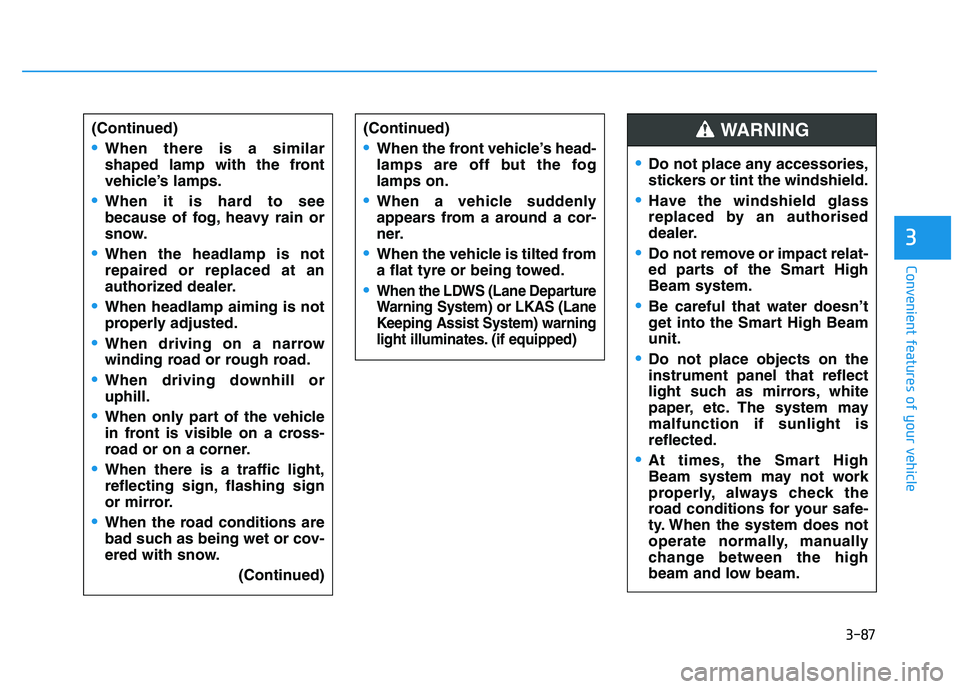
When there is a similar
shaped lamp with the front
vehicle’s lamps.
When it is hard to see
because of fog, heavy rain or
snow.
When the headlamp is not
repaired or replaced at an
authorized dealer.
When headlamp aiming is not
properly adjusted.
When driving on a narrow
winding road or rough road.
When driving downhill or
uphill.
When only part of the vehicle
in front is visible on a cross-
road or on a corner.
When there is a traffic light,
reflecting sign, flashing sign
or mirror.
When the road conditions are
bad such as being wet or cov-
ered with snow.(Continued)
(Continued)
When the front vehicle’s head-
lamps are off but the fog
lamps on.
When a vehicle suddenly
appears from a around a cor-
ner.
When the vehicle is tilted from
a flat tyre or being towed.
When the LDWS (Lane Departure
Warning System) or LKAS (Lane
Keeping Assist System) warning
light illuminates. (if equipped)
Do not place any accessories,
stickers or tint the windshield.
Have the windshield glass
replaced by an authorised
dealer.
Do not remove or impact relat-
ed parts of the Smart High
Beam system.
Be careful that water doesn’t
get into the Smart High Beam
unit.
Do not place objects on the
instrument panel that reflect
light such as mirrors, white
paper, etc. The system may
malfunction if sunlight is
reflected.
At times, the Smart High
Beam system may not work
properly, always check the
road conditions for your safe-
ty. When the system does not
operate normally, manually
change between the high
beam and low beam.
WARNING
Page 163 of 659
3-13
Convenient features of your vehicle
3
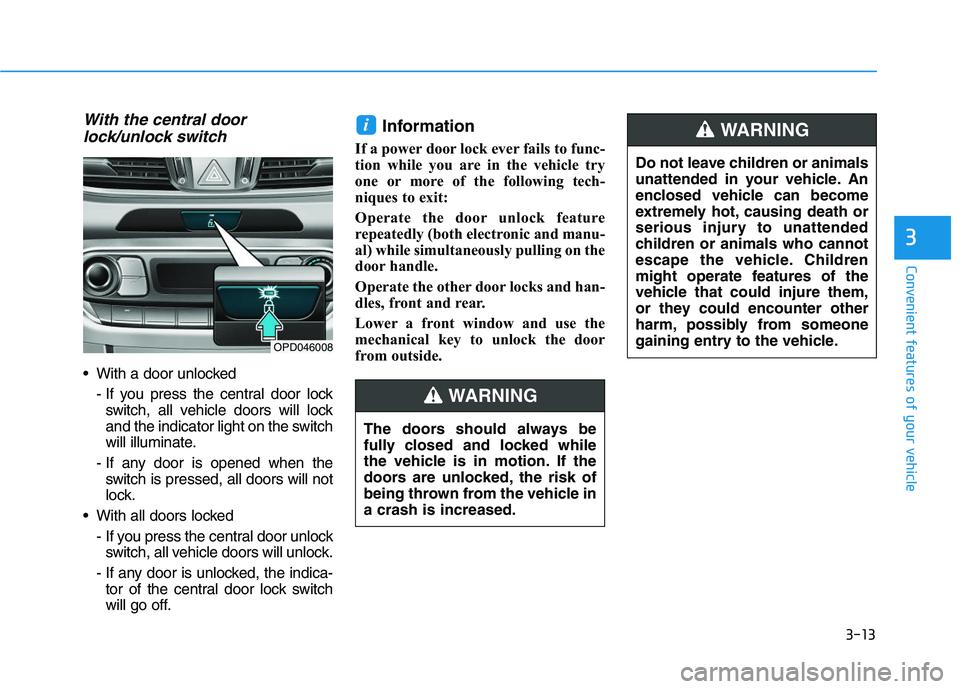
With the central doorlock/unlock switch
With a door unlocked
- If you press the central door lockswitch, all vehicle doors will lock
and the indicator light on the switch
will illuminate.
- If any door is opened when the switch is pressed, all doors will not
lock.
With all doors locked - If you press the central door unlockswitch, all vehicle doors will unlock.
- If any door is unlocked, the indica- tor of the central door lock switch
will go off.
Information
If a power door lock ever fails to func-
tion while you are in the vehicle try
one or more of the following tech-
niques to exit:
Operate the door unlock feature
repeatedly (both electronic and manu-
al) while simultaneously pulling on the
door handle.
Operate the other door locks and han-
dles, front and rear.
Lower a front window and use the
mechanical key to unlock the door
from outside.
i
OPD046008
The doors should always be
fully closed and locked while
the vehicle is in motion. If the
doors are unlocked, the risk of
being thrown from the vehicle in
a crash is increased.
WARNING
Do not leave children or animals
unattended in your vehicle. An
enclosed vehicle can become
extremely hot, causing death or
serious injury to unattended
children or animals who cannot
escape the vehicle. Children
might operate features of the
vehicle that could injure them,
or they could encounter other
harm, possibly from someone
gaining entry to the vehicle.
WARNING
Page 167 of 659
3-17
Convenient features of your vehicle
3
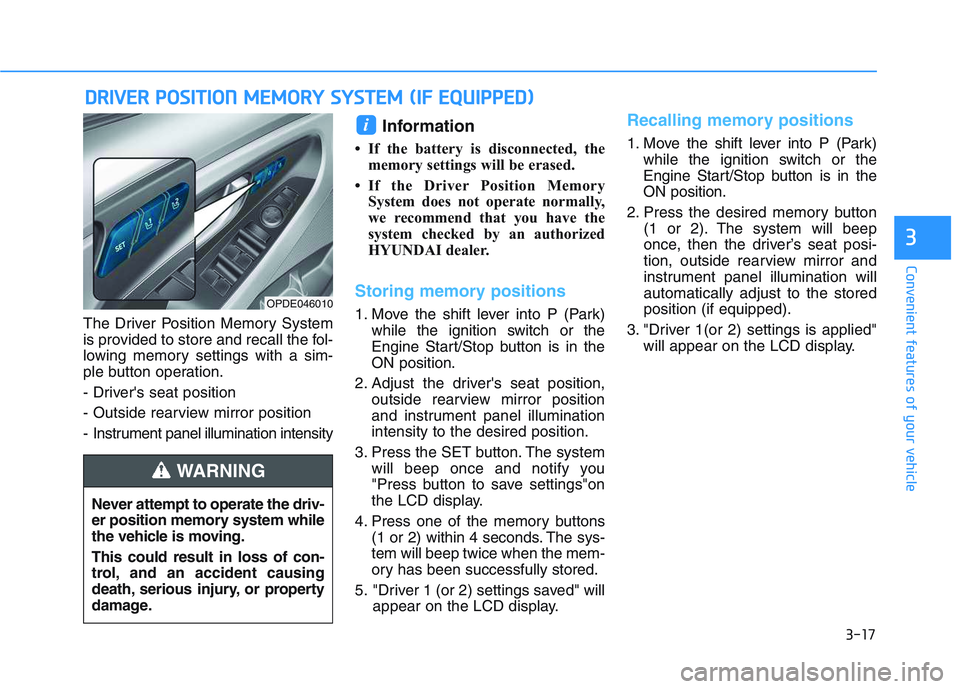
The Driver Position Memory System
is provided to store and recall the fol-
lowing memory settings with a sim-
ple button operation.
- Driver's seat position
- Outside rearview mirror position
- Instrument panel illumination intensity
Information
• If the battery is disconnected, thememory settings will be erased.
• If the Driver Position Memory System does not operate normally,
we recommend that you have the
system checked by an authorized
HYUNDAI dealer.
Storing memory positions
1. Move the shift lever into P (Park) while the ignition switch or the
Engine Start/Stop button is in the
ON position.
2. Adjust the driver's seat position, outside rearview mirror position
and instrument panel illumination
intensity to the desired position.
3. Press the SET button. The system will beep once and notify you
"Press button to save settings"on
the LCD display.
4. Press one of the memory buttons (1 or 2) within 4 seconds. The sys-
tem will beep twice when the mem-
ory has been successfully stored.
5. "Driver 1 (or 2) settings saved" will appear on the LCD display.
Recalling memory positions
1. Move the shift lever into P (Park)while the ignition switch or the
Engine Start/Stop button is in the
ON position.
2. Press the desired memory button (1 or 2). The system will beep
once, then the driver’s seat posi-
tion, outside rearview mirror and
instrument panel illumination will
automatically adjust to the stored
position (if equipped).
3. "Driver 1(or 2) settings is applied" will appear on the LCD display.
i
D
D R
R I
I V
V E
E R
R
P
P O
O S
S I
I T
T I
I O
O N
N
M
M E
E M
M O
O R
R Y
Y
S
S Y
Y S
S T
T E
E M
M
(
( I
I F
F
E
E Q
Q U
U I
I P
P P
P E
E D
D )
)
OPDE046010
Never attempt to operate the driv-
er position memory system while
the vehicle is moving.
This could result in loss of con-
trol, and an accident causing
death, serious injury, or property
damage.
WARNING
Page 172 of 659
3-22
Convenient features of your vehicle
Inside rearview mirror
Before you start driving, adjust the
rearview mirror to the center on the
view through the rear window.When cleaning the mirror, use a
paper towel or similar material
dampened with glass cleaner. Do
not spray glass cleaner directly on
the mirror as that may cause the
liquid cleaner to enter the mirror
housing.
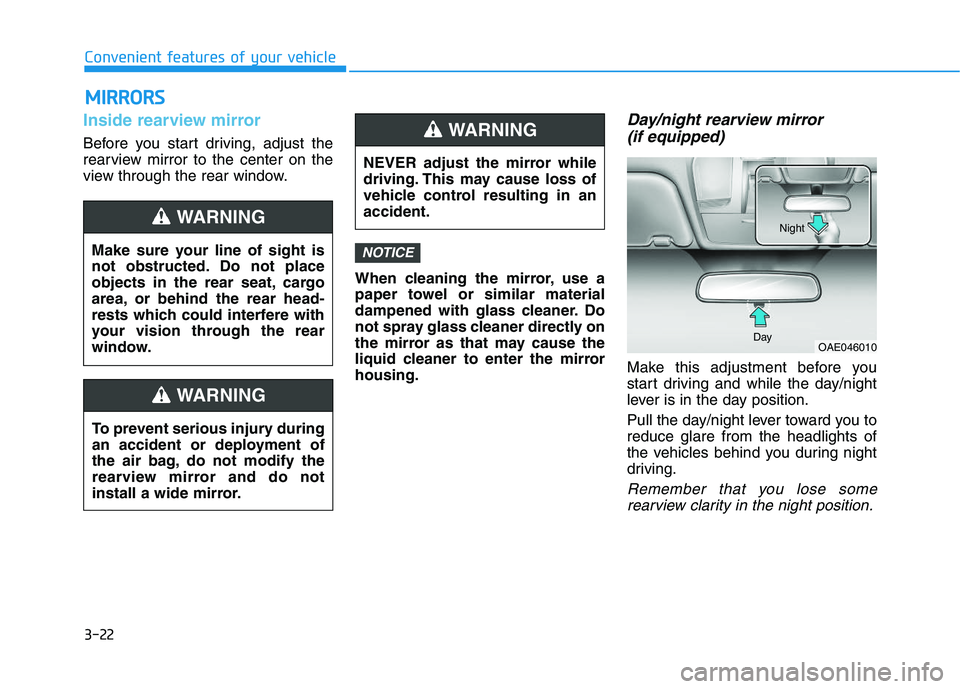
Day/night rearview mirror (if equipped)
Make this adjustment before you
start driving and while the day/night
lever is in the day position.
Pull the day/night lever toward you to
reduce glare from the headlights of
the vehicles behind you during night
driving.
Remember that you lose some
rearview clarity in the night position.
NOTICE
NEVER adjust the mirror while
driving. This may cause loss of
vehicle control resulting in an
accident.
WARNING
OAE046010
Day Night
M
M I
I R
R R
R O
O R
R S
S
Make sure your line of sight is
not obstructed. Do not place
objects in the rear seat, cargo
area, or behind the rear head-
rests which could interfere with
your vision through the rear
window.
WARNING
To prevent serious injury during
an accident or deployment of
the air bag, do not modify the
rearview mirror and do not
install a wide mirror.
WARNING
Page 231 of 659
3-81
Convenient features of your vehicle
3
Accumulated Info display
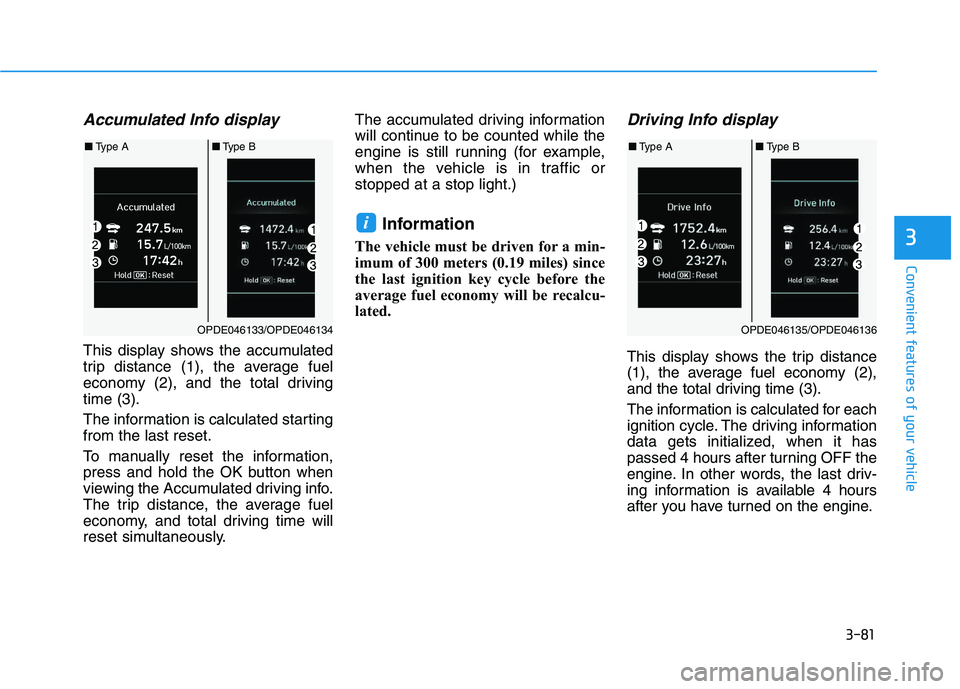
This display shows the accumulated
trip distance (1), the average fuel
economy (2), and the total driving
time (3).
The information is calculated starting
from the last reset.
To manually reset the information,
press and hold the OK button when
viewing the Accumulated driving info.
The trip distance, the average fuel
economy, and total driving time will
reset simultaneously.The accumulated driving information
will continue to be counted while the
engine is still running (for example,
when the vehicle is in traffic or
stopped at a stop light.)
Information
The vehicle must be driven for a min-
imum of 300 meters (0.19 miles) since
the last ignition key cycle before the
average fuel economy will be recalcu-
lated.
Driving Info display
This display shows the trip distance
(1), the average fuel economy (2),
and the total driving time (3).
The information is calculated for each
ignition cycle. The driving information
data gets initialized, when it has
passed 4 hours after turning OFF the
engine. In other words, the last driv-
ing information is available 4 hours
after you have turned on the engine.
i
OPDE046133/OPDE046134
■
Type A ■Type B
OPDE046135/OPDE046136
■Type A ■Type B
Page 232 of 659
3-82
Convenient features of your vehicle
To manually reset the information,
press and hold the OK button when
viewing the Driving info. The trip dis-
tance, the average fuel economy, and
total driving time will reset simultane-
ously.
The driving information will continue
to be counted while the engine is still
running (for example, when the vehi-
cle is in traffic or stopped at a stop
light.)
Information
The vehicle must be driven for a min-
imum of 300 meters (0.19 miles) since
the last ignition key cycle before the
average fuel economy will be recalcu-
lated.
Digital Speedometer
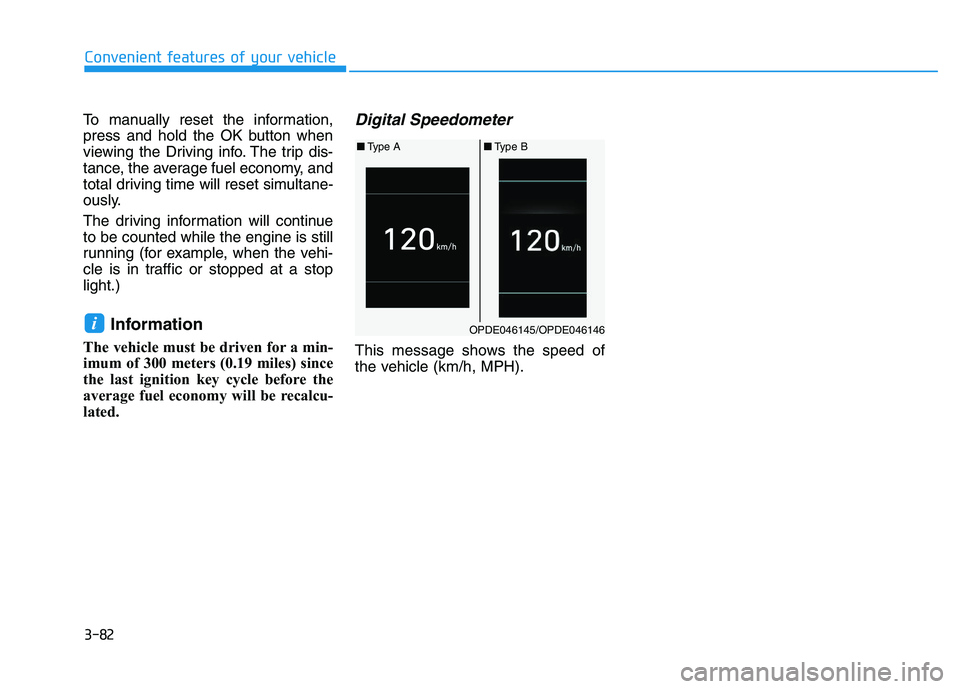
This message shows the speed of
the vehicle (km/h, MPH).
iOPDE046145/OPDE046146
■ Type A ■Type B