speed HYUNDAI I30 2022 Service Manual
[x] Cancel search | Manufacturer: HYUNDAI, Model Year: 2022, Model line: I30, Model: HYUNDAI I30 2022Pages: 659, PDF Size: 17.14 MB
Page 193 of 659
3-43
Convenient features of your vehicle
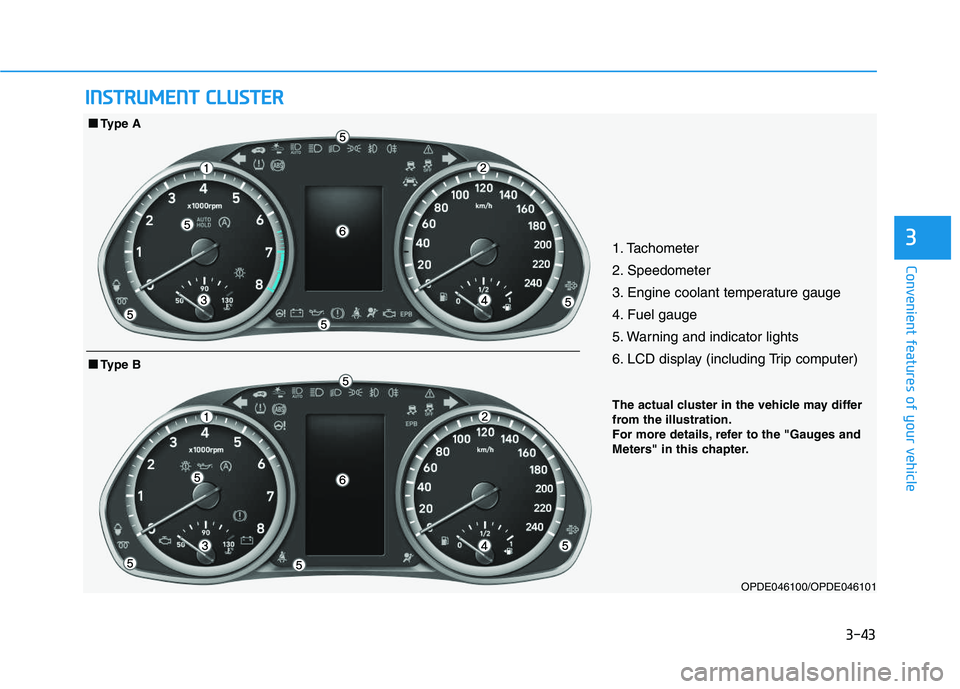
31. Tachometer
2. Speedometer
3. Engine coolant temperature gauge
4. Fuel gauge
5. Warning and indicator lights
6. LCD display (including Trip computer)
OPDE046100/OPDE046101
■
■
Type B
■
■
Type A
I
I N
N S
S T
T R
R U
U M
M E
E N
N T
T
C
C L
L U
U S
S T
T E
E R
R
The actual cluster in the vehicle may differ
from the illustration.
For more details, refer to the "Gauges and
Meters" in this chapter.
Page 195 of 659
3-45
Convenient features of your vehicle
3
Gauges and meters
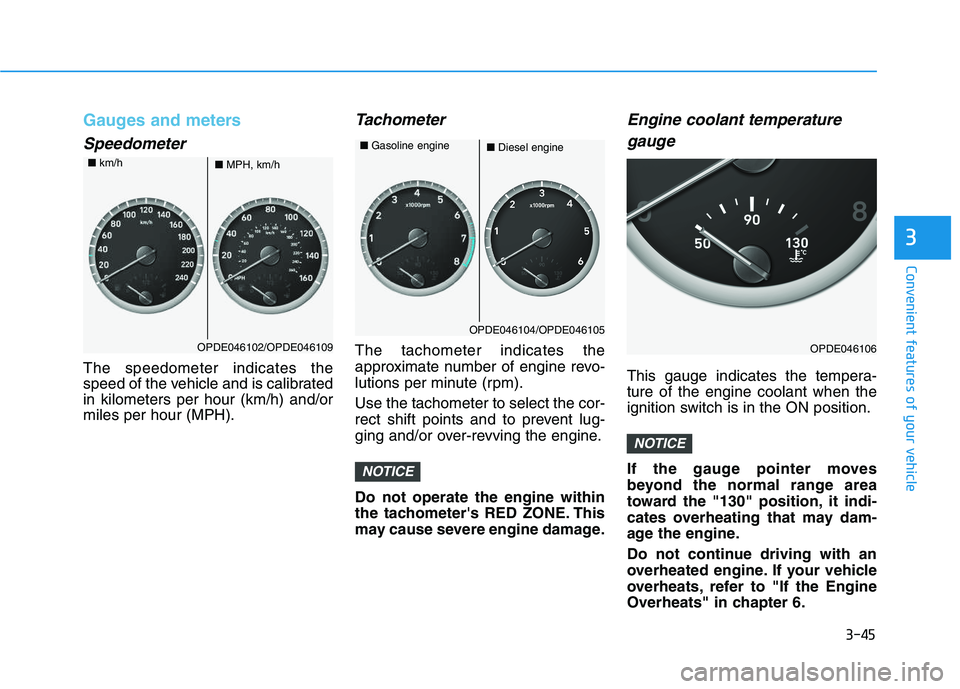
Speedometer
The speedometer indicates the
speed of the vehicle and is calibrated
in kilometers per hour (km/h) and/or
miles per hour (MPH).
Tachometer
The tachometer indicates the
approximate number of engine revo-
lutions per minute (rpm).
Use the tachometer to select the cor-
rect shift points and to prevent lug-
ging and/or over-revving the engine.
Do not operate the engine within
the tachometer's RED ZONE. This
may cause severe engine damage.
Engine coolant temperaturegauge
This gauge indicates the tempera-
ture of the engine coolant when the
ignition switch is in the ON position.
If the gauge pointer moves
beyond the normal range area
toward the "130" position, it indi-
cates overheating that may dam-
age the engine.
Do not continue driving with an
overheated engine. If your vehicle
overheats, refer to "If the Engine
Overheats" in chapter 6.
NOTICE
NOTICE
OPDE046102/OPDE046109
■ MPH, km/h
■
km/h
OPDE046104/OPDE046105
■Diesel engine
■
Gasoline engine
OPDE046106
Page 203 of 659
3-53
Convenient features of your vehicle
3
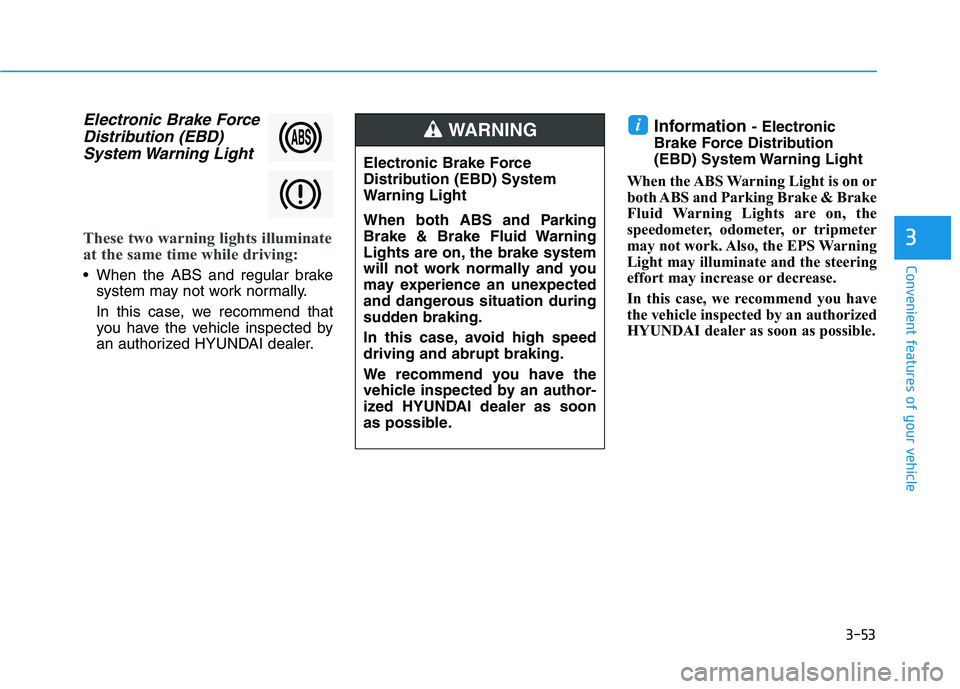
Electronic Brake ForceDistribution (EBD)System Warning Light
These two warning lights illuminate
at the same time while driving:
When the ABS and regular brake
system may not work normally.
In this case, we recommend that
you have the vehicle inspected by
an authorized HYUNDAI dealer.
Information - Electronic
Brake Force Distribution
(EBD) System Warning Light
When the ABS Warning Light is on or
both ABS and Parking Brake & Brake
Fluid Warning Lights are on, the
speedometer, odometer, or tripmeter
may not work. Also, the EPS Warning
Light may illuminate and the steering
effort may increase or decrease.
In this case, we recommend you have
the vehicle inspected by an authorized
HYUNDAI dealer as soon as possible.i
Electronic Brake Force
Distribution (EBD) System
Warning Light
When both ABS and Parking
Brake & Brake Fluid Warning
Lights are on, the brake system
will not work normally and you
may experience an unexpected
and dangerous situation during
sudden braking.
In this case, avoid high speed
driving and abrupt braking.
We recommend you have the
vehicle inspected by an author-
ized HYUNDAI dealer as soon
as possible.
WARNING
Page 207 of 659
3-57
Convenient features of your vehicle
3
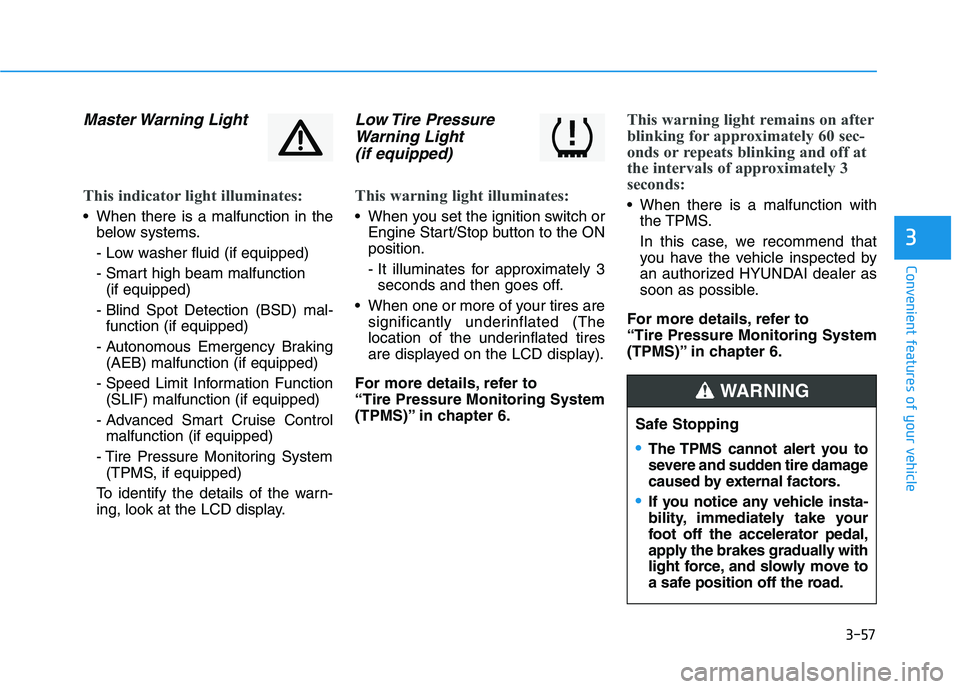
Master Warning Light
This indicator light illuminates:
When there is a malfunction in thebelow systems.
- Low washer fluid (if equipped)
- Smart high beam malfunction (if equipped)
- Blind Spot Detection (BSD) mal- function (if equipped)
- Autonomous Emergency Braking (AEB) malfunction (if equipped)
- Speed Limit Information Function (SLIF) malfunction (if equipped)
- Advanced Smart Cruise Control malfunction (if equipped)
- Tire Pressure Monitoring System (TPMS, if equipped)
To identify the details of the warn-
ing, look at the LCD display.
Low Tire Pressure Warning Light (if equipped)
This warning light illuminates:
When you set the ignition switch or
Engine Start/Stop button to the ON
position.
- It illuminates for approximately 3seconds and then goes off.
When one or more of your tires are significantly underinflated (The
location of the underinflated tires
are displayed on the LCD display).
For more details, refer to
“Tire Pressure Monitoring System
(TPMS)” in chapter 6.
This warning light remains on after
blinking for approximately 60 sec-
onds or repeats blinking and off at
the intervals of approximately 3
seconds:
When there is a malfunction with the TPMS.
In this case, we recommend that
you have the vehicle inspected by
an authorized HYUNDAI dealer as
soon as possible.
For more details, refer to
“Tire Pressure Monitoring System
(TPMS)” in chapter 6.
Safe Stopping
The TPMS cannot alert you to
severe and sudden tire damage
caused by external factors.
If you notice any vehicle insta-
bility, immediately take your
foot off the accelerator pedal,
apply the brakes gradually with
light force, and slowly move to
a safe position off the road.
WARNING
Page 208 of 659
3-58
Convenient features of your vehicle
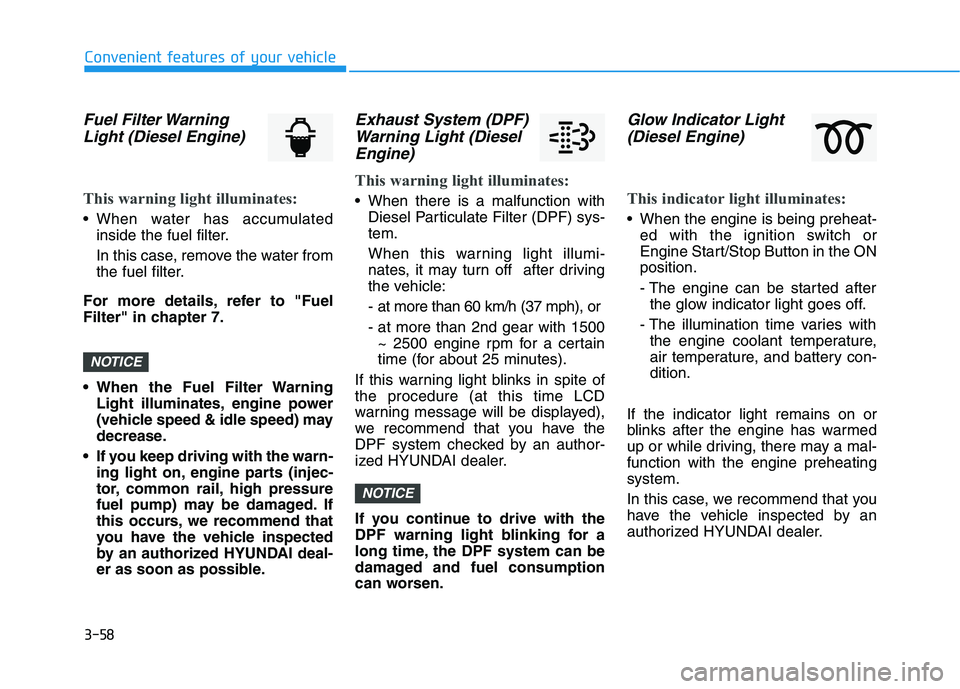
Fuel Filter WarningLight (Diesel Engine)
This warning light illuminates:
• When water has accumulated
inside the fuel filter.
In this case, remove the water from
the fuel filter.
For more details, refer to "Fuel
Filter" in chapter 7.
• When the Fuel Filter Warning Light illuminates, engine power
(vehicle speed & idle speed) may
decrease.
If you keep driving with the warn- ing light on, engine parts (injec-
tor, common rail, high pressure
fuel pump) may be damaged. If
this occurs, we recommend that
you have the vehicle inspected
by an authorized HYUNDAI deal-
er as soon as possible.
Exhaust System (DPF)Warning Light (DieselEngine)
This warning light illuminates:
When there is a malfunction with
Diesel Particulate Filter (DPF) sys-
tem.
When this warning light illumi-
nates, it may turn off after driving
the vehicle:
- at more than 60 km/h (37 mph), or
- at more than 2nd gear with 1500~ 2500 engine rpm for a certain
time (for about 25 minutes).
If this warning light blinks in spite of
the procedure (at this time LCD
warning message will be displayed),
we recommend that you have the
DPF system checked by an author-
ized HYUNDAI dealer.
If you continue to drive with the
DPF warning light blinking for a
long time, the DPF system can be
damaged and fuel consumption
can worsen.
Glow Indicator Light (Diesel Engine)
This indicator light illuminates:
When the engine is being preheat-
ed with the ignition switch or
Engine Start/Stop Button in the ON
position.
- The engine can be started afterthe glow indicator light goes off.
- The illumination time varies with the engine coolant temperature,
air temperature, and battery con-
dition.
If the indicator light remains on or
blinks after the engine has warmed
up or while driving, there may a mal-
function with the engine preheating
system.
In this case, we recommend that you
have the vehicle inspected by an
authorized HYUNDAI dealer.
NOTICE
NOTICE
Page 213 of 659
3-63
Convenient features of your vehicle
3
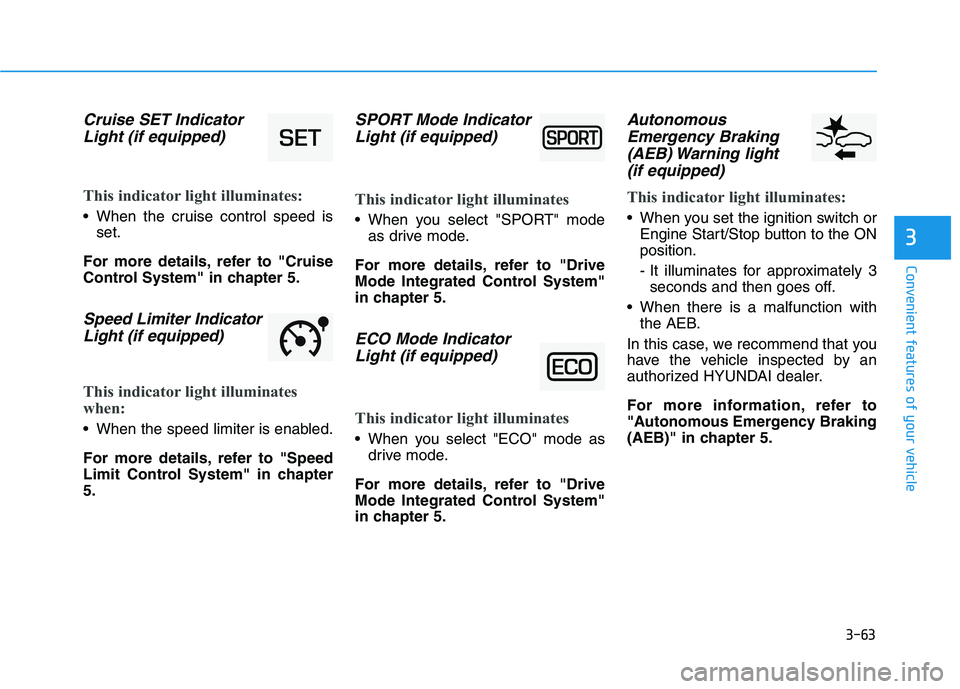
Cruise SET IndicatorLight (if equipped)
This indicator light illuminates:
When the cruise control speed is
set.
For more details, refer to "Cruise
Control System" in chapter 5.
Speed Limiter Indicator Light (if equipped)
This indicator light illuminates
when:
When the speed limiter is enabled.
For more details, refer to "Speed
Limit Control System" in chapter
5.
SPORT Mode IndicatorLight (if equipped)
This indicator light illuminates
When you select "SPORT" mode
as drive mode.
For more details, refer to "Drive
Mode Integrated Control System"
in chapter 5.
ECO Mode Indicator Light (if equipped)
This indicator light illuminates
When you select "ECO" mode as
drive mode.
For more details, refer to "Drive
Mode Integrated Control System"
in chapter 5.
Autonomous Emergency Braking(AEB) Warning light (if equipped)
This indicator light illuminates:
When you set the ignition switch or
Engine Start/Stop button to the ON
position.
- It illuminates for approximately 3seconds and then goes off.
When there is a malfunction with the AEB.
In this case, we recommend that you
have the vehicle inspected by an
authorized HYUNDAI dealer.
For more information, refer to
"Autonomous Emergency Braking
(AEB)" in chapter 5.
Page 214 of 659
![HYUNDAI I30 2022 Service Manual 3-64
Convenient features of your vehicle
Lane Departure WarningSystem (LDWS)Indicator Light (if equipped)
This indicator light illuminates:
• [Green] When you activate the lane
departure warning sys](/img/35/56145/w960_56145-213.png "HYUNDAI I30 2022 Service Manual 3-64
Convenient features of your vehicle
Lane Departure WarningSystem (LDWS)Indicator Light (if equipped)
This indicator light illuminates:
• [Green] When you activate the lane
departure warning sys")
3-64
Convenient features of your vehicle
Lane Departure WarningSystem (LDWS)Indicator Light (if equipped)
This indicator light illuminates:
• [Green] When you activate the lane
departure warning system.
[White] When system operating conditions are not satisfied.
[Yellow] When there is a malfunc- tion with the lane departure warn-
ing system.
In this case, we recommend that
you have the vehicle inspected by
an authorized HYUNDAI dealer.
For more details, refer to "Lane
Departure Warning System (LDWS)"
in chapter 5.
Lane Keeping Assist System (LKAS)Indicator Light(if equipped)
This indicator light illuminates:
[Green] When the system operat-
ing conditions are satisfied.
[White] The system operating con- ditions are not satisfied.
[Yellow] When there is a malfunc- tion with the lane keeping assist
system.
In this case, we recommend you to
have your vehicle inspected by an
authorized HYUNDAI dealer.
For more details, refer to "Lane
Keeping Assist System (LKAS)" in
chapter 5.
Icy Road Warning Light (if equipped)
This warning light is to warn the driver
the road may be icy.
When the temperature on the out-
side temperature gauge is approxi-
mately below 4°C (40°F), the Icy
Road Warning Light and Outside
Temperature Gauge blinks and then
illuminates. Also, the warning chime
sounds 1 time.
Information
If the icy road warning light appears
while driving, you should drive more
attentively and safely refraining from
over-speeding, rapid acceleration, sud-
den braking or sharp turning, etc.
i
Page 218 of 659
3-68
Convenient features of your vehicle
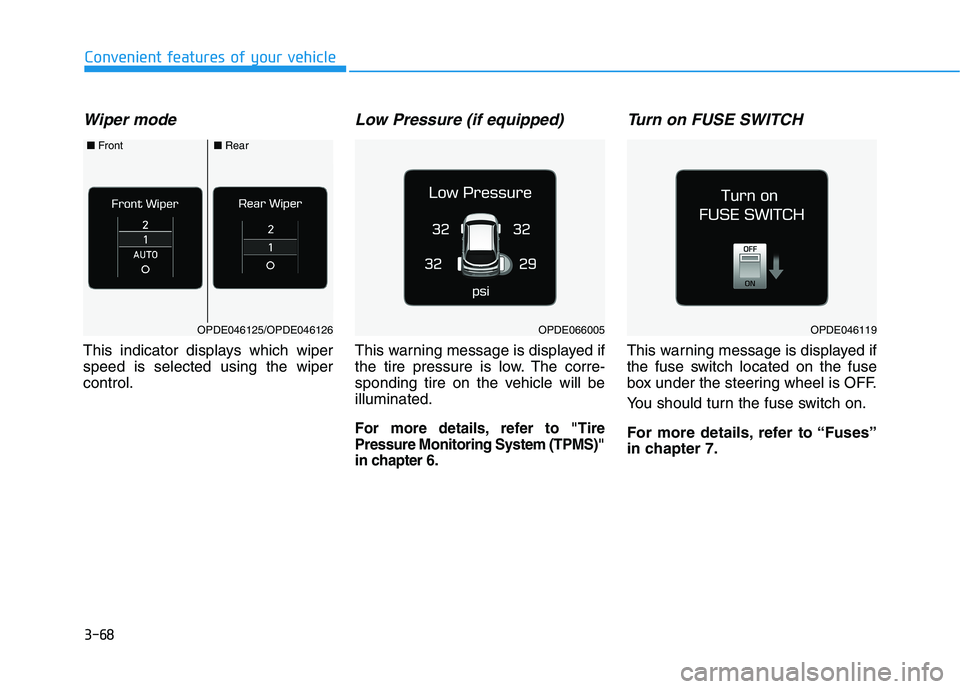
Wiper mode
This indicator displays which wiper
speed is selected using the wiper
control.
Low Pressure (if equipped)
This warning message is displayed if
the tire pressure is low. The corre-
sponding tire on the vehicle will be
illuminated.
For more details, refer to "Tire
Pressure Monitoring System (TPMS)"
in chapter 6.
Turn on FUSE SWITCH
This warning message is displayed if
the fuse switch located on the fuse
box under the steering wheel is OFF.
You should turn the fuse switch on.
For more details, refer to “Fuses”
in chapter 7.
OPDE046119OPDE066005OPDE046125/OPDE046126
■Front■Rear
Page 223 of 659
3-73
Convenient features of your vehicle
3
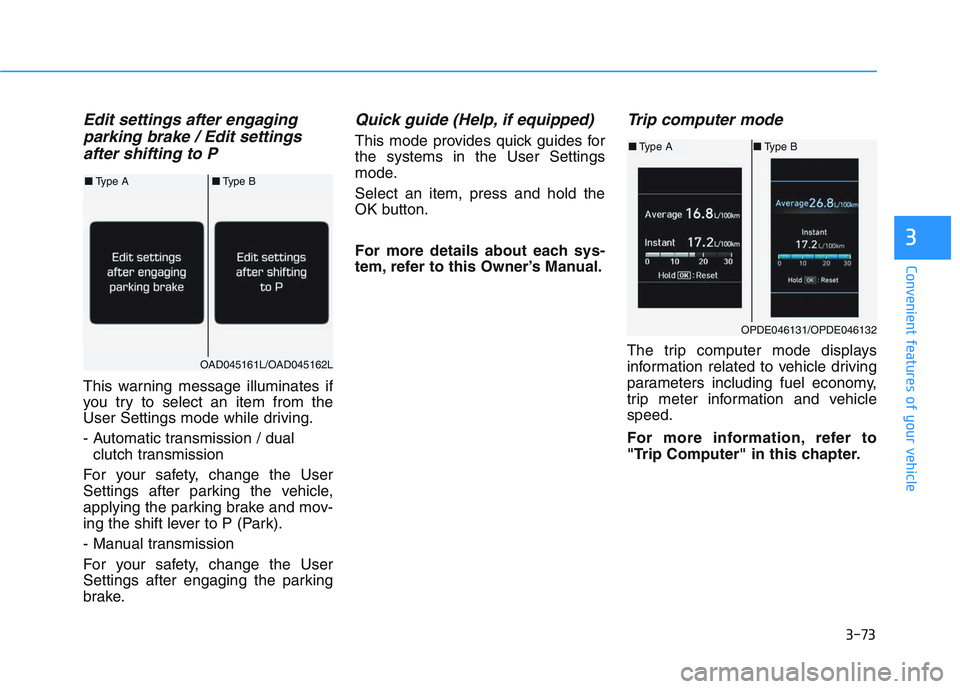
Edit settings after engaging parking brake / Edit settingsafter shifting to P
This warning message illuminates if
you try to select an item from the
User Settings mode while driving.
- Automatic transmission / dual
clutch transmission
For your safety, change the User
Settings after parking the vehicle,
applying the parking brake and mov-
ing the shift lever to P (Park).
- Manual transmission
For your safety, change the User
Settings after engaging the parking
brake.
Quick guide (Help, if equipped)
This mode provides quick guides for
the systems in the User Settings
mode.
Select an item, press and hold the
OK button.
For more details about each sys-
tem, refer to this Owner’s Manual.
Trip computer mode
The trip computer mode displays
information related to vehicle driving
parameters including fuel economy,
trip meter information and vehicle
speed.
For more information, refer to
"Trip Computer" in this chapter.
OPDE046131/OPDE046132
■ Type A ■Type B
OAD045161L/OAD045162L
■Type A ■Type B
Page 225 of 659
3-75
Convenient features of your vehicle
3
Warning message mode
If one of followings occurs, warning
messages will be displayed in the
information mode for several seconds.
- Low washer fluid (if equipped)
- Smart high beam malfunction (if equipped)
- Blind Spot Detection (BSD) mal- function (if equipped)
- Autonomous Emergency Braking (AEB) malfunction (if equipped)
- Speed Limit Information Function (SLIF) malfunction (if equipped)
- Advanced Smart Cruise Control malfunction (if equipped)
- Tire Pressure Monitoring System (TPMS, if equipped)
User settings mode
In this mode, you can change the
setting of the instrument cluster,
doors, lamps, etc.
1. Driving Assist
2. Door
3. Lights
4. Sound
5. Convenience
6. Service Interval
7. Other Features
8. Reset
The information provided differs
according to the items applied to
your vehicle.
1. Driving Assist
- Lane Departure Warning/StandardLKA/Active LKA
To adjust the sensitivity of the Lane
Keeping Assist System.
For more information, refer to the
"Lane Keeping Assist System" in
chapter 5.
To adjust the sensitivity of the Driver
Attention Alert (DAA).
- Off/Normal/Early
For more information, refer to the
"Driver Attention Alert (DAA)" in
chapter 5.
- Slow/Normal/Fast
To adjust the sensitivity of the
Smart Cruise Control system.
For more information, refer to the
"Smart Cruise Control" in chapter 5.
To activate or deactivate the
Autonomous Emergency Braking
(AEB).
For more information, refer to
"Autonomous Emergency Braking
(AEB)" in chapter 5.