speed HYUNDAI I30 2022 Manual Online
[x] Cancel search | Manufacturer: HYUNDAI, Model Year: 2022, Model line: I30, Model: HYUNDAI I30 2022Pages: 659, PDF Size: 17.14 MB
Page 363 of 659
5-59
Driving your vehicle
5
VSM operation
VSM ON condition
The VSM operates when:
The Electronic Stability Control(ESC) is on.
Vehicle speed is approximately above 15 km/h (9 mph) on curve
roads.
Vehicle speed is approximately above 20 km/h (12 mph) when the
vehicle is braking on rough roads.
When operating
When you apply your brakes under
conditions which may activate the
ESC, you may hear sounds from the
brakes, or feel a corresponding sen-
sation in the brake pedal. This is nor-
mal and it means your VSM is active.
Information
The VSM does not operate when:
• Driving on a banked road such asgradient or incline.
• Driving rearward.
• ESC OFF indicator light is on.
• EPS (Electric power steering) warning light ( ) is on or blinks.
Driving with wheels and tires with
different sizes may cause the VSM
system to malfunction. Before
replacing tires, make sure all four
tires and wheels are the same
size. Never drive the vehicle with
different sized tires and wheels
installed.
NOTICE
i
If ESC indicator light ( ) or
EPS warning light ( ) stays
or blinks, your vehicle may have
a malfunction with the VSM sys-
tem. When the warning light illu-
minates we recommend that the
vehicle be checked by an
authorized HYUNDAI dealer as
soon as possible.
WARNING
Page 364 of 659
5-60
Driving your vehicle
Hill-Start Assist Control (HAC)
(if equipped)
The Hill-Start Assist Control (HAC)
helps prevent the vehicle from rolling
backwards when starting a vehicle
from a stop on a hill. The system
operates the brakes automatically for
approximately 2 seconds and releas-
es the brake after 2 seconds or when
the accelerator pedal is depressed.
Information
• The HAC does not operate when theshift lever is in P (Park) or N
(Neutral)
• The HAC activates even when the ESC (Electronic Stability Control) is
off. However, it does not activate,
when the ESC does not normally
operate.
Emergency Stop Signal (ESS)
(if equipped)
The Emergency Stop Signal system
alerts the driver behind by blinking
the stop lights, while sharply and
severely braking.
The system is activated when:
The vehicle suddenly stops. (Thedeceleration power exceeds 7 m/s
2,
and the driving speed exceeds 55
km/h (34 mph).)
The ABS is activated and the driv- ing speed exceeds 55 km/h (34
mph).
The hazard warning flasher automat-
ically turns ON after blinking the stop
lights, when the driving speeds is
decelerated under 40 km/h (25 mph),
when the ABS is deactivated, and
when the sudden braking situation is
over. The hazard warning flasher turns
OFF, when the driving speed exceeds
10 km/h (6 mph) after a complete
stop. The hazard warning flasher
turns OFF, when the vehicle drives at
a low speed for a certain period of
time. The driver can manually turn
OFF the hazard warning flasher by
pressing the button.
Information
The Emergency Stop Signal (ESS) sys-
tem will not activate, when the hazard
warning flasher already blinks.
i
i
Always be ready to depress the
accelerator pedal when starting
off on a incline. The HAC acti-
vates only for approximately 2
seconds.
WARNING
Page 367 of 659
5-63
Driving your vehicle
5
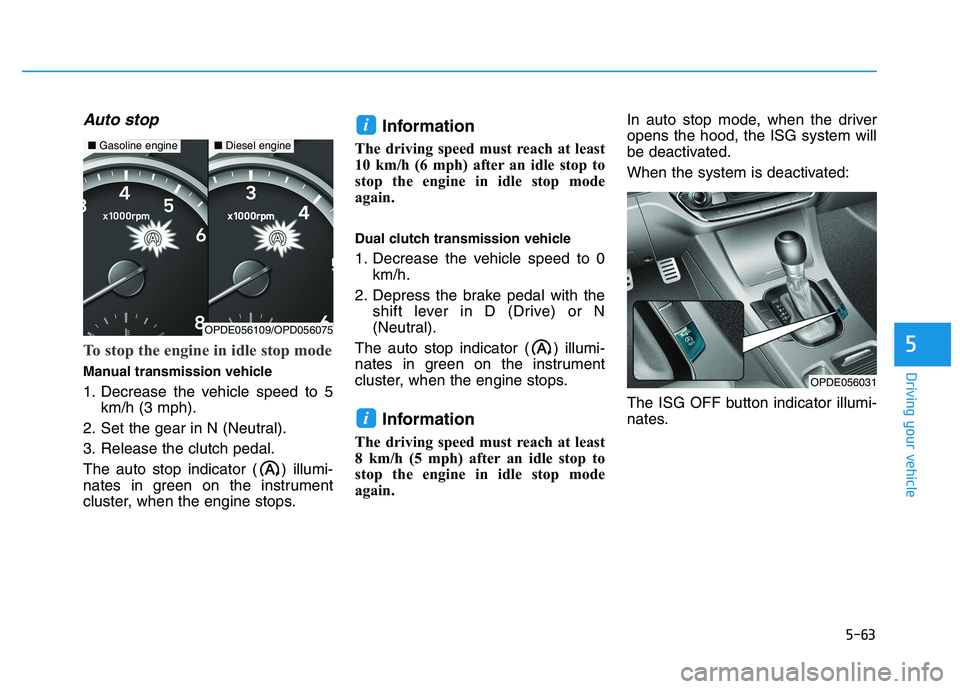
Auto stop
To stop the engine in idle stop mode
Manual transmission vehicle
1. Decrease the vehicle speed to 5km/h (3 mph).
2. Set the gear in N (Neutral).
3. Release the clutch pedal.
The auto stop indicator ( ) illumi-
nates in green on the instrument
cluster, when the engine stops.
Information
The driving speed must reach at least
10 km/h (6 mph) after an idle stop to
stop the engine in idle stop mode
again.
Dual clutch transmission vehicle
1. Decrease the vehicle speed to 0 km/h.
2. Depress the brake pedal with the shift lever in D (Drive) or N
(Neutral).
The auto stop indicator ( ) illumi-
nates in green on the instrument
cluster, when the engine stops.
Information
The driving speed must reach at least
8 km/h (5 mph) after an idle stop to
stop the engine in idle stop mode
again. In auto stop mode, when the driver
opens the hood, the ISG system will
be deactivated.
When the system is deactivated:
The ISG OFF button indicator illumi-
nates.
i
i
OPDE056031
■
Gasoline engine■Diesel engine
OPDE056109/OPD056075
Page 368 of 659
5-64
Driving your vehicle
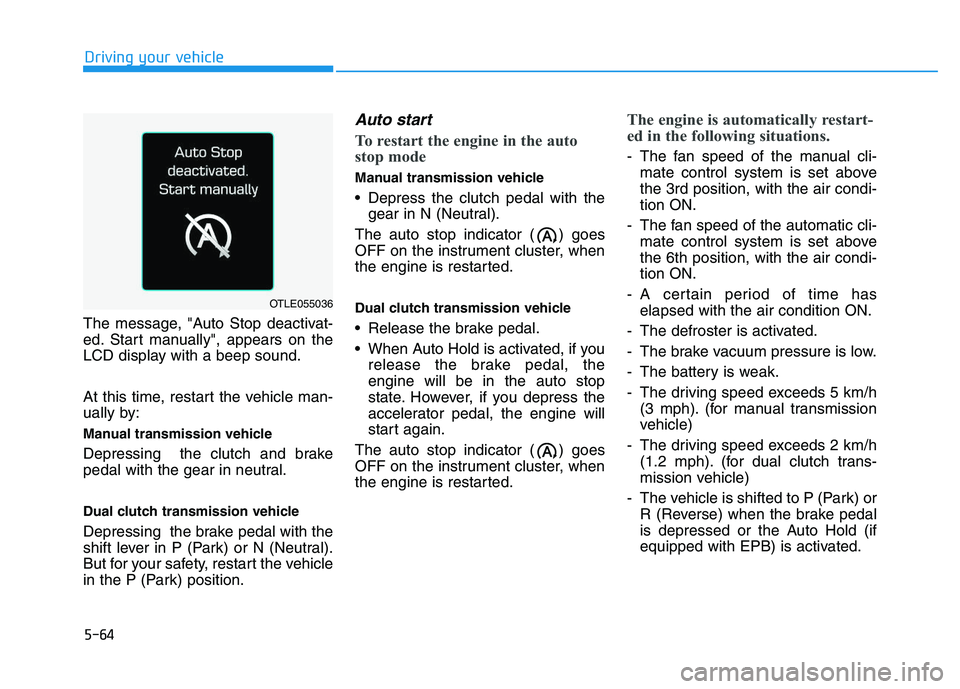
The message, "Auto Stop deactivat-
ed. Start manually", appears on the
LCD display with a beep sound.
At this time, restart the vehicle man-
ually by:
Manual transmission vehicle
Depressing the clutch and brake
pedal with the gear in neutral.
Dual clutch transmission vehicle
Depressing the brake pedal with the
shift lever in P (Park) or N (Neutral).
But for your safety, restart the vehicle
in the P (Park) position.
Auto start
To restart the engine in the auto
stop mode
Manual transmission vehicle
Depress the clutch pedal with the gear in N (Neutral).
The auto stop indicator ( ) goes
OFF on the instrument cluster, when
the engine is restarted.
Dual clutch transmission vehicle
Release the brake pedal.
When Auto Hold is activated, if you release the brake pedal, the
engine will be in the auto stop
state. However, if you depress the
accelerator pedal, the engine will
start again.
The auto stop indicator ( ) goes
OFF on the instrument cluster, when
the engine is restarted.
The engine is automatically restart-
ed in the following situations.
- The fan speed of the manual cli- mate control system is set above
the 3rd position, with the air condi-
tion ON.
- The fan speed of the automatic cli- mate control system is set above
the 6th position, with the air condi-
tion ON.
- A certain period of time has elapsed with the air condition ON.
- The defroster is activated.
- The brake vacuum pressure is low.
- The battery is weak.
- The driving speed exceeds 5 km/h (3 mph). (for manual transmission
vehicle)
- The driving speed exceeds 2 km/h (1.2 mph). (for dual clutch trans-
mission vehicle)
- The vehicle is shifted to P (Park) or R (Reverse) when the brake pedal
is depressed or the Auto Hold (if
equipped with EPB) is activated.
OTLE055036
Page 373 of 659
5-69
Driving your vehicle
5
When ECO mode is activated:
The acceleration response may beslightly reduced as the accelerator
pedal is depressed moderately.
The air conditioner performance may be limited.
The shift pattern of the automatic transmission may change.
The engine noise may get louder.
The above situations are normal
conditions when ECO mode is acti-
vated to improve fuel efficiency. Limitation of ECO mode opera-
tion:
If the following conditions occur while
ECO mode is operating, the system
operation is limited even though
there is no change in ECO indicator.
When the coolant temperature is
low:
The system will be limited until
engine performance becomes nor-
mal.
When driving up a hill: The system will be limited to gain
power when driving uphill because
engine torque is restricted.
When driving the vehicle with the automatic transmission or the dual
clutch transmission gear shift lever
in manual shift mode:
The system will be limited accord-
ing to the shift location.
When the accelerator pedal is deeply depressed for a few seconds:
The system will be limited, judging
that the driver wants to speed up.SPORT mode
SPORT mode managesthe driving dynamics by
automatically adjusting the
steering effort, the engine
and transmission control
logic for enhanced driver
performance.
When SPORT mode is selected by pressing the DRIVE MODE button,
the SPORT indicator will illuminate.
Whenever the engine is restarted, the Drive Mode will revert back to
NORMAL mode. If SPORT mode is
desired, re-select SPORT mode
from the DRIVE MODE button.
When SPORT mode is activated: - The engine rpm will tend to remainraised over a certain length of time
even after releasing the accelerator
- Upshifts are delayed when accel- erating
Information
In SPORT mode, the fuel efficiency
may decrease.
i
Page 374 of 659
5-70
Driving your vehicle
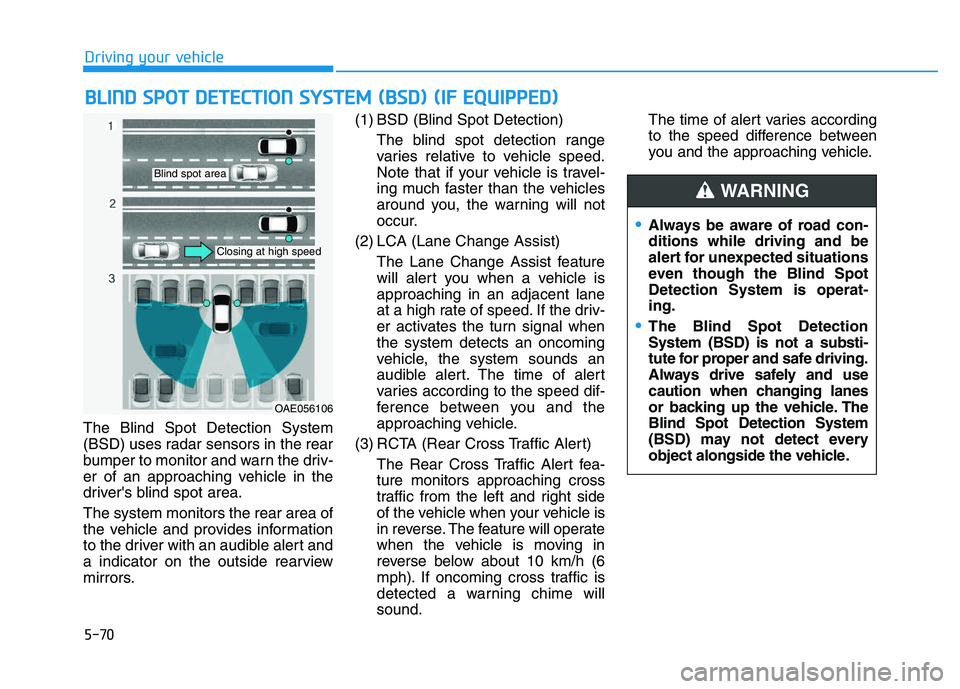
The Blind Spot Detection System
(BSD) uses radar sensors in the rear
bumper to monitor and warn the driv-
er of an approaching vehicle in the
driver's blind spot area.
The system monitors the rear area of
the vehicle and provides information
to the driver with an audible alert and
a indicator on the outside rearview
mirrors. (1) BSD (Blind Spot Detection)
The blind spot detection range
varies relative to vehicle speed.
Note that if your vehicle is travel-
ing much faster than the vehicles
around you, the warning will not
occur.
(2) LCA (Lane Change Assist) The Lane Change Assist feature
will alert you when a vehicle is
approaching in an adjacent lane
at a high rate of speed. If the driv-
er activates the turn signal when
the system detects an oncoming
vehicle, the system sounds an
audible alert. The time of alert
varies according to the speed dif-
ference between you and the
approaching vehicle.
(3) RCTA (Rear Cross Traffic Alert) The Rear Cross Traffic Alert fea-
ture monitors approaching cross
traffic from the left and right side
of the vehicle when your vehicle is
in reverse. The feature will operate
when the vehicle is moving in
reverse below about 10 km/h (6
mph). If oncoming cross traffic is
detected a warning chime will
sound. The time of alert varies according
to the speed difference between
you and the approaching vehicle.
B
B L
L I
I N
N D
D
S
S P
P O
O T
T
D
D E
E T
T E
E C
C T
T I
I O
O N
N
S
S Y
Y S
S T
T E
E M
M
(
( B
B S
S D
D )
)
(
( I
I F
F
E
E Q
Q U
U I
I P
P P
P E
E D
D )
)
OAE056106
Blind spot area
Closing at high speed
Always be aware of road con-
ditions while driving and be
alert for unexpected situations
even though the Blind Spot
Detection System is operat-
ing.
The Blind Spot Detection
System (BSD) is not a substi-
tute for proper and safe driving.
Always drive safely and use
caution when changing lanes
or backing up the vehicle. The
Blind Spot Detection System
(BSD) may not detect every
object alongside the vehicle.
WARNING
Page 375 of 659
5-71
Driving your vehicle
5
BSD (Blind Spot Detection) /
LCA (Lane Change Assist)
(if equipped)
Operating conditions
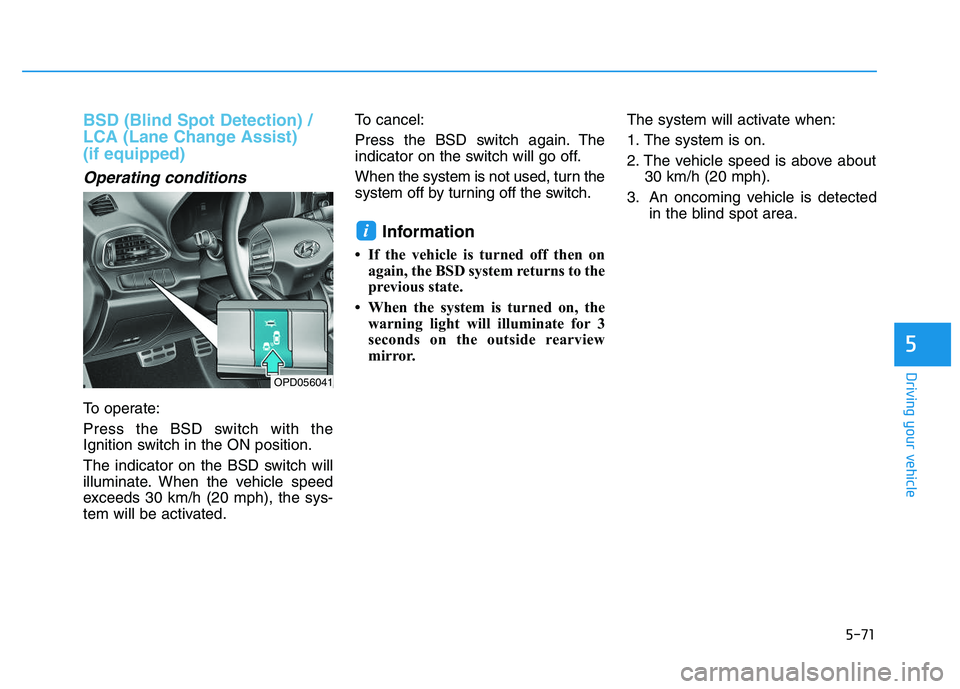
To operate:
Press the BSD switch with the
Ignition switch in the ON position.
The indicator on the BSD switch will
illuminate. When the vehicle speed
exceeds 30 km/h (20 mph), the sys-
tem will be activated.To cancel:
Press the BSD switch again. The
indicator on the switch will go off.
When the system is not used, turn the
system off by turning off the switch.
Information
• If the vehicle is turned off then on
again, the BSD system returns to the
previous state.
• When the system is turned on, the warning light will illuminate for 3
seconds on the outside rearview
mirror. The system will activate when:
1. The system is on.
2. The vehicle speed is above about
30 km/h (20 mph).
3. An oncoming vehicle is detected in the blind spot area.
i
OPD056041
Page 378 of 659
5-74
Driving your vehicle
If any of these conditions occur, the
light on the BSD switch and the sys-
tem will turn off automatically.
When the BSD canceled warning
message is displayed in the cluster,
check to make sure that the rear
bumper is free from any dirt or snow
in the areas where the sensor is
located. Remove any dirt, snow, or
foreign material that could interfere
with the radar sensors.
After any dirt or debris is removed,
the BSD system should operate nor-
mally after about 10 minutes of driv-
ing the vehicle.
If the system still does not operate
normally have your vehicle inspected
by an authorized HYUNDAI dealer.
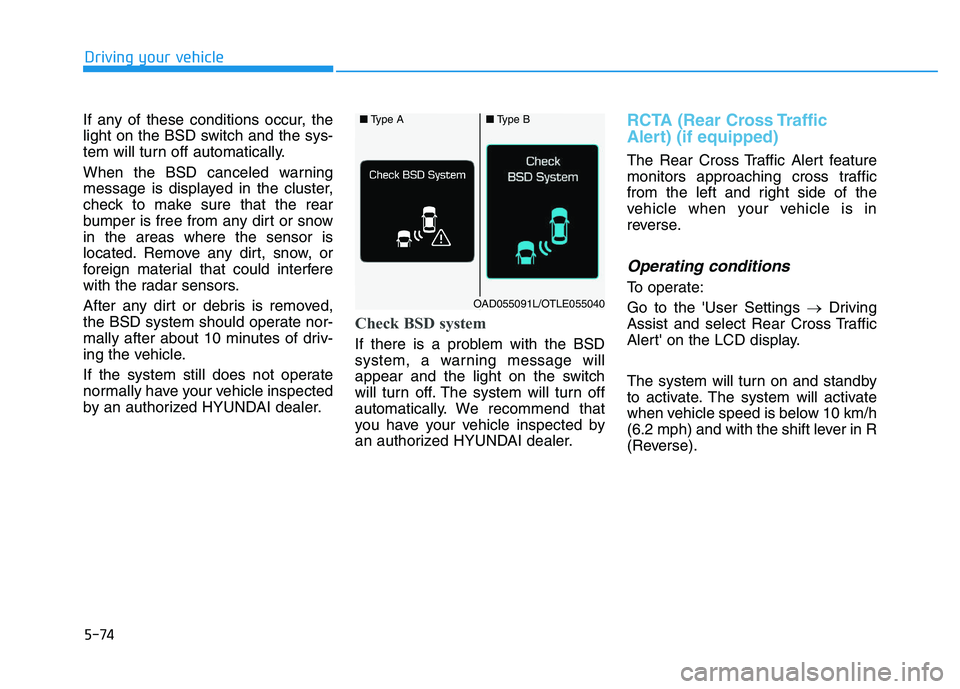
Check BSD system
If there is a problem with the BSD
system, a warning message will
appear and the light on the switch
will turn off. The system will turn off
automatically. We recommend that
you have your vehicle inspected by
an authorized HYUNDAI dealer.
RCTA (Rear Cross Traffic
Alert) (if equipped)
The Rear Cross Traffic Alert feature
monitors approaching cross traffic
from the left and right side of the
vehicle when your vehicle is in
reverse.
Operating conditions
To operate:
Go to the 'User Settings →Driving
Assist and select Rear Cross Traffic
Alert' on the LCD display.
The system will turn on and standby
to activate. The system will activate
when vehicle speed is below 10 km/h
(6.2 mph) and with the shift lever in R
(Reverse).
■ Type A■Type B
OAD055091L/OTLE055040
Page 379 of 659
5-75
Driving your vehicle
5
Information
The Rear Cross Traffic Alert (RCTA)
detecting range is approximately
0.5 m ~ 20 m (1 ft ~ 65 ft). An
approaching vehicle will be detected if
their vehicle speed is within 4 km/h ~
36 km/h (2.5 ~ 22.5 mph ).
Note that the detecting range may
vary under certain conditions. As
always, use caution and pay close
attention to your surroundings when
backing up your vehicle.
Warning type
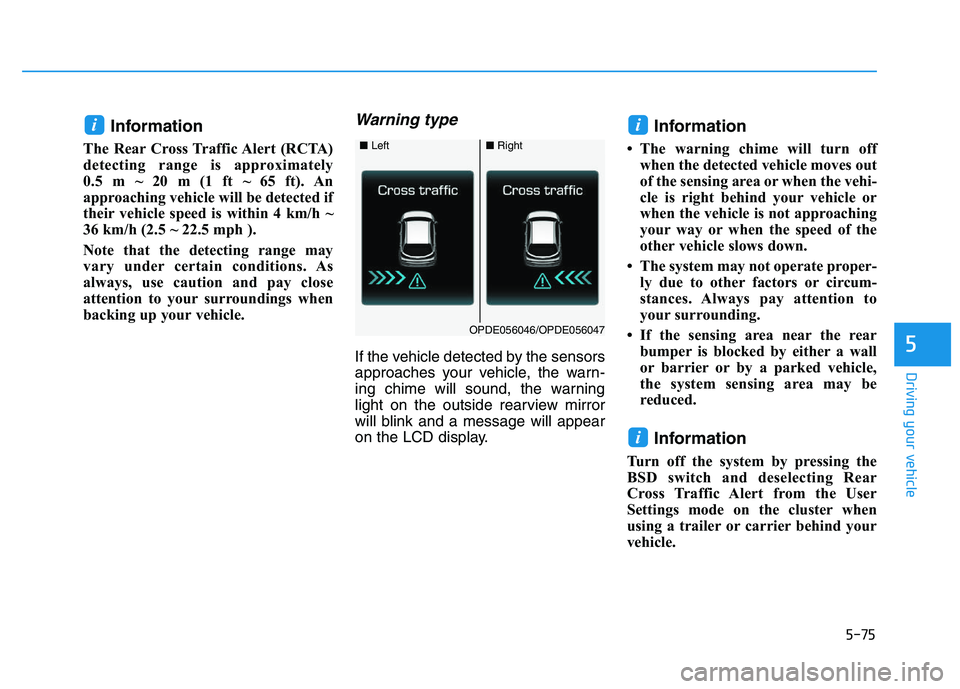
If the vehicle detected by the sensors
approaches your vehicle, the warn-
ing chime will sound, the warning
light on the outside rearview mirror
will blink and a message will appear
on the LCD display.
Information
• The warning chime will turn offwhen the detected vehicle moves out
of the sensing area or when the vehi-
cle is right behind your vehicle or
when the vehicle is not approaching
your way or when the speed of the
other vehicle slows down.
• The system may not operate proper- ly due to other factors or circum-
stances. Always pay attention to
your surrounding.
• If the sensing area near the rear bumper is blocked by either a wall
or barrier or by a parked vehicle,
the system sensing area may be
reduced.
Information
Turn off the system by pressing the
BSD switch and deselecting Rear
Cross Traffic Alert from the User
Settings mode on the cluster when
using a trailer or carrier behind your
vehicle.
i
ii
■ Left■Right
OPDE056046/OPDE056047
Page 381 of 659
5-77
Driving your vehicle
5
Limitations of the system
The driver must be cautious in the
below situations, because the sys-
tem may not detect other vehicles or
objects in certain circumstances.
The vehicle drives on a curvedroad or through a tollgate.
The vehicle is turning left or right at a crossroad.
The sensor is polluted with rain, snow, mud, etc.
The rear bumper where the sensor is located is covered with a foreign
object such as a bumper sticker, a
bumper guard, a bike rack, etc.
The rear bumper is damaged, or the sensor is out of the original
default position.
The vehicle height gets lower or higher due to heavy loading in the
luggage compartment, abnormal
tire pressure, etc.
The vehicle drives in inclement weather such as heavy rain or
snow. There is a fixed object near the
vehicle, such as a guardrail, per-
son, animal, etc.
The vehicle is driven near areas containing metal substances such
as a construction zone, railroad,
etc.
A big vehicle is near such as a bus or truck.
A motorcycle or bicycle is near.
A flat trailer is near.
If the vehicle has started at the same time as the vehicle next to
you and has accelerated.
When the other vehicle passes at a very fast speed.
While changing lanes.
While going down or up a steep road where the height of the lane is
different.
When the other vehicle approach- es very close.
When a trailer or carrier is installed.
When the temperature near the rear bumper area is high or low. When the sensors are blocked by
other vehicles, walls or parking-lot
pillars.
When the detected vehicle also moves back, as your vehicle drives
back.
If there are small objects in the detecting area such as a shopping
cart or a baby stroller.
If there is a low height vehicle such as a sports car.
When other vehicles are close to your vehicle.
When the vehicle in the next lane moves two lanes away from you
OR when the vehicle two lanes
away moves to the next lane from
you.
When driving through a narrow road with many trees or bushes.
When driving through a large area with few cars or structures around,
such as a desert, rural area, etc.
When driving on wet surface.