steering HYUNDAI I30 2023 Owner's Guide
[x] Cancel search | Manufacturer: HYUNDAI, Model Year: 2023, Model line: I30, Model: HYUNDAI I30 2023Pages: 533, PDF Size: 59.13 MB
Page 279 of 533
5-14
Driving your vehicle
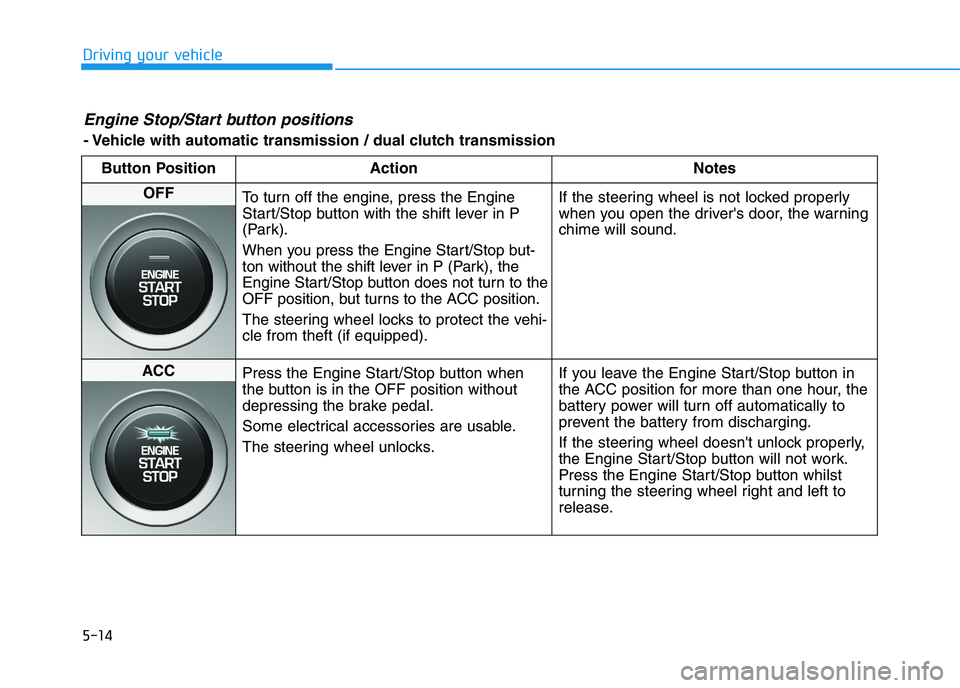
Engine Stop/Start button positions
- Vehicle with automatic transmission / dual clutch transmission
Button Position Action Notes
OFF
To turn off the engine, press the Engine
Start/Stop button with the shift lever in P
(Park).
When you press the Engine Start/Stop but-
ton without the shift lever in P (Park), the
Engine Start/Stop button does not turn to the
OFF position, but turns to the ACC position.
The steering wheel locks to protect the vehi-
cle from theft (if equipped).If the steering wheel is not locked properly
when you open the driver's door, the warning
chime will sound.
ACC
Press the Engine Start/Stop button when
the button is in the OFF position without
depressing the brake pedal.
Some electrical accessories are usable.
The steering wheel unlocks.If you leave the Engine Start/Stop button in
the ACC position for more than one hour, the
battery power will turn off automatically to
prevent the battery from discharging.
If the steering wheel doesn't unlock properly,
the Engine Start/Stop button will not work.
Press the Engine Start/Stop button whilst
turning the steering wheel right and left to
release.
Page 288 of 533
5-23
Driving your vehicle
5
To reduce the risk of SERIOUS
INJURY or DEATH:
ALWAYS wear your seat belt.
In a collision, an unrestrained
occupant is significantly more
likely to be seriously injured
or killed than a properly
restrained occupant.
Avoid high speeds when cor-
nering or turning.
Do not make quick steering
wheel movements, such as
sharp lane changes or fast,
sharp turns.
The risk of rollover is greatly
increased if you lose control
of your vehicle at highway
speeds.
Loss of control often occurs if
two or more wheels drop off
the roadway and the driver
over steers to reenter the
roadway.
(Continued)
WARNING (Continued)
In the event your vehicle
leaves the roadway, do not
steer sharply. Instead, slow
down before pulling back into
the travel lanes.
HYUNDAI recommends you
follow all posted speed limits.
Page 295 of 533
5-30
Driving your vehicle
Information - Kickdown
Mechanism (if equipped)
Use the kickdown mechanism for
maximum acceleration. Depress the
accelerator pedal beyond the pressure
point. The automatic transmission will
shift to a lower gear depending on the
engine speed.i
(Continued)
In the event your vehicle
leaves the roadway, do not
steer sharply. Instead, slow
down before pulling back into
the travel lanes.
HYUNDAI recommends you
follow all posted speed limits.
To reduce the risk of SERIOUS
INJURY or DEATH:
ALWAYS wear your seat belt.
In a collision, an unrestrained
occupant is significantly more
likely to be seriously injured
or killed than a properly
restrained occupant.
Avoid high speeds when cor-
nering or turning.
Do not make quick steering
wheel movements, such as
sharp lane changes or fast,
sharp turns.
The risk of rollover is greatly
increased if you lose control
of your vehicle at highway
speeds.
Loss of control often occurs if
two or more wheels drop off
the roadway and the driver
over steers to reenter the
roadway.
(Continued)
WARNING
Page 305 of 533
5-40
Driving your vehicle
Information - Kickdown
Mechanism (if equipped)
Use the kickdown mechanism for
maximum acceleration. Depress the
accelerator pedal beyond the pressure
point. The dual clutch transmission
will shift to a lower gear depending on
the engine speed.i
To reduce the risk of SERIOUS
INJURY or DEATH:
ALWAYS wear your seat belt.
In a collision, an unrestrained
occupant is significantly more
likely to be seriously injured
or killed than a properly
restrained occupant.
Avoid high speeds when cor-
nering or turning.
Do not make quick steering
wheel movements, such as
sharp lane changes or fast,
sharp turns.
The risk of rollover is greatly
increased if you lose control
of your vehicle at highway
speeds.
Loss of control often occurs if
two or more wheels drop off
the roadway and the driver
over steers to reenter the
roadway.
(Continued)
(Continued)
In the event your vehicle
leaves the roadway, do not
steer sharply. Instead, slow
down before pulling back into
the travel lanes.
HYUNDAI recommends you
follow all posted speed limits.
WARNING
Page 306 of 533
5-41
Driving your vehicle
5
Power brakes
Your vehicle has power-assisted
brakes that adjust automatically
through normal usage.
If the engine is not running or is
turned off whilst driving, the power
assist for the brakes will not work.
You can still stop your vehicle by
applying greater force to the brake
pedal than typical. The stopping dis-
tance, however, will be longer than
with power brakes.
When the engine is not running, the
reserve brake power is partially
depleted each time the brake pedal
is applied. Do not pump the brake
pedal when the power assist has
been interrupted.
Pump the brake pedal only when
necessary to maintain steering con-
trol on slippery surfaces.
B BR
RA
AK
KI
IN
NG
G
S
SY
YS
ST
TE
EM
M
Take the following precautions:
Do not drive with your foot
resting on the brake pedal.
This will create abnormal high
brake temperatures, exces-
sive brake lining and pad
wear, and increased stopping
distances.
When descending a long or
steep hill, shift to a lower gear
and avoid continuous applica-
tion of the brakes. Applying
the brakes continuously will
cause the brakes to overheat
and could result in a tempo-
rary loss of braking perform-
ance.
(Continued)
(Continued)
Wet brakes may impair the
vehicle's ability to safely slow
down; the vehicle may also
pull to one side when the
brakes are applied. Applying
the brakes lightly will indicate
whether they have been
affected in this way. Always
test your brakes in this fash-
ion after driving through deep
water. To dry the brakes, light-
ly tap the brake pedal to heat
up the brakes whilst maintain-
ing a safe forward speed until
brake performance returns to
normal. Avoid driving at high
speeds until the brakes func-
tion correctly.
WARNING
Page 320 of 533
5-55
Driving your vehicle
5
Information
When you jump start your vehicle
because of a drained battery, the ABS
warning light ( ) may turn on at the
same time. This happens because of
the low battery voltage. It does not
mean your ABS is malfunctioning.
Have the battery recharged before
driving the vehicle.
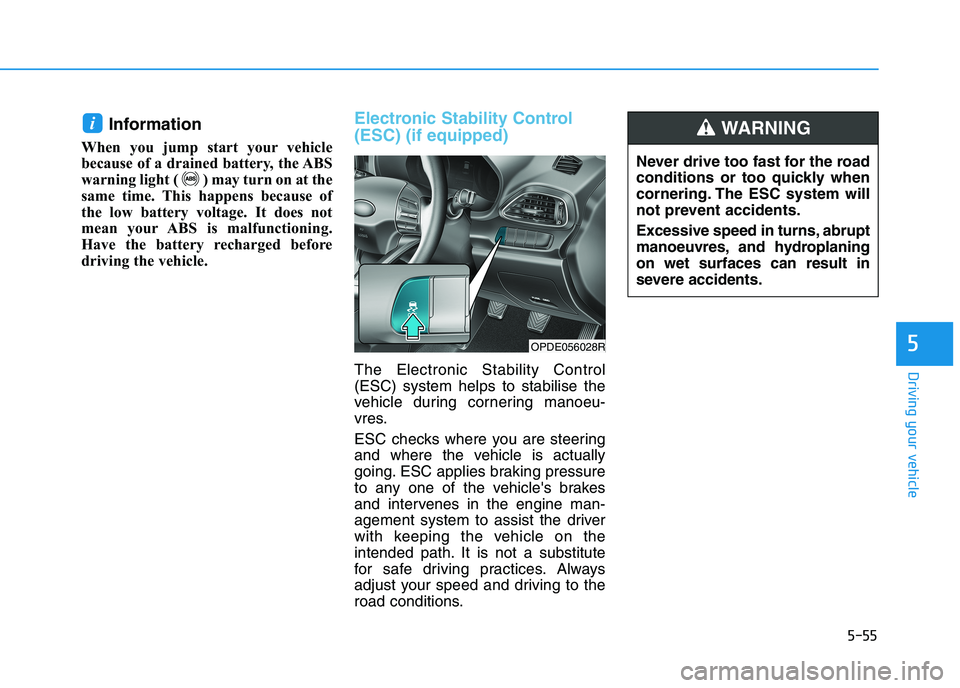
Electronic Stability Control
(ESC) (if equipped)
The Electronic Stability Control
(ESC) system helps to stabilise the
vehicle during cornering manoeu-
vres.
ESC checks where you are steering
and where the vehicle is actually
going. ESC applies braking pressure
to any one of the vehicle's brakes
and intervenes in the engine man-
agement system to assist the driver
with keeping the vehicle on the
intended path. It is not a substitute
for safe driving practices. Always
adjust your speed and driving to the
road conditions.
i
OPDE056028R
Never drive too fast for the road
conditions or too quickly when
cornering. The ESC system will
not prevent accidents.
Excessive speed in turns, abrupt
manoeuvres, and hydroplaning
on wet surfaces can result in
severe accidents.
WARNING
Page 324 of 533
5-59
Driving your vehicle
5
VSM operation
VSM ON
The VSM operates when:
The Electronic Stability Control
(ESC) is on.
Vehicle speed is approximately
above 15 km/h on winding roads.
Vehicle speed is approximately
above 20 km/h when the vehicle is
braking on rough roads.
When operating
When you apply your brakes under
conditions which may activate the
ESC, you may hear sounds from the
brakes, or feel a corresponding sen-
sation in the brake pedal. This is nor-
mal and it means your VSM is active.
Information
The VSM does not operate when:
• Driving on a gradient or incline.
• Driving in reverse.
• The ESC OFF indicator light is on.
• The EPS(Electric power steering)
warning light ( ) is on or blinks.
Driving with wheels and tyres with
different sizes may cause the VSM
system to malfunction. Before
replacing tyres, make sure all four
tyres and wheels are the same
size. Never drive the vehicle with
different sized tyres and wheels
installed.
NOTICE
i
If the ESC indicator light ( ) or
EPS warning light ( ) stays
or blinks, your vehicle may have
a malfunction with the VSM sys-
tem. When the warning light illu-
minates we recommend that the
vehicle be checked by an autho-
rised HYUNDAI dealer as soon
as possible.
WARNING
Page 328 of 533
5-63
Driving your vehicle
5
When ECO mode is activated:
The acceleration response may be
slightly reduced as the accelerator
pedal is depressed moderately.
The air conditioner performance
may be limited.
The shift pattern of the automatic
transmission may change.
The engine noise may get louder.
The above situations are normal
conditions when ECO mode is acti-
vated, to improve fuel efficiency.Limitation of ECO mode opera-
tion:
If the following conditions occur
whilst ECO mode is operating, the
system operation is limited even
though there is no change in the
ECO indicator.
When the coolant temperature is
low:
The system will be limited until
engine performance becomes nor-
mal.
When driving up a hill:
The system will be limited in gain-
ing power when driving uphill
because engine torque is restrict-
ed.
When driving the vehicle with the
automatic transmission or the dual
clutch transmission gear shift lever
in manual shift mode:
The system will be limited due to
the shift location.
When the accelerator pedal is fully
depressed for a few seconds:
The system will be limited, judging
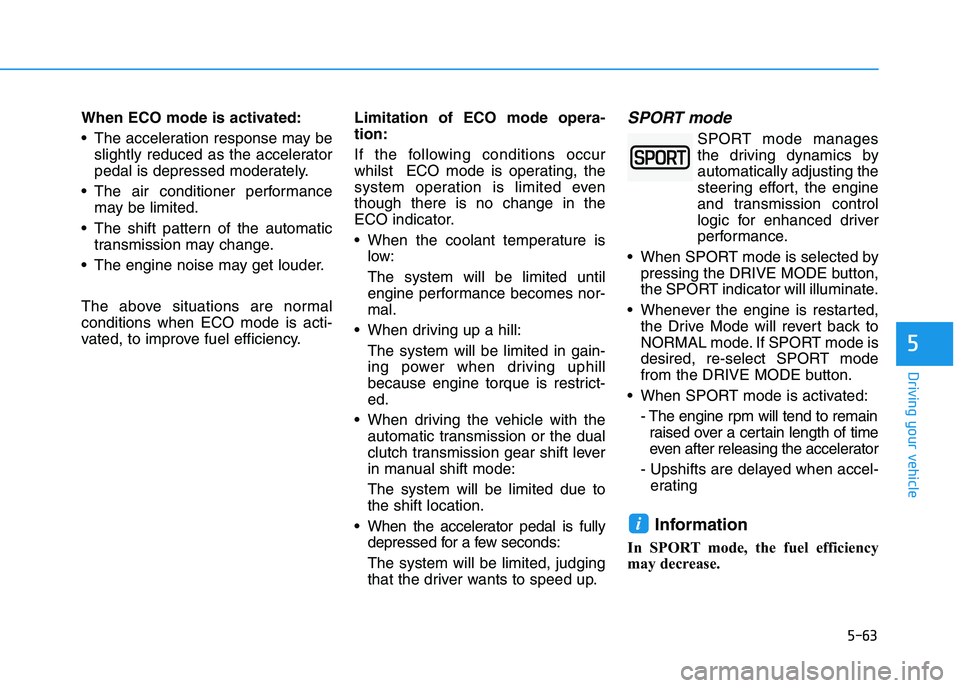
that the driver wants to speed up.SPORT mode
SPORT mode manages
the driving dynamics by
automatically adjusting the
steering effort, the engine
and transmission control
logic for enhanced driver
performance.
When SPORT mode is selected by
pressing the DRIVE MODE button,
the SPORT indicator will illuminate.
Whenever the engine is restarted,
the Drive Mode will revert back to
NORMAL mode. If SPORT mode is
desired, re-select SPORT mode
from the DRIVE MODE button.
When SPORT mode is activated:
- The engine rpm will tend to remain
raised over a certain length of time
even after releasing the accelerator
- Upshifts are delayed when accel-
erating
Information
In SPORT mode, the fuel efficiency
may decrease.
i
Page 343 of 533
5-78
Driving your vehicle
Prerequisite for activation
The FCA system is on and ready
when FCA is selected on the LCD
display and when the following pre-
requisites are satisfied:
- The ESC (Electronic Stability
Control) is on.
- Driving speed exceeds approxi-
mately 10km/h (the FCA is only
activated within a certain speed
range).
- The system detects a pedestrian
or a vehicle in front, which may col-
lide with your vehicle (the FCA may
not be activated or may sound a
warning alarm depending on the
driving situation or vehicle condi-
tion).
❈The FCA may not operate proper-
ly according to the frontal situa-
tion, the direction of pedestrian
and speed.
FCA Warning Message and
System Control
The FCA produces warning mes-
sages and warning alarms depend-
ing on the collision risk levels, such
as abrupt stopping of the vehicle in
front, insufficient braking distance, or
pedestrian detection. Also, it controls
the brakes in accordance with the
collision risk levels.
The driver can select the initial warn-
ing activation time in the User
Settings on the LCD display. The
options for the initial Forward
Collision Warning include EARLY,
NORMAL, or LATE initial warning
time.Completely stop the vehicle at
a safe location before operat-
ing the switch on the steering
wheel to activate /deactivate
the FCA system.
The FCA automatically acti-
vates upon placing the igni-
tion switch to the ON position.
The driver can deactivate the
FCA by cancelling the system
setting on the LCD display.
The FCA automatically deacti-
vates upon cancelling the
ESC (Electronic Stability
Control). When the ESC is
cancelled, the FCA cannot be
activated on the LCD display.
The FCA warning light will
illuminate which is normal.
WARNING
Page 345 of 533
5-80
Driving your vehicle
Brake operation
In an urgent situation, the braking
system enters into the ready sta-
tus, to react promptly to the driver
depressing the brake pedal.
The FCA provides additional brak-
ing power for optimum braking per-
formance, when the driver depress-
es the brake pedal.
The braking control is automatical-
ly deactivated, when the driver
sharply depresses the accelerator
pedal, or when the driver abruptly
operates the steering wheel.
The FCA braking control is auto-
matically cancelled, when risk fac-
tors disappear.
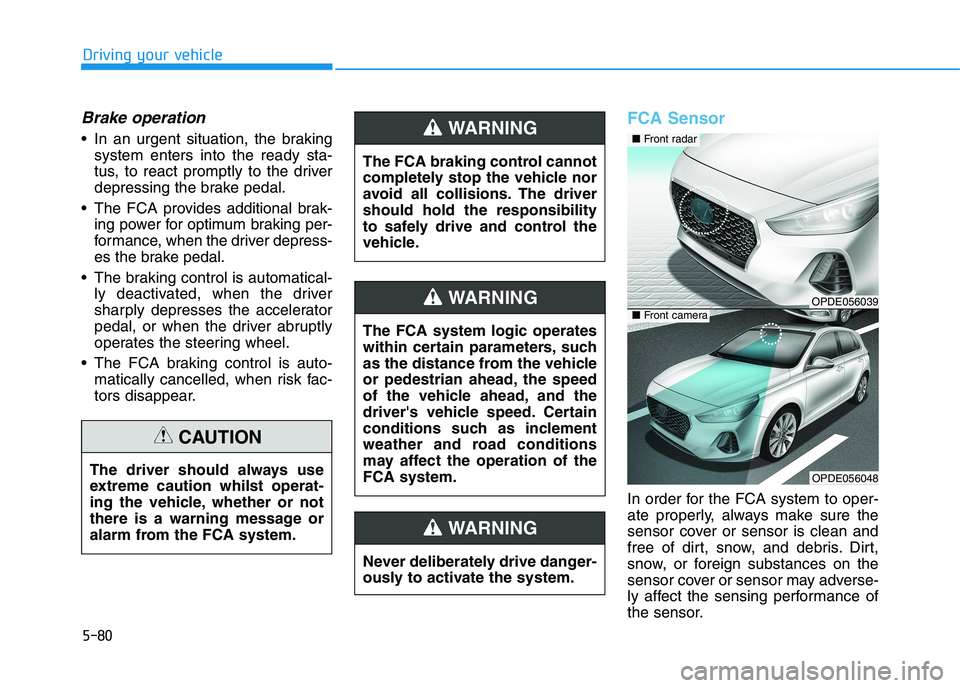
FCA Sensor
In order for the FCA system to oper-
ate properly, always make sure the
sensor cover or sensor is clean and
free of dirt, snow, and debris. Dirt,
snow, or foreign substances on the
sensor cover or sensor may adverse-
ly affect the sensing performance of
the sensor. The driver should always use
extreme caution whilst operat-
ing the vehicle, whether or not
there is a warning message or
alarm from the FCA system.
CAUTION
The FCA system logic operates
within certain parameters, such
as the distance from the vehicle
or pedestrian ahead, the speed
of the vehicle ahead, and the
driver's vehicle speed. Certain
conditions such as inclement
weather and road conditions
may affect the operation of the
FCA system.
WARNING
The FCA braking control cannot
completely stop the vehicle nor
avoid all collisions. The driver
should hold the responsibility
to safely drive and control the
vehicle.
WARNING
Never deliberately drive danger-
ously to activate the system.
WARNING
OPDE056039
OPDE056048
■ Front radar
■ Front camera