tyre HYUNDAI I30 2023 Owners Manual
[x] Cancel search | Manufacturer: HYUNDAI, Model Year: 2023, Model line: I30, Model: HYUNDAI I30 2023Pages: 533, PDF Size: 59.13 MB
Page 15 of 533
1-2
E EX
XT
TE
ER
RI
IO
OR
R
O
OV
VE
ER
RV
VI
IE
EW
W
(
(I
I)
)
Your vehicle at a glance
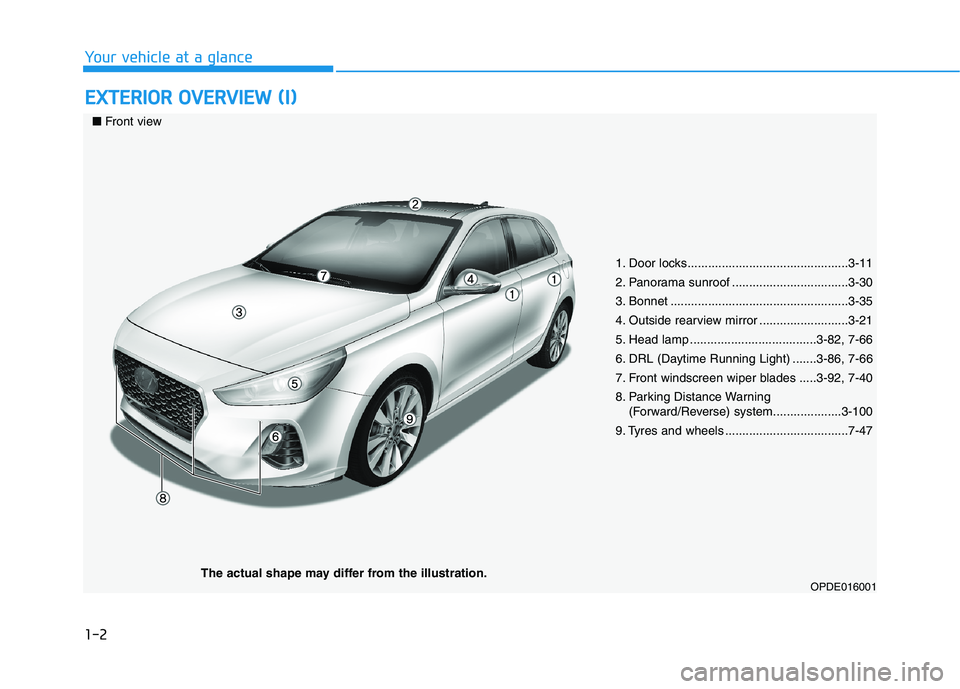
1. Door locks...............................................3-11
2. Panorama sunroof ..................................3-30
3. Bonnet ....................................................3-35
4. Outside rearview mirror ..........................3-21
5. Head lamp .....................................3-82, 7-66
6. DRL (Daytime Running Light) .......3-86, 7-66
7. Front windscreen wiper blades .....3-92, 7-40
8. Parking Distance Warning
(Forward/Reverse) system....................3-100
9. Tyres and wheels ....................................7-47
OPDE016001
■Front view
The actual shape may differ from the illustration.
Page 24 of 533
2-3
Safety system of your vehicle
NEVER let the use of a mobile
device distract you from driving.
You have a responsibility to your
passengers and others on the road
to always drive safely, with your
hands on the wheel as well as your
eyes and attention on the road.
Control your speed
Excessive speed is a major factor in
crash injuries and deaths. Generally,
the higher the speed, the greater the
risk, but serious injuries can also
occur at lower speeds. Never drive
faster than is safe for current condi-
tions, regardless of the maximum
speed posted.
Keep your vehicle in a safe con-
dition
Having a tyre blowout or a mechanical
failure can be extremely hazardous. To
reduce the possibility of such prob-
lems, check your tyre pressures and
condition frequently, and perform all
regularly scheduled maintenance.
2
Page 138 of 533
3-55
Convenient features of your vehicle
3
Low Tyre Pressure
Warning Light
(if equipped)
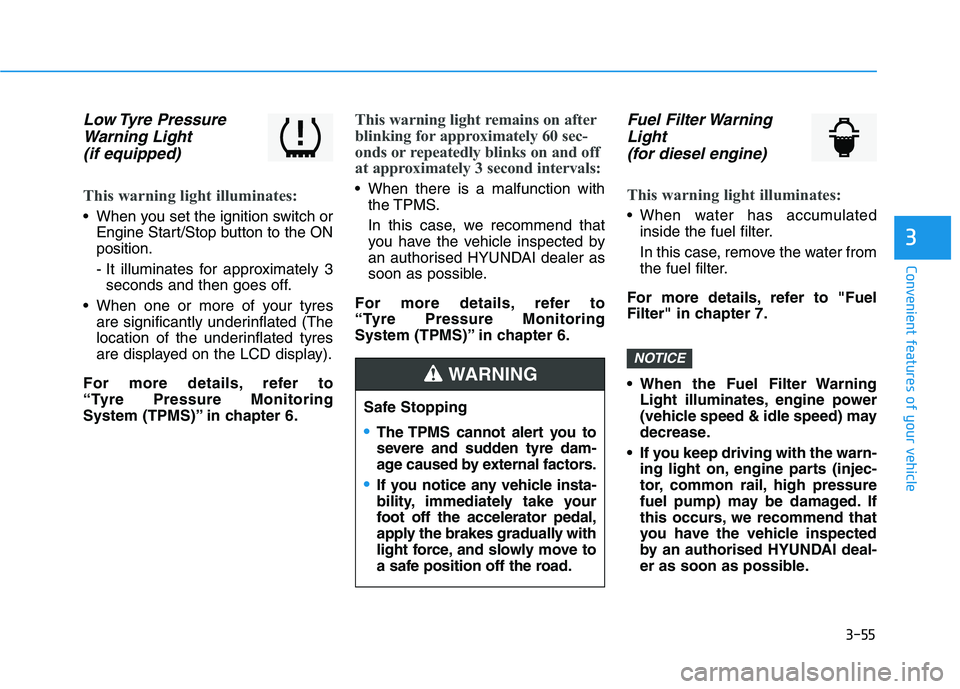
This warning light illuminates:
When you set the ignition switch or
Engine Start/Stop button to the ON
position.
- It illuminates for approximately 3
seconds and then goes off.
When one or more of your tyres
are significantly underinflated (The
location of the underinflated tyres
are displayed on the LCD display).
For more details, refer to
“Tyre Pressure Monitoring
System (TPMS)” in chapter 6.
This warning light remains on after
blinking for approximately 60 sec-
onds or repeatedly blinks on and off
at approximately 3 second intervals:
When there is a malfunction with
the TPMS.
In this case, we recommend that
you have the vehicle inspected by
an authorised HYUNDAI dealer as
soon as possible.
For more details, refer to
“Tyre Pressure Monitoring
System (TPMS)” in chapter 6.
Fuel Filter Warning
Light
(for diesel engine)
This warning light illuminates:
When water has accumulated
inside the fuel filter.
In this case, remove the water from
the fuel filter.
For more details, refer to "Fuel
Filter" in chapter 7.
When the Fuel Filter Warning
Light illuminates, engine power
(vehicle speed & idle speed) may
decrease.
If you keep driving with the warn-
ing light on, engine parts (injec-
tor, common rail, high pressure
fuel pump) may be damaged. If
this occurs, we recommend that
you have the vehicle inspected
by an authorised HYUNDAI deal-
er as soon as possible.
NOTICE
Safe Stopping
The TPMS cannot alert you to
severe and sudden tyre dam-
age caused by external factors.
If you notice any vehicle insta-
bility, immediately take your
foot off the accelerator pedal,
apply the brakes gradually with
light force, and slowly move to
a safe position off the road.
WARNING
Page 149 of 533
3-66
Convenient features of your vehicle
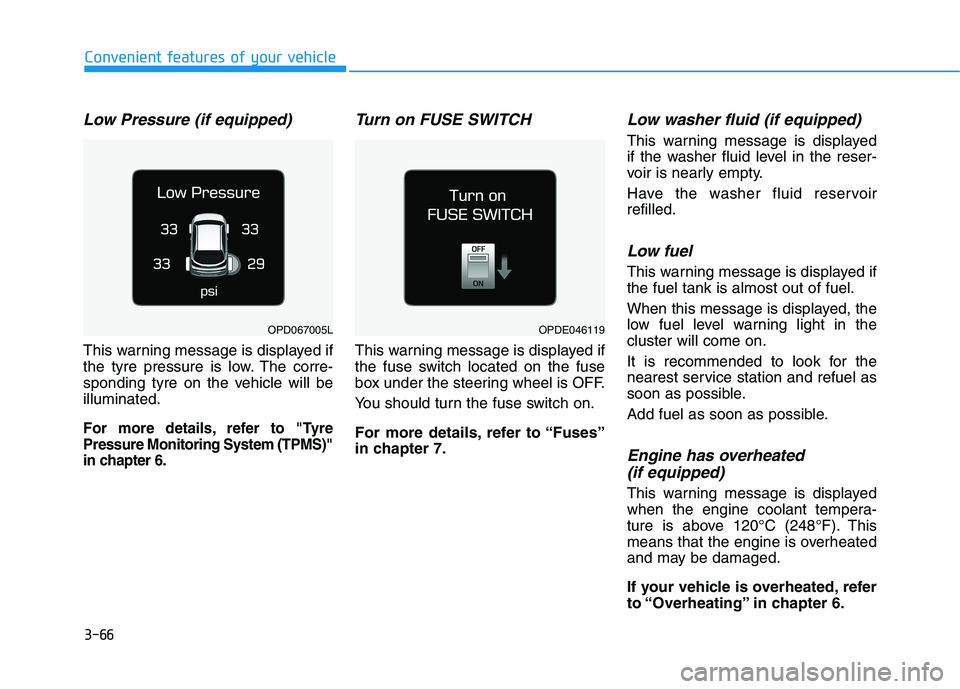
Low Pressure (if equipped)
This warning message is displayed if
the tyre pressure is low. The corre-
sponding tyre on the vehicle will be
illuminated.
For more details, refer to "Tyre
Pressure Monitoring System (TPMS)"
in chapter 6.
Turn on FUSE SWITCH
This warning message is displayed if
the fuse switch located on the fuse
box under the steering wheel is OFF.
You should turn the fuse switch on.
For more details, refer to “Fuses”
in chapter 7.
Low washer fluid (if equipped)
This warning message is displayed
if the washer fluid level in the reser-
voir is nearly empty.
Have the washer fluid reservoir
refilled.
Low fuel
This warning message is displayed if
the fuel tank is almost out of fuel.
When this message is displayed, the
low fuel level warning light in the
cluster will come on.
It is recommended to look for the
nearest service station and refuel as
soon as possible.
Add fuel as soon as possible.
Engine has overheated
(if equipped)
This warning message is displayed
when the engine coolant tempera-
ture is above 120°C (248°F). This
means that the engine is overheated
and may be damaged.
If your vehicle is overheated, refer
to “Overheating” in chapter 6.
OPDE046119OPD067005L
Page 152 of 533

3-69
Convenient features of your vehicle
3
LCD display modes
Modes SymbolExplanation
Trip Computer This mode displays driving information such as the tripmeter, fuel economy, etc.
For more details, refer to "Trip Computer" in this chapter.
Turn By Turn (TBT)This mode displays the state of the navigation.
Assist
This mode displays the state of :
- Lane Keeping Assist (LKA) system
- Smart Cruise Control (SCC)
- Driver Attention Warning (DAW)
- Tyre Pressure
For more information, refer to “Smart Cruise Control (SCC)“, "Lane Keeping
Assist (LKA) system", "Driver Attention Warning (DAW)" in chapter 5 and "Tyre
Pressure Monitoring System (TPMS)" in chapter 6.
User SettingsIn this mode, you can change settings of the doors, lamps, etc.
WarningThis mode displays warning messages related to the Blind-spot Collision Warning
(BCW) system, etc.
The information provided may differ depending on which functions are applicable to your vehicle.
Page 155 of 533
3-72
Convenient features of your vehicle
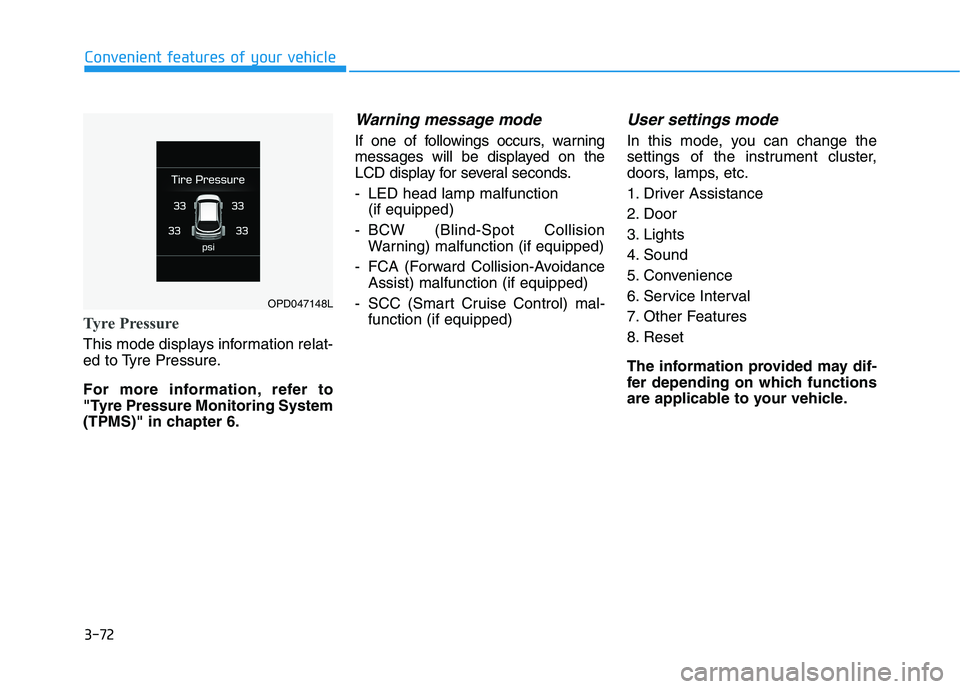
Tyre Pressure
This mode displays information relat-
ed to Tyre Pressure.
For more information, refer to
"Tyre Pressure Monitoring System
(TPMS)" in chapter 6.
Warning message mode
If one of followings occurs, warning
messages will be displayed on the
LCD display for several seconds.
- LED head lamp malfunction
(if equipped)
- BCW (Blind-Spot Collision
Warning) malfunction (if equipped)
- FCA (Forward Collision-Avoidance
Assist) malfunction (if equipped)
- SCC (Smart Cruise Control) mal-
function (if equipped)
User settings mode
In this mode, you can change the
settings of the instrument cluster,
doors, lamps, etc.
1. Driver Assistance
2. Door
3. Lights
4. Sound
5. Convenience
6. Service Interval
7. Other Features
8. Reset
The information provided may dif-
fer depending on which functions
are applicable to your vehicle.
OPD047148L
Page 159 of 533
3-76
Convenient features of your vehicle
If the service interval is activated and
the time and distance is adjusted,
messages are displayed in the fol-
lowing situations each time the vehi-
cle is turned on.
- Service in
: Displayed to inform the driver the
remaining kilometres and days to
service.
- Service required
: Displayed when the kilometres
and days to service has been
reached or passed.
Information
If any of the following conditions
occur, the kilometres and number of
days to service may be incorrect.
- The battery cable is disconnected.
- The fuse switch is turned off.
- The battery is discharged.7. Other Features
- Off: The average fuel economy will
not reset automatically whenever
refuelling.
- After Ignition: The average fuel
economy will reset automatically
whenever it has passed 4 hours
after turning OFF the engine.
- After Refuelling: The average fuel
economy will reset automatically
when refuelling.
For more information, refer to
"Trip Computer" in this chapter.
To select the fuel economy unit.
(km/L, L/100km)
To select the temperature unit
(°C,°F).
To select the tyre pressure unit (psi,
kPa, bar).
To select language.8. Reset
You can reset the menus in the User
Settings Mode. All menus in the User
Settings Mode are initialised, except
language and service interval.
i
Page 270 of 533
5-5
Driving your vehicle
5
Before entering the vehicle
• Be sure all windows, outside mir-
ror(s), and outside lights are clean
and unobstructed.
Remove frost, snow, or ice.
Visually check the tyres for uneven
wear and damage.
Check under the vehicle for any
sign of leaks.
Be sure there are no obstacles
behind you if you intend to reverse.
Before starting
Make sure the bonnet, the tailgate,
and the doors are securely closed
and locked.
Adjust the position of the seat and
steering wheel.
Adjust the inside and outside
rearview mirrors.
Verify all the lights work.
Fasten your seat belt. Check that
all passengers have fastened their
seat belts.
Check the gauges and indicators in
the instrument panel and the mes-
sages on the instrument display
when the ignition switch is in the
ON position.
Check that any items you are car-
rying are stored properly or fas-
tened down securely.
B BE
EF
FO
OR
RE
E
D
DR
RI
IV
VI
IN
NG
G
To reduce the risk of SERIOUS
INJURY or DEATH, take the fol-
lowing precautions:
•ALWAYS wear your seat belt.
All passengers must be prop-
erly restrained whenever the
vehicle is moving. For more
information, refer to "Seat
Belts" in chapter 2.
Always drive defensively.
Assume other drivers or pedes-
trians may be careless and
make mistakes.
Stay focused on the task of
driving. Driver distraction can
cause accidents.
Leave plenty of space between
you and the vehicle in front of
you.
WARNING
Page 287 of 533
5-22
Driving your vehicle
To prevent damage to the engine,
clutch and transmission:
When downshifting from 5th
gear to 4th gear, be careful not
to inadvertently push the shift
lever sideways engaging the 2nd
gears. A drastic downshift may
cause the engine speed to
increase to the point the
tachometer will enter the red-
zone.
Do not downshift more than two
gears at a time or downshift the
gear when the engine is running
at high speed (5,000 RPM or
higher). Such a downshifting
may damage the engine, clutch
and the transmission.
Good driving practices
Never take the vehicle out of gear
and coast down a hill. This is
extremely dangerous.
Don't "ride" the brakes. This can
cause the brakes and related parts
to overheat and malfunction.
When you are driving down a long
hill, slow down and shift to a lower
gear. Engine braking will help slow
down the vehicle.
Slow down before shifting to a
lower gear. This will help avoid
over-revving the engine, which can
cause damage.
Slow down when you encounter
cross winds. This gives you much
better control of your vehicle.
Be sure the vehicle is completely
stopped before you shift into R
(Reverse) to prevent damage to
the transmission. Exercise extreme caution when
driving on a slippery surface. Be
especially careful when braking,
accelerating or shifting gears. On a
slippery surface, an abrupt change
in vehicle speed can cause the
drive wheels to lose traction and
may cause loss of vehicle control
resulting in an accident.
NOTICE
Do not use aggressive engine
braking (shifting from a higher
gear to a lower gear) on slip-
pery roads. This could cause
the tyres to skid and may result
in an accident.
WARNING
Page 297 of 533
5-32
Driving your vehicle
As a result, shifts are sometimes
more noticeable, and a light vibra-
tion can be felt as the transmission
shaft speed is matched with the
engine shaft speed. This is a nor-
mal condition of the dual clutch
transmission.
The dry-type clutch transfers
torque more directly and provides
a direct-drive feeling which may
feel different from a conventional
automatic transmission. This may
be more noticeable when launch-
ing the vehicle from a stop or when
travelling at low, stop-and-go vehi-
cle speeds.
When rapidly accelerating from a
lower vehicle speed, the engine
rpm may increase dramatically as
a result of clutch slip as the dual
clutch transmission selects the cor-
rect gear. This is a normal condi-
tion.
When accelerating from a stop on
an incline, press the accelerator
smoothly and gradually to avoid
any shudder feeling or jerkiness. When travelling at a lower vehicle
speed, if you release the accelera-
tor pedal quickly, you may feel
engine braking before the trans-
mission changes gears. This
engine braking feeling is similar to
operating a manual transmission at
low speed.
When driving downhill, you may
wish to move the gear shift lever to
Manual Shift mode and downshift
to a lower gear in order to control
your speed without using the brake
pedal excessively.
When you turn the engine on and
off, you may hear clicking sounds
as the system goes through a self-
test. This is a normal sound for the
dual clutch transmission.
During the first 1,500 km, you may
feel that the vehicle may not be
smooth when accelerating at low
speed. During this break-in period,
the shift quality and performance of
your new vehicle is continuously
optimised.To reduce the risk of serious
injury or death:
ALWAYS check the surround-
ing areas near your vehicle for
people, especially children,
before shifting a vehicle into
D (Drive) or R (Reverse).
Before leaving the driver's
seat, always make sure the
shift lever is in the P (Park)
position, then set the parking
brake, and place the ignition
switch in the LOCK/OFF posi-
tion. Unexpected and sudden
vehicle movement can occur
if these precautions are not
followed.
Do not use aggressive engine
braking (shifting from a high-
er gear to a lower gear) on
slippery roads. This could
cause the tyres to slip and
may result in an accident.
WARNING