Mount HYUNDAI I40 2012 User Guide
[x] Cancel search | Manufacturer: HYUNDAI, Model Year: 2012, Model line: I40, Model: HYUNDAI I40 2012Pages: 534, PDF Size: 11.05 MB
Page 207 of 534
Downloaded from www.Manualslib.com manuals search engine Features of your vehicle
120
4
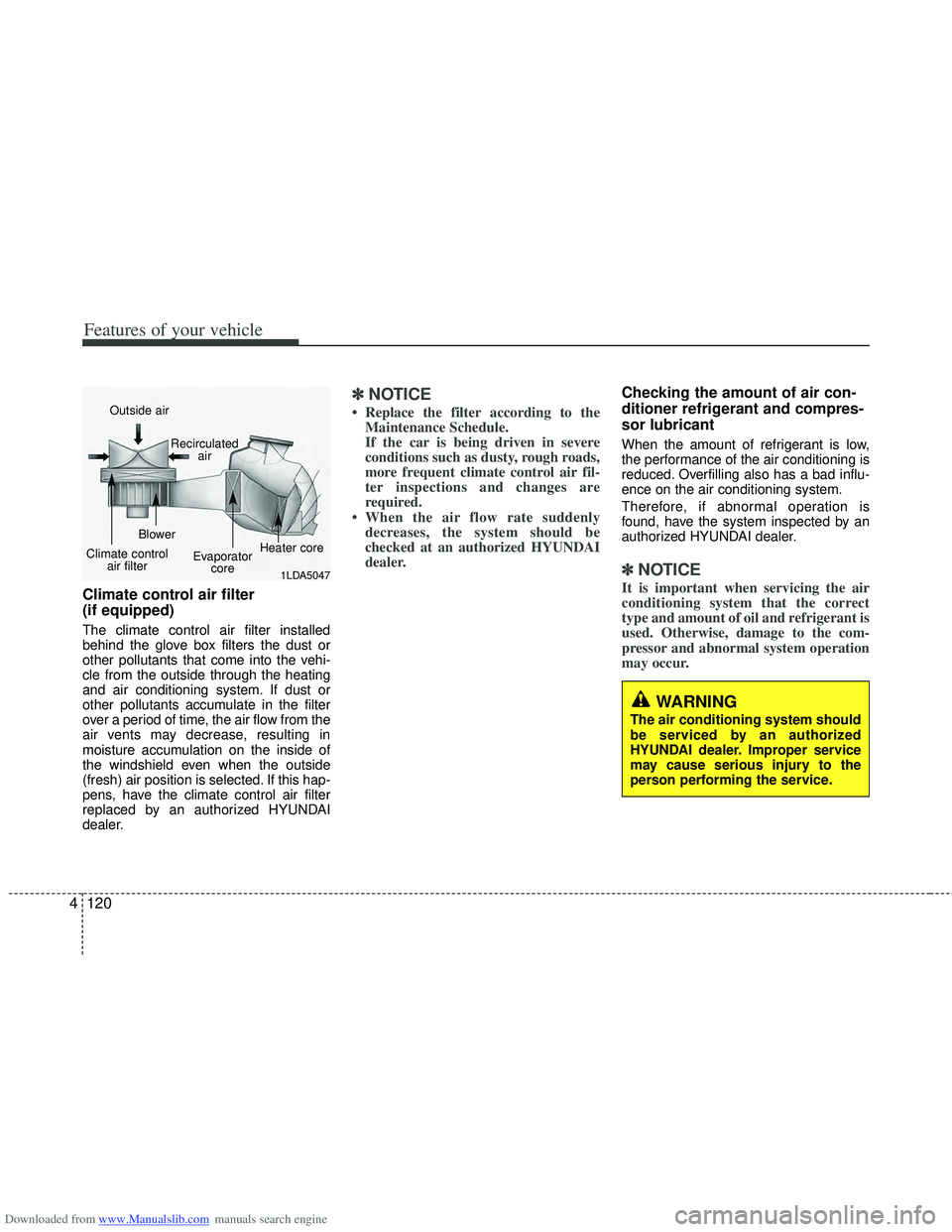
Climate control air filter
(if equipped)
The climate control air filter installed
behind the glove box filters the dust or
other pollutants that come into the vehi-
cle from the outside through the heating
and air conditioning system. If dust or
other pollutants accumulate in the filter
over a period of time, the air flow from the
air vents may decrease, resulting in
moisture accumulation on the inside of
the windshield even when the outside
(fresh) air position is selected. If this hap-
pens, have the climate control air filter
replaced by an authorized HYUNDAI
dealer.
✽ ✽
NOTICE
• Replace the filter according to the
Maintenance Schedule.
If the car is being driven in severe
conditions such as dusty, rough roads,
more frequent climate control air fil-
ter inspections and changes are
required.
• When the air flow rate suddenly decreases, the system should be
checked at an authorized HYUNDAI
dealer.
Checking the amount of air con-
ditioner refrigerant and compres-
sor lubricant
When the amount of refrigerant is low,
the performance of the air conditioning is
reduced. Overfilling also has a bad influ-
ence on the air conditioning system.
Therefore, if abnormal operation is
found, have the system inspected by an
authorized HYUNDAI dealer.
✽ ✽ NOTICE
It is important when servicing the air
conditioning system that the correct
type and amount of oil and refrigerant is
used. Otherwise, damage to the com-
pressor and abnormal system operation
may occur.
WARNING
The air conditioning system should
be serviced by an authorized
HYUNDAI dealer. Improper service
may cause serious injury to the
person performing the service.
1LDA5047
Outside air
Recirculatedair
Climate control air filter Blower
Evaporatorcore Heater core
Page 219 of 534
Downloaded from www.Manualslib.com manuals search engine Features of your vehicle
132
4
✽
✽
NOTICE
• Replace the filter according to the
Maintenance Schedule.
If the car is being driven in severe
conditions such as dusty, rough roads,
more frequent climate control air fil-
ter inspections and changes are
required.
• When the air flow rate suddenly decreases, the system should be
checked at an authorized HYUNDAI
dealer.
Checking the amount of air con-
ditioner refrigerant and compres-
sor lubricant
When the amount of refrigerant is low,
the performance of the air conditioning is
reduced. Overfilling also has a bad influ-
ence on the air conditioning system.
Therefore, if abnormal operation is
found, have the system inspected by an
authorized HYUNDAI dealer.
✽ ✽ NOTICE
It is important when servicing the air
conditioning system that the correct
type and amount of oil and refrigerant is
used. Otherwise, damage to the com-
pressor and abnormal system operation
may occur.
WARNING
The air conditioning system should
be serviced by an authorized
HYUNDAI dealer. Improper service
may cause serious injury to the
person performing the service.
Page 236 of 534
Downloaded from www.Manualslib.com manuals search engine 4149
Features of your vehicle
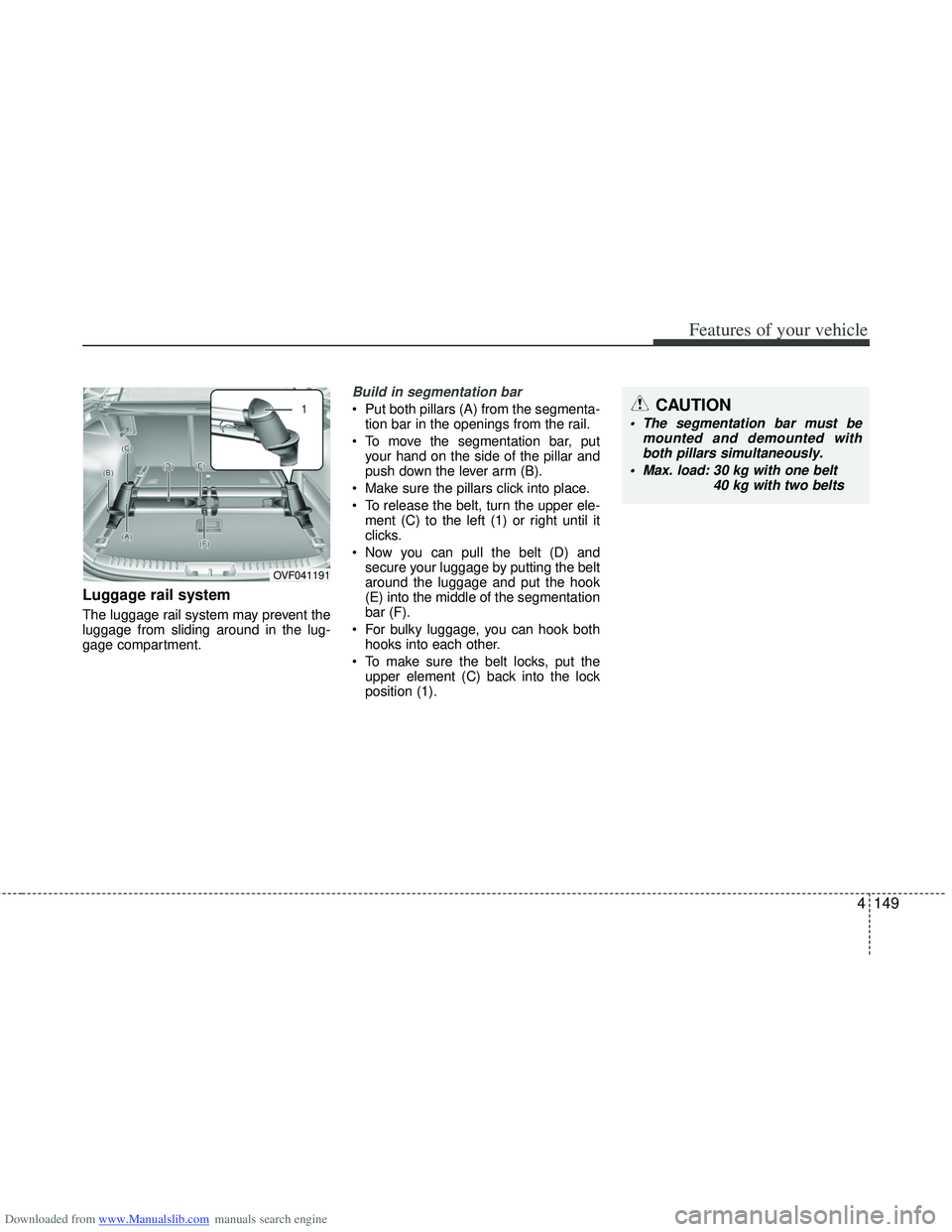
Luggage rail system
The luggage rail system may prevent the
luggage from sliding around in the lug-
gage compartment.
Build in segmentation bar
Put both pillars (A) from the segmenta-tion bar in the openings from the rail.
To move the segmentation bar, put your hand on the side of the pillar and
push down the lever arm (B).
Make sure the pillars click into place.
To release the belt, turn the upper ele- ment (C) to the left (1) or right until it
clicks.
Now you can pull the belt (D) and secure your luggage by putting the belt
around the luggage and put the hook
(E) into the middle of the segmentation
bar (F).
For bulky luggage, you can hook both hooks into each other.
To make sure the belt locks, put the upper element (C) back into the lock
position (1).
OVF041191
CAUTION
The segmentation bar must be mounted and demounted withboth pillars simultaneously.
Max. load: 30 kg with one belt
40 kg with two belts
Page 237 of 534
Downloaded from www.Manualslib.com manuals search engine Features of your vehicle
150
4
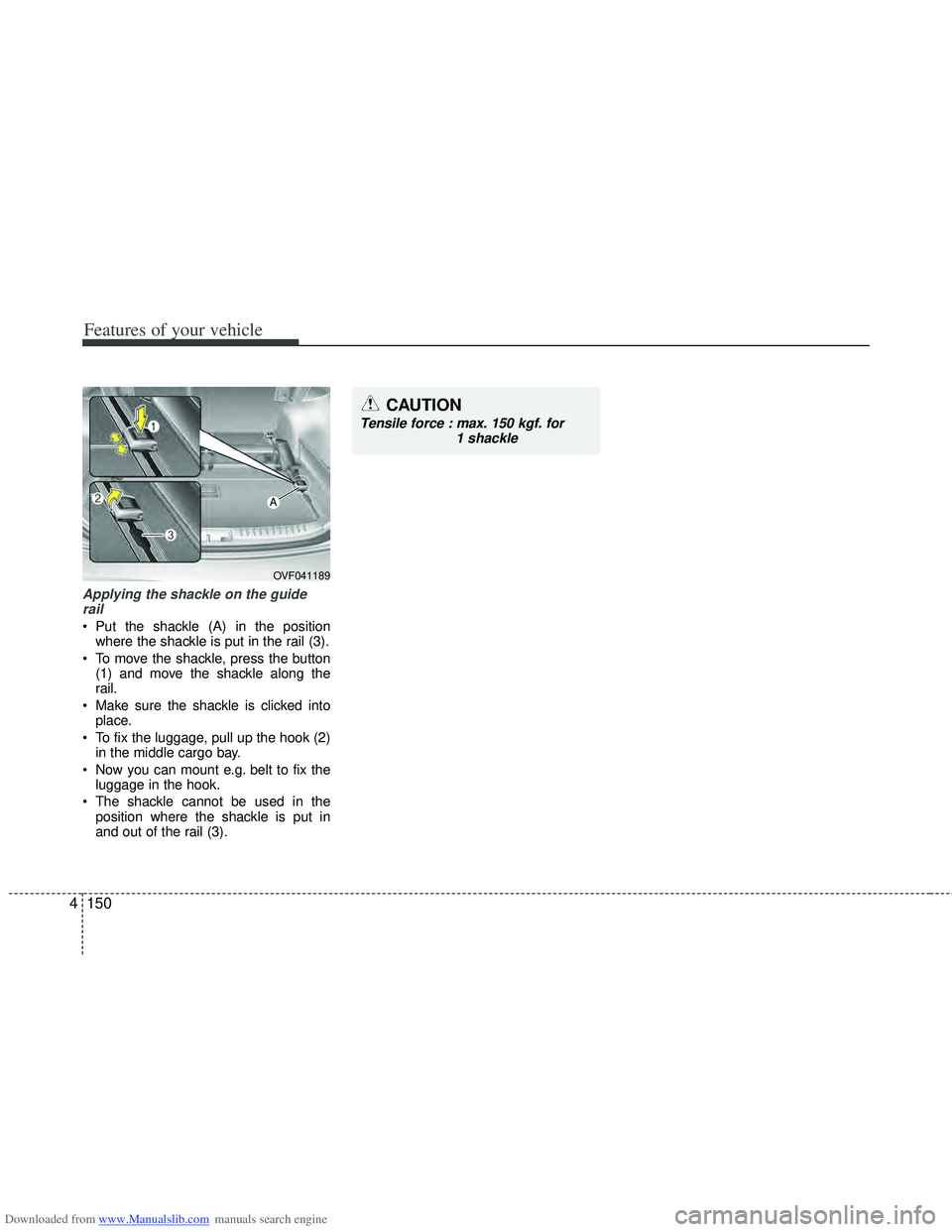
Applying the shackle on the guide
rail
Put the shackle (A) in the position where the shackle is put in the rail (3).
To move the shackle, press the button (1) and move the shackle along the
rail.
Make sure the shackle is clicked into place.
To fix the luggage, pull up the hook (2) in the middle cargo bay.
Now you can mount e.g. belt to fix the luggage in the hook.
The shackle cannot be used in the position where the shackle is put in
and out of the rail (3).
OVF041189
A
CAUTION
Tensile force : max. 150 kgf. for 1 shackle
Page 238 of 534
Downloaded from www.Manualslib.com manuals search engine 4151
Features of your vehicle
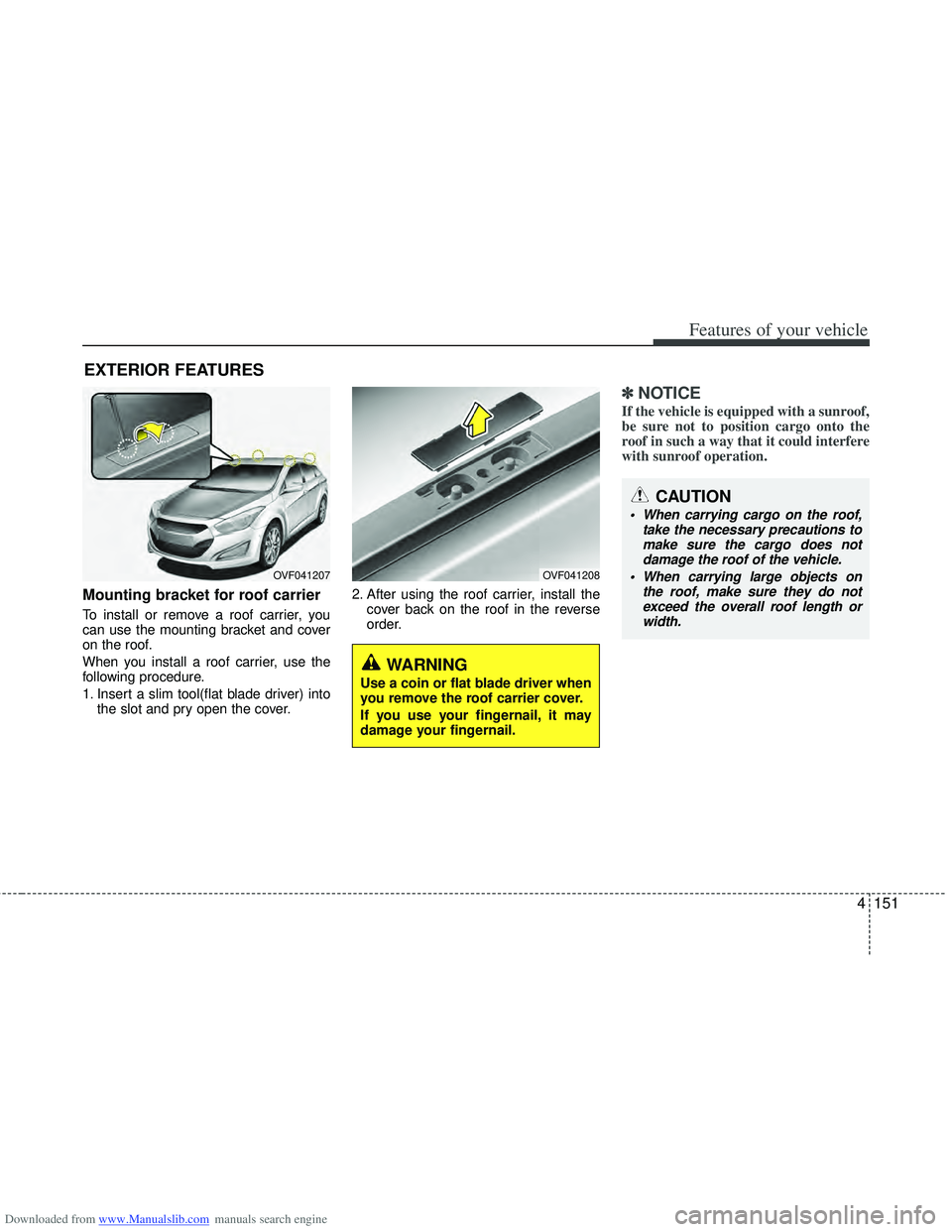
Mounting bracket for roof carrier
To install or remove a roof carrier, you
can use the mounting bracket and cover
on the roof.
When you install a roof carrier, use the
following procedure.
1. Insert a slim tool(flat blade driver) intothe slot and pry open the cover. 2. After using the roof carrier, install the
cover back on the roof in the reverse
order.
✽ ✽NOTICE
If the vehicle is equipped with a sunroof,
be sure not to position cargo onto the
roof in such a way that it could interfere
with sunroof operation.
EXTERIOR FEATURES
OVF041207OVF041208
WARNING
Use a coin or flat blade driver when
you remove the roof carrier cover.
If you use your fingernail, it may
damage your fingernail.
CAUTION
When carrying cargo on the roof,
take the necessary precautions tomake sure the cargo does not damage the roof of the vehicle.
When carrying large objects on the roof, make sure they do notexceed the overall roof length or width.
Page 242 of 534
Downloaded from www.Manualslib.com manuals search engine 4155
Features of your vehicle
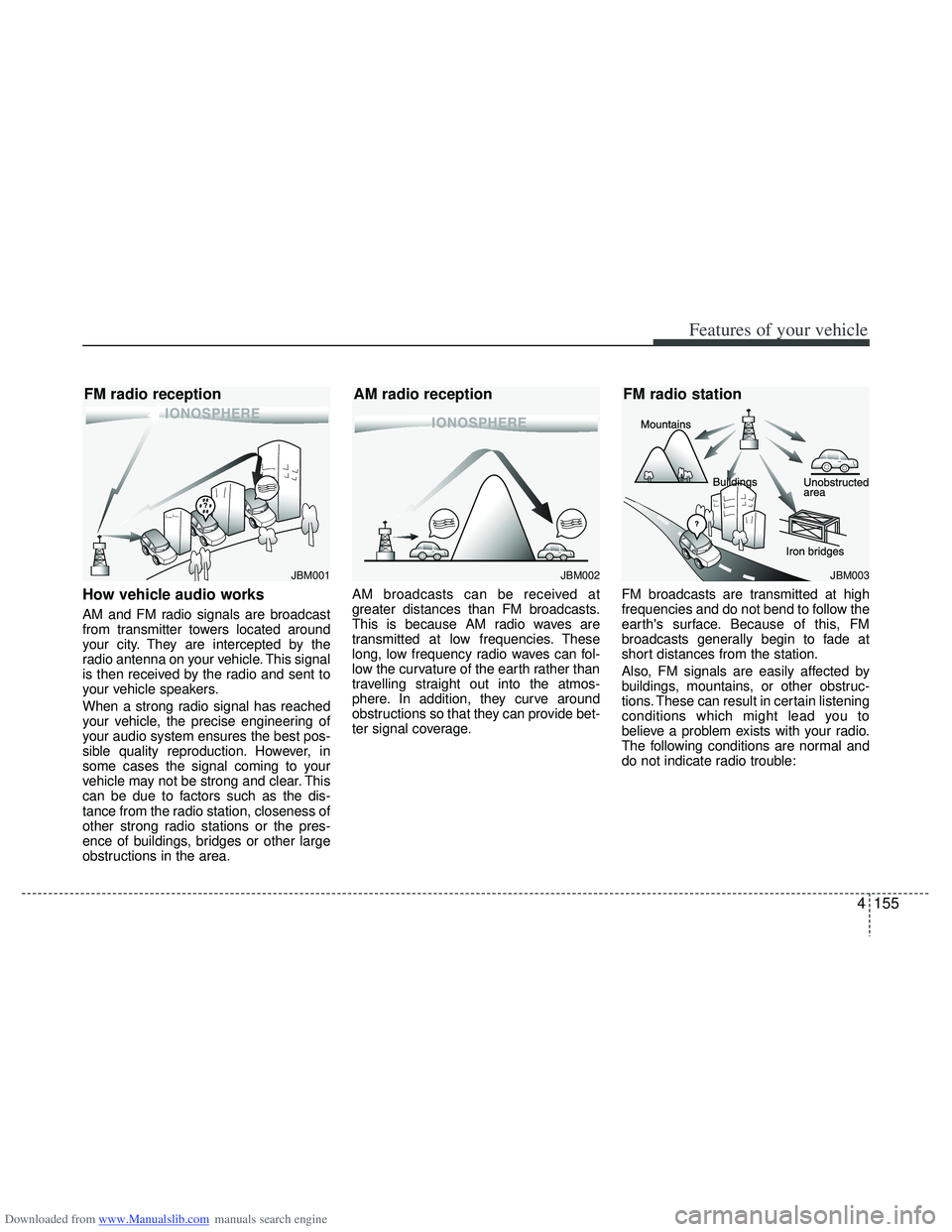
How vehicle audio works
AM and FM radio signals are broadcast
from transmitter towers located around
your city. They are intercepted by the
radio antenna on your vehicle. This signal
is then received by the radio and sent to
your vehicle speakers.
When a strong radio signal has reached
your vehicle, the precise engineering of
your audio system ensures the best pos-
sible quality reproduction. However, in
some cases the signal coming to your
vehicle may not be strong and clear. This
can be due to factors such as the dis-
tance from the radio station, closeness of
other strong radio stations or the pres-
ence of buildings, bridges or other large
obstructions in the area.AM broadcasts can be received at
greater distances than FM broadcasts.
This is because AM radio waves are
transmitted at low frequencies. These
long, low frequency radio waves can fol-
low the curvature of the earth rather than
travelling straight out into the atmos-
phere. In addition, they curve around
obstructions so that they can provide bet-
ter signal coverage.
FM broadcasts are transmitted at high
frequencies and do not bend to follow the
earth's surface. Because of this, FM
broadcasts generally begin to fade at
short distances from the station.
Also, FM signals are easily affected by
buildings, mountains, or other obstruc-
tions. These can result in certain listening
conditions which might lead you to
believe a problem exists with your radio.
The following conditions are normal and
do not indicate radio trouble:
¢¢¢
JBM001
¢¢¢¢¢¢
JBM002
FM radio reception
AM radio reception
JBM003
FM radio station
Page 267 of 534
Downloaded from www.Manualslib.com manuals search engine Features of your vehicle
180
4
CAUTION IN USING
BLUETOOTH®CELLULAR
PHONE
Do not use a cellular phone or
perform Bluetooth®settings (e.g.
pairing a phone) while driving.
Some Bluetooth
®-enabled phones
may not be recognized by the system or fully compatible withthe system.
Before using Bluetooth
®related
features of the audio system, refer your phone’s User’s Manual for phone-side Bluetooth
®opera-
tions.
The phone must be paired to the audio system to use Bluetooth
®
related features.
You will not be able to use the hands-free feature when yourphone (in the car) is outside ofthe cellular service area (e.g. in atunnel, in a underground, in amountainous area, etc.).
If the cellular phone signal is poor or the vehicles interior noise istoo loud, it may be difficult to hearthe other person’s voice during a call.
(Continued)
(continued) Do not place the phone near or inside metallic objects, otherwise
communications with Bluetooth
®
system or cellular service sta- tions can be disturbed.
While a phone is connected through Bluetooth
®your phone
may discharge quicker than usual for additional Bluetooth
®-related
operations.
Some cellular phones or other devices may cause interferencenoise or malfunction to audiosystem. In this case, store thedevice in a different location mayresolve the situation.
Please save your phone name in English, or your phone name maynot be displayed correctly.
If Priority is set upon vehicle igni- tion (IGN/ACC ON), the Bluetoothphone will be automatically con-nected. Even if you are outside,the Bluetooth phone will be auto-matically connected once you arein the vicinity of the vehicle.
If you do not want automaticBluetooth power off.
(Continued)
(continued) Bluetooth connection may become intermittently discon-nected in some mobile phones.Follow the following steps to try again.
1) Turn the Bluetooth Function within the mobile phoneON/OFF and try to connect again.
2) Turn the mobile phone power ON/OFF and try to connectagain.
3) Completely remove the mobile phone battery, reboot, and thentry to connect again.
4) Reboot the Audio and try to connect again.
5) Delete all paired devices from the mobile phone and Audioand re-pair for use.
The hands-free call volume and quality may differ depending onthe mobile phone.
Page 293 of 534
Downloaded from www.Manualslib.com manuals search engine Features of your vehicle
206
4
CAUTION IN USING
BLUETOOTH®CELLULAR
PHONE
Do not use a cellular phone or
perform Bluetooth®settings (e.g.
pairing a phone) while driving.
Some Bluetooth
®-enabled phones
may not be recognized by the system or fully compatible withthe system.
Before using Bluetooth
®related
features of the audio system, refer your phone’s User’s Manual for phone-side Bluetooth
®opera-
tions.
The phone must be paired to the audio system to use Bluetooth®
related features.
You will not be able to use the hands-free feature when yourphone (in the car) is outside ofthe cellular service area (e.g. in atunnel, in a underground, in amountainous area, etc.).
If the cellular phone signal is poor or the vehicles interior noise istoo loud, it may be difficult to hearthe other person’s voice during a call.
(Continued)
(continued) Do not place the phone near or inside metallic objects, otherwise
communications with Bluetooth
®
system or cellular service sta-tions can be disturbed.
While a phone is connected through Bluetooth
®your phone
may discharge quicker than usual for additional Bluetooth
®-related
operations.
Some cellular phones or other devices may cause interferencenoise or malfunction to audiosystem. In this case, store thedevice in a different location mayresolve the situation.
Please save your phone name in English, or your phone name maynot be displayed correctly.
Page 297 of 534
Downloaded from www.Manualslib.com manuals search engine Driving your vehicle
45
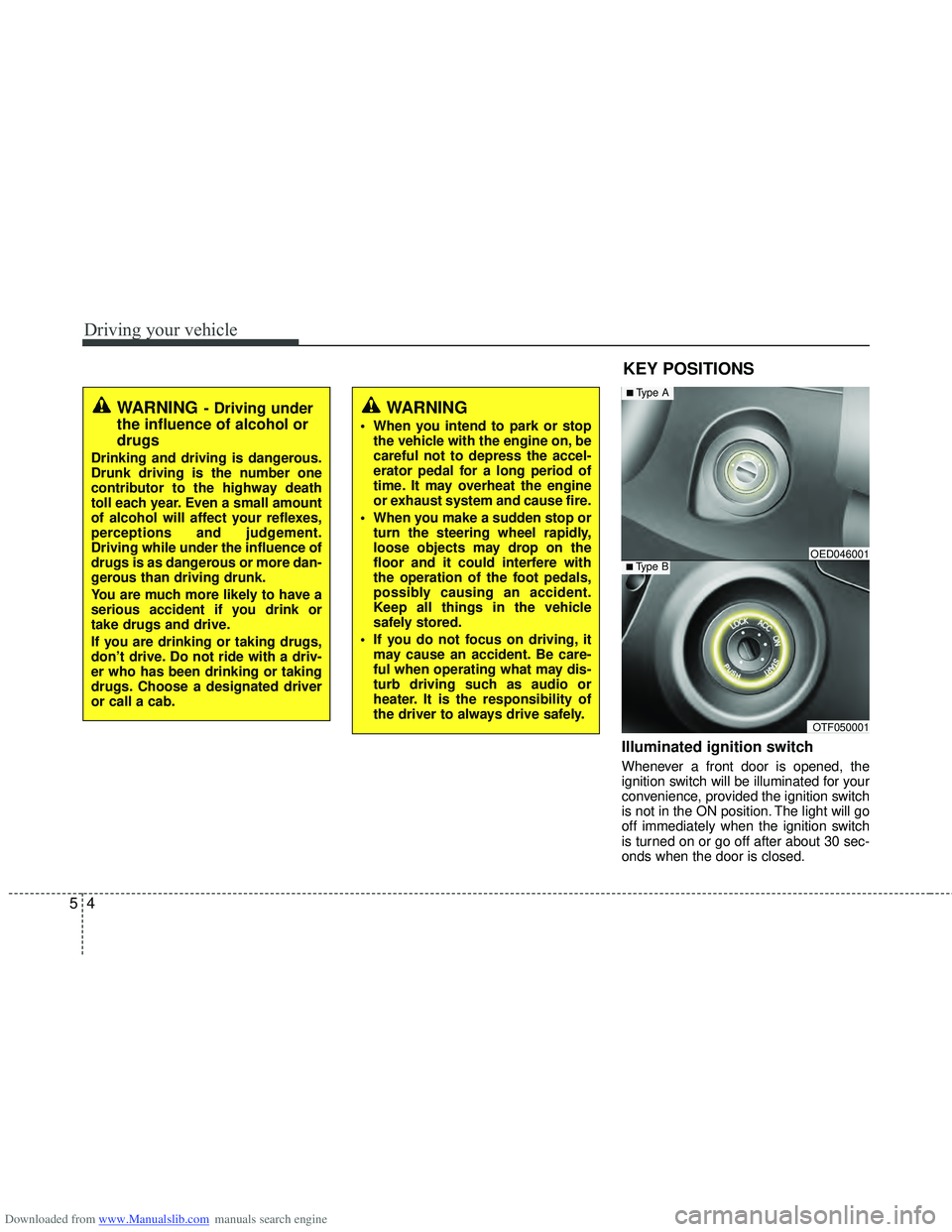
Illuminated ignition switch
Whenever a front door is opened, the
ignition switch will be illuminated for your
convenience, provided the ignition switch
is not in the ON position. The light will go
off immediately when the ignition switch
is turned on or go off after about 30 sec-
onds when the door is closed.
KEY POSITIONS
WARNING- Driving under
the influence of alcohol or
drugs
Drinking and driving is dangerous.
Drunk driving is the number one
contributor to the highway death
toll each year. Even a small amount
of alcohol will affect your reflexes,
perceptions and judgement.
Driving while under the influence of
drugs is as dangerous or more dan-
gerous than driving drunk.
You are much more likely to have a
serious accident if you drink or
take drugs and drive.
If you are drinking or taking drugs,
don’t drive. Do not ride with a driv-
er who has been drinking or taking
drugs. Choose a designated driver
or call a cab.
WARNING
When you intend to park or stop
the vehicle with the engine on, be
careful not to depress the accel-
erator pedal for a long period of
time. It may overheat the engine
or exhaust system and cause fire.
When you make a sudden stop or turn the steering wheel rapidly,
loose objects may drop on the
floor and it could interfere with
the operation of the foot pedals,
possibly causing an accident.
Keep all things in the vehicle
safely stored.
If you do not focus on driving, it may cause an accident. Be care-
ful when operating what may dis-
turb driving such as audio or
heater. It is the responsibility of
the driver to always drive safely.
OTF050001
■Type BOED046001
■Type A
Page 309 of 534
Downloaded from www.Manualslib.com manuals search engine Driving your vehicle
16
5
The engine will also restart automati-
cally without the driver’s any actionsif the following occurs:
- The fan speed of manual climate con- trol system is set above the 3rd position
when the air conditioning is on.
- The fan speed of automatic climate control system is set above the 6th
position when the air conditioning is on.
- When a certain amount of time has passed with the climate control system
on.
- When the defroster is on.
- The brake vaccum pressure is low.
- The battery charging status is low.
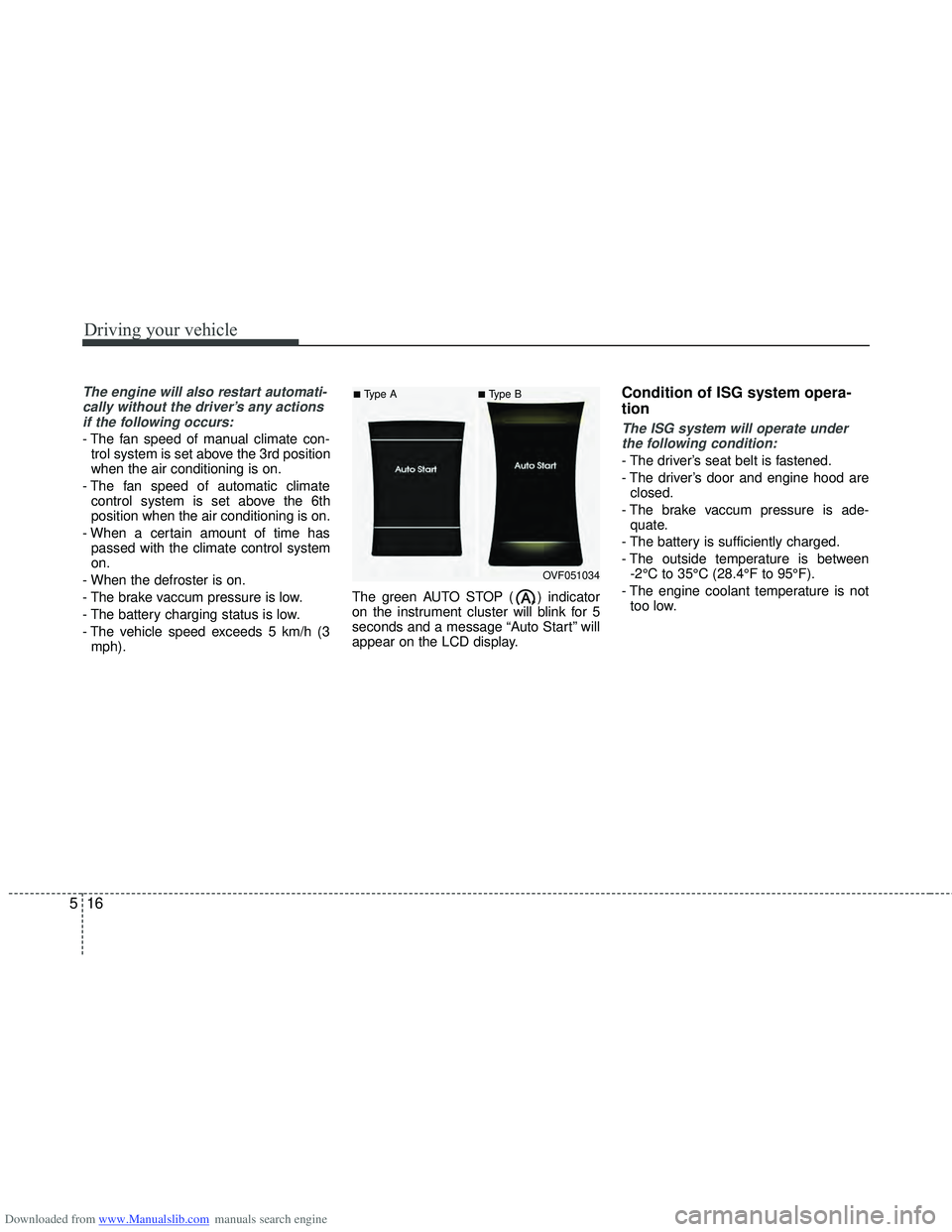
- The vehicle speed exceeds 5 km/h (3 mph). The green AUTO STOP ( ) indicator
on the instrument cluster will blink for 5
seconds and a message “Auto Start” will
appear on the LCD display.
Condition of ISG system opera-
tion
The ISG system will operate under
the following condition:
- The driver’s seat belt is fastened.
- The driver’s door and engine hood are closed.
- The brake vaccum pressure is ade- quate.
- The battery is sufficiently charged.
- The outside temperature is between -2°C to 35°C (28.4°F to 95°F).
- The engine coolant temperature is not too low.
OVF051034
■Type A■Type B