lock HYUNDAI I40 2012 Workshop Manual
[x] Cancel search | Manufacturer: HYUNDAI, Model Year: 2012, Model line: I40, Model: HYUNDAI I40 2012Pages: 534, PDF Size: 11.05 MB
Page 144 of 534
Downloaded from www.Manualslib.com manuals search engine 457
Features of your vehicle
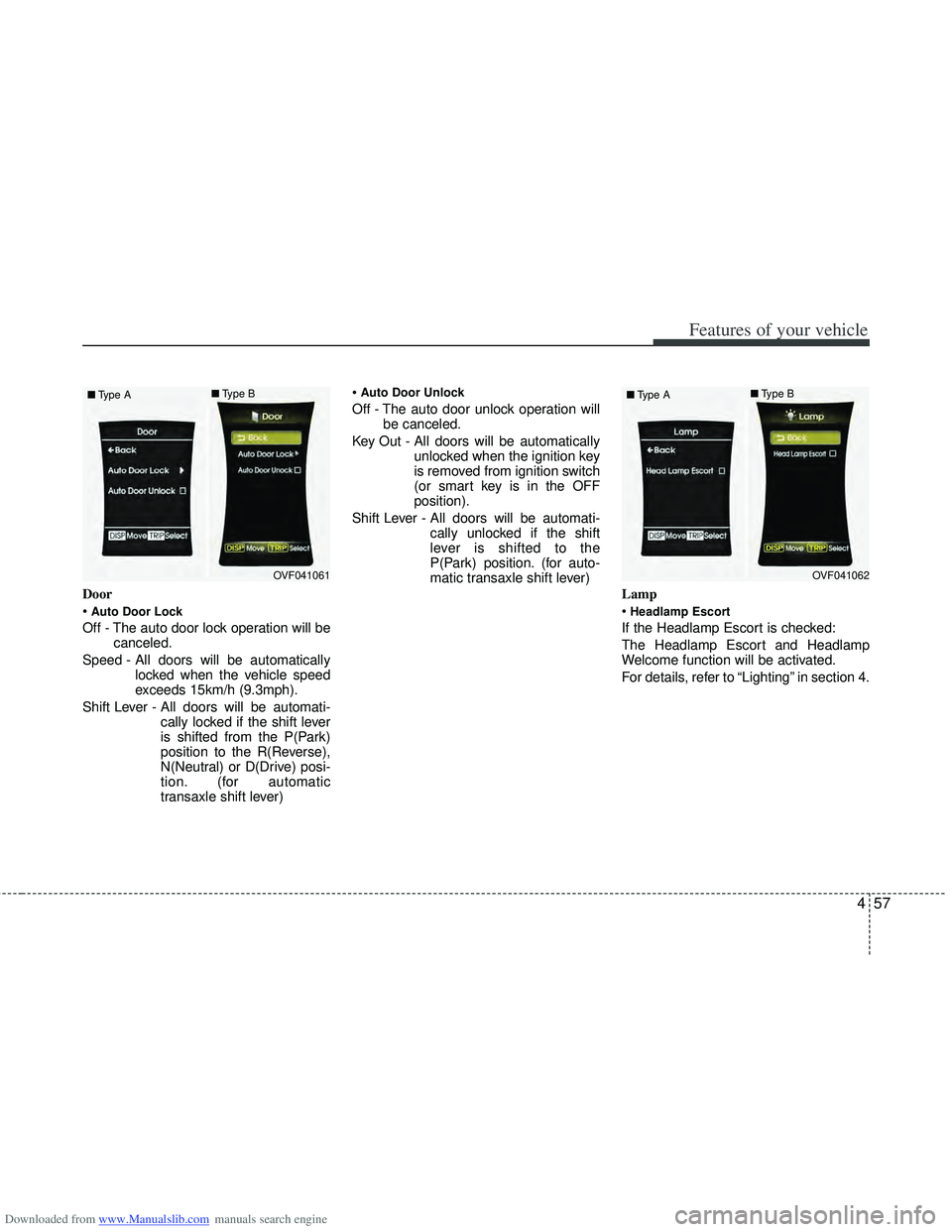
Door
Auto Door Lock
Off - The auto door lock operation will becanceled.
Speed - All doors will be automatically locked when the vehicle speed
exceeds 15km/h (9.3mph).
Shift Lever - All doors will be automati- cally locked if the shift lever
is shifted from the P(Park)
position to the R(Reverse),
N(Neutral) or D(Drive) posi-
tion. (for automatic
transaxle shift lever)
Auto Door Unlock
Off - The auto door unlock operation will
be canceled.
Key Out - All doors will be automatically unlocked when the ignition key
is removed from ignition switch
(or smart key is in the OFF
position).
Shift Lever - All doors will be automati- cally unlocked if the shift
lever is shifted to the
P(Park) position. (for auto-
matic transaxle shift lever)
Lamp
Headlamp Escort
If the Headlamp Escort is checked:
The Headlamp Escort and Headlamp
Welcome function will be activated.
For details, refer to “Lighting” in section 4.
OVF041061
■
Type A ■
Type BOVF041062
■
Type A ■
Type B
Page 146 of 534
Downloaded from www.Manualslib.com manuals search engine 459
Features of your vehicle
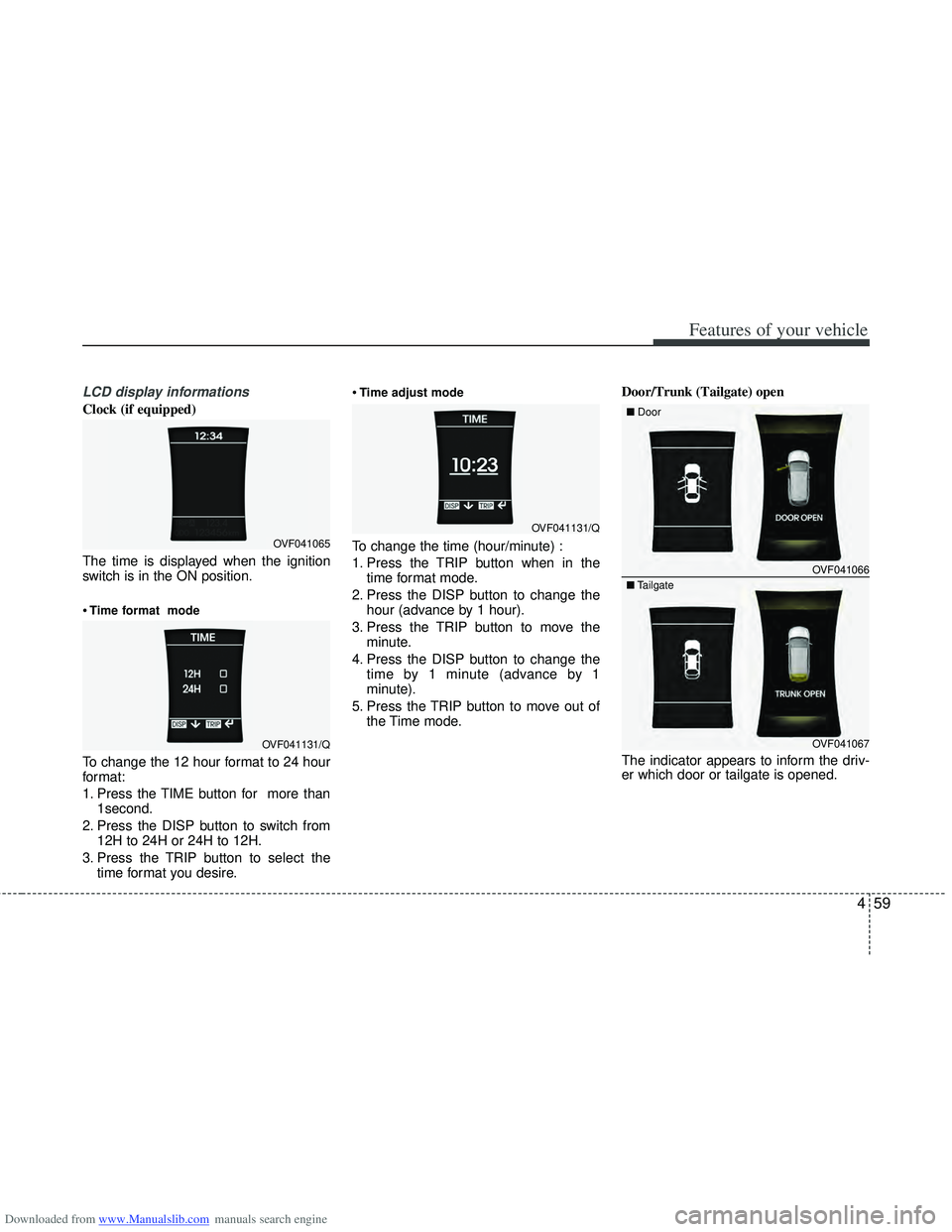
LCD display informations
Clock (if equipped)
The time is displayed when the ignition
switch is in the ON position.
Time format mode
To change the 12 hour format to 24 hour
format:
1. Press the TIME button for more than1second.
2. Press the DISP button to switch from 12H to 24H or 24H to 12H.
3. Press the TRIP button to select the time format you desire.
Time adjust mode
To change the time (hour/minute) :
1. Press the TRIP button when in the
time format mode.
2. Press the DISP button to change the hour (advance by 1 hour).
3. Press the TRIP button to move the minute.
4. Press the DISP button to change the time by 1 minute (advance by 1
minute).
5. Press the TRIP button to move out of the Time mode. Door/Trunk (Tailgate) open
The indicator appears to inform the driv-
er which door or tailgate is opened.OVF041065
OVF041131/Q
OVF041131/Q
OVF041066
■
Door
OVF041067
■
Tailgate
Page 152 of 534
Downloaded from www.Manualslib.com manuals search engine 465
Features of your vehicle
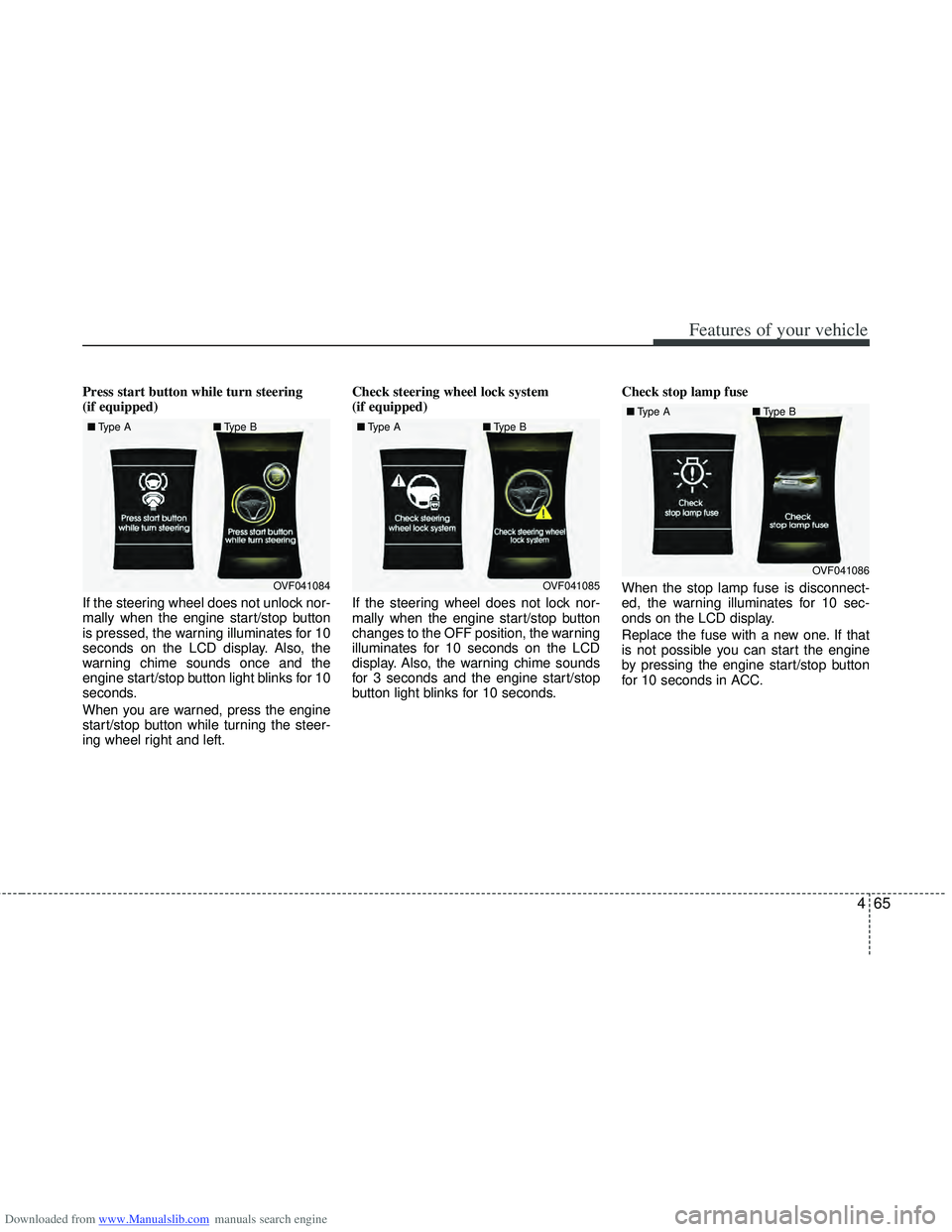
Press start button while turn steering
(if equipped)
If the steering wheel does not unlock nor-
mally when the engine start/stop button
is pressed, the warning illuminates for 10
seconds on the LCD display. Also, the
warning chime sounds once and the
engine start/stop button light blinks for 10
seconds.
When you are warned, press the engine
start/stop button while turning the steer-
ing wheel right and left.Check steering wheel lock system
(if equipped)
If the steering wheel does not lock nor-
mally when the engine start/stop button
changes to the OFF position, the warning
illuminates for 10 seconds on the LCD
display. Also, the warning chime sounds
for 3 seconds and the engine start/stop
button light blinks for 10 seconds.
Check stop lamp fuse
When the stop lamp fuse is disconnect-
ed, the warning illuminates for 10 sec-
onds on the LCD display.
Replace the fuse with a new one. If that
is not possible you can start the engine
by pressing the engine start/stop button
for 10 seconds in ACC.
OVF041084
■
Type A ■Type BOVF041085
■
Type A ■Type BOVF041086
■
Type A ■Type B
Page 158 of 534
Downloaded from www.Manualslib.com manuals search engine 471
Features of your vehicle
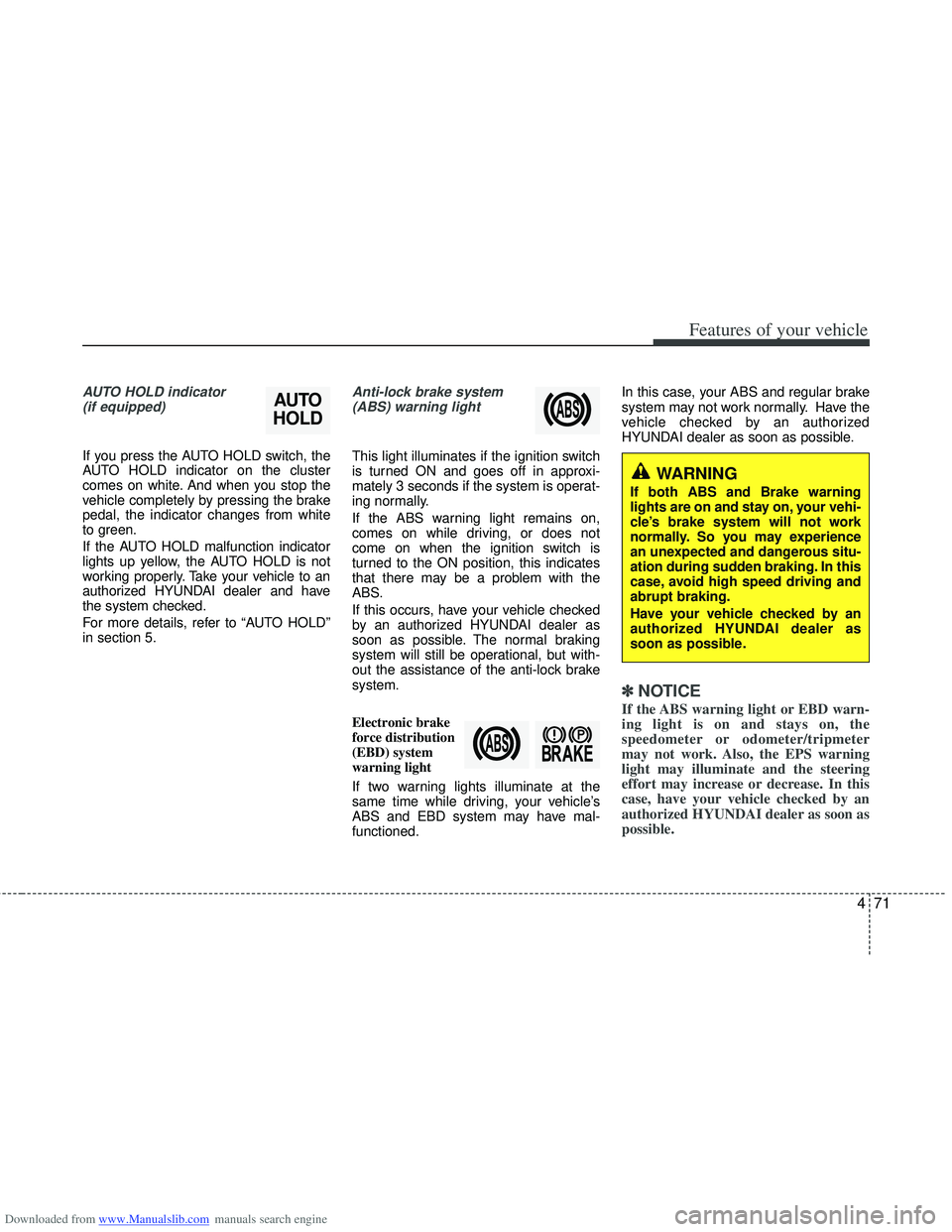
AUTO HOLD indicator (if equipped)
If you press the AUTO HOLD switch, the
AUTO HOLD indicator on the cluster
comes on white. And when you stop the
vehicle completely by pressing the brake
pedal, the indicator changes from white
to green.
If the AUTO HOLD malfunction indicator
lights up yellow, the AUTO HOLD is not
working properly. Take your vehicle to an
authorized HYUNDAI dealer and have
the system checked.
For more details, refer to “AUTO HOLD”
in section 5.
Anti-lock brake system
(ABS) warning light
This light illuminates if the ignition switch
is turned ON and goes off in approxi-
mately 3 seconds if the system is operat-
ing normally.
If the ABS warning light remains on,
comes on while driving, or does not
come on when the ignition switch is
turned to the ON position, this indicates
that there may be a problem with the
ABS.
If this occurs, have your vehicle checked
by an authorized HYUNDAI dealer as
soon as possible. The normal braking
system will still be operational, but with-
out the assistance of the anti-lock brake
system.
Electronic brake
force distribution
(EBD) system
warning light
If two warning lights illuminate at the
same time while driving, your vehicle’s
ABS and EBD system may have mal-
functioned. In this case, your ABS and regular brake
system may not work normally. Have the
vehicle checked by an authorized
HYUNDAI dealer as soon as possible.
✽ ✽
NOTICE
If the ABS warning light or EBD warn-
ing light is on and stays on, the
speedometer or odometer/tripmeter
may not work. Also, the EPS warning
light may illuminate and the steering
effort may increase or decrease. In this
case, have your vehicle checked by an
authorized HYUNDAI dealer as soon as
possible.
AUTO
HOLD
WARNING
If both ABS and Brake warning
lights are on and stay on, your vehi-
cle’s brake system will not work
normally. So you may experience
an unexpected and dangerous situ-
ation during sudden braking. In this
case, avoid high speed driving and
abrupt braking.
Have your vehicle checked by an
authorized HYUNDAI dealer as
soon as possible.
Page 164 of 534
Downloaded from www.Manualslib.com manuals search engine 477
Features of your vehicle
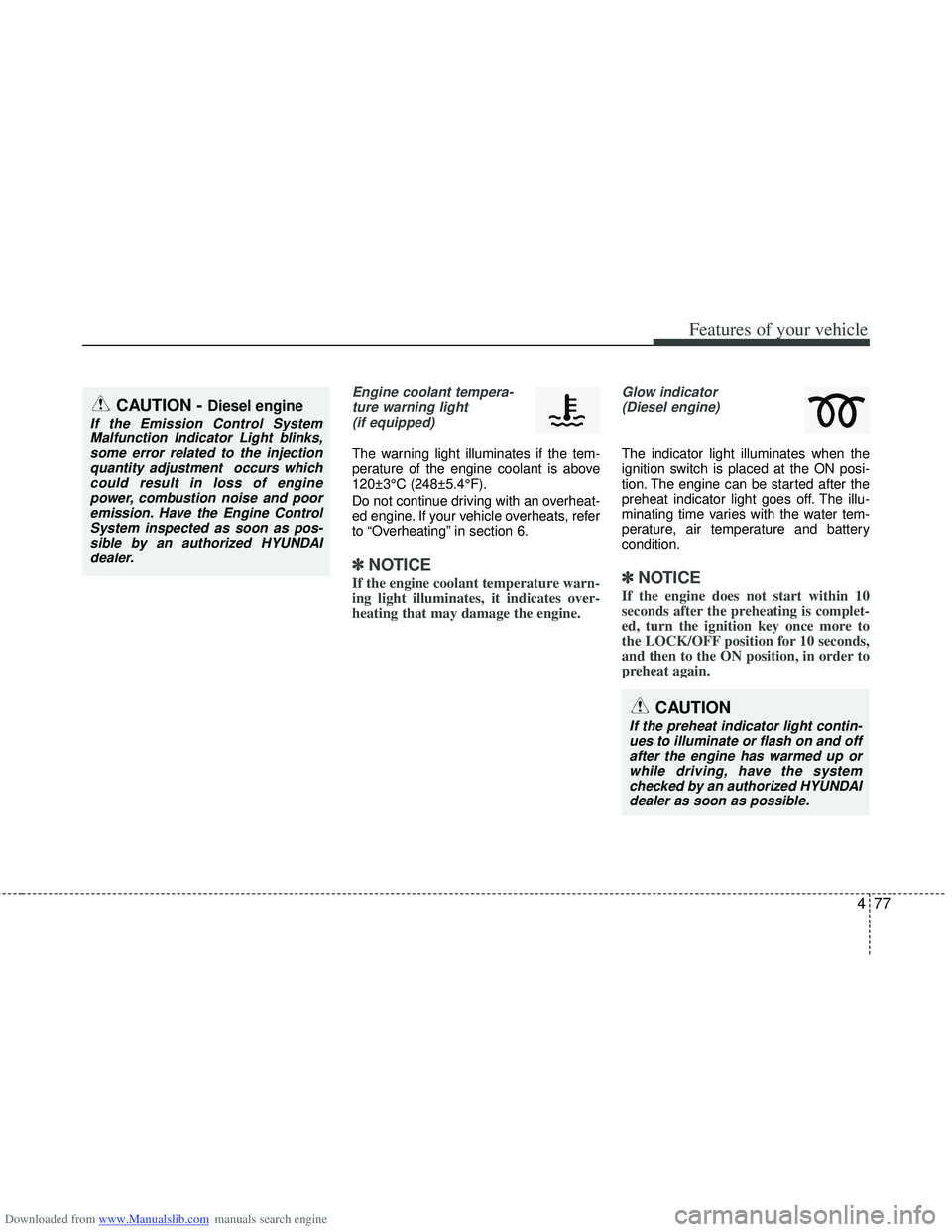
Engine coolant tempera-ture warning light(if equipped)
The warning light illuminates if the tem-
perature of the engine coolant is above
120±3°C (248±5.4°F).
Do not continue driving with an overheat-
ed engine. If your vehicle overheats, refer
to “Overheating” in section 6.
✽ ✽ NOTICE
If the engine coolant temperature warn-
ing light illuminates, it indicates over-
heating that may damage the engine.
Glow indicator
(Diesel engine)
The indicator light illuminates when the
ignition switch is placed at the ON posi-
tion. The engine can be started after the
preheat indicator light goes off. The illu-
minating time varies with the water tem-
perature, air temperature and battery
condition.
✽ ✽ NOTICE
If the engine does not start within 10
seconds after the preheating is complet-
ed, turn the ignition key once more to
the LOCK/OFF position for 10 seconds,
and then to the ON position, in order to
preheat again.
CAUTION
If the preheat indicator light contin-
ues to illuminate or flash on and off after the engine has warmed up orwhile driving, have the systemchecked by an authorized HYUNDAI dealer as soon as possible.
CAUTION - Diesel engine
If the Emission Control SystemMalfunction Indicator Light blinks,some error related to the injectionquantity adjustment occurs whichcould result in loss of engine power, combustion noise and pooremission. Have the Engine ControlSystem inspected as soon as pos-sible by an authorized HYUNDAIdealer.
Page 168 of 534
Downloaded from www.Manualslib.com manuals search engine 481
Features of your vehicle
Non-operational conditions of
parking assist system
Parking assist system may not oper-ate normally when:
1. Moisture is frozen to the sensor. (It will operate normally when moisture
melts.)
2. Sensor is covered with foreign matter, such as snow or water, or the sensor
cover is blocked. (It will operate nor-
mally when the material is removed or
the sensor is no longer blocked.)
3. Sensor is stained with foreign matter such as snow or water. (Sensing range
will return to normal when removed.)
4.The parking assist button is off.
There is a possibility of parking assist system malfunction when:
1. Driving on uneven road surfaces such as unpaved roads, gravel, bumps, or
gradient.
2. Objects generating excessive noise such as vehicle horns, loud motorcycle
engines, or truck air brakes can inter-
fere with the sensor.
3. Heavy rain or water spray.
4. Wireless transmitters or mobile phones present near the sensor.
5. Sensor is covered with snow.
Detecting range may decrease when:
1. Outside air temperature is extremely hot or cold.
2. Undetectable objects smaller than 1 m and narrower than 14 cm in diameter.
The following objects may not be rec-ognized by the sensor:
1. Sharp or slim objects such as ropes, chains or small poles.
2. Objects, which tend to absorb sensor frequency such as clothes, spongy
material or snow.
CAUTION
This system can only sense objects within the range and loca-tion of the sensors;
It can not detect objects in otherareas where sensors are notinstalled. Also, small or slimobjects, such as poles or objects located between sensors may notbe detected by the sensors.
Always visually check behind thevehicle when backing up.
Be sure to inform any drivers of the vehicle that may be unfamiliarwith the system regarding thesystems capabilities and limita-tions.
Page 183 of 534
Downloaded from www.Manualslib.com manuals search engine Features of your vehicle
96
4
Battery saver function
The purpose of this feature is to pre-
vent the battery from being dis-
charged. The system automatically
turns off the parking lights when the
driver removes the ignition key and
opens the driver- side door.
With this feature, the parking lights will be turned off automatically if the driver
parks on the side of road at night.
If necessary, to keep the lights on
when the ignition key is removed, per-
form the following :
1) Open the driver-side door.
2) Turn the parking lights OFF and ON again using the light switch on the
steering column.
Headlight (Headlamp) escort
function (if equipped)
The headlights (and/or taillights) remain
on for approximately 20 minutes after the
ignition key is removed or turned to the
ACC or LOCK position. However, if the
driver’s door is opened and closed, the
headlights are turned off after 30 sec-
onds.
The headlights can be turned off by
pressing the lock button on the transmit-
ter or smart key twice or turning off the
light switch from the headlight or Auto
light position.
Headlight (Headlamp) welcome
function (if equipped)
When the headlight switch is in the ON or
AUTO position and all doors (and tail-
gate) are closed and locked, if you press
the door unlock button on the transmitter
or smart key, the headlights will come on
for about 15 seconds.
If the headlight switch is in the AUTO
position, the function can only operate at
night.
At this time, if you press the door unlock
button again or door lock button on the
transmitter or smart key, the headlights
will turn off immediately.
LIGHTING
CAUTION
If the driver gets out of the vehiclethrough other doors (except dri-ver’s door), the battery saver func-tion does not operate and the head-light escort function does not turnoff automatically. Therefore, it caus-es the battery to be discharged. Inthis case, make sure to turn off thelamp before getting out of the vehi- cle.
Page 195 of 534
Downloaded from www.Manualslib.com manuals search engine Features of your vehicle
108
4
Interior lamp AUTO cut
When all entrances are closed, if you
lock the vehicle by using the transmit-
ter or the smart key, all interior lamp
will be off within 5 seconds.
If you do not operate anything in the vehicle after turning off the engine, the
lights will turn off after 20 minutes.
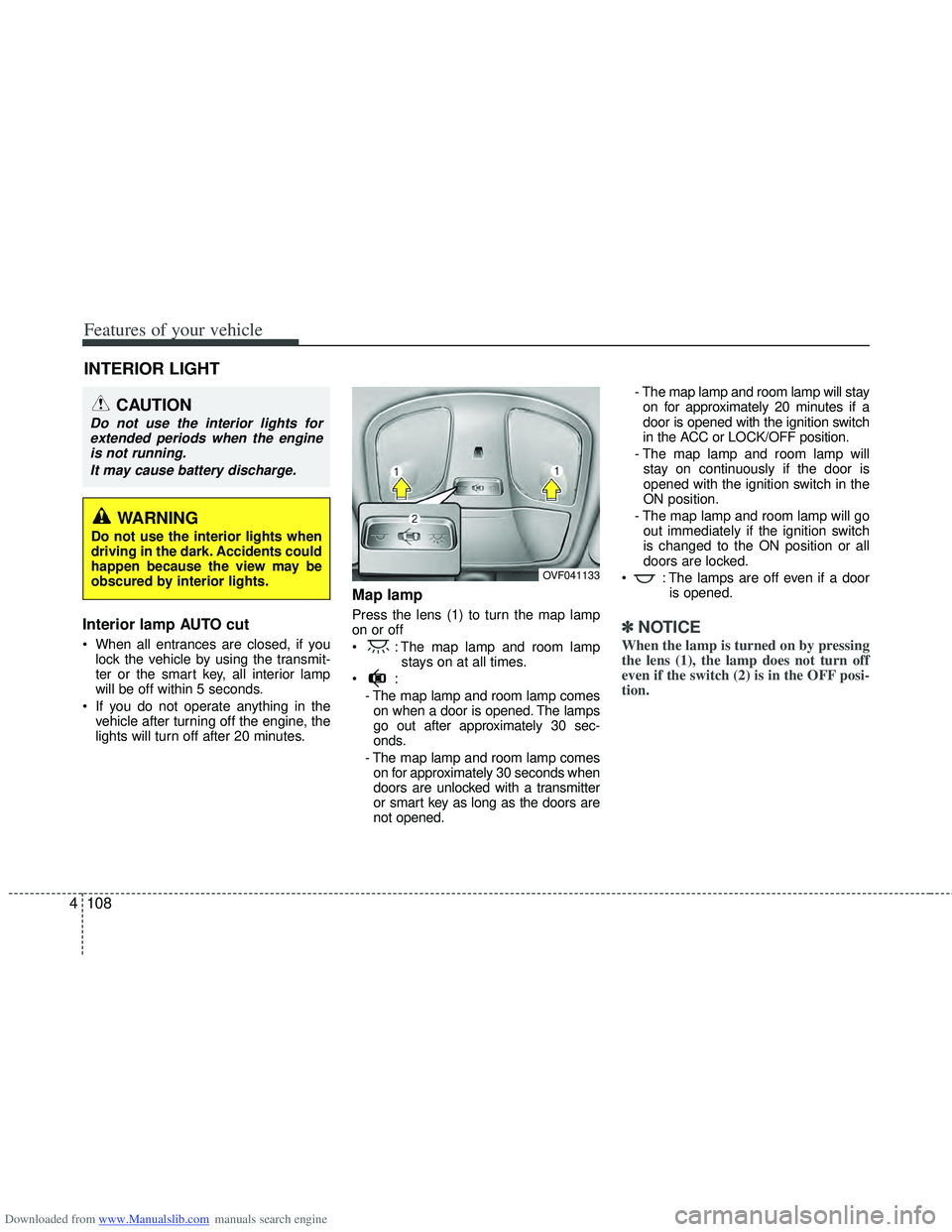
Map lamp
Press the lens (1) to turn the map lamp
on or off
: The map lamp and room lamp stays on at all times.
- The map lamp and room lamp comeson when a door is opened. The lamps
go out after approximately 30 sec-
onds.
- The map lamp and room lamp comes on for approximately 30 seconds when
doors are unlocked with a transmitter
or smart key as long as the doors are
not opened. - The map lamp and room lamp will stay
on for approximately 20 minutes if a
door is opened with the ignition switch
in the ACC or LOCK/OFF position.
- The map lamp and room lamp will stay on continuously if the door is
opened with the ignition switch in the
ON position.
- The map lamp and room lamp will go out immediately if the ignition switch
is changed to the ON position or all
doors are locked.
: The lamps are off even if a door is opened.✽ ✽NOTICE
When the lamp is turned on by pressing
the lens (1), the lamp does not turn off
even if the switch (2) is in the OFF posi-
tion.
INTERIOR LIGHT
CAUTION
Do not use the interior lights for
extended periods when the engineis not running.
It may cause battery discharge.
OVF041133
WARNING
Do not use the interior lights when
driving in the dark. Accidents could
happen because the view may be
obscured by interior lights.
Page 197 of 534
Downloaded from www.Manualslib.com manuals search engine Features of your vehicle
110
4
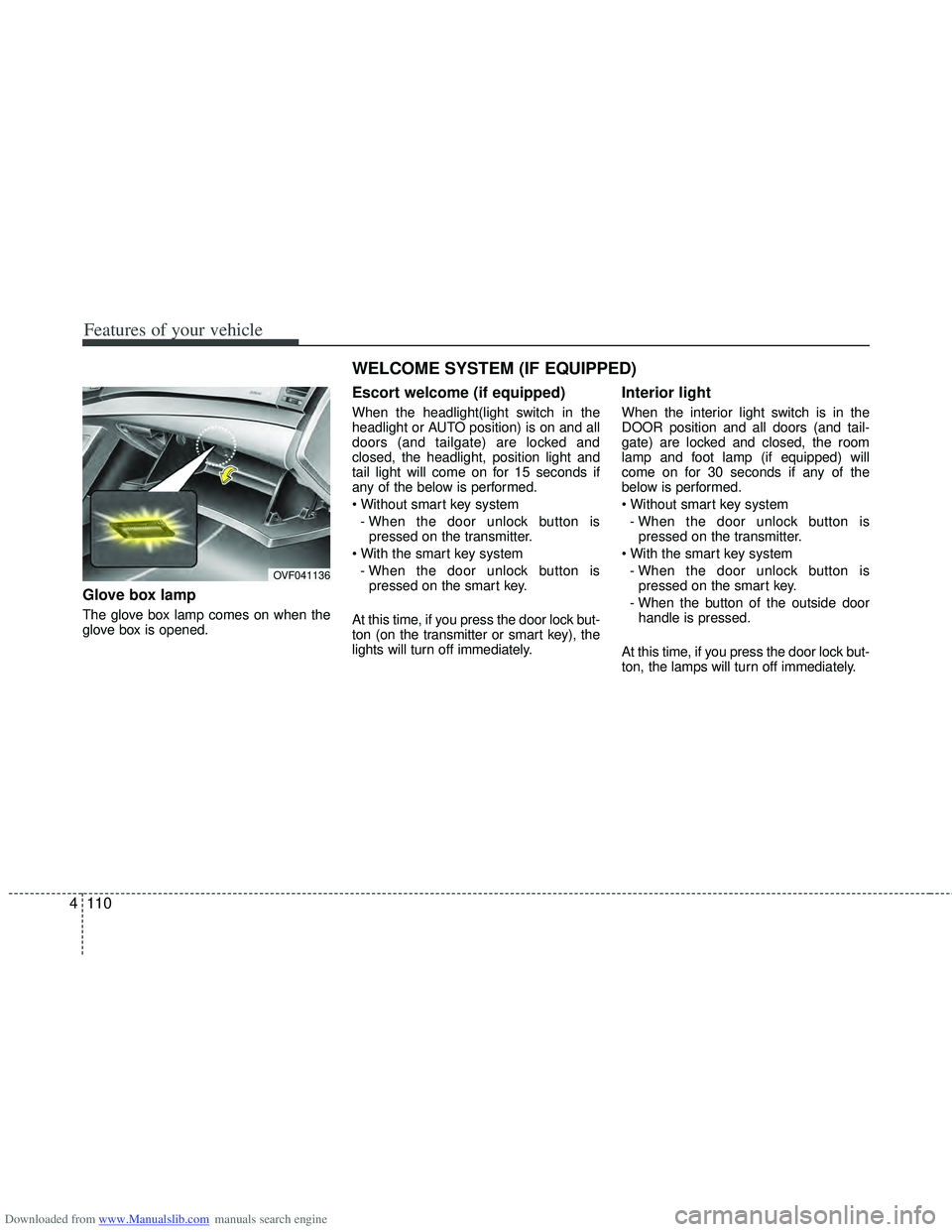
Glove box lamp
The glove box lamp comes on when the
glove box is opened.
Escort welcome (if equipped)
When the headlight(light switch in the
headlight or AUTO position) is on and all
doors (and tailgate) are locked and
closed, the headlight, position light and
tail light will come on for 15 seconds if
any of the below is performed.
- When the door unlock button is pressed on the transmitter.
- When the door unlock button is pressed on the smart key.
At this time, if you press the door lock but-
ton (on the transmitter or smart key), the
lights will turn off immediately.
Interior light
When the interior light switch is in the
DOOR position and all doors (and tail-
gate) are locked and closed, the room
lamp and foot lamp (if equipped) will
come on for 30 seconds if any of the
below is performed.
- When the door unlock button is pressed on the transmitter.
- When the door unlock button is pressed on the smart key.
- When the button of the outside door handle is pressed.
At this time, if you press the door lock but-
ton, the lamps will turn off immediately.
OVF041136
WELCOME SYSTEM (IF EQUIPPED)
Page 205 of 534
Downloaded from www.Manualslib.com manuals search engine Features of your vehicle
118
4
System operation
Ventilation
1. Set the mode to the position.
2. Set the air intake control to the outside
(fresh) air position.
3. Set the temperature control to the desired position.
4. Set the fan speed control to the desired speed.
Heating
1. Set the mode to the position.
2. Set the air intake control to the outside(fresh) air position.
3. Set the temperature control to the desired position.
4. Set the fan speed control to the desired speed.
5. If dehumidified heating is desired, turn the air conditioning system on.
If the windshield fogs up, set the mode to the
orposition. Operation Tips
To keep dust or unpleasant fumes from
entering the vehicle through the venti-
lation system, temporarily set the air
intake control to the recirculated air
position. Be sure to return the control
to the fresh air position when the irrita-
tion has passed to keep fresh air in the
vehicle. This will help keep the driver
alert and comfortable.
Air for the heating/cooling system is drawn in through the grilles just ahead
of the windshield. Care should be
taken that these are not blocked by
leaves, snow, ice or other obstructions.
To prevent interior fog on the wind- shield, set the air intake control to the
fresh air position and fan speed to the
desired position, turn on the air condi-
tioning system, and adjust the temper-
ature control to desired temperature.
Air conditioning (if equipped)
All HYUNDAI Air Conditioning Systems
are filled with environmentally friendly
R-134a refrigerant which does not dam-
age to the ozone layer.
1. Start the engine. Push the air condi- tioning button.
2. Set the mode to the position.
3. Set the air intake control to the outside air or recirculated air position.
4. Adjust the fan speed control and tem- perature control to maintain maximum
comfort.
When maximum cooling is desired, set the temperature control to the lowest
temperature, press the MAX A/C posi-
tion selection button, then set the fan
speed control to the highest speed.