wheel HYUNDAI I40 2017 Workshop Manual
[x] Cancel search | Manufacturer: HYUNDAI, Model Year: 2017, Model line: I40, Model: HYUNDAI I40 2017Pages: 534, PDF Size: 11.05 MB
Page 339 of 534
Downloaded from www.Manualslib.com manuals search engine Driving your vehicle
46
5
Good braking practices Check to be sure the parking brake is
not engaged and that the parking
brake indicator light is out before driv-
ing away.
Driving through water may get the brakes wet. They can also get wet
when the vehicle is washed. Wet
brakes can be dangerous! Your vehicle
will not stop as quickly if the brakes are
wet. Wet brakes may cause the vehicle
to pull to one side.
To dry the brakes, apply the brakes
lightly until the braking action returns to
normal, taking care to keep the vehicle
under control at all times. If the braking
action does not return to normal, stop
as soon as it is safe to do so and call
an authorized HYUNDAI dealer for
assistance.
Do not coast down hills with the vehicle out of gear. This is extremely haz-
ardous. Keep the vehicle in gear at all
times, use the brakes to slow down,
then shift to a lower gear so that
engine braking will help you maintain a
safe speed.
Do not "ride" the brake pedal. Resting your foot on the brake pedal while driv-
ing can be dangerous because it can
result in the brakes overheating and
losing their effectiveness. It also
increases the wear of the brake com-
ponents. If a tire goes flat while you are driving,
apply the brakes gently and keep the
vehicle pointed straight ahead while
you slow down. When you are moving
slowly enough for it to be safe to do so,
pull off the road and stop in a safe
place.
If your vehicle is equipped with an automatic transaxle, do not let your
vehicle creep forward. To avoid creep-
ing forward, keep your foot firmly on
the brake pedal when the vehicle is
stopped.
Be cautious when parking on a hill. Firmly engage the parking brake and
place the shift lever in P (automatic
transaxle) or in first or reverse gear
(manual transaxle). If your vehicle is
facing downhill, turn the front wheels
into the curb to help keep the vehicle
from rolling. If your vehicle is facing
uphill, turn the front wheels away from
the curb to help keep the vehicle from
rolling. If there is no curb or if it is
required by other conditions to keep
the vehicle from rolling, block the
wheels.
WARNING
Whenever you leave or park yourvehicle, always set the parking
brake as far as possible and fully
engage the vehicle's transaxle
into the P (Park) position. If the
parking brake is not fully
engaged, the vehicle may move
inadvertently and injure yourself
and others.
All vehicles should always have the parking brake fully engaged
when parking to avoid inadver-
tent movement of the vehicle
which can injure occupants or
pedestrians.
Page 340 of 534
Downloaded from www.Manualslib.com manuals search engine 547
Driving your vehicle
Under some conditions your parkingbrake can freeze in the engaged posi-
tion. This is most likely to happen when
there is an accumulation of snow or ice
around or near the rear brakes or if the
brakes are wet. If there is a risk that the
parking brake may freeze, apply it only
temporarily while you put the shift
lever in P (automatic transaxle) or in
first or reverse gear (manual transaxle)
and block the rear wheels so the vehi-
cle cannot roll. Then release the park-
ing brake.
Do not hold the vehicle on the upgrade with the accelerator pedal. This can
cause the transaxle to overheat.
Always use the brake pedal or parking
brake.
Page 342 of 534
Downloaded from www.Manualslib.com manuals search engine 549
Driving your vehicle
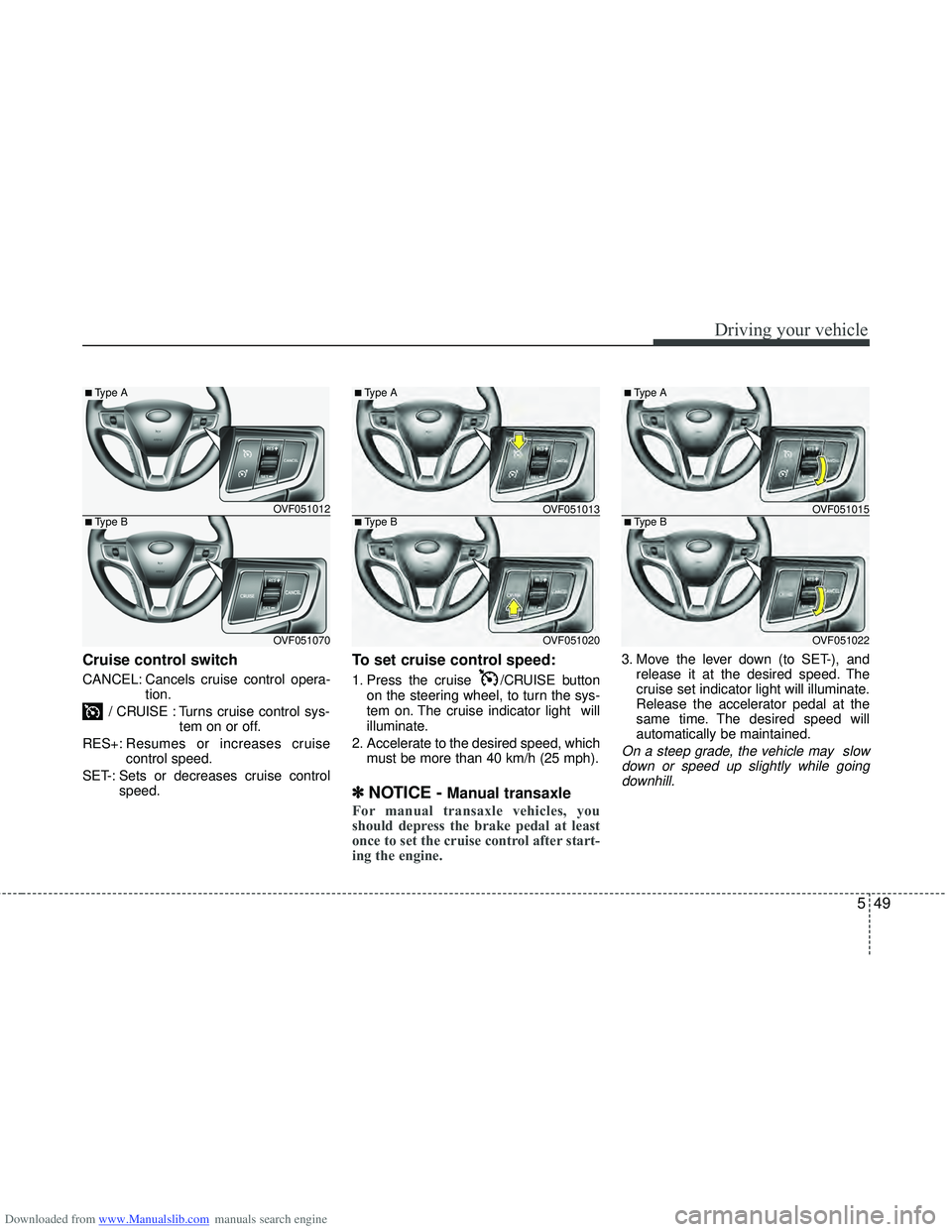
Cruise control switch
CANCEL: Cancels cruise control opera-tion.
/ CRUISE : Turns cruise control sys- tem on or off.
RES+: Resumes or increases cruise
control speed.
SET-: Sets or decreases cruise control speed.
To set cruise control speed:
1. Press the cruise /CRUISE button
on the steering wheel, to turn the sys-
tem on. The cruise indicator light will
illuminate.
2. Accelerate to the desired speed, which must be more than 40 km/h (25 mph).
✽ ✽NOTICE - Manual transaxle
For manual transaxle vehicles, you
should depress the brake pedal at least
once to set the cruise control after start-
ing the engine.
3. Move the lever down (to SET-), and
release it at the desired speed. The
cruise set indicator light will illuminate.
Release the accelerator pedal at the
same time. The desired speed will
automatically be maintained.
On a steep grade, the vehicle may slowdown or speed up slightly while going downhill.
OVF051012
OVF051070
■Type B
■Type A
OVF051013
OVF051020
■Type B
■Type A
OVF051015
OVF051022
■Type B
■Type A
Page 344 of 534
Downloaded from www.Manualslib.com manuals search engine 551
Driving your vehicle
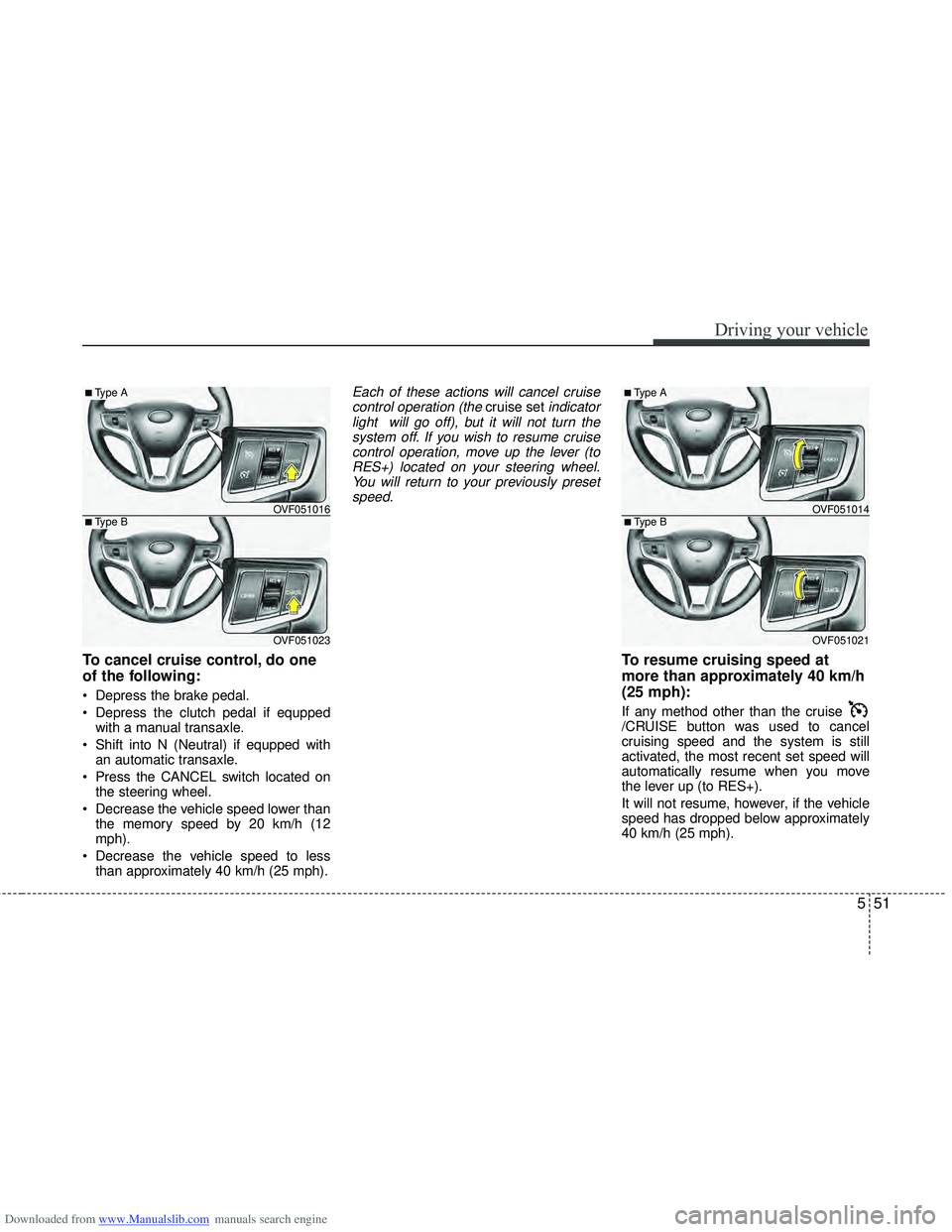
To cancel cruise control, do one
of the following:
Depress the brake pedal.
Depress the clutch pedal if equppedwith a manual transaxle.
Shift into N (Neutral) if equpped with an automatic transaxle.
Press the CANCEL switch located on the steering wheel.
Decrease the vehicle speed lower than the memory speed by 20 km/h (12
mph).
Decrease the vehicle speed to less than approximately 40 km/h (25 mph).
Each of these actions will cancel cruisecontrol operation (the cruise setindicator
light will go off), but it will not turn the system off. If you wish to resume cruisecontrol operation, move up the lever (toRES+) located on your steering wheel.You will return to your previously preset speed.
To resume cruising speed at
more than approximately 40 km/h
(25 mph):
If any method other than the cruise
/CRUISE button was used to cancel
cruising speed and the system is still
activated, the most recent set speed will
automatically resume when you move
the lever up (to RES+).
It will not resume, however, if the vehicle
speed has dropped below approximately
40 km/h (25 mph).
OVF051016
OVF051023
■Type B
■Type A
OVF051014
OVF051021
■Type B
■Type A
Page 346 of 534
Downloaded from www.Manualslib.com manuals search engine 553
Driving your vehicle
You can set the speed limit when you do
not want to drive over a specific speed.
If you drive over the preset speed limit,
the warning system operates (set speed
limit will blink and chime will sound) until
the vehicle speed returns within the
speed limit.
✽ ✽NOTICE
While speed limit control is in opera-
tion, the cruise control system cannot be
activated.
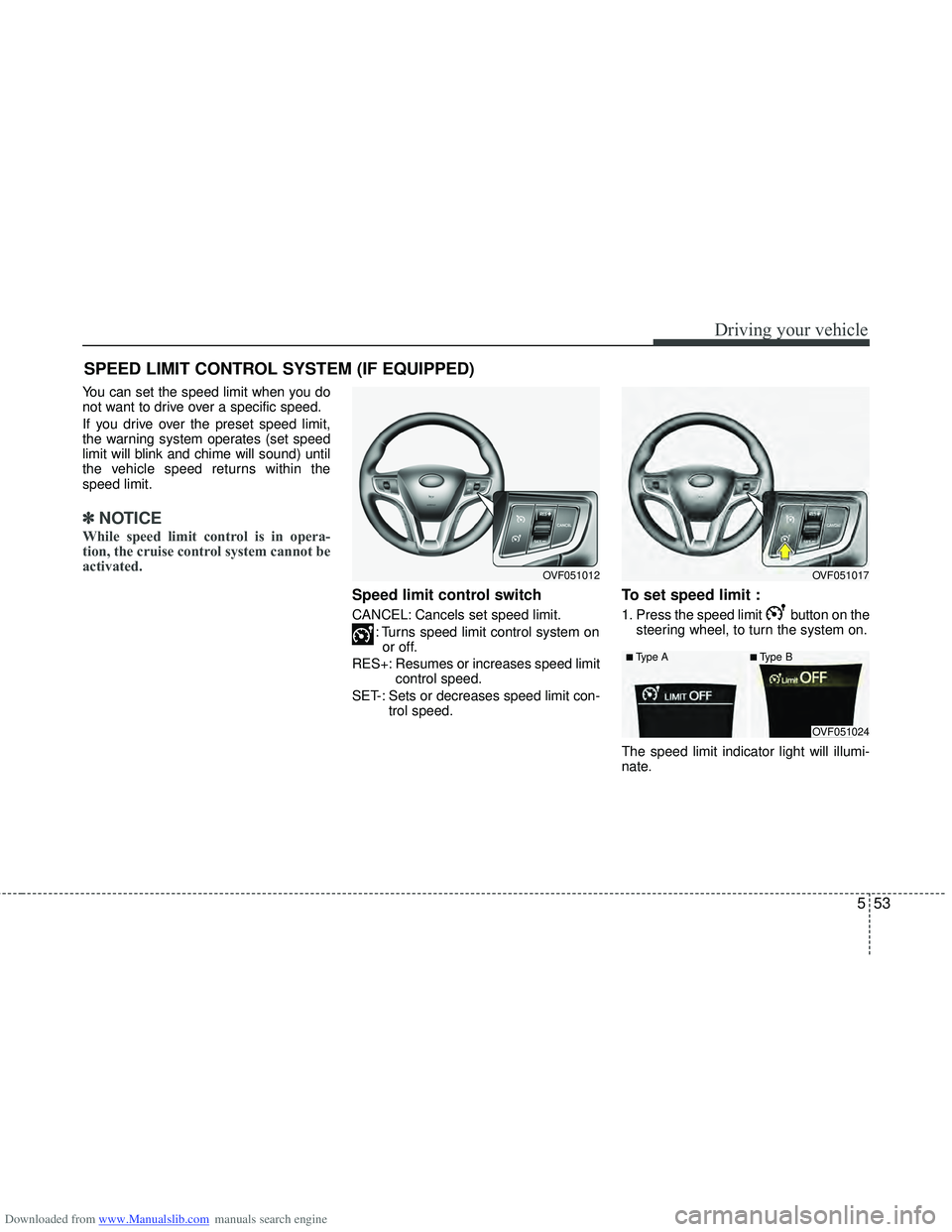
Speed limit control switch
CANCEL: Cancels set speed limit.
: Turns speed limit control system onor off.
RES+: Resumes or increases speed limit control speed.
SET-: Sets or decreases speed limit con- trol speed.
To set speed limit :
1. Press the speed limit button on thesteering wheel, to turn the system on.
The speed limit indicator light will illumi-
nate.
SPEED LIMIT CONTROL SYSTEM (IF EQUIPPED)
OVF051017OVF051012
OVF051024
■Type A■Type B
Page 349 of 534
Downloaded from www.Manualslib.com manuals search engine Driving your vehicle
56
5
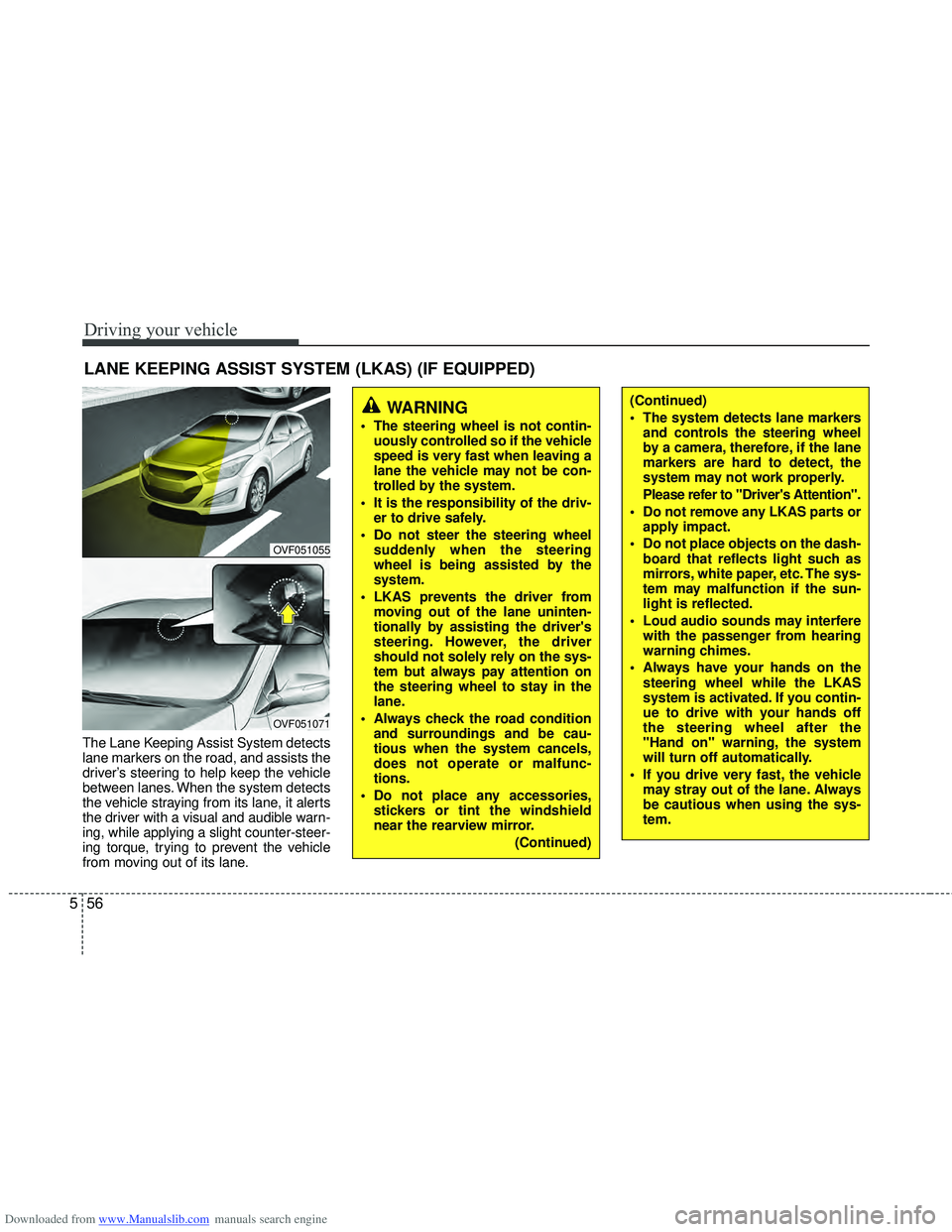
The Lane Keeping Assist System detects
lane markers on the road, and assists the
driver’s steering to help keep the vehicle
between lanes. When the system detects
the vehicle straying from its lane, it alerts
the driver with a visual and audible warn-
ing, while applying a slight counter-steer-
ing torque, trying to prevent the vehicle
from moving out of its lane.
LANE KEEPING ASSIST SYSTEM (LKAS) (IF EQUIPPED)
OVF051055
OVF051071
WARNING
The steering wheel is not contin-
uously controlled so if the vehicle
speed is very fast when leaving a
lane the vehicle may not be con-
trolled by the system.
It is the responsibility of the driv- er to drive safely.
Do not steer the steering wheel suddenly when the steering
wheel is being assisted by the
system.
LKAS prevents the driver from moving out of the lane uninten-
tionally by assisting the driver's
steering. However, the driver
should not solely rely on the sys-
tem but always pay attention on
the steering wheel to stay in the
lane.
Always check the road condition and surroundings and be cau-
tious when the system cancels,
does not operate or malfunc-
tions.
Do not place any accessories, stickers or tint the windshield
near the rearview mirror.
(Continued)
(Continued)
The system detects lane markersand controls the steering wheel
by a camera, therefore, if the lane
markers are hard to detect, the
system may not work properly.
Please refer to "Driver's Attention".
Do not remove any LKAS parts or apply impact.
Do not place objects on the dash- board that reflects light such as
mirrors, white paper, etc. The sys-
tem may malfunction if the sun-
light is reflected.
Loud audio sounds may interfere with the passenger from hearing
warning chimes.
Always have your hands on the steering wheel while the LKAS
system is activated. If you contin-
ue to drive with your hands off
the steering wheel after the
"Hand on" warning, the system
will turn off automatically.
If you drive very fast, the vehicle may stray out of the lane. Always
be cautious when using the sys-
tem.
Page 350 of 534
Downloaded from www.Manualslib.com manuals search engine 557
Driving your vehicle
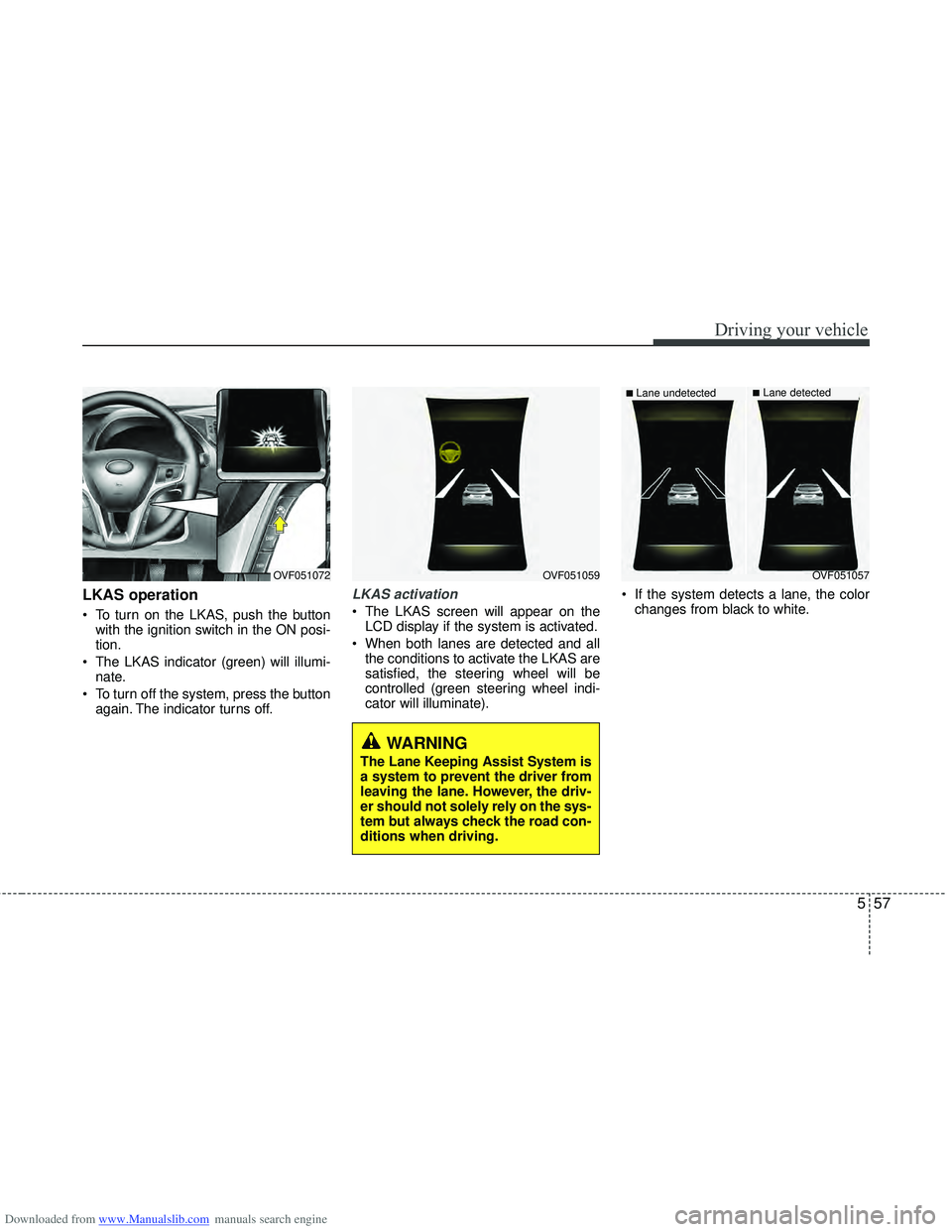
LKAS operation
To turn on the LKAS, push the buttonwith the ignition switch in the ON posi-
tion.
The LKAS indicator (green) will illumi- nate.
To turn off the system, press the button again. The indicator turns off.
LKAS activation
The LKAS screen will appear on theLCD display if the system is activated.
When both lanes are detected and all the conditions to activate the LKAS are
satisfied, the steering wheel will be
controlled (green steering wheel indi-
cator will illuminate). If the system detects a lane, the color
changes from black to white.
OVF051059OVF051072
WARNING
The Lane Keeping Assist System is
a system to prevent the driver from
leaving the lane. However, the driv-
er should not solely rely on the sys-
tem but always check the road con-
ditions when driving.
OVF051057
■Lane undetected■Lane detected
Page 351 of 534
Downloaded from www.Manualslib.com manuals search engine Driving your vehicle
58
5
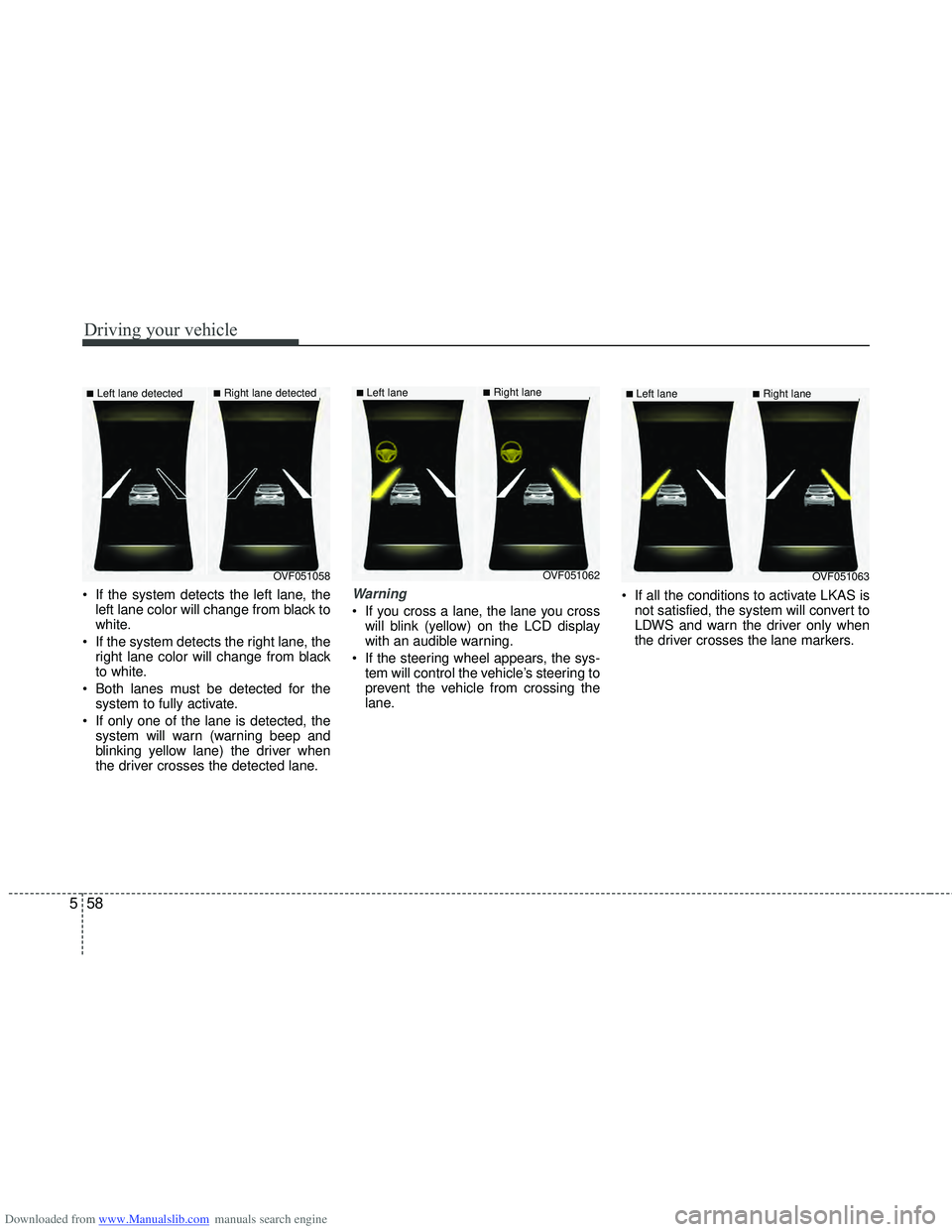
If the system detects the left lane, the
left lane color will change from black to
white.
If the system detects the right lane, the right lane color will change from black
to white.
Both lanes must be detected for the system to fully activate.
If only one of the lane is detected, the system will warn (warning beep and
blinking yellow lane) the driver when
the driver crosses the detected lane.Warning
If you cross a lane, the lane you crosswill blink (yellow) on the LCD display
with an audible warning.
If the steering wheel appears, the sys- tem will control the vehicle’s steering to
prevent the vehicle from crossing the
lane. If all the conditions to activate LKAS is
not satisfied, the system will convert to
LDWS and warn the driver only when
the driver crosses the lane markers.
OVF051058
■Left lane detected■Right lane detected
OVF051062
■Left lane ■Right lane
OVF051063
■Left lane ■Right lane
Page 352 of 534
Downloaded from www.Manualslib.com manuals search engine 559
Driving your vehicle
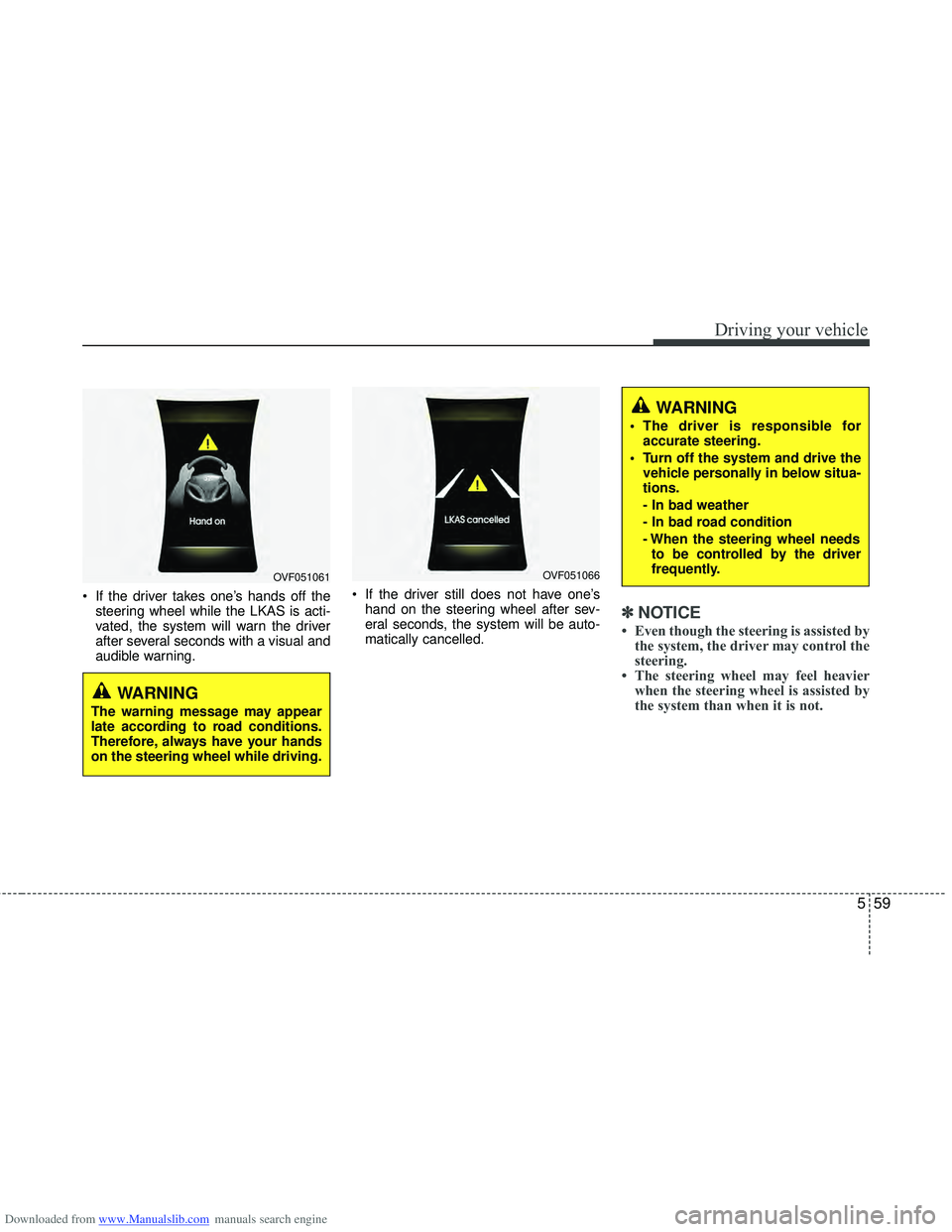
If the driver takes one’s hands off thesteering wheel while the LKAS is acti-
vated, the system will warn the driver
after several seconds with a visual and
audible warning. If the driver still does not have one’s
hand on the steering wheel after sev-
eral seconds, the system will be auto-
matically cancelled.
✽ ✽ NOTICE
• Even though the steering is assisted by
the system, the driver may control the
steering.
• The steering wheel may feel heavier when the steering wheel is assisted by
the system than when it is not.
WARNING
The warning message may appear
late according to road conditions.
Therefore, always have your hands
on the steering wheel while driving.
WARNING
The driver is responsible for
accurate steering.
Turn off the system and drive the vehicle personally in below situa-
tions.
- In bad weather
- In bad road condition
- When the steering wheel needsto be controlled by the driver
frequently.
OVF051061OVF051066
Page 353 of 534
Downloaded from www.Manualslib.com manuals search engine Driving your vehicle
60
5
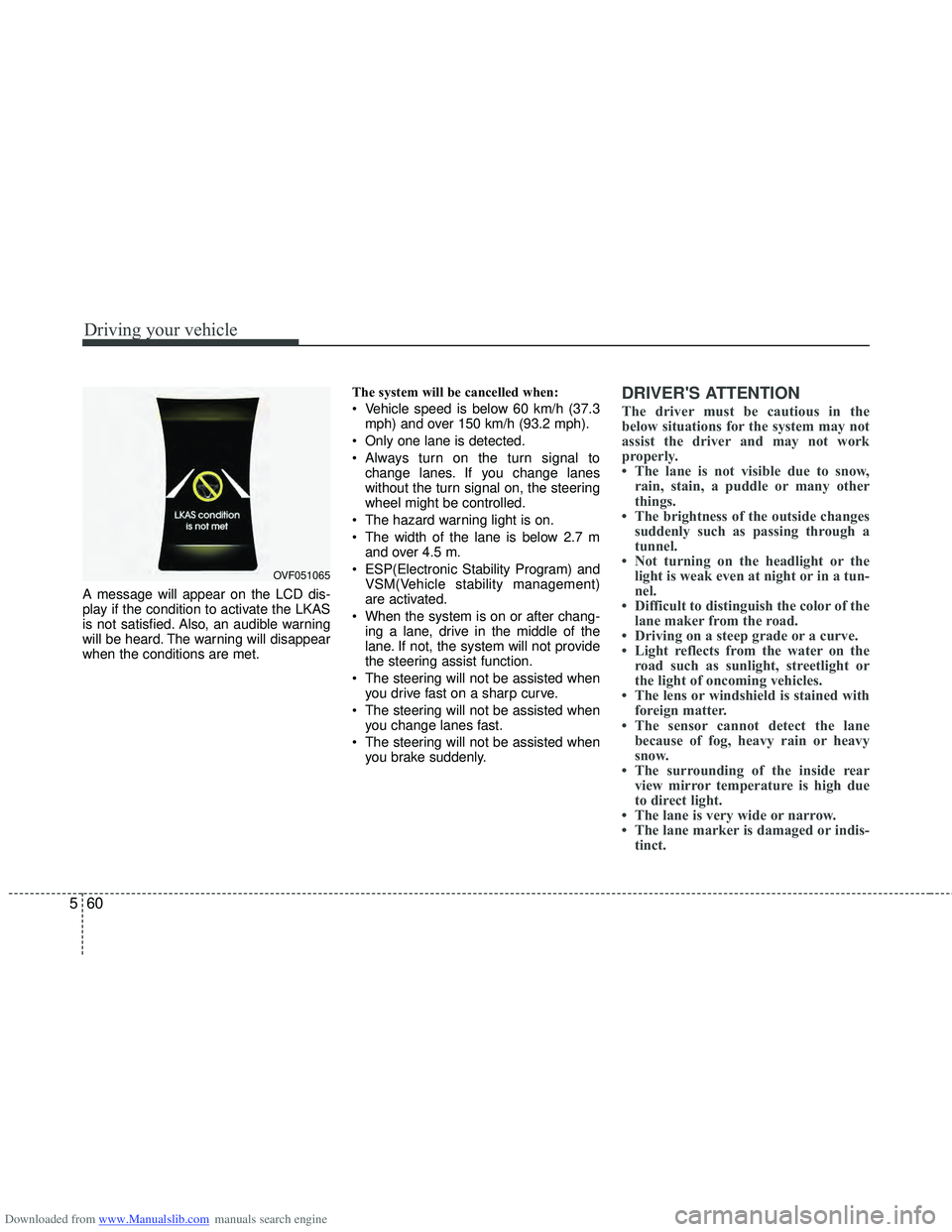
A message will appear on the LCD dis-
play if the condition to activate the LKAS
is not satisfied. Also, an audible warning
will be heard. The warning will disappear
when the conditions are met. The system will be cancelled when:
Vehicle speed is below 60 km/h (37.3
mph) and over 150 km/h (93.2 mph).
Only one lane is detected.
Always turn on the turn signal to change lanes. If you change lanes
without the turn signal on, the steering
wheel might be controlled.
The hazard warning light is on.
The width of the lane is below 2.7 m and over 4.5 m.
ESP(Electronic Stability Program) and VSM(Vehicle stability management)
are activated.
When the system is on or after chang- ing a lane, drive in the middle of the
lane. If not, the system will not provide
the steering assist function.
The steering will not be assisted when you drive fast on a sharp curve.
The steering will not be assisted when you change lanes fast.
The steering will not be assisted when you brake suddenly.
DRIVER'S ATTENTION
The driver must be cautious in the
below situations for the system may not
assist the driver and may not work
properly.
• The lane is not visible due to snow,rain, stain, a puddle or many other
things.
• The brightness of the outside changes suddenly such as passing through a
tunnel.
• Not turning on the headlight or the light is weak even at night or in a tun-
nel.
• Difficult to distinguish the color of the lane maker from the road.
• Driving on a steep grade or a curve.
• Light reflects from the water on the road such as sunlight, streetlight or
the light of oncoming vehicles.
• The lens or windshield is stained with foreign matter.
• The sensor cannot detect the lane because of fog, heavy rain or heavy
snow.
• The surrounding of the inside rear view mirror temperature is high due
to direct light.
• The lane is very wide or narrow.
• The lane marker is damaged or indis- tinct.
OVF051065