light HYUNDAI I40 2017 Repair Manual
[x] Cancel search | Manufacturer: HYUNDAI, Model Year: 2017, Model line: I40, Model: HYUNDAI I40 2017Pages: 534, PDF Size: 11.05 MB
Page 182 of 534
Downloaded from www.Manualslib.com manuals search engine 495
Features of your vehicle
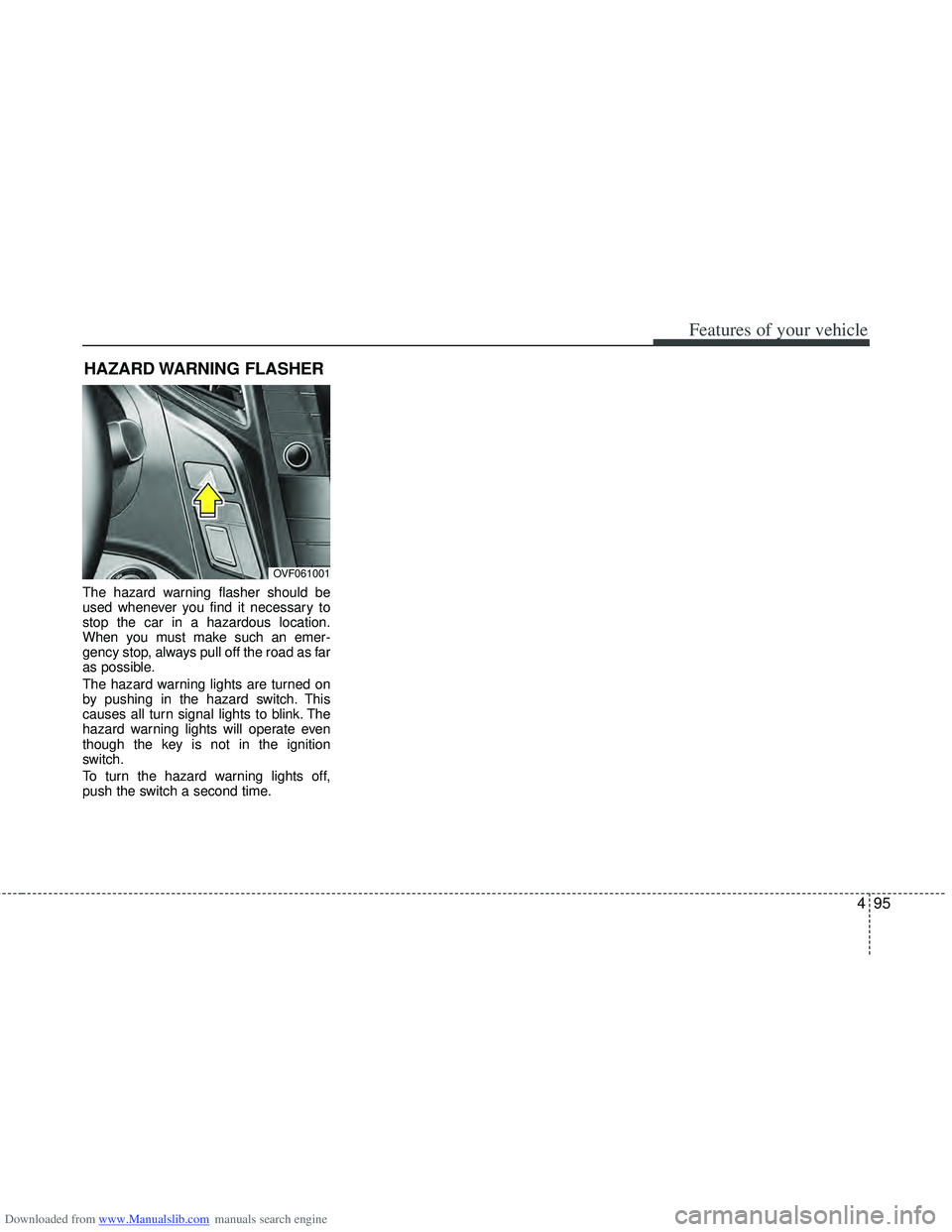
The hazard warning flasher should be
used whenever you find it necessary to
stop the car in a hazardous location.
When you must make such an emer-
gency stop, always pull off the road as far
as possible.
The hazard warning lights are turned on
by pushing in the hazard switch. This
causes all turn signal lights to blink. The
hazard warning lights will operate even
though the key is not in the ignition
switch.
To turn the hazard warning lights off,
push the switch a second time.
HAZARD WARNING FLASHER
OVF061001
Page 183 of 534
Downloaded from www.Manualslib.com manuals search engine Features of your vehicle
96
4
Battery saver function
The purpose of this feature is to pre-
vent the battery from being dis-
charged. The system automatically
turns off the parking lights when the
driver removes the ignition key and
opens the driver- side door.
With this feature, the parking lights will be turned off automatically if the driver
parks on the side of road at night.
If necessary, to keep the lights on
when the ignition key is removed, per-
form the following :
1) Open the driver-side door.
2) Turn the parking lights OFF and ON again using the light switch on the
steering column.
Headlight (Headlamp) escort
function (if equipped)
The headlights (and/or taillights) remain
on for approximately 20 minutes after the
ignition key is removed or turned to the
ACC or LOCK position. However, if the
driver’s door is opened and closed, the
headlights are turned off after 30 sec-
onds.
The headlights can be turned off by
pressing the lock button on the transmit-
ter or smart key twice or turning off the
light switch from the headlight or Auto
light position.
Headlight (Headlamp) welcome
function (if equipped)
When the headlight switch is in the ON or
AUTO position and all doors (and tail-
gate) are closed and locked, if you press
the door unlock button on the transmitter
or smart key, the headlights will come on
for about 15 seconds.
If the headlight switch is in the AUTO
position, the function can only operate at
night.
At this time, if you press the door unlock
button again or door lock button on the
transmitter or smart key, the headlights
will turn off immediately.
LIGHTING
CAUTION
If the driver gets out of the vehiclethrough other doors (except dri-ver’s door), the battery saver func-tion does not operate and the head-light escort function does not turnoff automatically. Therefore, it caus-es the battery to be discharged. Inthis case, make sure to turn off thelamp before getting out of the vehi- cle.
Page 184 of 534
Downloaded from www.Manualslib.com manuals search engine 497
Features of your vehicle
Smart cornering light
While driving the corner, for your sight
and safety, the smart cornering light
turns on automatically. The system will
operate automatically as follows:
When vehicle speed is under 10km/hand steering wheel angle approximate-
ly 80 degrees.
When vehicle speed is over 10km/h and steering wheel angle approximate-
ly 35 degrees.
When the vehicle is at a standstill.
When moving rearwards with one of the above conditions satisfied the lights
will light up the opposite direction.
The smart corning light will operate only when the light switch is in the
AUTO position. (vehicles equipped with
AFLS)
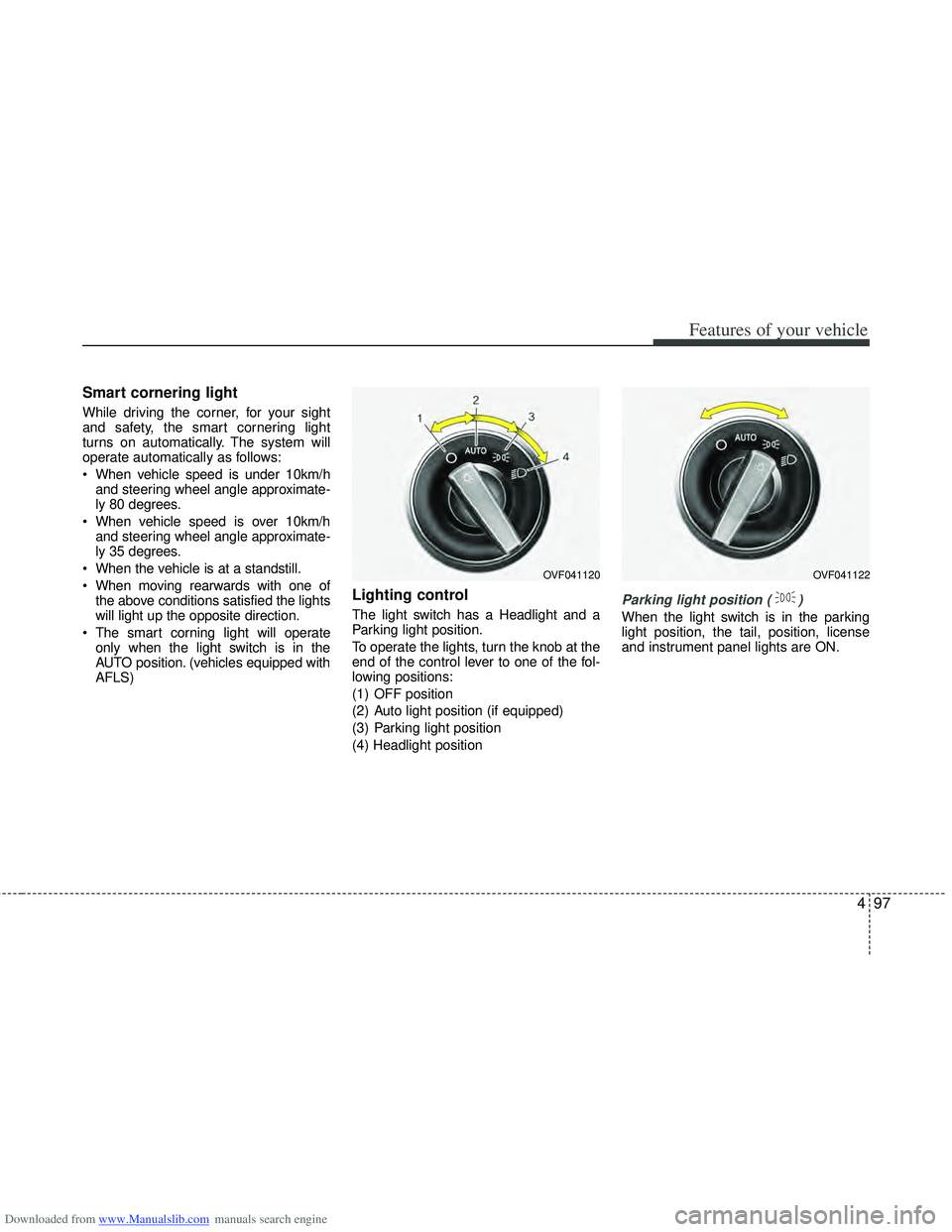
Lighting control
The light switch has a Headlight and a
Parking light position.
To operate the lights, turn the knob at the
end of the control lever to one of the fol-
lowing positions:
(1) OFF position
(2) Auto light position (if equipped)
(3) Parking light position
(4) Headlight positionParking light position ( )
When the light switch is in the parking
light position, the tail, position, license
and instrument panel lights are ON.
OVF041120OVF041122
Page 185 of 534
Downloaded from www.Manualslib.com manuals search engine Features of your vehicle
98
4
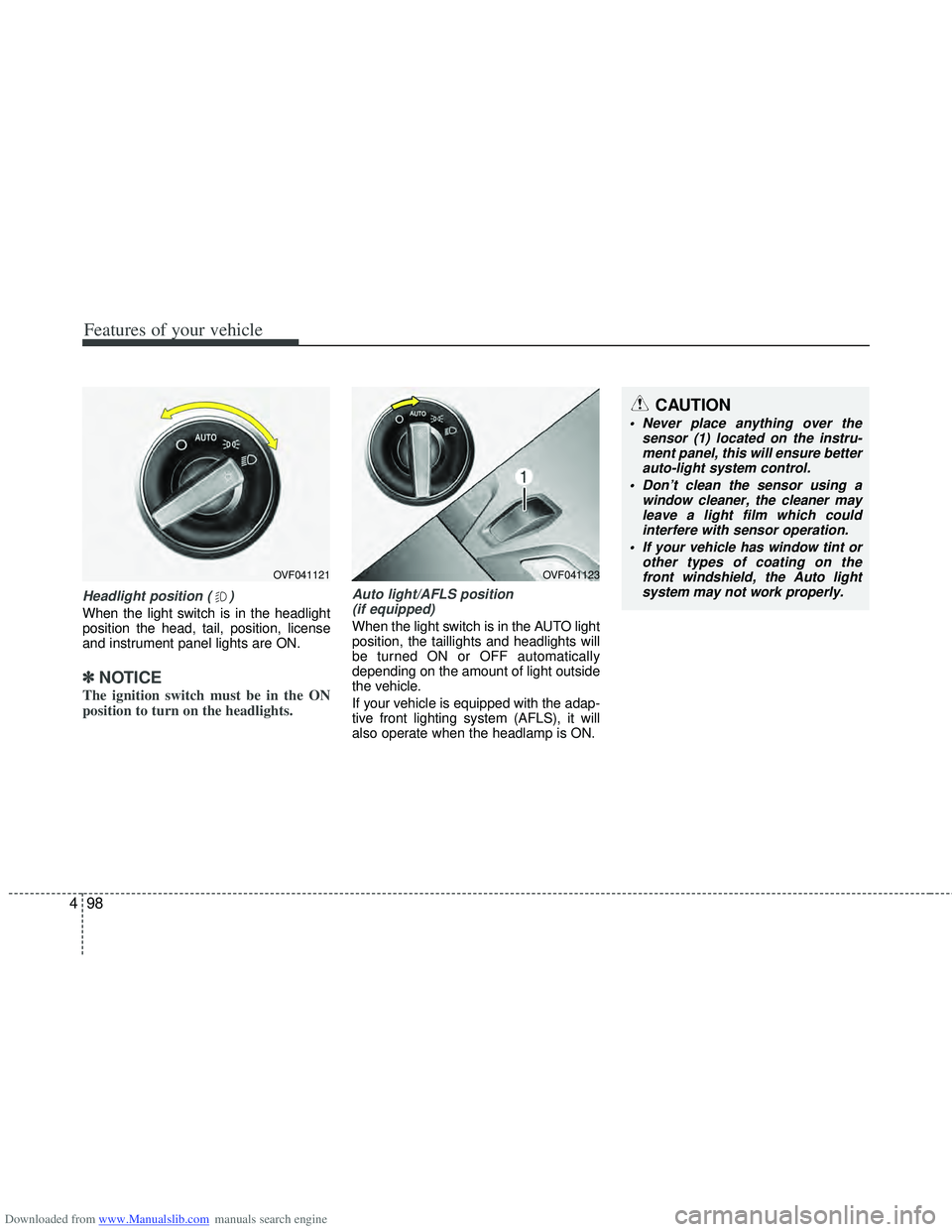
Headlight position ( )
When the light switch is in the headlight
position the head, tail, position, license
and instrument panel lights are ON.
✽ ✽
NOTICE
The ignition switch must be in the ON
position to turn on the headlights.
Auto light/AFLS position
(if equipped)
When the light switch is in the AUTO light
position, the taillights and headlights will
be turned ON or OFF automatically
depending on the amount of light outside
the vehicle.
If your vehicle is equipped with the adap-
tive front lighting system (AFLS), it will
also operate when the headlamp is ON.
OVF041123
CAUTION
Never place anything over the sensor (1) located on the instru-ment panel, this will ensure better auto-light system control.
Don’t clean the sensor using a window cleaner, the cleaner mayleave a light film which could interfere with sensor operation.
If your vehicle has window tint or other types of coating on thefront windshield, the Auto light system may not work properly.
OVF041121
Page 186 of 534
Downloaded from www.Manualslib.com manuals search engine 499
Features of your vehicle
Traffic change (for Europe) (vehicle’s equipped with AFLS)
Use this function when you visit a coun-
try with opposite traffic direction.
Follow the below procedure.
1. Stop the vehicle with the engine run- ning.
2. Change the switch from the park light ( ) position to the headlight position
( ) 10 times within 15 seconds.
3. A beep sound will be heard 3 times to notify you the change has been made
successfully.
4. To cancel the change, follow the above procedure again.
✽ ✽NOTICE
• If the traffic change function is acti-
vated, a beep sound will be heard 3
times.
• If the engine is turned off with the traffic change function activated, and
the engine turned on again, a beep
sound will be heard 3 times. It is to
notify the driver the function is acti-
vated.
• If the traffic change is activated when you visit a country with opposite traf-
fic direction, it will decrease the dazzle
on oncoming vehicle drivers.
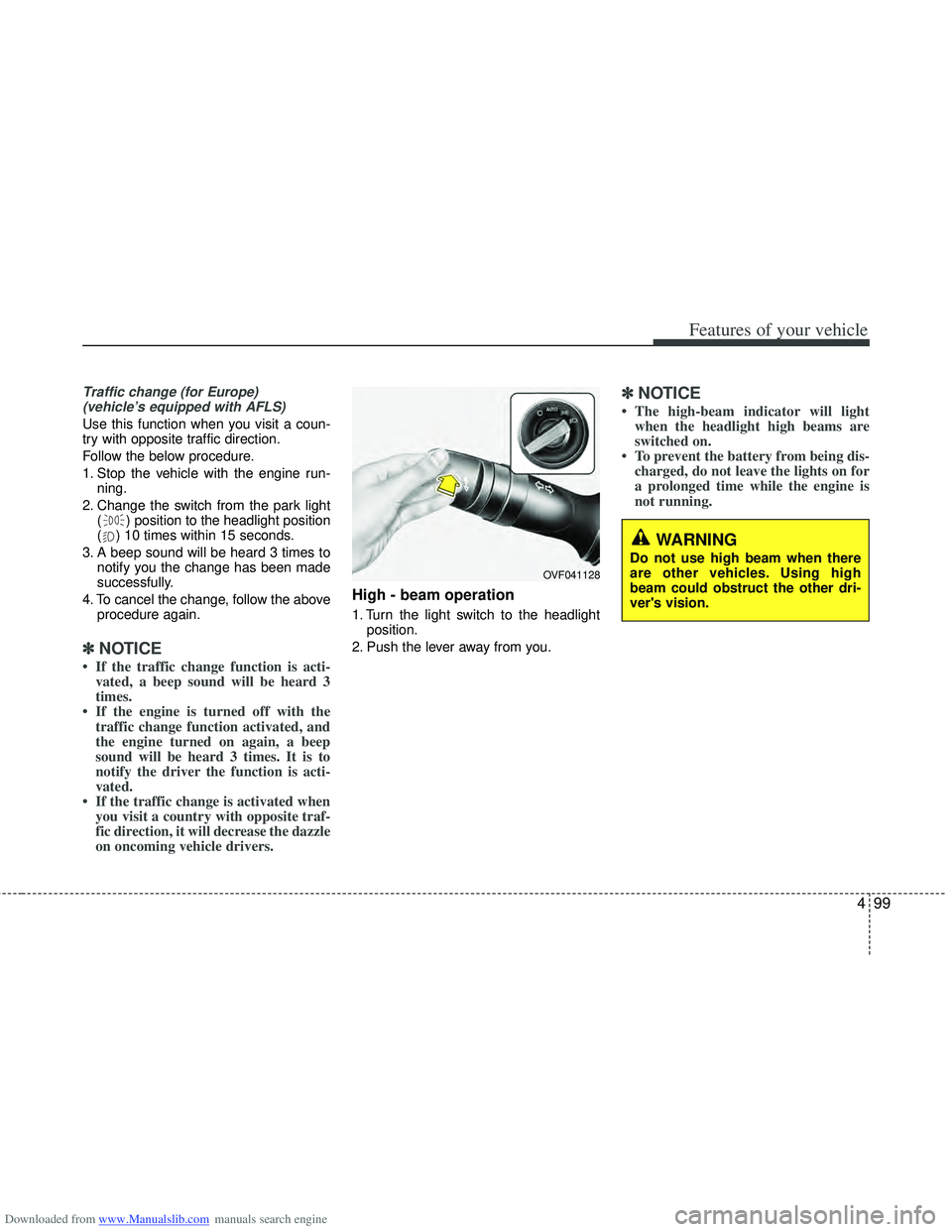
High - beam operation
1. Turn the light switch to the headlight
position.
2. Push the lever away from you.
✽ ✽ NOTICE
• The high-beam indicator will light
when the headlight high beams are
switched on.
• To prevent the battery from being dis- charged, do not leave the lights on for
a prolonged time while the engine is
not running.
WARNING
Do not use high beam when there
are other vehicles. Using high
beam could obstruct the other dri-
ver's vision.
OVF041128
Page 187 of 534
Downloaded from www.Manualslib.com manuals search engine Features of your vehicle
100
4
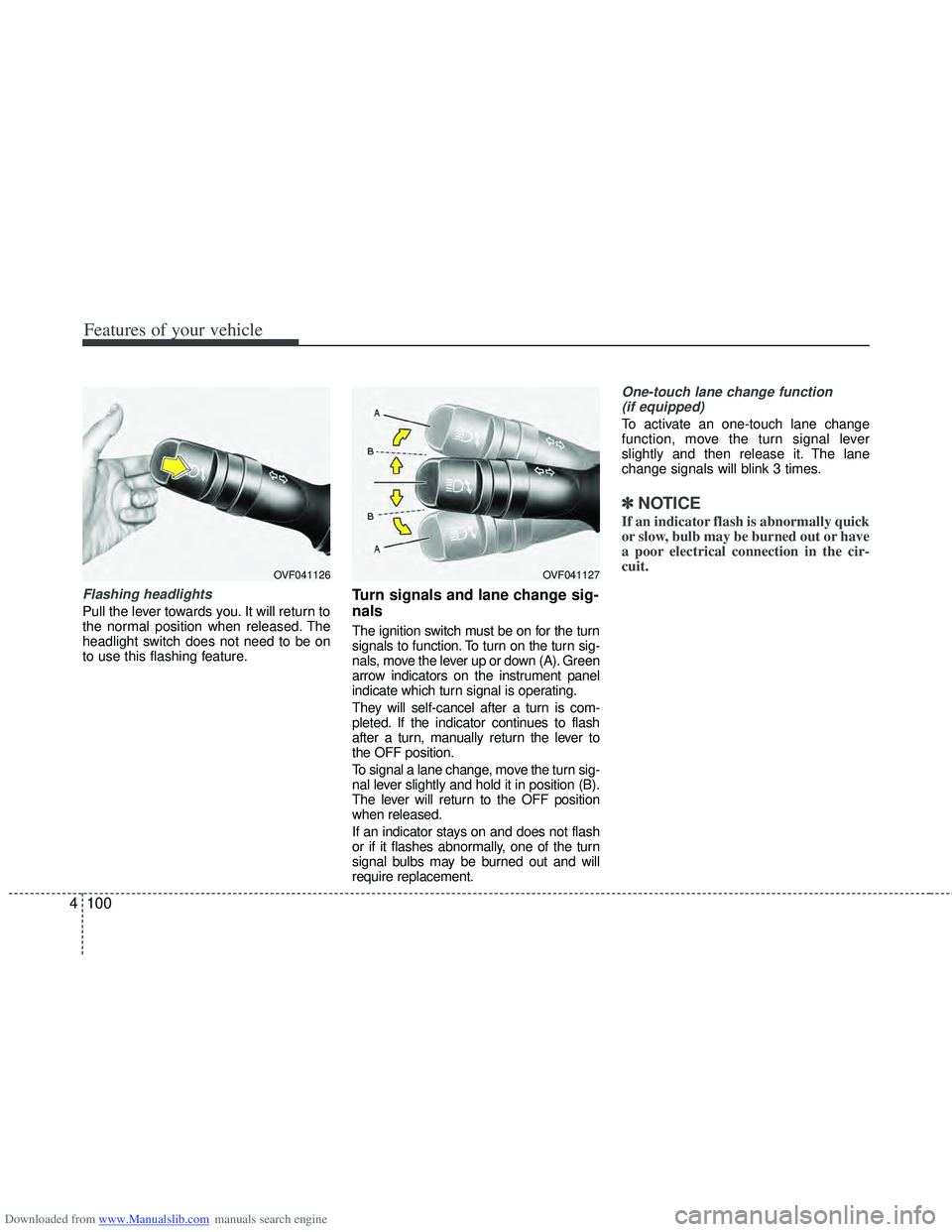
Flashing headlights
Pull the lever towards you. It will return to
the normal position when released. The
headlight switch does not need to be on
to use this flashing feature.
Turn signals and lane change sig-
nals
The ignition switch must be on for the turn
signals to function. To turn on the turn sig-
nals, move the lever up or down (A). Green
arrow indicators on the instrument panel
indicate which turn signal is operating.
They will self-cancel after a turn is com-
pleted. If the indicator continues to flash
after a turn, manually return the lever to
the OFF position.
To signal a lane change, move the turn sig-
nal lever slightly and hold it in position (B).
The lever will return to the OFF position
when released.
If an indicator stays on and does not flash
or if it flashes abnormally, one of the turn
signal bulbs may be burned out and will
require replacement.
One-touch lane change function
(if equipped)
To activate an one-touch lane change
function, move the turn signal lever
slightly and then release it. The lane
change signals will blink 3 times.
✽ ✽ NOTICE
If an indicator flash is abnormally quick
or slow, bulb may be burned out or have
a poor electrical connection in the cir-
cuit.
OVF041127OVF041126
Page 188 of 534
Downloaded from www.Manualslib.com manuals search engine 4101
Features of your vehicle
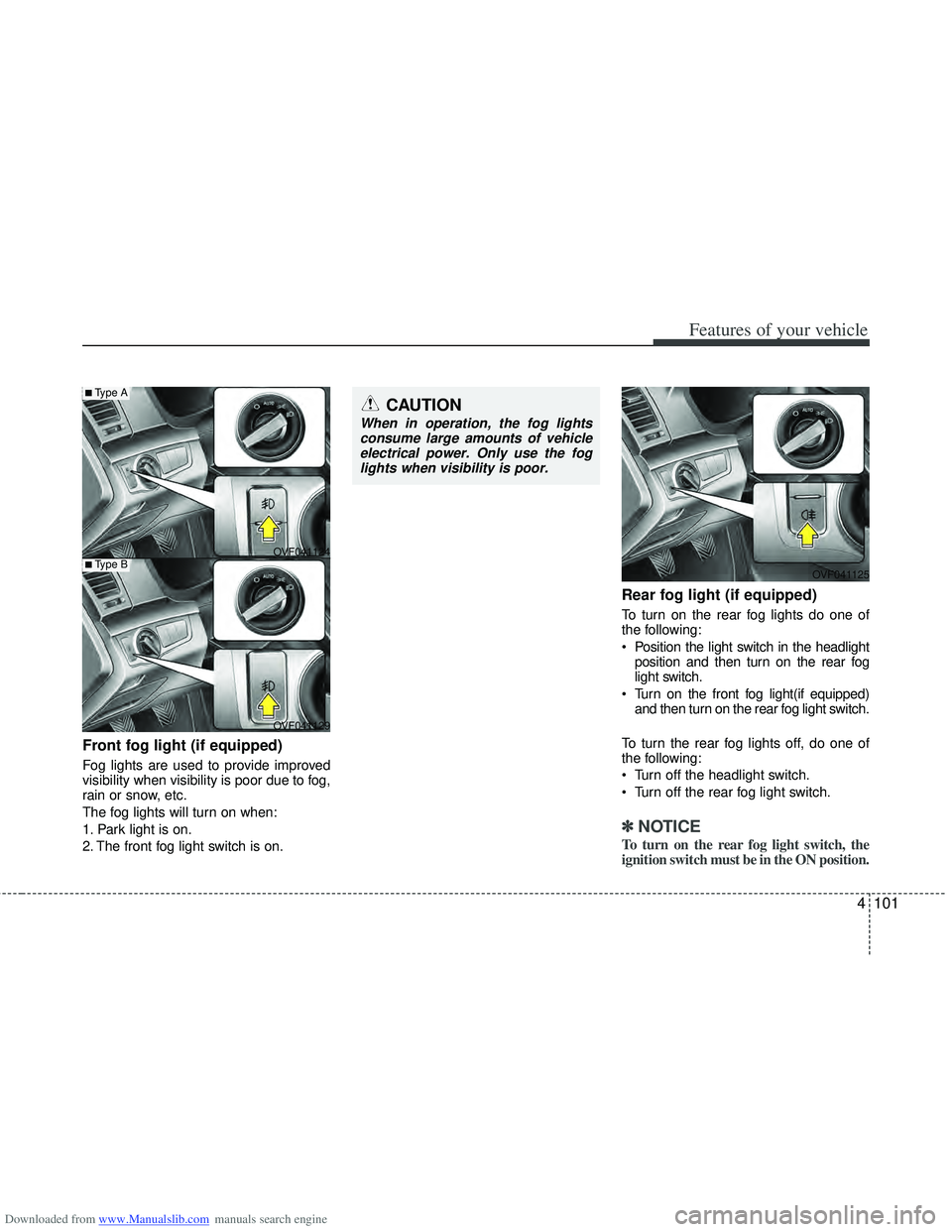
Front fog light (if equipped)
Fog lights are used to provide improved
visibility when visibility is poor due to fog,
rain or snow, etc.
The fog lights will turn on when:
1. Park light is on.
2. The front fog light switch is on.
Rear fog light (if equipped)
To turn on the rear fog lights do one of
the following:
Position the light switch in the headlightposition and then turn on the rear fog
light switch.
Turn on the front fog light(if equipped) and then turn on the rear fog light switch.
To turn the rear fog lights off, do one of
the following:
Turn off the headlight switch.
Turn off the rear fog light switch.
✽ ✽ NOTICE
To turn on the rear fog light switch, the
ignition switch must be in the ON position.
OVF041124
OVF041125
OVF041129
■Type A
■Type B
CAUTION
When in operation, the fog lights consume large amounts of vehicleelectrical power. Only use the foglights when visibility is poor.
Page 189 of 534
Downloaded from www.Manualslib.com manuals search engine Features of your vehicle
102
4
Daytime running light
(if equipped)
Daytime Running Lights (DRL) can make
it easier for others to see the front of your
vehicle during the day. DRL can be help-
ful in many different driving conditions,
and it is especially helpful after dawn and
before sunset.
The DRL system will turn off the dedicat-
ed lamp when:
1. The parklight or headlight (low beam)
switch is ON.
2. The engine is OFF.
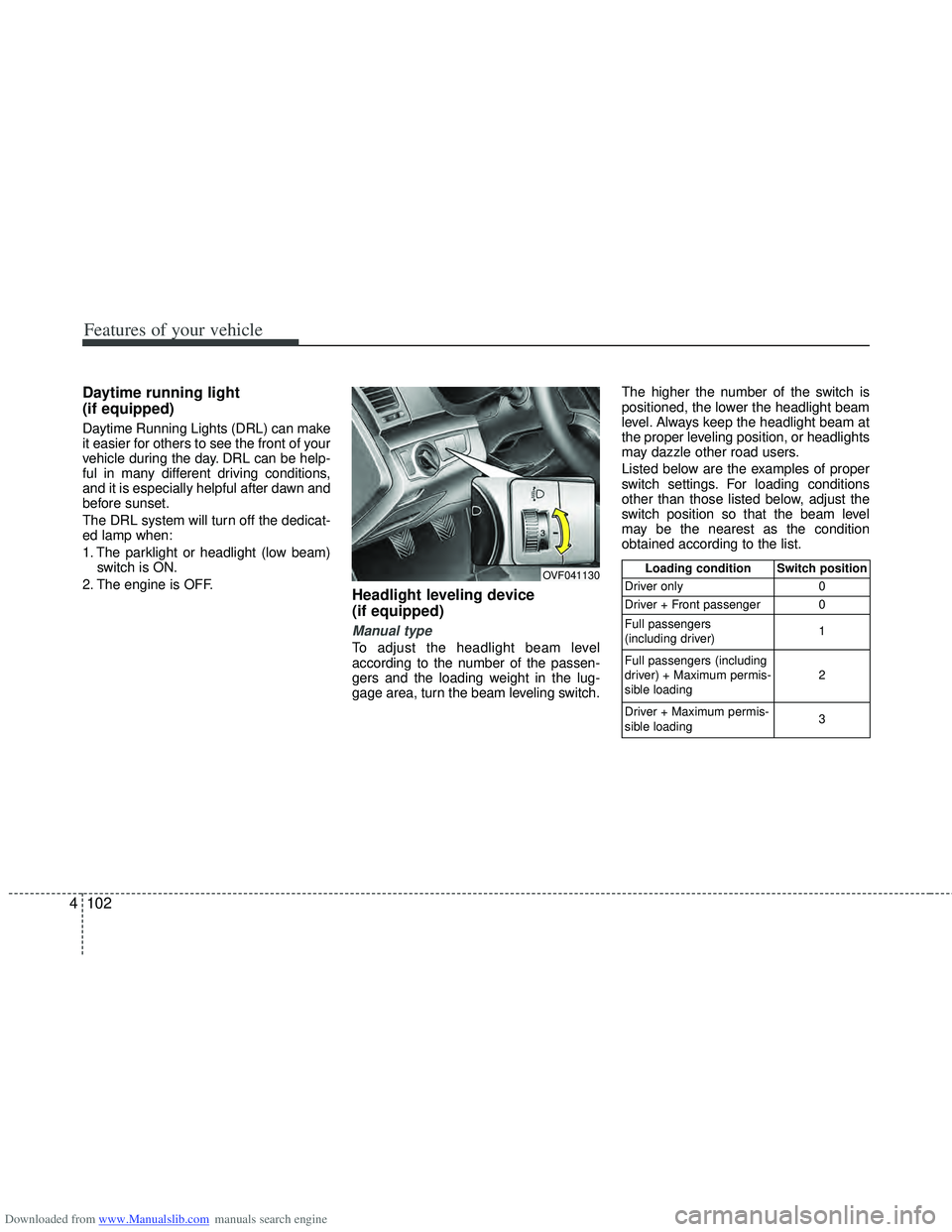
Headlight leveling device
(if equipped)
Manual type
To adjust the headlight beam level
according to the number of the passen-
gers and the loading weight in the lug-
gage area, turn the beam leveling switch. The higher the number of the switch is
positioned, the lower the headlight beam
level. Always keep the headlight beam at
the proper leveling position, or headlights
may dazzle other road users.
Listed below are the examples of proper
switch settings. For loading conditions
other than those listed below, adjust the
switch position so that the beam level
may be the nearest as the condition
obtained according to the list.
OVF041130Loading condition Switch position
Driver only 0
Driver + Front passenger 0
Full passengers
(including driver) 1
Full passengers (including
driver) + Maximum permis-
sible loading 2
Driver + Maximum permis-
sible loading 3
Page 190 of 534
Downloaded from www.Manualslib.com manuals search engine 4103
Features of your vehicle
Automatic type
It automatically adjusts the headlight
beam level according to the number of
passengers and loading weight in the
luggage area.
And it offers proper headlight beam
under various conditions.
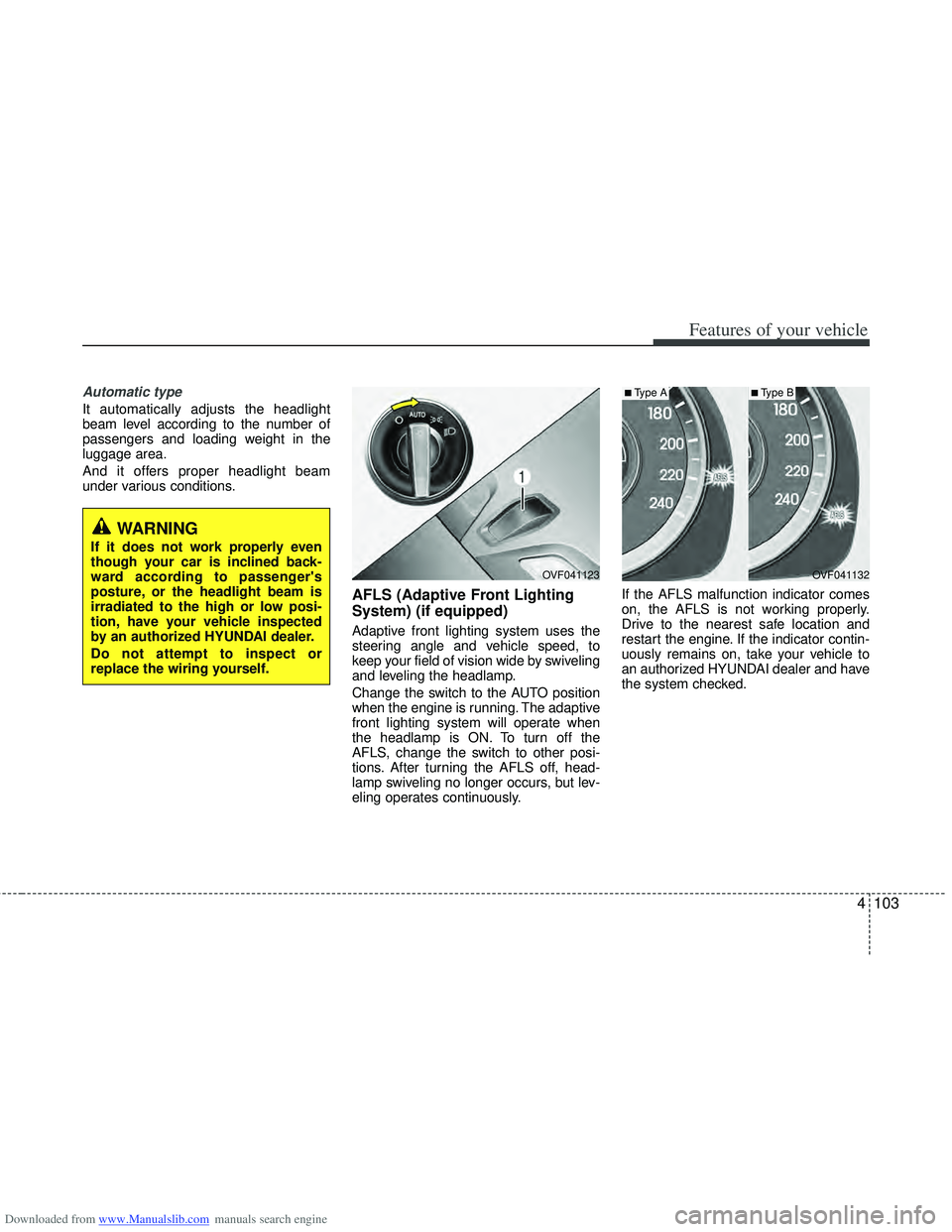
AFLS (Adaptive Front Lighting
System) (if equipped)
Adaptive front lighting system uses the
steering angle and vehicle speed, to
keep your field of vision wide by swiveling
and leveling the headlamp.
Change the switch to the AUTO position
when the engine is running. The adaptive
front lighting system will operate when
the headlamp is ON. To turn off the
AFLS, change the switch to other posi-
tions. After turning the AFLS off, head-
lamp swiveling no longer occurs, but lev-
eling operates continuously.If the AFLS malfunction indicator comes
on, the AFLS is not working properly.
Drive to the nearest safe location and
restart the engine. If the indicator contin-
uously remains on, take your vehicle to
an authorized HYUNDAI dealer and have
the system checked.
OVF041132
■Type A
OVF041123
■Type B
WARNING
If it does not work properly even
though your car is inclined back-
ward according to passenger's
posture, or the headlight beam is
irradiated to the high or low posi-
tion, have your vehicle inspected
by an authorized HYUNDAI dealer.
Do not attempt to inspect or
replace the wiring yourself.
Page 192 of 534
Downloaded from www.Manualslib.com manuals search engine 4105
Features of your vehicle
Windshield wipers
Operates as follows when the ignition
switch is turned ON./ MIST : For a single wiping cycle, move the lever to this ( /
MIST) position and release
it. The wipers will operate
continuously if the lever is
held in this position.
O / OFF : Wiper is not in operation
--- / INT : Wiper operates intermittently at the same wiping intervals. Use
this mode in light rain or mist.
To vary the speed setting, turn
the speed control knob.
1 / LO : Normal wiper speed
2 / HI : Fast wiper speed
✽ ✽ NOTICE
If there is heavy accumulation of snow
or ice on the windshield, defrost the
windshield for about 10 minutes, or
until the snow and/or ice is removed
before using the windshield wipers to
ensure proper operation.
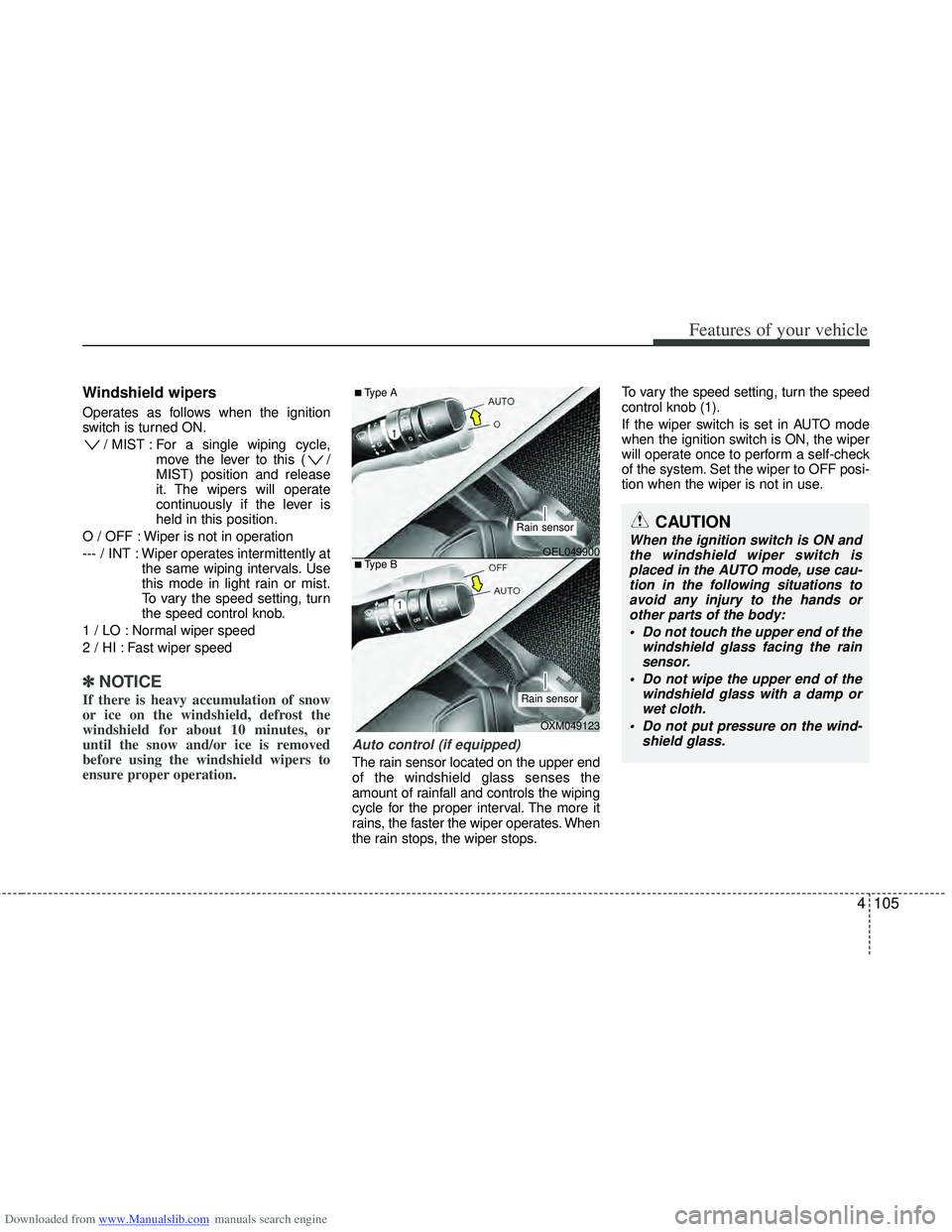
Auto control (if equipped)
The rain sensor located on the upper end
of the windshield glass senses the
amount of rainfall and controls the wiping
cycle for the proper interval. The more it
rains, the faster the wiper operates. When
the rain stops, the wiper stops. To vary the speed setting, turn the speed
control knob (1).
If the wiper switch is set in AUTO mode
when the ignition switch is ON, the wiper
will operate once to perform a self-check
of the system. Set the wiper to OFF posi-
tion when the wiper is not in use.
CAUTION
When the ignition switch is ON and
the windshield wiper switch isplaced in the AUTO mode, use cau- tion in the following situations toavoid any injury to the hands orother parts of the body:
Do not touch the upper end of the windshield glass facing the rainsensor.
Do not wipe the upper end of the windshield glass with a damp orwet cloth.
Do not put pressure on the wind- shield glass.OEL049900
OXM049123
■Type A
■Type B
Rain sensor
Rain sensor