USB HYUNDAI I800 2016 User Guide
[x] Cancel search | Manufacturer: HYUNDAI, Model Year: 2016, Model line: I800, Model: HYUNDAI I800 2016Pages: 419, PDF Size: 9.23 MB
Page 225 of 419
4151
Features of your vehicle
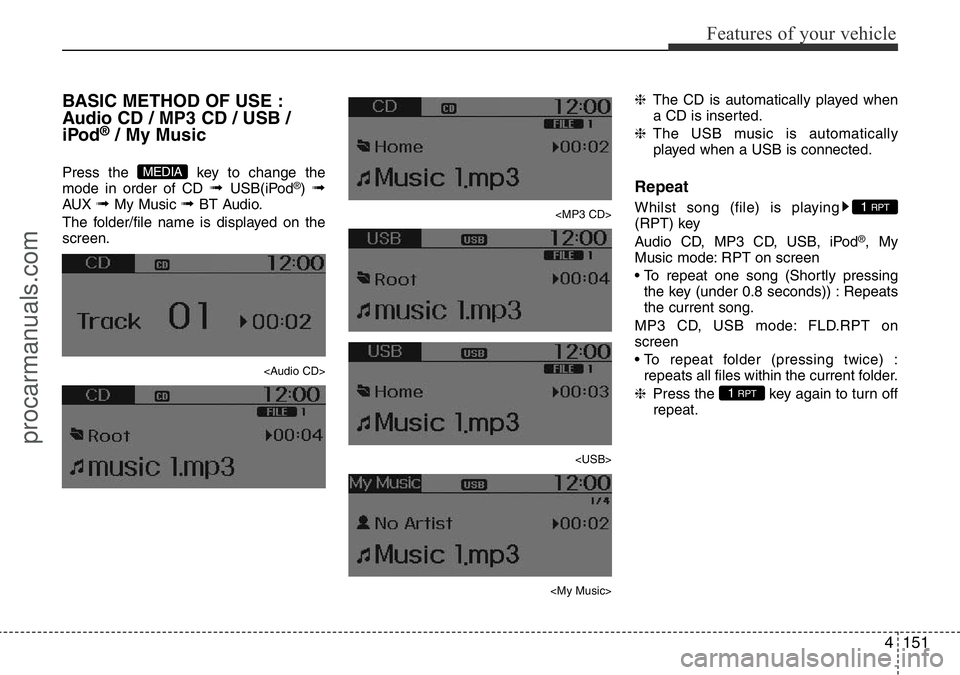
BASIC METHOD OF USE :
Audio CD / MP3 CD / USB /
iPod
®/ My Music
Press the key to change the
mode in order of CD ➟ USB(iPod®) ➟AUX ➟ My Music ➟ BT Audio.
The folder/file name is displayed on the
screen.
Page 226 of 419
Features of your vehicle
152 4
Random
Whilst song (file) is playing
(RDM) key
Audio CD, My Music mode: RDM on
screen
• Random (Shortly pressing the key ) :
Plays all songs in random order.
MP3 CD, USB mode: FLD.RDM on
screen
• Folder Random (Shortly pressing the
key) : Plays all files within the current
folder in random order.
MP3 CD, USB mode: RDM on screen
• Random (pressing twice) : Plays all files
in random order.
iPod®mode: RDM on screen
• Random (press the key) : Plays all files
in random order.
❈Press the key again to turn off
random.
Changing Song/File
Whilst song (file) is playing
key
• Shortly pressing the key : Plays the cur-
rent song from the beginning.
❈If the key is pressed again
within 1 second, the previous song is
played.
• Pressing and holding the key (over 0.8
seconds) : Rewinds the song.
Whilst song (file) is playing
key
• Shortly pressing the key : Plays the next
song.
• Pressing and holding the key (over 0.8
seconds) : Fast forwards the song.
Scan (For EUROPE)
Whilst song (file) is playing key
• Pressing and holding the key (over 0.8
seconds) : Scans all songs for 10 sec-
onds starting from the next song.
❈Pressing and holding the key
again to turn off.
Scan (Except EUROPE)
Whilst song (file) is playing key
• Shortly pressing the key (under 0.8 sec-
onds) : Scans all songs from the next
song for 10 seconds each.
❈Press the key again to turn
off.
❈The SCAN function is not supported in
iPod
®mode.
SCAN
SCAN
TA
SCAN
TA
SCAN
SEEK
TRACK
SEEK
TRACK
SEEK
TRACK
2 RDM
2 RDM
procarmanuals.com
Page 227 of 419
4153
Features of your vehicle
Folder Search : MP3 CD, USB
Mode
Whilst file is playing
(Folder Up) key
• Searches the next folder.
Whilst file is playing
(Folder Down) key
• Searches the parent folder.
❈If a folder is selected by pressing the
TUNE knob, the first file within the
selected folder will be played.
Searching Songs (File)
• Turning TUNE knob : Searches for
songs (files)
• Pressing TUNE knob : Plays select-
ed song (file).
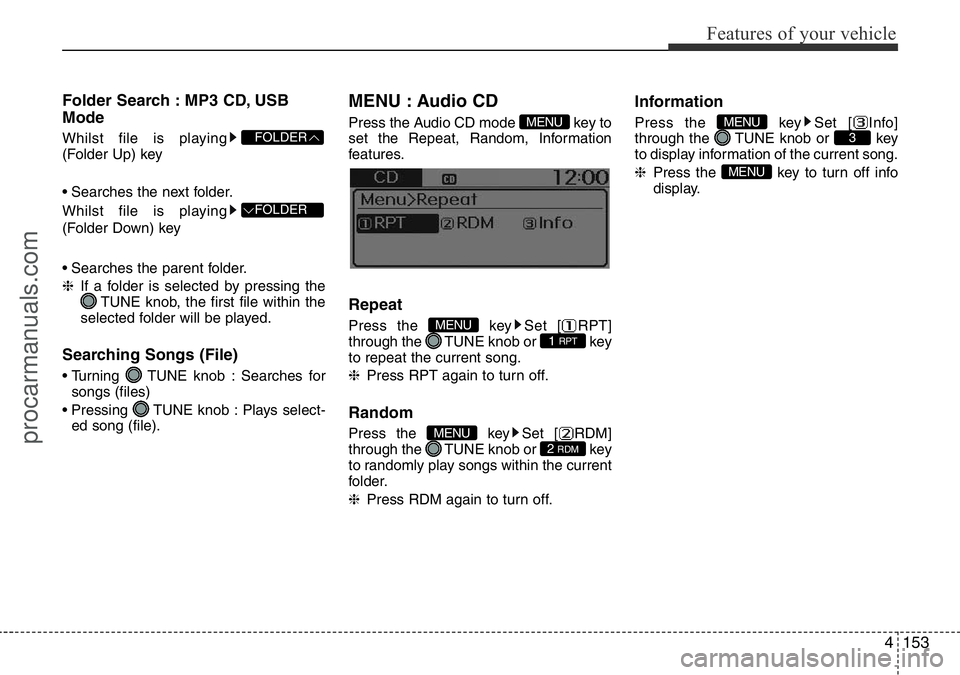
MENU : Audio CD
Press the Audio CD mode key to
set the Repeat, Random, Information
features.
Repeat
Press the key Set [ RPT]
through the TUNE knob or key
to repeat the current song.
❈Press RPT again to turn off.
Random
Press the key Set [ RDM]
through the TUNE knob or key
to randomly play songs within the current
folder.
❈Press RDM again to turn off.
Information
Press the key Set [ Info]
through the TUNE knob or key
to display information of the current song.
❈Press the key to turn off info
display.
MENU
3MENU
2 RDMMENU
1 RPTMENU
MENU
FOLDER
FOLDER
procarmanuals.com
Page 228 of 419
Features of your vehicle
154 4
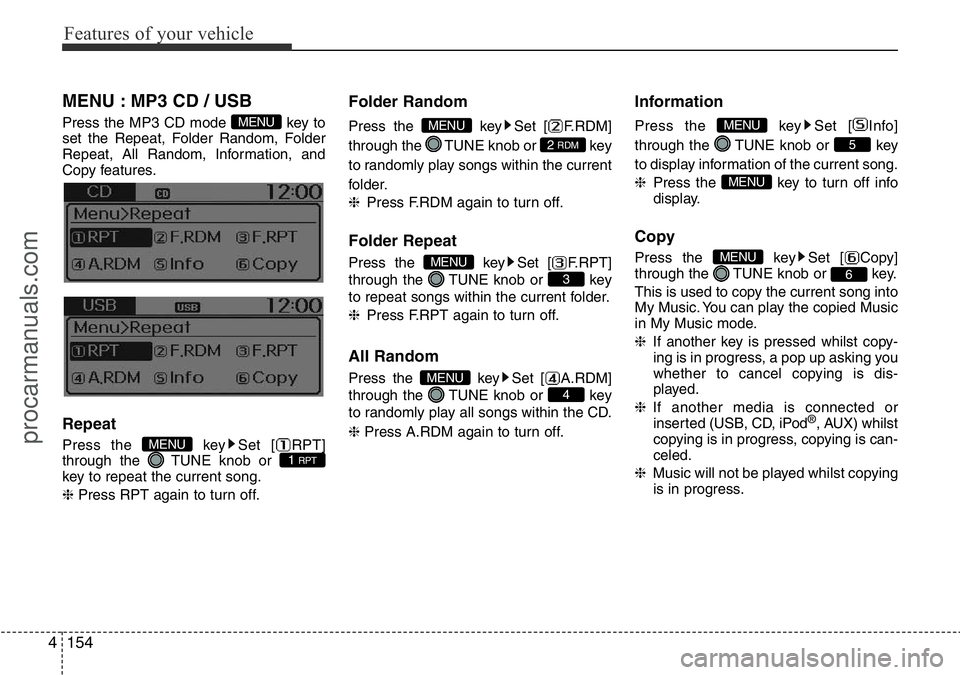
MENU : MP3 CD / USB
Press the MP3 CD mode key to
set the Repeat, Folder Random, Folder
Repeat, All Random, Information, and
Copy features.
Repeat
Press the key Set [ RPT]
through the TUNE knob or
key to repeat the current song.
❈Press RPT again to turn off.
Folder Random
Press the key Set [ F.RDM]
through the TUNE knob or key
to randomly play songs within the current
folder.
❈Press F.RDM again to turn off.
Folder Repeat
Press the key Set [ F.RPT]
through the TUNE knob or key
to repeat songs within the current folder.
❈Press F.RPT again to turn off.
All Random
Press the key Set [ A.RDM]
through the TUNE knob or key
to randomly play all songs within the CD.
❈ Press A.RDM again to turn off.
Information
Press the key Set [ Info]
through the TUNE knob or key
to display information of the current song.
❈Press the key to turn off info
display.
Copy
Press the key Set [ Copy]
through the TUNE knob or key.
This is used to copy the current song into
My Music. You can play the copied Music
in My Music mode.
❈If another key is pressed whilst copy-
ing is in progress, a pop up asking you
whether to cancel copying is dis-
played.
❈If another media is connected or
inserted (USB, CD, iPod
®, AUX) whilst
copying is in progress, copying is can-
celed.
❈Music will not be played whilst copying
is in progress.
6
MENU
MENU
5
MENU
4
MENU
3
MENU
2 RDM
MENU
1 RPTMENU
MENU
procarmanuals.com
Page 232 of 419
Features of your vehicle
158 4
Bluetooth®Wireless
Technology AUDIO
(If equipped)
What is Bluetooth®Wireless
Technology?
Bluetooth®Wireless Technology allows
devices to be connected in a short dis-
tance, including hands-free devices,
stereo headsets, wireless remote con-
trollers, etc. For more information, visit
the
Bluetooth®Wireless Technology web-
site at www.Bluetooth.com
Before using Bluetooth®Wireless
Technology audio features
•
Bluetooth®Wireless Technology audio
may not be supported depending on the
compatibility of your
Bluetooth®Wireless
Technologymobile phone.
• In order to use
Bluetooth®Wireless
Technology audio, you must first pair
and connect the
Bluetooth®Wireless
Technology mobile phone.• The Bluetooth
®word mark and logos are
registered trademarks owned by
Bluetooth
®SIG, Inc. and any use of such
marks is under license. Other trade-
marks and trade names are those of
their respective owners. A Bluetooth
®
enabled cell phone is required to useBluetooth®Wireless Technology
•
Bluetooth®Wireless Technology audio
can be used only when the [Audio
Streaming] of Phone is turned On.
❈Setting
Bluetooth®Wireless
Technology Audio Streaming : Press
the key Select [Phone]
through the tune knob Select [Audio
Streaming] through the TUNE
knob Set /
Starting Bluetooth®Wireless
Technology Audio
• Press the key to change the
mode in order of CD ➟USB ➟AUX ➟My Music ➟BT Audio.
• If BT Audio is selected,
Bluetooth®
Wireless Technology audio will start
playing.
❈Audio may not automatically start
playing in some mobile phones.
MEDIA
OffOn
SETUPCLOCK
procarmanuals.com
Page 238 of 419
Features of your vehicle
164 4
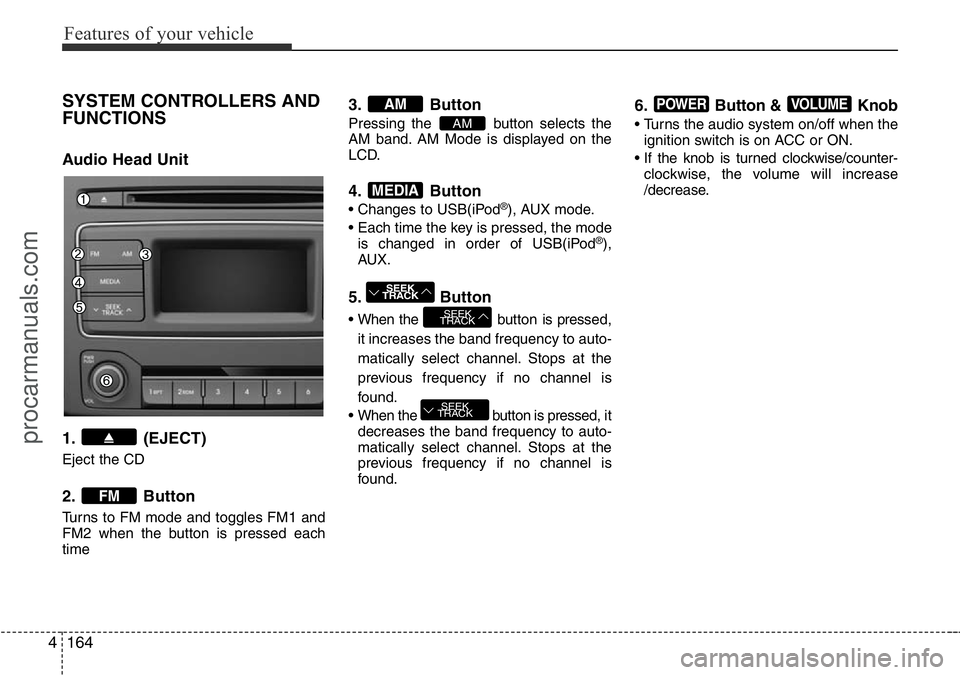
SYSTEM CONTROLLERS AND
FUNCTIONS
Audio Head Unit
1. (EJECT)
Eject the CD
2. Button
Turns to FM mode and toggles FM1 and
FM2 when the button is pressed each
time
3. Button
Pressing the button selects the
AM band. AM Mode is displayed on the
LCD.
4. Button
• Changes to USB(iPod®), AUX mode.
• Each time the key is pressed, the mode
is changed in order of USB(iPod
®),
AUX.
5. Button
• When the button is pressed,
it increases the band frequency to auto-
matically select channel. Stops at the
previous frequency if no channel is
found.
• When the button is pressed, it
decreases the band frequency to auto-
matically select channel. Stops at the
previous frequency if no channel is
found.
6. Button & Knob
• Turns the audio system on/off when the
ignition switch is on ACC or ON.
• If the knob is turned clockwise/counter-
clockwise, the volume will increase
/decrease.
VOLUMEPOWER
SEEK
TRACK
SEEK
TRACK
SEEK
TRACK
MEDIA
AM
AM
FM
procarmanuals.com
Page 239 of 419
4165
Features of your vehicle
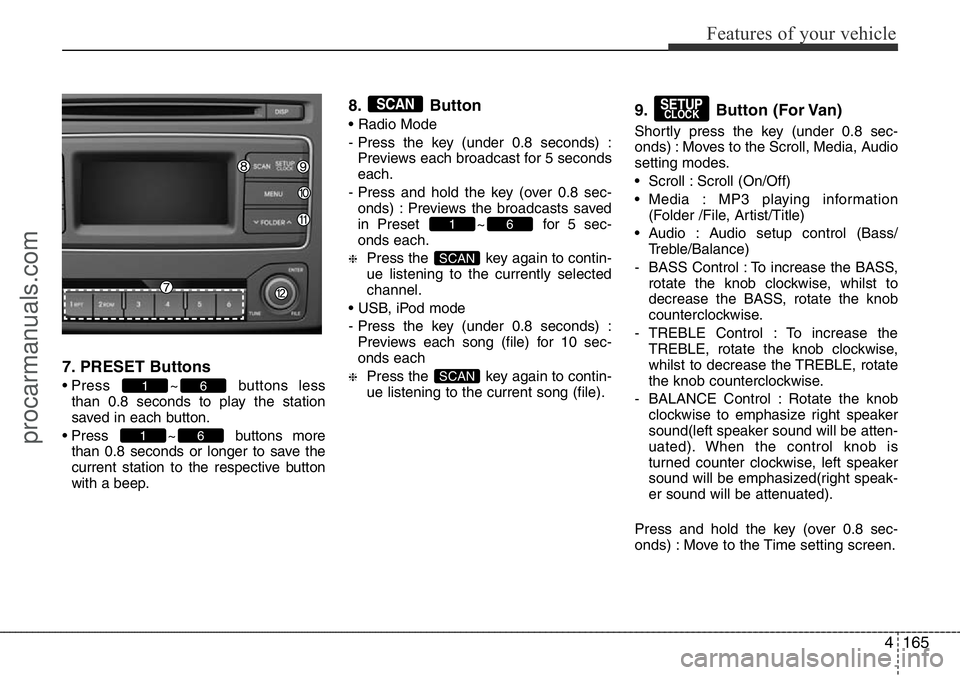
7. PRESET Buttons
• Press ~ buttons less
than 0.8 seconds to play the station
saved in each button.
• Press ~ buttons more
than 0.8 seconds or longer to save the
current station to the respective button
with a beep.
8. Button
• Radio Mode
- Press the key (under 0.8 seconds) :
Previews each broadcast for 5 seconds
each.
- Press and hold the key (over 0.8 sec-
onds) : Previews the broadcasts saved
in Preset ~ for 5 sec-
onds each.
❈Press the key again to contin-
ue listening to the currently selected
channel.
• USB, iPod mode
- Press the key (under 0.8 seconds) :
Previews each song (file) for 10 sec-
onds each
❈Press the key again to contin-
ue listening to the current song (file).
9. Button (For Van)
Shortly press the key (under 0.8 sec-
onds) : Moves to the Scroll, Media, Audio
setting modes.
• Scroll : Scroll (On/Off)
• Media : MP3 playing information
(Folder /File, Artist/Title)
• Audio : Audio setup control (Bass/
Treble/Balance)
- BASS Control : To increase the BASS,
rotate the knob clockwise, whilst to
decrease the BASS, rotate the knob
counterclockwise.
- TREBLE Control : To increase the
TREBLE, rotate the knob clockwise,
whilst to decrease the TREBLE, rotate
the knob counterclockwise.
- BALANCE Control : Rotate the knob
clockwise to emphasize right speaker
sound(left speaker sound will be atten-
uated). When the control knob is
turned counter clockwise, left speaker
sound will be emphasized(right speak-
er sound will be attenuated).
Press and hold the key (over 0.8 sec-
onds) : Move to the Time setting screen.
SETUPCLOCK
SCAN
SCAN
61
SCAN
61
61
procarmanuals.com
Page 243 of 419
4169
Features of your vehicle
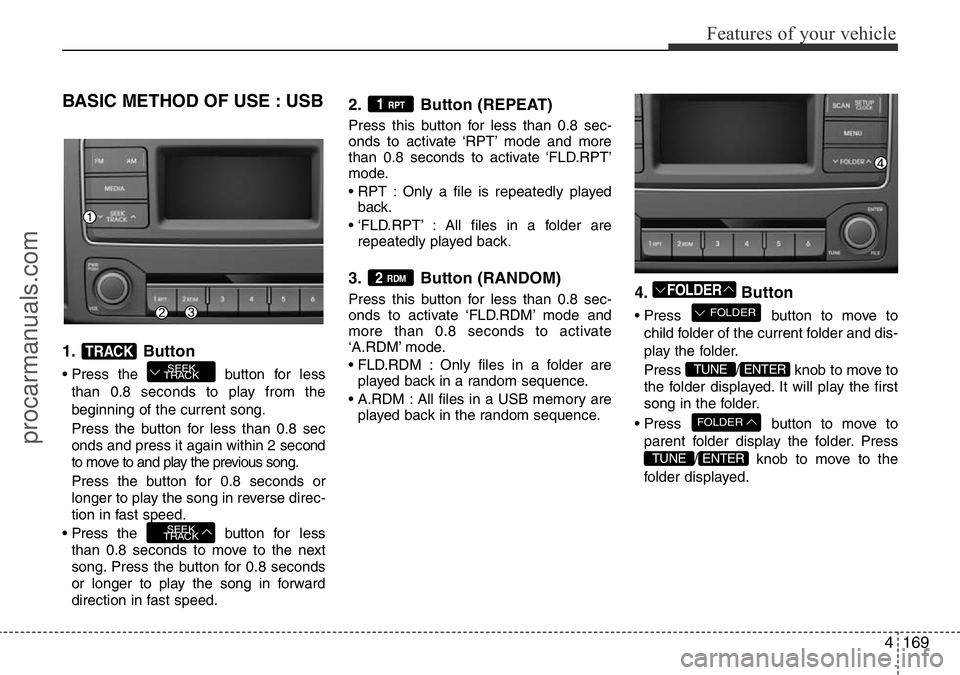
BASIC METHOD OF USE : USB
1. Button
• Press the button for less
than 0.8 seconds to play from the
beginning of the current song.
Press the button for less than 0.8 sec
onds and press it again within 2 second
to move to and play the previous song.
Press the button for 0.8 seconds or
longer to play the song in reverse direc-
tion in fast speed.
• Press the button for less
than 0.8 seconds to move to the next
song. Press the button for 0.8 seconds
or longer to play the song in forward
direction in fast speed.
2. Button (REPEAT)
Press this button for less than 0.8 sec-
onds to activate ‘RPT’ mode and more
than 0.8 seconds to activate ‘FLD.RPT’
mode.
• RPT : Only a file is repeatedly played
back.
• ‘FLD.RPT’ : All files in a folder are
repeatedly played back.
3. Button (RANDOM)
Press this button for less than 0.8 sec-
onds to activate ‘FLD.RDM’ mode and
more than 0.8 seconds to activate
‘A.RDM’ mode.
• FLD.RDM : Only files in a folder are
played back in a random sequence.
• A.RDM : All files in a USB memory are
played back in the random sequence.4. Button
• Press button to move to
child folder of the current folder and dis-
play the folder.
Press / knob to move to
the folder displayed. It will play the first
song in the folder.
• Press button to move to
parent folder display the folder. Press
/ knob to move to the
folder displayed.
ENTERTUNE
FOLDER
ENTERTUNE
FOLDER
FOLDER2 RDM
1 RPT
SEEK
TRACK
SEEK
TRACKTRACK
procarmanuals.com
Page 244 of 419
Features of your vehicle
170 4
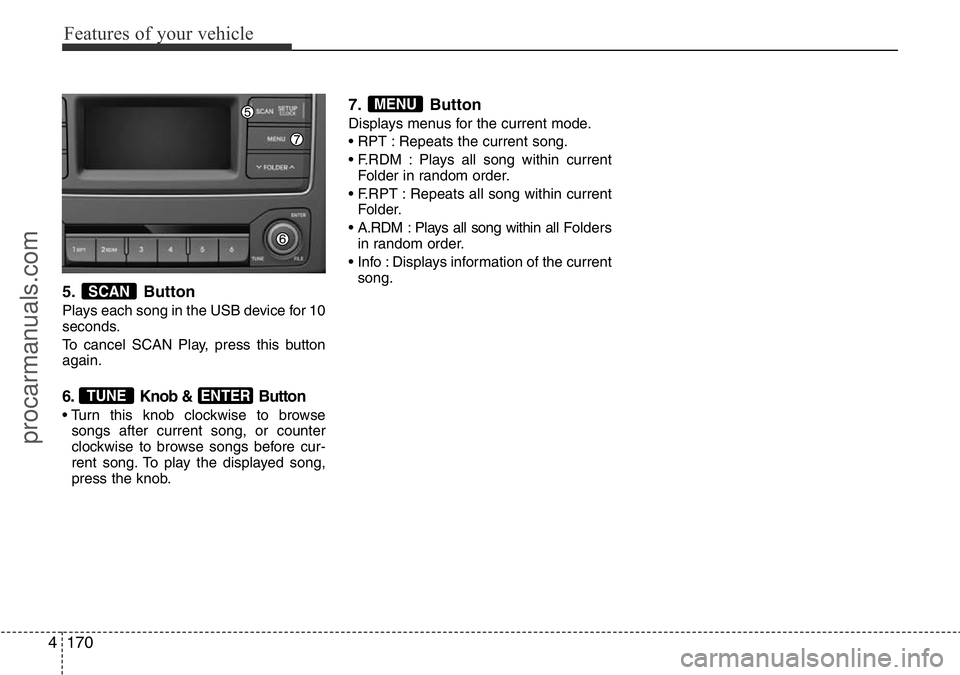
5. Button
Plays each song in the USB device for 10
seconds.
To cancel SCAN Play, press this button
again.
6. Knob & Button
• Turn this knob clockwise to browse
songs after current song, or counter
clockwise to browse songs before cur-
rent song. To play the displayed song,
press the knob.
7. Button
Displays menus for the current mode.
• RPT : Repeats the current song.
• F.RDM : Plays all song within current
Folder in random order.
• F.RPT : Repeats all song within current
Folder.
• A.RDM : Plays all song within all Folders
in random order.
• Info : Displays information of the current
song.
MENU
ENTERTUNE
SCAN
procarmanuals.com