wheel HYUNDAI I800 2016 Owner's Manual
[x] Cancel search | Manufacturer: HYUNDAI, Model Year: 2016, Model line: I800, Model: HYUNDAI I800 2016Pages: 419, PDF Size: 9.23 MB
Page 188 of 419
Features of your vehicle
114 4
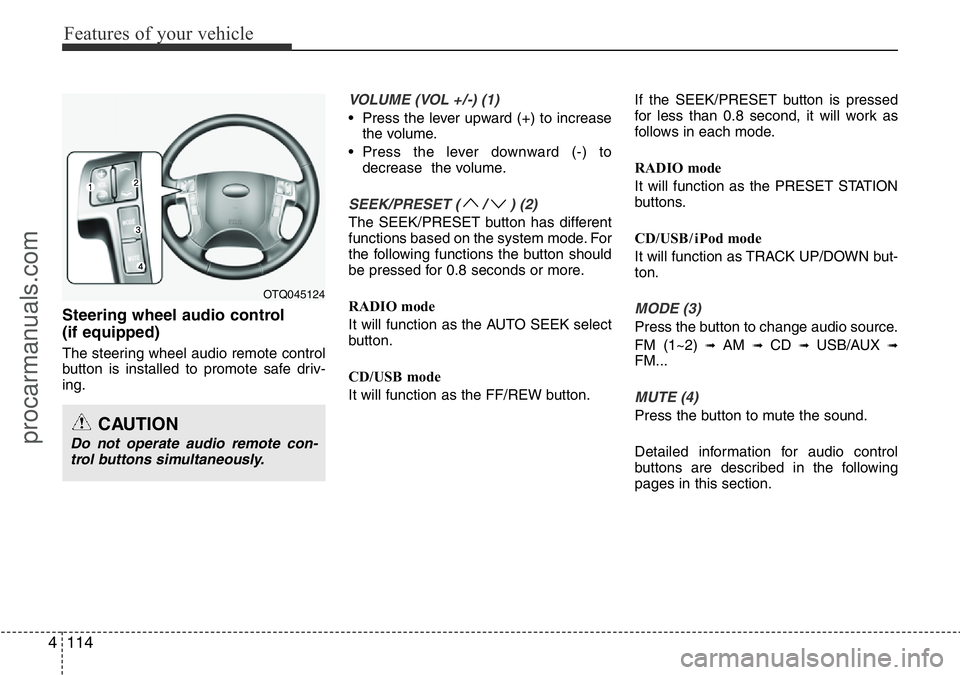
Steering wheel audio control
(if equipped)
The steering wheel audio remote control
button is installed to promote safe driv-
ing.
VOLUME (VOL +/-) (1)
• Press the lever upward (+) to increase
the volume.
• Press the lever downward (-) to
decrease the volume.
SEEK/PRESET ( / ) (2)
The SEEK/PRESET button has different
functions based on the system mode. For
the following functions the button should
be pressed for 0.8 seconds or more.
RADIO mode
It will function as the AUTO SEEK select
button.
CD/USB mode
It will function as the FF/REW button.If the SEEK/PRESET button is pressed
for less than 0.8 second, it will work as
follows in each mode.
RADIO mode
It will function as the PRESET STATION
buttons.
CD/USB / i Pod mode
It will function as TRACK UP/DOWN but-
ton.
MODE (3)
Press the button to change audio source.
FM (1~2)
➟ AM ➟ CD ➟ USB/AUX ➟FM...
MUTE (4)
Press the button to mute the sound.
Detailed information for audio control
buttons are described in the following
pages in this section.
OTQ045124
CAUTION
Do not operate audio remote con-
trol buttons simultaneously.
procarmanuals.com
Page 234 of 419
Features of your vehicle
160 4
PHONE (If equipped)
Before using the Bluetooth®Wireless
Technology phone features
• In order to use
Bluetooth®Wireless
Technology phone, you must first pair
and connect the
Bluetooth®Wireless
Technology mobile phone.
• If the mobile phone is not paired or con-
nected, it is not possible to enter Phone
mode. Once a phone is paired or con-
nected, the guidance screen will be dis-
played.
• If Priority is set upon vehicle ignition
(IGN/ACC ON), the
Bluetooth®Wireless
Technology phone will be automatically
connected. Even if you are outside, the
Bluetooth®Wireless Technology phone
will be automatically connected once
you are in the vicinity of the vehicle. If
you do not want automatic
Bluetooth®
Wireless Technology phone connec-
tion, set the Bluetooth®Wireless
Technology power to OFF.
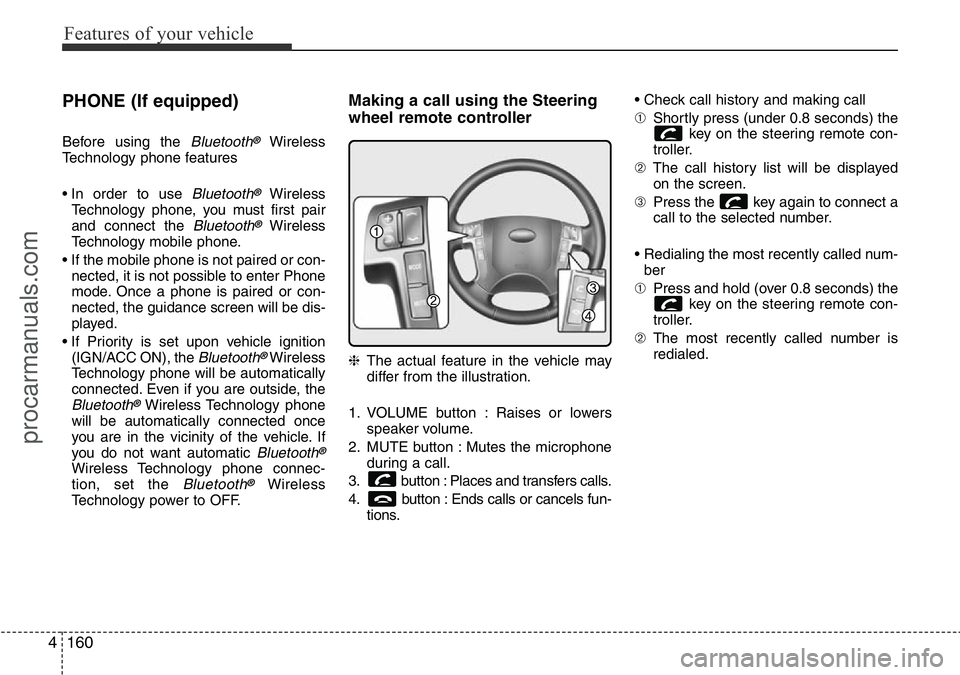
Making a call using the Steering
wheel remote controller
❈The actual feature in the vehicle may
differ from the illustration.
1. VOLUME button : Raises or lowers
speaker volume.
2. MUTE button : Mutes the microphone
during a call.
3. button : Places and transfers calls.
4. button : Ends calls or cancels fun-
tions.• Check call history and making call
➀Shortly press (under 0.8 seconds) the
key on the steering remote con-
troller.
➁The call history list will be displayed
on the screen.
➂Press the key again to connect a
call to the selected number.
• Redialing the most recently called num-
ber
➀Press and hold (over 0.8 seconds) the
key on the steering remote con-
troller.
➁The most recently called number is
redialed.
procarmanuals.com
Page 251 of 419
55
Driving your vehicle
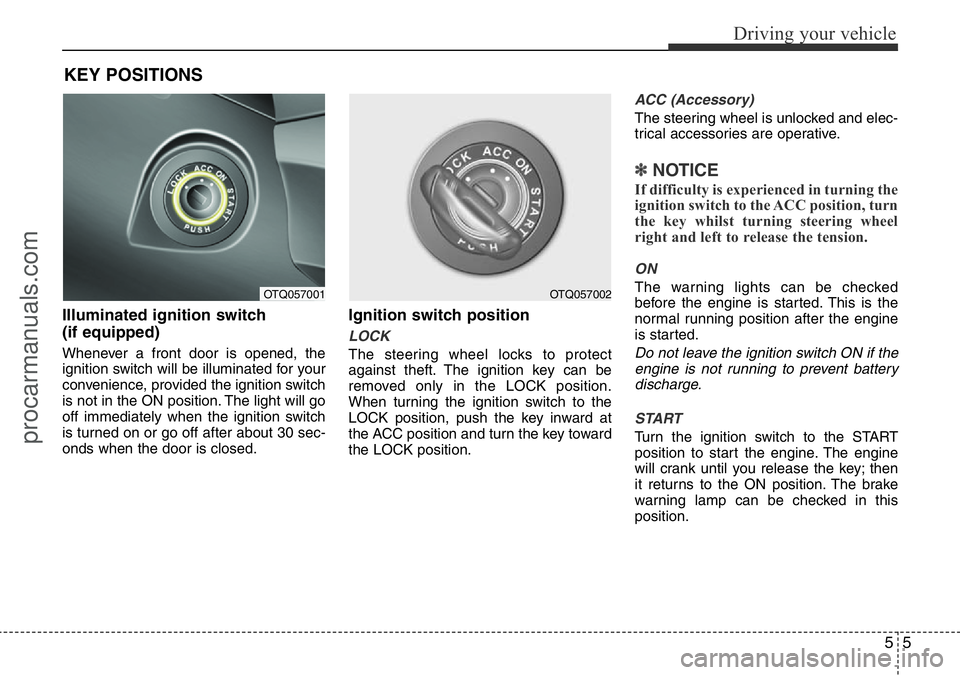
Illuminated ignition switch
(if equipped)
Whenever a front door is opened, the
ignition switch will be illuminated for your
convenience, provided the ignition switch
is not in the ON position. The light will go
off immediately when the ignition switch
is turned on or go off after about 30 sec-
onds when the door is closed.
Ignition switch position
LOCK
The steering wheel locks to protect
against theft. The ignition key can be
removed only in the LOCK position.
When turning the ignition switch to the
LOCK position, push the key inward at
the ACC position and turn the key toward
the LOCK position.
ACC (Accessory)
The steering wheel is unlocked and elec-
trical accessories are operative.
✽NOTICE
If difficulty is experienced in turning the
ignition switch to the ACC position, turn
the key whilst turning steering wheel
right and left to release the tension.
ON
The warning lights can be checked
before the engine is started. This is the
normal running position after the engine
is started.
Do not leave the ignition switch ON if the
engine is not running to prevent battery
discharge.
START
Turn the ignition switch to the START
position to start the engine. The engine
will crank until you release the key; then
it returns to the ON position. The brake
warning lamp can be checked in this
position.
KEY POSITIONS
OTQ057001OTQ057002
procarmanuals.com
Page 252 of 419
Driving your vehicle
6 5
WARNING- Ignition switch
• Never turn the ignition switch to
LOCK or ACC whilst the vehicle
is moving. This would result in
loss of directional control and
braking function, which could
cause an accident.
• The anti-theft steering column
lock is not a substitute for the
parking brake. Before leaving the
driver’s seat, always make sure
the shift lever is engaged in P
(Park) for the automatic transmis-
sion and set the parking brake
fully and shut the engine off.
Unexpected and sudden vehicle
movement may occur if these
precautions are not taken.
• Never reach for the ignition
switch, or any other controls
through the steering wheel whilst
the vehicle is in motion. The pres-
ence of your hand or arm in this
area could cause a loss of vehicle
control, an accident and serious
bodily injury or death.
(Continued)
(Continued)
• Do not place any movable objects
around the driver’s seat as they
may move whilst driving, inter-
fere with the driver and lead to an
accident.
procarmanuals.com
Page 258 of 419
Driving your vehicle
12 5
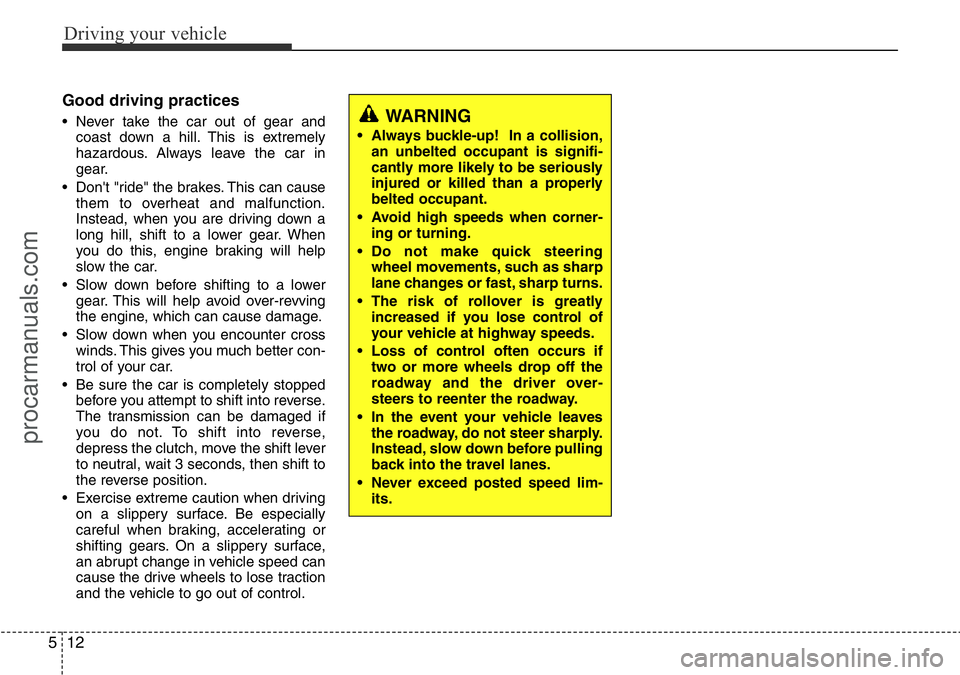
Good driving practices
• Never take the car out of gear and
coast down a hill. This is extremely
hazardous. Always leave the car in
gear.
• Don't "ride" the brakes. This can cause
them to overheat and malfunction.
Instead, when you are driving down a
long hill, shift to a lower gear. When
you do this, engine braking will help
slow the car.
• Slow down before shifting to a lower
gear. This will help avoid over-revving
the engine, which can cause damage.
• Slow down when you encounter cross
winds. This gives you much better con-
trol of your car.
• Be sure the car is completely stopped
before you attempt to shift into reverse.
The transmission can be damaged if
you do not. To shift into reverse,
depress the clutch, move the shift lever
to neutral, wait 3 seconds, then shift to
the reverse position.
• Exercise extreme caution when driving
on a slippery surface. Be especially
careful when braking, accelerating or
shifting gears. On a slippery surface,
an abrupt change in vehicle speed can
cause the drive wheels to lose traction
and the vehicle to go out of control.WARNING
• Always buckle-up! In a collision,
an unbelted occupant is signifi-
cantly more likely to be seriously
injured or killed than a properly
belted occupant.
• Avoid high speeds when corner-
ing or turning.
• Do not make quick steering
wheel movements, such as sharp
lane changes or fast, sharp turns.
• The risk of rollover is greatly
increased if you lose control of
your vehicle at highway speeds.
• Loss of control often occurs if
two or more wheels drop off the
roadway and the driver over-
steers to reenter the roadway.
• In the event your vehicle leaves
the roadway, do not steer sharply.
Instead, slow down before pulling
back into the travel lanes.
• Never exceed posted speed lim-
its.
procarmanuals.com
Page 261 of 419
515
Driving your vehicle
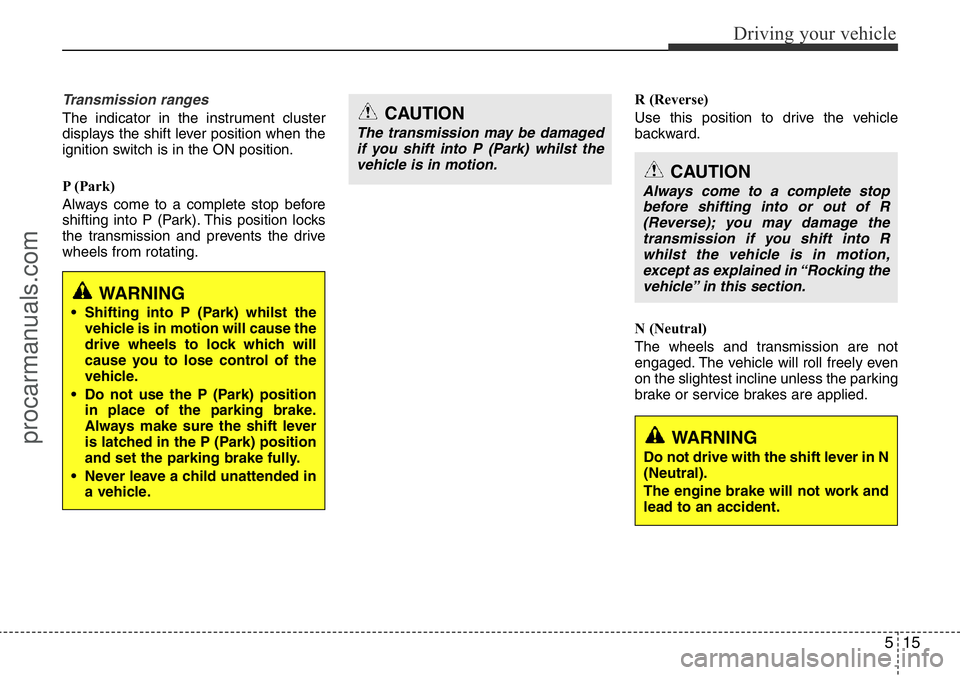
Transmission ranges
The indicator in the instrument cluster
displays the shift lever position when the
ignition switch is in the ON position.
P (Park)
Always come to a complete stop before
shifting into P (Park). This position locks
the transmission and prevents the drive
wheels from rotating.R (Reverse)
Use this position to drive the vehicle
backward.
N (Neutral)
The wheels and transmission are not
engaged. The vehicle will roll freely even
on the slightest incline unless the parking
brake or service brakes are applied.CAUTION
The transmission may be damaged
if you shift into P (Park) whilst the
vehicle is in motion.
CAUTION
Always come to a complete stop
before shifting into or out of R
(Reverse); you may damage the
transmission if you shift into R
whilst the vehicle is in motion,
except as explained in “Rocking the
vehicle” in this section.
WARNING
• Shifting into P (Park) whilst the
vehicle is in motion will cause the
drive wheels to lock which will
cause you to lose control of the
vehicle.
• Do not use the P (Park) position
in place of the parking brake.
Always make sure the shift lever
is latched in the P (Park) position
and set the parking brake fully.
• Never leave a child unattended in
a vehicle.
WARNING
Do not drive with the shift lever in N
(Neutral).
The engine brake will not work and
lead to an accident.
procarmanuals.com
Page 262 of 419
Driving your vehicle
16 5
D (Drive)
This is the normal forward driving posi-
tion. The transmission will automatically
shift through a 5 (or 4)-gear sequence,
providing the best fuel economy and
power.
For extra power when passing another
vehicle or climbing grades, depress the
accelerator fully, at which time the trans-
mission will automatically downshift to
the next lower gear.
✽NOTICE
Always come to a complete stop before
shifting into D (Drive).
2 (Second Gear, if equipped)
Use 2 (Second Gear) for more power
when climbing hills and for increased
braking when going down hills. This posi-
tion also helps reduce wheel spin on slip-
pery surfaces. When the shift lever is
placed in 2 (Second Gear), the transmis-
sion will automatically shift from first to
second gear.
L (Low, if equipped)
Move the shift lever to this position in
hard pulling situations and for climbing
steep grades.
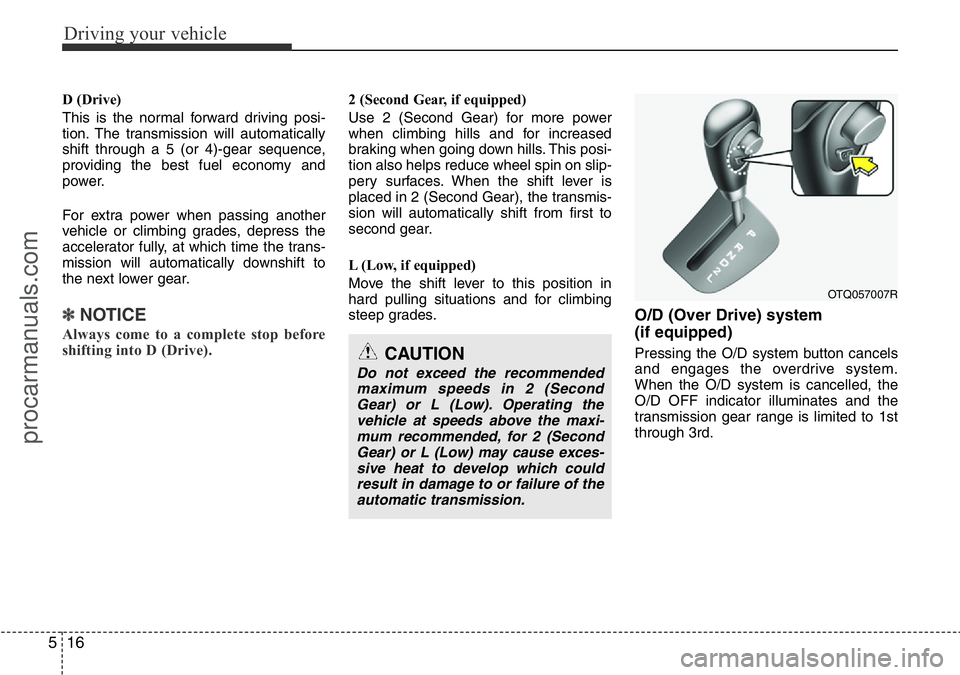
O/D (Over Drive) system
(if equipped)
Pressing the O/D system button cancels
and engages the overdrive system.
When the O/D system is cancelled, the
O/D OFF indicator illuminates and the
transmission gear range is limited to 1st
through 3rd.
OTQ057007R
CAUTION
Do not exceed the recommended
maximum speeds in 2 (Second
Gear) or L (Low). Operating the
vehicle at speeds above the maxi-
mum recommended, for 2 (Second
Gear) or L (Low) may cause exces-
sive heat to develop which could
result in damage to or failure of the
automatic transmission.
procarmanuals.com
Page 264 of 419
Driving your vehicle
18 5
Good driving practices
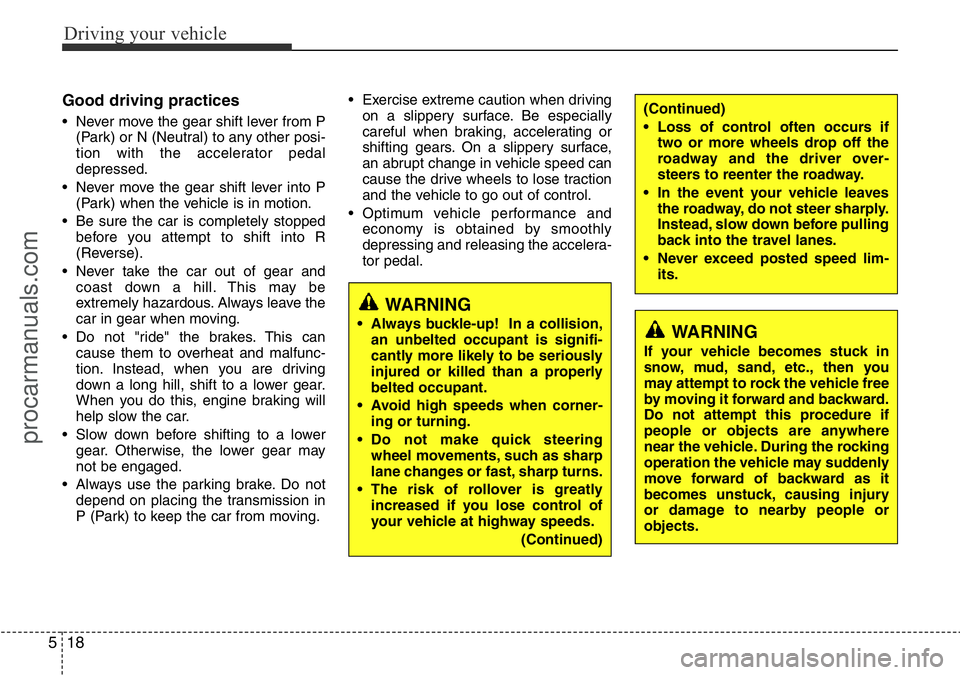
• Never move the gear shift lever from P
(Park) or N (Neutral) to any other posi-
tion with the accelerator pedal
depressed.
• Never move the gear shift lever into P
(Park) when the vehicle is in motion.
• Be sure the car is completely stopped
before you attempt to shift into R
(Reverse).
• Never take the car out of gear and
coast down a hill. This may be
extremely hazardous. Always leave the
car in gear when moving.
• Do not "ride" the brakes. This can
cause them to overheat and malfunc-
tion. Instead, when you are driving
down a long hill, shift to a lower gear.
When you do this, engine braking will
help slow the car.
• Slow down before shifting to a lower
gear. Otherwise, the lower gear may
not be engaged.
• Always use the parking brake. Do not
depend on placing the transmission in
P (Park) to keep the car from moving.• Exercise extreme caution when driving
on a slippery surface. Be especially
careful when braking, accelerating or
shifting gears. On a slippery surface,
an abrupt change in vehicle speed can
cause the drive wheels to lose traction
and the vehicle to go out of control.
• Optimum vehicle performance and
economy is obtained by smoothly
depressing and releasing the accelera-
tor pedal.
WARNING
• Always buckle-up! In a collision,
an unbelted occupant is signifi-
cantly more likely to be seriously
injured or killed than a properly
belted occupant.
• Avoid high speeds when corner-
ing or turning.
• Do not make quick steering
wheel movements, such as sharp
lane changes or fast, sharp turns.
• The risk of rollover is greatly
increased if you lose control of
your vehicle at highway speeds.
(Continued)
(Continued)
• Loss of control often occurs if
two or more wheels drop off the
roadway and the driver over-
steers to reenter the roadway.
• In the event your vehicle leaves
the roadway, do not steer sharply.
Instead, slow down before pulling
back into the travel lanes.
• Never exceed posted speed lim-
its.
WARNING
If your vehicle becomes stuck in
snow, mud, sand, etc., then you
may attempt to rock the vehicle free
by moving it forward and backward.
Do not attempt this procedure if
people or objects are anywhere
near the vehicle. During the rocking
operation the vehicle may suddenly
move forward of backward as it
becomes unstuck, causing injury
or damage to nearby people or
objects.
procarmanuals.com
Page 270 of 419
Driving your vehicle
24 5
The ABS continuously senses the speed
of the wheels. If the wheels are going to
lock, the ABS system repeatedly modu-
lates the hydraulic brake pressure to the
wheels.
When you apply your brakes under con-
ditions which may lock the wheels, you
may hear a “tik-tik’’ sound from the
brakes, or feel a corresponding sensation
in the brake pedal. This is normal and it
means your ABS is active.
In order to obtain the maximum benefit
from your ABS in an emergency situa-
tion, do not attempt to modulate your
brake pressure and do not try to pump
your brakes. Press your brake pedal as
hard as possible or as hard as the situa-
tion warrants and allow the ABS to con-
trol the force being delivered to the
brakes.✽NOTICE
A click sound may be heard in the
engine compartment when the vehicle
begins to move after the engine is start-
ed. These conditions are normal and
indicate that the anti-lock brake system
is functioning properly.
• Even with the anti-lock brake system,
your vehicle still requires sufficient
stopping distance. Always maintain a
safe distance from the vehicle in front
of you.
• Always slow down when cornering.
The anti-lock brake system cannot pre-
vent accidents resulting from exces-
sive speeds.
• On loose or uneven road surfaces,
operation of the anti-lock brake system
may result in a longer stopping dis-
tance than for vehicles equipped with a
conventional brake system.
(Continued)
• On roads where the road surface
is pitted or has different surface
height.
The safety features of an ABS (or
ESP) equipped vehicle should not
be tested by high speed driving or
cornering. This could endanger the
safety of yourself or others.
procarmanuals.com
Page 272 of 419
Driving your vehicle
26 5
ESP (ESC) checks where you are
steering and where the vehicle is actually
going.
ESP (ESC) applies the brakes at
individual wheels and intervenes in the
engine management system to stabilize
the vehicle.The Electronic Stability Program (ESP)/
Electronic Stability Control (ESC) system
is an electronic system designed to help
the driver maintain vehicle control under
adverse conditions. It is not a substitute
for safe driving practices. Factors
including speed, road conditions and
driver steering input can all affect
whether ESP (ESC) will be effective in
preventing a loss of control. It is still your
responsibility to drive and corner at
reasonable speeds and to leave a
sufficient margin of safety.
When you apply your brakes under con-
ditions which may lock the wheels, you
may hear a “tik-tik’’ sound from the
brakes, or feel a corresponding sensation
in the brake pedal. This is normal and it
means your ESP (ESC) is active.
✽NOTICE
A click sound may be heard in the
engine compartment when the vehicle
begins to move after the engine is start-
ed. These conditions are normal and
indicate that the Electronic Stability
Program (Electronic stability control)
System is functioning properly.
ESP (ESC) operation
ESP (ESC) ON condition
• When the ignition is turned
ON, ESP (ESC) and ESP
(ESC) OFF indicator lights
illuminate for approximately 3
seconds, then ESP (ESC) is
turned on.
• Press the ESP (ESC) OFF
button for at least half a sec-
ond after turning the ignition
ON to turn ESP (ESC) off.
(ESP (ESC) OFF indicator
will illuminate). To turn the
ESP (ESC) on, press the
ESP (ESC) OFF button (ESP
(ESC) OFF indicator light will
go off).
• When starting the engine,
you may hear a slight ticking
sound. This is the ESP (ESC)
performing an automatic sys-
tem self-check and does not
indicate a problem.
WARNING
Never drive too fast for the road
conditions or too quickly when cor-
nering. Electronic stability pro-
gram (ESP) / Electronic stability
control (ESC) will not prevent acci-
dents. Excessive speed in turns,
abrupt manoeuvres and hydroplan-
ing on wet surfaces can still result
in serious accidents. Only a safe
and attentive driver can prevent
accidents by avoiding manoeuvres
that cause the vehicle to lose trac-
tion. Even with ESP (ESC)
installed, always follow all the nor-
mal precautions for driving - includ-
ing driving at safe speeds for the
conditions.
-
procarmanuals.com