warning light HYUNDAI I800 2016 Workshop Manual
[x] Cancel search | Manufacturer: HYUNDAI, Model Year: 2016, Model line: I800, Model: HYUNDAI I800 2016Pages: 419, PDF Size: 9.23 MB
Page 269 of 419
523
Driving your vehicle
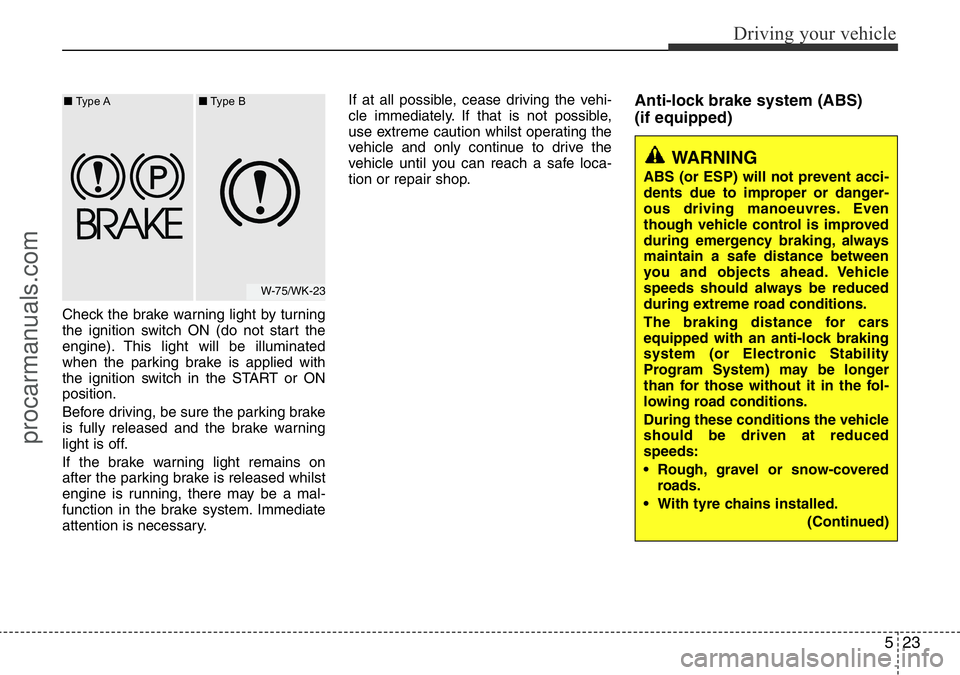
Check the brake warning light by turning
the ignition switch ON (do not start the
engine). This light will be illuminated
when the parking brake is applied with
the ignition switch in the START or ON
position.
Before driving, be sure the parking brake
is fully released and the brake warning
light is off.
If the brake warning light remains on
after the parking brake is released whilst
engine is running, there may be a mal-
function in the brake system. Immediate
attention is necessary.If at all possible, cease driving the vehi-
cle immediately. If that is not possible,
use extreme caution whilst operating the
vehicle and only continue to drive the
vehicle until you can reach a safe loca-
tion or repair shop.
Anti-lock brake system (ABS)
(if equipped)
W-75/WK-23 ■Type A■Type B
WARNING
ABS (or ESP) will not prevent acci-
dents due to improper or danger-
ous driving manoeuvres. Even
though vehicle control is improved
during emergency braking, always
maintain a safe distance between
you and objects ahead. Vehicle
speeds should always be reduced
during extreme road conditions.
The braking distance for cars
equipped with an anti-lock braking
system (or Electronic Stability
Program System) may be longer
than for those without it in the fol-
lowing road conditions.
During these conditions the vehicle
should be driven at reduced
speeds:
• Rough, gravel or snow-covered
roads.
• With tyre chains installed.
(Continued)
procarmanuals.com
Page 271 of 419
525
Driving your vehicle
✽NOTICE
When you jump start your vehicle
because of a drained battery, the engine
may not run as smoothly and the ABS
warning light may turn on at the same
time. This happens because of the low
battery voltage. It does not mean your
ABS is malfunctioning.
• Do not pump your brakes!
• Have the battery recharged before
driving the vehicle.
Electronic stability program (ESP)
/ Electronic stability control (ESC)
(If equipped)
The Electronic Stability Program (ESP) /
Electronic Stability Control (ESC) system
is designed to stabilize the vehicle during
cornering manoeuvres.
W-78
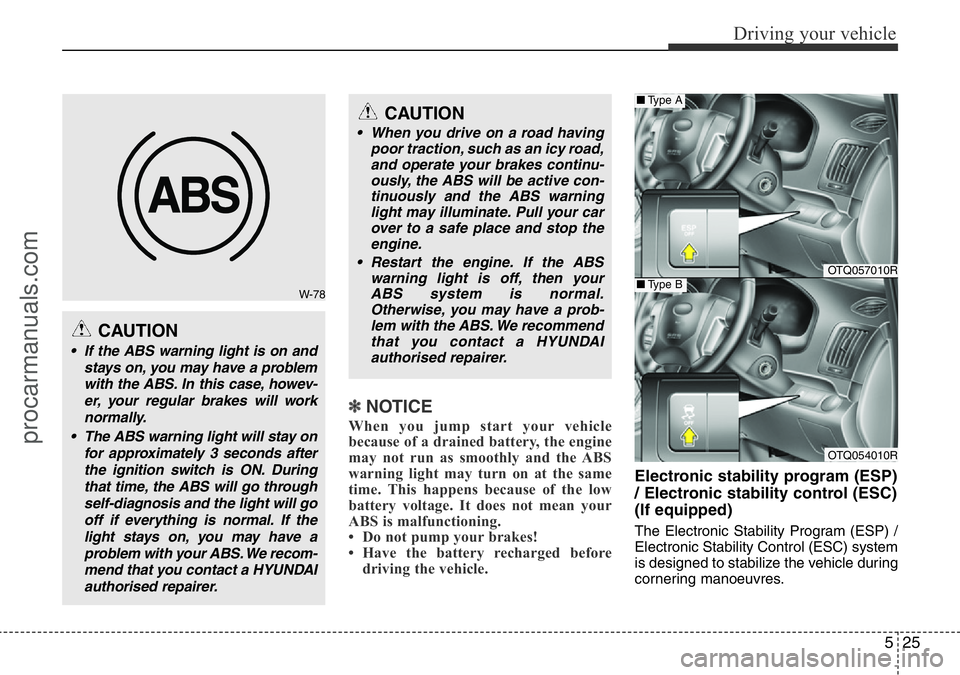
CAUTION
• If the ABS warning light is on and
stays on, you may have a problem
with the ABS. In this case, howev-
er, your regular brakes will work
normally.
• The ABS warning light will stay on
for approximately 3 seconds after
the ignition switch is ON. During
that time, the ABS will go through
self-diagnosis and the light will go
off if everything is normal. If the
light stays on, you may have a
problem with your ABS. We recom-
mend that you contact a HYUNDAI
authorised repairer.
CAUTION
• When you drive on a road having
poor traction, such as an icy road,
and operate your brakes continu-
ously, the ABS will be active con-
tinuously and the ABS warning
light may illuminate. Pull your car
over to a safe place and stop the
engine.
• Restart the engine. If the ABS
warning light is off, then your
ABS system is normal.
Otherwise, you may have a prob-
lem with the ABS. We recommend
that you contact a HYUNDAI
authorised repairer.
OTQ057010R
OTQ054010R
■Type A
■Type B
procarmanuals.com
Page 272 of 419
Driving your vehicle
26 5
ESP (ESC) checks where you are
steering and where the vehicle is actually
going.
ESP (ESC) applies the brakes at
individual wheels and intervenes in the
engine management system to stabilize
the vehicle.The Electronic Stability Program (ESP)/
Electronic Stability Control (ESC) system
is an electronic system designed to help
the driver maintain vehicle control under
adverse conditions. It is not a substitute
for safe driving practices. Factors
including speed, road conditions and
driver steering input can all affect
whether ESP (ESC) will be effective in
preventing a loss of control. It is still your
responsibility to drive and corner at
reasonable speeds and to leave a
sufficient margin of safety.
When you apply your brakes under con-
ditions which may lock the wheels, you
may hear a “tik-tik’’ sound from the
brakes, or feel a corresponding sensation
in the brake pedal. This is normal and it
means your ESP (ESC) is active.
✽NOTICE
A click sound may be heard in the
engine compartment when the vehicle
begins to move after the engine is start-
ed. These conditions are normal and
indicate that the Electronic Stability
Program (Electronic stability control)
System is functioning properly.
ESP (ESC) operation
ESP (ESC) ON condition
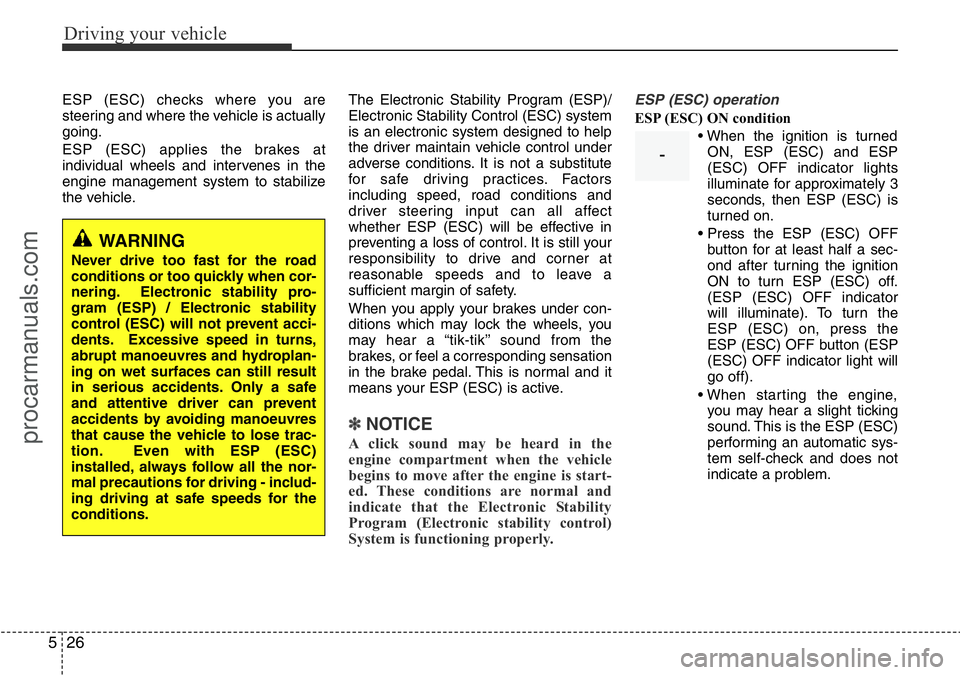
• When the ignition is turned
ON, ESP (ESC) and ESP
(ESC) OFF indicator lights
illuminate for approximately 3
seconds, then ESP (ESC) is
turned on.
• Press the ESP (ESC) OFF
button for at least half a sec-
ond after turning the ignition
ON to turn ESP (ESC) off.
(ESP (ESC) OFF indicator
will illuminate). To turn the
ESP (ESC) on, press the
ESP (ESC) OFF button (ESP
(ESC) OFF indicator light will
go off).
• When starting the engine,
you may hear a slight ticking
sound. This is the ESP (ESC)
performing an automatic sys-
tem self-check and does not
indicate a problem.
WARNING
Never drive too fast for the road
conditions or too quickly when cor-
nering. Electronic stability pro-
gram (ESP) / Electronic stability
control (ESC) will not prevent acci-
dents. Excessive speed in turns,
abrupt manoeuvres and hydroplan-
ing on wet surfaces can still result
in serious accidents. Only a safe
and attentive driver can prevent
accidents by avoiding manoeuvres
that cause the vehicle to lose trac-
tion. Even with ESP (ESC)
installed, always follow all the nor-
mal precautions for driving - includ-
ing driving at safe speeds for the
conditions.
-
procarmanuals.com
Page 274 of 419
Driving your vehicle
28 5
✽NOTICE
After reconnecting or recharging a dis-
charged battery, the ESP (ESC) indica-
tor may illuminate. In this case, turn the
steering wheel half way to the left and
right whilst the ignition switch is in the
ON position. Then, restart the engine
after the ignition is off. If the ESP (ESC)
indicator does not turn off, we recom-
mend that the system be checked by a
HYUNDAI authorised repairer.
ESP (ESC) OFF usage
When driving
• The ESP (ESC) turned on for daily
driving whenever possible.
• To turn ESP (ESC) off whilst driving,
press the ESP (ESC) OFF button
whilst driving on a flat road surface.
Never press the ESP (ESC) OFF button
whilst ESP (ESC) is operating (ESP
(ESC) indicator light blinks).
If ESP (ESC) is turned off whilst ESP
(ESC) is operating, the vehicle may slip
out of control.
✽NOTICE
• When operating the vehicle on a
dynamometer, ensure that the ESP
(ESC) is turned off (ESP (ESC) OFF
light illuminated). If the ESP (ESC) is
left on, it may prevent the vehicle
speed from increasing, and result in
false diagnosis.
• Turning the ESP (ESC) off does not
affect ABS or brake system operation.
CAUTION
Driving with varying tyre or wheel
sizes may cause the ESP (ESC) sys-
tem to malfunction. When replacing
tyres, make sure they are the same
size as your original tyres.
WARNING
The Electronic Stability Program
(Electronic stability control) system
is only a driving aid; use precau-
tions for safe driving by slowing
down on curved, snowy, or icy
roads. Drive slowly and don’t
attempt to accelerate whenever the
ESP (ESC) indicator light is blink-
ing, or when the road surface is
slippery.
procarmanuals.com
Page 275 of 419
529
Driving your vehicle
Good braking practices• After being parked, check to be sure
the parking brake is not engaged and
that the parking brake indicator light is
out before driving away.
• Driving through water may get the
brakes wet. They can also get wet
when the car is washed. Wet brakes
can be dangerous! Your car will not
stop as quickly if the brakes are wet.
Wet brakes may cause the car to pull
to one side.
To dry the brakes, apply the brakes
lightly until the braking action returns to
normal, taking care to keep the car
under control at all times. If the braking
action does not return to normal, stop
as soon as it is safe to do so and we
recommend that you call a HYUNDAI
authorised repairer.
• Don't coast down hills with the car out
of gear. This is extremely hazardous.
Keep the car in gear at all times, use
the brakes to slow down, then shift to a
lower gear so that engine braking will
help you maintain a safe speed.
WARNING
• Whenever leaving vehicle or
parking, always set the parking
brake as far as possible and fully
engage the vehicle's transmis-
sion into the park position.
Vehicles not fully engaged in park
with the parking brake set are at
risk for moving inadvertently and
injuring yourself or others.
• All vehicles should always have
the parking brake fully engaged
when parking to avoid inadver-
tent movement of the car which
can injure occupants or pedestri-
ans.
WARNING
Never press the ESP (ESC) OFF
button whilst ESP (ESC) is operat-
ing.
If the ESP (ESC) is turned off whilst
ESP (ESC) is operating, the vehicle
may go out of control.
To turn ESP (ESC) off whilst driv-
ing, press the ESP (ESC) OFF but-
ton whilst driving on a flat road sur-
face.
procarmanuals.com
Page 277 of 419
531
Driving your vehicle
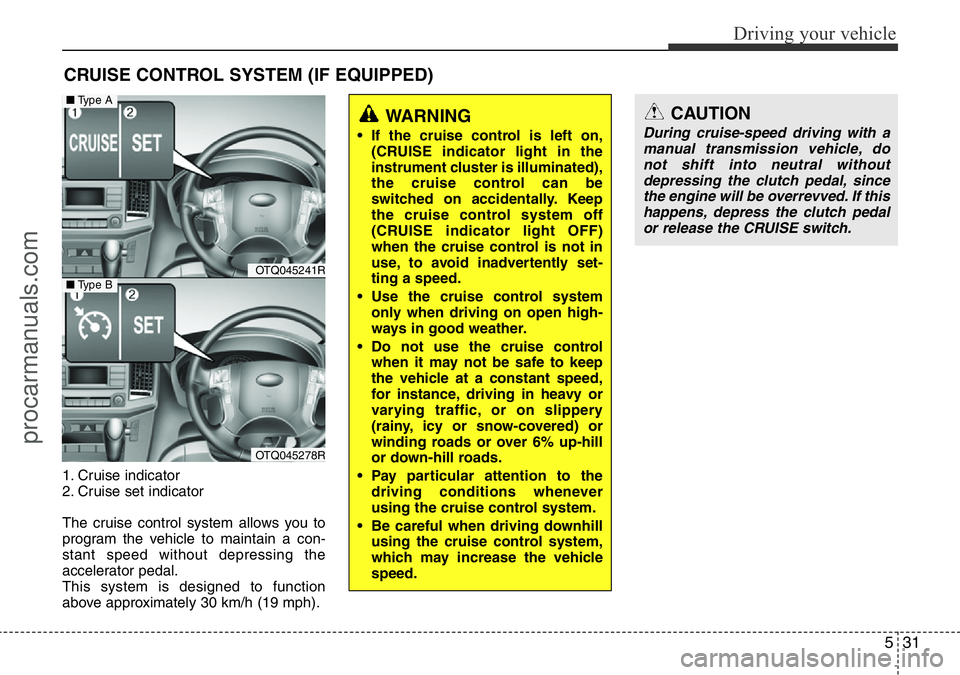
1. Cruise indicator
2. Cruise set indicator
The cruise control system allows you to
program the vehicle to maintain a con-
stant speed without depressing the
accelerator pedal.
This system is designed to function
above approximately 30 km/h (19 mph).
CRUISE CONTROL SYSTEM (IF EQUIPPED)
WARNING
• If the cruise control is left on,
(CRUISE indicator light in the
instrument cluster is illuminated),
the cruise control can be
switched on accidentally. Keep
the cruise control system off
(CRUISE indicator light OFF)
when the cruise control is not in
use, to avoid inadvertently set-
ting a speed.
• Use the cruise control system
only when driving on open high-
ways in good weather.
• Do not use the cruise control
when it may not be safe to keep
the vehicle at a constant speed,
for instance, driving in heavy or
varying traffic, or on slippery
(rainy, icy or snow-covered) or
winding roads or over 6% up-hill
or down-hill roads.
• Pay particular attention to the
driving conditions whenever
using the cruise control system.
• Be careful when driving downhill
using the cruise control system,
which may increase the vehicle
speed.
CAUTION
During cruise-speed driving with a
manual transmission vehicle, do
not shift into neutral without
depressing the clutch pedal, since
the engine will be overrevved. If this
happens, depress the clutch pedal
or release the CRUISE switch.
OTQ045241R
OTQ045278R
■Type A
■Type B
procarmanuals.com
Page 286 of 419
Driving your vehicle
40 5
Hazardous driving conditions
When hazardous driving conditions are
encountered such as water, snow, ice,
mud, sand, or similar hazards, follow
these suggestions:
• Drive cautiously and allow extra dis-
tance for braking.
• Avoid sudden movements in braking or
steering.
• When braking with non-ABS brakes
pump the brake pedal with a light up-
and-down motion until the vehicle is
stopped.• If stalled in snow, mud, or sand, use
second gear. Accelerate slowly to
avoid spinning the drive wheels.
• Use sand, rock salt, tyre chains, or
other non-slip material under the drive
wheels to provide traction when stalled
in ice, snow, or mud.
Rocking the vehicle
If it is necessary to rock the vehicle to free
it from snow, sand, or mud, first turn the
steering wheel right and left to clear the
area around your drive wheels. Then,
shift back and forth between 1st (First)
and R (Reverse) in vehicles equipped
with a manual transmission or R
(Reverse) and any forward gear in vehi-
cles equipped with an automatic trans-
mission. Do not race the engine, and spin
the wheels as little as possible. If you are
still stuck after a few tries, have the vehi-
cle pulled out by a tow vehicle to avoid
engine overheating and possible damage
to the transmission.
SPECIAL DRIVING CONDITIONS
WARNING - ABS
Do not pump the brake pedal on a
vehicle equipped with ABS.
WARNING - Downshifting
Downshifting with an automatic
transmission, whilst driving on
slippery surfaces can cause an
accident. The sudden change in
tyre speed could cause the tyres to
skid. Be careful when downshifting
on slippery surfaces.
CAUTION
Prolonged rocking may cause
engine over-heating, transmission
damage or failure, and tyre damage.
procarmanuals.com
Page 287 of 419
541
Driving your vehicle
✽NOTICE
The ESP system (if equipped) should be
turned OFF prior to rocking the vehicle.
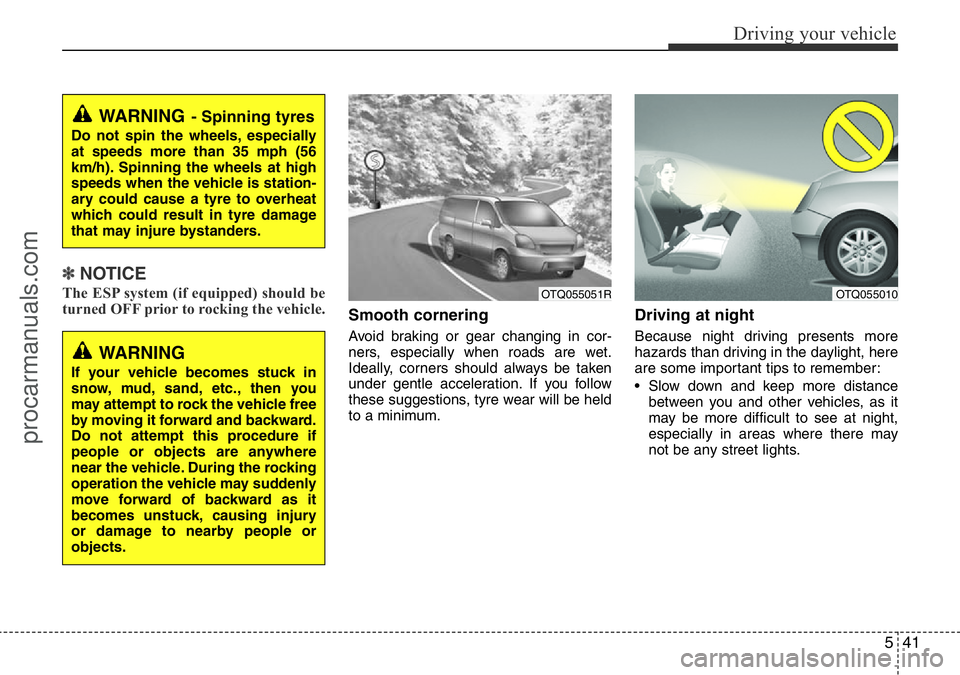
Smooth cornering
Avoid braking or gear changing in cor-
ners, especially when roads are wet.
Ideally, corners should always be taken
under gentle acceleration. If you follow
these suggestions, tyre wear will be held
to a minimum.
Driving at night
Because night driving presents more
hazards than driving in the daylight, here
are some important tips to remember:
• Slow down and keep more distance
between you and other vehicles, as it
may be more difficult to see at night,
especially in areas where there may
not be any street lights.
WARNING- Spinning tyres
Do not spin the wheels, especially
at speeds more than 35 mph (56
km/h). Spinning the wheels at high
speeds when the vehicle is station-
ary could cause a tyre to overheat
which could result in tyre damage
that may injure bystanders.
WARNING
If your vehicle becomes stuck in
snow, mud, sand, etc., then you
may attempt to rock the vehicle free
by moving it forward and backward.
Do not attempt this procedure if
people or objects are anywhere
near the vehicle. During the rocking
operation the vehicle may suddenly
move forward of backward as it
becomes unstuck, causing injury
or damage to nearby people or
objects.
OTQ055051ROTQ055010
procarmanuals.com
Page 298 of 419
Driving your vehicle
52 5
Turn signals when towing a trailer
When you tow a trailer, your vehicle has
to have a different turn signal flasher and
extra wiring. The green arrows on your
instrument panel will flash whenever you
signal a turn or lane change. Properly
connected, the trailer lights will also flash
to alert other drivers you’re about to turn,
change lanes, or stop.
When towing a trailer, the green arrows
on your instrument panel will flash for
turns even if the bulbs on the trailer are
burned out. Thus, you may think drivers
behind you are seeing your signals
when, in fact, they are not. It’s important
to check occasionally to be sure the trail-
er bulbs are still working. You must also
check the lights every time you discon-
nect and then reconnect the wires.
Do not connect a trailer lighting system
directly to your vehicle’s lighting system.
Use only an approved trailer wiring har-
ness.
A HYUNDAI authorised repairer can
assist you in installing the wiring har-
ness.
Driving on grades
Reduce speed and shift to a lower gear
before you start down a long or steep
downgrade. If you don’t shift down, you
might have to use your brakes so much
that they would get hot and no longer
operate efficiently.
On a long uphill grade, shift down and
reduce your speed to around 70 km/h (45
mph) to reduce the possibility of engine
and transmission overheating.
If your trailer weighs more than the max-
imum trailer weight without trailer brakes
and you have an automatic transmission,
you should drive in D (Drive) when tow-
ing a trailer.
Operating your vehicle in D (Drive) when
towing a trailer will minimise heat build up
and extend the life of your transmission.WARNING
Failure to use an approved trailer
wiring harness could result in dam-
age to the vehicle electrical system
and/or personal injury.
procarmanuals.com
Page 306 of 419
What to do in an emergency
2 6
ROAD WARNING
Hazard warning flasher
The hazard warning flasher serves as a
warning to other drivers to exercise
extreme caution when approaching,
overtaking, or passing your vehicle.
It should be used whenever emergency
repairs are being made or when the vehi-
cle is stopped near the edge of a road-
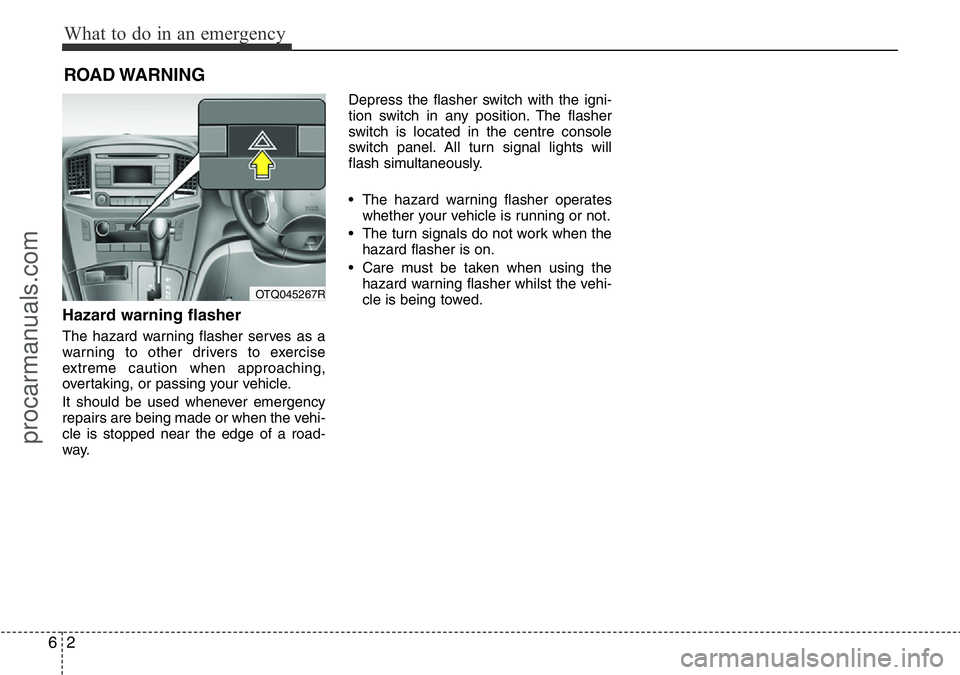
way.Depress the flasher switch with the igni-
tion switch in any position. The flasher
switch is located in the centre console
switch panel. All turn signal lights will
flash simultaneously.
• The hazard warning flasher operates
whether your vehicle is running or not.
• The turn signals do not work when the
hazard flasher is on.
• Care must be taken when using the
hazard warning flasher whilst the vehi-
cle is being towed.
OTQ045267R
procarmanuals.com