light HYUNDAI I800 2016 Repair Manual
[x] Cancel search | Manufacturer: HYUNDAI, Model Year: 2016, Model line: I800, Model: HYUNDAI I800 2016Pages: 419, PDF Size: 9.23 MB
Page 181 of 419
4107
Features of your vehicle
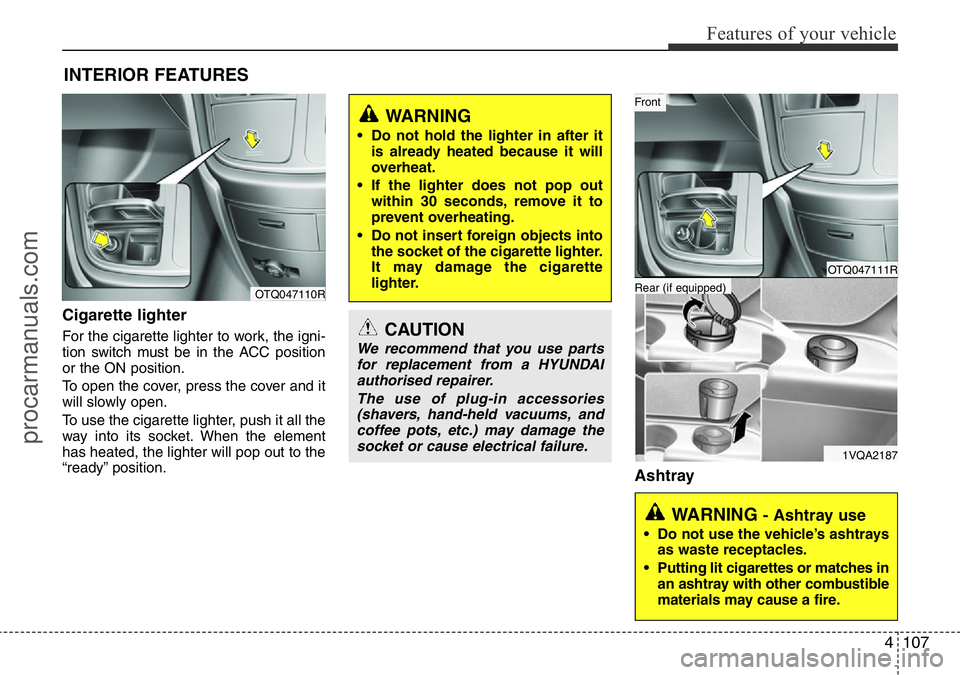
Cigarette lighter
For the cigarette lighter to work, the igni-
tion switch must be in the ACC position
or the ON position.
To open the cover, press the cover and it
will slowly open.
To use the cigarette lighter, push it all the
way into its socket. When the element
has heated, the lighter will pop out to the
“ready” position.
Ashtray
INTERIOR FEATURES
CAUTION
We recommend that you use parts
for replacement from a HYUNDAI
authorised repairer.
The use of plug-in accessories
(shavers, hand-held vacuums, and
coffee pots, etc.) may damage the
socket or cause electrical failure.
WARNING
• Do not hold the lighter in after it
is already heated because it will
overheat.
• If the lighter does not pop out
within 30 seconds, remove it to
prevent overheating.
• Do not insert foreign objects into
the socket of the cigarette lighter.
It may damage the cigarette
lighter.
OTQ047110R
WARNING - Ashtray use
• Do not use the vehicle’s ashtrays
as waste receptacles.
• Putting lit cigarettes or matches in
an ashtray with other combustible
materials may cause a fire.
OTQ047111R
1VQA2187
Rear (if equipped)
Front
procarmanuals.com
Page 182 of 419
Features of your vehicle
108 4
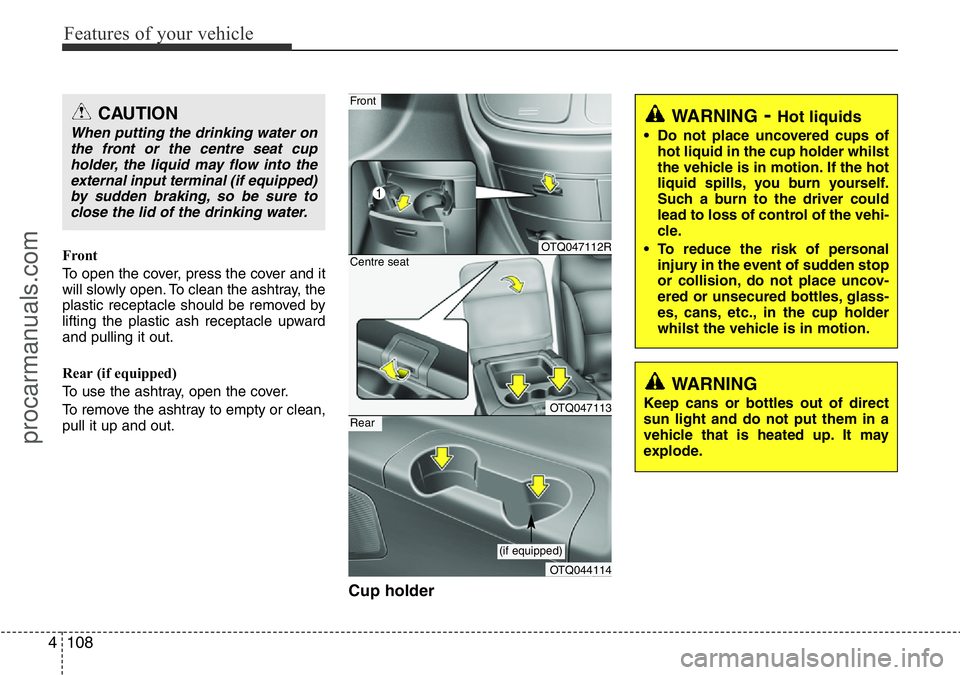
Front
To open the cover, press the cover and it
will slowly open. To clean the ashtray, the
plastic receptacle should be removed by
lifting the plastic ash receptacle upward
and pulling it out.
Rear (if equipped)
To use the ashtray, open the cover.
To remove the ashtray to empty or clean,
pull it up and out.
Cup holder
WARNING- Hot liquids
• Do not place uncovered cups of
hot liquid in the cup holder whilst
the vehicle is in motion. If the hot
liquid spills, you burn yourself.
Such a burn to the driver could
lead to loss of control of the vehi-
cle.
• To reduce the risk of personal
injury in the event of sudden stop
or collision, do not place uncov-
ered or unsecured bottles, glass-
es, cans, etc., in the cup holder
whilst the vehicle is in motion.
OTQ047112R
OTQ047113
Front
Centre seat
OTQ044114
Rear
(if equipped)
WARNING
Keep cans or bottles out of direct
sun light and do not put them in a
vehicle that is heated up. It may
explode.
CAUTION
When putting the drinking water on
the front or the centre seat cup
holder, the liquid may flow into the
external input terminal (if equipped)
by sudden braking, so be sure to
close the lid of the drinking water.
procarmanuals.com
Page 183 of 419
4109
Features of your vehicle
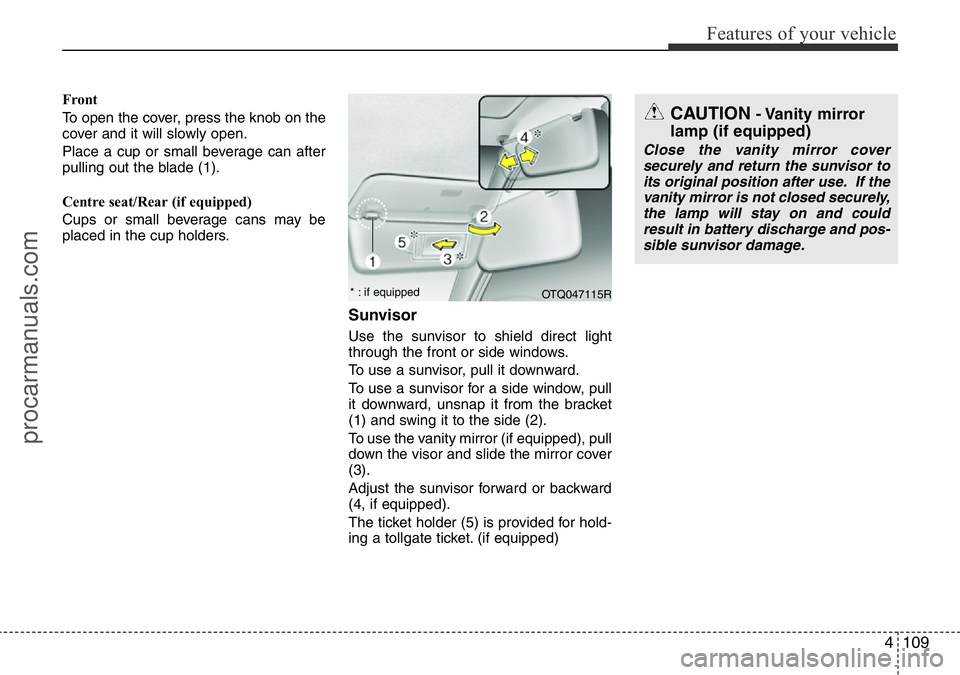
Front
To open the cover, press the knob on the
cover and it will slowly open.
Place a cup or small beverage can after
pulling out the blade (1).
Centre seat/Rear (if equipped)
Cups or small beverage cans may be
placed in the cup holders.
Sunvisor
Use the sunvisor to shield direct light
through the front or side windows.
To use a sunvisor, pull it downward.
To use a sunvisor for a side window, pull
it downward, unsnap it from the bracket
(1) and swing it to the side (2).
To use the vanity mirror (if equipped), pull
down the visor and slide the mirror cover
(3).
Adjust the sunvisor forward or backward
(4, if equipped).
The ticket holder (5) is provided for hold-
ing a tollgate ticket. (if equipped)
CAUTION- Vanity mirror
lamp (if equipped)
Close the vanity mirror cover
securely and return the sunvisor to
its original position after use. If the
vanity mirror is not closed securely,
the lamp will stay on and could
result in battery discharge and pos-
sible sunvisor damage.
OTQ047115R * : if equipped
procarmanuals.com
Page 193 of 419
4119
Features of your vehicle
WARNING
• Do not stare at the screen whilst
driving. Staring at the screen for
prolonged periods of time could
lead to traffic accidents.
• Do not disassemble, assemble, or
modify the audio system. Such
acts could result in accidents,
fire, or electric shock.
• Using the phone whilst driving
may lead to a lack of attention of
traffic conditions and increase
the likelihood of accidents. Use
the phone feature after parking
the vehicle.
• Heed caution not to spill water or
introduce foreign objects into the
device. Such acts could lead to
smoke, fire, or product malfunc-
tion.
(Continued)
(Continued)
• Driving whilst distracted can
result in a loss of vehicle control
that may lead to an accident,
severe personal injury, and death.
The driver’s primary responsibili-
ty is in the safe and legal opera-
tion of a vehicle, and use of any
handheld devices, other equip-
ment, or vehicle systems which
take the driver’s eyes, attention
and focus away from the safe
operation of a vehicle or which
are not permissible by law should
never be used during operation
of the vehicle.(Continued)
• Please refrain from use if the
screen is blank or no sound can be
heard as these signs may indicate
product malfunction. Continued
use in such conditions could lead
to accidents (fires, electric shock)
or product malfunctions.
• Do not touch the antenna during
thunder or lightening as such acts
may lead to lightning induced elec-
tric shock.
• Do not stop or park in parking-
restricted areas to operate the
product. Such acts could lead to
traffic accidents.
• Use the system with the vehicle
ignition turned on. Prolonged use
with the ignition turned off could
result in battery discharge.
(Continued)
procarmanuals.com
Page 249 of 419
53
Driving your vehicle
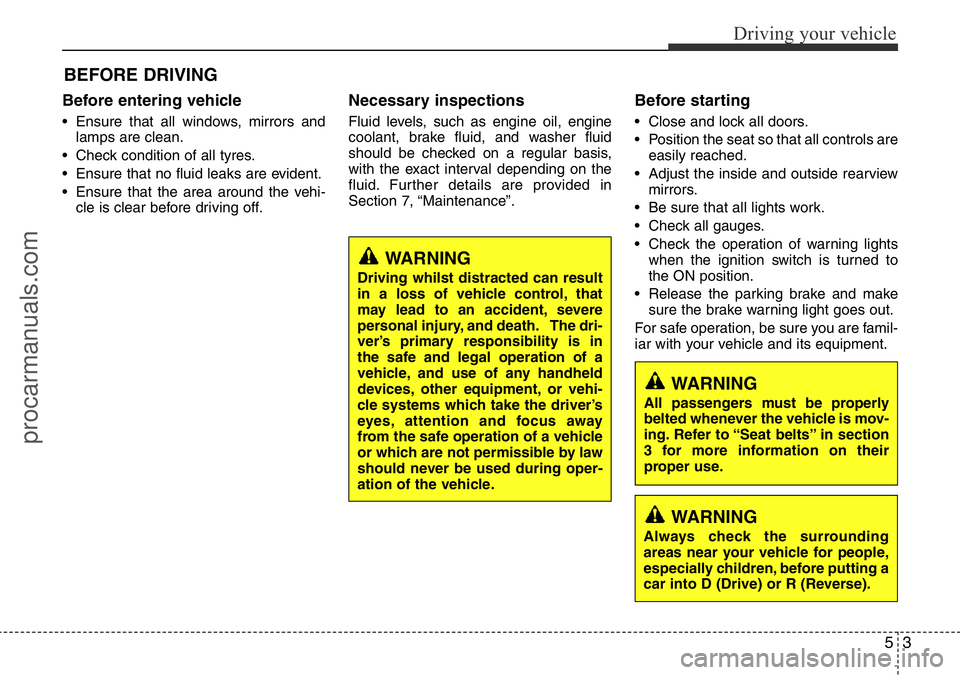
Before entering vehicle
• Ensure that all windows, mirrors and
lamps are clean.
• Check condition of all tyres.
• Ensure that no fluid leaks are evident.
• Ensure that the area around the vehi-
cle is clear before driving off.
Necessary inspections
Fluid levels, such as engine oil, engine
coolant, brake fluid, and washer fluid
should be checked on a regular basis,
with the exact interval depending on the
fluid. Further details are provided in
Section 7, “Maintenance”.
Before starting
• Close and lock all doors.
• Position the seat so that all controls are
easily reached.
• Adjust the inside and outside rearview
mirrors.
• Be sure that all lights work.
• Check all gauges.
• Check the operation of warning lights
when the ignition switch is turned to
the ON position.
• Release the parking brake and make
sure the brake warning light goes out.
For safe operation, be sure you are famil-
iar with your vehicle and its equipment.
BEFORE DRIVING
WARNING
Driving whilst distracted can result
in a loss of vehicle control, that
may lead to an accident, severe
personal injury, and death. The dri-
ver’s primary responsibility is in
the safe and legal operation of a
vehicle, and use of any handheld
devices, other equipment, or vehi-
cle systems which take the driver’s
eyes, attention and focus away
from the safe operation of a vehicle
or which are not permissible by law
should never be used during oper-
ation of the vehicle.
WARNING
All passengers must be properly
belted whenever the vehicle is mov-
ing. Refer to “Seat belts” in section
3 for more information on their
proper use.
WARNING
Always check the surrounding
areas near your vehicle for people,
especially children, before putting a
car into D (Drive) or R (Reverse).
procarmanuals.com
Page 251 of 419
55
Driving your vehicle
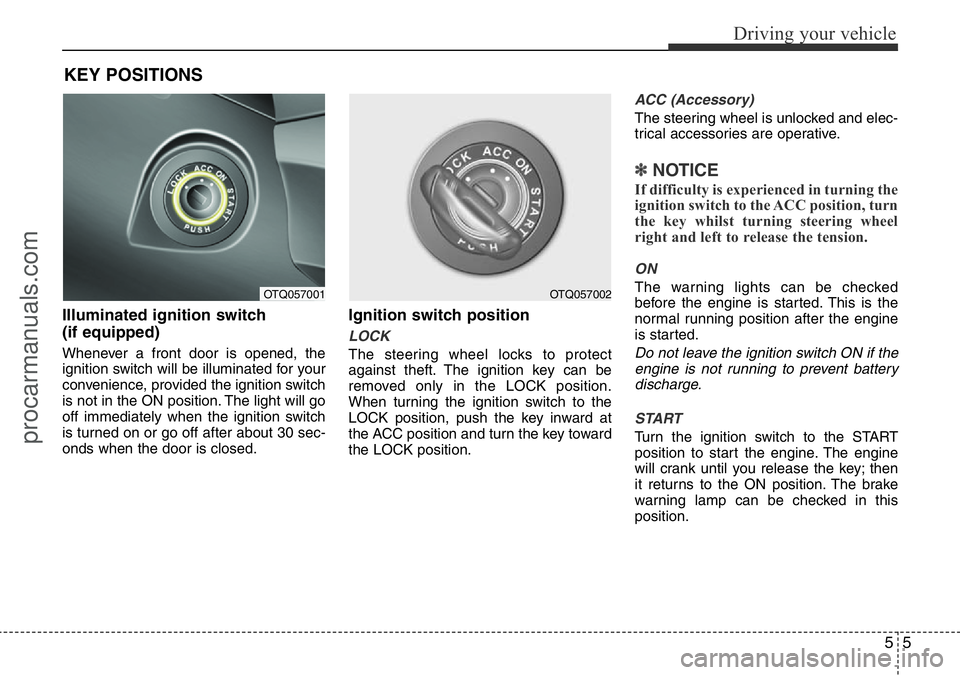
Illuminated ignition switch
(if equipped)
Whenever a front door is opened, the
ignition switch will be illuminated for your
convenience, provided the ignition switch
is not in the ON position. The light will go
off immediately when the ignition switch
is turned on or go off after about 30 sec-
onds when the door is closed.
Ignition switch position
LOCK
The steering wheel locks to protect
against theft. The ignition key can be
removed only in the LOCK position.
When turning the ignition switch to the
LOCK position, push the key inward at
the ACC position and turn the key toward
the LOCK position.
ACC (Accessory)
The steering wheel is unlocked and elec-
trical accessories are operative.
✽NOTICE
If difficulty is experienced in turning the
ignition switch to the ACC position, turn
the key whilst turning steering wheel
right and left to release the tension.
ON
The warning lights can be checked
before the engine is started. This is the
normal running position after the engine
is started.
Do not leave the ignition switch ON if the
engine is not running to prevent battery
discharge.
START
Turn the ignition switch to the START
position to start the engine. The engine
will crank until you release the key; then
it returns to the ON position. The brake
warning lamp can be checked in this
position.
KEY POSITIONS
OTQ057001OTQ057002
procarmanuals.com
Page 254 of 419
Driving your vehicle
8 5
Starting the diesel engine
To start the diesel engine when the
engine is cold, it has to be pre-heated
before starting the engine and then have
to be warmed up before starting to drive.
1. Make sure the parking brake is
applied.
2.Manual Transmission- Depress the
clutch pedal fully and shift the trans-
mission into Neutral. Keep the clutch
pedal and brake pedal depressed
whilst turning the ignition switch to the
start position.
Automatic Transmission- Place the
transmission shift lever in P(park).
Depress the brake pedal fully.
You can also start the engine when the
shift lever is in the N(neutral) position.
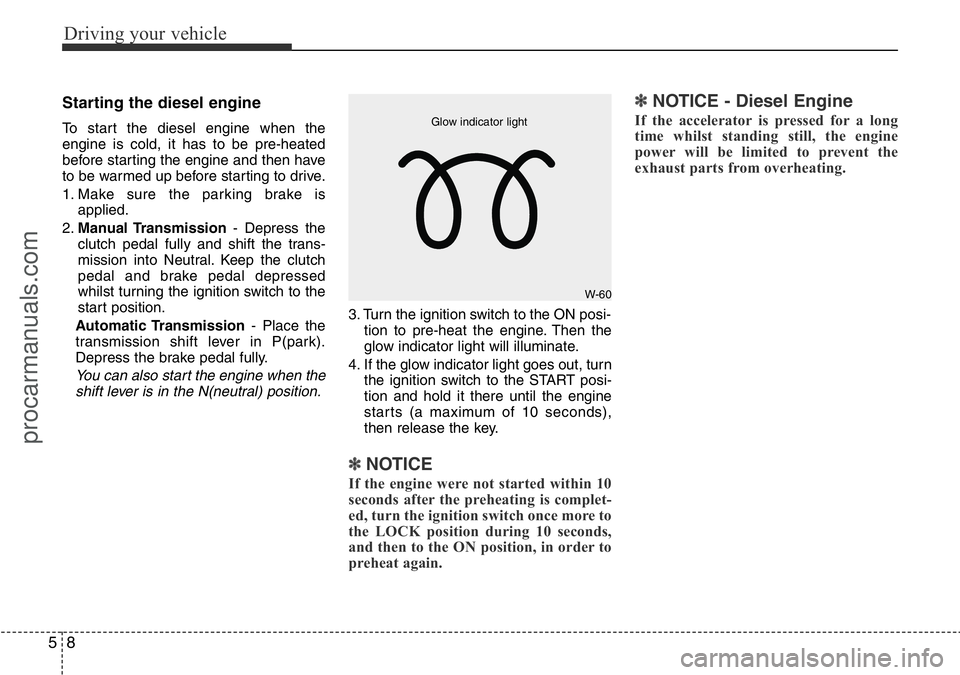
3. Turn the ignition switch to the ON posi-
tion to pre-heat the engine. Then the
glow indicator light will illuminate.
4. If the glow indicator light goes out, turn
the ignition switch to the START posi-
tion and hold it there until the engine
starts (a maximum of 10 seconds),
then release the key.
✽ NOTICE
If the engine were not started within 10
seconds after the preheating is complet-
ed, turn the ignition switch once more to
the LOCK position during 10 seconds,
and then to the ON position, in order to
preheat again.
✽ NOTICE - Diesel Engine
If the accelerator is pressed for a long
time whilst standing still, the engine
power will be limited to prevent the
exhaust parts from overheating.
W-60 Glow indicator light
procarmanuals.com
Page 257 of 419
511
Driving your vehicle
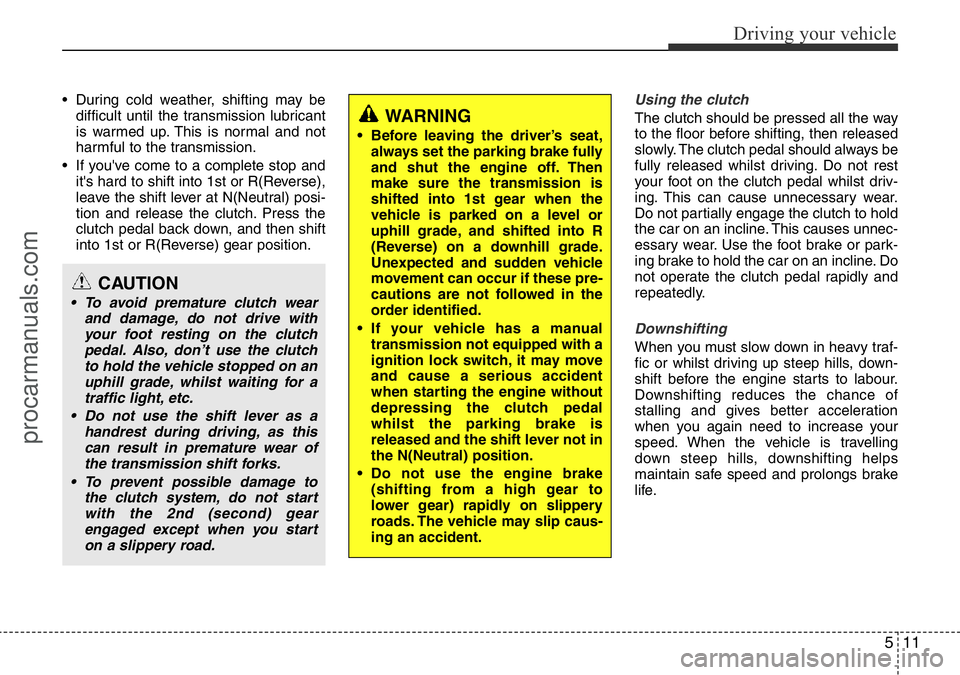
• During cold weather, shifting may be
difficult until the transmission lubricant
is warmed up. This is normal and not
harmful to the transmission.
• If you've come to a complete stop and
it's hard to shift into 1st or R(Reverse),
leave the shift lever at N(Neutral) posi-
tion and release the clutch. Press the
clutch pedal back down, and then shift
into 1st or R(Reverse) gear position.Using the clutch
The clutch should be pressed all the way
to the floor before shifting, then released
slowly. The clutch pedal should always be
fully released whilst driving. Do not rest
your foot on the clutch pedal whilst driv-
ing. This can cause unnecessary wear.
Do not partially engage the clutch to hold
the car on an incline. This causes unnec-
essary wear. Use the foot brake or park-
ing brake to hold the car on an incline. Do
not operate the clutch pedal rapidly and
repeatedly.
Downshifting
When you must slow down in heavy traf-
fic or whilst driving up steep hills, down-
shift before the engine starts to labour.
Downshifting reduces the chance of
stalling and gives better acceleration
when you again need to increase your
speed. When the vehicle is travelling
down steep hills, downshifting helps
maintain safe speed and prolongs brake
life.
CAUTION
• To avoid premature clutch wear
and damage, do not drive with
your foot resting on the clutch
pedal. Also, don’t use the clutch
to hold the vehicle stopped on an
uphill grade, whilst waiting for a
traffic light, etc.
• Do not use the shift lever as a
handrest during driving, as this
can result in premature wear of
the transmission shift forks.
• To prevent possible damage to
the clutch system, do not start
with the 2nd (second) gear
engaged except when you start
on a slippery road.
WARNING
• Before leaving the driver’s seat,
always set the parking brake fully
and shut the engine off. Then
make sure the transmission is
shifted into 1st gear when the
vehicle is parked on a level or
uphill grade, and shifted into R
(Reverse) on a downhill grade.
Unexpected and sudden vehicle
movement can occur if these pre-
cautions are not followed in the
order identified.
• If your vehicle has a manual
transmission not equipped with a
ignition lock switch, it may move
and cause a serious accident
when starting the engine without
depressing the clutch pedal
whilst the parking brake is
released and the shift lever not in
the N(Neutral) position.
• Do not use the engine brake
(shifting from a high gear to
lower gear) rapidly on slippery
roads. The vehicle may slip caus-
ing an accident.
procarmanuals.com
Page 261 of 419
515
Driving your vehicle
Transmission ranges
The indicator in the instrument cluster
displays the shift lever position when the
ignition switch is in the ON position.
P (Park)
Always come to a complete stop before
shifting into P (Park). This position locks
the transmission and prevents the drive
wheels from rotating.R (Reverse)
Use this position to drive the vehicle
backward.
N (Neutral)
The wheels and transmission are not
engaged. The vehicle will roll freely even
on the slightest incline unless the parking
brake or service brakes are applied.CAUTION
The transmission may be damaged
if you shift into P (Park) whilst the
vehicle is in motion.
CAUTION
Always come to a complete stop
before shifting into or out of R
(Reverse); you may damage the
transmission if you shift into R
whilst the vehicle is in motion,
except as explained in “Rocking the
vehicle” in this section.
WARNING
• Shifting into P (Park) whilst the
vehicle is in motion will cause the
drive wheels to lock which will
cause you to lose control of the
vehicle.
• Do not use the P (Park) position
in place of the parking brake.
Always make sure the shift lever
is latched in the P (Park) position
and set the parking brake fully.
• Never leave a child unattended in
a vehicle.
WARNING
Do not drive with the shift lever in N
(Neutral).
The engine brake will not work and
lead to an accident.
procarmanuals.com
Page 263 of 419
517
Driving your vehicle
The transmission will not shift to 4th gear
until the O/D system button is pressed
again to release the switch.
When driving down a sloping road with
the transmission in O/D (4th), you can
decrease the vehicle speed without using
the brakes by pressing the O/D button.
When the ignition is switched OFF, O/D
OFF mode is automatically cancelled.
O/D OFF Indicator
This indicator light illuminates in the
instrument panel when the O/D mode is
cancelled.Sports mode (if equipped)
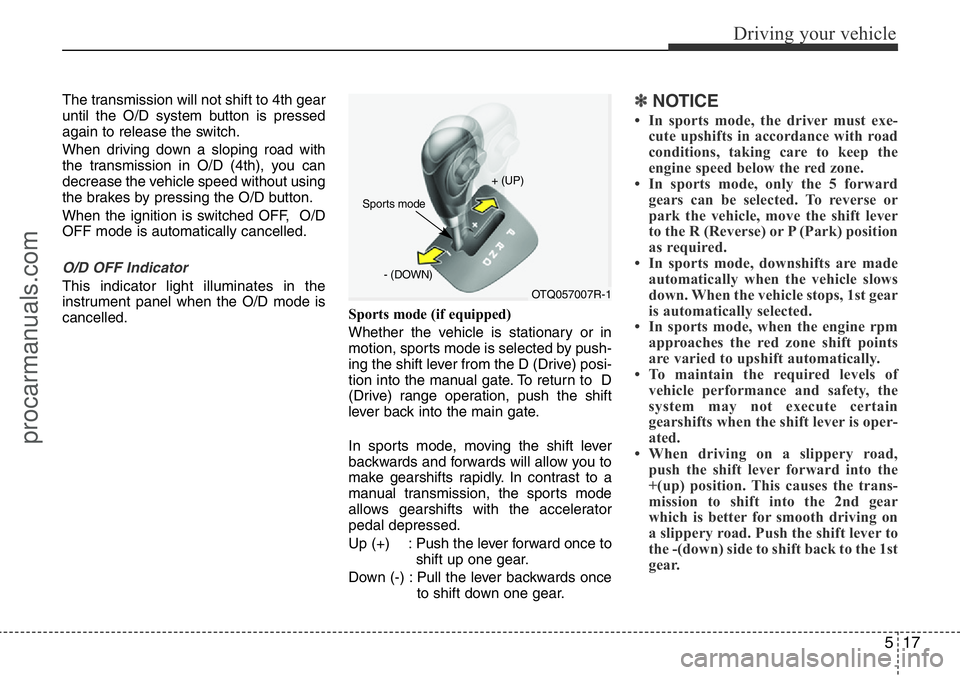
Whether the vehicle is stationary or in
motion, sports mode is selected by push-
ing the shift lever from the D (Drive) posi-
tion into the manual gate. To return to D
(Drive) range operation, push the shift
lever back into the main gate.
In sports mode, moving the shift lever
backwards and forwards will allow you to
make gearshifts rapidly. In contrast to a
manual transmission, the sports mode
allows gearshifts with the accelerator
pedal depressed.
Up (+) : Push the lever forward once to
shift up one gear.
Down (-) : Pull the lever backwards once
to shift down one gear.
✽NOTICE
• In sports mode, the driver must exe-
cute upshifts in accordance with road
conditions, taking care to keep the
engine speed below the red zone.
• In sports mode, only the 5 forward
gears can be selected. To reverse or
park the vehicle, move the shift lever
to the R (Reverse) or P (Park) position
as required.
• In sports mode, downshifts are made
automatically when the vehicle slows
down. When the vehicle stops, 1st gear
is automatically selected.
• In sports mode, when the engine rpm
approaches the red zone shift points
are varied to upshift automatically.
• To maintain the required levels of
vehicle performance and safety, the
system may not execute certain
gearshifts when the shift lever is oper-
ated.
• When driving on a slippery road,
push the shift lever forward into the
+(up) position. This causes the trans-
mission to shift into the 2nd gear
which is better for smooth driving on
a slippery road. Push the shift lever to
the -(down) side to shift back to the 1st
gear.
OTQ057007R-1 + (UP)
- (DOWN)
Sports mode
procarmanuals.com