clock HYUNDAI IONIQ 2020 User Guide
[x] Cancel search | Manufacturer: HYUNDAI, Model Year: 2020, Model line: IONIQ, Model: HYUNDAI IONIQ 2020Pages: 561, PDF Size: 24.5 MB
Page 461 of 561
7-55
7
Maintenance
5. Install a new bulb by inserting it
into the socket and rotating it until
it locks into place.
6. Install the socket in the assembly
by aligning the tabs on the socket
with the slots in the assembly.
7. Push the socket into the assembly
and turn the socket clockwise.Side marker
1. Open the hood.
2. Disconnect the negative battery
cable.
3. Remove the socket from the
assembly by turning the socket
counterclockwise until the tabs on
the socket align with the slots on
the assembly.
4. Remove the bulb from the socket
by pulling out the bulb.
5. Insert a new bulb.
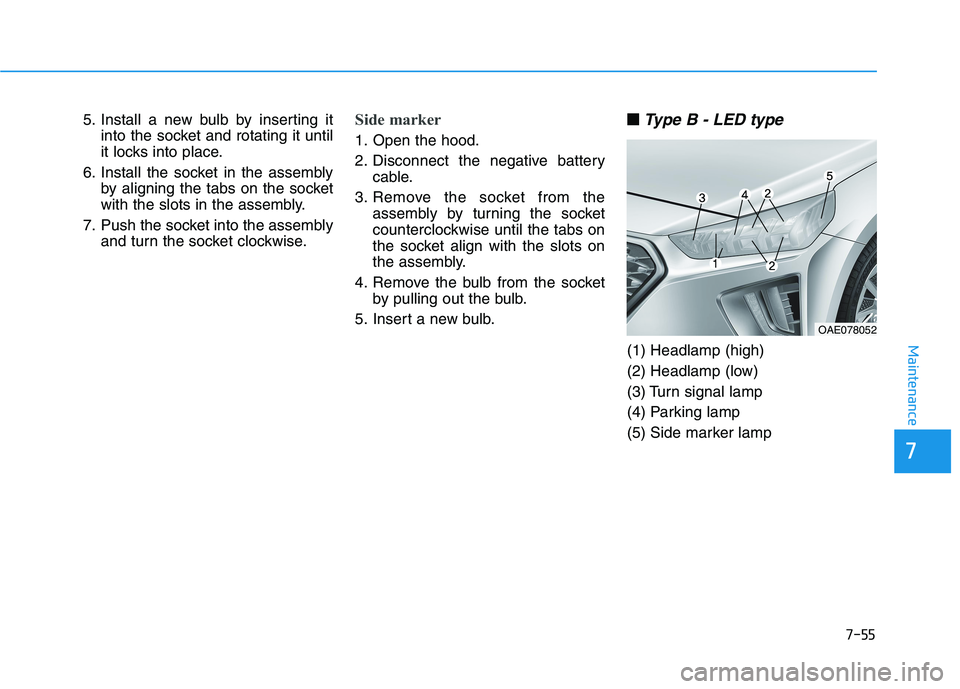
■ ■
Type B - LED type
(1) Headlamp (high)
(2) Headlamp (low)
(3) Turn signal lamp
(4) Parking lamp
(5) Side marker lamp
OAE078052
Page 463 of 561
7-57
7
Maintenance
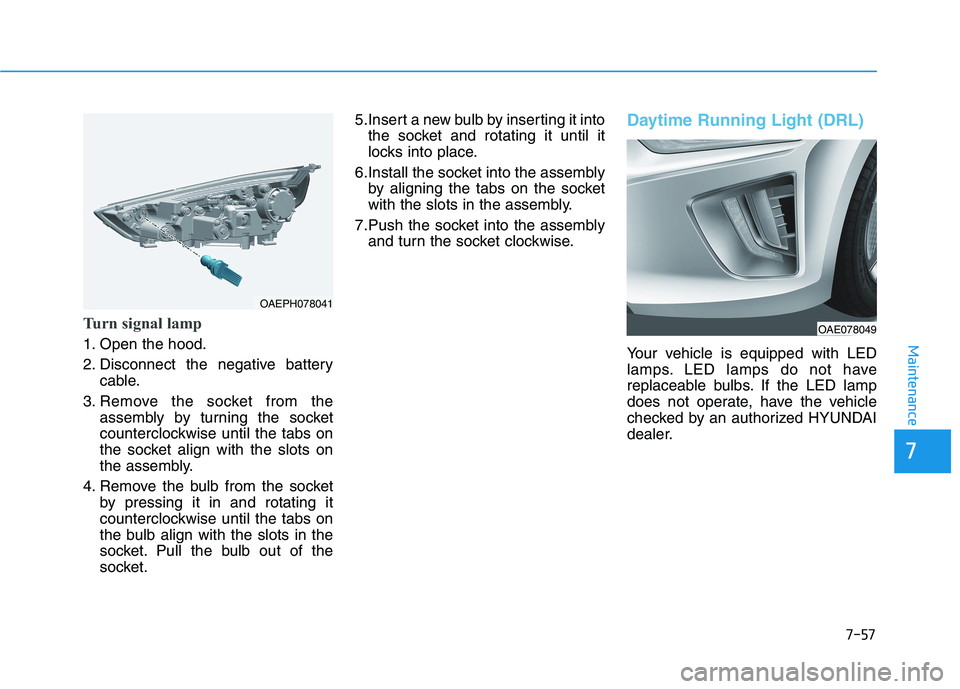
Turn signal lamp
1. Open the hood.
2. Disconnect the negative battery
cable.
3. Remove the socket from the
assembly by turning the socket
counterclockwise until the tabs on
the socket align with the slots on
the assembly.
4. Remove the bulb from the socket
by pressing it in and rotating it
counterclockwise until the tabs on
the bulb align with the slots in the
socket. Pull the bulb out of the
socket.5.Insert a new bulb by inserting it into
the socket and rotating it until it
locks into place.
6.Install the socket into the assembly
by aligning the tabs on the socket
with the slots in the assembly.
7.Push the socket into the assembly
and turn the socket clockwise.
Daytime Running Light (DRL)
Your vehicle is equipped with LED
lamps. LED lamps do not have
replaceable bulbs. If the LED lamp
does not operate, have the vehicle
checked by an authorized HYUNDAI
dealer.
OAE078049
OAEPH078041
Page 465 of 561
7-59
7
Maintenance
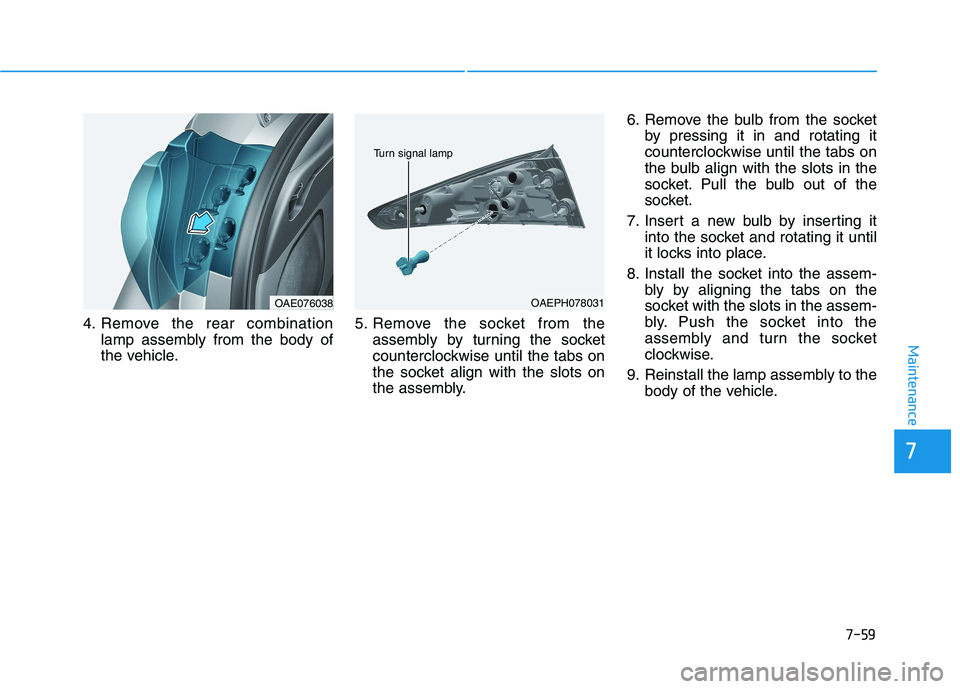
4. Remove the rear combination
lamp assembly from the body of
the vehicle.5. Remove the socket from the
assembly by turning the socket
counterclockwise until the tabs on
the socket align with the slots on
the assembly.6. Remove the bulb from the socket
by pressing it in and rotating it
counterclockwise until the tabs on
the bulb align with the slots in the
socket. Pull the bulb out of the
socket.
7. Insert a new bulb by inserting it
into the socket and rotating it until
it locks into place.
8. Install the socket into the assem-
bly by aligning the tabs on the
socket with the slots in the assem-
bly. Push the socket into the
assembly and turn the socket
clockwise.
9. Reinstall the lamp assembly to the
body of the vehicle.
OAEPH078031
Turn signal lamp
OAE076038
Page 466 of 561
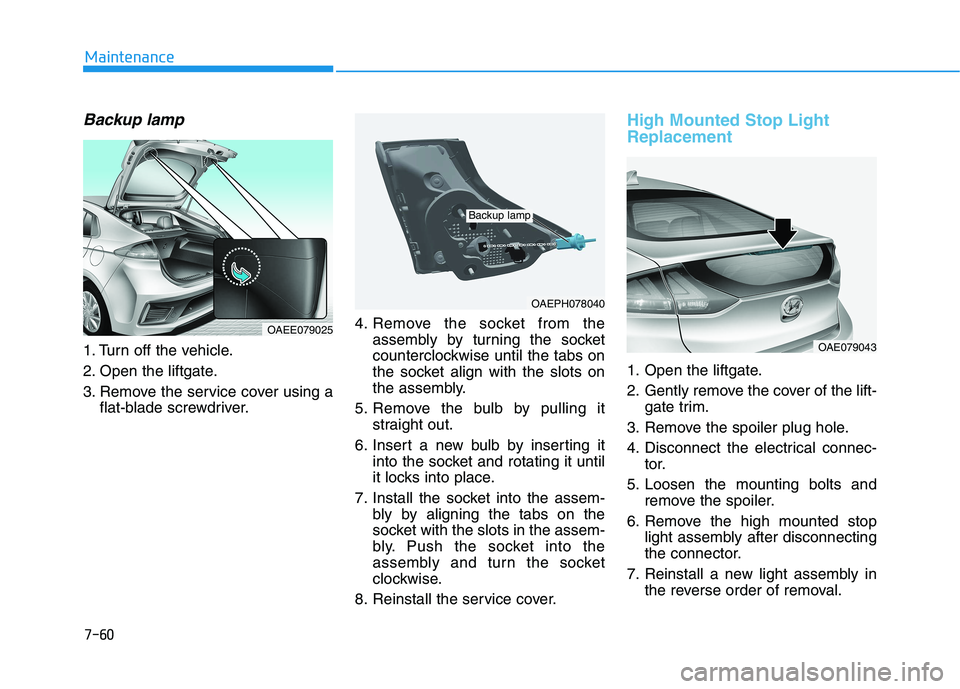
Backup lamp
1. Turn off the vehicle.
2. Open the liftgate.
3. Remove the service cover using a
flat-blade screwdriver.4. Remove the socket from the
assembly by turning the socket
counterclockwise until the tabs on
the socket align with the slots on
the assembly.
5. Remove the bulb by pulling it
straight out.
6. Insert a new bulb by inserting it
into the socket and rotating it until
it locks into place.
7. Install the socket into the assem-
bly by aligning the tabs on the
socket with the slots in the assem-
bly. Push the socket into the
assembly and turn the socket
clockwise.
8. Reinstall the service cover.
High Mounted Stop Light
Replacement
1. Open the liftgate.
2. Gently remove the cover of the lift-
gate trim.
3. Remove the spoiler plug hole.
4. Disconnect the electrical connec-
tor.
5. Loosen the mounting bolts and
remove the spoiler.
6. Remove the high mounted stop
light assembly after disconnecting
the connector.
7. Reinstall a new light assembly in
the reverse order of removal.
7-60
Maintenance
OAEPH078040
Backup lamp
OAE079043
OAEE079025
Page 557 of 561
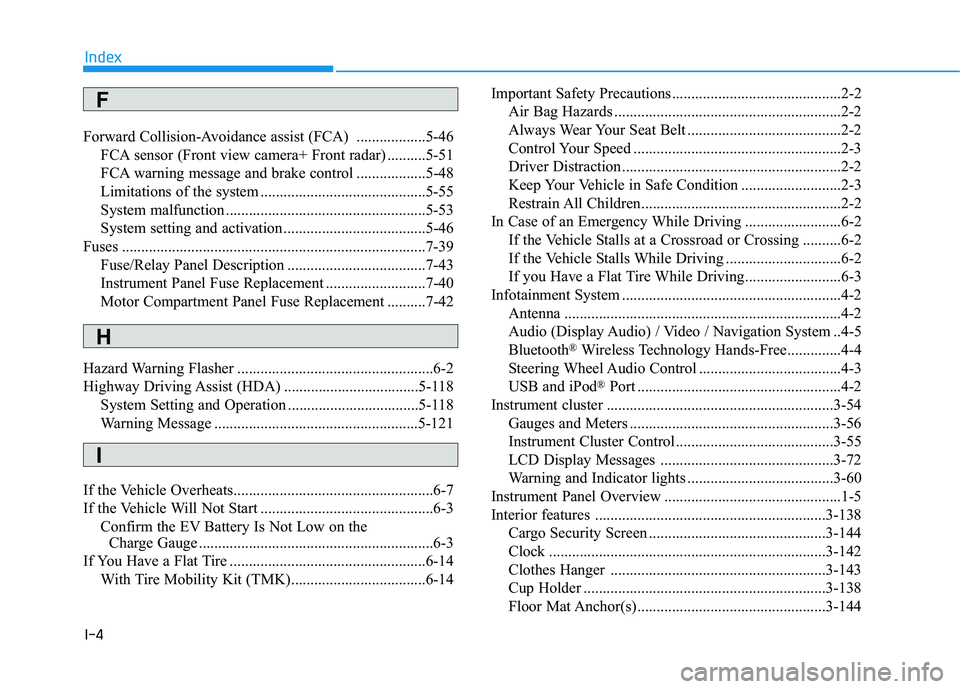
I-4
Forward Collision-Avoidance assist (FCA) ..................5-46
FCA sensor (Front view camera+ Front radar) ..........5-51
FCA warning message and brake control ..................5-48
Limitations of the system ...........................................5-55
System malfunction ....................................................5-53
System setting and activation .....................................5-46
Fuses ...............................................................................7-39
Fuse/Relay Panel Description ....................................7-43
Instrument Panel Fuse Replacement ..........................7-40
Motor Compartment Panel Fuse Replacement ..........7-42
Hazard Warning Flasher ...................................................6-2
Highway Driving Assist (HDA) ...................................5-118
System Setting and Operation ..................................5-118
Warning Message .....................................................5-121
If the Vehicle Overheats....................................................6-7
If the Vehicle Will Not Start .............................................6-3
Confirm the EV Battery Is Not Low on the
Charge Gauge .............................................................6-3
If You Have a Flat Tire ...................................................6-14
With Tire Mobility Kit (TMK)...................................6-14Important Safety Precautions............................................2-2
Air Bag Hazards ...........................................................2-2
Always Wear Your Seat Belt ........................................2-2
Control Your Speed ......................................................2-3
Driver Distraction.........................................................2-2
Keep Your Vehicle in Safe Condition ..........................2-3
Restrain All Children....................................................2-2
In Case of an Emergency While Driving .........................6-2
If the Vehicle Stalls at a Crossroad or Crossing ..........6-2
If the Vehicle Stalls While Driving ..............................6-2
If you Have a Flat Tire While Driving.........................6-3
Infotainment System .........................................................4-2
Antenna ........................................................................4-2
Audio (Display Audio) / Video / Navigation System ..4-5
Bluetooth
®Wireless Technology Hands-Free..............4-4
Steering Wheel Audio Control .....................................4-3
USB and iPod
®Port .....................................................4-2
Instrument cluster ...........................................................3-54
Gauges and Meters .....................................................3-56
Instrument Cluster Control .........................................3-55
LCD Display Messages .............................................3-72
Warning and Indicator lights ......................................3-60
Instrument Panel Overview ..............................................1-5
Interior features ............................................................3-138
Cargo Security Screen ..............................................3-144
Clock ........................................................................3-142
Clothes Hanger ........................................................3-143
Cup Holder ...............................................................3-138
Floor Mat Anchor(s) .................................................3-144
Index
F
I
H