belt HYUNDAI IONIQ 2020 Workshop Manual
[x] Cancel search | Manufacturer: HYUNDAI, Model Year: 2020, Model line: IONIQ, Model: HYUNDAI IONIQ 2020Pages: 561, PDF Size: 24.5 MB
Page 251 of 561
5-15
Driving your vehicle
5
Good Driving Practices
Never shift to P (Park) or N
(Neutral) to any other position with
the accelerator pedal depressed.
Never shift to P (Park) when the
vehicle is in motion.
Be sure the vehicle is completely
stopped before you attempt to shift
into R (Reverse) or D (Drive).
Do not shift to N (Neutral) when
driving. Doing so may result in an
accident.
Do not drive with your foot resting
on the brake pedal. Even light, but
consistent pedal pressure can
result in the brakes overheating,
brake wear and possibly even
brake failure.
Alway apply the parking brake
when parked on a sloped driveway
or hill when leaving the vehicle. Do
not depend on placing the gear in
P (Park) to keep the vehicle from
moving. Exercise extreme caution when
driving on a slippery surface. Be
especially careful when braking,
accelerating or shifting gears. Also,
avoid increasing the regenerative
braking level suddenly. On a slip-
pery surface, an abrupt change in
vehicle speed can cause the drive
wheels to lose traction and may
cause loss of vehicle control result-
ing in an accident
Optimum vehicle performance and
economy is obtained by smoothly
depressing and releasing the
accelerator.
To reduce the risk of SERIOUS
INJURY or DEATH:
ALWAYS wear your seat belt.
In a collision, an unbelted
occupant is significantly more
likely to be seriously injured
or killed than a properly belt-
ed occupant.
Avoid high speeds when cor-
nering or turning.
(Continued)
WARNING
(Continued)
Do not make quick steering
wheel movements, such as
sharp lane changes or fast,
sharp turns.
The risk of rollover is greatly
increased if you lose control
of your vehicle at highway
speeds.
Loss of control often occurs if
two or more wheels drop off
the roadway and the driver
over steers to reenter the
roadway.
In the event your vehicle
leaves the roadway, do not
steer sharply. Instead, slow
down before pulling back into
the travel lanes.
HYUNDAI recommends you
follow all posted speed limits.
Page 253 of 561
5-17
Driving your vehicle
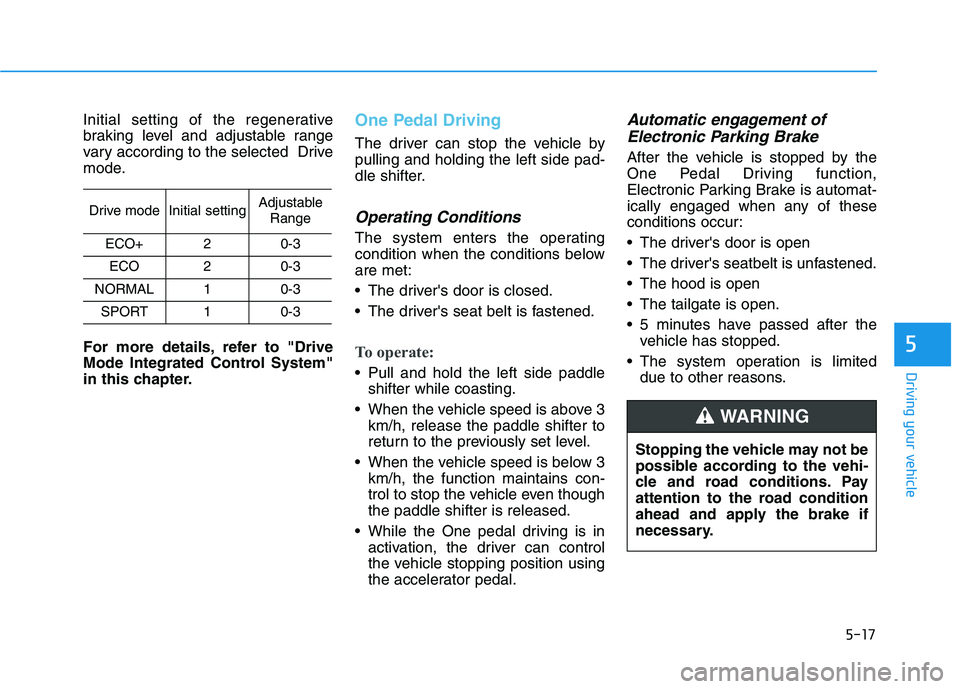
Initial setting of the regenerative
braking level and adjustable range
vary according to the selected Drive
mode.
For more details, refer to "Drive
Mode Integrated Control System"
in this chapter.One Pedal Driving
The driver can stop the vehicle by
pulling and holding the left side pad-
dle shifter.
Operating Conditions
The system enters the operating
condition when the conditions below
are met:
The driver's door is closed.
The driver's seat belt is fastened.
To operate:
Pull and hold the left side paddle
shifter while coasting.
When the vehicle speed is above 3
km/h, release the paddle shifter to
return to the previously set level.
When the vehicle speed is below 3
km/h, the function maintains con-
trol to stop the vehicle even though
the paddle shifter is released.
While the One pedal driving is in
activation, the driver can control
the vehicle stopping position using
the accelerator pedal.
Automatic engagement of
Electronic Parking Brake
After the vehicle is stopped by the
One Pedal Driving function,
Electronic Parking Brake is automat-
ically engaged when any of these
conditions occur:
The driver's door is open
The driver's seatbelt is unfastened.
The hood is open
The tailgate is open.
5 minutes have passed after the
vehicle has stopped.
The system operation is limited
due to other reasons.
5
Drive modeInitial settingAdjustable
Range
ECO+20-3
ECO20-3
NORMAL10-3
SPORT10-3
Stopping the vehicle may not be
possible according to the vehi-
cle and road conditions. Pay
attention to the road condition
ahead and apply the brake if
necessary.
WARNING
Page 264 of 561
5-28
Driving your vehicle
However, if the EPB switch is
pressed within 1 second after the
vehicle is turned off, the EPB will not
be applied.
Releasing the parking brake
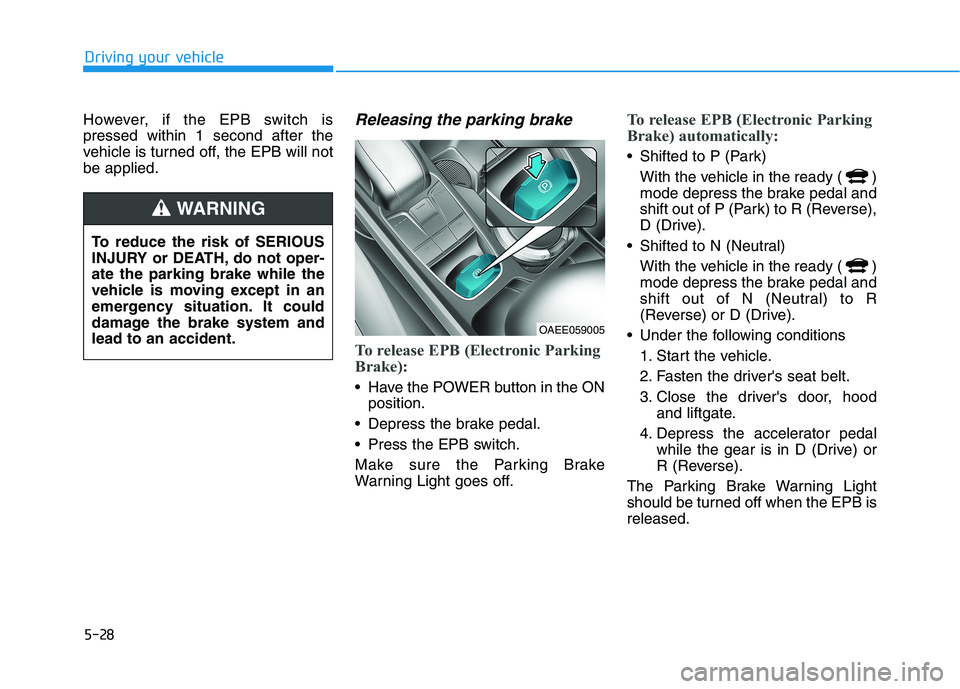
To release EPB (Electronic Parking
Brake):
Have the POWER button in the ON
position.
Depress the brake pedal.
Press the EPB switch.
Make sure the Parking Brake
Warning Light goes off.
To release EPB (Electronic Parking
Brake) automatically:
Shifted to P (Park)
With the vehicle in the ready ( )
mode depress the brake pedal and
shift out of P (Park) to R (Reverse),
D (Drive).
Shifted to N (Neutral)
With the vehicle in the ready ( )
mode depress the brake pedal and
shift out of N (Neutral) to R
(Reverse) or D (Drive).
Under the following conditions
1. Start the vehicle.
2. Fasten the driver's seat belt.
3. Close the driver's door, hood
and liftgate.
4. Depress the accelerator pedal
while the gear is in D (Drive) or
R (Reverse).
The Parking Brake Warning Light
should be turned off when the EPB is
released.
To reduce the risk of SERIOUS
INJURY or DEATH, do not oper-
ate the parking brake while the
vehicle is moving except in an
emergency situation. It could
damage the brake system and
lead to an accident.
WARNING
OAEE059005
Page 265 of 561
5-29
Driving your vehicle
5
Information
• For your safety, you can engage the
EPB even though the POWER but-
ton is in the OFF position, but you
cannot release it.
• For your safety, depress the brake
pedal and release the parking brake
manually with the EPB switch when
you drive downhill or when backing
up the vehicle.
If the parking brake warning light
is still on even though the EPB
has been released, have the sys-
tem checked an authorized
HYUNDAI dealer.
Do not drive your vehicle with
the EPB applied. It may cause
excessive brake pad and brake
rotor wear.
EPB (Electronic Parking Brake)
may be automatically applied
when:
Requested by other systems
The vehicle is turned off with the
Auto Hold operating
Information
If the driver turns the vehicle off while
Auto Hold is operating, EPB will be
automatically applied. However, if
you press the EPB switch within one
second after the vehicle is turned off,
the EPB will not be applied.
Warning messages
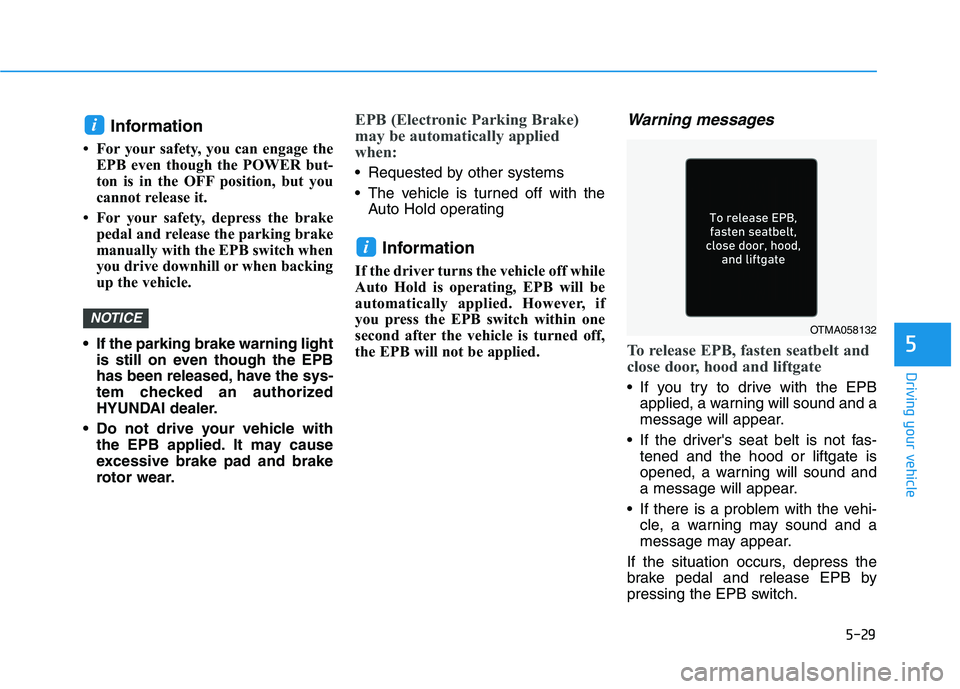
To release EPB, fasten seatbelt and
close door, hood and liftgate
If you try to drive with the EPB
applied, a warning will sound and a
message will appear.
If the driver's seat belt is not fas-
tened and the hood or liftgate is
opened, a warning will sound and
a message will appear.
If there is a problem with the vehi-
cle, a warning may sound and a
message may appear.
If the situation occurs, depress the
brake pedal and release EPB by
pressing the EPB switch.
i
NOTICE
i
OTMA058132
Page 269 of 561
![HYUNDAI IONIQ 2020 Workshop Manual 5-33
Driving your vehicle
5
Set up
1. With the drivers door and hood
closed, fasten the drivers seat
belt or depress the brake pedal
and then press the [AUTO HOLD]
switch. The white AUTO HOLD
indica](/img/35/58884/w960_58884-268.png "HYUNDAI IONIQ 2020 Workshop Manual 5-33
Driving your vehicle
5
Set up
1. With the drivers door and hood
closed, fasten the drivers seat
belt or depress the brake pedal
and then press the [AUTO HOLD]
switch. The white AUTO HOLD
indica")
5-33
Driving your vehicle
5
Set up
1. With the driver's door and hood
closed, fasten the driver's seat
belt or depress the brake pedal
and then press the [AUTO HOLD]
switch. The white AUTO HOLD
indicator will come on and the sys-
tem will be in the standby position.2. When you stop the vehicle com-
pletely by depressing the brake
pedal, the AUTO HOLD indicator
changes from white to green.
3. The vehicle will remain stationary
even if you release the brake
pedal.
4. If EPB is applied, Auto Hold will be
released.
Leaving
If you press the accelerator pedal
with the gear in D (Drive) or R
(Reverse), the Auto Hold will be
released automatically and the
vehicle will start to move. The
AUTO HOLD indicator changes
from green to white.
If the vehicle is restarted using the
cruise control toggle switch (RES+
or SET-) while Auto Hold and cruise
control is operating, the Auto Hold
will be released regardless of
accelerator pedal operation. The
AUTO HOLD indicator changes
from green to white. (if equipped
with cruise control system)
When driving off from Auto
Hold by depressing the acceler-
ator pedal, always check the
surrounding area near your
vehicle.
Slowly depress the accelerator
pedal for a smooth start.
WARNING
OAEE059007
OAEE059008
W W W W
h h h h
i i i i
t t t t
e e e eW W W W
h h h h
i i i i
t t t t
e e e e
G G G G
r r r r
e e e e
e e e e
n n n n
Page 270 of 561
![HYUNDAI IONIQ 2020 Workshop Manual 5-34
Driving your vehicle
Cancel
To cancel the Auto Hold operation,
press the [AUTO HOLD] switch. The
AUTO HOLD indicator will turn off.
To cancel the Auto Hold operation
when the vehicle is at a stan](/img/35/58884/w960_58884-269.png "HYUNDAI IONIQ 2020 Workshop Manual 5-34
Driving your vehicle
Cancel
To cancel the Auto Hold operation,
press the [AUTO HOLD] switch. The
AUTO HOLD indicator will turn off.
To cancel the Auto Hold operation
when the vehicle is at a stan")
5-34
Driving your vehicle
Cancel
To cancel the Auto Hold operation,
press the [AUTO HOLD] switch. The
AUTO HOLD indicator will turn off.
To cancel the Auto Hold operation
when the vehicle is at a standstill,
press the [AUTO HOLD] switch while
depressing the brake pedal.
Information
• The Auto Hold does not operate
when:
- The driver's seat belt is unfastened
and driver's door is opened
- The hood is opened
- The gear is in P (Park)
- The EPB is applied
- The liftgate is opened
• For your safety, the Auto Hold auto-
matically switches to EPB in such
cases:
- The driver's door is opened
- The hood is opened while the gear
is in D (Drive)
- The vehicle is in a standstill for
more than 10 minutes
- The vehicle is standing on a steep
slope
- The vehicle moved several times
- The liftgate is opened while the
gear is in R (Reverse)
(Continued)(Continued)
In these cases, the parking brake
warning light comes on, the AUTO
HOLD indicator changes from green
to white, and a warning sounds and
a message will appear to inform you
that EPB has been automatically
engaged. Before driving again,
depress the brake pedal, check the
surrounding area near your vehicle
and release the parking brake man-
ually with the EPB switch.
• If the AUTO HOLD indicator lights
up yellow, the Auto Hold is not
working properly. Contact an
authorized HYUNDAI dealer.
• While operating Auto Hold, you may
hear mechanical noise. However, it is
normal operating noise.
i
OAEE059009
L L L L
i i i i
g g g g
h h h h
t t t t
o o o o
f f f f
f f f f
Page 272 of 561
![HYUNDAI IONIQ 2020 Workshop Manual 5-36
Driving your vehicle
Press brake pedal to deactivate
AUTO HOLD
If you did not apply the brake pedal
when you release the Auto Hold by
pressing the [AUTO HOLD] switch, a
warning will sound and a m](/img/35/58884/w960_58884-271.png "HYUNDAI IONIQ 2020 Workshop Manual 5-36
Driving your vehicle
Press brake pedal to deactivate
AUTO HOLD
If you did not apply the brake pedal
when you release the Auto Hold by
pressing the [AUTO HOLD] switch, a
warning will sound and a m")
5-36
Driving your vehicle
Press brake pedal to deactivate
AUTO HOLD
If you did not apply the brake pedal
when you release the Auto Hold by
pressing the [AUTO HOLD] switch, a
warning will sound and a message
will appear.
AUTO HOLD conditions not met.
Close door, hood and liftgate
When you press the [AUTO HOLD]
switch, if the driver's door, hood and
liftgate are not closed or the driver's
seat belt is unfastened, a warning
will sound and a message will
appear on the LCD display.
Press the [AUTO HOLD] switch after
closing the driver’s door, hood and
liftgate and fastening the seat belt.
Anti-lock Brake System (ABS)
OIK057080LOOSEV058076N
An Anti-Lock Braking System
(ABS) or an Electronic Stability
Control (ESC) system will not
prevent accidents due to
improper or dangerous driving
maneuvers. Even though vehi-
cle control is improved during
emergency braking, always
maintain a safe distance
between you and objects ahead
of you. Vehicle speeds should
always be reduced during
extreme road conditions. The
braking distance for cars
equipped with ABS or ESC may
be longer than for those without
these systems in the following
road conditions.
Drive your vehicle at reduced
speeds during the following
conditions:
Rough, gravel or snow-cov-
ered roads.
(Continued)
WARNING
Page 286 of 561
5-50
Driving your vehicle
If FCA detects a vehicle in front,
the system operates when your
vehicle speed is above 5 mph (8
km/h) and less than or equal to 110
mph (180 km/h). Maximum vehicle
speed may decrease depending
on the condition of the vehicle
ahead and surroundings.
If FCA detects a pedestrian or
cyclist in front, the system operates
when your vehicle speed is
between 5 mph (8 km/h) or above
and under 45 mph (70 km/h).
Maximum vehicle speed may
decrease depending on the condi-
tion of the pedestrian or cyclist
ahead and surroundings.
If you select 'Warning Only' for the
system setting, FCA system acti-
vates and produces only warning
alarms in accordance with the col-
lision risk levels. You should control
the brake directly because FCA
system will not control the brake.
Brake operation
In an urgent situation, the braking
system enters into the ready status
for prompt reaction against the dri-
ver's depressing the brake pedal.
FCA provides additional braking
power for optimum braking per-
formance, when the driver
depresses the brake pedal.
The braking control is automatical-
ly deactivated, when the driver
sharply depresses the accelerator
pedal, or when the driver abruptly
operates the steering wheel.
The FCA brake control is automat-
ically canceled, when risk factors
disappear.The driver should always use
extreme caution while operat-
ing the vehicle, whether or not
there is a warning message or
alarm from FCA system.
After the brake control is acti-
vated, the driver must immedi-
ately depress the brake pedal
and check the surroundings.
The brake activation by the
system lasts for about 2 sec-
onds.
If any other warning sound
such as seat belt warning
chime is already generated,
Forward Collision-Avoidance
Assist system warning may
not sound.
Playing the vehicle audio sys-
tem at high volume may pre-
vent occupants from hearing
the system warning sounds.CAUTION
Page 322 of 561
5-86
Driving your vehicle
The level decreases when the driv-
er does not take a break for a cer-
tain period of time.
The level increases when the driv-
er attentively drives for a certain
period of time.
When the driver turns on the sys-
tem while driving, it displays 'Last
Break time' and level.
Take a break
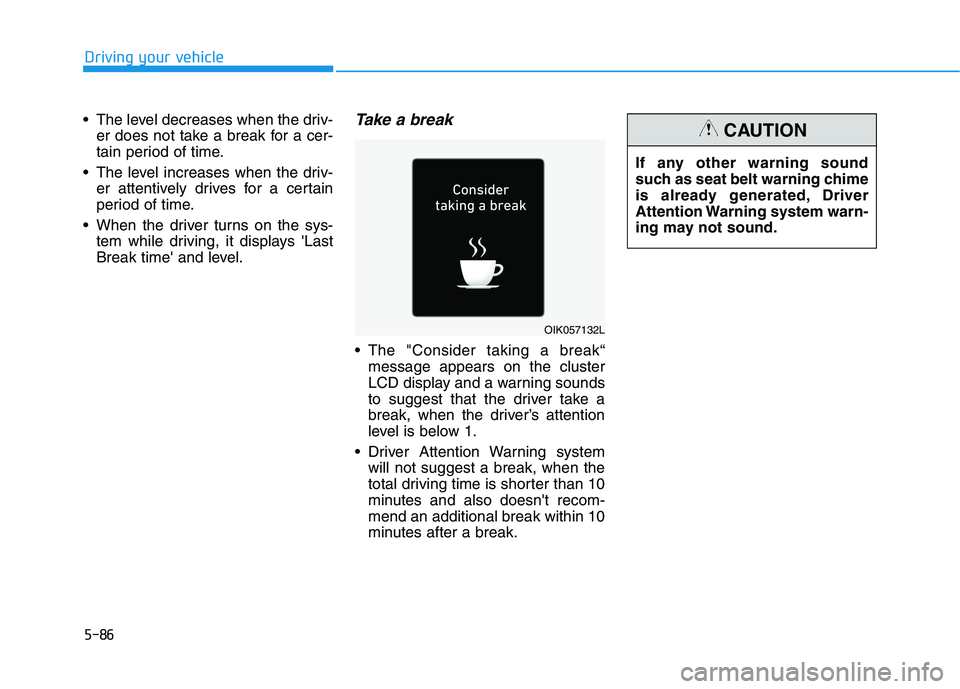
The "Consider taking a break“
message appears on the cluster
LCD display and a warning sounds
to suggest that the driver take a
break, when the driver’s attention
level is below 1.
Driver Attention Warning system
will not suggest a break, when the
total driving time is shorter than 10
minutes and also doesn't recom-
mend an additional break within 10
minutes after a break.
OIK057132L
If any other warning sound
such as seat belt warning chime
is already generated, Driver
Attention Warning system warn-
ing may not sound.
CAUTION
Page 323 of 561
5-87
Driving your vehicle
5
Resetting the system
The last break time is set to 00:00
and the driver's attention level is
set to 5 (very attentive) when the
driver resets Driver Attention
Warning system.
Driver Attention Warning system
resets the last break time to 00:00
and the driver's attention level to 5
in the following situations.
- The vehicle is turned OFF.
- The driver unfastens the seat belt
and then opens the driver's door.
- The vehicle is stopped for more
than 10 minutes.
Driver Attention Warning system
operates again, when the driver
restarts driving.
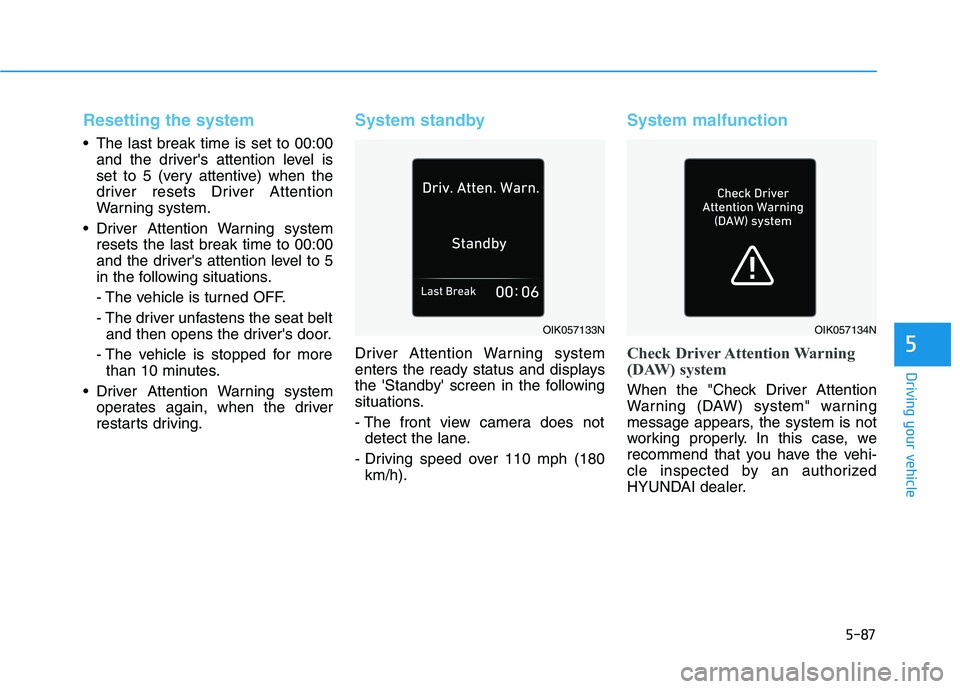
System standby
Driver Attention Warning system
enters the ready status and displays
the 'Standby' screen in the following
situations.
- The front view camera does not
detect the lane.
- Driving speed over 110 mph (180
km/h).
System malfunction
Check Driver Attention Warning
(DAW) system
When the "Check Driver Attention
Warning (DAW) system" warning
message appears, the system is not
working properly. In this case, we
recommend that you have the vehi-
cle inspected by an authorized
HYUNDAI dealer.
OIK057133NOIK057134N