display HYUNDAI IONIQ 2020 Repair Manual
[x] Cancel search | Manufacturer: HYUNDAI, Model Year: 2020, Model line: IONIQ, Model: HYUNDAI IONIQ 2020Pages: 561, PDF Size: 24.5 MB
Page 256 of 561
5-20
Cancelling the Smart
Regeneration System:
Cancelled manually
Pulling and holding the right side
paddle shifter for more than 1 sec-
ond.
The Smart Regeneration System
turns off temporarily. Note that the
"AUTO" indicator in the LCD dis-
play turns off.
Cancelled automatically
- The vehicle is shifted to N
(Neutral), R (Reverse) or P
(Park).
- The Cruise Control System
(including the Smart Cruise
Control system) is enabled.
- The ESC (Electronic Stability
Control) or ABS is activated.
Resuming the Smart
Regeneration System
To re-activate the Smart
Regeneration System while driving,
pull and hold the right side paddle
shifter for more than 1 second again.
Note that the "AUTO" indicator in the
LCD display turns back on, signaling
that the Smart Regeneration System
is enabled again.
Disabling the Smart
Regeneration System
To turn off the system, shift to P (Park)
and deselect 'User Settings →
Convenience →Smart Regeneration'
on the User Settings mode.
Vehicle-to-Vehicle Front
Recognition - Front Radar
Sensor
In order for the Smart Regeneration
System to operate properly, always
make sure the radar sensor cover is
clean and free of dirt, snow, and
debris. Dirt, snow, or foreign sub-
stances on the lens may adversely
affect the sensing performance of
the sensor. In this case, the system
operation may stop temporarily and
not operate normally.
Driving your vehicle
Do not apply license plate
frame or foreign objects such
as a bumper sticker or a
bumper guard near the radar
sensor. Doing so may adverse-
ly affect the sensing perform-
ance of the radar.
Always keep the radar sensor
and lens cover clean and free
of dirt and debris.
(Continued)
CAUTION
When the Smart Regeneration
System is cancelled automati-
cally, adjust the vehicle speed
directly by depressing the
accelerator or brake pedal
according to the road condition
ahead and driving condition.
WARNING
Page 257 of 561
5-21
Driving your vehicle
Warning Message
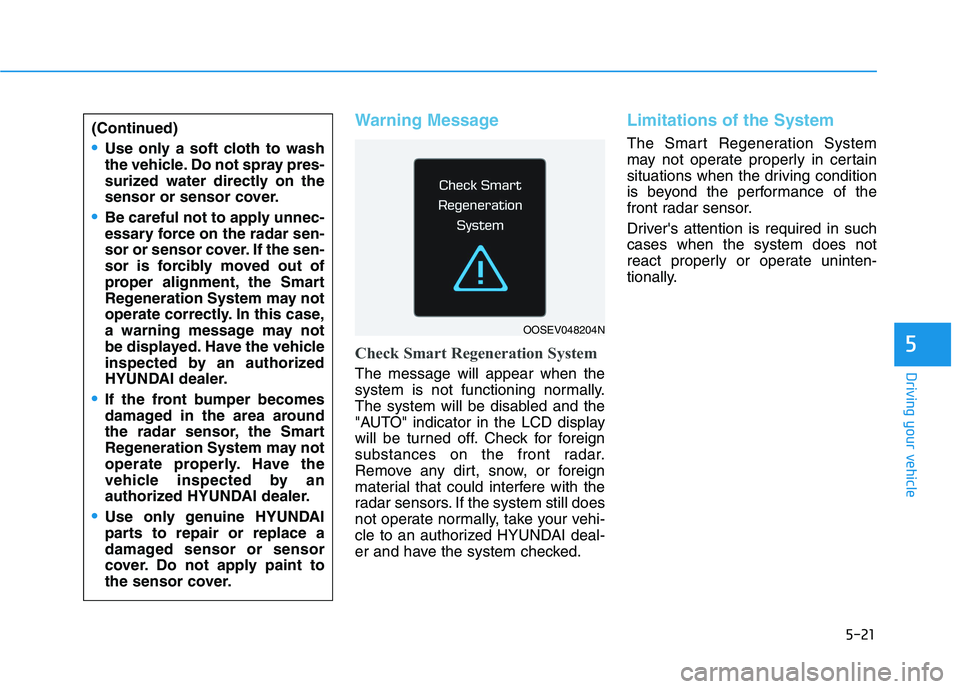
Check Smart Regeneration System
The message will appear when the
system is not functioning normally.
The system will be disabled and the
"AUTO" indicator in the LCD display
will be turned off. Check for foreign
substances on the front radar.
Remove any dirt, snow, or foreign
material that could interfere with the
radar sensors. If the system still does
not operate normally, take your vehi-
cle to an authorized HYUNDAI deal-
er and have the system checked.
Limitations of the System
The Smart Regeneration System
may not operate properly in certain
situations when the driving condition
is beyond the performance of the
front radar sensor.
Driver's attention is required in such
cases when the system does not
react properly or operate uninten-
tionally.
5
(Continued)
Use only a soft cloth to wash
the vehicle. Do not spray pres-
surized water directly on the
sensor or sensor cover.
Be careful not to apply unnec-
essary force on the radar sen-
sor or sensor cover. If the sen-
sor is forcibly moved out of
proper alignment, the Smart
Regeneration System may not
operate correctly. In this case,
a warning message may not
be displayed. Have the vehicle
inspected by an authorized
HYUNDAI dealer.
If the front bumper becomes
damaged in the area around
the radar sensor, the Smart
Regeneration System may not
operate properly. Have the
vehicle inspected by an
authorized HYUNDAI dealer.
Use only genuine HYUNDAI
parts to repair or replace a
damaged sensor or sensor
cover. Do not apply paint to
the sensor cover.
OOSEV048204N
Page 271 of 561
5-35
Driving your vehicle
5If there is a malfunction with the
driver's door or hood open detec-
tion system, the Auto Hold may
not work properly. Contact an
authorized HYUNDAI dealer.
Warning messages
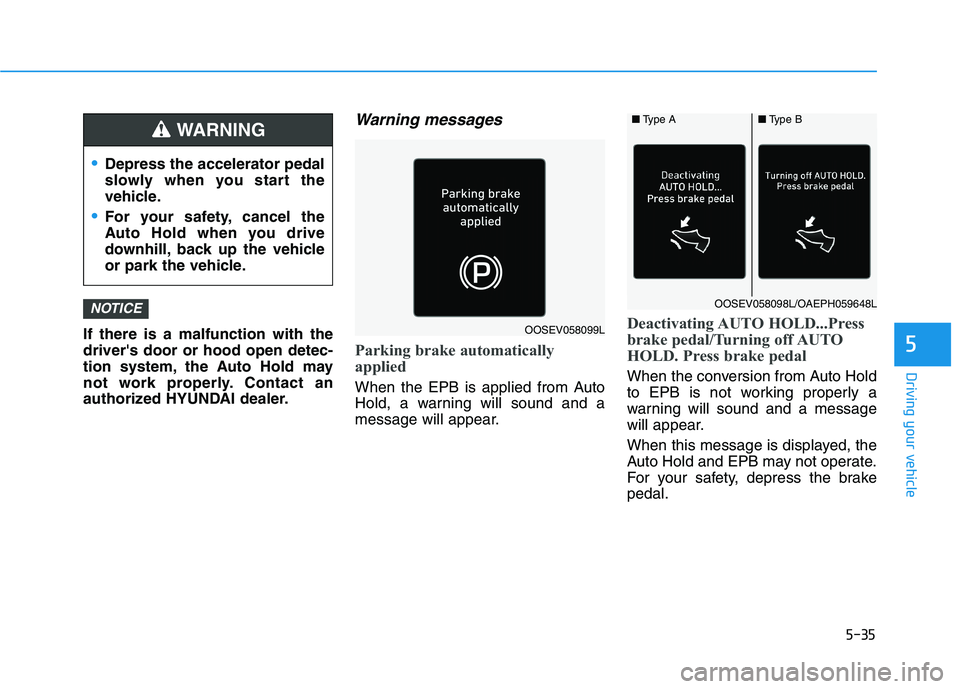
Parking brake automatically
applied
When the EPB is applied from Auto
Hold, a warning will sound and a
message will appear.
Deactivating AUTO HOLD...Press
brake pedal/Turning off AUTO
HOLD. Press brake pedal
When the conversion from Auto Hold
to EPB is not working properly a
warning will sound and a message
will appear.
When this message is displayed, the
Auto Hold and EPB may not operate.
For your safety, depress the brake
pedal.
NOTICE
Depress the accelerator pedal
slowly when you start the
vehicle.
For your safety, cancel the
Auto Hold when you drive
downhill, back up the vehicle
or park the vehicle.
WARNING
OOSEV058099L
■Type A■Type B
OOSEV058098L/OAEPH059648L
Page 272 of 561
![HYUNDAI IONIQ 2020 Repair Manual 5-36
Driving your vehicle
Press brake pedal to deactivate
AUTO HOLD
If you did not apply the brake pedal
when you release the Auto Hold by
pressing the [AUTO HOLD] switch, a
warning will sound and a m](/img/35/58884/w960_58884-271.png "HYUNDAI IONIQ 2020 Repair Manual 5-36
Driving your vehicle
Press brake pedal to deactivate
AUTO HOLD
If you did not apply the brake pedal
when you release the Auto Hold by
pressing the [AUTO HOLD] switch, a
warning will sound and a m")
5-36
Driving your vehicle
Press brake pedal to deactivate
AUTO HOLD
If you did not apply the brake pedal
when you release the Auto Hold by
pressing the [AUTO HOLD] switch, a
warning will sound and a message
will appear.
AUTO HOLD conditions not met.
Close door, hood and liftgate
When you press the [AUTO HOLD]
switch, if the driver's door, hood and
liftgate are not closed or the driver's
seat belt is unfastened, a warning
will sound and a message will
appear on the LCD display.
Press the [AUTO HOLD] switch after
closing the driver’s door, hood and
liftgate and fastening the seat belt.
Anti-lock Brake System (ABS)
OIK057080LOOSEV058076N
An Anti-Lock Braking System
(ABS) or an Electronic Stability
Control (ESC) system will not
prevent accidents due to
improper or dangerous driving
maneuvers. Even though vehi-
cle control is improved during
emergency braking, always
maintain a safe distance
between you and objects ahead
of you. Vehicle speeds should
always be reduced during
extreme road conditions. The
braking distance for cars
equipped with ABS or ESC may
be longer than for those without
these systems in the following
road conditions.
Drive your vehicle at reduced
speeds during the following
conditions:
Rough, gravel or snow-cov-
ered roads.
(Continued)
WARNING
Page 277 of 561
5-41
Driving your vehicle
5Driving with wheels and tires with
different sizes may cause the ESC
system to malfunction. Before
replacing tires, make sure all four
tires and wheels are the same
size. Never drive the vehicle with
different sized wheels and tires
installed.
ESC OFF usage
When Driving
The ESC OFF mode should only be
used briefly to help free the vehicle if
stuck in snow or mud, by temporarily
stopping operation of the ESC, to
maintain wheel torque.
To turn ESC off while driving, press
the ESC OFF button while driving on
a flat road surface. Do not allow wheel(s) of one
axle to spin excessively while
the ESC, ABS, and parking brake
warning lights are displayed.
The repairs would not be cov-
ered by the vehicle warranty.
Reduce vehicle power and do
not spin the wheel(s) excessive-
ly while these lights are dis-
played.
When operating the vehicle on a
dynamometer, make sure the
ESC is turned off (ESC OFF light
illuminated).
Information
Turning the ESC off does not affect
ABS or standard brake system opera-
tion.
i
NOTICE
NOTICE
When the ESC is blinking, this
indicates the ESC is active:
Drive slowly and NEVER attempt
to accelerate. NEVER turn the
ESC off while the ESC indicator
light is blinking or you may lose
control of the vehicle resulting in
an accident.
WARNING
Page 283 of 561
5-47
Driving your vehicle
5
- If you select 'Warning Only', FCA
system activates and produces
only warning alarms in accor-
dance with the collision risk lev-
els. Braking assist will not be
applied in this setting.
- If you select 'Off', FCA system
deactivates,
The warning light illumi-
nates on the instrument
cluster, when you cancel
FCA system. The driver
can monitor the FCA ON/OFF status
on the LCD display. Also, the warning
light illuminates when the ESC
(Electronic Stability Control) is
turned off.
- If the warning light remains ON
when FCA is activated, we recom-
mend that you have the system
checked by an authorized
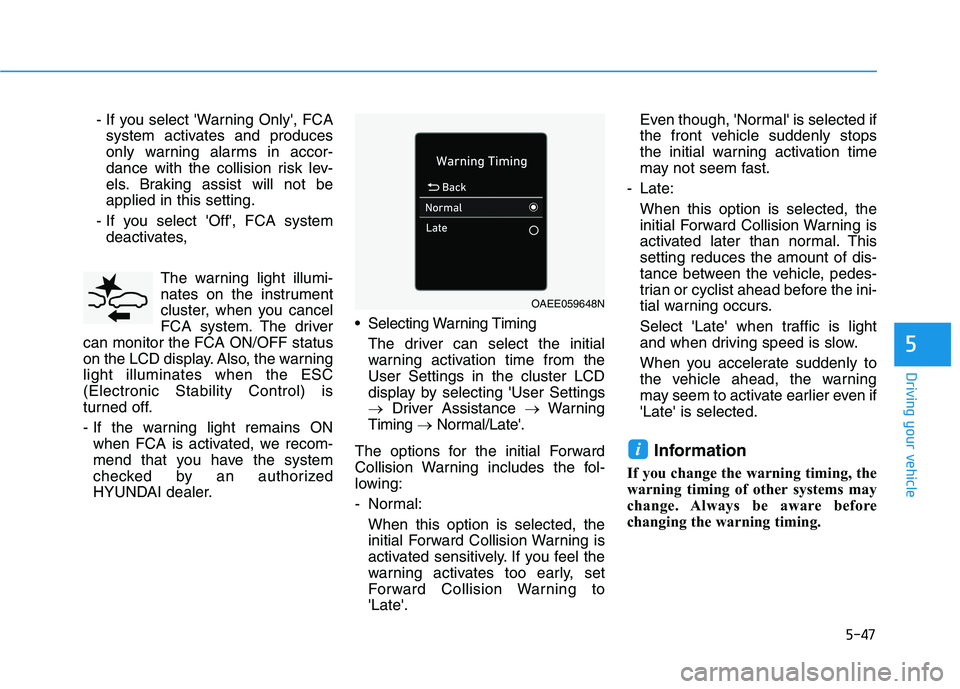
HYUNDAI dealer. Selecting Warning Timing
The driver can select the initial
warning activation time from the
User Settings in the cluster LCD
display by selecting 'User Settings
→Driver Assistance →Warning
Timing →Normal/Late'.
The options for the initial Forward
Collision Warning includes the fol-
lowing:
- Normal:
When this option is selected, the
initial Forward Collision Warning is
activated sensitively. If you feel the
warning activates too early, set
Forward Collision Warning to
'Late'.Even though, 'Normal' is selected if
the front vehicle suddenly stops
the initial warning activation time
may not seem fast.
- Late:
When this option is selected, the
initial Forward Collision Warning is
activated later than normal. This
setting reduces the amount of dis-
tance between the vehicle, pedes-
trian or cyclist ahead before the ini-
tial warning occurs.
Select 'Late' when traffic is light
and when driving speed is slow.
When you accelerate suddenly to
the vehicle ahead, the warning
may seem to activate earlier even if
'Late' is selected.
Information
If you change the warning timing, the
warning timing of other systems may
change. Always be aware before
changing the warning timing.
i
OAEE059648N
Page 284 of 561
5-48
Driving your vehicle
Prerequisite for activation
FCA gets ready to be activated,
when 'Active Assist' or 'Warning
Only' under Forward Safety is select-
ed in the cluster LCD display, and
when the following prerequisites are
satisfied.
- ESC (Electronic Stability Control)
is on.
- Vehicle speed is over 5 mph (8
km/h). (The FCA is only activated
within a certain speed range.)
- The system detects a pedestrian,
cyclist (if equipped) or a vehicle in
front, which may collide with your
vehicle. However, FCA may not be
activated or may only sound a
warning alarm depending on the
driving or vehicle conditions.
The FCA may not operate properly
according to the frontal situation,
the direction of pedestrian or
cyclist (if equipped) and speed.
FCA warning message and
brake control
FCA produces warning messages,
warning alarms, and emergency
braking based on the level of risk of
a frontal collision, such as when a
vehicle ahead suddenly brakes, or
the system detects that a collision
with a pedestrian or cyclist (if
equipped) is imminent.To avoid driver distractions,
do not attempt to set or can-
cel FCA while driving the vehi-
cle. Always completely stop
the vehicle at a safe place
before setting or canceling
the system.
FCA automatically activates
when the POWER button is in
the ON position. The driver
can deactivate FCA by cancel-
ing the system setting on the
LCD display.
FCA automatically deactivates
upon canceling the ESC
(Electronic Stability Control).
When the ESC is canceled,
FCA cannot be activated on
the LCD display. In this situa-
tion, the FCA warning light will
illuminate which is normal.
WARNING
Page 285 of 561
5-49
Driving your vehicle
5
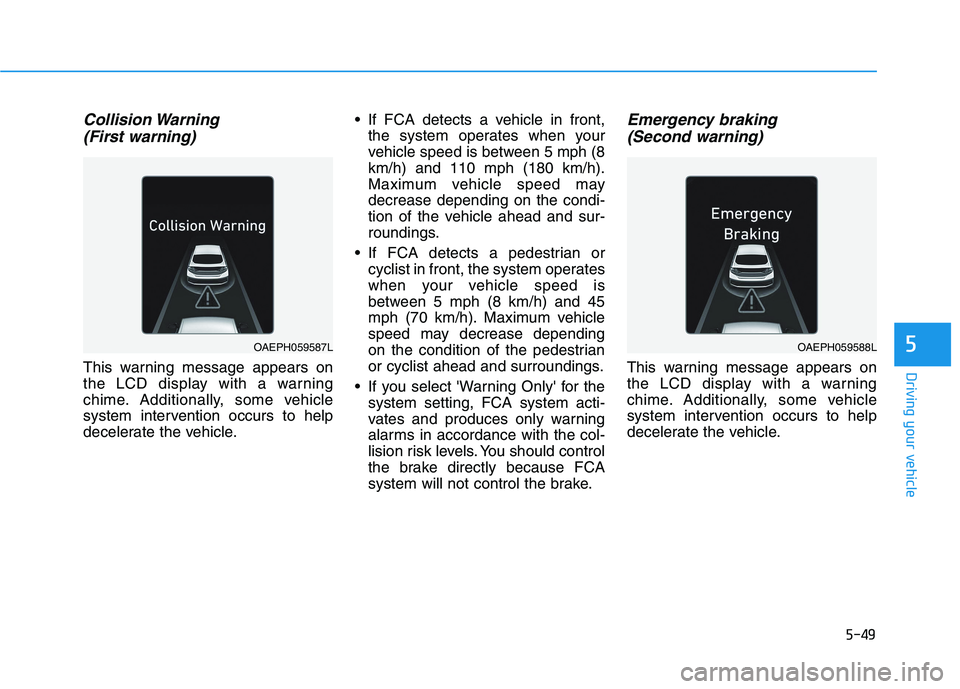
Collision Warning
(First warning)
This warning message appears on
the LCD display with a warning
chime. Additionally, some vehicle
system intervention occurs to help
decelerate the vehicle. If FCA detects a vehicle in front,
the system operates when your
vehicle speed is between 5 mph (8
km/h) and 110 mph (180 km/h).
Maximum vehicle speed may
decrease depending on the condi-
tion of the vehicle ahead and sur-
roundings.
If FCA detects a pedestrian or
cyclist in front, the system operates
when your vehicle speed is
between 5 mph (8 km/h) and 45
mph (70 km/h). Maximum vehicle
speed may decrease depending
on the condition of the pedestrian
or cyclist ahead and surroundings.
If you select 'Warning Only' for the
system setting, FCA system acti-
vates and produces only warning
alarms in accordance with the col-
lision risk levels. You should control
the brake directly because FCA
system will not control the brake.
Emergency braking
(Second warning)
This warning message appears on
the LCD display with a warning
chime. Additionally, some vehicle
system intervention occurs to help
decelerate the vehicle.
OAEPH059587LOAEPH059588L
Page 288 of 561
5-52
Driving your vehicle
(Continued)
Be careful not to apply unneces-
sary force on the radar sensor or
sensor cover. If the sensor is
forcibly moved out of proper
alignment, FCA system may not
operate correctly. In this case, a
warning message may not be
displayed. We recommend that
you have the vehicle inspected
by an authorized HYUNDAI deal-
er.
If the front bumper becomes
damaged in the area around the
front radar sensor, FCA system
may not operate properly. We
recommend that you have the
vehicle inspected by authorized
HYUNDAI dealer.
Use only genuine parts to repair
or replace a damaged sensor or
sensor cover. Do not apply paint
to the sensor cover. NEVER install any accessories
or stickers on the front wind-
shield, or tint the front wind-
shield.
NEVER place any reflective
objects (i.e. white paper, mirror)
over the crash pad. Any light
reflection may prevent the sys-
tem from functioning properly.
Pay extreme caution to keep the
camera dry.
NEVER disassemble the camera
assembly, or apply any impact
on the camera assembly.
Information
We recommend that you have the sys-
tem checked by an authorized
HYUNDAI dealer when:
• The windshield glass is replaced.
• The front radar sensor or cover gets
damaged or replaced.
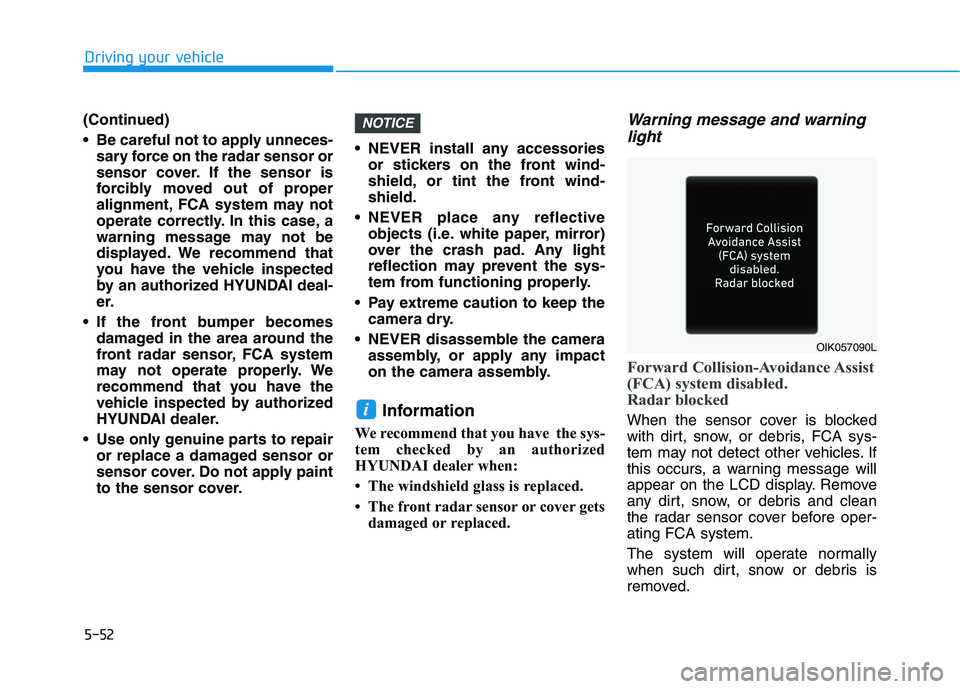
Warning message and warning
light
Forward Collision-Avoidance Assist
(FCA) system disabled.
Radar blocked
When the sensor cover is blocked
with dirt, snow, or debris, FCA sys-
tem may not detect other vehicles. If
this occurs, a warning message will
appear on the LCD display. Remove
any dirt, snow, or debris and clean
the radar sensor cover before oper-
ating FCA system.
The system will operate normally
when such dirt, snow or debris is
removed.i
NOTICE
OIK057090L
Page 289 of 561
5-53
Driving your vehicle
5
FCA may not properly operate in an
area (e.g. open terrain), where any
substances are not detected after
turning ON the vehicle.
Also, even though a warning mes-
sage does not appear on the LCD
display, FCA may not properly oper-
ate.System malfunction
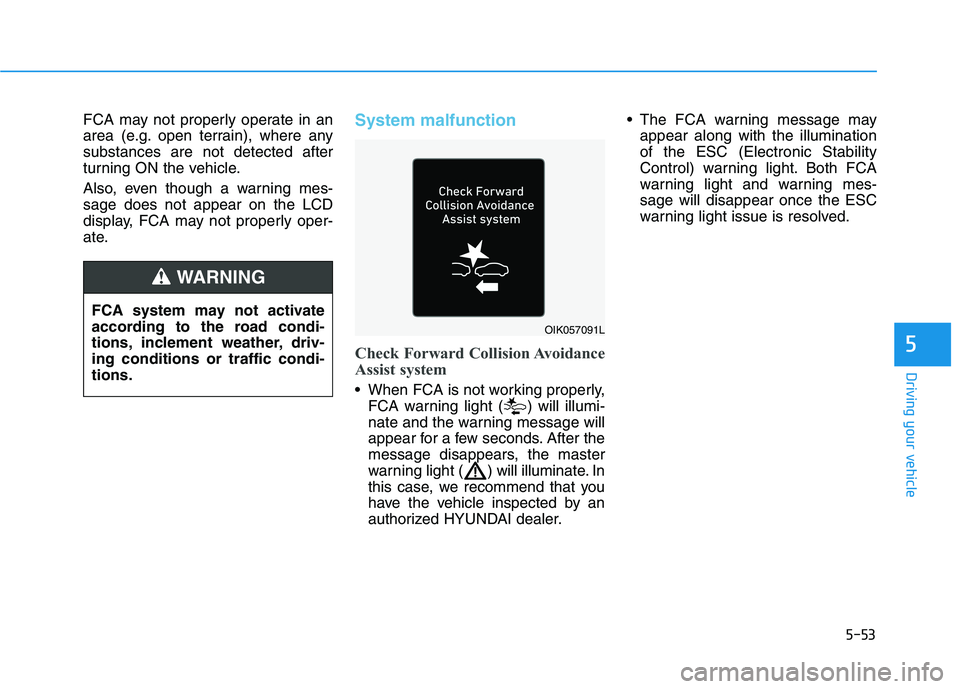
Check Forward Collision Avoidance
Assist system
When FCA is not working properly,
FCA warning light ( ) will illumi-
nate and the warning message will
appear for a few seconds. After the
message disappears, the master
warning light ( ) will illuminate. In
this case, we recommend that you
have the vehicle inspected by an
authorized HYUNDAI dealer. The FCA warning message may
appear along with the illumination
of the ESC (Electronic Stability
Control) warning light. Both FCA
warning light and warning mes-
sage will disappear once the ESC
warning light issue is resolved.
FCA system may not activate
according to the road condi-
tions, inclement weather, driv-
ing conditions or traffic condi-
tions.
WARNING
OIK057091L