display HYUNDAI IONIQ 2020 Manual PDF
[x] Cancel search | Manufacturer: HYUNDAI, Model Year: 2020, Model line: IONIQ, Model: HYUNDAI IONIQ 2020Pages: 561, PDF Size: 24.5 MB
Page 290 of 561
Driving your vehicle
FCA is only a supplemental
system for the driver's con-
venience. The driver should
hold the responsibility to con-
trol the vehicle operation. Do
not solely depend on FCA
system. Rather, maintain a
safe braking distance, and, if
necessary, depress the brake
pedal to reduce the driving
speed or to stop the vehicle.
In certain instances and
under certain driving condi-
tions, FCA system may acti-
vate unintentionally. This ini-
tial warning message appears
on the LCD display with a
warning chime.
Also due to sensing limita-
tions, in certain situations, the
front radar sensor or front view
camera recognition system
may not detect the vehicle,
pedestrian or cyclist ahead.
FCA system may not activate
and the warning message may
not be displayed.
(Continued)
(Continued)
Even if there is any problem
with the brake control func-
tion of FCA system, the vehi-
cle's basic braking perform-
ance will operate normally.
However, brake control func-
tion for avoiding collision will
not activate.
If the vehicle in front stops
suddenly, you may have less
control of the brake system.
Therefore, always keep a safe
distance between your vehicle
and the vehicle in front of you.
FCA system may activate dur-
ing braking and the vehicle
may stop suddenly shifting
loose objects toward the pas-
sengers. Always keep loose
objects secured.
FCA system may not activate
if the driver applies the brake
pedal to avoid collision.
(Continued)WARNING
FCA system does not operate
when the vehicle is in reverse.
FCA system is not designed
to detect other objects on the
road such as animals.
(Continued)
WARNING
(Continued)
If a vehicle in front abruptly
stops, the brake control may
not work possibly causing a
collision.
Occupants may get injured, if
the vehicle abruptly stops by
activated FCA system. Pay
extreme caution.
FCA system operates only
when the system detects vehi-
cles, pedestrian, or cyclist
directly in front of the vehicle.
5-54
Page 300 of 561
5-64
Driving your vehicle
LKA operation
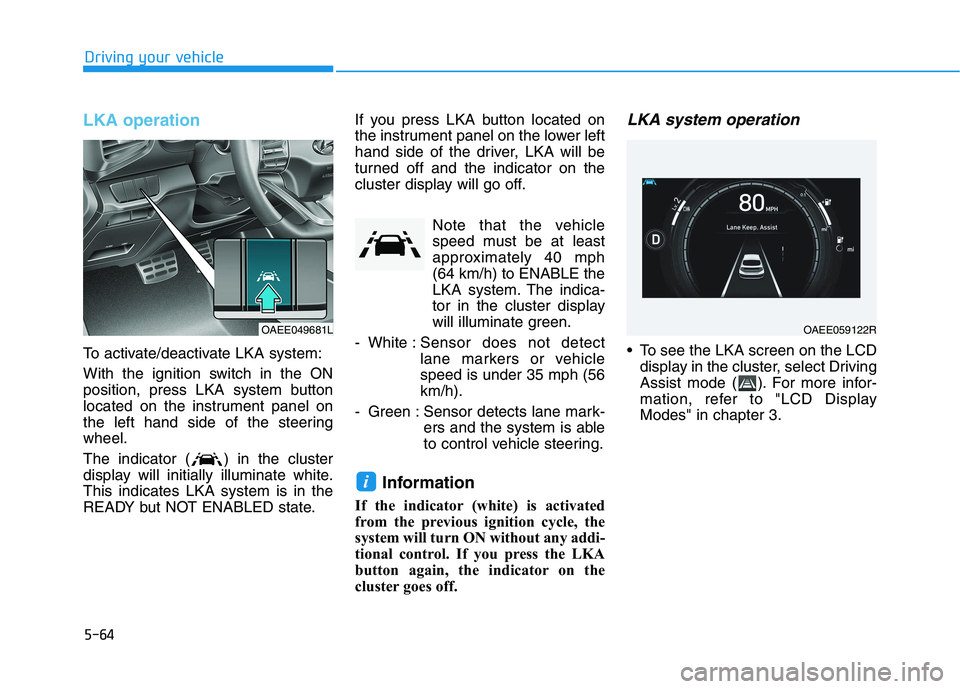
To activate/deactivate LKA system:
With the ignition switch in the ON
position, press LKA system button
located on the instrument panel on
the left hand side of the steering
wheel.
The indicator ( ) in the cluster
display will initially illuminate white.
This indicates LKA system is in the
READY but NOT ENABLED state.If you press LKA button located on
the instrument panel on the lower left
hand side of the driver, LKA will be
turned off and the indicator on the
cluster display will go off.
Note that the vehicle
speed must be at least
approximately 40 mph
(64 km/h) to ENABLE the
LKA system. The indica-
tor in the cluster display
will illuminate green.
- White :Sensor does not detect
lane markers or vehicle
speed is under 35 mph (56
km/h).
- Green : Sensor detects lane mark-
ers and the system is able
to control vehicle steering.
Information
If the indicator (white) is activated
from the previous ignition cycle, the
system will turn ON without any addi-
tional control. If you press the LKA
button again, the indicator on the
cluster goes off.
LKA system operation
To see the LKA screen on the LCD
display in the cluster, select Driving
Assist mode ( ). For more infor-
mation, refer to "LCD Display
Modes" in chapter 3.
i
OAEE049681LOAEE059122R
Page 301 of 561
5-65
Driving your vehicle
5
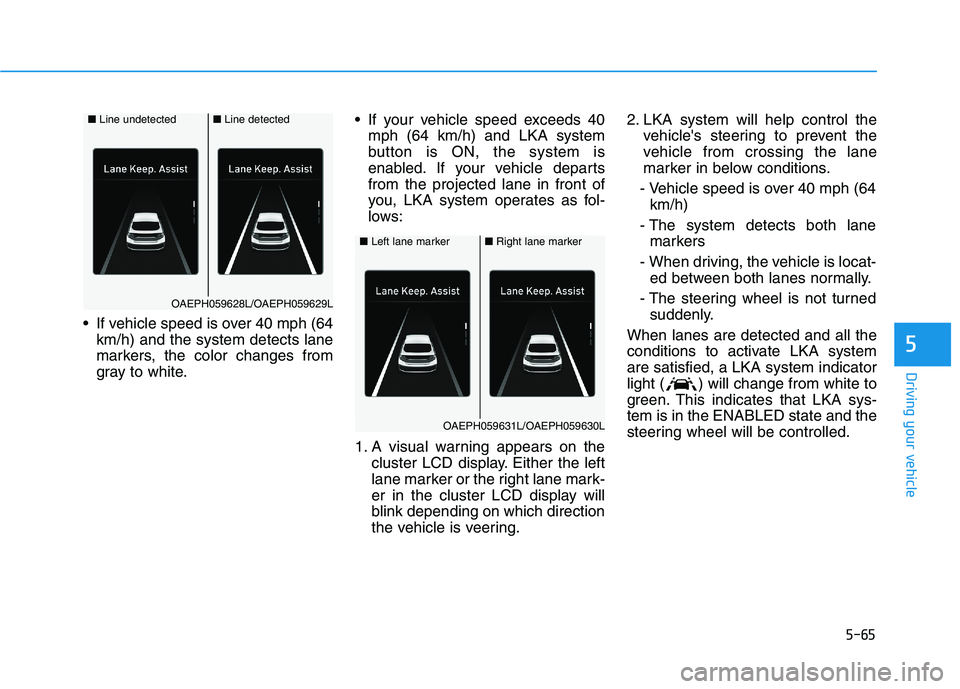
If vehicle speed is over 40 mph (64
km/h) and the system detects lane
markers, the color changes from
gray to white. If your vehicle speed exceeds 40
mph (64 km/h) and LKA system
button is ON, the system is
enabled. If your vehicle departs
from the projected lane in front of
you, LKA system operates as fol-
lows:
1. A visual warning appears on the
cluster LCD display. Either the left
lane marker or the right lane mark-
er in the cluster LCD display will
blink depending on which direction
the vehicle is veering.2. LKA system will help control the
vehicle's steering to prevent the
vehicle from crossing the lane
marker in below conditions.
- Vehicle speed is over 40 mph (64
km/h)
- The system detects both lane
markers
- When driving, the vehicle is locat-
ed between both lanes normally.
- The steering wheel is not turned
suddenly.
When lanes are detected and all the
conditions to activate LKA system
are satisfied, a LKA system indicator
light ( ) will change from white to
green. This indicates that LKA sys-
tem is in the ENABLED state and the
steering wheel will be controlled.
■Left lane marker■Right lane marker
OAEPH059631L/OAEPH059630L
■Line undetected■Line detected
OAEPH059628L/OAEPH059629L
Page 306 of 561
5-70
Driving your vehicle
LKA system function change
The driver can change LKA to Lane
Departure Warning (LDW) from the
LCD display. Go to the 'User Settings
→Driver Assistance →Lane Safety'.
The system is automatically set to
Standard LKA if a function is not
selected.
Lane Keeping Assist
This mode guides the driver to help
keep the vehicle within the lanes. It
rarely controls the steering wheel,
when the vehicle drives well inside
the lanes. However, it starts to con-
trol the steering wheel, when the
vehicle is about to deviate out of the
lane.
Lane Departure Warning
Lane Departure Warning alerts the
driver with a visual warning and a
warning alarm when the system
detects the vehicle departing the
lane. The steering wheel will not be
controlled.
Page 308 of 561
5-72
Driving your vehicle
System setting and operation
System setting
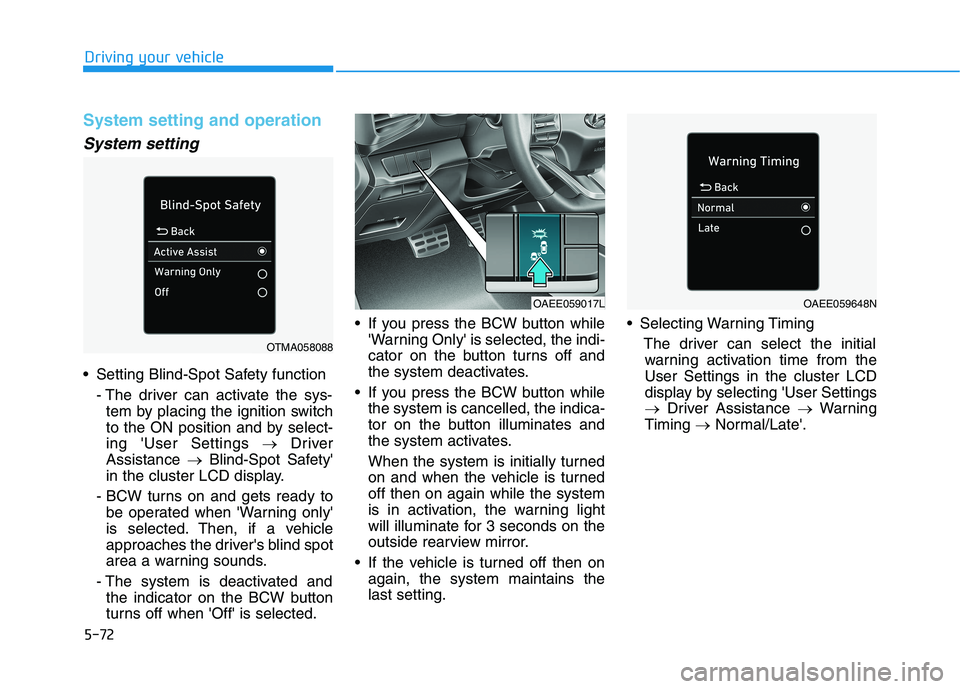
Setting Blind-Spot Safety function
- The driver can activate the sys-
tem by placing the ignition switch
to the ON position and by select-
ing 'User Settings →Driver
Assistance →Blind-Spot Safety'
in the cluster LCD display.
- BCW turns on and gets ready to
be operated when 'Warning only'
is selected. Then, if a vehicle
approaches the driver's blind spot
area a warning sounds.
- The system is deactivated and
the indicator on the BCW button
turns off when 'Off' is selected. If you press the BCW button while
'Warning Only' is selected, the indi-
cator on the button turns off and
the system deactivates.
If you press the BCW button while
the system is cancelled, the indica-
tor on the button illuminates and
the system activates.
When the system is initially turned
on and when the vehicle is turned
off then on again while the system
is in activation, the warning light
will illuminate for 3 seconds on the
outside rearview mirror.
If the vehicle is turned off then on
again, the system maintains the
last setting. Selecting Warning Timing
The driver can select the initial
warning activation time from the
User Settings in the cluster LCD
display by selecting 'User Settings
→Driver Assistance →Warning
Timing →Normal/Late'.
OTMA058088
OAEE059017LOAEE059648N
Page 309 of 561
5-73
Driving your vehicle
5
The options for the initial Blind-Spot
Collision Warning includes the fol-
lowing:
- Normal:
When this option is selected, the
initial Blind-Spot Collision
Warning is activated normally. If
this setting feels too sensitive
change the option to 'Late'.
The warning activation time may
feel late if the side/rear vehicle
abruptly accelerates.
- Late:
Select this warning activation
time when the traffic is light and
you are driving in at low speeds.
Information
If you change the warning timing, the
warning time of other systems may
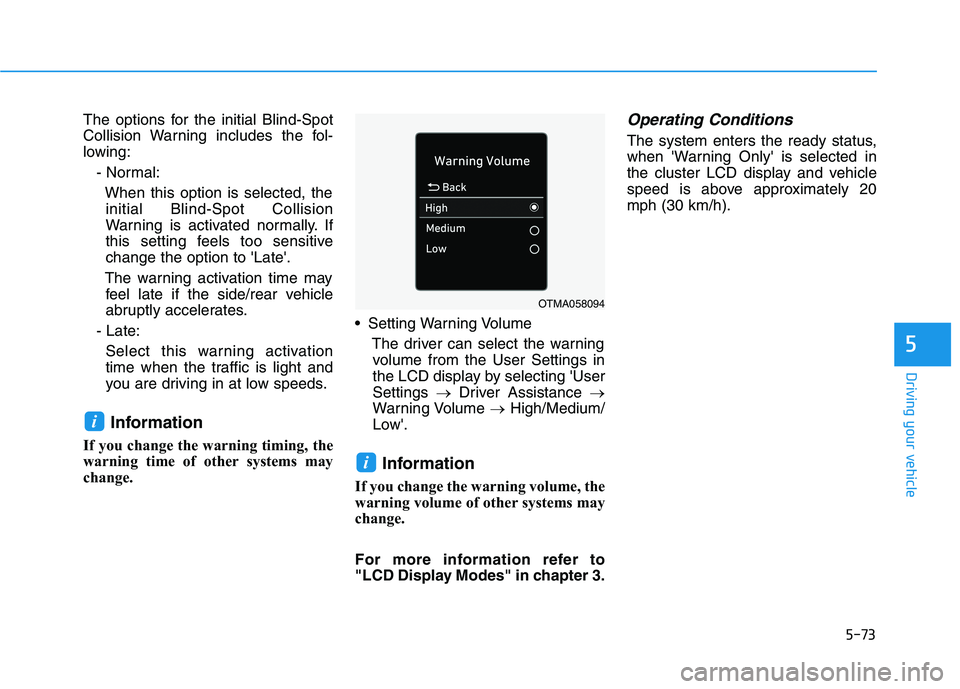
change. Setting Warning Volume
The driver can select the warning
volume from the User Settings in
the LCD display by selecting 'User
Settings →Driver Assistance →
Warning Volume →High/Medium/
Low'.
Information
If you change the warning volume, the
warning volume of other systems may
change.
For more information refer to
"LCD Display Modes" in chapter 3.
Operating Conditions
The system enters the ready status,
when 'Warning Only' is selected in
the cluster LCD display and vehicle
speed is above approximately 20
mph (30 km/h).
i
i
OTMA058094
Page 312 of 561
5-76
Driving your vehicle
The system may not work prop-
erly when the bumper has been
damaged, or if the rear bumper
has been replaced or repaired.
The sensing range differs some-
what according to the width of
the road. When the road is nar-
row, the system may detect
other vehicles in the next lane.
The system may turn off if inter-
fered by strong electromagnetic
waves.
Always keep the sensors clean.
NEVER disassemble the sensor
component or apply any impact
on the sensor component.
Be careful not to apply unneces-
sary force on the radar sensor or
sensor cover. If the sensor is
forcibly moved out of proper
alignment, the system may not
operate correctly. In this case, a
warning message may not be
displayed. We recommend that
the vehicle be inspected by an
authorized HYUNDAI dealer.
(Continued)(Continued)
Do not apply foreign objects
such as a bumper sticker or a
bumper guard near the radar
sensor or apply paint to the sen-
sor area. Doing so may adverse-
ly affect the performance of the
sensor.
Warning message
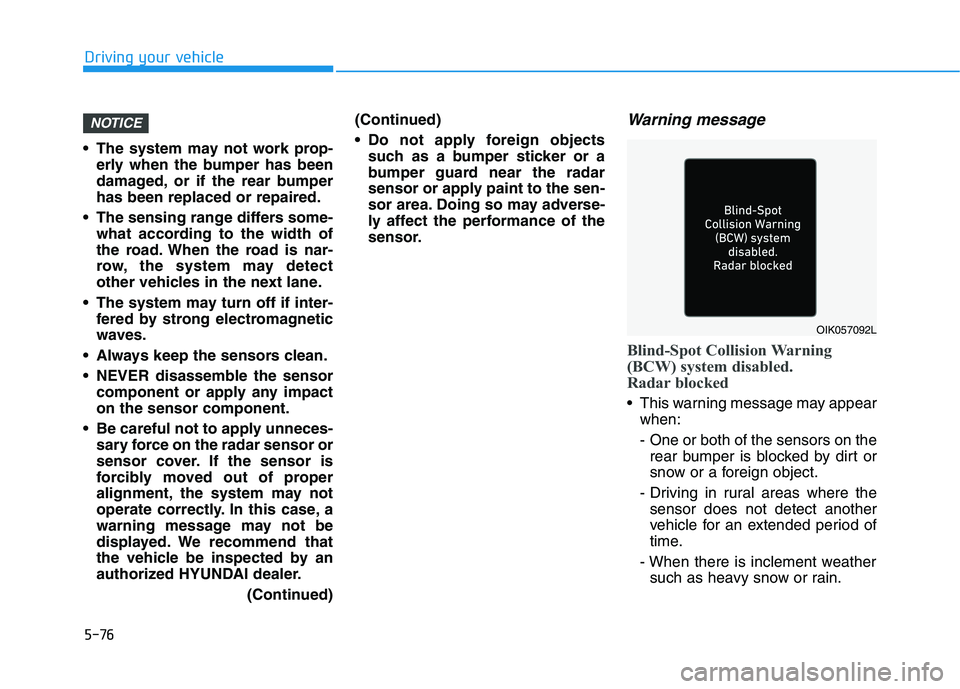
Blind-Spot Collision Warning
(BCW) system disabled.
Radar blocked
This warning message may appear
when:
- One or both of the sensors on the
rear bumper is blocked by dirt or
snow or a foreign object.
- Driving in rural areas where the
sensor does not detect another
vehicle for an extended period of
time.
- When there is inclement weather
such as heavy snow or rain.
NOTICE
OIK057092L
Page 313 of 561
5-77
Driving your vehicle
5
- When a trailer or carrier is
installed.
If any of these conditions occur, the
light on the BCW button and the sys-
tem will turn off automatically.
Information
Turn off BCW and RCCW system (if
equipped) when a trailer or carrier is
installed.
- Press the BCW button (the indica-
tor on the button will turn off)
'User Settings →Driver Assistance
→ Blind-Spot Safety'
- Deactivate RCCW system by dese-
lecting
'User Settings →Driver Assistance
→Parking Safety →Rear Cross-
Traffic Safety'When the BCW canceled warning
message is displayed in the cluster,
check to make sure that the rear
bumper is free from any dirt or snow
in the areas where the sensor is
located. Remove any dirt, snow, or
foreign material that could interfere
with the radar sensors.
After any dirt or debris is removed,
the system should operate normally
after about 10 minutes of driving the
vehicle.
If the system still does not operate
normally, we recommend that the
vehicle be inspected by an author-
ized HYUNDAI dealer.
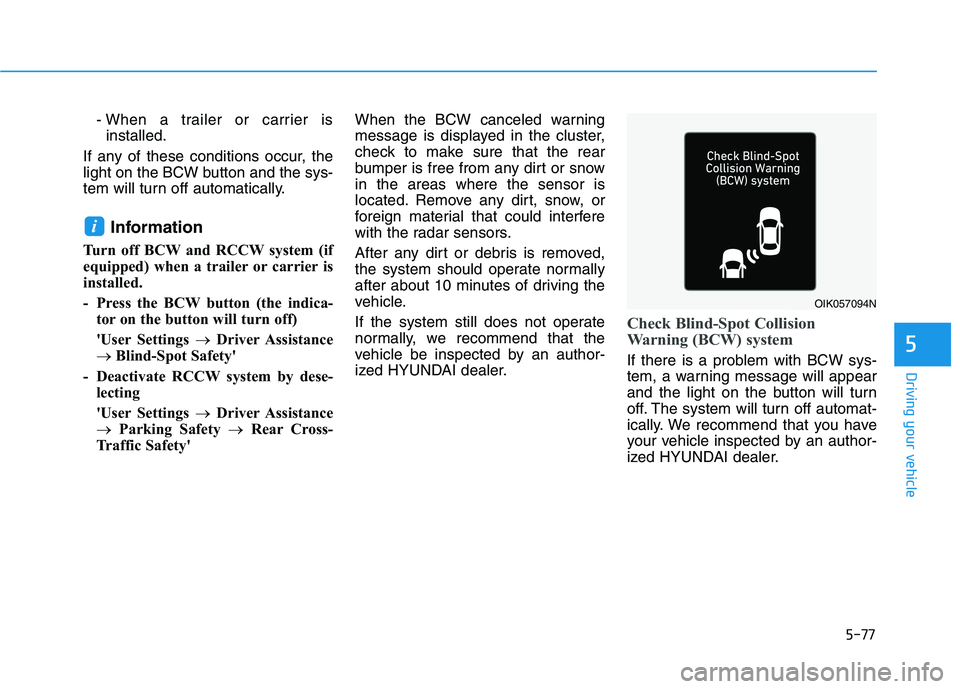
Check Blind-Spot Collision
Warning (BCW) system
If there is a problem with BCW sys-
tem, a warning message will appear
and the light on the button will turn
off. The system will turn off automat-
ically. We recommend that you have
your vehicle inspected by an author-
ized HYUNDAI dealer.
i
OIK057094N
Page 320 of 561
5-84
Driving your vehicle
Driver Attention Warning system dis-
plays the level of the driver’s fatigue
and inattention, considering the driv-
ing pattern, etc.
System setting and operation
System setting
Driver Attention Warning can be acti-
vated from the Users Settings mode
in the cluster LCD display by follow-
ing the procedure below.
1. Set the ignition switch to the ON
position.
2. Select 'User Settings →Driver
Assistance →Driver Attention
Warning' in the cluster LCD dis-
play. Deselect the setting to turn
off the system.
If the vehicle is turned off then on
again, the system maintains the
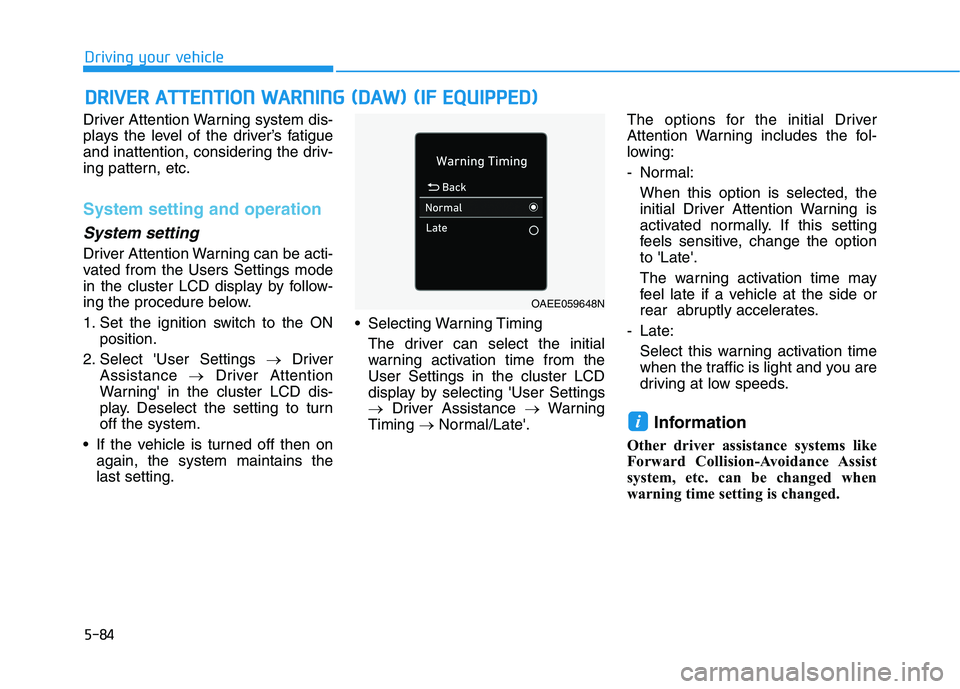
last setting. Selecting Warning Timing
The driver can select the initial
warning activation time from the
User Settings in the cluster LCD
display by selecting 'User Settings
→Driver Assistance →Warning
Timing →Normal/Late'.The options for the initial Driver
Attention Warning includes the fol-
lowing:
- Normal:
When this option is selected, the
initial Driver Attention Warning is
activated normally. If this setting
feels sensitive, change the option
to 'Late'.
The warning activation time may
feel late if a vehicle at the side or
rear abruptly accelerates.
- Late:
Select this warning activation time
when the traffic is light and you are
driving at low speeds.
Information
Other driver assistance systems like
Forward Collision-Avoidance Assist
system, etc. can be changed when
warning time setting is changed.
i
D DR
RI
IV
VE
ER
R
A
AT
TT
TE
EN
NT
TI
IO
ON
N
W
WA
AR
RN
NI
IN
NG
G
(
(D
DA
AW
W)
)
(
(I
IF
F
E
EQ
QU
UI
IP
PP
PE
ED
D)
)
OAEE059648N
Page 321 of 561
5-85
Driving your vehicle
5
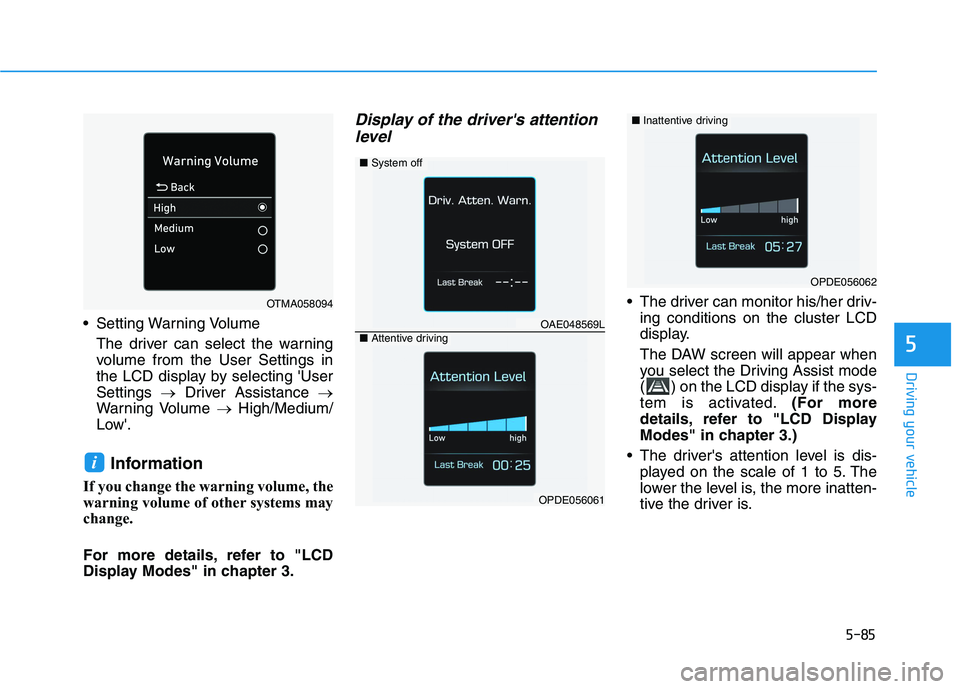
Setting Warning Volume
The driver can select the warning
volume from the User Settings in
the LCD display by selecting 'User
Settings →Driver Assistance →
Warning Volume →High/Medium/
Low'.
Information
If you change the warning volume, the
warning volume of other systems may
change.
For more details, refer to "LCD
Display Modes" in chapter 3.
Display of the driver's attention
level
The driver can monitor his/her driv-
ing conditions on the cluster LCD
display.
The DAW screen will appear when
you select the Driving Assist mode
( ) on the LCD display if the sys-
tem is activated.(For more
details, refer to "LCD Display
Modes" in chapter 3.)
The driver's attention level is dis-
played on the scale of 1 to 5. The
lower the level is, the more inatten-
tive the driver is.
i
OPDE056062
■System off
OAE048569L■Attentive driving
OPDE056061
OTMA058094
■Inattentive driving