warning light HYUNDAI IONIQ 2020 Manual Online
[x] Cancel search | Manufacturer: HYUNDAI, Model Year: 2020, Model line: IONIQ, Model: HYUNDAI IONIQ 2020Pages: 561, PDF Size: 24.5 MB
Page 301 of 561
5-65
Driving your vehicle
5
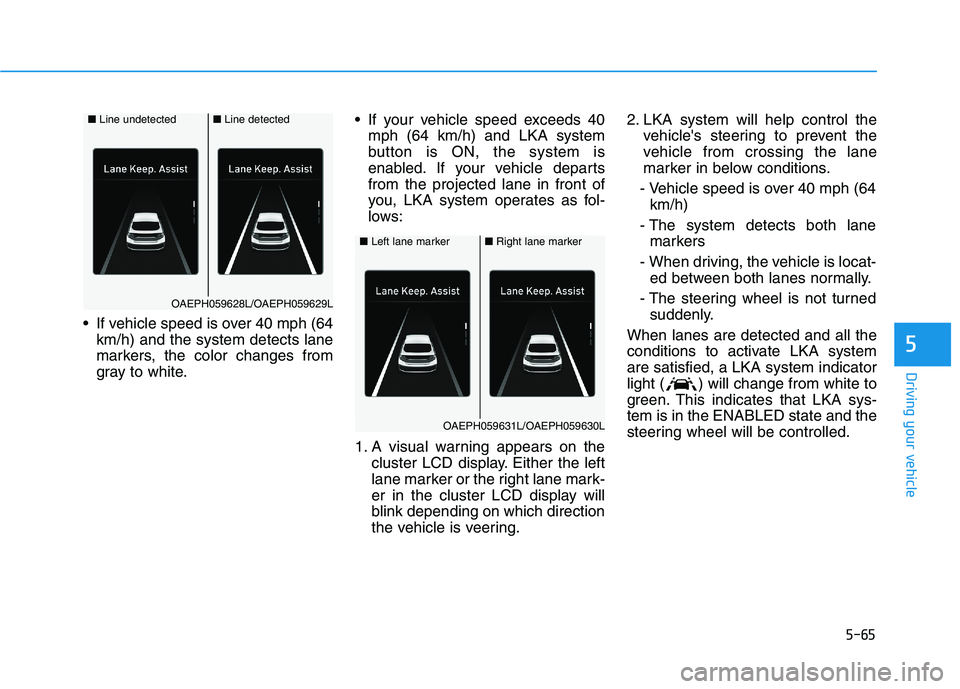
If vehicle speed is over 40 mph (64
km/h) and the system detects lane
markers, the color changes from
gray to white. If your vehicle speed exceeds 40
mph (64 km/h) and LKA system
button is ON, the system is
enabled. If your vehicle departs
from the projected lane in front of
you, LKA system operates as fol-
lows:
1. A visual warning appears on the
cluster LCD display. Either the left
lane marker or the right lane mark-
er in the cluster LCD display will
blink depending on which direction
the vehicle is veering.2. LKA system will help control the
vehicle's steering to prevent the
vehicle from crossing the lane
marker in below conditions.
- Vehicle speed is over 40 mph (64
km/h)
- The system detects both lane
markers
- When driving, the vehicle is locat-
ed between both lanes normally.
- The steering wheel is not turned
suddenly.
When lanes are detected and all the
conditions to activate LKA system
are satisfied, a LKA system indicator
light ( ) will change from white to
green. This indicates that LKA sys-
tem is in the ENABLED state and the
steering wheel will be controlled.
■Left lane marker■Right lane marker
OAEPH059631L/OAEPH059630L
■Line undetected■Line detected
OAEPH059628L/OAEPH059629L
Page 302 of 561
The driver is responsible for
accurate steering.
LKA system is a supplemental
system only. It is the responsi-
bility of the driver to safely
steer the vehicle and to main-
tain it in its lane.
Turn off LKA system and drive
without using the system in
the following situations:
- In bad weather
- In bad road conditions
- When the steering wheel
needs to be controlled by the
driver frequently.
- When towing a vehicle or
trailer.
WARNING
5-66
Driving your vehicle
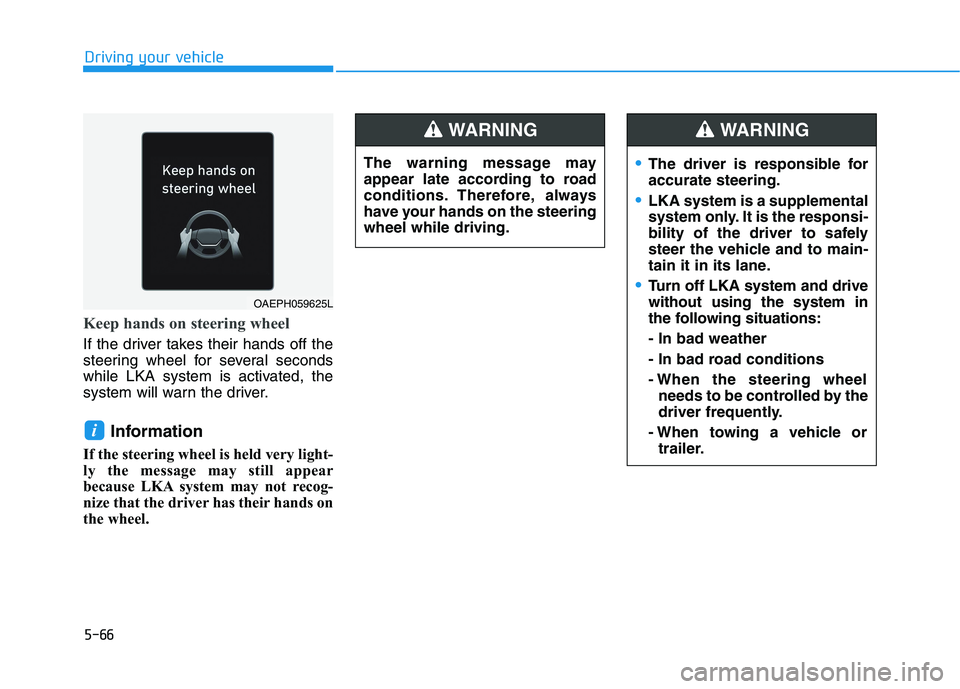
Keep hands on steering wheel
If the driver takes their hands off the
steering wheel for several seconds
while LKA system is activated, the
system will warn the driver.
Information
If the steering wheel is held very light-
ly the message may still appear
because LKA system may not recog-
nize that the driver has their hands on
the wheel.
i
OAEPH059625L
The warning message may
appear late according to road
conditions. Therefore, always
have your hands on the steering
wheel while driving.
WARNING
Page 303 of 561
5-67
Driving your vehicle
5
Information
• Even though the steering is assisted
by the system, the driver can still
steer to control the steering wheel.
• The steering wheel may feel heavier
or lighter when the steering wheel is
assisted by the system than when it
is not.
Warning light and message
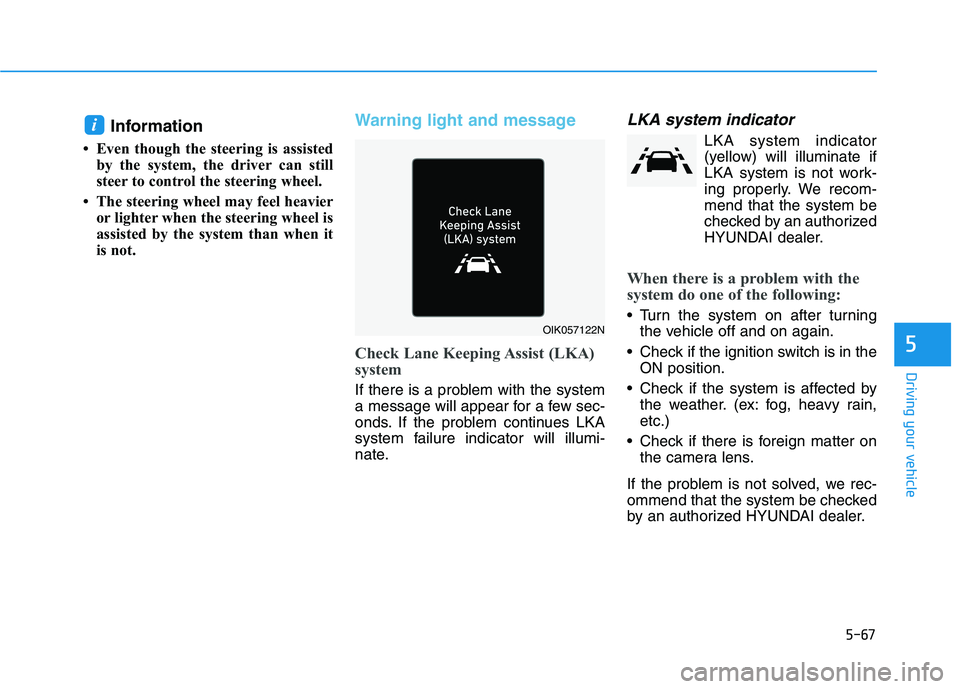
Check Lane Keeping Assist (LKA)
system
If there is a problem with the system
a message will appear for a few sec-
onds. If the problem continues LKA
system failure indicator will illumi-
nate.
LKA system indicator
LKA system indicator
(yellow) will illuminate if
LKA system is not work-
ing properly. We recom-
mend that the system be
checked by an authorized
HYUNDAI dealer.
When there is a problem with the
system do one of the following:
Turn the system on after turning
the vehicle off and on again.
Check if the ignition switch is in the
ON position.
Check if the system is affected by
the weather. (ex: fog, heavy rain,
etc.)
Check if there is foreign matter on
the camera lens.
If the problem is not solved, we rec-
ommend that the system be checked
by an authorized HYUNDAI dealer.
i
OIK057122N
Page 308 of 561
5-72
Driving your vehicle
System setting and operation
System setting
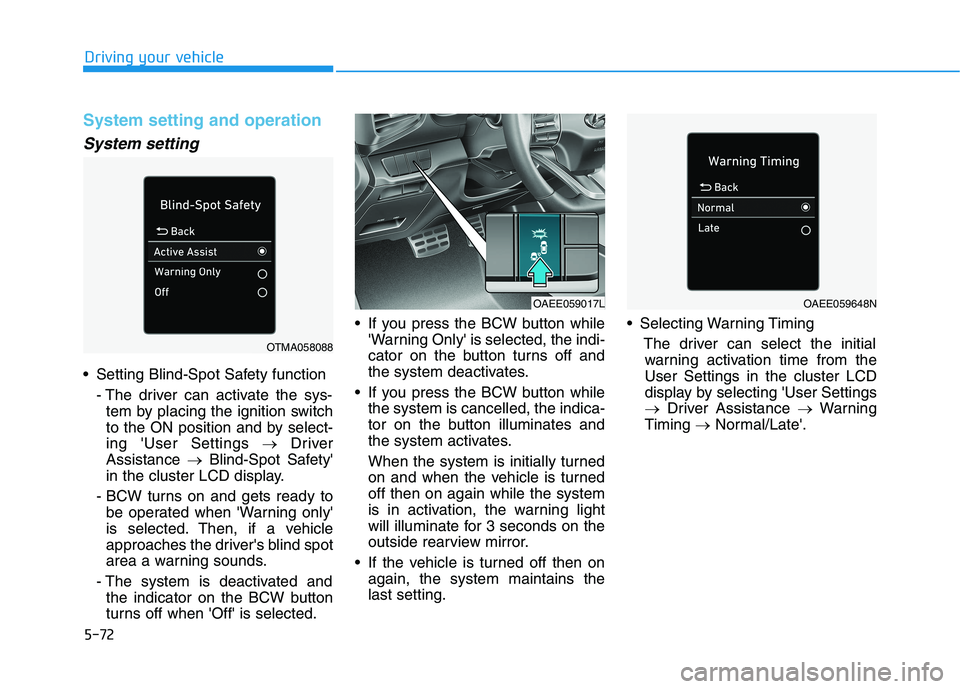
Setting Blind-Spot Safety function
- The driver can activate the sys-
tem by placing the ignition switch
to the ON position and by select-
ing 'User Settings →Driver
Assistance →Blind-Spot Safety'
in the cluster LCD display.
- BCW turns on and gets ready to
be operated when 'Warning only'
is selected. Then, if a vehicle
approaches the driver's blind spot
area a warning sounds.
- The system is deactivated and
the indicator on the BCW button
turns off when 'Off' is selected. If you press the BCW button while
'Warning Only' is selected, the indi-
cator on the button turns off and
the system deactivates.
If you press the BCW button while
the system is cancelled, the indica-
tor on the button illuminates and
the system activates.
When the system is initially turned
on and when the vehicle is turned
off then on again while the system
is in activation, the warning light
will illuminate for 3 seconds on the
outside rearview mirror.
If the vehicle is turned off then on
again, the system maintains the
last setting. Selecting Warning Timing
The driver can select the initial
warning activation time from the
User Settings in the cluster LCD
display by selecting 'User Settings
→Driver Assistance →Warning
Timing →Normal/Late'.
OTMA058088
OAEE059017LOAEE059648N
Page 309 of 561
5-73
Driving your vehicle
5
The options for the initial Blind-Spot
Collision Warning includes the fol-
lowing:
- Normal:
When this option is selected, the
initial Blind-Spot Collision
Warning is activated normally. If
this setting feels too sensitive
change the option to 'Late'.
The warning activation time may
feel late if the side/rear vehicle
abruptly accelerates.
- Late:
Select this warning activation
time when the traffic is light and
you are driving in at low speeds.
Information
If you change the warning timing, the
warning time of other systems may
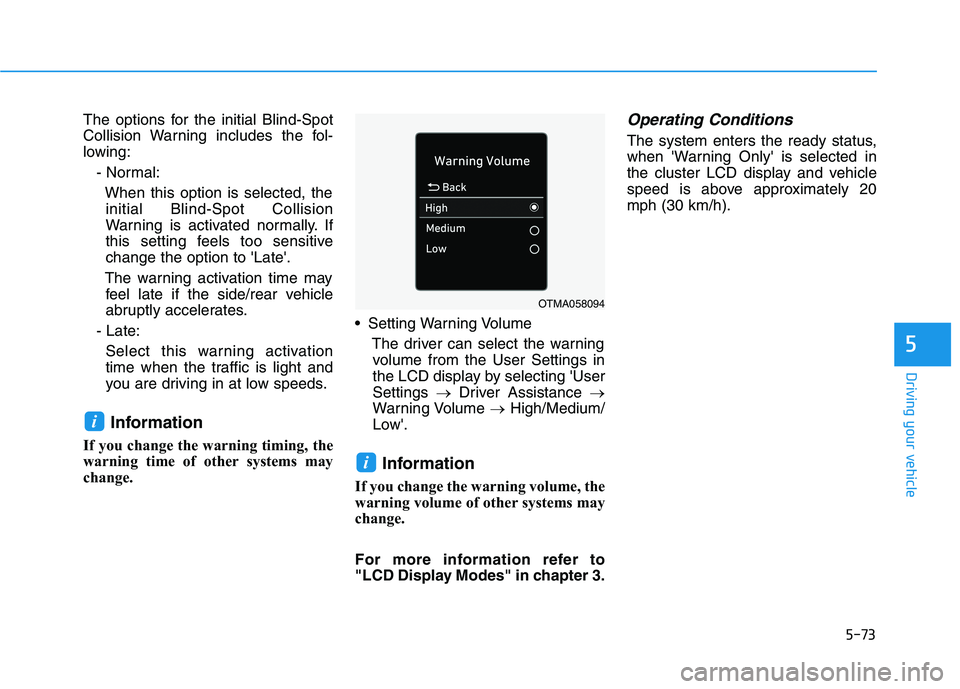
change. Setting Warning Volume
The driver can select the warning
volume from the User Settings in
the LCD display by selecting 'User
Settings →Driver Assistance →
Warning Volume →High/Medium/
Low'.
Information
If you change the warning volume, the
warning volume of other systems may
change.
For more information refer to
"LCD Display Modes" in chapter 3.
Operating Conditions
The system enters the ready status,
when 'Warning Only' is selected in
the cluster LCD display and vehicle
speed is above approximately 20
mph (30 km/h).
i
i
OTMA058094
Page 310 of 561
5-74
Driving your vehicle
Warning message and system
control
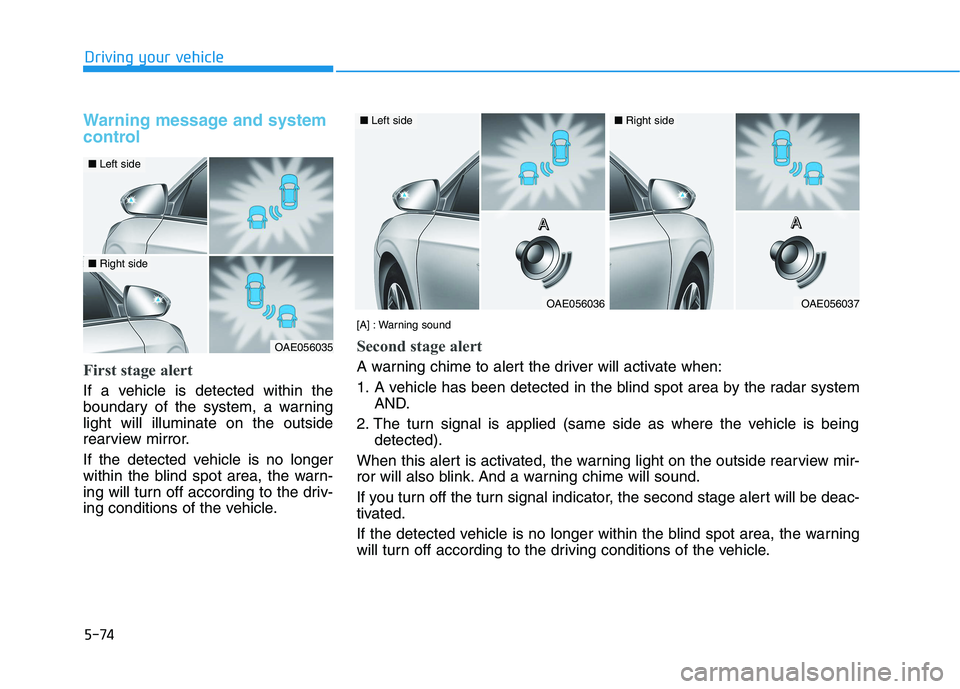
First stage alert
If a vehicle is detected within the
boundary of the system, a warning
light will illuminate on the outside
rearview mirror.
If the detected vehicle is no longer
within the blind spot area, the warn-
ing will turn off according to the driv-
ing conditions of the vehicle.
OAE056035
■Left side
■Right side
OAE056036
■Left side
OAE056037
■Right side
[A] : Warning sound
Second stage alert
A warning chime to alert the driver will activate when:
1. A vehicle has been detected in the blind spot area by the radar system
AND.
2. The turn signal is applied (same side as where the vehicle is being
detected).
When this alert is activated, the warning light on the outside rearview mir-
ror will also blink. And a warning chime will sound.
If you turn off the turn signal indicator, the second stage alert will be deac-
tivated.
If the detected vehicle is no longer within the blind spot area, the warning
will turn off according to the driving conditions of the vehicle.A A A AA A A A
Page 311 of 561
5-75
Driving your vehicle
5
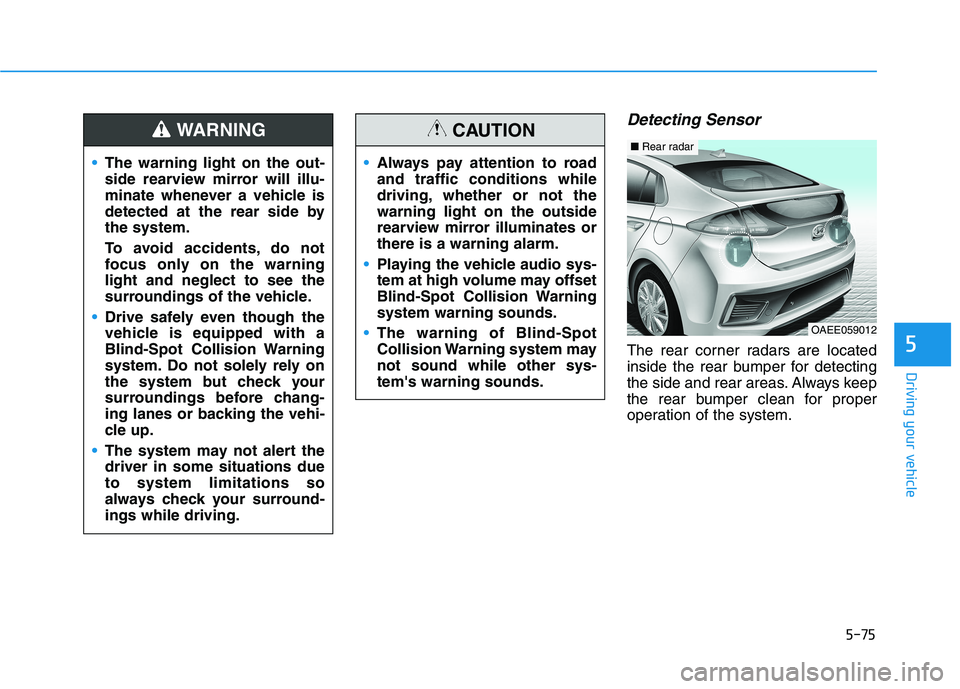
Detecting Sensor
The rear corner radars are located
inside the rear bumper for detecting
the side and rear areas. Always keep
the rear bumper clean for proper
operation of the system. The warning light on the out-
side rearview mirror will illu-
minate whenever a vehicle is
detected at the rear side by
the system.
To avoid accidents, do not
focus only on the warning
light and neglect to see the
surroundings of the vehicle.
Drive safely even though the
vehicle is equipped with a
Blind-Spot Collision Warning
system. Do not solely rely on
the system but check your
surroundings before chang-
ing lanes or backing the vehi-
cle up.
The system may not alert the
driver in some situations due
to system limitations so
always check your surround-
ings while driving.
WARNING
Always pay attention to road
and traffic conditions while
driving, whether or not the
warning light on the outside
rearview mirror illuminates or
there is a warning alarm.
Playing the vehicle audio sys-
tem at high volume may offset
Blind-Spot Collision Warning
system warning sounds.
The warning of Blind-Spot
Collision Warning system may
not sound while other sys-
tem's warning sounds.
CAUTION
OAEE059012
■Rear radar
Page 313 of 561
5-77
Driving your vehicle
5
- When a trailer or carrier is
installed.
If any of these conditions occur, the
light on the BCW button and the sys-
tem will turn off automatically.
Information
Turn off BCW and RCCW system (if
equipped) when a trailer or carrier is
installed.
- Press the BCW button (the indica-
tor on the button will turn off)
'User Settings →Driver Assistance
→ Blind-Spot Safety'
- Deactivate RCCW system by dese-
lecting
'User Settings →Driver Assistance
→Parking Safety →Rear Cross-
Traffic Safety'When the BCW canceled warning
message is displayed in the cluster,
check to make sure that the rear
bumper is free from any dirt or snow
in the areas where the sensor is
located. Remove any dirt, snow, or
foreign material that could interfere
with the radar sensors.
After any dirt or debris is removed,
the system should operate normally
after about 10 minutes of driving the
vehicle.
If the system still does not operate
normally, we recommend that the
vehicle be inspected by an author-
ized HYUNDAI dealer.
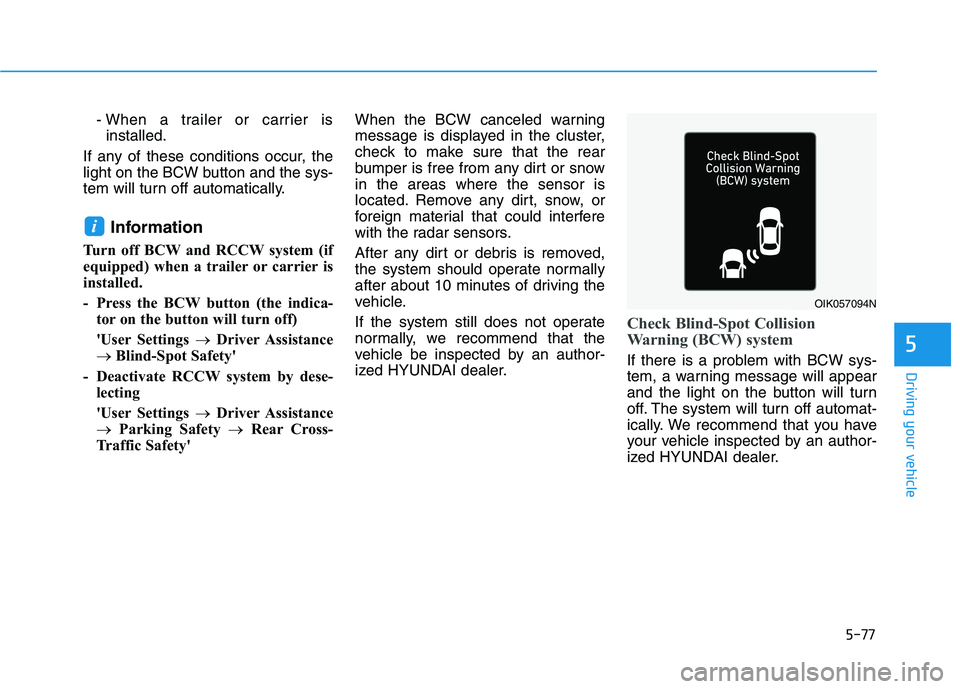
Check Blind-Spot Collision
Warning (BCW) system
If there is a problem with BCW sys-
tem, a warning message will appear
and the light on the button will turn
off. The system will turn off automat-
ically. We recommend that you have
your vehicle inspected by an author-
ized HYUNDAI dealer.
i
OIK057094N
Page 320 of 561
5-84
Driving your vehicle
Driver Attention Warning system dis-
plays the level of the driver’s fatigue
and inattention, considering the driv-
ing pattern, etc.
System setting and operation
System setting
Driver Attention Warning can be acti-
vated from the Users Settings mode
in the cluster LCD display by follow-
ing the procedure below.
1. Set the ignition switch to the ON
position.
2. Select 'User Settings →Driver
Assistance →Driver Attention
Warning' in the cluster LCD dis-
play. Deselect the setting to turn
off the system.
If the vehicle is turned off then on
again, the system maintains the
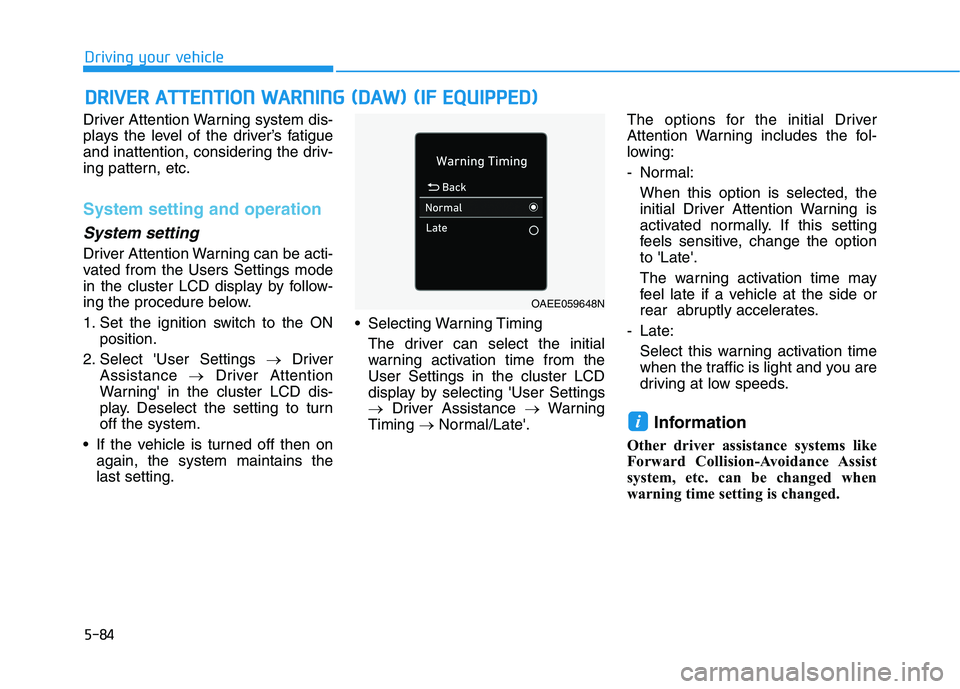
last setting. Selecting Warning Timing
The driver can select the initial
warning activation time from the
User Settings in the cluster LCD
display by selecting 'User Settings
→Driver Assistance →Warning
Timing →Normal/Late'.The options for the initial Driver
Attention Warning includes the fol-
lowing:
- Normal:
When this option is selected, the
initial Driver Attention Warning is
activated normally. If this setting
feels sensitive, change the option
to 'Late'.
The warning activation time may
feel late if a vehicle at the side or
rear abruptly accelerates.
- Late:
Select this warning activation time
when the traffic is light and you are
driving at low speeds.
Information
Other driver assistance systems like
Forward Collision-Avoidance Assist
system, etc. can be changed when
warning time setting is changed.
i
D DR
RI
IV
VE
ER
R
A
AT
TT
TE
EN
NT
TI
IO
ON
N
W
WA
AR
RN
NI
IN
NG
G
(
(D
DA
AW
W)
)
(
(I
IF
F
E
EQ
QU
UI
IP
PP
PE
ED
D)
)
OAEE059648N
Page 324 of 561
5-88
Driving your vehicle
Information
The system may suggest a break
according to the driver's driving pat-
tern or habits even if the driver does-
n't feel fatigue.Driver Attention Warning system
utilizes the front view camera sen-
sor on the front windshield for its
operation. To keep the front view
camera sensor in the best condi-
tion, you should observe the fol-
lowings:
Never install any accessories or
stickers on the front windshield,
or tint the front windshield.
NEVER place any reflective
objects (i.e. white paper, mirror)
over the dashboard. Any light
reflection may cause a malfunc-
tion of Driver Attention Warning
system.
Pay extreme caution to keep the
front view camera sensor dry.
NEVER disassemble the front
view camera assembly, nor
apply any impact on the front
view camera assembly.
(Continued)(Continued)
If the sensor is forcibly moved
out of proper alignment, the sys-
tem may not operate correctly.
We recommend that you take
your vehicle to an authorized
HYUNDAI dealer and have the
system checked for calibration.
NOTICE
i
Driver Attention Warning sys-
tem is not a substitute for safe
driving practices, but a con-
venience function only. It is
the responsibility of the driver
to always drive cautiously to
prevent unexpected and sud-
den situations from occur-
ring. Pay attention to the road
conditions at all times.
The driver who feels fatigued
should take a break, even
though there is no break sug-
gestion by Driver Attention
Warning system.
The driver has a responsibility
of safe driving himself/herself
at all times.
WARNING