cluster HYUNDAI IONIQ 5 2023 Owners Manual
[x] Cancel search | Manufacturer: HYUNDAI, Model Year: 2023, Model line: IONIQ 5, Model: HYUNDAI IONIQ 5 2023Pages: 680, PDF Size: 48.22 MB
Page 470 of 680
Driver Assistance System
7-68
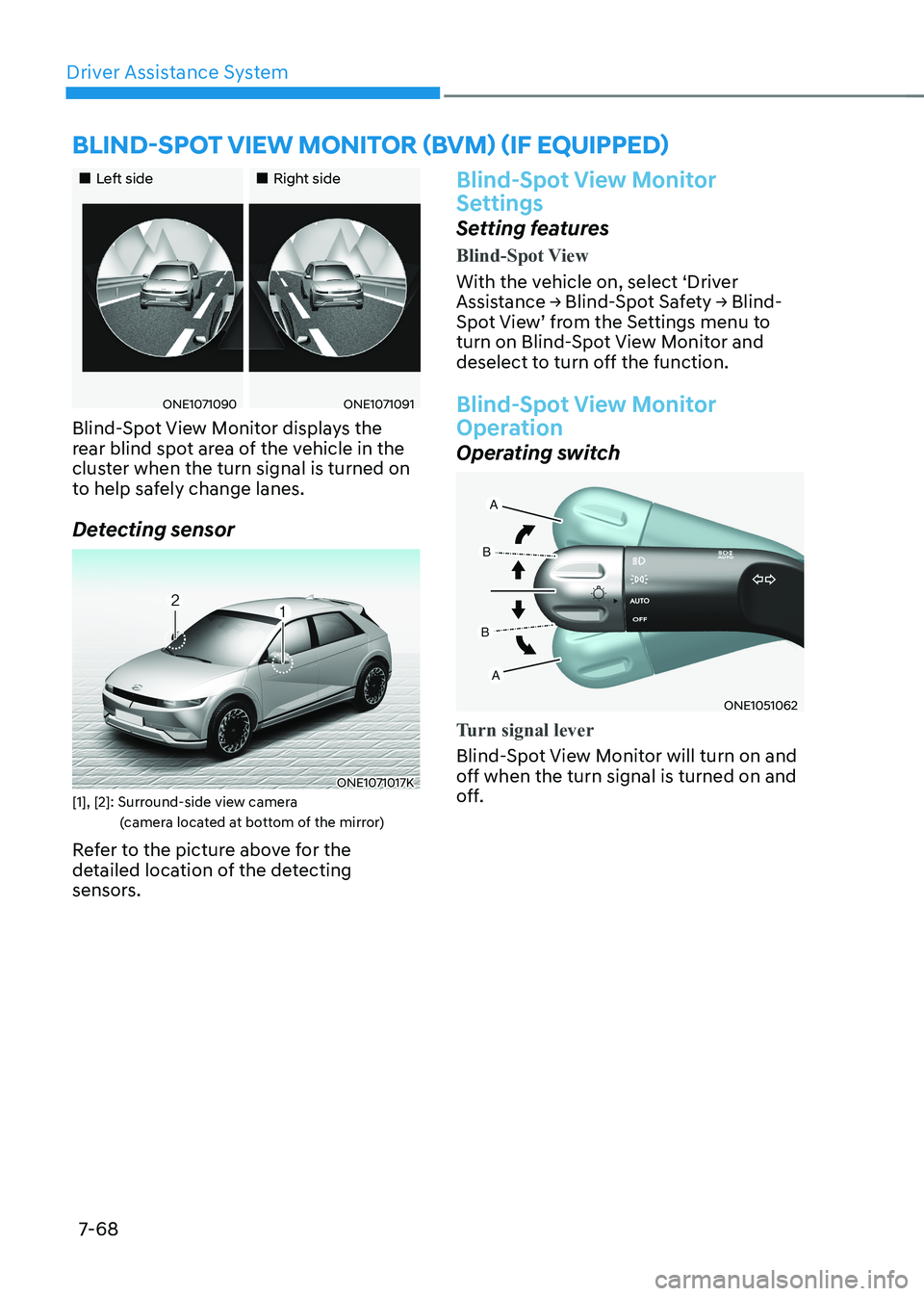
„„Left side„„Right side
ONE1071090ONE1071091
Blind-Spot View Monitor displays the
rear blind spot area of the vehicle in the
cluster when the turn signal is turned on
to help safely change lanes.
Detecting sensor
ONE1071017K
[1], [2]: Surround-side view camera (camera located at bottom of the mirror)
Refer to the picture above for the
detailed location of the detecting
sensors.
Blind-Spot View Monitor
Settings
Setting features
Blind-Spot View
With the vehicle on, select ‘Driver
Assistance → Blind-Spot Safety → Blind-
Spot View’ from the Settings menu to
turn on Blind-Spot View Monitor and
deselect to turn off the function.
Blind-Spot View Monitor
Operation
Operating switch
ONE1051062
Turn signal lever
Blind-Spot View Monitor will turn on and
off when the turn signal is turned on and
off.
BLIND-SPOT VIEW MONITOR (BVM) (IF EQUIPPED)
Page 471 of 680
07
7-69
Blind-Spot View Monitor
Operating conditions
•
\When the turn signal turns off, the
image on the instrument cluster will
turn off.
• When the hazard warning flasher
is on, Blind-Spot View Monitor will
turn off, regardless of the turn signal
status.
• When other important warning is
displayed on the instrument cluster,
Blind-Spot View Monitor may turn off.
Blind-Spot View Monitor
Malfunction
When Blind-Spot View Monitor is not
working properly, or the cluster display
flickers, or the camera image does not
display properly, have the vehicle be
inspected by an authorized HYUNDAI
dealer.
WARNING
• The image shown on the cluster may
differ from the actual distance of the
object. Make sure to directly check
the vehicle's surroundings for safety.
• Always keep the camera lens clean.
If the lens is covered with foreign
material, it may adversely affect
camera performance and Blind-
Spot View Monitor may not operate
properly.
Page 473 of 680
07
7-7 1
Smart Cruise Control Settings
Setting features
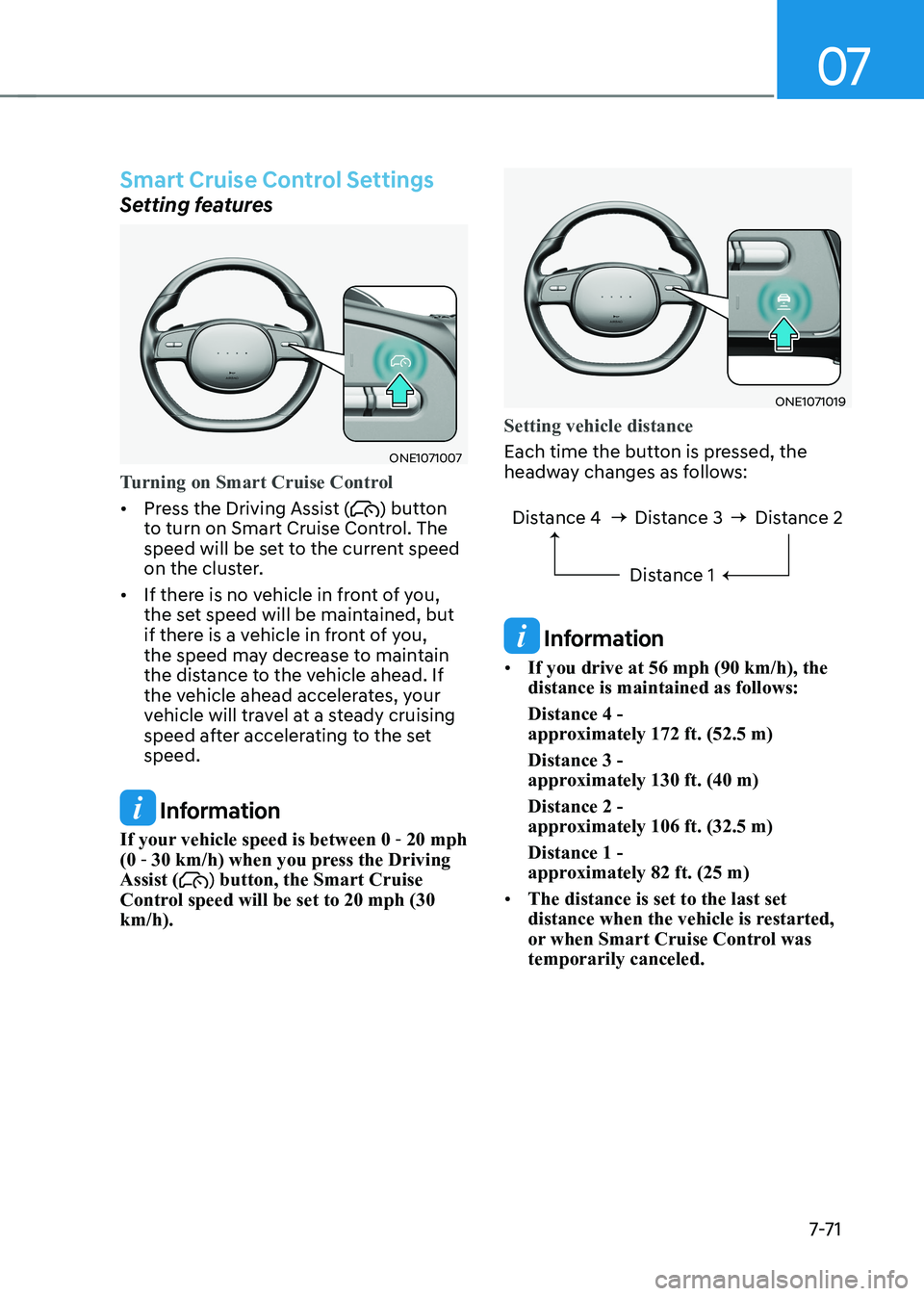
ONE1071007
Turning on Smart Cruise Control
• Press the Driving Assist () button
to turn on Smart Cruise Control. The
speed will be set to the current speed
on the cluster.
• If there is no vehicle in front of you,
the set speed will be maintained, but
if there is a vehicle in front of you,
the speed may decrease to maintain
the distance to the vehicle ahead. If
the vehicle ahead accelerates, your
vehicle will travel at a steady cruising
speed after accelerating to the set speed.
Information
If your vehicle speed is between 0 - 20 mph
(0 - 30 km/h) when you press the Driving
Assist (
) button, the Smart Cruise
Control speed will be set to 20 mph (30 km/h).
ONE1071019
Setting vehicle distance
Each time the button is pressed, the
headway changes as follows:
Distance 4 Distance 3
Distance 1Distance 2
Information
• If you drive at 56 mph (90 km/h), the distance is maintained as follows: Distance 4 -
approximately 172 ft. (52.5 m) Distance 3 -
approximately 130 ft. (40 m) Distance 2 -
approximately 106 ft. (32.5 m) Distance 1 -
approximately 82 ft. (25 m)
• The distance is set to the last set
distance when the vehicle is restarted,
or when Smart Cruise Control was temporarily canceled.
Page 474 of 680
Driver Assistance System
7-7 2
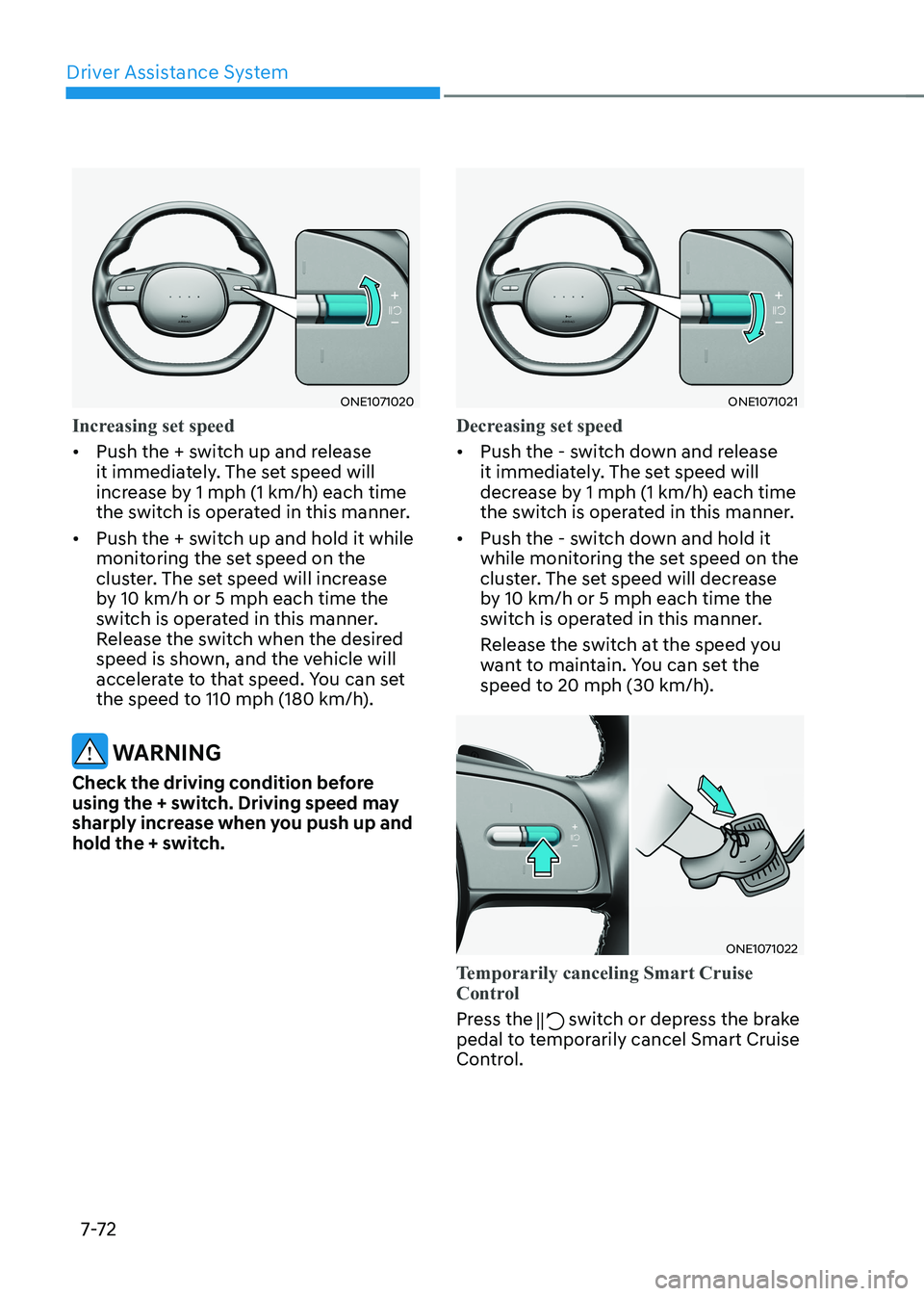
ONE1071020
Increasing set speed
• Push the + switch up and release
it immediately. The set speed will
increase by 1 mph (1 km/h) each time
the switch is operated in this manner.
• Push the + switch up and hold it while
monitoring the set speed on the
cluster. The set speed will increase
by 10 km/h or 5 mph each time the
switch is operated in this manner.
Release the switch when the desired
speed is shown, and the vehicle will
accelerate to that speed. You can set
the speed to 110 mph (180 km/h).
WARNING
Check the driving condition before
using the + switch. Driving speed may
sharply increase when you push up and
hold the + switch.
ONE1071021
Decreasing set speed
• Push the - switch down and release
it immediately. The set speed will
decrease by 1 mph (1 km/h) each time
the switch is operated in this manner.
• Push the - switch down and hold it
while monitoring the set speed on the
cluster. The set speed will decrease
by 10 km/h or 5 mph each time the
switch is operated in this manner.
Release the switch at the speed you
want to maintain. You can set the
speed to 20 mph (30 km/h).
ONE1071022
Temporarily canceling Smart Cruise
Control
Press the switch or depress the brake
pedal to temporarily cancel Smart Cruise
Control.
Page 475 of 680
07
7-7 3
ONE1071023
Resuming Smart Cruise Control
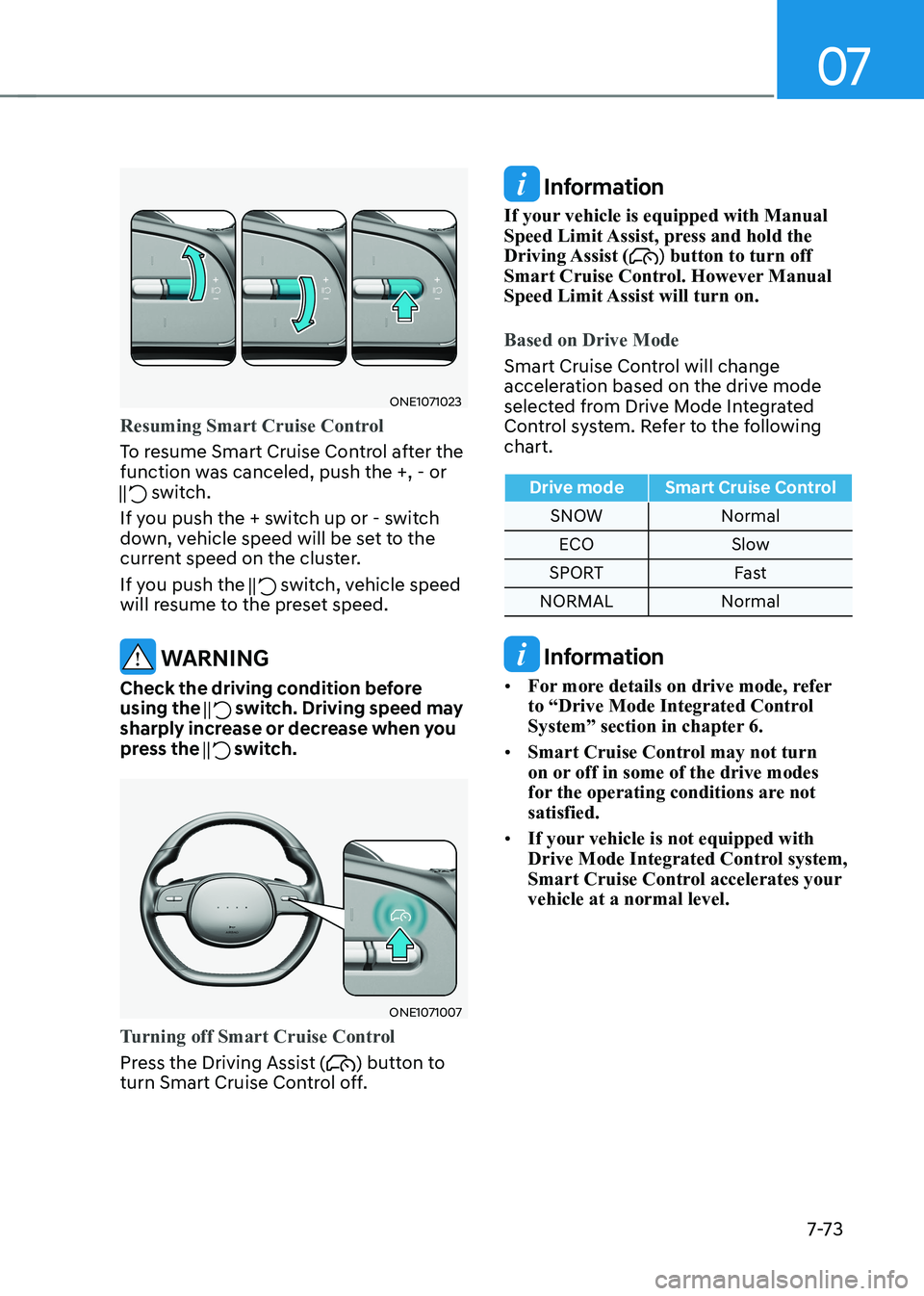
To resume Smart Cruise Control after the
function was canceled, push the +, - or
switch.
If you push the + switch up or - switch
down, vehicle speed will be set to the
current speed on the cluster.
If you push the
switch, vehicle speed
will resume to the preset speed.
WARNING
Check the driving condition before using the
switch. Driving speed may
sharply increase or decrease when you
press the
switch.
ONE1071007
Turning off Smart Cruise Control
Press the Driving Assist () button to
turn Smart Cruise Control off.
Information
If your vehicle is equipped with Manual
Speed Limit Assist, press and hold the Driving Assist (
) button to turn off
Smart Cruise Control. However Manual
Speed Limit Assist will turn on.
Based on Drive Mode
Smart Cruise Control will change
acceleration based on the drive mode
selected from Drive Mode Integrated
Control system. Refer to the following chart.
Drive mode Smart Cruise Control
SNOW Normal
ECO Slow
SPORT Fast
NORMAL Normal
Information
• For more details on drive mode, refer
to “Drive Mode Integrated Control
System” section in chapter 6.
• Smart Cruise Control may not turn
on or off in some of the drive modes
for the operating conditions are not satisfied.
• If your vehicle is not equipped with
Drive Mode Integrated Control system,
Smart Cruise Control accelerates your vehicle at a normal level.
Page 478 of 680
Driver Assistance System
7-76
Overtaking Acceleration Assist
Overtaking Acceleration Assist operates
when the turn signal indicator is turned
on to the left while Smart Cruise Control
is operating, and the following conditions
are satisfied: • Your vehicle speed is above 40 mph
(60 km/h)
• The hazard warning flasher is off
• A vehicle is detected in front of your
vehicle
• Deceleration is not needed to
maintain distance with the vehicle in
front
WARNING
• When the turn signal indicator is
turned on to the left (left-hand drive)
or turned on to the right (right-
hand drive) while there is a vehicle
ahead, the vehicle may accelerate
temporarily. Pay attention to the
road conditions at all times.
• Regardless of your countries driving
direction, Overtaking Acceleration
Assist will operate when the
conditions are satisfied. When
using the function in countries with
different driving direction, always
check the road conditions at all times. Display and control
Basic function
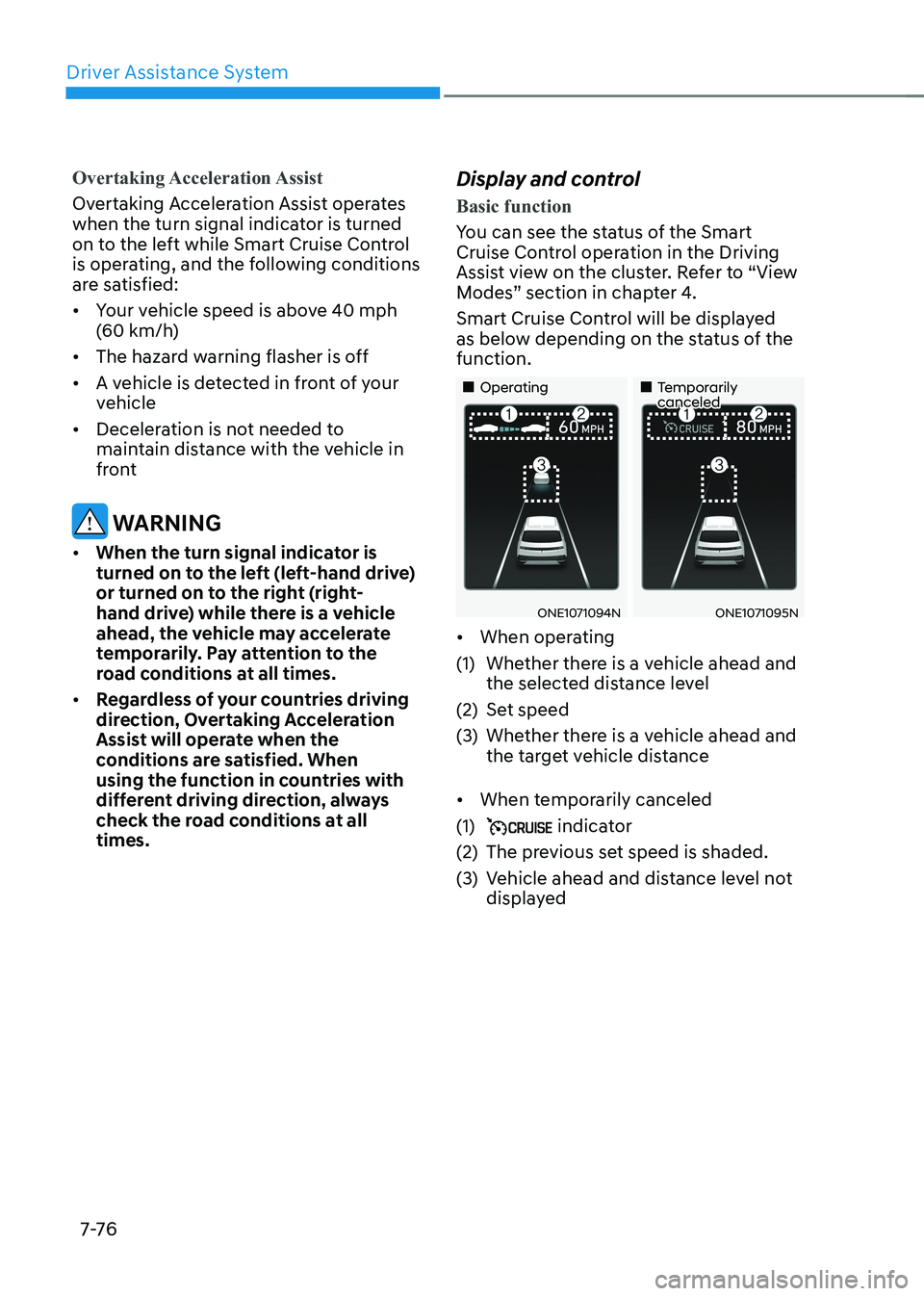
You can see the status of the Smart
Cruise Control operation in the Driving
Assist view on the cluster. Refer to “View
Modes” section in chapter 4.
Smart Cruise Control will be displayed
as below depending on the status of the function.
„„Operating
„„Temporarily canceled
ONE1071094NONE1071095N
• When operating
(1) Whether there is a vehicle ahead and the selected distance level
(2) Set speed
(3) Whether there is a vehicle ahead and the target vehicle distance
• When temporarily canceled
(1)
indicator
(2) The previous set speed is shaded.
(3) Vehicle ahead and distance level not displayed
Page 479 of 680
07
7-7 7
Information
• The distance of the front vehicle on the
cluster is displayed according to the
actual distance between your vehicle and the vehicle ahead.
• The target distance may vary according to the vehicle speed and the set
distance level. If vehicle speed is low, even though the vehicle distance have changed, the change of the target vehicle distance may be small.
• The images and colors in the
instrument cluster may differ
depending on the cluster type or theme
selected from the instrument cluster.
ONE1071024N
Accelerating temporarily
If you want to speed up temporarily
without altering the set speed while
Smart Cruise Control is operating,
depress the accelerator pedal. While the
accelerator pedal is depressed, the set
speed, distance level and target distance
will blink on the cluster.
However, if the accelerator pedal is
depressed insufficiently, the vehicle may
decelerate.
WARNING
Be careful when accelerating
temporarily, because the speed and
distance is not controlled automatically
even if there is a vehicle in front of you.
ONE1071096LONE1071097N
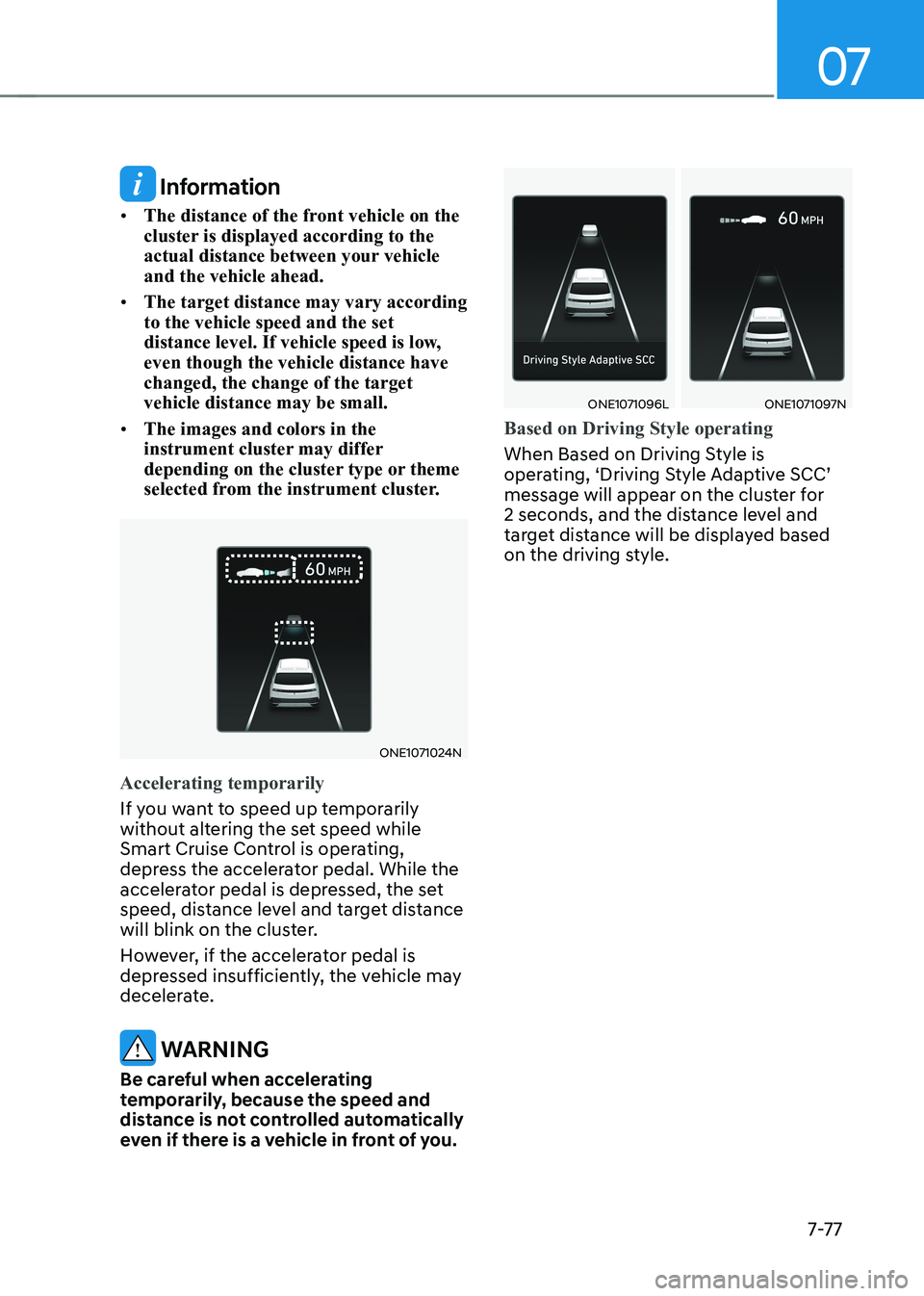
Based on Driving Style operating
When Based on Driving Style is
operating, ‘Driving Style Adaptive SCC’
message will appear on the cluster for
2 seconds, and the distance level and
target distance will be displayed based
on the driving style.
Page 480 of 680
Driver Assistance System
7-7 8
OTM070113N
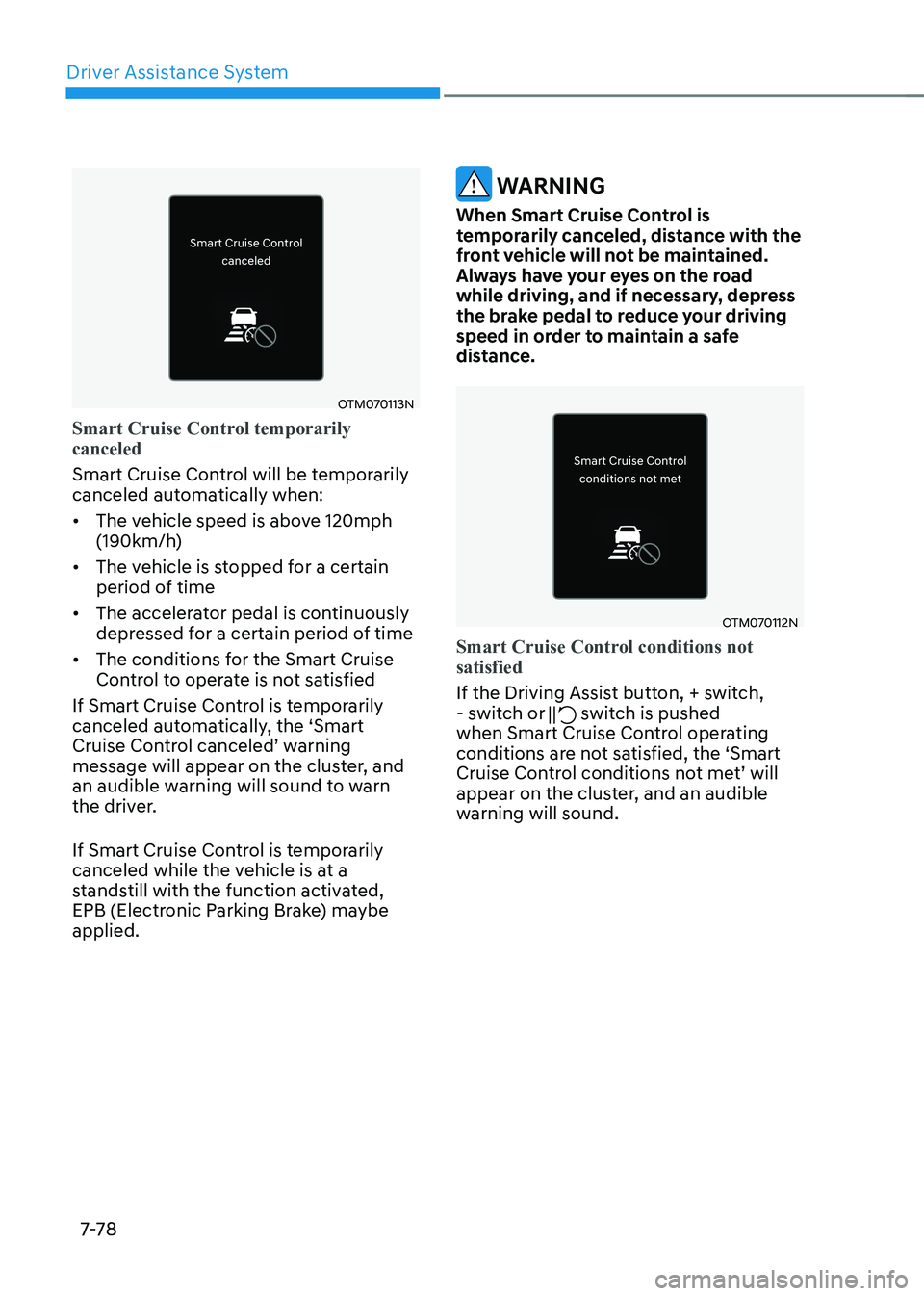
Smart Cruise Control temporarily canceled
Smart Cruise Control will be temporarily
canceled automatically when: • The vehicle speed is above 120mph
(190km/h)
• The vehicle is stopped for a certain
period of time
• The accelerator pedal is continuously
depressed for a certain period of time
• The conditions for the Smart Cruise
Control to operate is not satisfied
If Smart Cruise Control is temporarily
canceled automatically, the ‘Smart
Cruise Control canceled’ warning
message will appear on the cluster, and
an audible warning will sound to warn
the driver.
If Smart Cruise Control is temporarily
canceled while the vehicle is at a
standstill with the function activated,
EPB (Electronic Parking Brake) maybe applied.
WARNING
When Smart Cruise Control is
temporarily canceled, distance with the
front vehicle will not be maintained.
Always have your eyes on the road
while driving, and if necessary, depress
the brake pedal to reduce your driving
speed in order to maintain a safe
distance.
OTM070112N
Smart Cruise Control conditions not satisfied
If the Driving Assist button, + switch,
- switch or switch is pushed
when Smart Cruise Control operating
conditions are not satisfied, the ‘Smart
Cruise Control conditions not met’ will
appear on the cluster, and an audible
warning will sound.
Page 481 of 680
07
7-7 9
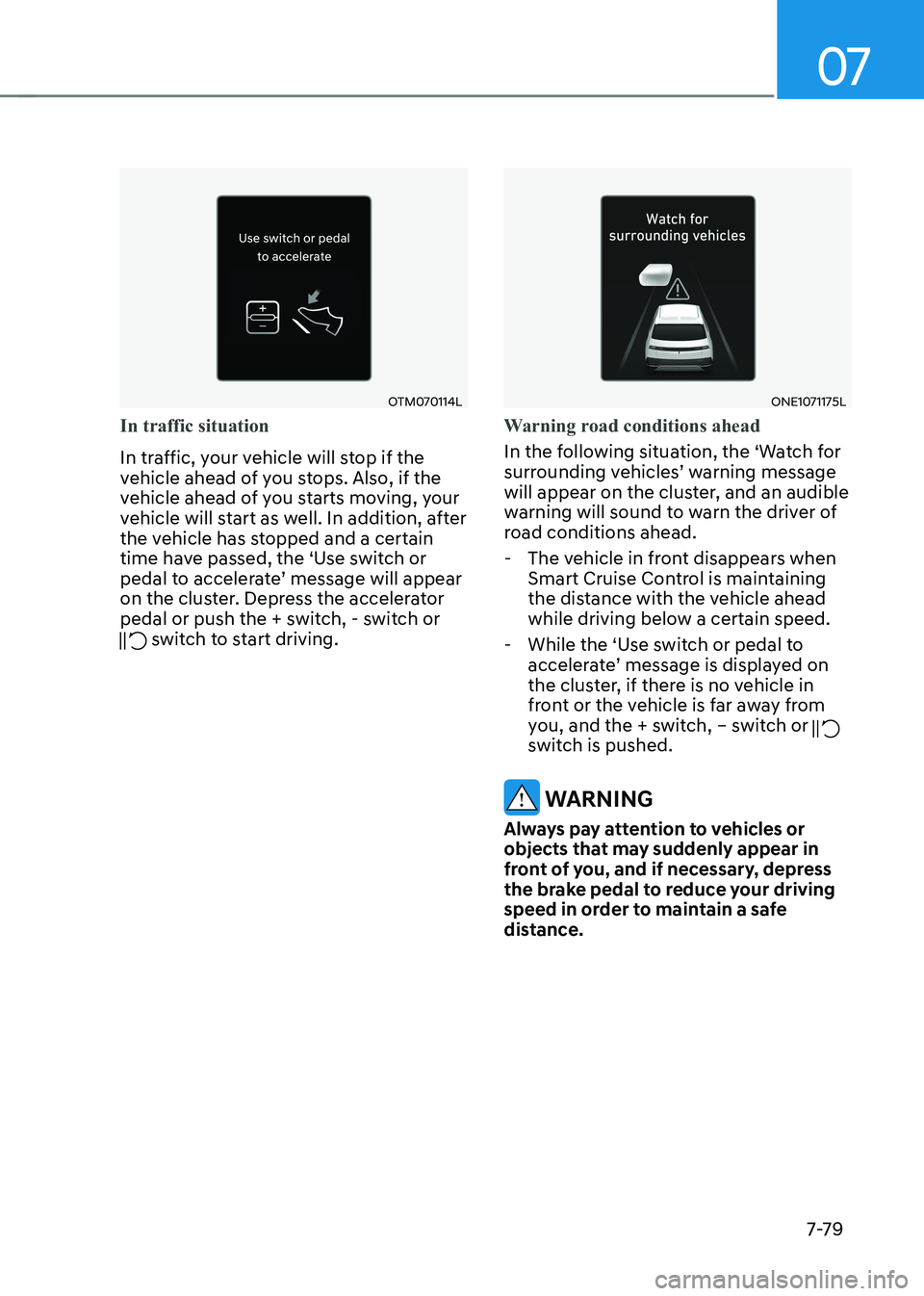
OTM070114L
In traffic situation
In traffic, your vehicle will stop if the
vehicle ahead of you stops. Also, if the
vehicle ahead of you starts moving, your
vehicle will start as well. In addition, after
the vehicle has stopped and a certain
time have passed, the ‘Use switch or
pedal to accelerate’ message will appear
on the cluster. Depress the accelerator
pedal or push the + switch, - switch or
switch to start driving.
ONE1071175L
Warning road conditions ahead
In the following situation, the ‘Watch for
surrounding vehicles’ warning message
will appear on the cluster, and an audible
warning will sound to warn the driver of
road conditions ahead. - The vehicle in front disappears when Smart Cruise Control is maintaining
the distance with the vehicle ahead
while driving below a certain speed.
- While the ‘Use switch or pedal to accelerate’ message is displayed on
the cluster, if there is no vehicle in
front or the vehicle is far away from
you, and the + switch, – switch or
switch is pushed.
WARNING
Always pay attention to vehicles or
objects that may suddenly appear in
front of you, and if necessary, depress
the brake pedal to reduce your driving
speed in order to maintain a safe
distance.
Page 482 of 680
Driver Assistance System
7-80
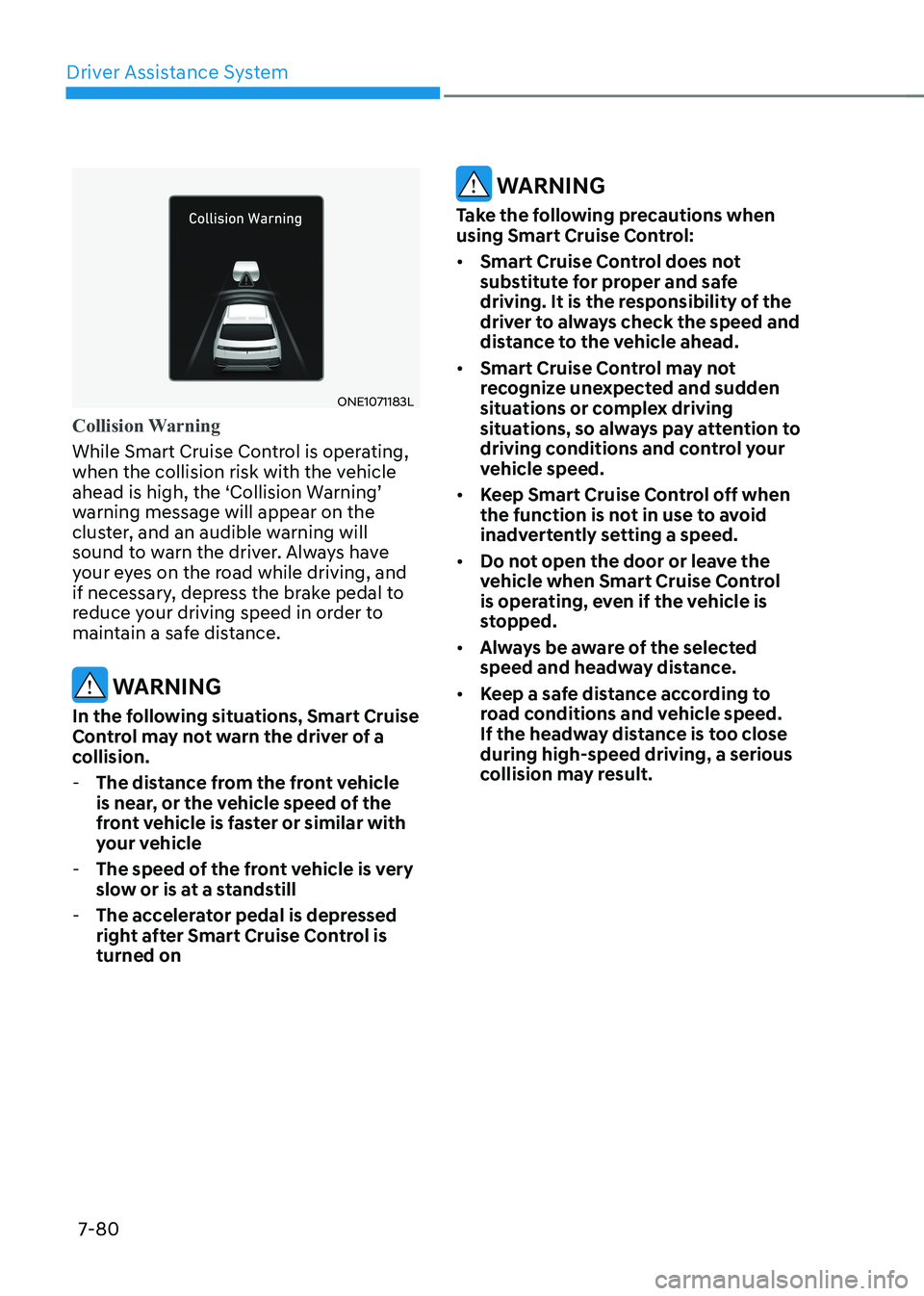
ONE1071183L
Collision Warning
While Smart Cruise Control is operating,
when the collision risk with the vehicle
ahead is high, the ‘Collision Warning’
warning message will appear on the
cluster, and an audible warning will
sound to warn the driver. Always have
your eyes on the road while driving, and
if necessary, depress the brake pedal to
reduce your driving speed in order to
maintain a safe distance.
WARNING
In the following situations, Smart Cruise
Control may not warn the driver of a
collision. - The distance from the front vehicle
is near, or the vehicle speed of the
front vehicle is faster or similar with
your vehicle
- The speed of the front vehicle is very
slow or is at a standstill
- The accelerator pedal is depressed
right after Smart Cruise Control is turned on
WARNING
Take the following precautions when
using Smart Cruise Control: • Smart Cruise Control does not
substitute for proper and safe
driving. It is the responsibility of the
driver to always check the speed and
distance to the vehicle ahead.
• Smart Cruise Control may not
recognize unexpected and sudden
situations or complex driving
situations, so always pay attention to
driving conditions and control your
vehicle speed.
• Keep Smart Cruise Control off when
the function is not in use to avoid
inadvertently setting a speed.
• Do not open the door or leave the
vehicle when Smart Cruise Control
is operating, even if the vehicle is
stopped.
• Always be aware of the selected
speed and headway distance.
• Keep a safe distance according to
road conditions and vehicle speed.
If the headway distance is too close during high-speed driving, a serious
collision may result.