Preset HYUNDAI IONIQ 5 2023 Owners Manual
[x] Cancel search | Manufacturer: HYUNDAI, Model Year: 2023, Model line: IONIQ 5, Model: HYUNDAI IONIQ 5 2023Pages: 680, PDF Size: 48.22 MB
Page 221 of 680
05
5-29
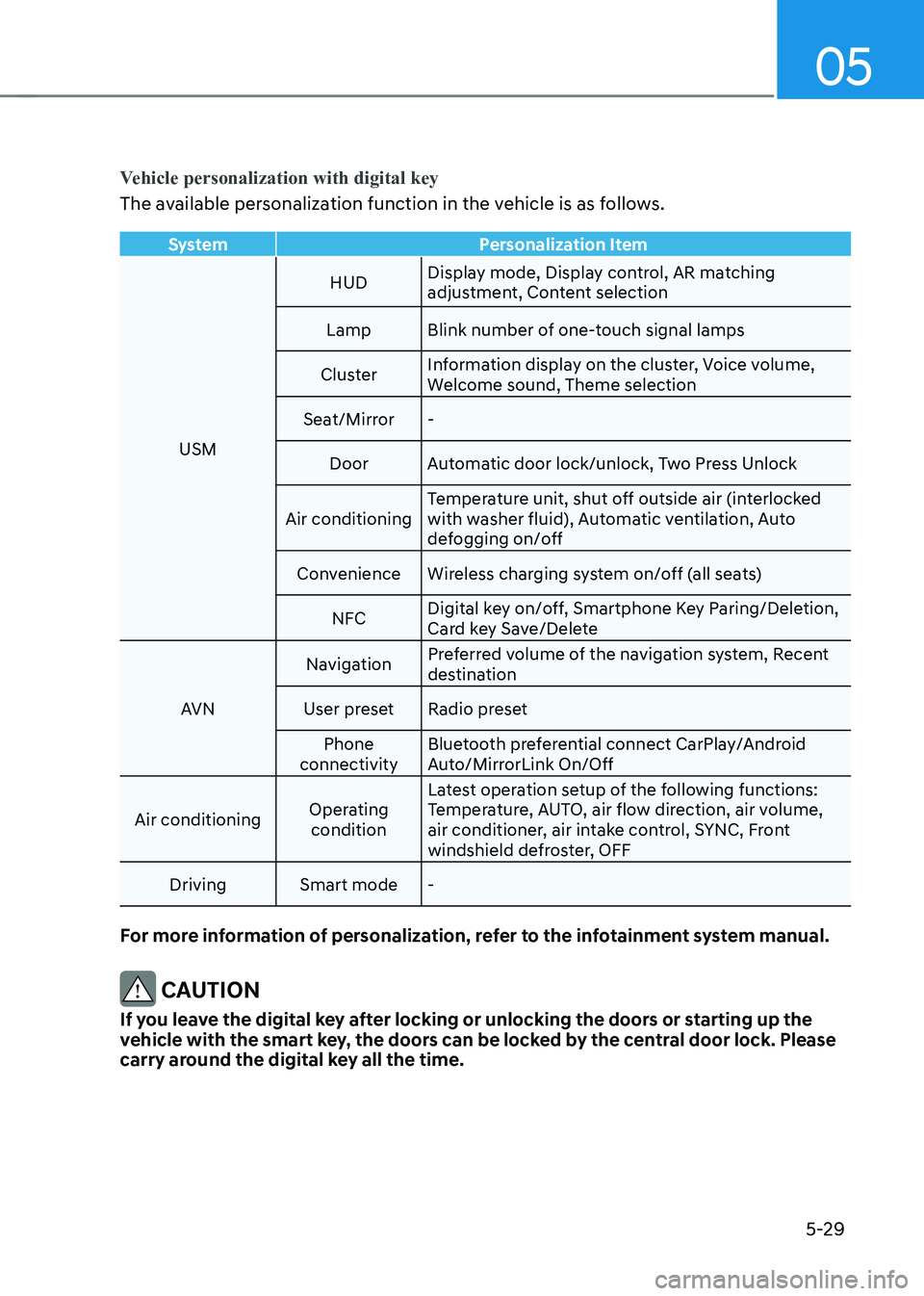
Vehicle personalization with digital key
The available personalization function in the vehicle is as follows.
SystemPersonalization Item
USMHUD
Display mode, Display control, AR matching
adjustment, Content selection
Lamp Blink number of one-touch signal lamps
Cluster Information display on the cluster, Voice volume,
Welcome sound, Theme selection
Seat/Mirror -
Door Automatic door lock/unlock, Two Press Unlock
Air conditioning Temperature unit, shut off outside air (interlocked
with washer fluid), Automatic ventilation, Auto
defogging on/off
Convenience Wireless charging system on/off (all seats)
NFC Digital key on/off, Smartphone Key Paring/Deletion,
Card key Save/Delete
AVN Navigation
Preferred volume of the navigation system, Recent
destination
User preset Radio preset Phone
connectivity Bluetooth preferential connect CarPlay/Android
Auto/MirrorLink On/Off
Air conditioning Operating
condition Latest operation setup of the following functions:
Temperature, AUTO, air flow direction, air volume,
air conditioner, air intake control, SYNC, Front
windshield defroster, OFF
Driving Smart mode -
For more information of personalization, refer to the infotainment system manual.
CAUTION
If you leave the digital key after locking or unlocking the doors or starting up the
vehicle with the smart key, the doors can be locked by the central door lock. Please
carry around the digital key all the time.
Page 325 of 680
05
5-133
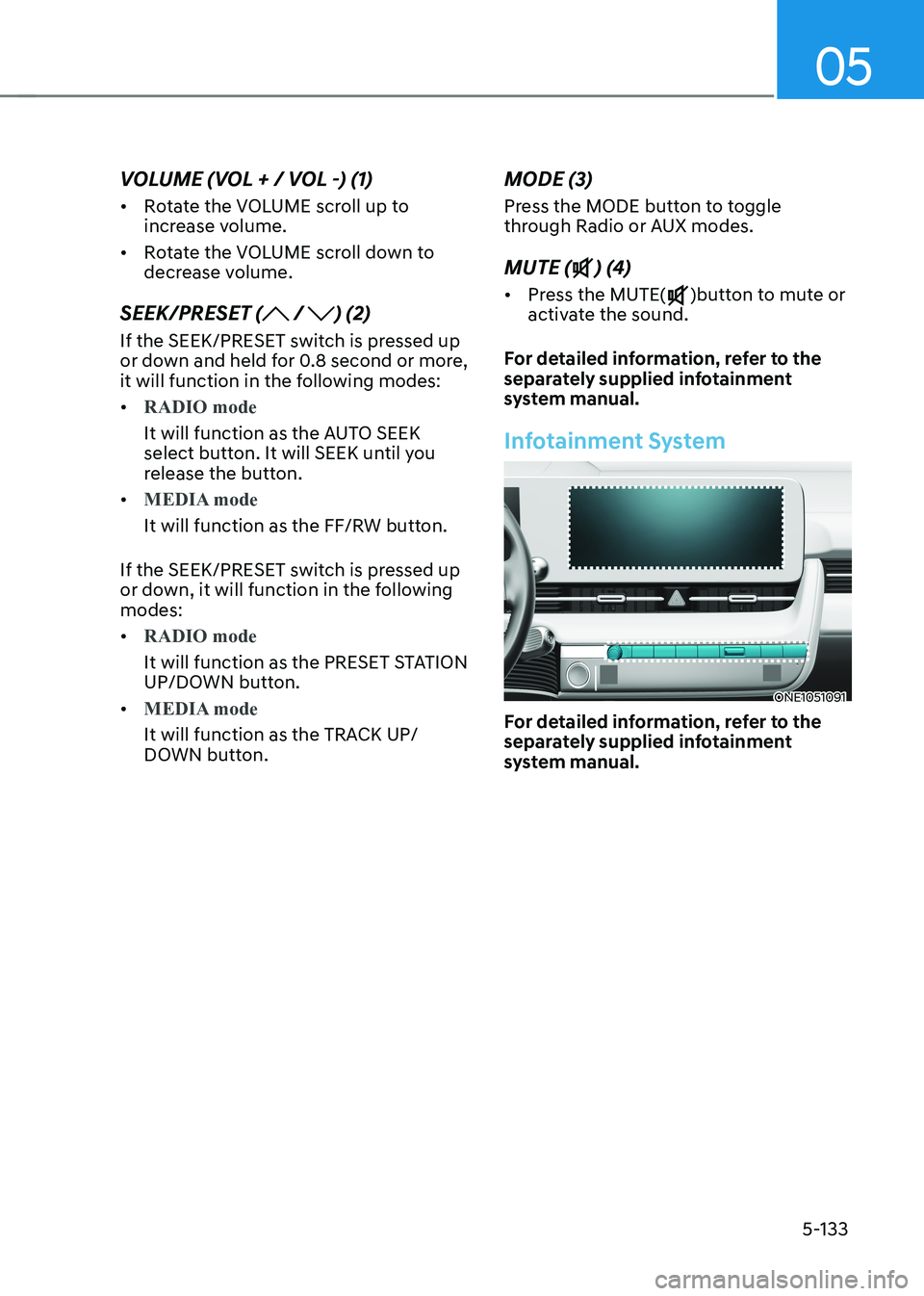
VOLUME (VOL + / VOL -) (1) •
Rotate the VOLUME scroll up to
increase volume.
• Rotate the VOLUME scroll down to
decrease volume.
SEEK/PRESET (
/ ) (2)
If the SEEK/PRESET switch is pressed up
or down and held for 0.8 second or more,
it will function in the following modes: •
RADIO mode
It will function as the AUTO SEEK
select button. It will SEEK until you
release the button.
•
MEDIA mode
It will function as the FF/RW button.
If the SEEK/PRESET switch is pressed up
or down, it will function in the following modes: •
RADIO mode
It will function as the PRESET STATION
UP/DOWN button.
•
MEDIA mode
It will function as the TRACK UP/
DOWN button. MODE (3)
Press the MODE button to toggle
through Radio or AUX modes. MUTE (
) (4)
• Press the MUTE(
)button to mute or
activate the sound.
For detailed information, refer to the
separately supplied infotainment
system manual.
Infotainment System
ONE1051091
For detailed information, refer to the
separately supplied infotainment
system manual.
Page 343 of 680
06
6-17
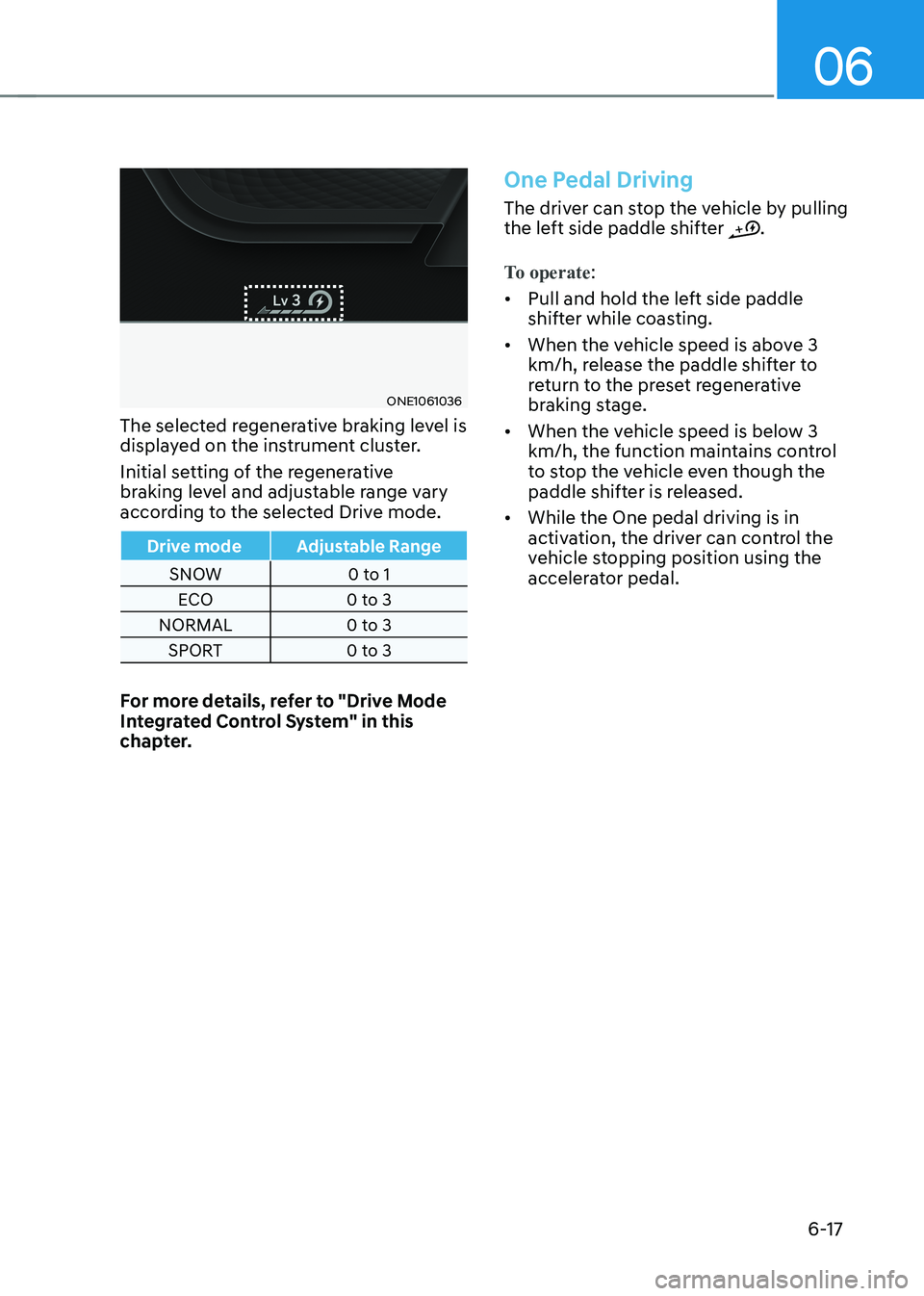
ONE1061036
The selected regenerative braking level is
displayed on the instrument cluster.
Initial setting of the regenerative
braking level and adjustable range vary
according to the selected Drive mode.
Drive mode Adjustable Range
SNOW 0 to 1 ECO 0 to 3
NORMAL 0 to 3 SPORT 0 to 3
For more details, refer to "Drive Mode
Integrated Control System" in this
chapter.
One Pedal Driving
The driver can stop the vehicle by pulling
the left side paddle shifter .
To operate:
• Pull and hold the left side paddle
shifter while coasting.
• When the vehicle speed is above 3
km/h, release the paddle shifter to
return to the preset regenerative
braking stage.
• When the vehicle speed is below 3
km/h, the function maintains control
to stop the vehicle even though the
paddle shifter is released.
• While the One pedal driving is in
activation, the driver can control the
vehicle stopping position using the
accelerator pedal.
Page 455 of 680
07
7-53
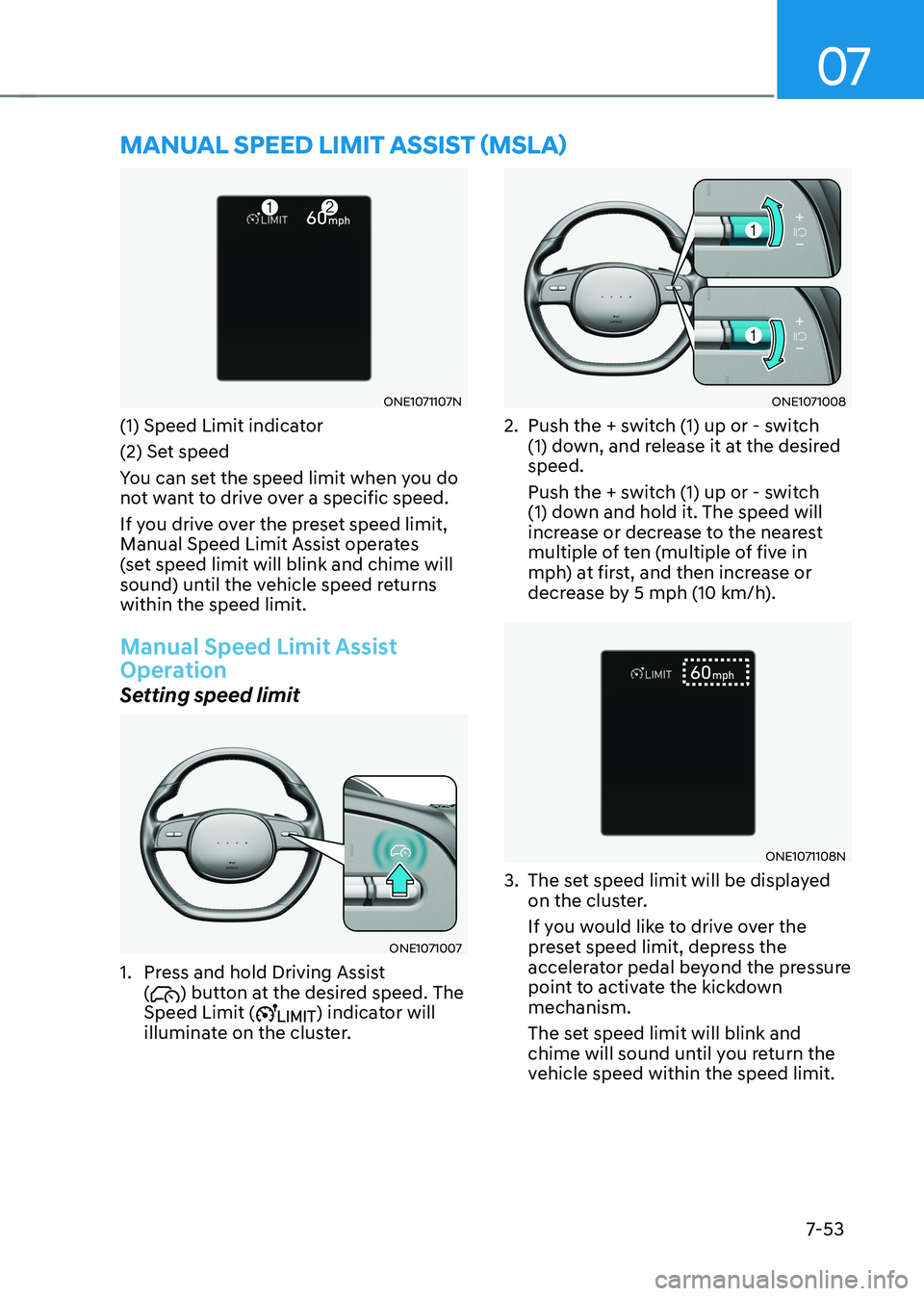
ONE1071107N
(1) Speed Limit indicator
(2) Set speed
You can set the speed limit when you do
not want to drive over a specific speed.
If you drive over the preset speed limit,
Manual Speed Limit Assist operates
(set speed limit will blink and chime will
sound) until the vehicle speed returns within the speed limit.
Manual Speed Limit Assist
Operation
Setting speed limit
ONE1071007
1. Press and hold Driving Assist (
) button at the desired speed. The
Speed Limit () indicator will
illuminate on the cluster.
ONE1071008
2. Push the + switch (1) up or - switch (1) down, and release it at the desired speed.
Push the + switch (1) up or - switch
(1) down and hold it. The speed will
increase or decrease to the nearest
multiple of ten (multiple of five in
mph) at first, and then increase or
decrease by 5 mph (10 km/h).
ONE1071108N
3. The set speed limit will be displayed on the cluster.
If you would like to drive over the
preset speed limit, depress the
accelerator pedal beyond the pressure
point to activate the kickdown mechanism.
The set speed limit will blink and
chime will sound until you return the
vehicle speed within the speed limit.
MANUAL SPEED LIMIT ASSIST (MSLA)
Page 456 of 680
Driver Assistance System
7-54
Information
When the accelerator pedal is not
depressed beyond the pressure point, vehicle speed will maintain within the speed limit.
Temporarily pausing Manual Speed
Limit Assist
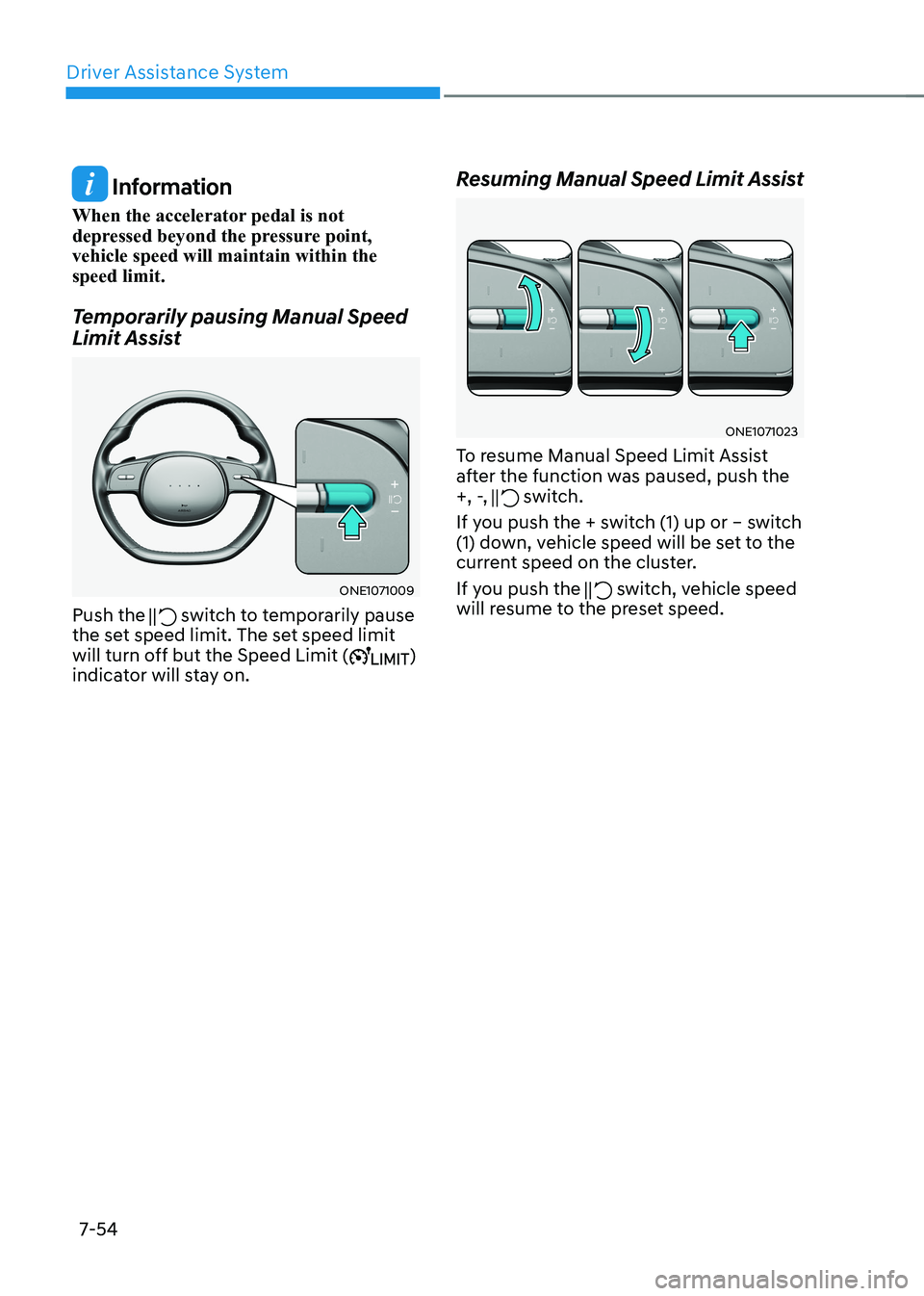
ONE1071009
Push the
switch to temporarily pause
the set speed limit. The set speed limit
will turn off but the Speed Limit (
)
indicator will stay on. Resuming Manual Speed Limit Assist
ONE1071023
To resume Manual Speed Limit Assist
after the function was paused, push the
+, -,
switch.
If you push the + switch (1) up or – switch
(1) down, vehicle speed will be set to the
current speed on the cluster.
If you push the
switch, vehicle speed
will resume to the preset speed.
Page 475 of 680
07
7-7 3
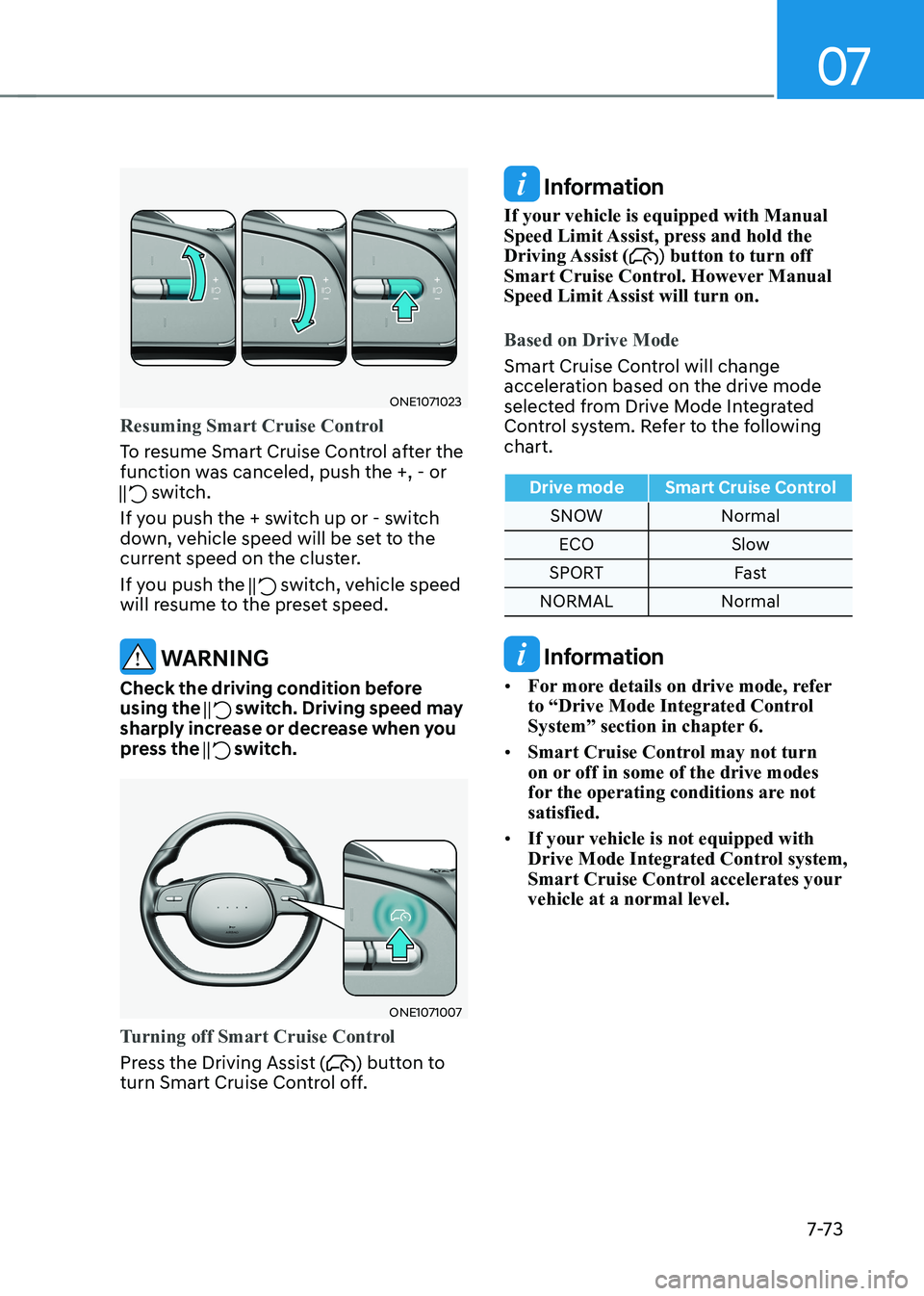
ONE1071023
Resuming Smart Cruise Control
To resume Smart Cruise Control after the
function was canceled, push the +, - or
switch.
If you push the + switch up or - switch
down, vehicle speed will be set to the
current speed on the cluster.
If you push the
switch, vehicle speed
will resume to the preset speed.
WARNING
Check the driving condition before using the
switch. Driving speed may
sharply increase or decrease when you
press the
switch.
ONE1071007
Turning off Smart Cruise Control
Press the Driving Assist () button to
turn Smart Cruise Control off.
Information
If your vehicle is equipped with Manual
Speed Limit Assist, press and hold the Driving Assist (
) button to turn off
Smart Cruise Control. However Manual
Speed Limit Assist will turn on.
Based on Drive Mode
Smart Cruise Control will change
acceleration based on the drive mode
selected from Drive Mode Integrated
Control system. Refer to the following chart.
Drive mode Smart Cruise Control
SNOW Normal
ECO Slow
SPORT Fast
NORMAL Normal
Information
• For more details on drive mode, refer
to “Drive Mode Integrated Control
System” section in chapter 6.
• Smart Cruise Control may not turn
on or off in some of the drive modes
for the operating conditions are not satisfied.
• If your vehicle is not equipped with
Drive Mode Integrated Control system,
Smart Cruise Control accelerates your vehicle at a normal level.