cluster HYUNDAI IONIQ 5 2023 Owners Manual
[x] Cancel search | Manufacturer: HYUNDAI, Model Year: 2023, Model line: IONIQ 5, Model: HYUNDAI IONIQ 5 2023Pages: 680, PDF Size: 48.22 MB
Page 5 of 680
1
2
3
4
5
6
7
9
I
8
Maintenance
Index
Emergency Situations
Driver Assistance System
Driving Your Vehicle
Convenience Features
Instrument Cluster
Seats & Safety System
Vehicle Information, Consumer Information and
Reporting Safety Defects
Foreword / Electric Vehicle System Overview
Table of contents
Page 20 of 680
01
1-15
Energy information
Select ‘EV → Vehicle image’ on the
screen.
You can check battery discharging level.
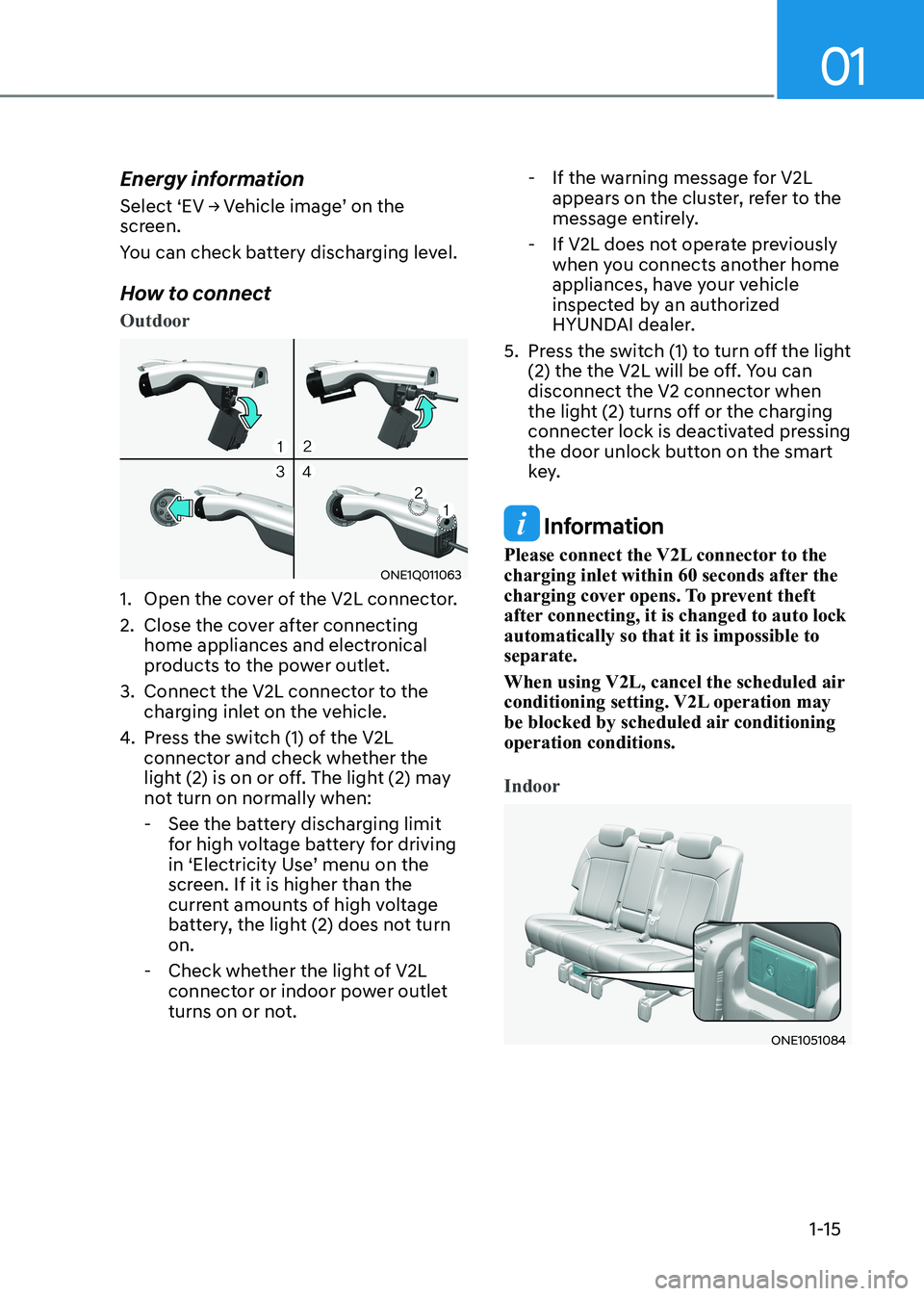
How to connect
Outdoor
ONE1Q011063
1. Open the cover of the V2L connector.
2. Close the cover after connecting home appliances and electronical
products to the power outlet.
3. Connect the V2L connector to the charging inlet on the vehicle.
4. Press the switch (1) of the V2L
connector and check whether the
light (2) is on or off. The light (2) may
not turn on normally when:
- See the battery discharging limit for high voltage battery for driving
in ‘Electricity Use’ menu on the
screen. If it is higher than the
current amounts of high voltage
battery, the light (2) does not turn on.
- Check whether the light of V2L connector or indoor power outlet
turns on or not. - If the warning message for V2L
appears on the cluster, refer to the
message entirely.
- If V2L does not operate previously when you connects another home
appliances, have your vehicle
inspected by an authorized
HYUNDAI dealer.
5. Press the switch (1) to turn off the light (2) the the V2L will be off. You can
disconnect the V2 connector when
the light (2) turns off or the charging
connecter lock is deactivated pressing
the door unlock button on the smart
key.
Information
Please connect the V2L connector to the
charging inlet within 60 seconds after the
charging cover opens. To prevent theft
after connecting, it is changed to auto lock automatically so that it is impossible to separate.
When using V2L, cancel the scheduled air
conditioning setting. V2L operation may
be blocked by scheduled air conditioning operation conditions.
Indoor
ONE1051084
Page 27 of 680
Foreword / Electric Vehicle System Overview
1-22
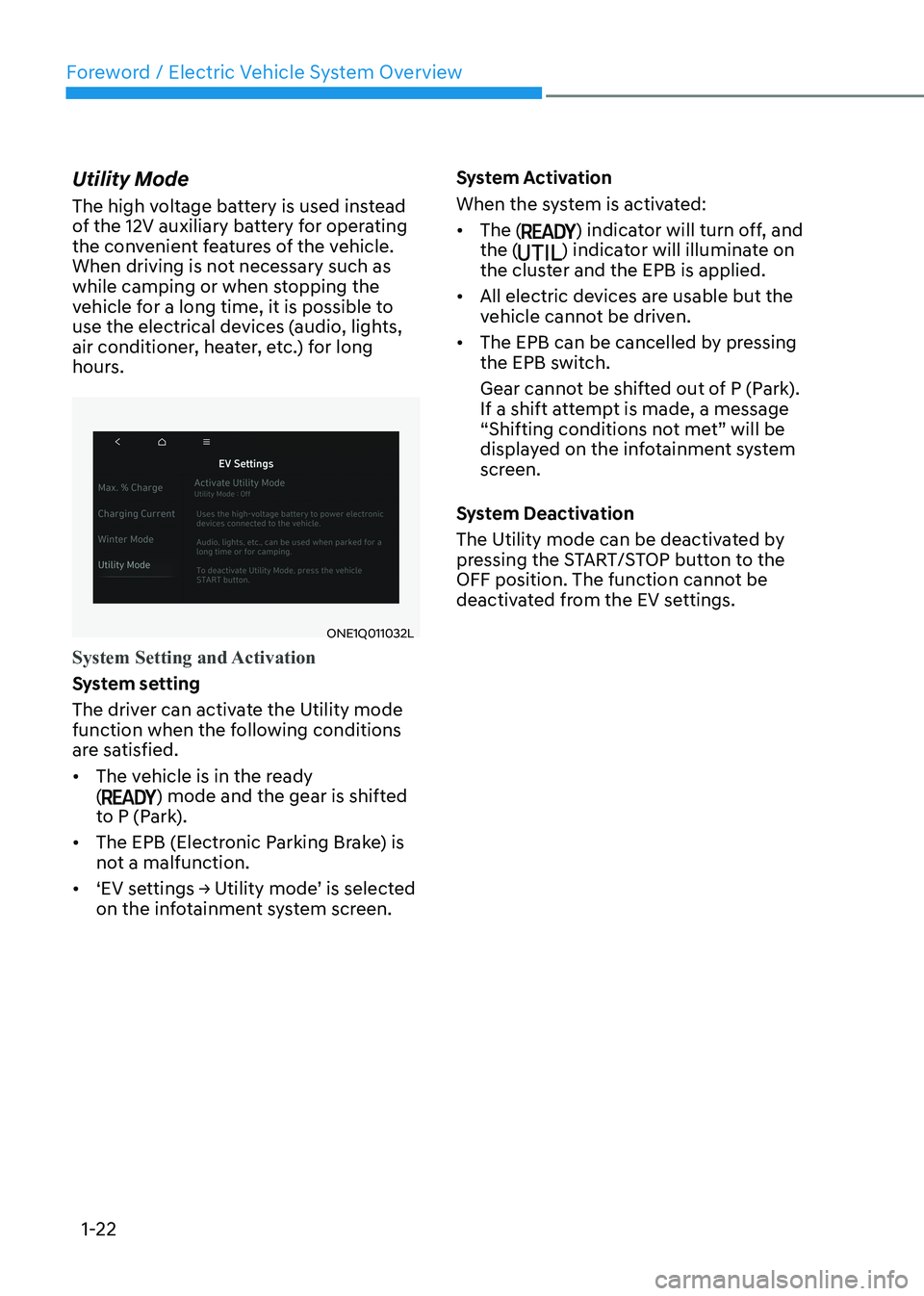
Utility Mode
The high voltage battery is used instead
of the 12V auxiliary battery for operating
the convenient features of the vehicle.
When driving is not necessary such as
while camping or when stopping the
vehicle for a long time, it is possible to
use the electrical devices (audio, lights,
air conditioner, heater, etc.) for long
hours.
ONE1Q011032L
System Setting and Activation
System setting
The driver can activate the Utility mode
function when the following conditions
are satisfied. •
The vehicle is in the ready (
) mode and the gear is shifted
to P (Park).
• The EPB (Electronic Parking Brake) is
not a malfunction.
• ‘EV settings → Utility mode’ is selected on the infotainment system screen. System Activation
When the system is activated:•
The (
) indicator will turn off, and
the () indicator will illuminate on
the cluster and the EPB is applied.
• All electric devices are usable but the
vehicle cannot be driven.
• The EPB can be cancelled by pressing
the EPB switch.
Gear cannot be shifted out of P (Park).
If a shift attempt is made, a message
“Shifting conditions not met” will be
displayed on the infotainment system
screen.
System Deactivation
The Utility mode can be deactivated by
pressing the START/STOP button to the
OFF position. The function cannot be
deactivated from the EV settings.
Page 37 of 680
Foreword / Electric Vehicle System Overview
1-32
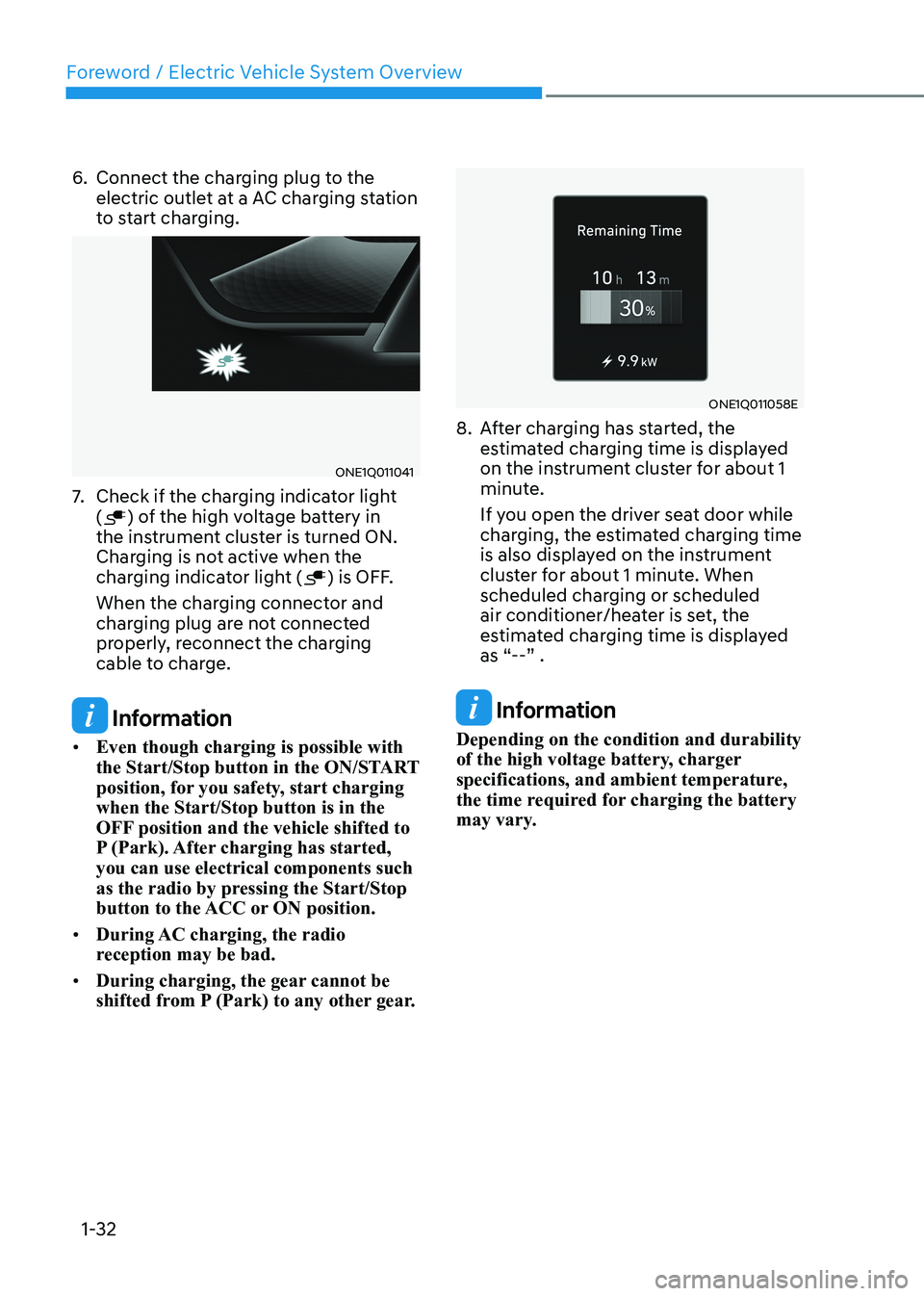
6. Connect the charging plug to the
electric outlet at a AC charging station
to start charging.
ONE1Q011041
7. Check if the charging indicator light (
) of the high voltage battery in
the instrument cluster is turned ON.
Charging is not active when the
charging indicator light (
) is OFF.
When the charging connector and
charging plug are not connected
properly, reconnect the charging
cable to charge.
Information
• Even though charging is possible with
the Start/Stop button in the ON/START
position, for you safety, start charging when the Start/Stop button is in the
OFF position and the vehicle shifted to
P (Park). After charging has started, you can use electrical components such
as the radio by pressing the Start/Stop
button to the ACC or ON position.
• During AC charging, the radio
reception may be bad.
• During charging, the gear cannot be
shifted from P (Park) to any other gear.
ONE1Q011058E
8. After charging has started, the estimated charging time is displayed
on the instrument cluster for about 1
minute.
If you open the driver seat door while
charging, the estimated charging time
is also displayed on the instrument
cluster for about 1 minute. When
scheduled charging or scheduled
air conditioner/heater is set, the
estimated charging time is displayed
as “--” .
Information
Depending on the condition and durability
of the high voltage battery, charger
specifications, and ambient temperature,
the time required for charging the battery
may vary.
Page 40 of 680
01
1-35
ONE1Q011041
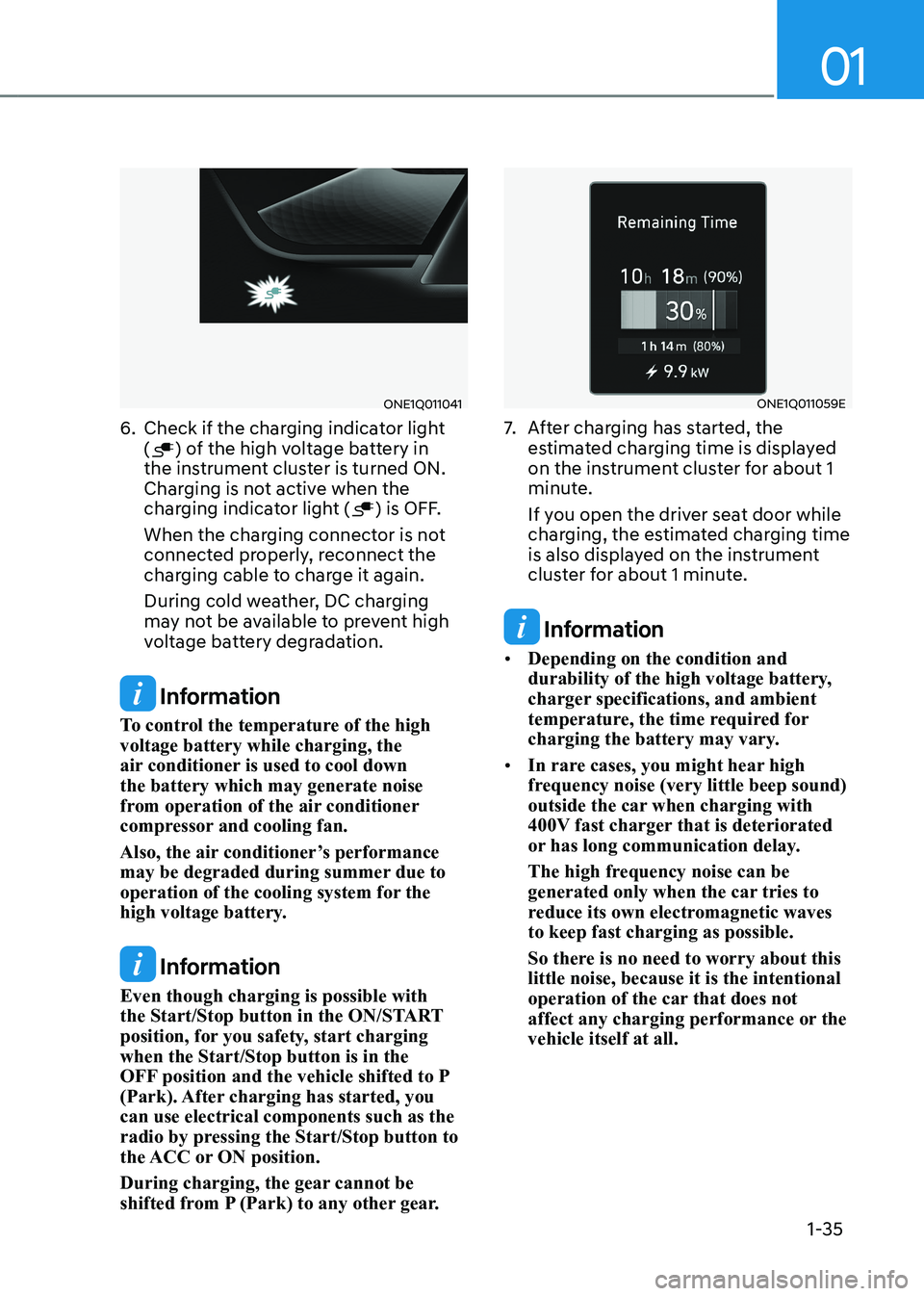
6. Check if the charging indicator light (
) of the high voltage battery in
the instrument cluster is turned ON.
Charging is not active when the
charging indicator light (
) is OFF.
When the charging connector is not
connected properly, reconnect the
charging cable to charge it again.
During cold weather, DC charging
may not be available to prevent high
voltage battery degradation.
Information
To control the temperature of the high voltage battery while charging, the
air conditioner is used to cool down the battery which may generate noise
from operation of the air conditioner
compressor and cooling fan.
Also, the air conditioner’s performance
may be degraded during summer due to
operation of the cooling system for the
high voltage battery.
Information
Even though charging is possible with
the Start/Stop button in the ON/START
position, for you safety, start charging when the Start/Stop button is in the
OFF position and the vehicle shifted to P
(Park). After charging has started, you can use electrical components such as the
radio by pressing the Start/Stop button to
the ACC or ON position.
During charging, the gear cannot be
shifted from P (Park) to any other gear.
ONE1Q011059E
7. After charging has started, the
estimated charging time is displayed
on the instrument cluster for about 1
minute.
If you open the driver seat door while
charging, the estimated charging time
is also displayed on the instrument
cluster for about 1 minute.
Information
• Depending on the condition and
durability of the high voltage battery,
charger specifications, and ambient
temperature, the time required for
charging the battery may vary.
• In rare cases, you might hear high
frequency noise (very little beep sound)
outside the car when charging with
400V fast charger that is deteriorated
or has long communication delay.
The high frequency noise can be
generated only when the car tries to
reduce its own electromagnetic waves to keep fast charging as possible.
So there is no need to worry about this little noise, because it is the intentional
operation of the car that does not
affect any charging performance or the vehicle itself at all.
Page 45 of 680
Foreword / Electric Vehicle System Overview
1-40
Information
Locking Charging Cable
Select ‘Settings → ECO Vehicle →
Charging Connector Locking Mode’ in
the infotainment. The charging connector
is locked in the inlet at a different period according to which mode is selected. • Always mode : The connector locks
when the charging connector is plugged into the charging inlet.
• While charging mode : The connector locks when charging starts.
For more details, refer to “Locking
Charging Cable” in this chapter.
ONX4EPHQ011006L
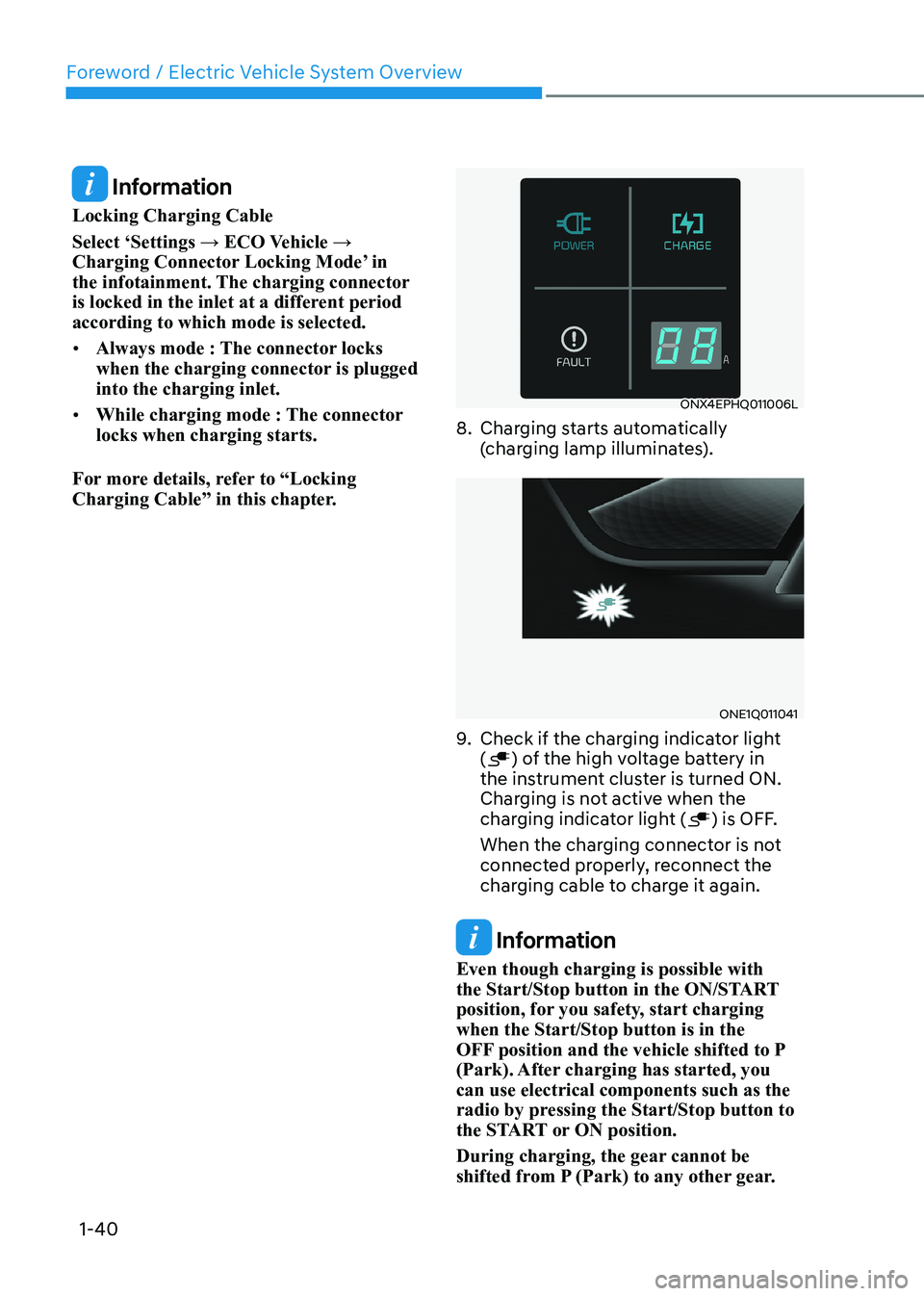
8. Charging starts automatically (charging lamp illuminates).
ONE1Q011041
9. Check if the charging indicator light (
) of the high voltage battery in
the instrument cluster is turned ON.
Charging is not active when the
charging indicator light (
) is OFF.
When the charging connector is not
connected properly, reconnect the
charging cable to charge it again.
Information
Even though charging is possible with
the Start/Stop button in the ON/START
position, for you safety, start charging when the Start/Stop button is in the
OFF position and the vehicle shifted to P
(Park). After charging has started, you can use electrical components such as the
radio by pressing the Start/Stop button to
the START or ON position.
During charging, the gear cannot be
shifted from P (Park) to any other gear.
Page 46 of 680
01
1-41
ONE1Q011058E
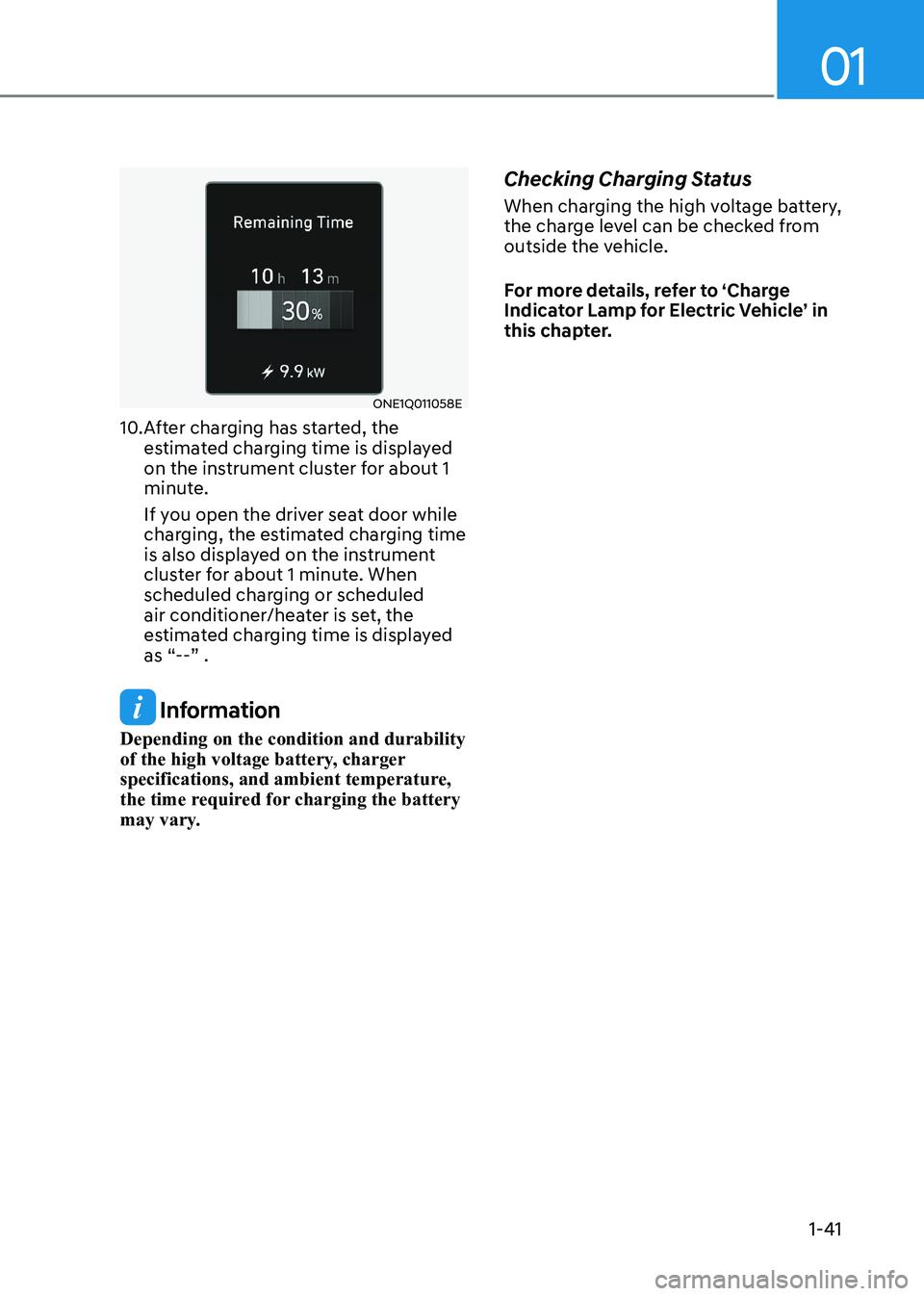
10. After charging has started, the estimated charging time is displayed
on the instrument cluster for about 1
minute.
If you open the driver seat door while
charging, the estimated charging time
is also displayed on the instrument
cluster for about 1 minute. When
scheduled charging or scheduled
air conditioner/heater is set, the
estimated charging time is displayed
as “--” .
Information
Depending on the condition and durability
of the high voltage battery, charger
specifications, and ambient temperature,
the time required for charging the battery
may vary. Checking Charging Status
When charging the high voltage battery,
the charge level can be checked from
outside the vehicle.
For more details, refer to ‘Charge
Indicator Lamp for Electric Vehicle’ in
this chapter.
Page 54 of 680
01
1-49
Charging the eleCtriC vehiCle (abrupt stop)
Action to be taken when charging stops abruptly
When the high voltage battery does not charge, check the followings:
1. Check the charging setting for the vehicle. Refer to “Charge Management”, in this chapter (for example, When scheduled charging is set, charging is not initiated
immediately when the AC charger or portable charger (ICCB: In-Cable Control Box)
is connected.)
2. Check the operation status of AC charger, portable charger and DC charger. (Charging Status Indicator Lamp for Portable Charger, refer to “Checking Charging
Status” for trickle charge in this chapter.)
à Actual method for indicating the charging status may vary in accordance with the
charger manufacturer.
3. When the vehicle does not charge and a warning message appears on the cluster, check the corresponding message. Refer to “LCD Display Messages”, in this chapter.
4. If the vehicle is properly charged when charged with another normally working
charger, contact the charger manufacturer.
5. If the vehicle does not charge when charged with another normally working charger, contact an authorized HYUNDAI dealer for inspection.
6. If charging fails and the service warning light (
) is lit in the cluster, contact an
authorized HYUNDAI dealer.
Page 55 of 680
Foreword / Electric Vehicle System Overview
1-50
driVing eleCtriC VeHiCle
How to Start the Vehicle
1. Holding the smart key, sit in the driver’s seat.
2. Fasten the seat belt before starting the vehicle.
3. Make sure to engage the parking brake.
4. Turn OFF all electrical devices.
5. Make sure to depress and hold the brake pedal.
6. While depressing the brake pedal, shift to P (Park).
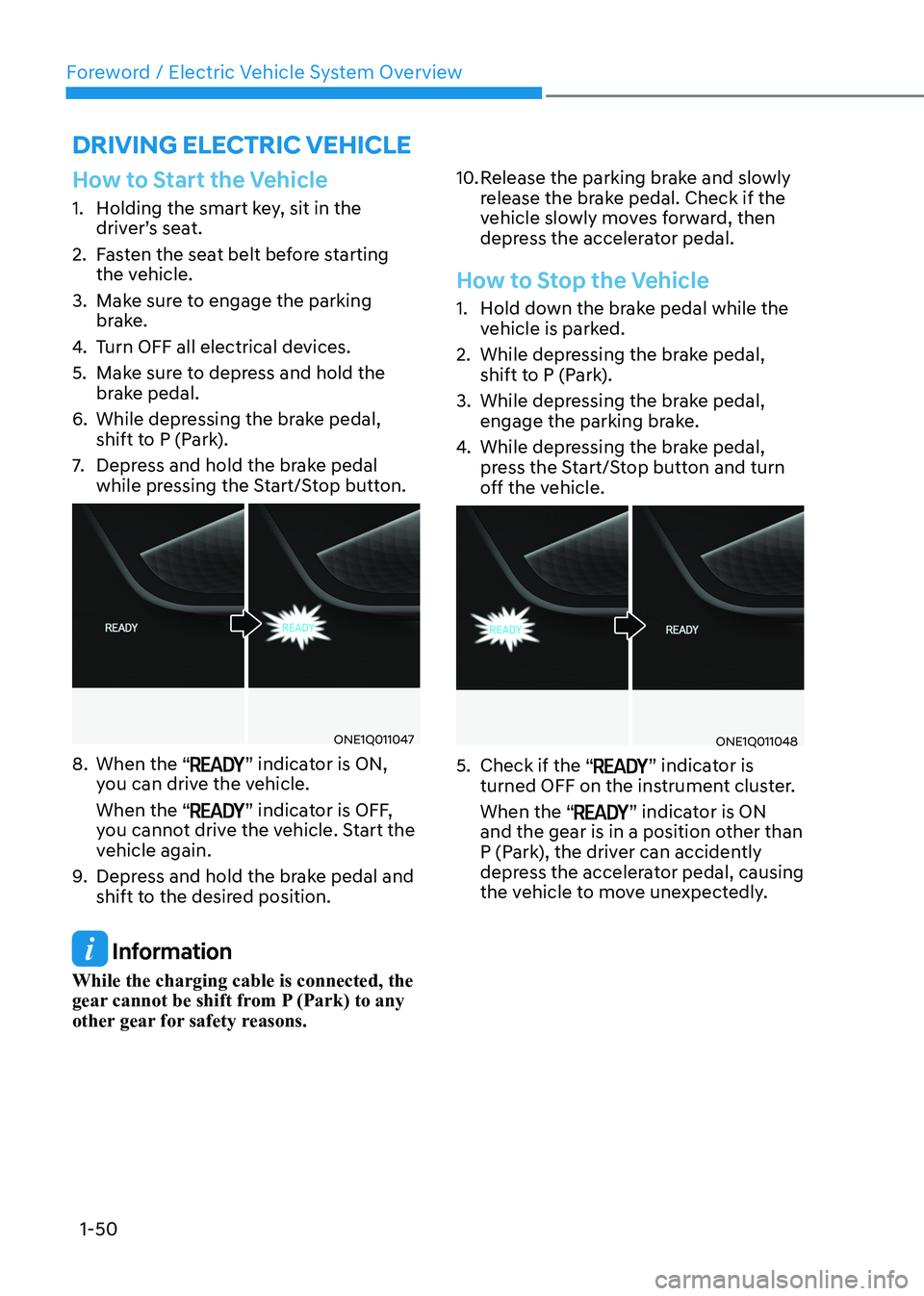
7. Depress and hold the brake pedal
while pressing the Start/Stop button.
ONE1Q011047
8. When the “
” indicator is ON,
you can drive the vehicle. When the “
” indicator is OFF,
you cannot drive the vehicle. Start the
vehicle again.
9. Depress and hold the brake pedal and
shift to the desired position.
Information
While the charging cable is connected, the
gear cannot be shift from P (Park) to any
other gear for safety reasons. 10. Release the parking brake and slowly
release the brake pedal. Check if the
vehicle slowly moves forward, then
depress the accelerator pedal.
How to Stop the Vehicle
1. Hold down the brake pedal while the
vehicle is parked.
2. While depressing the brake pedal, shift to P (Park).
3. While depressing the brake pedal, engage the parking brake.
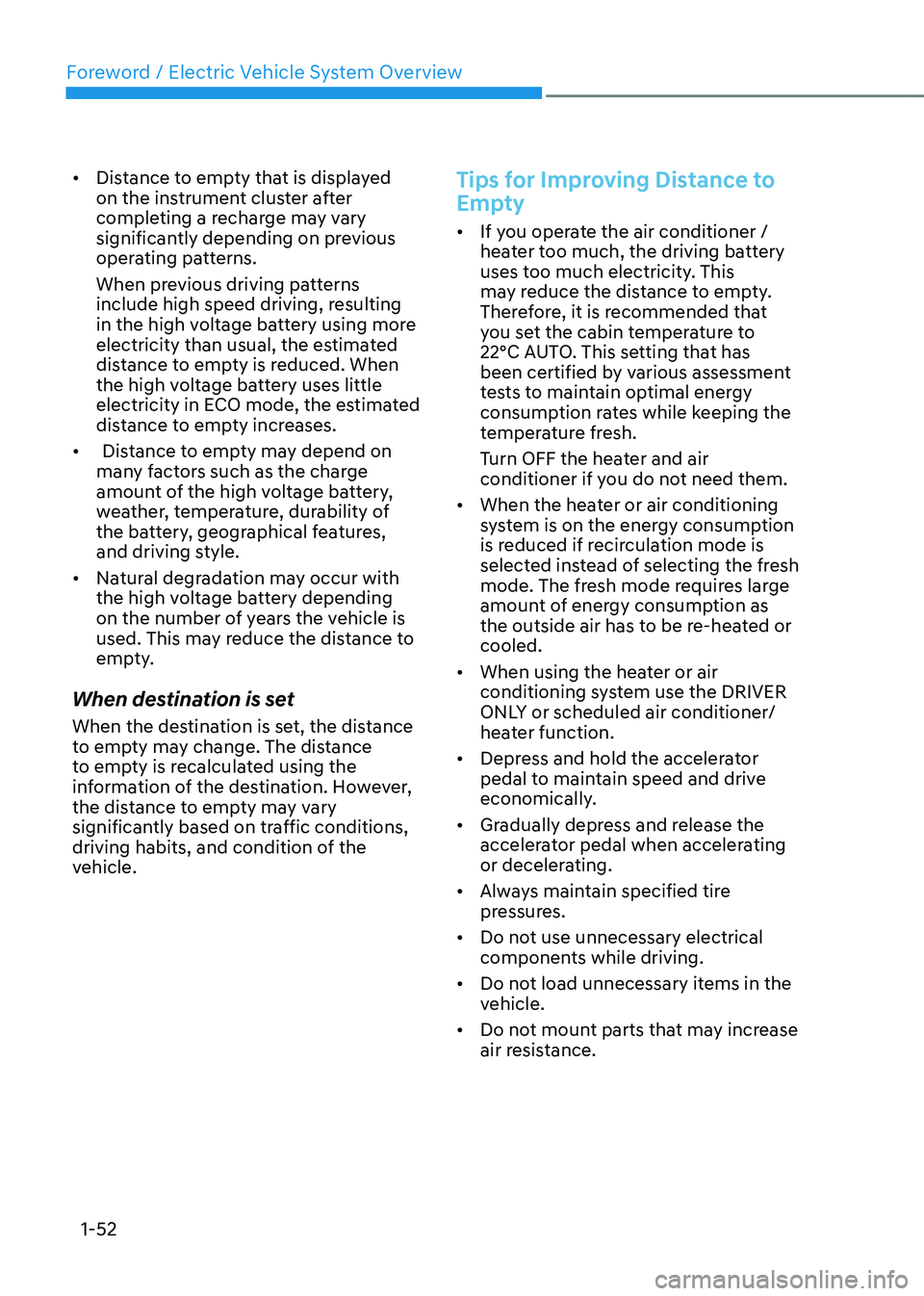
4. While depressing the brake pedal,
press the Start/Stop button and turn
off the vehicle.
ONE1Q011048
5. Check if the “
” indicator is
turned OFF on the instrument cluster. When the “
” indicator is ON
and the gear is in a position other than
P (Park), the driver can accidently
depress the accelerator pedal, causing
the vehicle to move unexpectedly.
Page 57 of 680
Foreword / Electric Vehicle System Overview
1-52
•
Distance to empty that is displayed
on the instrument cluster after
completing a recharge may vary
significantly depending on previous
operating patterns.
When previous driving patterns
include high speed driving, resulting
in the high voltage battery using more
electricity than usual, the estimated
distance to empty is reduced. When
the high voltage battery uses little
electricity in ECO mode, the estimated
distance to empty increases.
• Distance to empty may depend on
many factors such as the charge
amount of the high voltage battery,
weather, temperature, durability of
the battery, geographical features,
and driving style.
• Natural degradation may occur with
the high voltage battery depending
on the number of years the vehicle is
used. This may reduce the distance to
empty.
When destination is set
When the destination is set, the distance
to empty may change. The distance
to empty is recalculated using the
information of the destination. However,
the distance to empty may vary
significantly based on traffic conditions,
driving habits, and condition of the
vehicle.
Tips for Improving Distance to
Empty
• If you operate the air conditioner /
heater too much, the driving battery
uses too much electricity. This
may reduce the distance to empty.
Therefore, it is recommended that
you set the cabin temperature to
22°C AUTO. This setting that has
been certified by various assessment
tests to maintain optimal energy
consumption rates while keeping the
temperature fresh.
Turn OFF the heater and air
conditioner if you do not need them.
• When the heater or air conditioning
system is on the energy consumption
is reduced if recirculation mode is
selected instead of selecting the fresh
mode. The fresh mode requires large
amount of energy consumption as
the outside air has to be re-heated or cooled.
• When using the heater or air
conditioning system use the DRIVER
ONLY or scheduled air conditioner/
heater function.
• Depress and hold the accelerator
pedal to maintain speed and drive
economically.
• Gradually depress and release the
accelerator pedal when accelerating
or decelerating.
• Always maintain specified tire
pressures.
• Do not use unnecessary electrical
components while driving.
• Do not load unnecessary items in the
vehicle.
• Do not mount parts that may increase
air resistance.