front bumper HYUNDAI IONIQ 5 2023 Owners Manual
[x] Cancel search | Manufacturer: HYUNDAI, Model Year: 2023, Model line: IONIQ 5, Model: HYUNDAI IONIQ 5 2023Pages: 680, PDF Size: 48.22 MB
Page 6 of 680
1
Electric Vehicle...................................................................................................1 -7
Electric Vehicle .............................................................................................................. 1 -7
Characteristics of Electric Vehicles .............................................................................. 1 -7
Battery Information ....................................................................................................... 1 -7
Main Components of Electric Vehicle .............................................................. 1-8
Main Components of Electric Vehicle ........................................................................ 1-8
High Voltage Battery (lithium-ion battery) .................................................................1-8
High Voltage Battery Warmer System ........................................................................ 1-9
EV Mode ........................................................................................................... 1-10
EV Mode Screen .......................................................................................................... 1-10
Energy Information ...................................................................................................... 1-11
Next Departure ............................................................................................................ 1-12
Charging and Climate ................................................................................................ 1-13
Vehicle to Load (V2L) .................................................................................................. 1-14
Nearby Stations .......................................................................................................... 1-19
EV Settings .................................................................................................................. 1-20
Charge Types for Electric Vehicle ................................................................... 1-23
Charging Information .................................................................................................. 1-23
Charging Time Information ........................................................................................ 1-23
Charging Types ............................................................................................................ 1-24
Charge Indicator Lamp for Electric Vehicle ...................................................1-25
Charging Status ........................................................................................................... 1-25
Front Center Bumper .................................................................................................. 1-25
Charging Connector Lock ............................................................................... 1-26
Locking Charging Cable............................................................................................. 1-26
Scheduled Charging ........................................................................................ 1-27
Scheduled Charging.................................................................................................... 1-27
Charging Electric Vehicle ................................................................................ 1-28
Electric Charging Door .............................................................................................. 1-28
Charging Precautions ................................................................................................ 1-29
Unlock Charging Door in Emergency ....................................................................... 1-30
AC Charge ................................................................................................................... 1-30
DC Charge................................................................................................................... 1-34 Portable Charge ......................................................................................................... 1-36
1. Foreword / Electric Vehicle
System Overview
Page 30 of 680
01
1-25
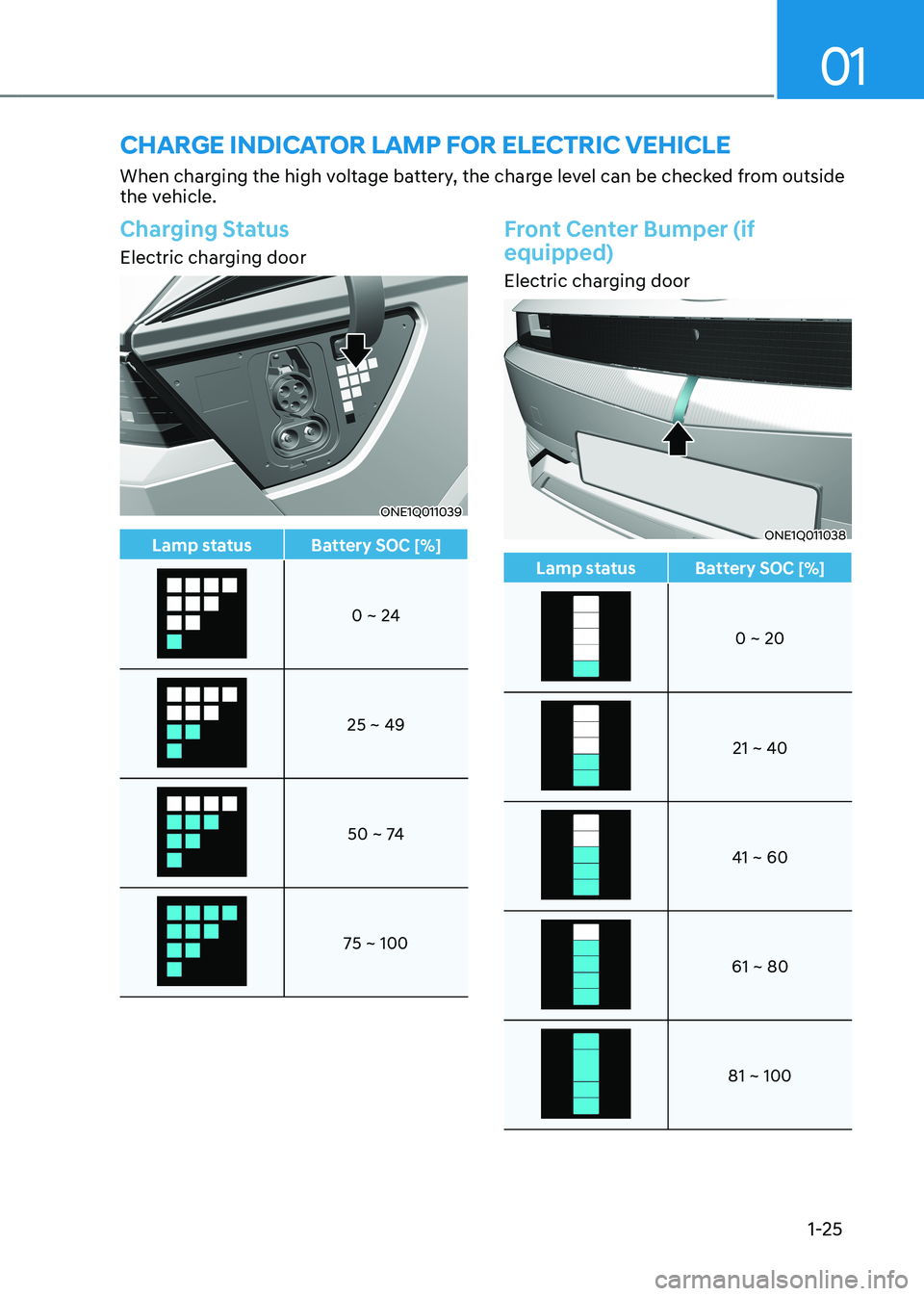
CHarge indiCator lamp For eleCtriC VeHiCle
When charging the high voltage battery, the charge level can be checked from outside
the vehicle.
Charging Status
Electric charging door
ONE1Q011039
Lamp status Battery SOC [%]
0 ~ 24
25 ~ 49
50 ~ 74
75 ~ 100
Front Center Bumper (if equipped)
Electric charging door
ONE1Q011038
Lamp status Battery SOC [%]
0 ~ 20
21 ~ 40
41 ~ 60
61 ~ 80
81 ~ 100
Page 152 of 680
03
3-65
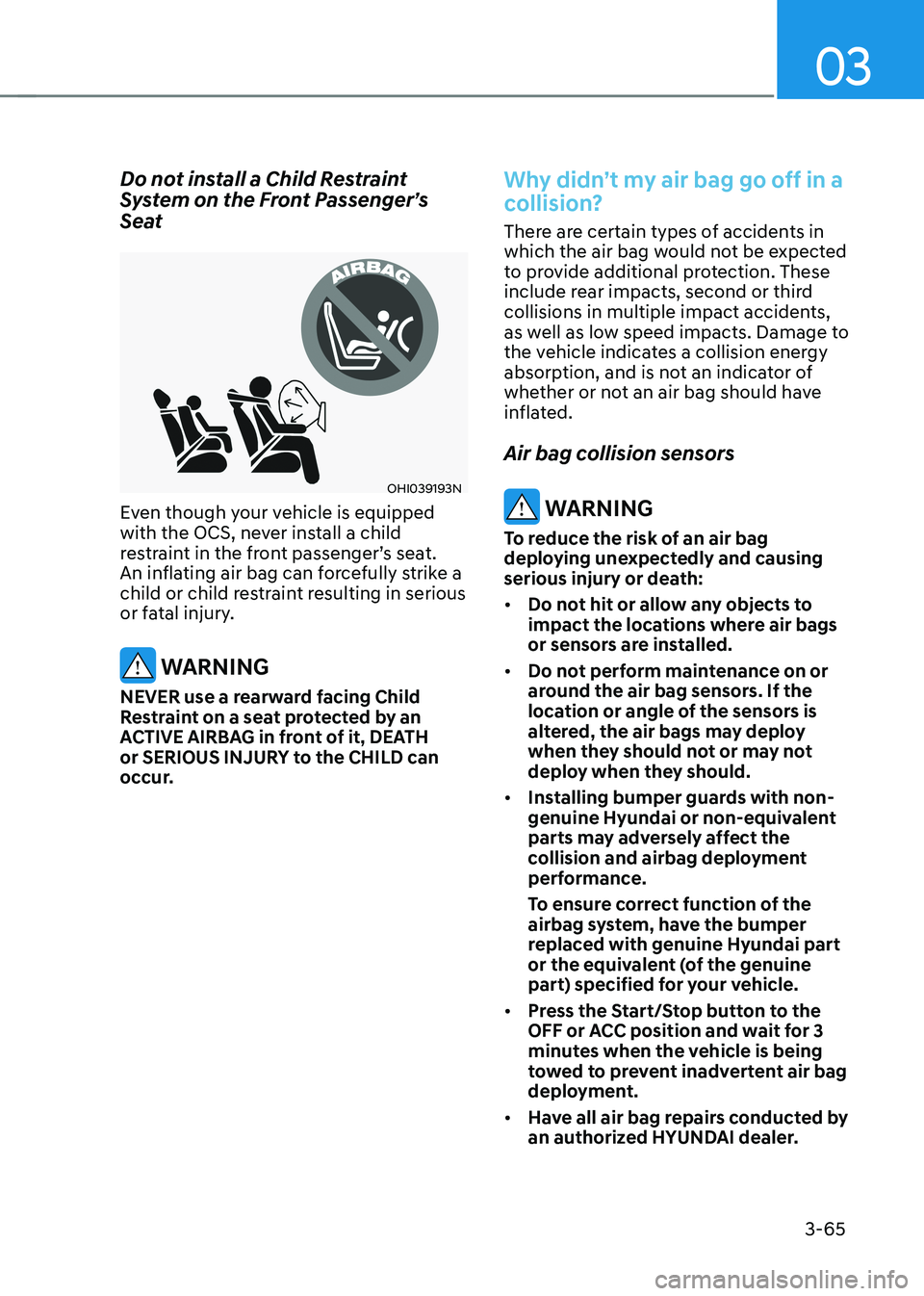
Do not install a Child Restraint
System on the Front Passenger’s
Seat
OHI039193N
Even though your vehicle is equipped
with the OCS, never install a child
restraint in the front passenger’s seat.
An inflating air bag can forcefully strike a
child or child restraint resulting in serious
or fatal injury.
WARNING
NEVER use a rearward facing Child
Restraint on a seat protected by an
ACTIVE AIRBAG in front of it, DEATH
or SERIOUS INJURY to the CHILD can
occur.
Why didn’t my air bag go off in a
collision?
There are certain types of accidents in
which the air bag would not be expected
to provide additional protection. These
include rear impacts, second or third
collisions in multiple impact accidents,
as well as low speed impacts. Damage to
the vehicle indicates a collision energy
absorption, and is not an indicator of
whether or not an air bag should have
inflated. Air bag collision sensors
WARNING
To reduce the risk of an air bag
deploying unexpectedly and causing
serious injury or death: • Do not hit or allow any objects to
impact the locations where air bags
or sensors are installed.
• Do not perform maintenance on or
around the air bag sensors. If the
location or angle of the sensors is
altered, the air bags may deploy
when they should not or may not
deploy when they should.
• Installing bumper guards with non-
genuine Hyundai or non-equivalent
parts may adversely affect the
collision and airbag deployment
performance.
To ensure correct function of the
airbag system, have the bumper
replaced with genuine Hyundai part
or the equivalent (of the genuine
part) specified for your vehicle.
• Press the Start/Stop button to the
OFF or ACC position and wait for 3
minutes when the vehicle is being
towed to prevent inadvertent air bag
deployment.
• Have all air bag repairs conducted by
an authorized HYUNDAI dealer.
Page 158 of 680
03
3-71
Additional Safety Precautions
Passengers should not move out of
or change seats while the vehicle is
moving. A passenger who is not wearing
a seat belt during a crash or emergency
stop can be thrown against the inside of
the vehicle, against other occupants, or
be ejected from the vehicle.
Do not use any accessories on seat belts. Devices claiming to improve
occupant comfort or reposition the seat
belt can reduce the protection provided
by the seat belt and increase the chance
of serious injury in a crash.
Do not modify the front seats.
Modification of the front seats could
interfere with the operation of the
supplemental restraint system sensing
components or side air bags.
Do not place items under the front
seats. Placing items under the front seats
could interfere with the operation of the
supplemental restraint system sensing
components and wiring harnesses.
Do not cause impact to the doors.
Impact to the doors when the Start/Stop
button is in the ON or START position
may cause the air bags to inflate.
Modifications to accommodate disabilities. If you require modification
to your vehicle to accommodate
a disability, contact the HYUNDAI
Customer Connect Center at 800-633-5151.
Adding equipment to or modifying
your air bag equipped vehicle
If you modify your vehicle by changing
your vehicle’s frame, bumper system,
front end or side sheet metal or ride
height, this may affect the operation of
your vehicle’s air bag system.
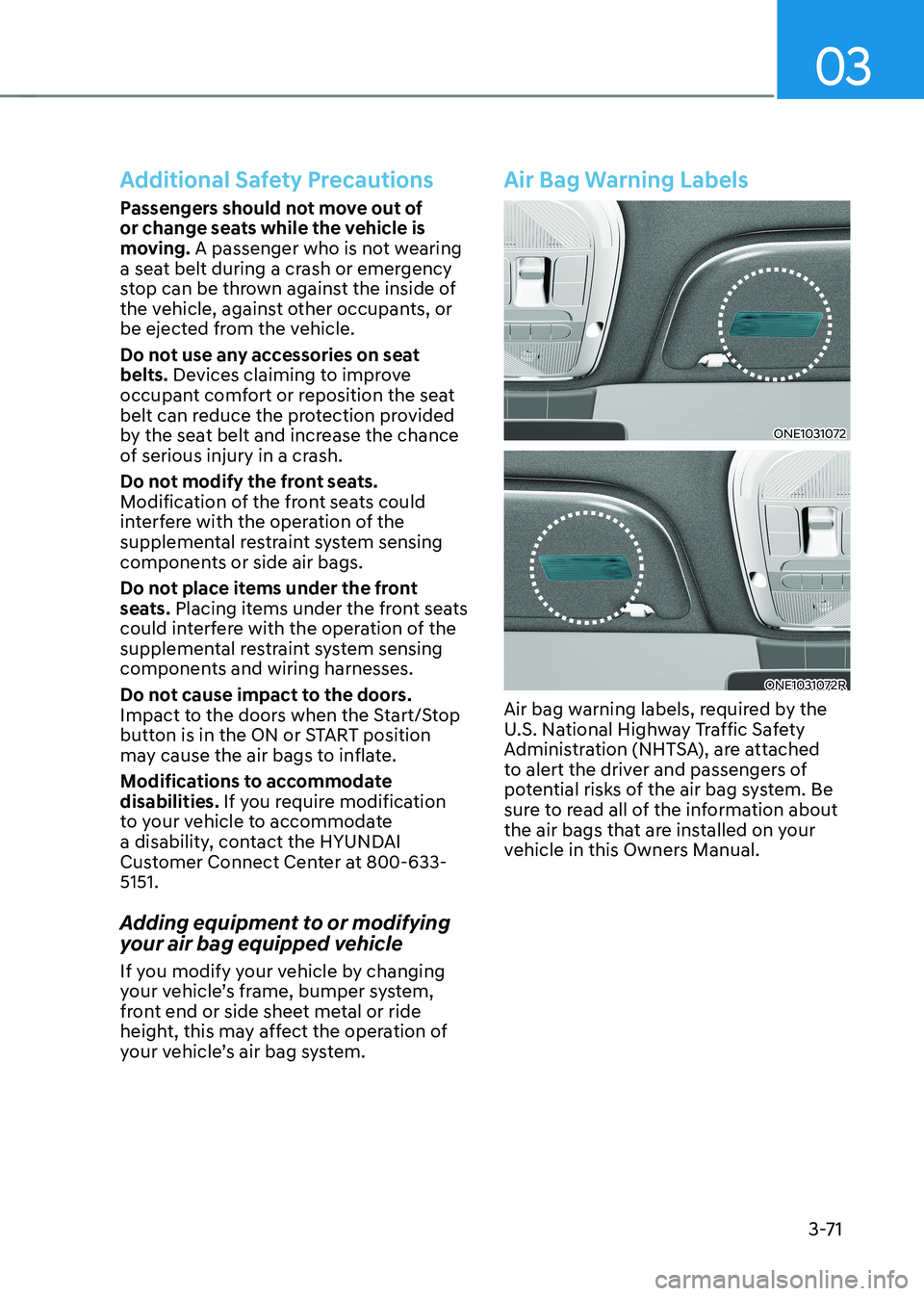
Air Bag Warning Labels
ONE1031072
ONE1031072R
Air bag warning labels, required by the
U.S. National Highway Traffic Safety
Administration (NHTSA), are attached
to alert the driver and passengers of
potential risks of the air bag system. Be
sure to read all of the information about
the air bags that are installed on your
vehicle in this Owners Manual.
Page 348 of 680
![HYUNDAI IONIQ 5 2023 Owners Manual Driving Your Vehicle
6-22
Vehicle-to-Vehicle Distance
Recognition Sensor (Front
Radar)
ONE1071018
[2] : Front radar For detail location of sensor, refer to the picture
above.
In order for the](/img/35/56168/w960_56168-347.png "HYUNDAI IONIQ 5 2023 Owners Manual Driving Your Vehicle
6-22
Vehicle-to-Vehicle Distance
Recognition Sensor (Front
Radar)
ONE1071018
[2] : Front radar For detail location of sensor, refer to the picture
above.
In order for the")
Driving Your Vehicle
6-22
Vehicle-to-Vehicle Distance
Recognition Sensor (Front
Radar)
ONE1071018
[2] : Front radar For detail location of sensor, refer to the picture
above.
In order for the Smart Recuperation
System to operate properly, always make
sure the radar sensor cover is clean and
free of dirt, snow, and debris. Dirt, snow,
or foreign substances on the lens may
adversely affect the sensing performance
of the sensor. In this case, the system
operation may stop temporarily and not
operate normally.
CAUTION
• Do not apply license plate frame or
foreign objects such as a bumper
sticker or a bumper guard near the
radar sensor. Doing so may adversely
affect the sensing performance of
the radar.
• Always keep the radar sensor and
lens cover clean and free of dirt and debris.
• Use only a soft cloth to wash the
vehicle. Do not spray pressurized
water directly on the sensor or
sensor cover.
• Be careful not to apply unnecessary
force on the radar sensor or sensor
cover. If the sensor is forcibly
moved out of proper alignment,
the Smart Recuperation System
may not operate correctly. In this
case, a warning message may not
be displayed. Have the vehicle
inspected by an authorized HYUNDAI
dealer.
• If the front bumper becomes
damaged in the area around the
radar sensor, the Smart Recuperation
System may not operate properly.
Have the vehicle authorized
HYUNDAI dealer.
• Use only genuine parts or the
equivalent specified for your vehicle
to repair or replace a damaged
sensor or sensor cover. Do not apply
paint to the sensor cover.
Page 378 of 680
Driving Your Vehicle
6-52
ONE1061039
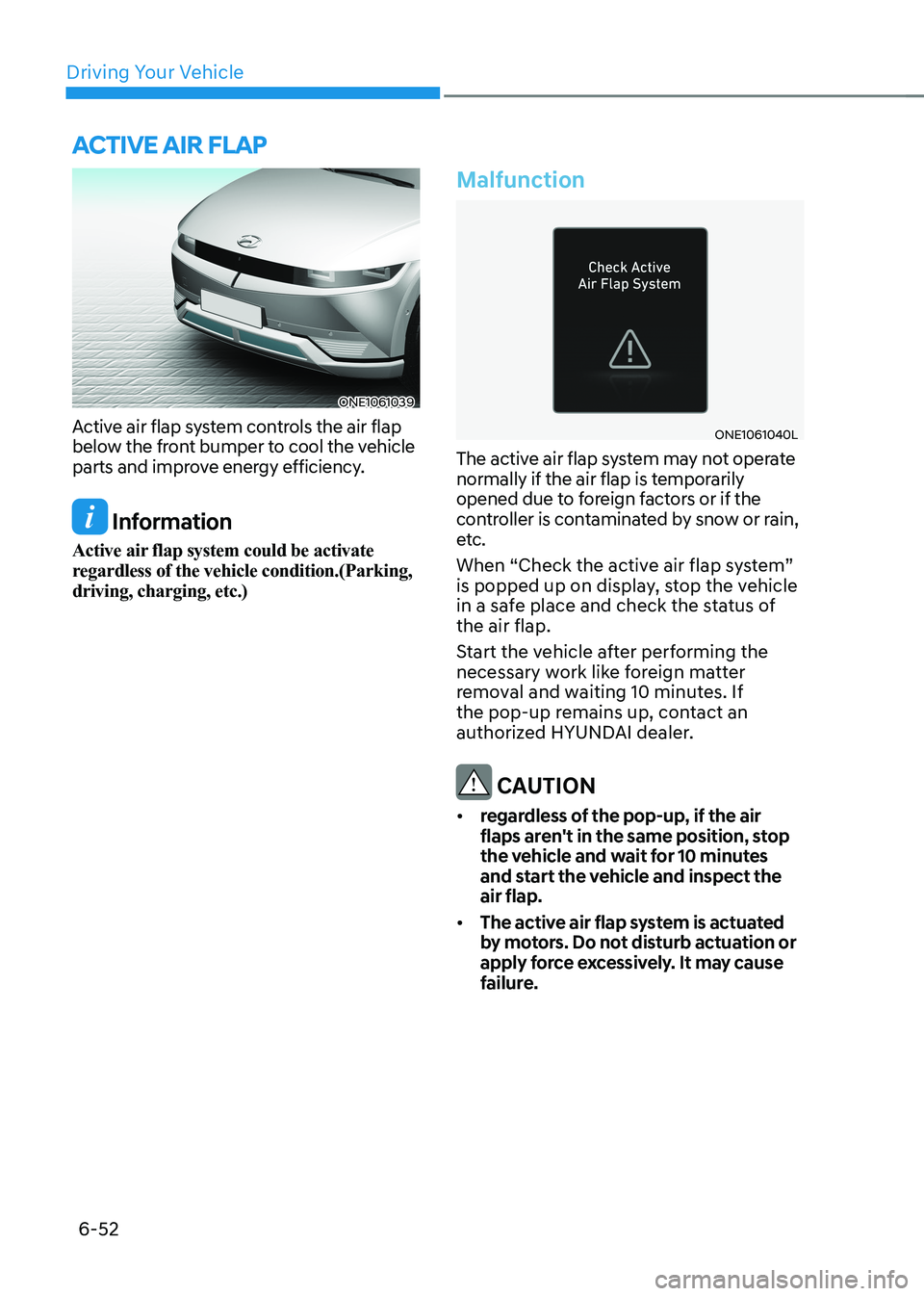
Active air flap system controls the air flap
below the front bumper to cool the vehicle
parts and improve energy efficiency.
Information
Active air flap system could be activate
regardless of the vehicle condition.(Parking, driving, charging, etc.)
Malfunction
ONE1061040L
The active air flap system may not operate
normally if the air flap is temporarily
opened due to foreign factors or if the
controller is contaminated by snow or rain,
etc.
When “Check the active air flap system”
is popped up on display, stop the vehicle
in a safe place and check the status of the air flap.
Start the vehicle after performing the
necessary work like foreign matter
removal and waiting 10 minutes. If
the pop-up remains up, contact an
authorized HYUNDAI dealer.
CAUTION
• regardless of the pop-up, if the air
flaps aren't in the same position, stop
the vehicle and wait for 10 minutes
and start the vehicle and inspect the air flap.
• The active air flap system is actuated
by motors. Do not disturb actuation or
apply force excessively. It may cause
failure.
active air flap
Page 406 of 680
![HYUNDAI IONIQ 5 2023 Owners Manual Driver Assistance System
7-4
Detecting sensor
ONE1071002K
ONE1071003
ONE1071004N
[1]: Front view camera, [2]: Front radar,
[3]: Front corner radar (if equipped),
[4]: Rear corner radar (if equipped](/img/35/56168/w960_56168-405.png "HYUNDAI IONIQ 5 2023 Owners Manual Driver Assistance System
7-4
Detecting sensor
ONE1071002K
ONE1071003
ONE1071004N
[1]: Front view camera, [2]: Front radar,
[3]: Front corner radar (if equipped),
[4]: Rear corner radar (if equipped")
Driver Assistance System
7-4
Detecting sensor
ONE1071002K
ONE1071003
ONE1071004N
[1]: Front view camera, [2]: Front radar,
[3]: Front corner radar (if equipped),
[4]: Rear corner radar (if equipped)
Refer to the picture above for the
detailed location of the detecting
sensors.
CAUTION
Take the following precautions to
maintain optimal performance of the
detecting sensor: • Never disassemble the detecting
sensor or sensor assembly, or cause
any damage to it.
• If the detecting sensors have
been replaced or repaired, have
the vehicle be inspected by an
authorized HYUNDAI dealer.
• Never install any accessories or
stickers on the front windshield, or
tint the front windshield.
• Pay extreme caution to keep the
front view camera dry.
• Never place any reflective objects
(for example, white paper, mirror)
over the dashboard.
• Do not place any objects near the
front windshield or install any
accessories on the front windshield.
It can affect the performance of the
defogging and defrosting function
of the climate control system, which
may prevent the Driver Assistance
systems from operating
• Do not place objects or mount
structures near the windshield.
When operating the air conditioner,
moisture and defrost performance
may be poor, and driver assistance
functions may not work.
• Do not apply license plate frame or
objects, such as a bumper sticker,
film or a bumper guard, near the
front radar cover.
• Always keep the front radar and
cover clean and free of dirt and debris.
Use only a soft cloth to wash the
vehicle. Do not spray pressurized
water directly on the sensor or
sensor cover.
Page 407 of 680
07
7-5
•
If unnecessary force has been
applied to the radar or around the
radar, Forward Collision-Avoidance
Assist may not properly operate
even though a warning message
does not appear on the cluster.
Have the vehicle be inspected by an
authorized HYUNDAI dealer.
• Use only genuine parts to repair or
replace a damaged front radar cover.
Do not apply paint to the front radar
cover.
• Vehicles equipped with front corner
radar and/or rear corner radar
- Do not apply license plate frame or
objects, such as a bumper sticker,
film or a bumper guard, near the
front corner radar or rear corner
radar.
- The function may not work
properly when the bumper has
been replaced, or the surroundings
of the front corner radar or rear
corner radar has been damaged or
paint has been applied.
- If a trailer, carrier, etc., is installed,
it may adversely affect the
performance of the rear corner
radar or Forward Collision-
Avoidance Assist may not operate
properly.
Forward Collision-Avoidance
Assist Settings
Setting features
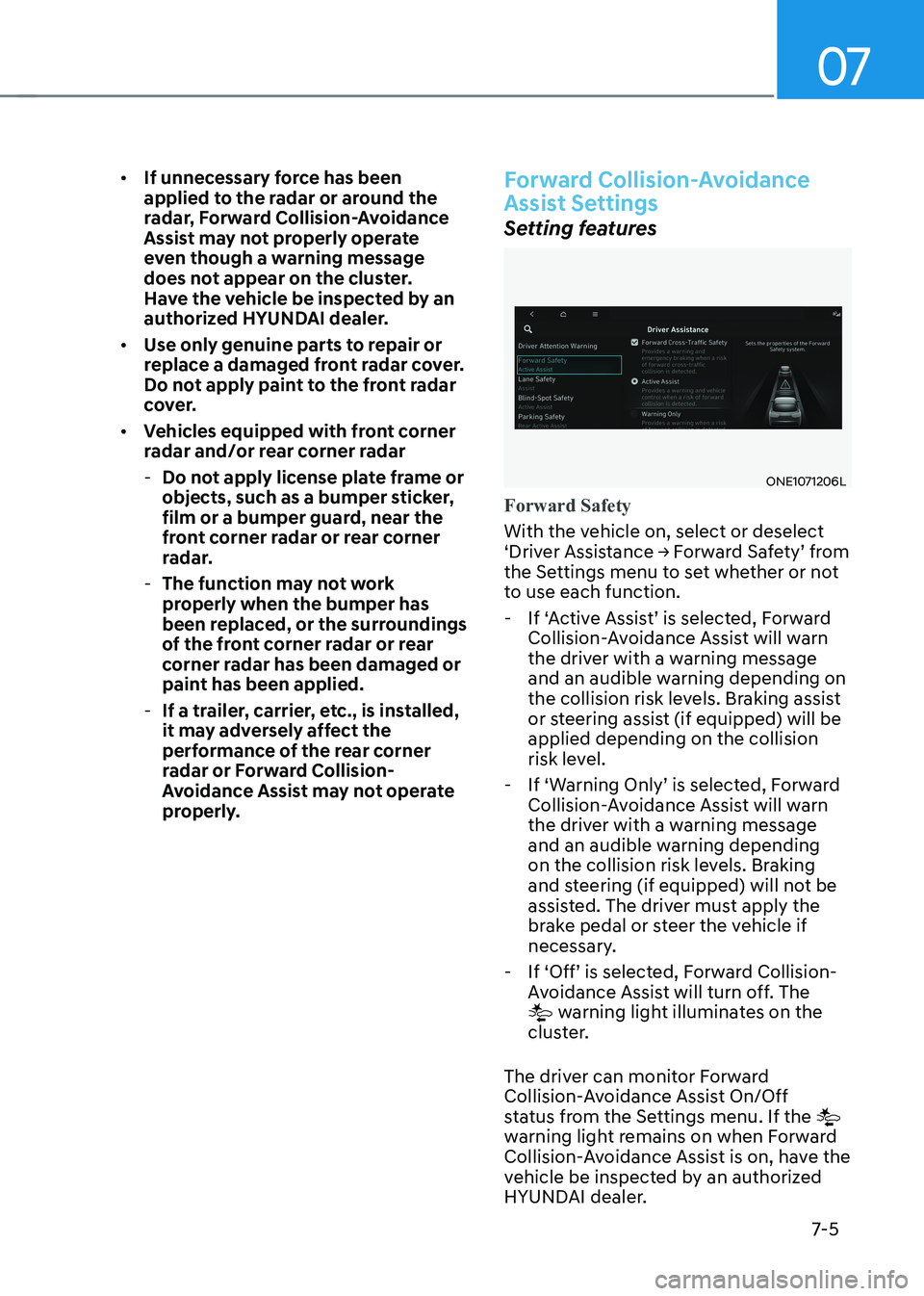
ONE1071206L
Forward Safety
With the vehicle on, select or deselect
‘Driver Assistance → Forward Safety’ from
the Settings menu to set whether or not
to use each function.
- If ‘Active Assist’ is selected, Forward Collision-Avoidance Assist will warn
the driver with a warning message
and an audible warning depending on
the collision risk levels. Braking assist
or steering assist (if equipped) will be applied depending on the collision
risk level.
- If ‘Warning Only’ is selected, Forward Collision-Avoidance Assist will warn
the driver with a warning message
and an audible warning depending
on the collision risk levels. Braking
and steering (if equipped) will not be
assisted. The driver must apply the
brake pedal or steer the vehicle if
necessary.
- If ‘Off’ is selected, Forward Collision- Avoidance Assist will turn off. The
warning light illuminates on the
cluster.
The driver can monitor Forward
Collision-Avoidance Assist On/Off
status from the Settings menu. If the
warning light remains on when Forward
Collision-Avoidance Assist is on, have the
vehicle be inspected by an authorized
HYUNDAI dealer.
Page 420 of 680
Driver Assistance System
7-18
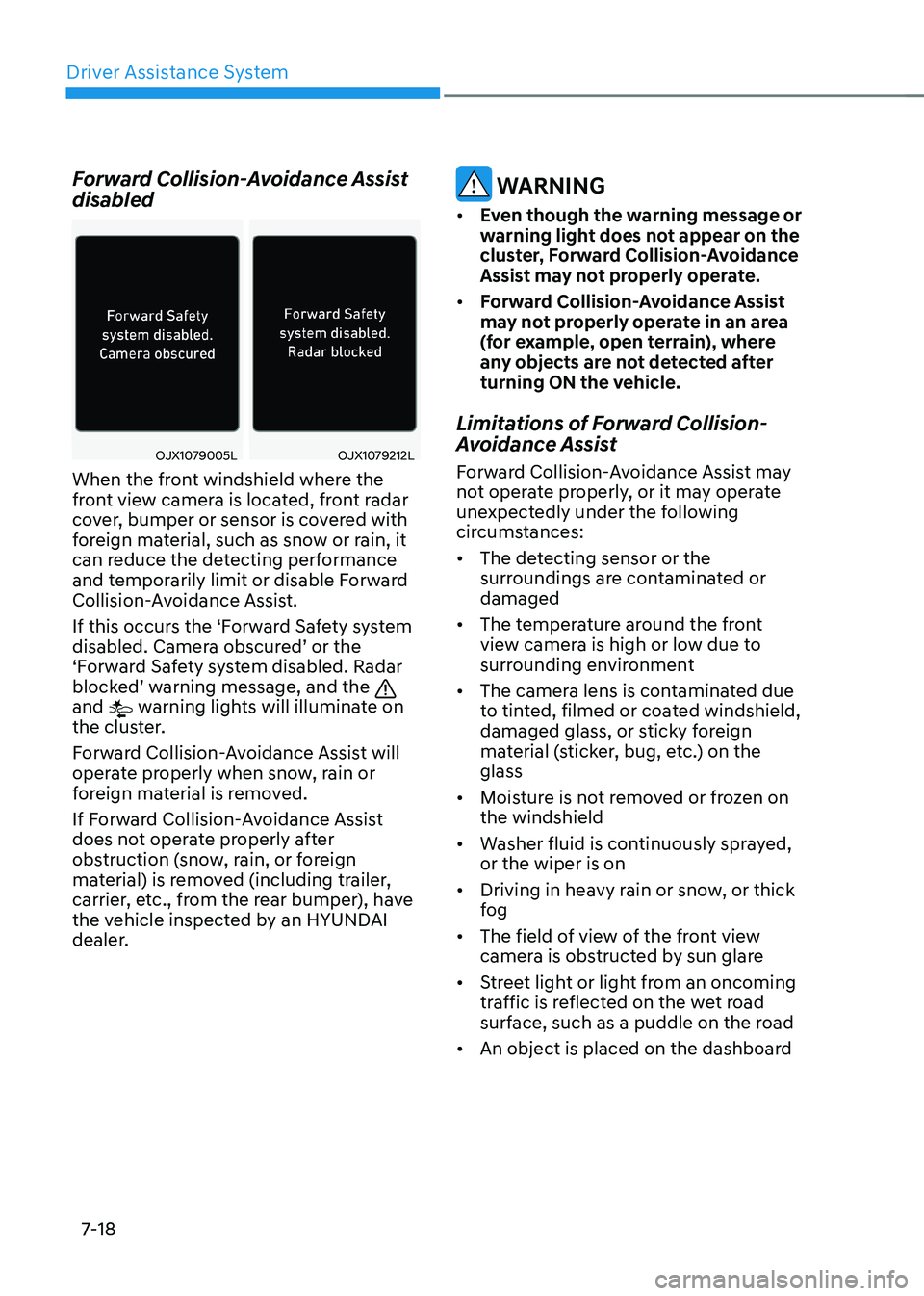
Forward Collision-Avoidance Assist disabled
OJX1079005LOJX1079212L
When the front windshield where the
front view camera is located, front radar
cover, bumper or sensor is covered with
foreign material, such as snow or rain, it
can reduce the detecting performance
and temporarily limit or disable Forward
Collision-Avoidance Assist.
If this occurs the ‘Forward Safety system
disabled. Camera obscured’ or the
‘Forward Safety system disabled. Radar
blocked’ warning message, and the
and warning lights will illuminate on
the cluster.
Forward Collision-Avoidance Assist will
operate properly when snow, rain or
foreign material is removed.
If Forward Collision-Avoidance Assist
does not operate properly after
obstruction (snow, rain, or foreign
material) is removed (including trailer,
carrier, etc., from the rear bumper), have
the vehicle inspected by an HYUNDAI
dealer.
WARNING
• Even though the warning message or
warning light does not appear on the
cluster, Forward Collision-Avoidance
Assist may not properly operate.
• Forward Collision-Avoidance Assist
may not properly operate in an area
(for example, open terrain), where
any objects are not detected after
turning ON the vehicle.
Limitations of Forward Collision-
Avoidance Assist
Forward Collision-Avoidance Assist may
not operate properly, or it may operate
unexpectedly under the following
circumstances: • The detecting sensor or the
surroundings are contaminated or damaged
• The temperature around the front
view camera is high or low due to
surrounding environment
• The camera lens is contaminated due
to tinted, filmed or coated windshield,
damaged glass, or sticky foreign
material (sticker, bug, etc.) on the glass
• Moisture is not removed or frozen on the windshield
• Washer fluid is continuously sprayed, or the wiper is on
• Driving in heavy rain or snow, or thick
fog
• The field of view of the front view
camera is obstructed by sun glare
• Street light or light from an oncoming
traffic is reflected on the wet road
surface, such as a puddle on the road
• An object is placed on the dashboard
Page 421 of 680
07
7-19
•
Your vehicle is being towed
• The surrounding is very bright
• The surrounding is very dark, such as
in a tunnel, etc.
• The brightness changes suddenly, for
example when entering or exiting a tunnel
• The brightness outside is low, and the
headlamps are not on or are not bright
• Driving through steam, smoke or
shadow
• Only part of the vehicle, pedestrian or
cyclist is detected
• The vehicle in front is a bus, heavy truck, truck with an unusually shaped
cargo, trailer, etc.
• The vehicle in front has no tail lights,
tail lights are located unusually, etc.
• The brightness outside is low, and the
tail lamps are not on or are not bright
• The rear of the front vehicle is small
or the vehicle does not look normal,
such as when the vehicle is tilted,
overturned, or the side of the vehicle
is visble, etc.
• The front vehicle’s ground clearance is
low or high
• A vehicle, pedestrian or cyclist
suddenly cuts in front
• The bumper around the front radar is
impacted, damaged or the front radar
is out of position
• The temperature around the front
radar is high or low
• Driving through a tunnel or iron bridge
• Driving in vast areas where there
are few vehicles or structures (for
example, desert, meadow, suburb,
etc.)
• Driving near areas containing metal
substances, such as a construction
zone, railroad, etc. •
A material is near that reflects very
well on the front radar, such as a
guardrail, nearby vehicle, etc.
• The cyclist in front is on a bicycle
made of material that does not reflect
on the front radar
• The vehicle in front is detected late
• The vehicle in front is suddenly
blocked by an obstacle
• The vehicle in front suddenly changes
lane or suddenly reduces speed
• The vehicle in front is bent out of shape
• The front vehicle’s speed is fast or
slow
• The vehicle in front steers in the
opposite direction of your vehicle to
avoid a collision
• With a vehicle in front, your vehicle
changes lane at low speed
• The vehicle in front is covered with
snow
• You are departing or returning to the lane
• Unstable driving
• You are on a roundabout and the
vehicle in front is not detected
• You are continuously driving in a circle
• The vehicle in front has an unusual shape
• The vehicle in front is driving uphill or
downhill
• The pedestrian or cyclist is not
fully detected, for example, if the
pedestrian is leaning over or is not
fully walking upright
• The pedestrian or cyclist is wearing
clothing or equipment that makes it
difficult to detect