remote HYUNDAI IONIQ 6 2023 User Guide
[x] Cancel search | Manufacturer: HYUNDAI, Model Year: 2023, Model line: IONIQ 6, Model: HYUNDAI IONIQ 6 2023Pages: 582, PDF Size: 10.77 MB
Page 289 of 582
6
6. Driving Your Vehicle
Before Driving .................................................................................................................. 6-3Before Entering the Vehicle ........................................................................................ 6-3Before Starting ............................................................................................................. 6-3
Start/Stop Button ............................................................................................................ 6-4 Start/Stop Button Positions ........................................................................................ 6-5Starting the Vehicle .....................................................................................................6-6
Turning Off the Vehicle................................................................................................ 6-7
Remote Start ................................................................................................................ 6-7
SHIFT BY WIRE.................................................................................................................6-8 Shift By Wire Operation ...............................................................................................6-8
Cluster Display Messages Information......................................................................6-12
Good Driving Practices .............................................................................................. 6-13
Regenerative Braking System (Paddle Shifter) ........................................................... 6-14 Using Regenerative Braking System ........................................................................ 6-14
Regenerative Braking System Limitations ............................................................... 6-15
One Pedal Driving ...................................................................................................... 6-15
Using i-PEDAL ............................................................................................................ 6-16
Smart Regeneration System .......................................................................................... 6-17 Smart Regeneration System On/Off..........................................................................6-17
Smart Regeneration System Operating Condition .................................................. 6-18
Smart Regeneration Level Settings .......................................................................... 6-18
Pausing Smart Regeneration System ....................................................................... 6-19
Front Sensors ............................................................................................................. 6-19
System Check Message............................................................................................. 6-19
Smart Regeneration System Precautions ................................................................ 6-19
Braking System .............................................................................................................. 6-22 Power-Assist Brakes .................................................................................................. 6-22
Disc Brakes Wear Indicator ....................................................................................... 6-23
Electronic Parking Brake (EPB) ................................................................................. 6-24
Auto Hold.................................................................................................................... 6-27
Brake Disc Cleaning ...................................................................................................6-29
Anti-Lock Brake System (ABS) ..................................................................................6-30
Electronic Stability Control (ESC) ............................................................................. 6-31
Vehicle Stability Management (VSM) ....................................................................... 6-33
Hill-Start Assist Control (HAC) ..................................................................................6-34
Brake Assistant System (BAS) ...................................................................................6-34
Hyundai_CE_en_US.book Page 1
Page 295 of 582
6
6-7
Information Virtual Engine Sound System (VESS)
VESS generates virtual engine sound to make
pedestrians to aware. VESS operates when the
vehicle can be driven. When the vehicle in P
(parking) gear status, VESS doesn't work.
CAUTION Always check your surroundings while
driving, backing up, or before driving
from a stop because your electric vehicle
does not make vehicle sounds.
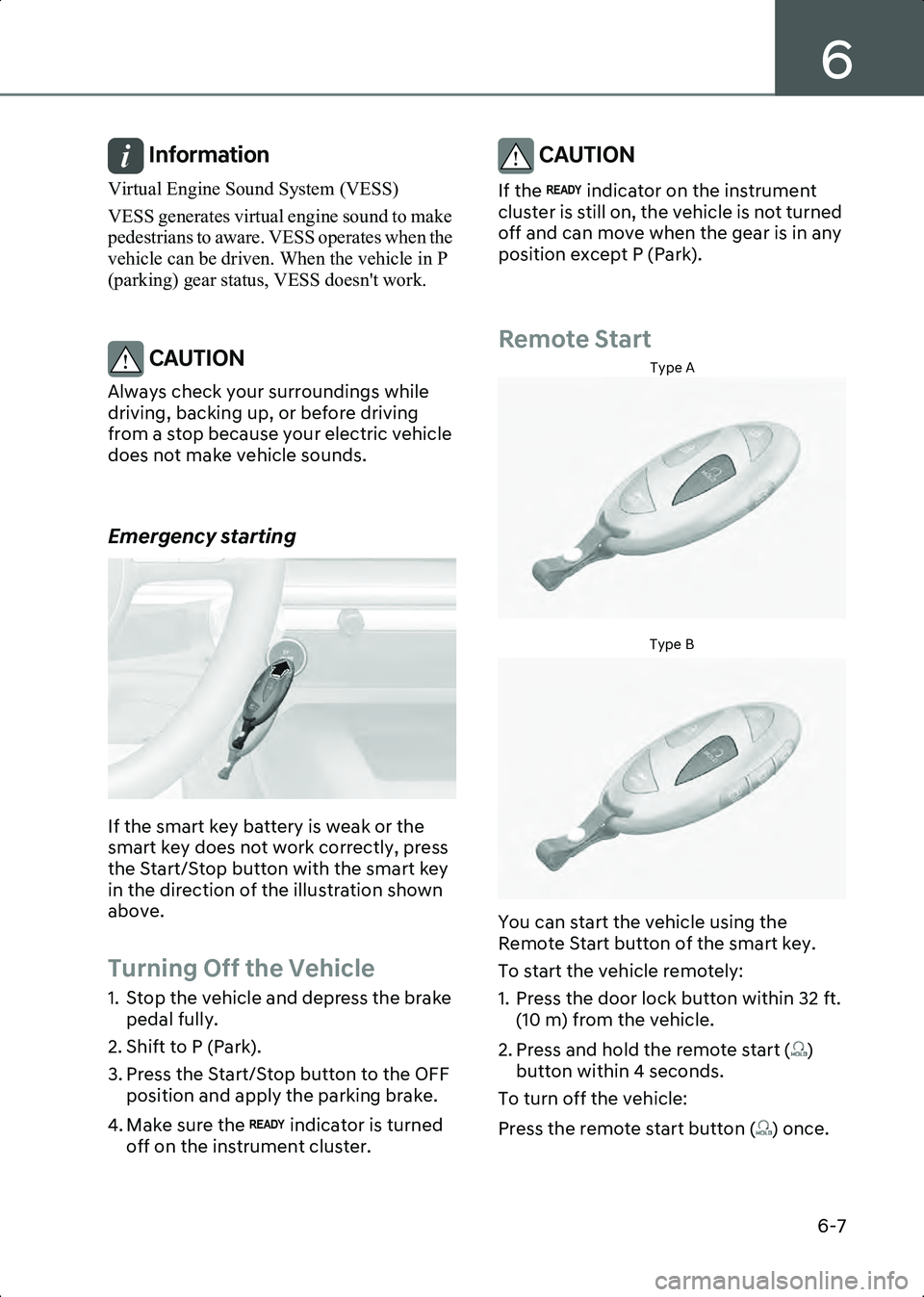
Emergency starting
B6000501
If the smart key battery is weak or the
smart key does not work correctly, press
the Start/Stop button with the smart key
in the direction of the illustration shown
above.
Turning Off the Vehicle
1. Stop the vehicle and depress the brake pedal fully.
2. Shift to P (Park).
3. Press the Start/Stop button to the OFF position and apply the parking brake.
4. Make sure the indicator is turned off on the instrument cluster.
CAUTION If the indicator on the instrument
cluster is still on, the vehicle is not turned
off and can move when the gear is in any
position except P (Park).
Remote Start
Type A
B6000701Type B
B6000702
You can start the vehicle using the
Remote Start button of the smart key.
To start the vehicle remotely:
1. Press the door lock button within 32 ft. (10 m) from the vehicle.
2. Press and hold the remote start ( ) button within 4 seconds.
To turn off the vehicle:
Press the remote start button ( ) once.
Hyundai_CE_en_US.book Page 7
Page 296 of 582
Driving Your Vehicle
6-8
Information • The vehicle does not remotely start if the hood or trunk is opened.
• The vehicle must be in P (Park) for the remote start function to start.
• The vehicle turns off if you get in the vehicle without a registered smart key or
you do not get in the vehicle within 10
minutes.
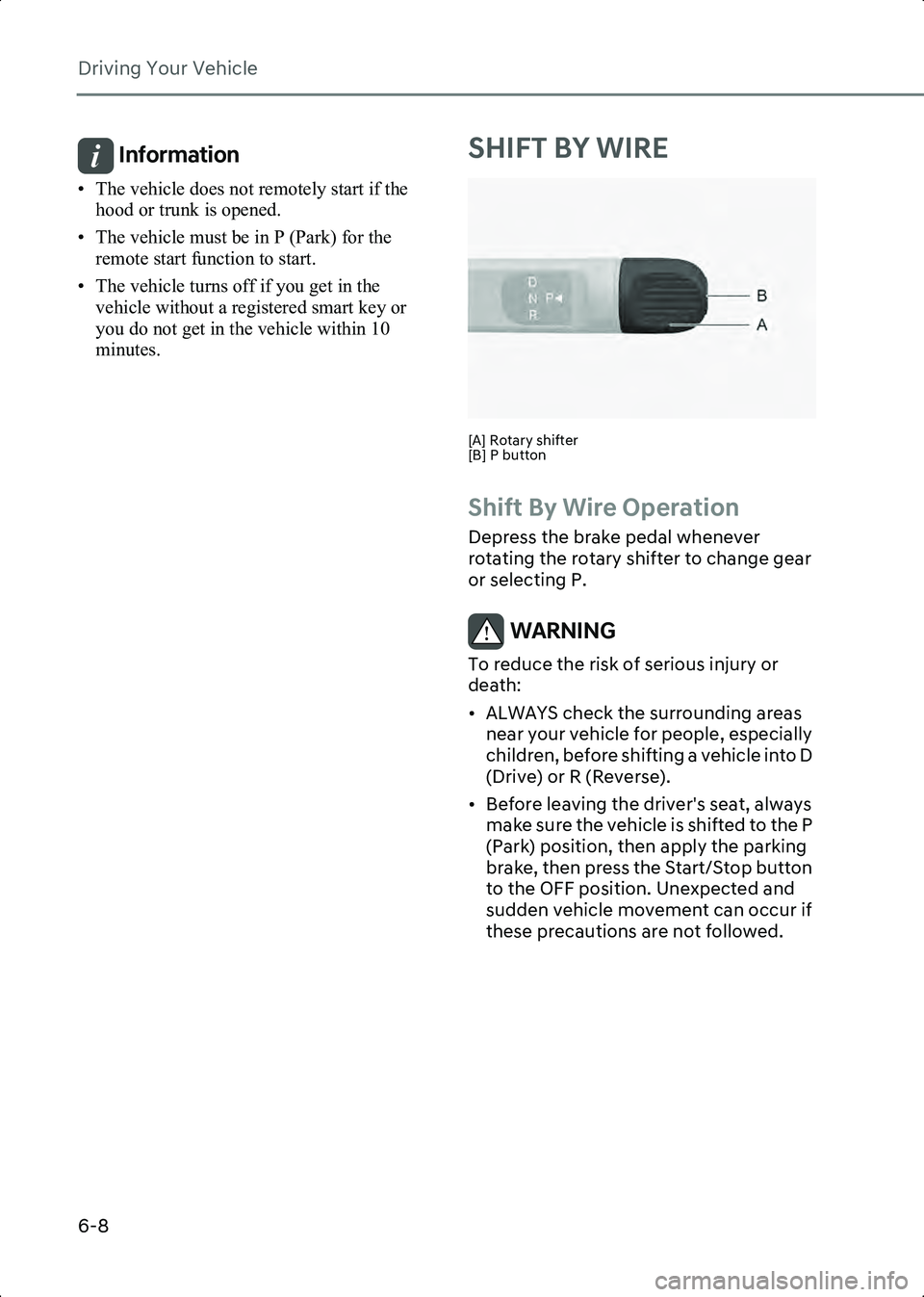
SHIFT BY WIRE
B6013601[A] Rotary shifter
[B] P button
Shift By Wire Operation
Depress the brake pedal whenever
rotating the rotary shifter to change gear
or selecting P.
WARNING To reduce the risk of serious injury or
death:
• ALWAYS check the surrounding areas near your vehicle for people, especially
children, before shifting a vehicle into D
(Drive) or R (Reverse).
• Before leaving the driver's seat, always make sure the vehicle is shifted to the P
(Park) position, then apply the parking
brake, then press the Start/Stop button
to the OFF position. Unexpected and
sudden vehicle movement can occur if
these precautions are not followed.
Hyundai_CE_en_US.book Page 8
Page 347 of 582
7
7. Driver Assistance System
Parking Collision-Avoidance Assist Malfunction and Limitations ......................... 7-123
Remote Smart Parking Assist 2 (RSPA 2) .................................................................... 7-127 Remote Smart Parking Assist Settings .................................................................... 7-129
Remote Smart Parking Assist Operation .................................................................7-130
Remote Smart Parking Assist Malfunction and Limitations .................................. 7-145
Declaration of Conformity ...........................................................................................7-150 Front Radar ................................................................................................................7-150
Front Corner Radar/Rear Corner Radar ...................................................................7-151
Hyundai_CE_en_US.book Page 3
Page 408 of 582
Driver Assistance System
7-64
• Remote Smart Parking Assist brake control is operating (if equipped)
Information When stopped behind another vehicle, the
driver can turn on Smart Cruise Control while
the brake pedal is depressed.
Operating conditions for Acceleration
Assist
Overtaking Acceleration Assist operates
when the turn signal indicator is turned on
to the left while Smart Cruise Control is
operating, and the following conditions
are satisfied:
• Your vehicle speed is above 40 mph (60 km/h)
• A vehicle is detected in front of your vehicle
Overtaking Acceleration Assist does not
operate in the following conditions.
• The hazard warning flasher is on
• Vehicle speed is reduced to maintain distance with the vehicle in front
WARNING • When the turn signal indicator is turned on to the left while there is a vehicle
ahead, the vehicle may accelerate
temporarily. Pay attention to the road
conditions at all times.
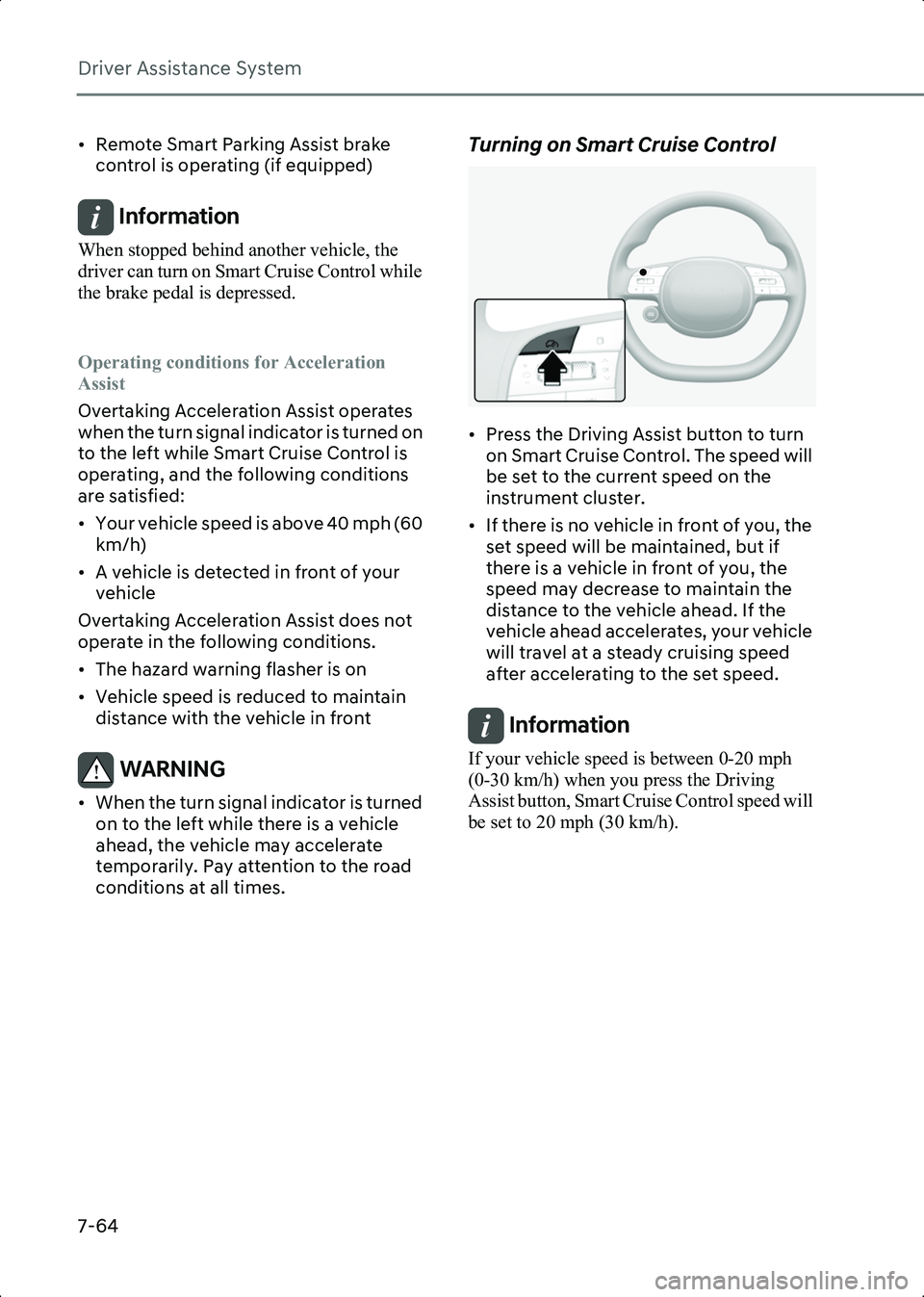
Turning on Smart Cruise Control
B7002301
• Press the Driving Assist button to turn on Smart Cruise Control. The speed will
be set to the current speed on the
instrument cluster.
• If there is no vehicle in front of you, the set speed will be maintained, but if
there is a vehicle in front of you, the
speed may decrease to maintain the
distance to the vehicle ahead. If the
vehicle ahead accelerates, your vehicle
will travel at a steady cruising speed
after accelerating to the set speed.
Information If your vehicle speed is between 0-20 mph
(0-30 km/h) when you press the Driving
Assist button, Smart Cruise Control speed will
be set to 20 mph (30 km/h).
Hyundai_CE_en_US.book Page 64
Page 452 of 582
Driver Assistance System
7-108
foreign material, such as snow or rain, or
installing a trailer or carrier, it can reduce
the detecting performance and
temporarily limit or disable Rear
Cross-Traffic Collision-Avoidance Assist.
If this occurs, the ‘Rear Cross-Traffic
Safety system disabled. Radar blocked’
warning message will appear on the
instrument cluster.
Rear Cross-Traffic Collision-Avoidance
Assist will operate properly when such
foreign material or trailer, etc., is
removed.
If Rear Cross-Traffic Collision-Avoidance
Assist does not operate properly after it is
removed, have the vehicle inspected by
an authorized HYUNDAI dealer.
WARNING • Even though the warning message does not appear on the instrument
cluster, Rear Cross-Traffic
Collision-Avoidance Assist may not
operate properly.
• Rear Cross-Traffic Collision-Avoidance Assist may not operate properly in an
area (for example, open terrain), where
any objects are not detected after
turning ON the vehicle.
CAUTION Turn off Rear Cross-Traffic
Collision-Avoidance Assist to install or
remove a trailer, carrier, or another
attachment. Turn on Rear Cross-Traffic
Collision-Avoidance Assist when finished.
Limitations of Rear Cross-Traffic
Collision-Avoidance Assist
Rear Cross-Traffic Collision-Avoidance
Assist may not operate properly, or it may
operate unexpectedly under the
following circumstances: • Departing from where trees or grass are
overgrown
• Departing from where roads are wet
• Speed of the approaching vehicle is fast or slow
Braking control may not work, driver’s
attention is required in the following
circumstances:
• The vehicle severely vibrates while driving over a bumpy road, uneven road
or concrete patch
• Driving on a slippery surface due to snow, water puddle, ice, etc.
• The tire pressure is low or a tire is damaged
• The braking system has been modified
• Remote Smart Parking Assist is operating (if equipped)
Information For more information on the limitations of the
rear corner radar, refer to the “Blind-Spot
Collision-Avoidance Assist (BCA)” section
in this chapter.
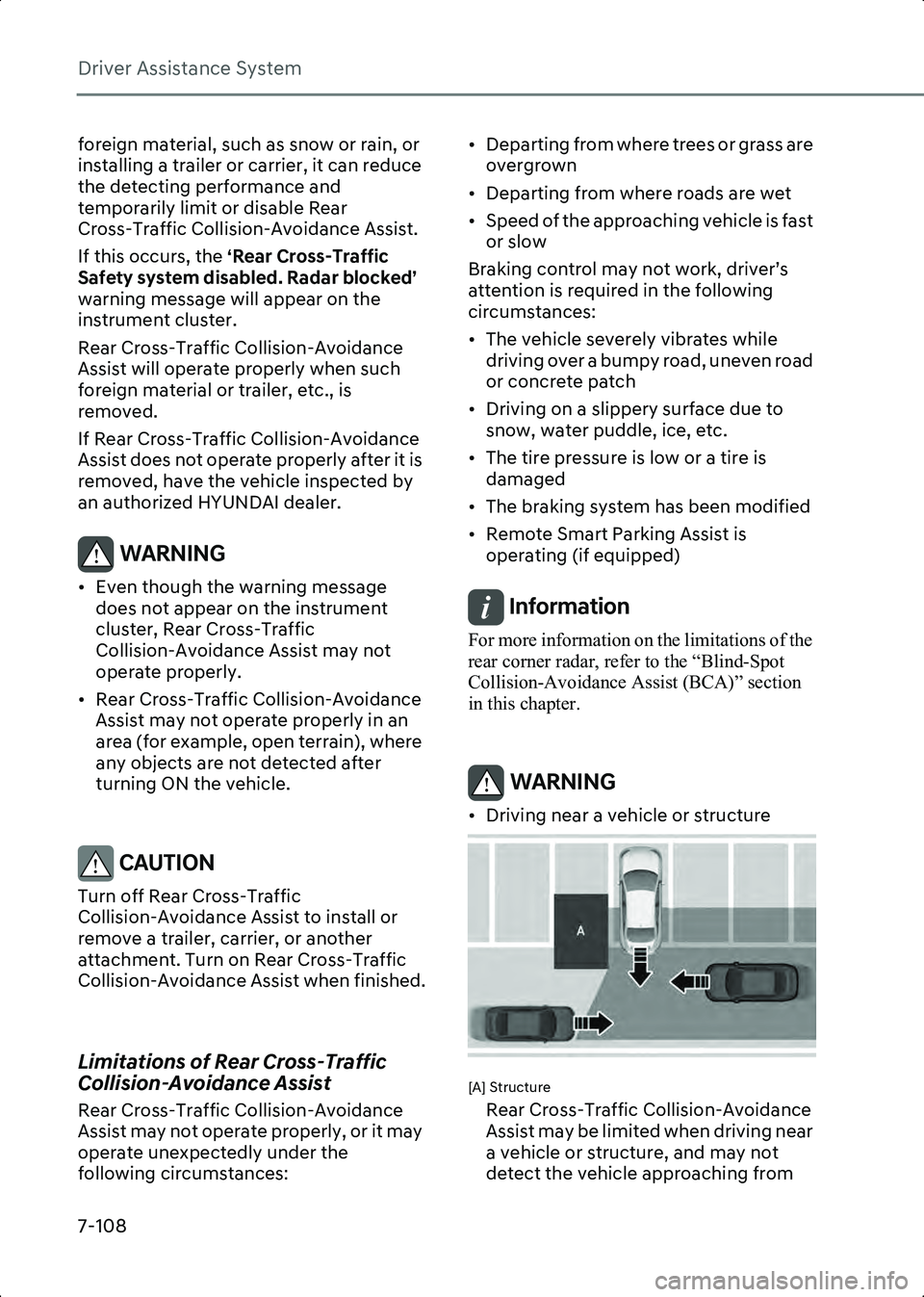
WARNING • Driving near a vehicle or structure
B7006904
[A] Structure
Rear Cross-Traffic Collision-Avoidance
Assist may be limited when driving near
a vehicle or structure, and may not
detect the vehicle approaching from
Hyundai_CE_en_US.book Page 108
Page 471 of 582
7
7-127
Remote Smart Parking
if equipped
Assist 2 (RSPA 2)
Remote Smart Parking Assist uses the
front, front side, rear side, and rear
ultrasonic sensors to detect parking
spaces and control vehicle steering,
speed, gear shifts, and help enter and exit
parking spaces remotely from outside
your vehicle.• Remote Smart Parking and Remote
Operation function may be operated
from outside the vehicle using the
smart key.
• Smart Parking and Smart Exit function may be operated from inside the
vehicle.
• Smart Parking and Remote Smart Parking function helps the driver with
perpendicular reverse parking,
diagonal reverse parking and parallel
reverse parking.
• Smart Exit function helps the driver with parallel forward exit.
• When Remote Smart Parking Assist operates, Parking Distance Warning
and Surround View Monitor will also
operate. For more information, refer to
the “Forward/Side/Reverse Parking
Distance Warning (PDW)” and
“Surround View Monitor (SVM)”
sections in this chapter.
• Remote Smart Parking Assist helps parking by recognizing the parking lines
with the wide angle camera.
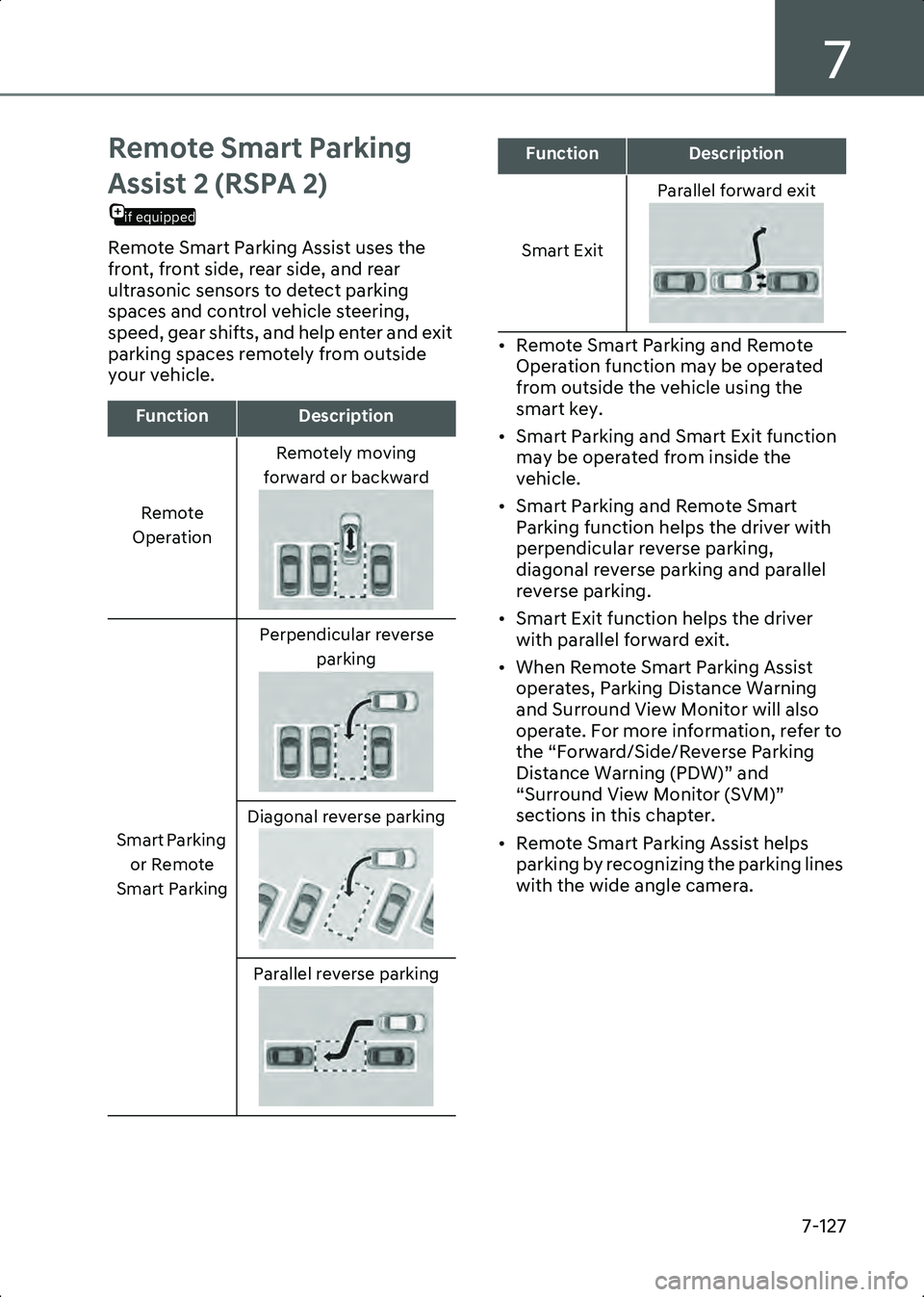
FunctionDescription
Remote
Operation Remotely moving
forward or backward
Smart Parking or Remote
Smart Parking Perpendicular reverse
parking
Diagonal reverse parking Parallel reverse parking
Smart Exit Parallel forward exit
FunctionDescription
Hyundai_CE_en_US.book Page 127
Page 472 of 582
Driver Assistance System
7-128
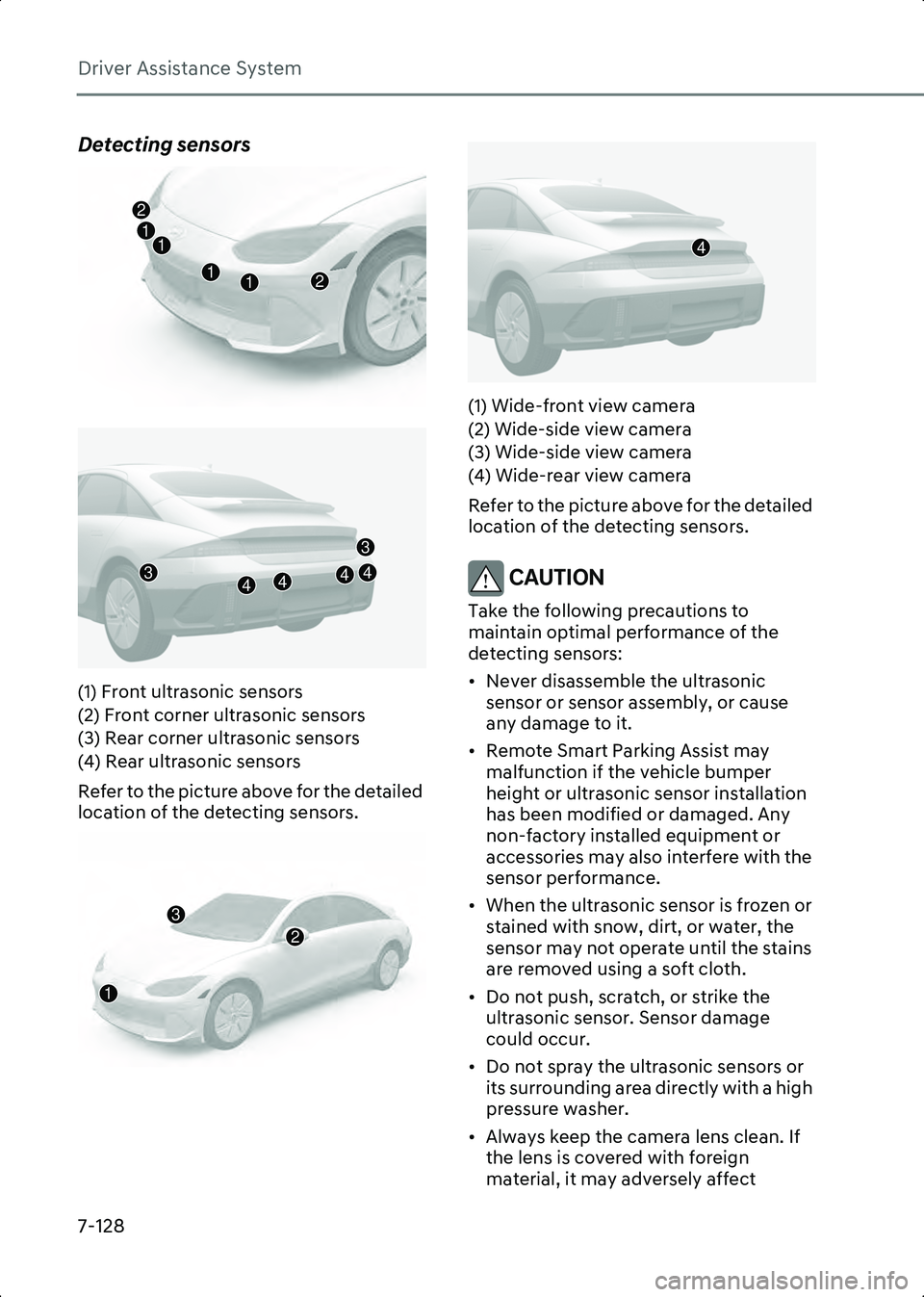
Detecting sensors
B7008606
B7008607
(1) Front ultrasonic sensors
(2) Front corner ultrasonic sensors
(3) Rear corner ultrasonic sensors
(4) Rear ultrasonic sensors
Refer to the picture above for the detailed
location of the detecting sensors.
B7008608B7008609
(1) Wide-front view camera
(2) Wide-side view camera
(3) Wide-side view camera
(4) Wide-rear view camera
Refer to the picture above for the detailed
location of the detecting sensors.
CAUTION Take the following precautions to
maintain optimal performance of the
detecting sensors:
• Never disassemble the ultrasonic
sensor or sensor assembly, or cause
any damage to it.
• Remote Smart Parking Assist may malfunction if the vehicle bumper
height or ultrasonic sensor installation
has been modified or damaged. Any
non-factory installed equipment or
accessories may also interfere with the
sensor performance.
• When the ultrasonic sensor is frozen or stained with snow, dirt, or water, the
sensor may not operate until the stains
are removed using a soft cloth.
• Do not push, scratch, or strike the ultrasonic sensor. Sensor damage
could occur.
• Do not spray the ultrasonic sensors or its surrounding area directly with a high
pressure washer.
• Always keep the camera lens clean. If the lens is covered with foreign
material, it may adversely affect
12
21
1
1
43444
3
2
3
1
4
Hyundai_CE_en_US.book Page 128
Page 473 of 582
7
7-129
camera performance and Remote
Smart Parking Assist may not operate
properly.
• Do not manually adjust the side view mirror or use Remote Smart Parking
Assist after a hard impact on the side
view mirror. When a collision occurs or
the side view mirror is manually
operated, Remote Smart Parking Assist
may not operate properly.
Remote Smart Parking Assist
Settings
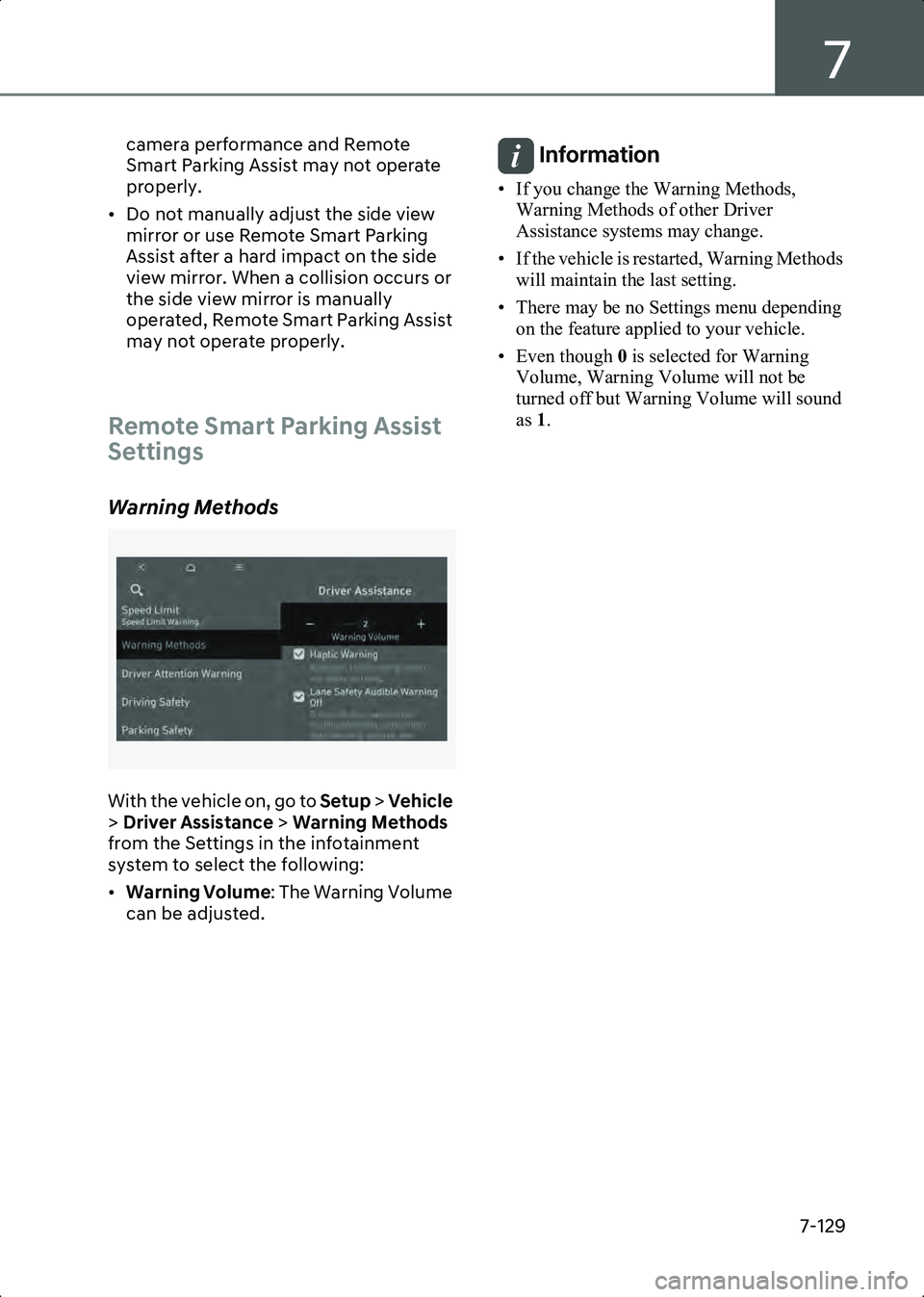
Warning Methods
B7002602
With the vehicle on, go to Setup > Vehicle
> Driver Assistance > Warning Methods
from the Settings in the infotainment
system to select the following:
• Warning Volume : The Warning Volume
can be adjusted.
Information • If you change the Warning Methods, Warning Methods of other Driver
Assistance systems may change.
• If the vehicle is restarted, Warning Methods will maintain the last setting.
• There may be no Settings menu depending on the feature applied to your vehicle.
• Even though 0 is selected for Warning
Volume, Warning Volume will not be
turned off but Warning Volume will sound
as 1.
Hyundai_CE_en_US.book Page 129
Page 474 of 582
Driver Assistance System
7-130
Remote Smart Parking Assist Operation
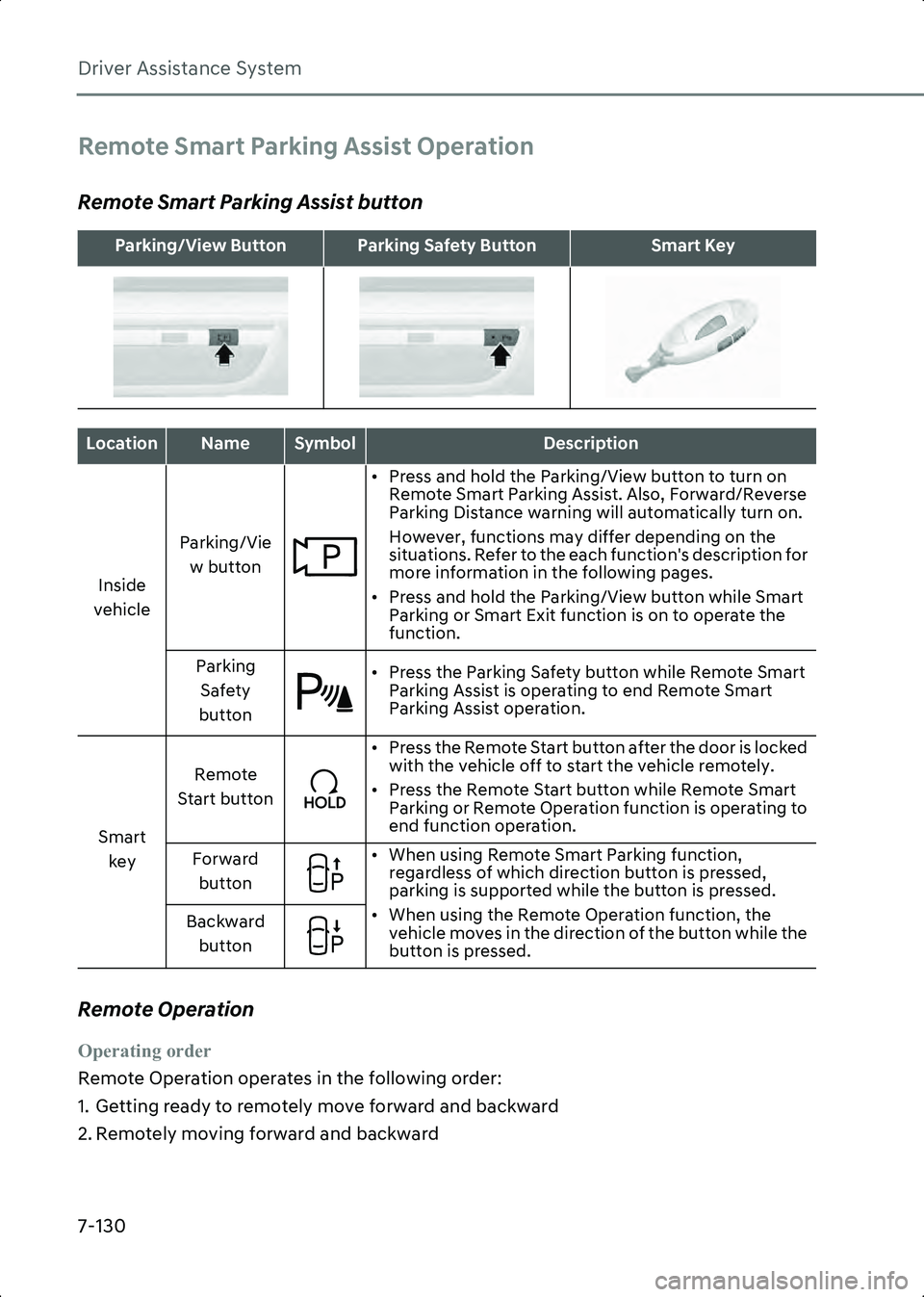
Remote Smart Parking Assist button
Remote Operation
Operating order
Remote Operation operates in the following order:
1. Getting ready to remotely move forward and backward
2. Remotely moving forward and backward
Parking/View ButtonParking Safety ButtonSmart Key
LocationNameSymbolDescription
Inside
vehicle Parking/Vie
w button • Press and hold the Parking/View button to turn on
Remote Smart Parking Assist. Also, Forward/Reverse
Parking Distance warning will automatically turn on.
However, functions may differ depending on the
situations. Refer to the each function's description for
more information in the following pages.
• Press and hold the Parking/View button while Smart Parking or Smart Exit function is on to operate the
function.
Parking Safety
button • Press the Parking Safety button while Remote Smart
Parking Assist is operating to end Remote Smart
Parking Assist operation.
Smart key Remote
Start button • Press the Remote Start button after the door is locked
with the vehicle off to start the vehicle remotely.
• Press the Remote Start button while Remote Smart Parking or Remote Operation function is operating to
end function operation.
Forward button • When using Remote Smart Parking function,
regardless of which direction button is pressed,
parking is supported while the button is pressed.
• When using the Remote Operation function, the vehicle moves in the direction of the button while the
button is pressed.
Backward
button
Hyundai_CE_en_US.book Page 130