charging HYUNDAI IONIQ 6 2023 Owner's Manual
[x] Cancel search | Manufacturer: HYUNDAI, Model Year: 2023, Model line: IONIQ 6, Model: HYUNDAI IONIQ 6 2023Pages: 582, PDF Size: 10.77 MB
Page 34 of 582
Introduction/Getting Started with Your Electric Vehicle
1-28
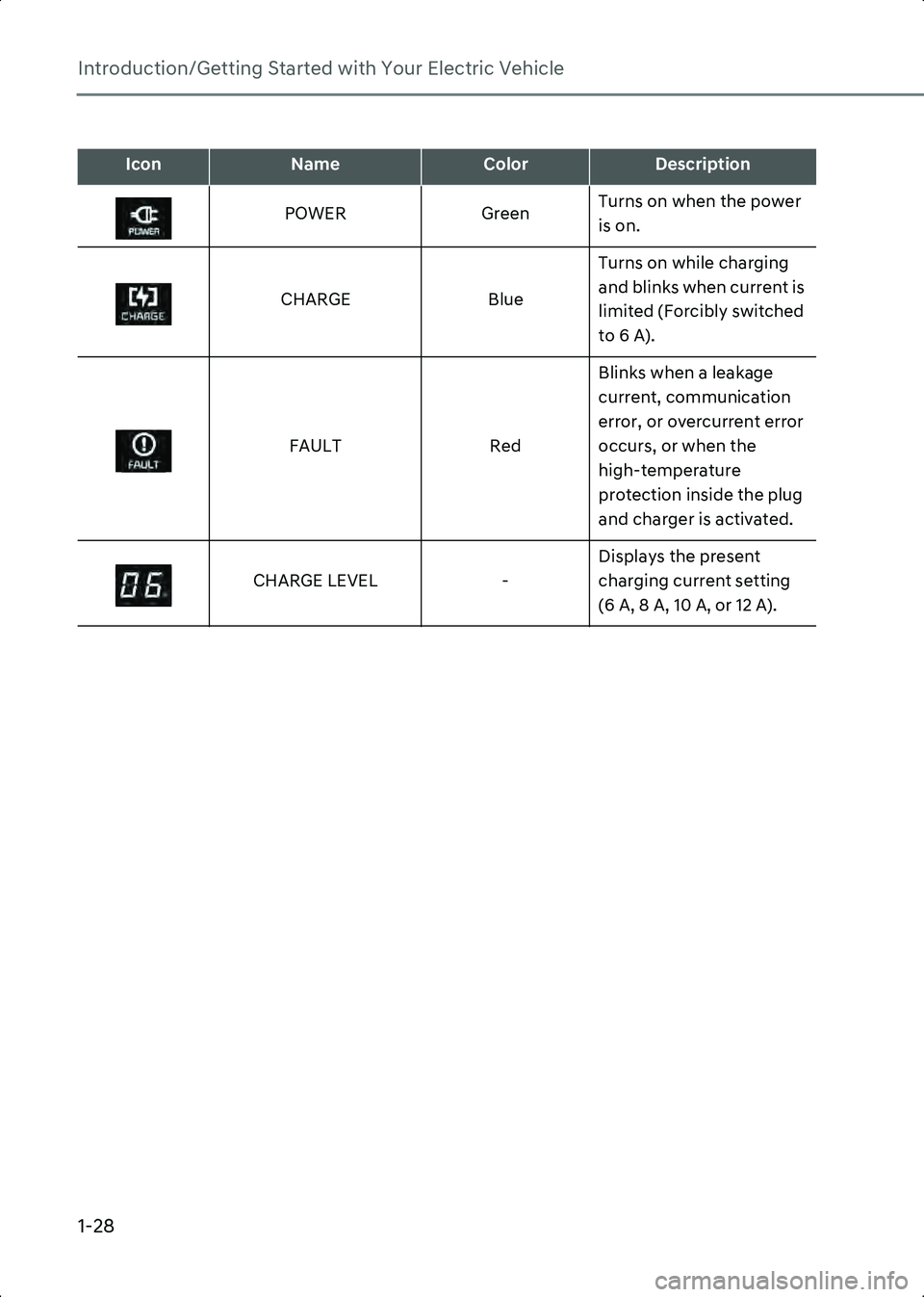
IconNameColorDescription
POWER GreenTurns on when the power
is on.
CHARGE BlueTurns on while charging
and blinks when current is
limited (Forcibly switched
to 6 A).
FAULT RedBlinks when a leakage
current, communication
error, or overcurrent error
occurs, or when the
high-temperature
protection inside the plug
and charger is activated.
CHARGE LEVEL -Displays the present
charging current setting
(6 A, 8 A, 10 A, or 12 A).
Hyundai_CE_en_US.book Page 28
Page 35 of 582
1
1-29
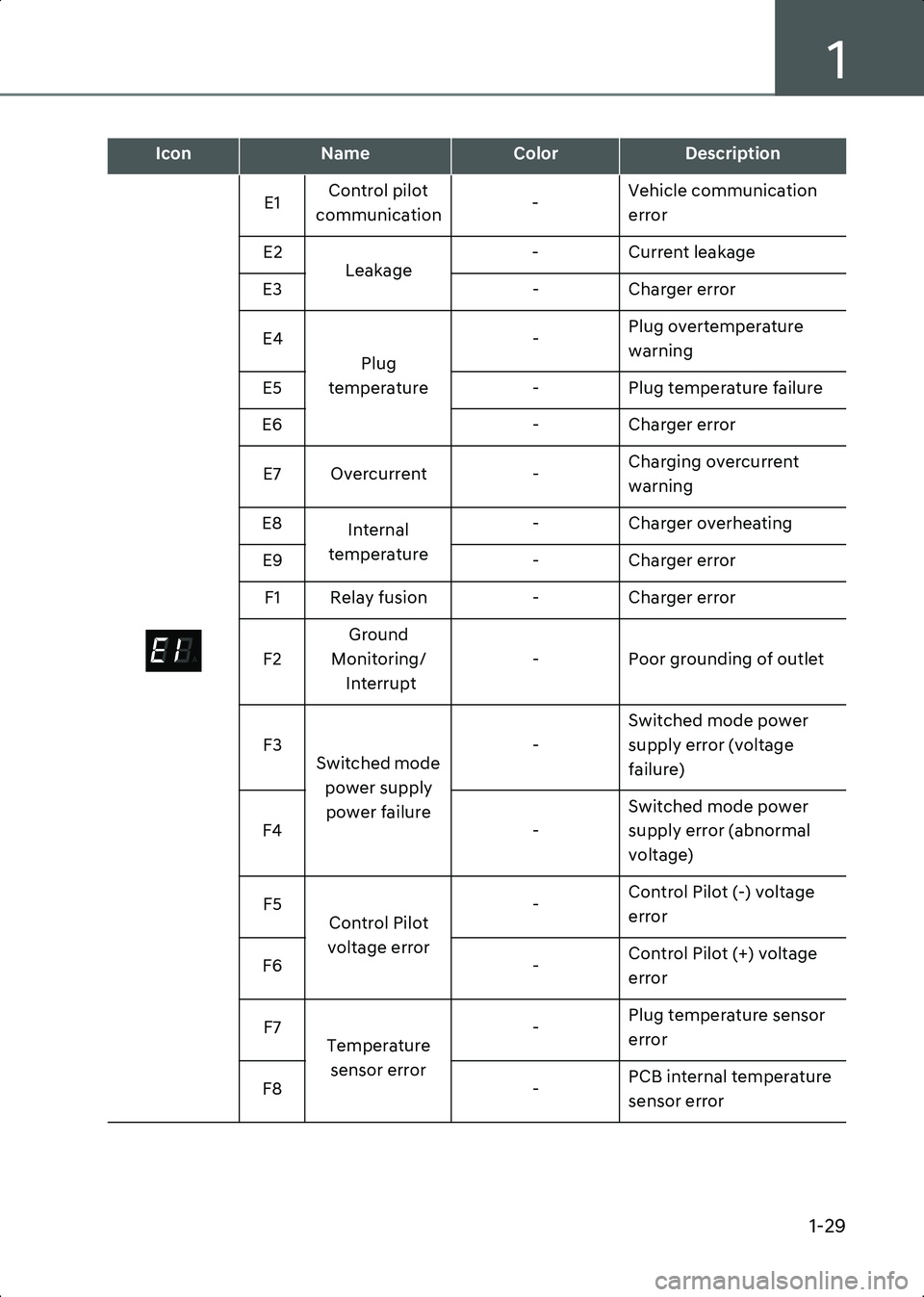
E1Control pilot
communication -Vehicle communication
error
E2 Leakage - Current leakage
E3 - Charger error
E4 Plug
temperature -
Plug overtemperature
warning
E5 - Plug temperature failure
E6 - Charger error
E7 Overcurrent -Charging overcurrent
warning
E8 Internal
temperature - Charger overheating
E9 - Charger error
F1 Relay fusion - Charger error
F2 Ground
Monitoring/ Interrupt - Poor grounding of outlet
F3 Switched mode
power supply power failure -
Switched mode power
supply error (voltage
failure)
F4 -Switched mode power
supply error (abnormal
voltage)
F5 Control Pilot
voltage error -
Control Pilot (-) voltage
error
F6 -Control Pilot (+) voltage
error
F7 Temperature
sensor error -
Plug temperature sensor
error
F8 -PCB internal temperature
sensor error
IconNameColorDescription
A
Hyundai_CE_en_US.book Page 29
Page 36 of 582
Introduction/Getting Started with Your Electric Vehicle
1-30
• If an error occurs, you can reset the portable charger by disconnecting and reconnecting the power plug, and then pressing the button on the control box for more
than two seconds.
• If the same symptom repeats after resetting the portable charger, have the vehicle inspected by an authorized HYUNDAI dealer.
• If there is no status change for more than one minute, the portable charger will be switched to power saving mode, and the display light will be turned off.
Charging with a portable charger
Follow the instructions below to charge the vehicle with a portable charger.
1. Connect the power plug of the portable charger to the electrical outlet at tour home.
• The power indicator light on the control box will turn green.
2. Set the charging current by pressing the button on the back of the control box for more than two seconds until the number on the charging current indicator blinks.
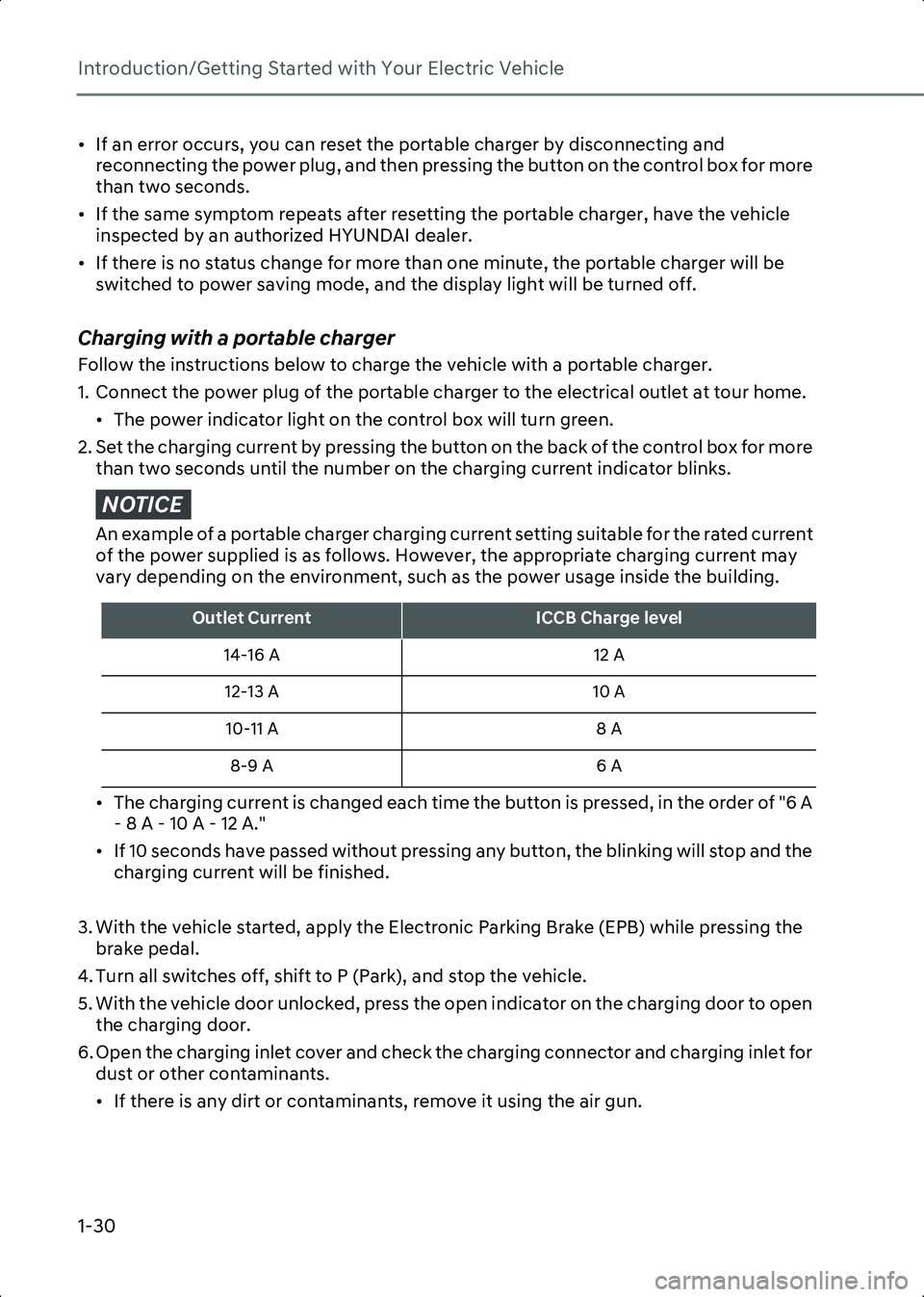
NOTICE An example of a portable charger charging current setting suitable for the rated current
of the power supplied is as follows. However, the appropriate charging current may
vary depending on the environment, such as the power usage inside the building.
• The charging current is changed each time the button is pressed, in the order of "6 A - 8 A - 10 A - 12 A."
• If 10 seconds have passed without pressing any button, the blinking will stop and the charging current will be finished.
3. With the vehicle started, apply the Electronic Parking Brake (EPB) while pressing the brake pedal.
4. Turn all switches off, shift to P (Park), and stop the vehicle.
5. With the vehicle door unlocked, press the open indicator on the charging door to open the charging door.
6. Open the charging inlet cover and check the charging connector and charging inlet for dust or other contaminants.
• If there is any dirt or contaminants, remove it using the air gun.
Outlet CurrentICCB Charge level
14-16 A 12 A
12-13 A 10 A
10-11 A 8 A
8-9 A 6 A
Hyundai_CE_en_US.book Page 30
Page 37 of 582
1
1-31
WARNING Do not touch interior of the charging connector of the charging cable or the charging
inlet of the vehicle.
7. Remove the charging connector protection cap of the portable charging cable, hold the charging connector handle, and connect it to the AC charging inlet of the vehicle.
Push it until you hear a click.
• When charging starts, the estimated charging time will be displayed on the instrument cluster for about one minute.
Information • If you open the driver’s door while charging, the estimated charging time will also be displayed on the instrument cluster for about one minute.
• When scheduled charging is set, a message saying “Waiting to charge at scheduled time” will be displayed.
• When scheduled air conditioner or heater operates while waiting for the scheduled charging, the estimated charging time will be displayed as ‘-’.
8. When charging is complete, hold the charging connector handle with the unlock button pressed and pull on the charging connector to disconnect it from the charging
inlet.
Information If you have set the charging connector locking mode as Alwaysor While Charging , unlock the
door by pressing the button on the smart key or the button on the driver’s door, and disconnect
the charging connector from the charging inlet.
• For more information, refer to the “Setting charging connector locking mode” section in this chapter.
9. Close the charging inlet cover.
10.Press the charging door to completely close it.
Using the scheduled charging function
The scheduled charging function allows you to charge your vehicle using low cost, late
night power until the next departure time.
Information You can use the scheduled charging function only when using an AC charger or the portable
charger (ICCB: In-Cable Control Box). For more information about connecting an AC charger and
portable charger, refer to the “Using an AC Charger”and “Using a Portable Charger (ICCB)”
section in this chapter.
Hyundai_CE_en_US.book Page 31
Page 38 of 582
Introduction/Getting Started with Your Electric Vehicle
1-32
On the infotainment system, select EV > Scheduled Charging and Climate > Scheduled
Charging , set the date and time of when to charge the battery, and select an option.
• For more information, refer to the “Setting Scheduled Charging and Climate” section in this chapter.
• When scheduled charging is set and the AC charger or the portable charger (ICCB) is connected for charging, the indicator light gradually illuminates for three minutes to
indicate that scheduled charging is set.
• When scheduled charging is set, charging is not started immediately when the AC charger or portable charger (ICCB) is connected. To charge the vehicle immediately,
select EV > Scheduled Charging and Climate > Scheduled Charging on the screen and
deactivate the scheduled charge setting.
Information • You can set up or cancel scheduled charging using the HYUNDAI BlueLink app on your smartphone. For more information, refer to the user's manual provided in the infotainment
system and the quick reference guide.
• Charging may start immediately after a charger is connected to the vehicle, depending on the charging time calculated when setting up the scheduled charging.
Hyundai_CE_en_US.book Page 32
Page 39 of 582
1
1-33
Using EV Mode Functions
EV mode provides driving information and high voltage battery information. You can set
various electric vehicle functions in EV mode.
Checking the EV Mode Screen Configuration
Follow the instruction below to enter EV mode and check the screen configuration.
1. On the infotainment system, swipe the Home screen to the left to display the All menus screen.
2. On the All menus screen, select EV.
• The EV mode screen appears.
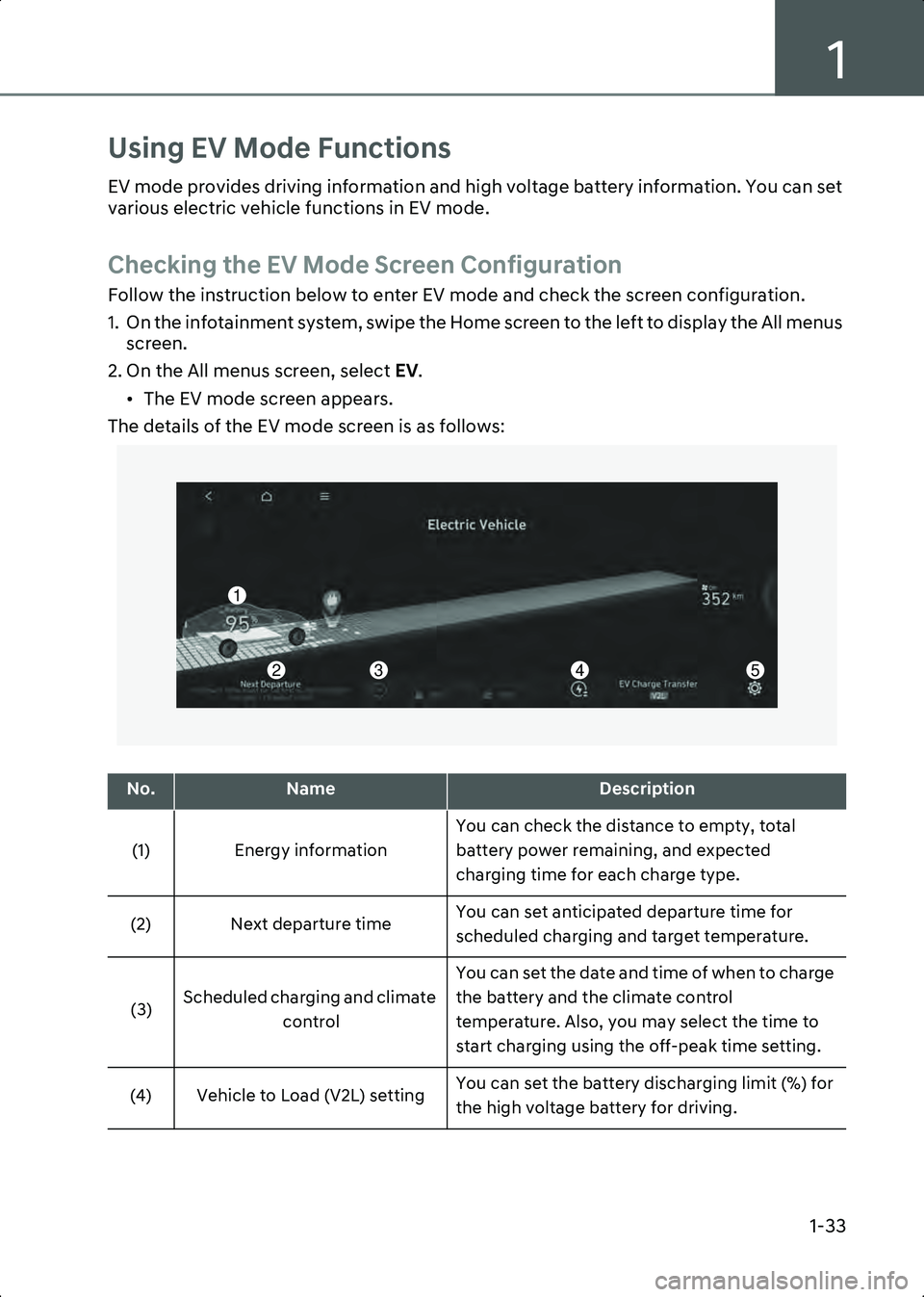
The details of the EV mode screen is as follows:
A0001601
No.NameDescription
(1) Energy information You can check the distance to empty, total
battery power remaining, and expected
charging time for each charge type.
(2) Next departure time You can set anticipated departure time for
scheduled charging and target temperature.
(3) Scheduled charging and climate
control You can set the date and time of when to charge
the battery and the climate control
temperature. Also, you may select the time to
start charging using the off-peak time setting.
(4) Vehicle to Load (V2L) setting You can set the battery discharging limit (%) for
the high voltage battery for driving.
1
2345
Hyundai_CE_en_US.book Page 33
Page 40 of 582
Introduction/Getting Started with Your Electric Vehicle
1-34
Checking Energy Information
Check the distance to empty, State of Charge (SOC), and expected charging time and
charge the vehicle if necessary.
• For more information about charging the vehicle, refer to the “Charging Your Electric Vehicle” section in this chapter.
1. On the infotainment system, swipe the Home screen to the left to display the All menus screen.
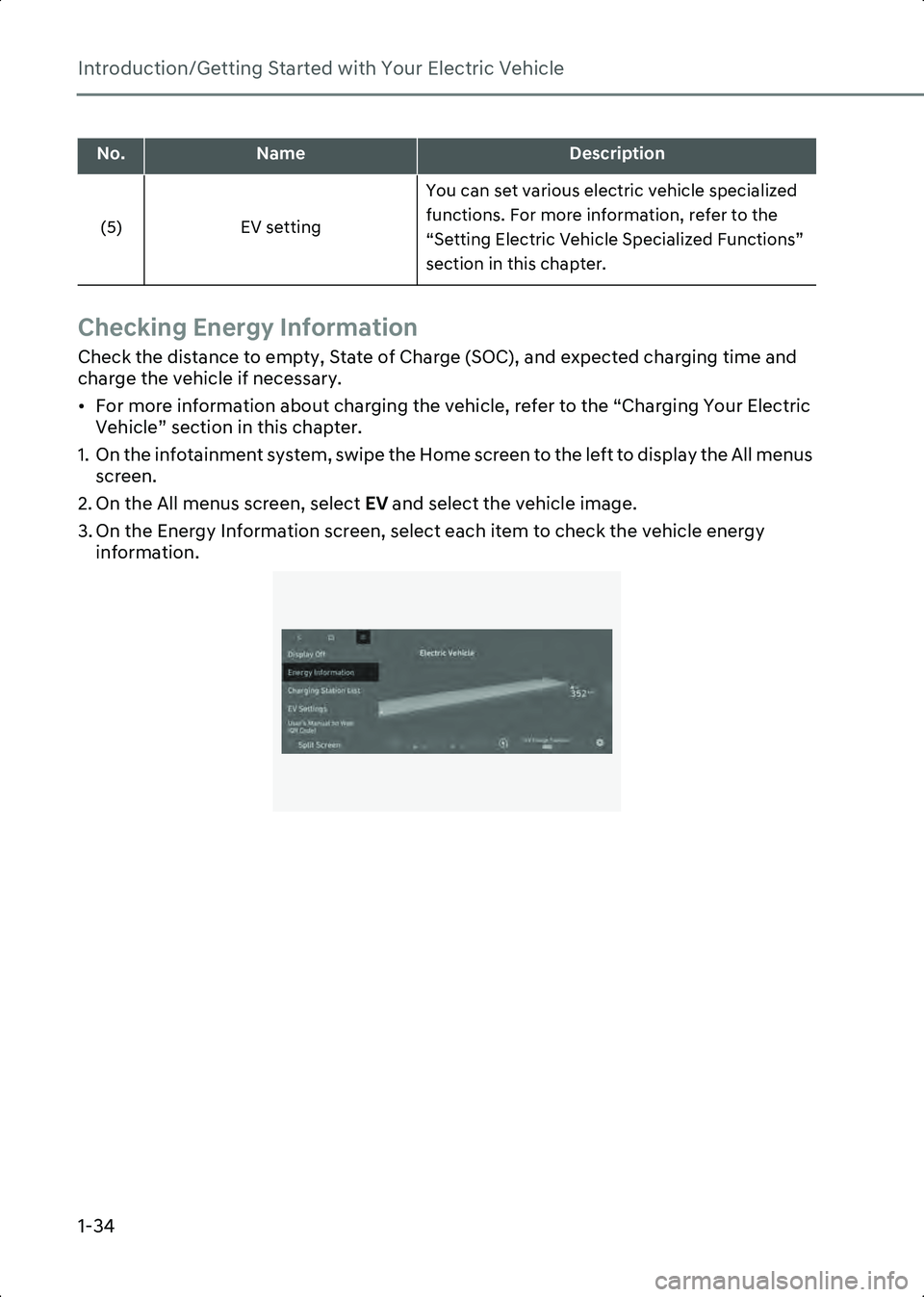
2. On the All menus screen, select EV and select the vehicle image.
3. On the Energy Information screen, select each item to check the vehicle energy information.
B0001701
(5) EV setting You can set various electric vehicle specialized
functions. For more information, refer to the
“Setting Electric Vehicle Specialized Functions”
section in this chapter.
No.NameDescription
Hyundai_CE_en_US.book Page 34
Page 41 of 582
1
1-35
Checking the battery status
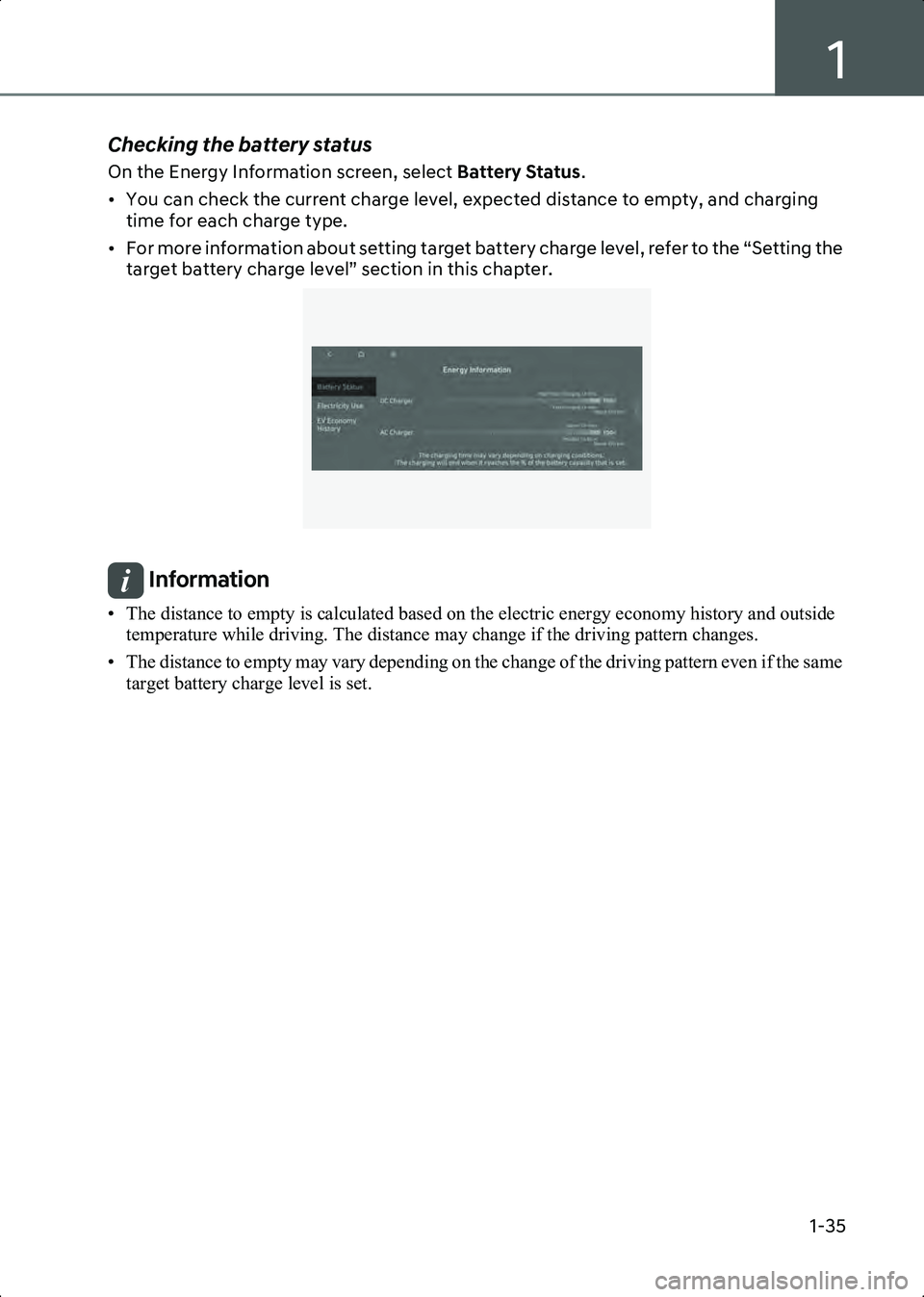
On the Energy Information screen, select Battery Status.
• You can check the current charge level, expected distance to empty, and charging time for each charge type.
• For more information about setting target battery charge level, refer to the “Setting the target battery charge level” section in this chapter.
B0001702
Information • The distance to empty is calculated based on the electric energy economy history and outside temperature while driving. The distance may change if the driving pattern changes.
• The distance to empty may vary depending on the change of the driving pattern even if the same target battery charge level is set.
Hyundai_CE_en_US.book Page 35
Page 43 of 582
1
1-37
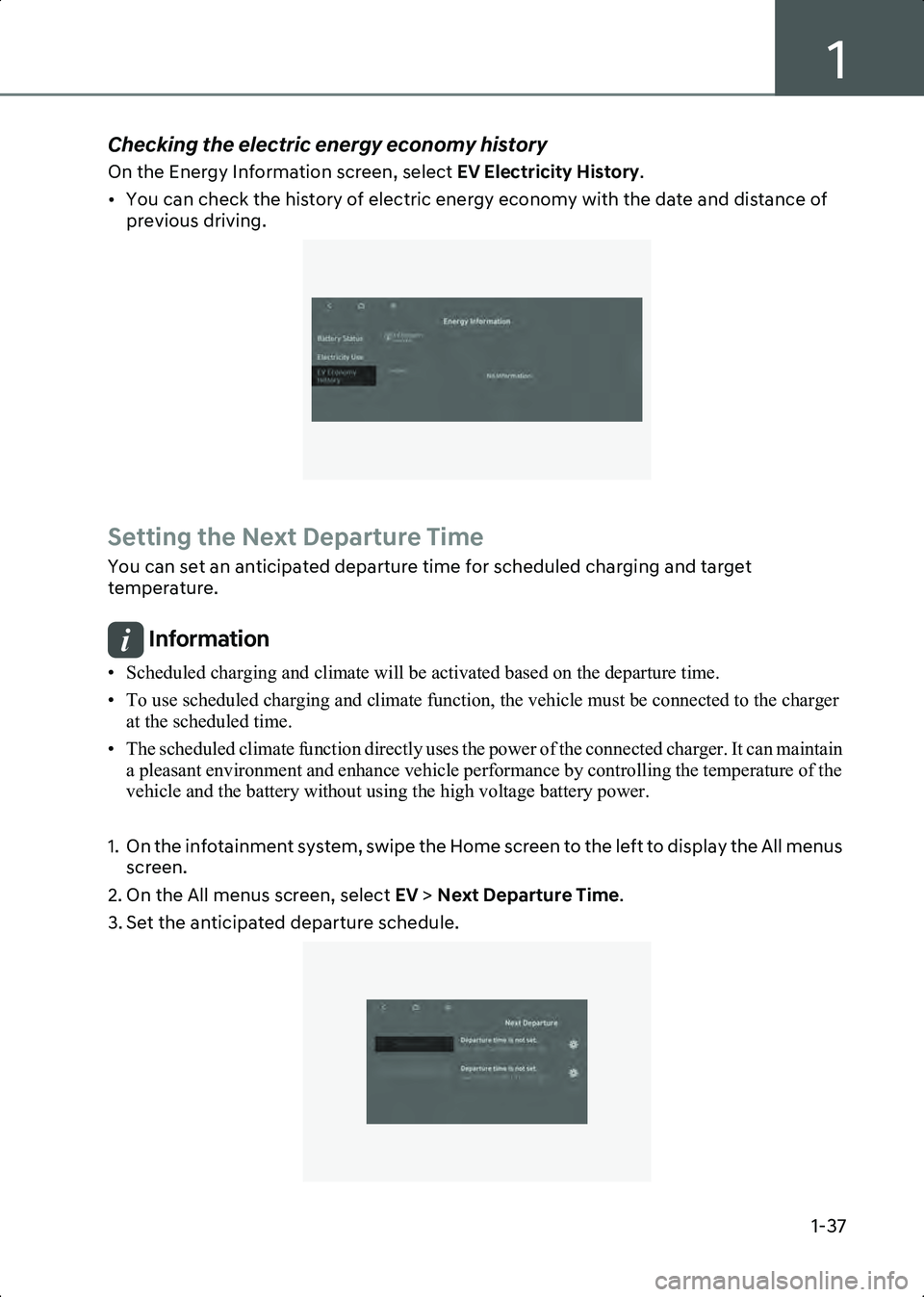
Checking the electric energy economy history
On the Energy Information screen, select EV Electricity History.
• You can check the history of electric energy economy with the date and distance of previous driving.
B0001704
Setting the Next Departure Time
You can set an anticipated departure time for scheduled charging and target
temperature.
Information • Scheduled charging and climate will be activated based on the departure time.
• To use scheduled charging and climate function, the vehicle must be connected to the charger at the scheduled time.
• The scheduled climate function directly uses the power of the connected charger. It can maintain a pleasant environment and enhance vehicle performance by controlling the temperature of the
vehicle and the battery without using the high voltage battery power.
1. On the infotainment system, swipe the Home screen to the left to display the All menus screen.
2. On the All menus screen, select EV > Next Departure Time .
3. Set the anticipated departure schedule.
B0001801
Hyundai_CE_en_US.book Page 37
Page 44 of 582
Introduction/Getting Started with Your Electric Vehicle
1-38
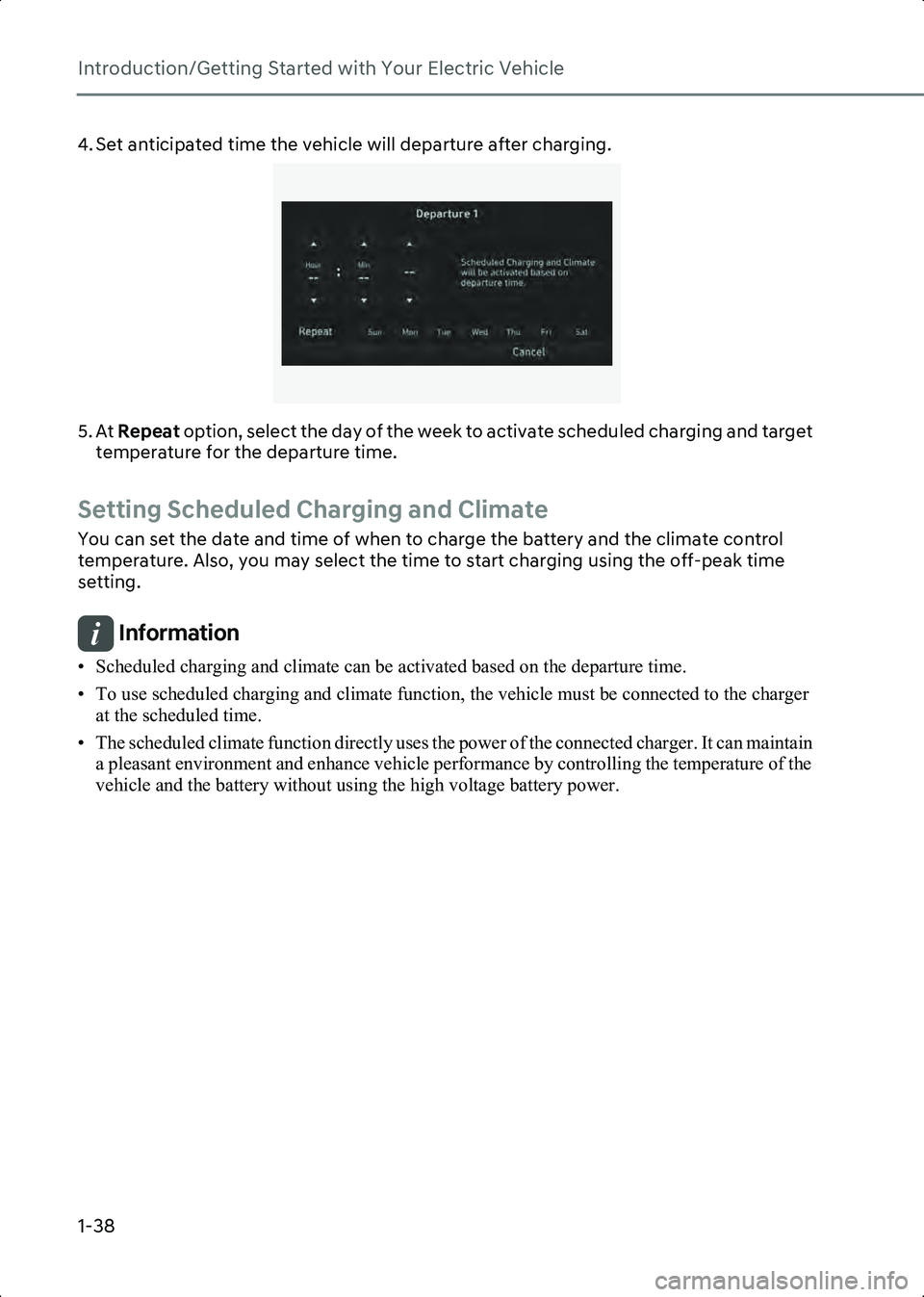
4. Set anticipated time the vehicle will departure after charging.
B0001802
5. At Repeat option, select the day of the week to activate scheduled charging and target
temperature for the departure time.
Setting Scheduled Charging and Climate
You can set the date and time of when to charge the battery and the climate control
temperature. Also, you may select the time to start charging using the off-peak time
setting.
Information • Scheduled charging and climate can be activated based on the departure time.
• To use scheduled charging and climate function, the vehicle must be connected to the charger at the scheduled time.
• The scheduled climate function directly uses the power of the connected charger. It can maintain a pleasant environment and enhance vehicle performance by controlling the temperature of the
vehicle and the battery without using the high voltage battery power.
Hyundai_CE_en_US.book Page 38