display Hyundai Ioniq Electric 2018 Owner's Guide
[x] Cancel search | Manufacturer: HYUNDAI, Model Year: 2018, Model line: Ioniq Electric, Model: Hyundai Ioniq Electric 2018Pages: 541, PDF Size: 19.83 MB
Page 162 of 541
3-77
Convenient features of your vehicle
3
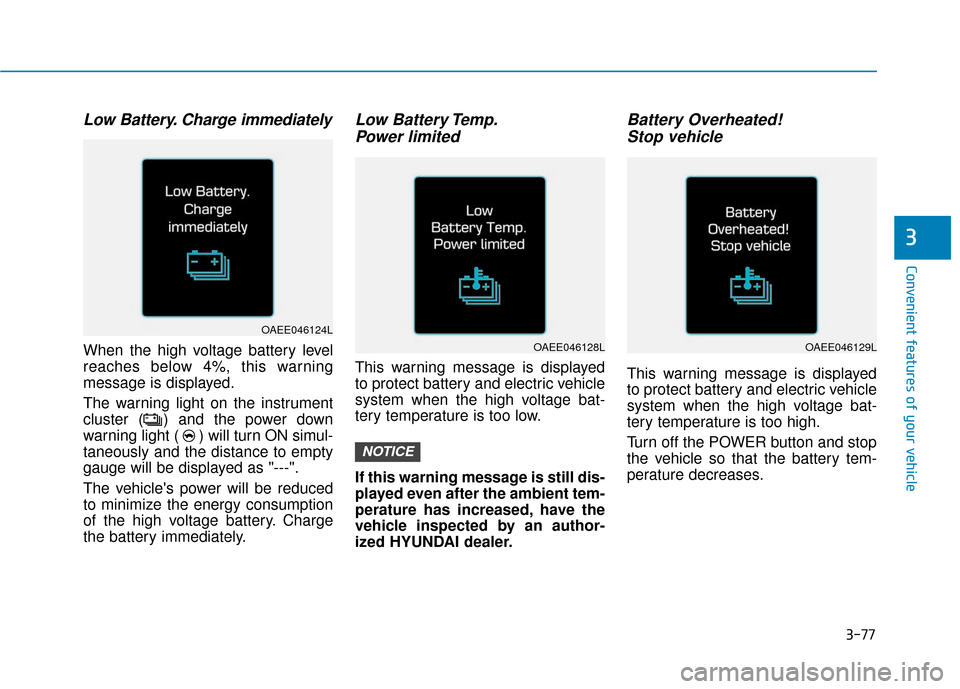
Low Battery. Charge immediately
When the high voltage battery level
reaches below 4%, this warning
message is displayed.
The warning light on the instrument
cluster ( ) and the power down
warning light ( ) will turn ON simul-
taneously and the distance to empty
gauge will be displayed as "---".
The vehicle's power will be reduced
to minimize the energy consumption
of the high voltage battery. Charge
the battery immediately.
Low Battery Temp.Power limited
This warning message is displayed
to protect battery and electric vehicle
system when the high voltage bat-
tery temperature is too low.
If this warning message is still dis-
played even after the ambient tem-
perature has increased, have the
vehicle inspected by an author-
ized HYUNDAI dealer.
Battery Overheated! Stop vehicle
This warning message is displayed
to protect battery and electric vehicle
system when the high voltage bat-
tery temperature is too high.
Turn off the POWER button and stop
the vehicle so that the battery tem-
perature decreases.
NOTICE
OAEE046124L
OAEE046128LOAEE046129L
Page 163 of 541
3-78
Convenient features of your vehicle
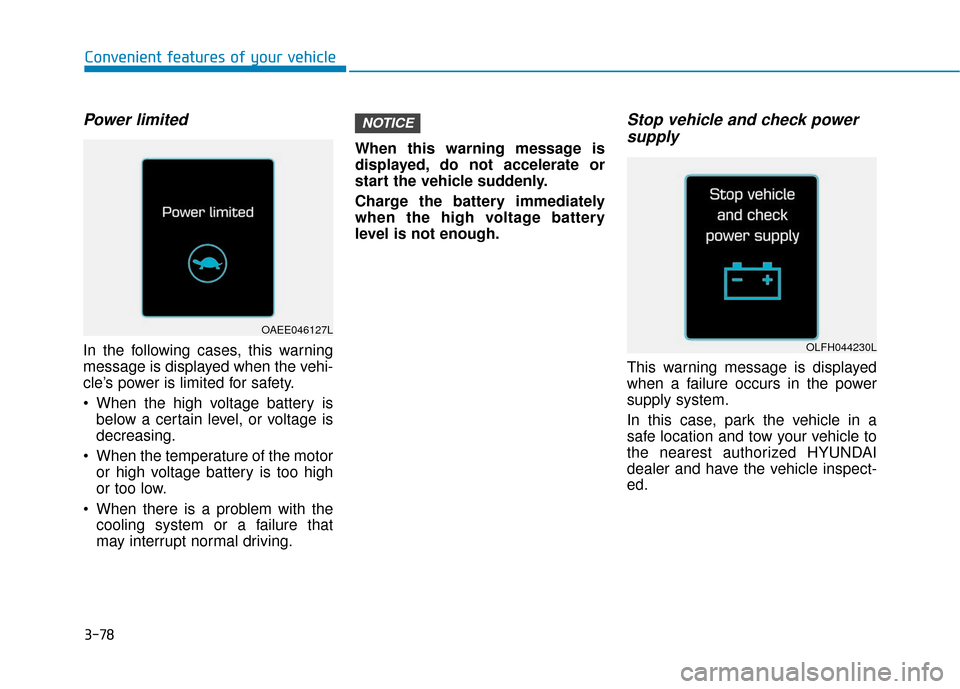
Power limited
In the following cases, this warning
message is displayed when the vehi-
cle’s power is limited for safety.
When the high voltage battery isbelow a certain level, or voltage is
decreasing.
When the temperature of the motor or high voltage battery is too high
or too low.
When there is a problem with the cooling system or a failure that
may interrupt normal driving. When this warning message is
displayed, do not accelerate or
start the vehicle suddenly.
Charge the battery immediately
when the high voltage battery
level is not enough.
Stop vehicle and check power
supply
This warning message is displayed
when a failure occurs in the power
supply system.
In this case, park the vehicle in a
safe location and tow your vehicle to
the nearest authorized HYUNDAI
dealer and have the vehicle inspect-
ed.
NOTICE
OAEE046127L
OLFH044230L
Page 164 of 541
3-79
Convenient features of your vehicle
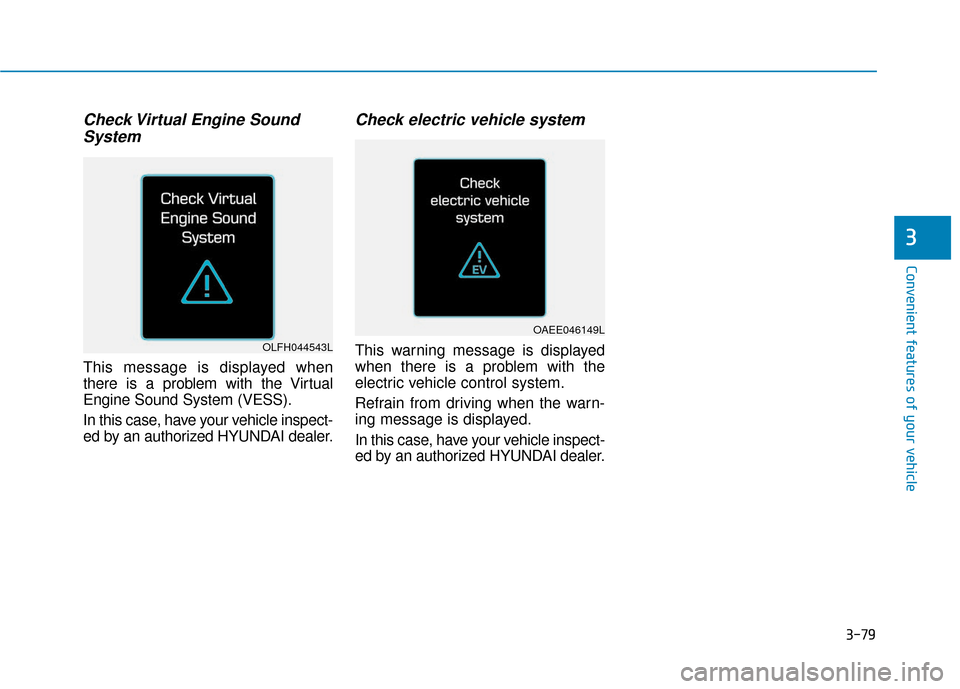
Check Virtual Engine SoundSystem
This message is displayed when
there is a problem with the Virtual
Engine Sound System (VESS).
In this case, have your vehicle inspect-
ed by an authorized HYUNDAI dealer.
Check electric vehicle system
This warning message is displayed
when there is a problem with the
electric vehicle control system.
Refrain from driving when the warn-
ing message is displayed.
In this case, have your vehicle inspect-
ed by an authorized HYUNDAI dealer.
3
OAEE046149L
OLFH044543L
Page 165 of 541
3-80
Convenient features of your vehicle
LCD Display Control
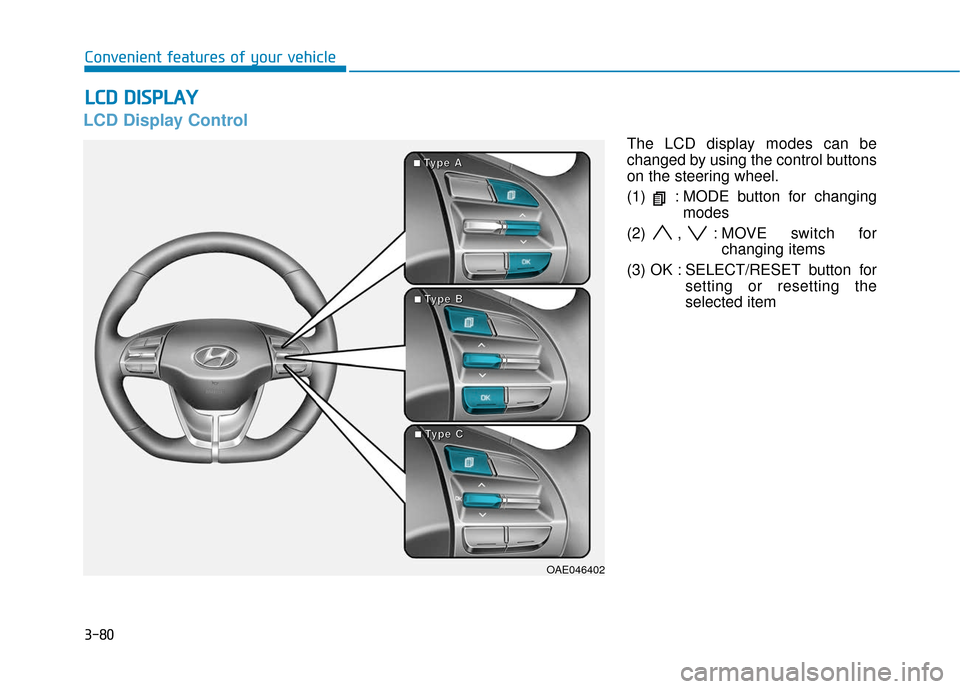
The LCD display modes can be
changed by using the control buttons
on the steering wheel.
(1) : MODE button for changingmodes
(2) , : MOVE switch for changing items
(3) OK : SELECT/RESET button for setting or resetting the
selected item
L
LC
C D
D
D
D I
IS
S P
P L
LA
A Y
Y
OAE046402
■
■
■
■T
T
T
T
y
y
y
y
p
p
p
p
e
e
e
e
A
A
A
A
■
■
■
■T
T
T
T
y
y
y
y
p
p
p
p
e
e
e
e
B
B
B
B
■
■
■
■T
T
T
T
y
y
y
y
p
p
p
p
e
e
e
e
C
C
C
C
Page 166 of 541
3-81
Convenient features of your vehicle
3
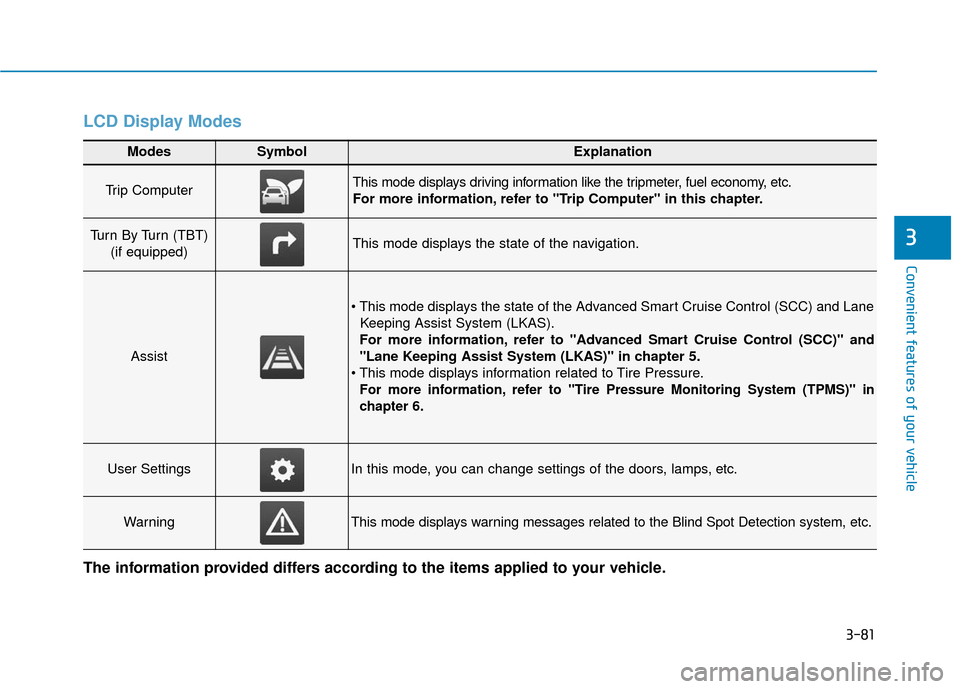
LCD Display Modes
Modes SymbolExplanation
Trip Computer This mode displays driving information like the tripmeter, fuel economy, etc.
For more information, refer to "Trip Computer" in this chapter.
Turn By Turn (TBT) (if equipped)This mode displays the state of the navigation.
Assist
Keeping Assist System (LKAS).
For more information, refer to "Advanced Smart Cruise Control (SCC)" and
"Lane Keeping Assist System (LKAS)" in chapter 5.
For more information, refer to "Tire Pressure Monitoring System (TPMS)"in
chapter 6.
User SettingsIn this mode, you can change settings of the doors, lamps, etc.
WarningThis mode displays warning messages related to the Blind Spot Detection system, etc.
The information provided differs according to the items applied to your vehicle.
Page 167 of 541
3-82
Convenient features of your vehicle
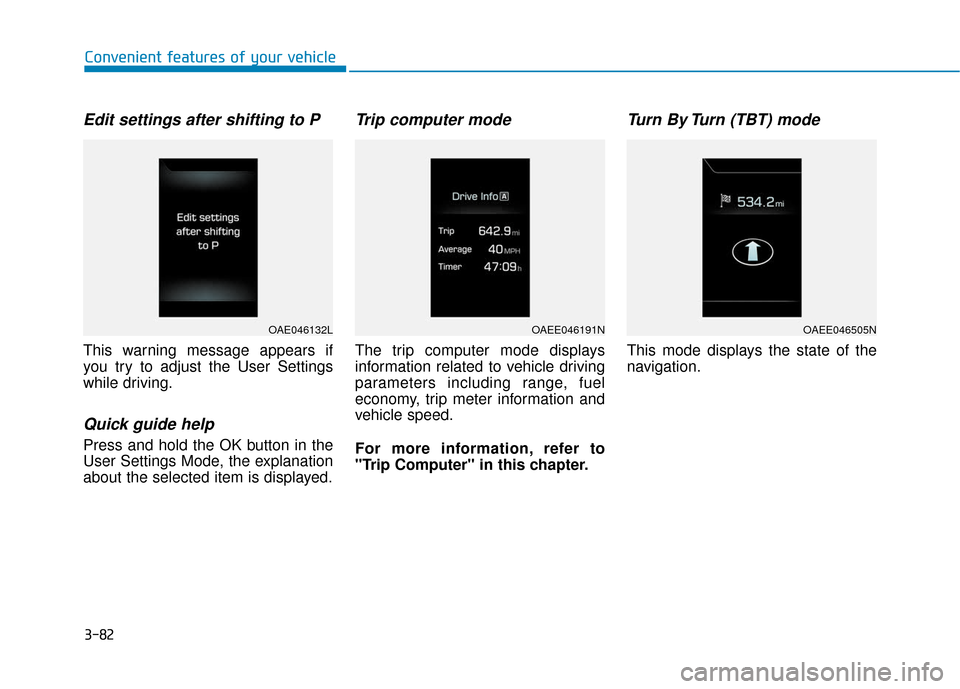
Edit settings after shifting to P
This warning message appears if
you try to adjust the User Settings
while driving.
Quick guide help
Press and hold the OK button in the
User Settings Mode, the explanation
about the selected item is displayed.
Trip computer mode
The trip computer mode displays
information related to vehicle driving
parameters including range, fuel
economy, trip meter information and
vehicle speed.
For more information, refer to
"Trip Computer" in this chapter.
Turn By Turn (TBT) mode
This mode displays the state of the
navigation.
OAE046132LOAEE046191NOAEE046505N
Page 168 of 541
3-83
Convenient features of your vehicle
3
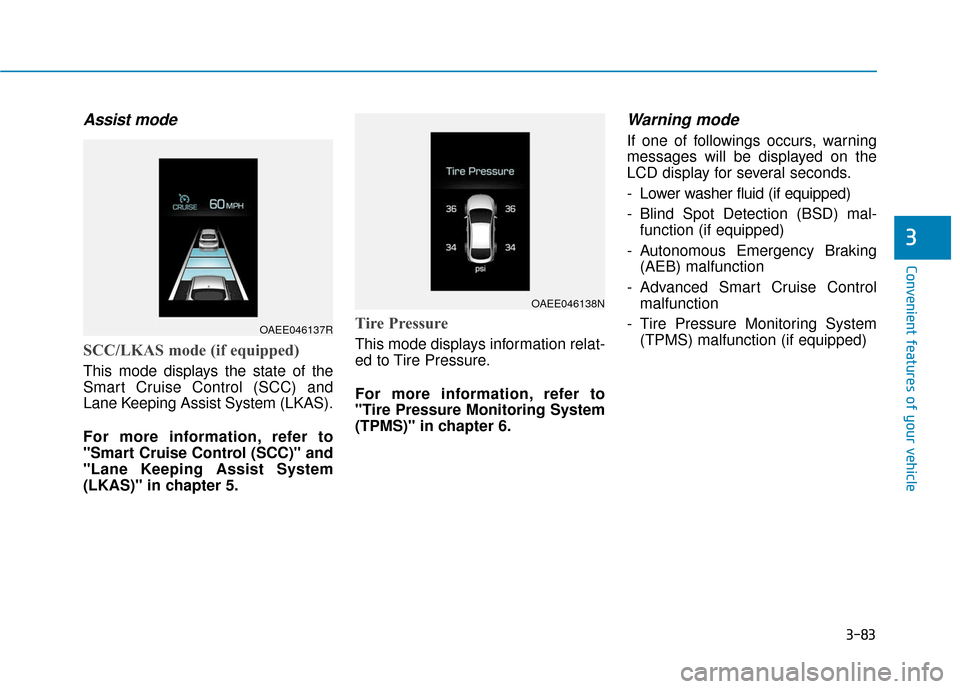
Assist mode
SCC/LKAS mode (if equipped)
This mode displays the state of the
Smart Cruise Control (SCC) and
Lane Keeping Assist System (LKAS).
For more information, refer to
"Smart Cruise Control (SCC)" and
"Lane Keeping Assist System
(LKAS)" in chapter 5.
Tire Pressure
This mode displays information relat-
ed to Tire Pressure.
For more information, refer to
"Tire Pressure Monitoring System
(TPMS)" in chapter 6.
Warning mode
If one of followings occurs, warning
messages will be displayed on the
LCD display for several seconds.
- Lower washer fluid (if equipped)
- Blind Spot Detection (BSD) mal-function (if equipped)
- Autonomous Emergency Braking (AEB) malfunction
- Advanced Smart Cruise Control malfunction
- Tire Pressure Monitoring System (TPMS) malfunction (if equipped)
OAEE046137R
OAEE046138N
Page 172 of 541
3-87
Convenient features of your vehicle
3
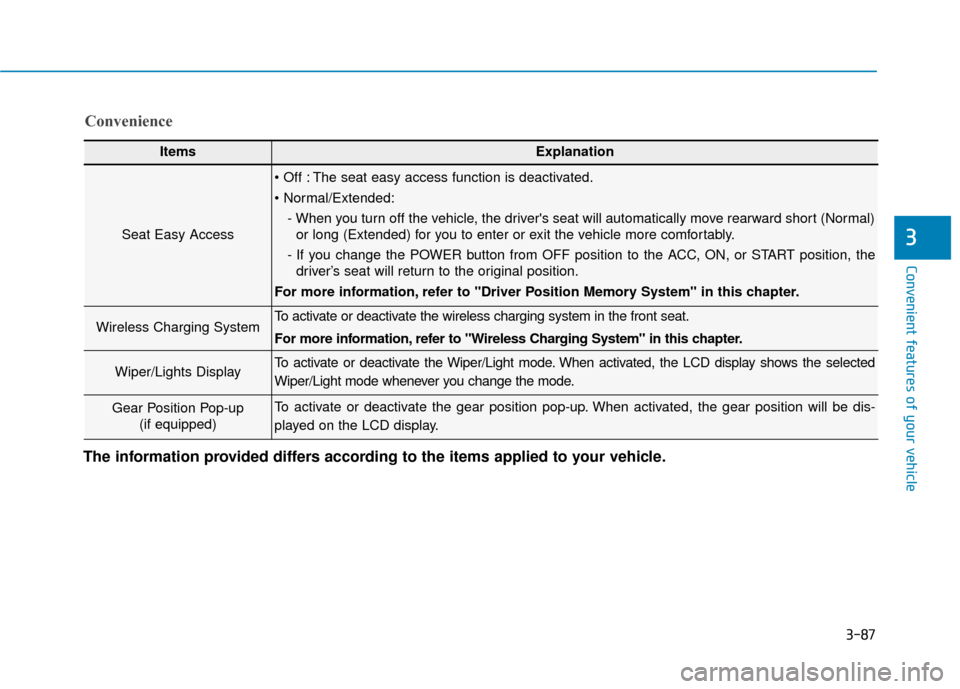
ItemsExplanation
Seat Easy Access
The seat easy access function is deactivated.
- When you turn off the vehicle, the driver's seat will automatically move rearward short (Normal)or long (Extended) for you to enter or exit the vehicle more comfortably.
- If you change the POWER button from OFF position to the ACC, ON, or START position, the driver’s seat will return to the original position.
For more information, refer to "Driver Position Memory System" in this chapter.
Wireless Charging System To activate or deactivate the wireless charging system in the front seat.
For more information, refer to "Wireless Charging System" in this chapter.
Wiper/Lights DisplayTo activate or deactivate the Wiper/Light mode. When activated, the LCD display shows the selected
Wiper/Light mode whenever you change the mode.
Gear Position Pop-up (if equipped)To activate or deactivate the gear position pop-up. When activated, the gear position will be dis-
played on the LCD display.
Convenience
The information provided differs according to the items applied to your vehicle.
Page 173 of 541
3-88
Convenient features of your vehicle
ItemsExplanation
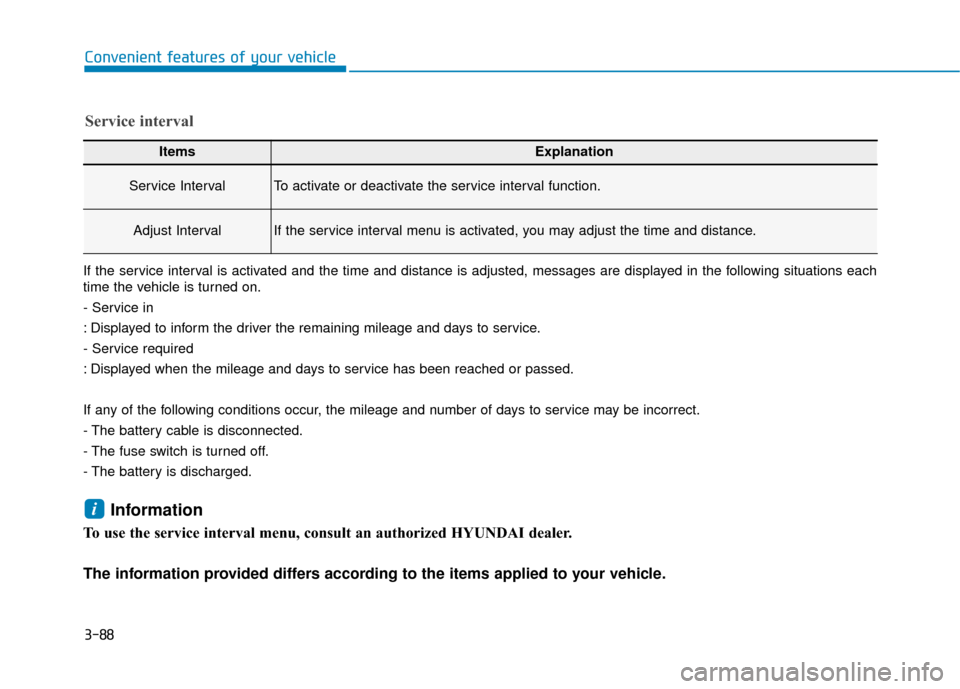
Service IntervalTo activate or deactivate the service interval function.
Adjust IntervalIf the service interval menu is activated, you may adjust the time and distance.
Service interval
If the service interval is activated and the time and distance is adjusted, messages are displayed in the following situations each
time the vehicle is turned on.
- Service in
: Displayed to inform the driver the remaining mileage and days to service.
- Service required
: Displayed when the mileage and days to service has been reached or passed.
If any of the following conditions occur, the mileage and number of days to service may be incorrect.
- The battery cable is disconnected.
- The fuse switch is turned off.
- The battery is discharged.
Information
To use the service interval menu, consult an authorized HYUNDAI dealer.
The information provided differs according to the items applied to your vehicle.
i
Page 175 of 541
3-90
Convenient features of your vehicle
T
TR
R I
IP
P
C
C O
O M
M P
PU
U T
TE
ER
R
The trip computer is a microcomput-
er-controlled driver information sys-
tem that displays information related
to driving.
Information
Some driving information stored in
the trip computer (for example
Average Vehicle Speed) resets if the
battery is disconnected.
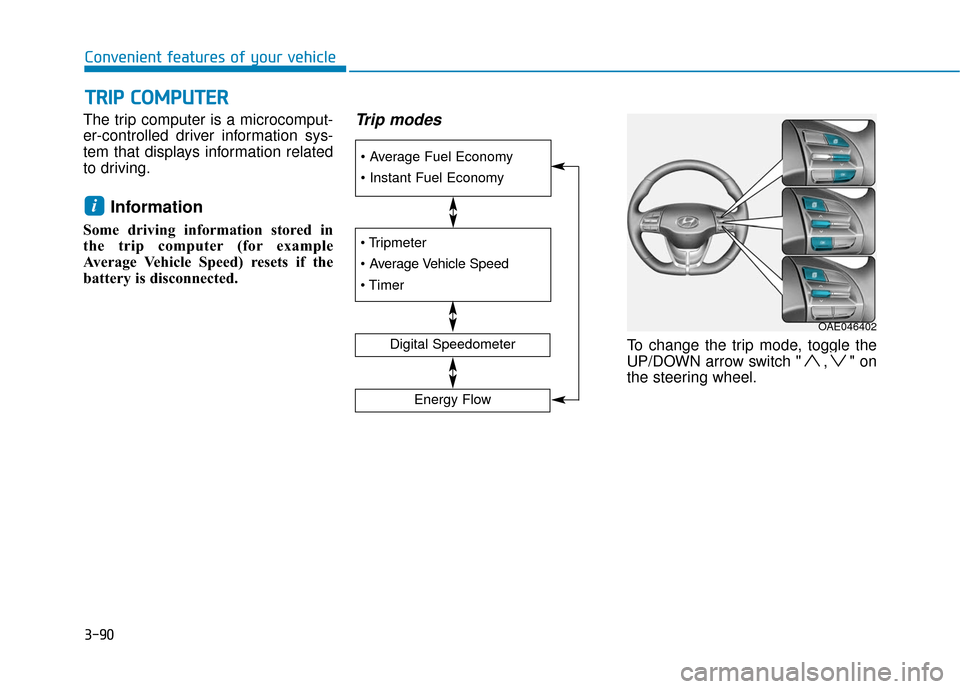
Trip modes
To change the trip mode, toggle the
UP/DOWN arrow switch " , " on
the steering wheel.
i
Digital Speedometer
Energy Flow
OAE046402