warning light HYUNDAI IONIQ ELECTRIC 2022 Owners Manual
[x] Cancel search | Manufacturer: HYUNDAI, Model Year: 2022, Model line: IONIQ ELECTRIC, Model: HYUNDAI IONIQ ELECTRIC 2022Pages: 546, PDF Size: 34.82 MB
Page 377 of 546
5-87
Driving your vehicle
5
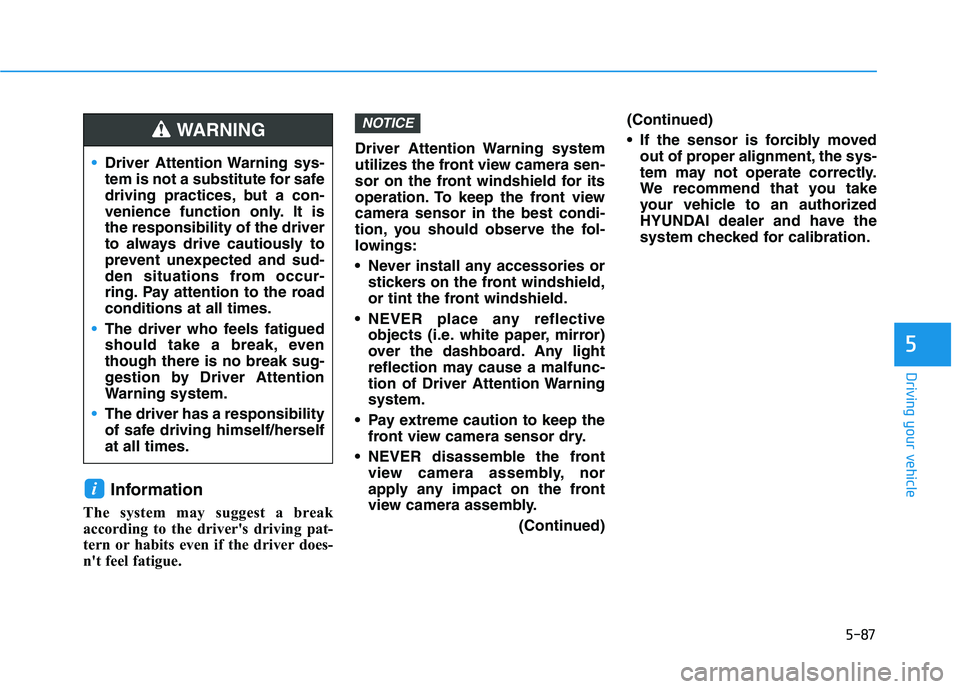
Information
The system may suggest a break
according to the driver's driving pat-
tern or habits even if the driver does-
n't feel fatigue. Driver Attention Warning system
utilizes the front view camera sen-
sor on the front windshield for its
operation. To keep the front viewcamera sensor in the best condi-
tion, you should observe the fol-
lowings:
Never install any accessories or
stickers on the front windshield,
or tint the front windshield.
NEVER place any reflective objects (i.e. white paper, mirror)
over the dashboard. Any light
reflection may cause a malfunc-
tion of Driver Attention Warningsystem.
Pay extreme caution to keep the front view camera sensor dry.
NEVER disassemble the front view camera assembly, nor
apply any impact on the front
view camera assembly.
(Continued)(Continued)
If the sensor is forcibly moved
out of proper alignment, the sys-
tem may not operate correctly.
We recommend that you take
your vehicle to an authorized
HYUNDAI dealer and have the
system checked for calibration.
NOTICE
i
Driver Attention Warning sys-
tem is not a substitute for safe
driving practices, but a con-
venience function only. It isthe responsibility of the driver
to always drive cautiously to
prevent unexpected and sud-
den situations from occur-
ring. Pay attention to the roadconditions at all times.
The driver who feels fatigued
should take a break, eventhough there is no break sug-
gestion by Driver Attention
Warning system.
The driver has a responsibility
of safe driving himself/herselfat all times.
WARNING
Page 382 of 546
5-92
Driving your vehicle
(Continued)- When driving on a sharpcurve
- When driving with limited view (possibly due to bad
weather, such as fog, snow,rain or sandstorm)
- When the vehicle sensing ability decreases due to
vehicle modification result-
ing level difference of the
vehicle's front and rear
- Smart Cruise Control is sup- plemental systems to assist
you. Do not entirely rely on
the systems. Always pay
attention, while driving, for
your safety.
- When using the Cruise Control mode, you must
manually adjust the distance
to other vehicles by depress-
ing the brake pedal. The sys-
tem does not automaticallyadjust the distance to vehi-
cles in front of you.
Take the following precautions :
Always set the vehicle speed under the speed limit on the
road that you are driving.
If Smart Cruise Control is left
on, (cruise ( ) indi-cator light in the instrument
cluster is illuminated) Smart
Cruise Control can be activat-
ed unintentionally. Keep
Smart Cruise Control system
off (cruise ( ) indi-cator light OFF) when the
Smart Cruise Control is not in
use, to avoid inadvertentlysetting a speed.
Use Smart Cruise Control sys-
tem only when traveling on
open highways in good
weather.
(Continued)
WARNING (Continued)
Smart Cruise Control is not a
collision avoidance or warn-
ing device.
Smart Cruise Control is
designed to only detect vehi-
cles as it cannot detect motor-
cycles, bicycles, or pedestri-ans.
Do not use Smart Cruise
Control when it may not be
safe to keep the vehicle at aconstant speed:
- When driving in heavy trafficor when traffic conditions make it difficult to drive at aconstant speed
- When driving on rainy, icy, or snow-covered roads
- When driving on a steep downhill or uphill
- When driving in windy areas
- When driving in parking lots
- When driving near crash barriers
(Continued)
Page 384 of 546
5-94
Driving your vehicle
To convert to Cruise Control mode
The driver may choose to only use
the conventional Cruise Control
mode (speed control function) by
doing as follows:
1. Turn Smart Cruise Control systemon (the cruise indicator light will be
on but the system will not be acti-
vated).
2. Push and hold the Vehicle-to- Vehicle Distance button for more
than 2 seconds.
3. Choose between "Smart Cruise Control" and "Cruise Control".
When the system is cancelled using
the CRUISE button or the CRUISE
button is used after the vehicle is in
the ready ( ) mode, the Smart
Cruise Control mode will turn on.
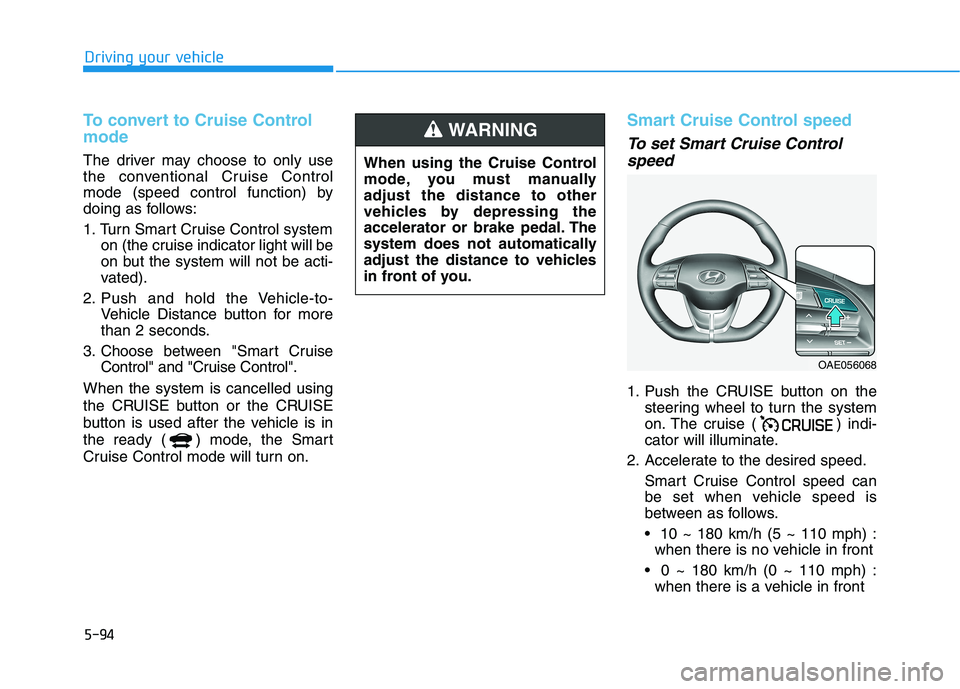
Smart Cruise Control speed
To set Smart Cruise Control speed
1. Push the CRUISE button on the steering wheel to turn the system
on. The cruise ( ) indi-
cator will illuminate.
2. Accelerate to the desired speed.
Smart Cruise Control speed can
be set when vehicle speed is
between as follows. 10 ~ 180 km/h (5 ~ 110 mph) : when there is no vehicle in front
0 ~ 180 km/h (0 ~ 110 mph) : when there is a vehicle in front
When using the Cruise Control
mode, you must manuallyadjust the distance to other
vehicles by depressing the
accelerator or brake pedal. The
system does not automatically
adjust the distance to vehicles
in front of you.
WARNING
OAE056068
Page 401 of 546
5-111
Driving your vehicle
5
(Continued)
Do not disassemble the front
view camera temporarily to
tint the window or attach anytypes of coatings and acces-
sories. If you disassemble the
camera and assemble it again,
we recommend that you take
your vehicle to an authorized
HYUNDAI dealer and have the
system checked for calibra-tion.
When you replace the wind-
shield glass, front view cam-
era or related parts of the
steering wheel, we recom-
mend that you take your vehi-
cle to an authorized HYUNDAI
dealer and have the system
checked for calibration.
The system helps detect lane
markers and controls the
steering wheel by a camera,
therefore, if the lane markers
are hard to detect, the system
may not work properly.(Continued)
(Continued)Please refer to "Limitations of the System".
Do not remove or damage the
related parts of LFA system.
You may not hear a warning
sound of LFA system if the
audio volume is high.
Do not place objects on the
dashboard that reflects light
such as mirrors, white paper,
etc. This may prevent LFA sys-
tem from functioning proper-
ly.
Always have your hands on
the steering wheel while LFA
system is activated. If you
continue to drive with yourhands off the steering wheel
after the "Keep hands onsteering wheel" warning mes-
sage appears, the system will
turn off automatically.
However, if the driver has their hands on the steering wheel
again, the system will start
controlling the steering wheel. (Continued)
(Continued)
The steering wheel is not con-
tinuously controlled so if the
vehicle speed is at a higher
rate when leaving a lane the
vehicle may not be controlled
by the system. The driver
must always follow the speedlimit when using the system.
If you attach objects to the
steering wheel, the system
may not assist steering or the
hands off alarm may not work
properly.
When you tow a trailer, make
sure that you turn off LFA sys-tem.
Page 410 of 546
5-120
Driving your vehicle
Warning Message
Hands-off warning
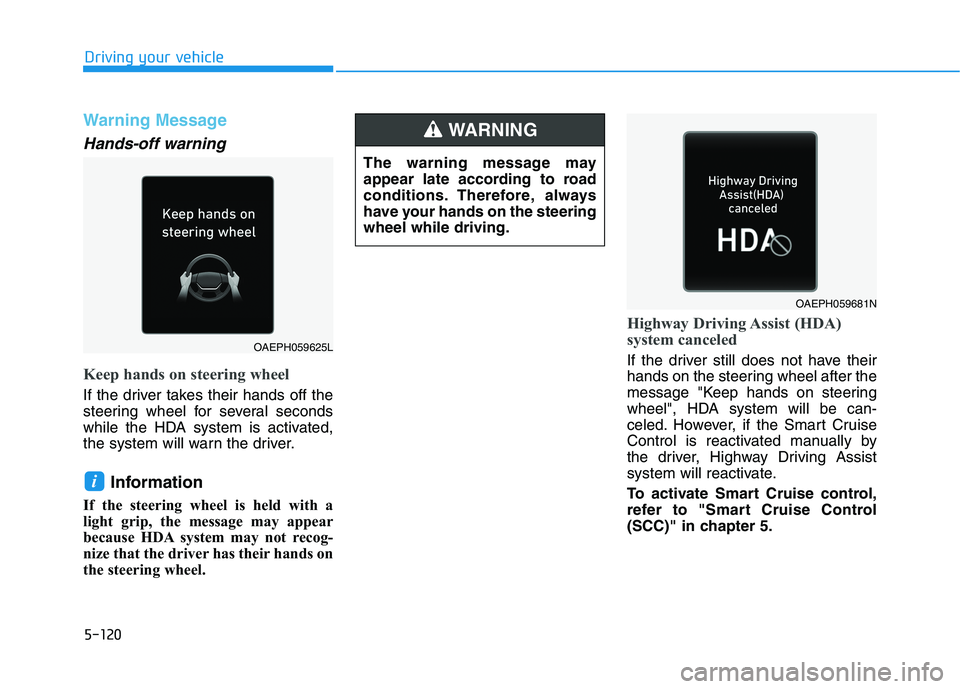
Keep hands on steering wheel
If the driver takes their hands off the
steering wheel for several seconds
while the HDA system is activated,
the system will warn the driver.Information
If the steering wheel is held with a
light grip, the message may appear
because HDA system may not recog-
nize that the driver has their hands on
the steering wheel.
Highway Driving Assist (HDA)
system canceled
If the driver still does not have their
hands on the steering wheel after the
message "Keep hands on steering
wheel", HDA system will be can-
celed. However, if the Smart Cruise
Control is reactivated manually by
the driver, Highway Driving Assist
system will reactivate.
To activate Smart Cruise control,
refer to "Smart Cruise Control
(SCC)" in chapter 5.
i
OAEPH059681N
OAEPH059625L The warning message may
appear late according to road
conditions. Therefore, always
have your hands on the steeringwheel while driving.
WARNING
Page 415 of 546
5-125
Driving your vehicle
5
When the system is initially turnedon and when the vehicle is turned
off then on again, the warning light
will illuminate for 3 seconds on the
outside rearview mirror.
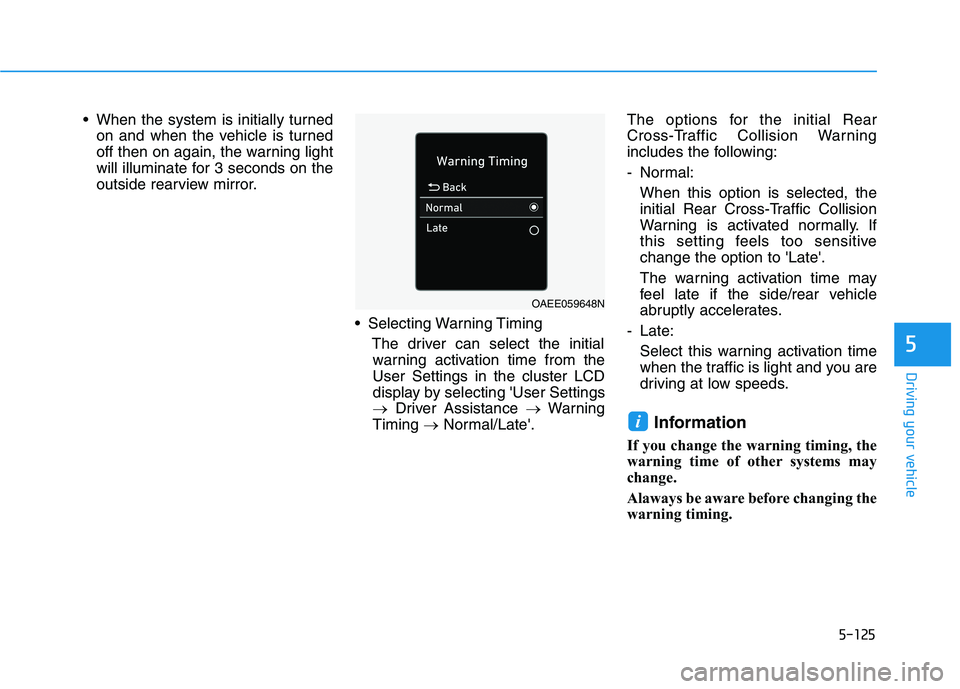
Selecting Warning TimingThe driver can select the initialwarning activation time from theUser Settings in the cluster LCD
display by selecting 'User Settings
Driver Assistance Warning
Timing Normal/Late'. The options for the initial Rear
Cross-Traffic Collision Warning
includes the following:
- Normal:
When this option is selected, the
initial Rear Cross-Traffic Collision
Warning is activated normally. If
this setting feels too sensitivechange the option to 'Late'.
The warning activation time may
feel late if the side/rear vehicle
abruptly accelerates.
- Late: Select this warning activation time
when the traffic is light and you are
driving at low speeds.
Information
If you change the warning timing, the
warning time of other systems may
change.
Alaways be aware before changing the
warning timing.
i
OAEE059648N
Page 416 of 546
5-126
Driving your vehicle
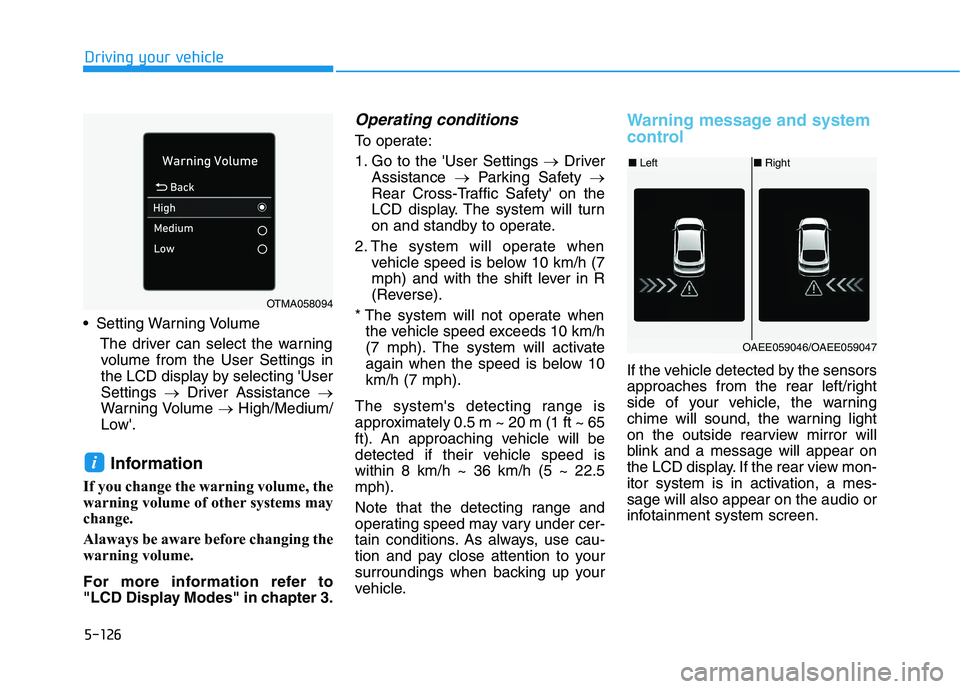
Setting Warning VolumeThe driver can select the warningvolume from the User Settings in
the LCD display by selecting 'UserSettings Driver Assistance
Warning Volume High/Medium/
Low'.
Information
If you change the warning volume, the
warning volume of other systems may
change.
Alaways be aware before changing the
warning volume.
For more information refer to
"LCD Display Modes" in chapter 3.
Operating conditions
To operate:
1. Go to the 'User Settings Driver
Assistance Parking Safety
Rear Cross-Traffic Safety' on the
LCD display. The system will turn
on and standby to operate.
2. The system will operate when vehicle speed is below 10 km/h (7
mph) and with the shift lever in R
(Reverse).
* The system will not operate when the vehicle speed exceeds 10 km/h
(7 mph). The system will activate
again when the speed is below 10km/h (7 mph).
The system's detecting range is
approximately 0.5 m ~ 20 m (1 ft ~ 65
ft). An approaching vehicle will be
detected if their vehicle speed iswithin 8 km/h ~ 36 km/h (5 ~ 22.5mph).
Note that the detecting range and
operating speed may vary under cer-
tain conditions. As always, use cau-
tion and pay close attention to your
surroundings when backing up your
vehicle.
Warning message and system
control
If the vehicle detected by the sensors
approaches from the rear left/right
side of your vehicle, the warning
chime will sound, the warning light
on the outside rearview mirror will
blink and a message will appear on
the LCD display. If the rear view mon-
itor system is in activation, a mes-sage will also appear on the audio or
infotainment system screen.
i
OTMA058094
■ Left■Right
OAEE059046/OAEE059047
Page 417 of 546
5-127
Driving your vehicle
5
The warning will stop when:
- The detected vehicle moves out ofthe sensing area or
- When the vehicle is right behind your vehicle or
- When the vehicle is not approach- ing your vehicle or
- When the other vehicle slows down.
- The vehicle's approaching speed is decreased.
When the operating condition
of Rear Cross-Traffic Collision
Warning system is satisfiedthe warning will occur when a
vehicle approaches the
side/rear of your stopped (0
km/h vehicle speed) vehicle.
The system's warning may
not operate properly if the
left/right of your vehicle's rear
bumper is blocked by a vehi-
cle or obstacle.
Always pay attention to road and traffic conditions while
driving, whether or not thewarning light on the outside
rearview mirror illuminates orthere is a warning alarm.
Playing the vehicle audio sys-
tem at high volume may pre-
vent occupants from hearingthe system's warning sounds.
The warning of the Rear Cross-
Traffic Collision Warning sys-
tem may not sound while othersystem's warning sounds.
CAUTION
If any other warning sound
such as seat belt warning
chime is already generated,
Rear Cross-Traffic Collision
Warning system warning maynot sound.
Drive safely even though the
vehicle is equipped with a
Rear Cross-Traffic Collision
Warning system. Do not sole-
ly rely on the system but
check your surrounding when
backing the vehicle up.
The driver is responsible for
accurate brake control.
(Continued)
WARNING
Page 419 of 546
5-129
Driving your vehicle
5
(Continued)
Do not apply foreign objectssuch as a bumper sticker or a
bumper guard near the radar
sensor or apply paint to the sen-
sor area. Doing so may adverse-
ly affect the performance of the
sensor.
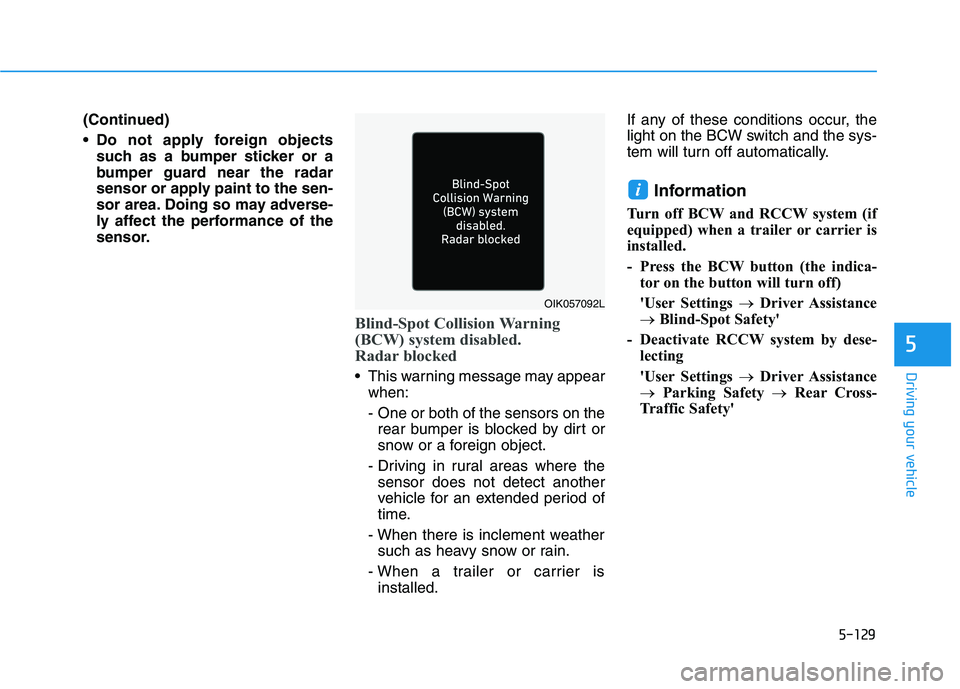
Blind-Spot Collision Warning
(BCW) system disabled.
Radar blocked
This warning message may appearwhen:
- One or both of the sensors on therear bumper is blocked by dirt or
snow or a foreign object.
- Driving in rural areas where the sensor does not detect another
vehicle for an extended period of
time.
- When there is inclement weather such as heavy snow or rain.
- When a trailer or carrier is installed. If any of these conditions occur, the
light on the BCW switch and the sys-
tem will turn off automatically.
Information
Turn off BCW and RCCW system (if
equipped) when a trailer or carrier is
installed.
- Press the BCW button (the indica- tor on the button will turn off)
'User Settings Driver Assistance
Blind-Spot Safety'
- Deactivate RCCW system by dese- lecting
'User Settings Driver Assistance
Parking Safety Rear Cross-
Traffic Safety'
i
OIK057092L
Page 420 of 546
5-130
Driving your vehicle
When the BCW canceled warning
message is displayed in the cluster,
check to make sure that the rear
bumper is free from any dirt or snowin the areas where the sensor is
located. Remove any dirt, snow, or
foreign material that could interfere
with the radar sensors.
After any dirt or debris is removed,
RCCW system should operate nor-
mally after about 10 minutes of driv-
ing the vehicle.
If the system still does not operate
normally, we recommend that the
vehicle be inspected by an author-
ized HYUNDAI dealer.
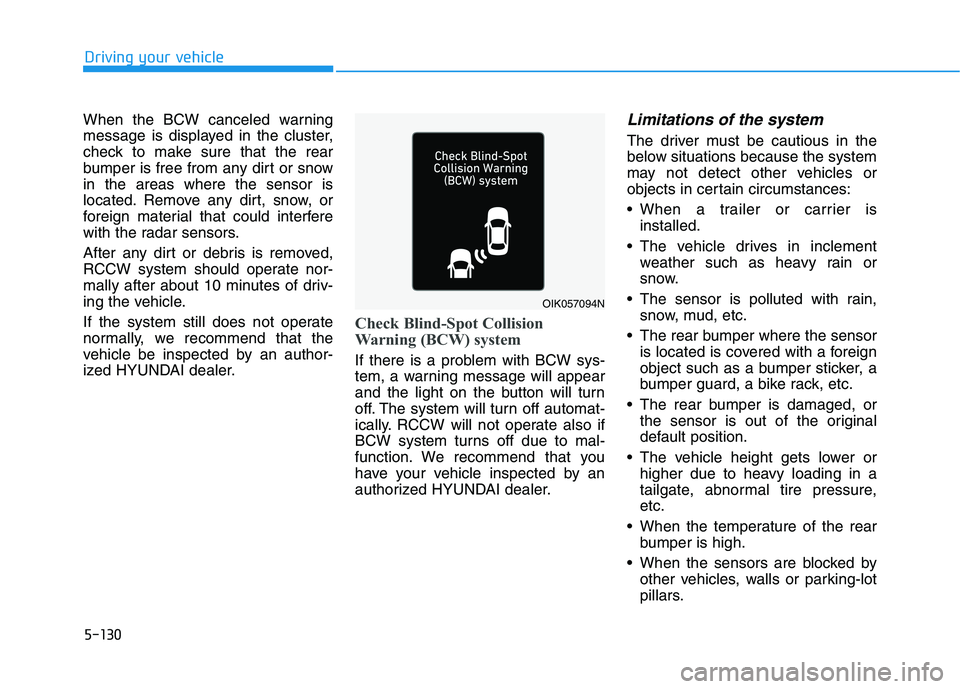
Check Blind-Spot Collision
Warning (BCW) system
If there is a problem with BCW sys-
tem, a warning message will appear
and the light on the button will turn
off. The system will turn off automat-
ically. RCCW will not operate also if
BCW system turns off due to mal-
function. We recommend that you
have your vehicle inspected by an
authorized HYUNDAI dealer.
Limitations of the system
The driver must be cautious in the
below situations because the system
may not detect other vehicles or
objects in certain circumstances:
When a trailer or carrier isinstalled.
The vehicle drives in inclement weather such as heavy rain or
snow.
The sensor is polluted with rain, snow, mud, etc.
The rear bumper where the sensor is located is covered with a foreign
object such as a bumper sticker, a
bumper guard, a bike rack, etc.
The rear bumper is damaged, or the sensor is out of the original
default position.
The vehicle height gets lower or higher due to heavy loading in a
tailgate, abnormal tire pressure,etc.
When the temperature of the rear bumper is high.
When the sensors are blocked by other vehicles, walls or parking-lot
pillars.
OIK057094N