warning light HYUNDAI IONIQ ELECTRIC 2022 Owners Manual
[x] Cancel search | Manufacturer: HYUNDAI, Model Year: 2022, Model line: IONIQ ELECTRIC, Model: HYUNDAI IONIQ ELECTRIC 2022Pages: 546, PDF Size: 34.82 MB
Page 352 of 546
5-62
Driving your vehicle
(Continued)
The system detects lane
markers and controls the
steering wheel by a front view
camera, therefore, if the lane
markers are hard to detect,
the system may not work
properly.
Please refer to "Limitations of the System".
Do not remove or damage the
related parts of LKA system.
You may not hear a warning sound of LKA system if the
audio volume is high.
Do not place objects on the
dashboard that reflects light
such as mirrors, white paper,
etc. This may prevent LKA
system from functioning
properly.
When the lane markers are
hard to detect, please refer to"Driver's Attention".(Continued)
(Continued)
Always have your hands on the steering wheel while LKA
system is activated. If you
continue to drive with yourhands off the steering wheel
after the "Keep hands onsteering wheel" warning mes-
sage appears, the system will
stop controlling the steeringwheel.
The steering wheel is not con-
tinuously controlled so if the
vehicle speed is at a higher
rate when leaving a lane the
vehicle may not be controlled
by the system. The driver
must always follow the speedlimit when using the system.
If you attach objects to the
steering wheel, the system
may not assist steering or the
hands off alarm may not work
properly.
When you tow a trailer, make
sure that you turn off LKAsystem.
(Continued)
Do not disassemble LKA sys-
tem camera temporarily to
tint the window or attach anytypes of coatings and acces-
sories. If you disassemble the
camera and assemble it again,
we recommend that you take
your vehicle to an authorized
HYUNDAI dealer and have the
system checked for calibra-tion.
When you replace the wind-
shield glass, LKA system
camera or related parts of the
steering wheel, we recom-
mend that you take your vehi-
cle to an authorized HYUNDAI
dealer and have the system
checked for calibration.
(Continued)
Page 354 of 546
5-64
Driving your vehicle
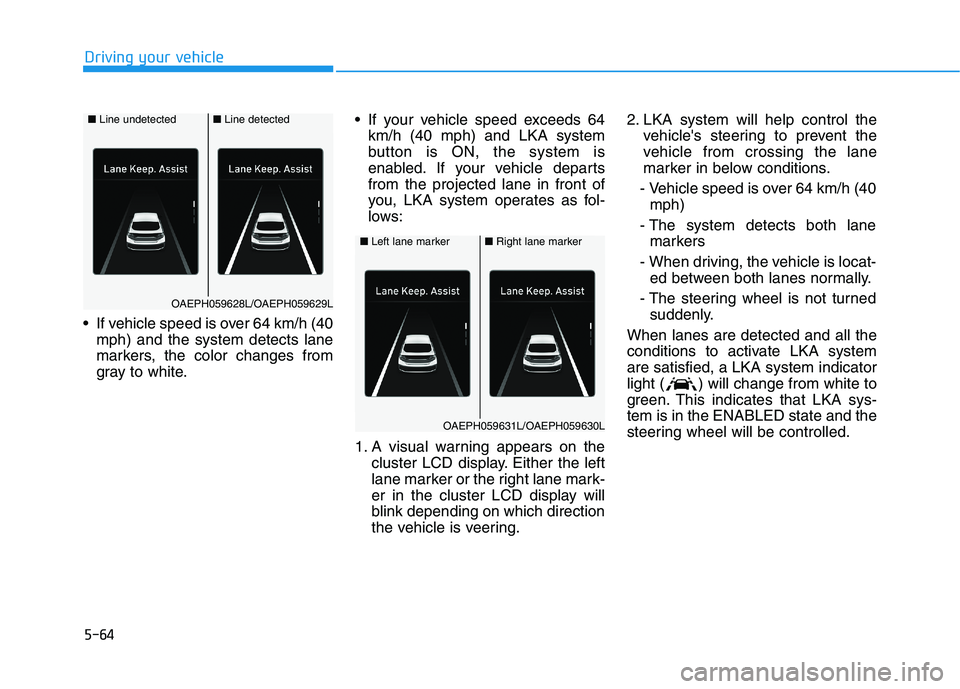
If vehicle speed is over 64 km/h (40mph) and the system detects lane
markers, the color changes from
gray to white. If your vehicle speed exceeds 64
km/h (40 mph) and LKA system
button is ON, the system is
enabled. If your vehicle departsfrom the projected lane in front of
you, LKA system operates as fol-
lows:
1. A visual warning appears on the cluster LCD display. Either the left
lane marker or the right lane mark-
er in the cluster LCD display will
blink depending on which direction
the vehicle is veering. 2. LKA system will help control the
vehicle's steering to prevent the
vehicle from crossing the lane
marker in below conditions.
- Vehicle speed is over 64 km/h (40 mph)
- The system detects both lane markers
- When driving, the vehicle is locat- ed between both lanes normally.
- The steering wheel is not turned suddenly.
When lanes are detected and all the
conditions to activate LKA systemare satisfied, a LKA system indicator
light ( ) will change from white to
green. This indicates that LKA sys-tem is in the ENABLED state and the
steering wheel will be controlled.
■ Left lane marker■Right lane marker
OAEPH059631L/OAEPH059630L
■ Line undetected■Line detected
OAEPH059628L/OAEPH059629L
Page 355 of 546
5-65
Driving your vehicle
5
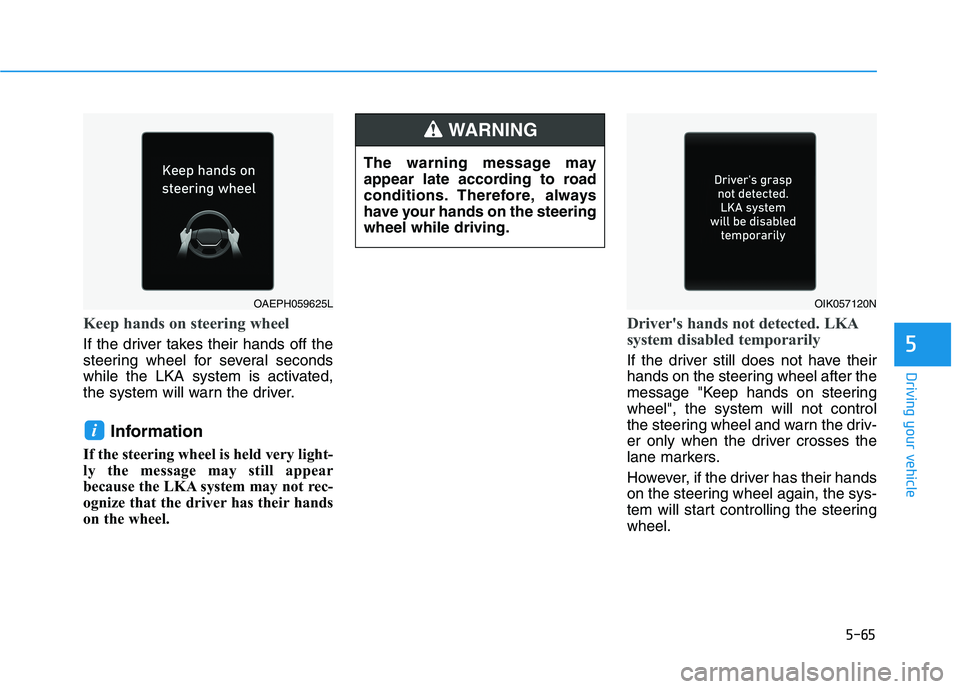
Keep hands on steering wheel
If the driver takes their hands off the
steering wheel for several seconds
while the LKA system is activated,
the system will warn the driver.Information
If the steering wheel is held very light-
ly the message may still appear
because the LKA system may not rec-
ognize that the driver has their hands
on the wheel.
Driver's hands not detected. LKA
system disabled temporarily
If the driver still does not have their
hands on the steering wheel after the
message "Keep hands on steeringwheel", the system will not control
the steering wheel and warn the driv-
er only when the driver crosses the
lane markers.
However, if the driver has their hands
on the steering wheel again, the sys-
tem will start controlling the steeringwheel.
i
OAEPH059625LOIK057120N
The warning message may
appear late according to road
conditions. Therefore, always
have your hands on the steeringwheel while driving.
WARNING
Page 356 of 546
5-66
Driving your vehicle
Information
Even though the steering is assisted by the system, the driver can still
steer to control the steering wheel.
The steering wheel may feel heavier or lighter when the steering wheel is
assisted by the system than when it
is not.
Warning light and message
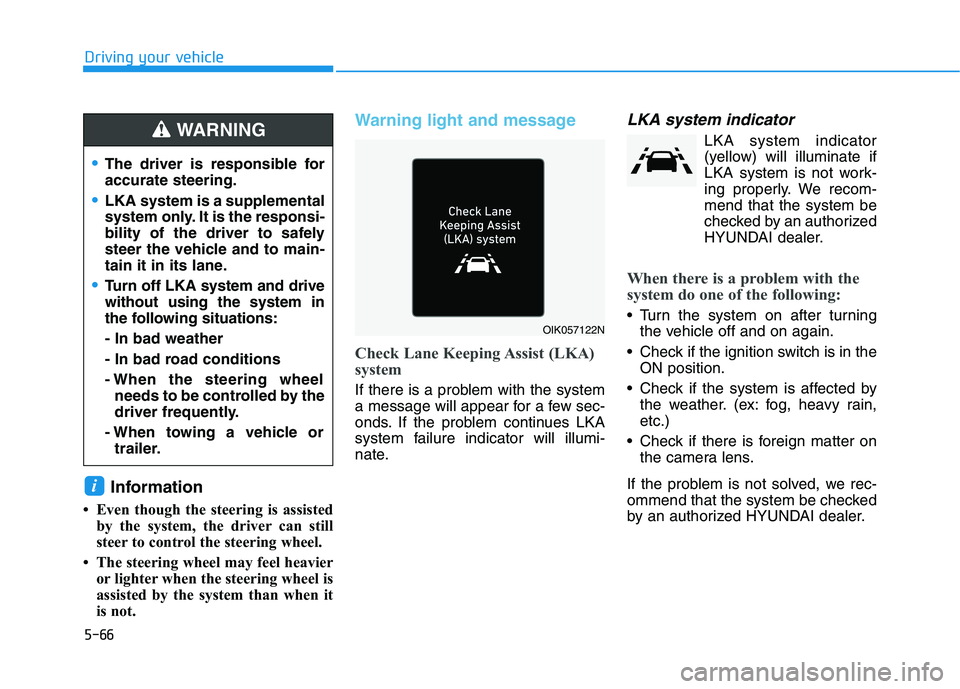
Check Lane Keeping Assist (LKA)
system
If there is a problem with the system
a message will appear for a few sec-
onds. If the problem continues LKA
system failure indicator will illumi-
nate.
LKA system indicator
LKA system indicator(yellow) will illuminate if
LKA system is not work-
ing properly. We recom-
mend that the system be
checked by an authorized
HYUNDAI dealer.
When there is a problem with the
system do one of the following:
Turn the system on after turning the vehicle off and on again.
Check if the ignition switch is in the ON position.
Check if the system is affected by the weather. (ex: fog, heavy rain, etc.)
Check if there is foreign matter on the camera lens.
If the problem is not solved, we rec-
ommend that the system be checked
by an authorized HYUNDAI dealer.
i
OIK057122N
The driver is responsible for accurate steering.
LKA system is a supplemental
system only. It is the responsi-
bility of the driver to safely
steer the vehicle and to main-
tain it in its lane.
Turn off LKA system and drive without using the system in
the following situations: - In bad weather
- In bad road conditions
- When the steering wheel needs to be controlled by the
driver frequently.
- When towing a vehicle or trailer.
WARNING
Page 361 of 546
5-71
Driving your vehicle
5
System setting and operation
System setting
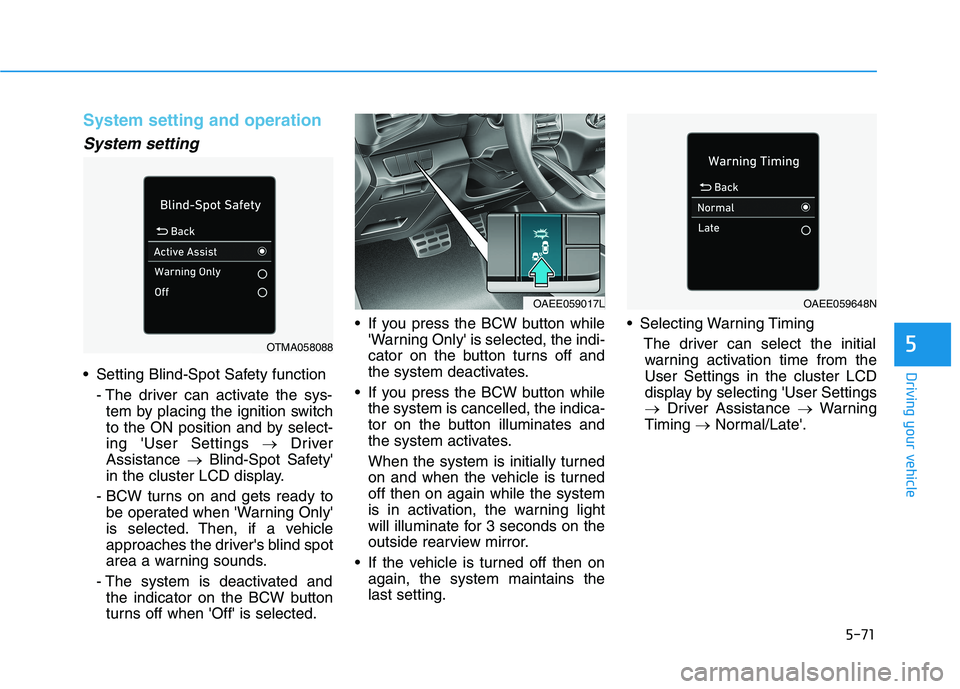
Setting Blind-Spot Safety function- The driver can activate the sys-tem by placing the ignition switch
to the ON position and by select-ing 'User Settings Driver
Assistance Blind-Spot Safety'
in the cluster LCD display.
- BCW turns on and gets ready to be operated when 'Warning Only'
is selected. Then, if a vehicle
approaches the driver's blind spot
area a warning sounds.
- The system is deactivated and the indicator on the BCW button
turns off when 'Off' is selected. If you press the BCW button while
'Warning Only' is selected, the indi-
cator on the button turns off and
the system deactivates.
If you press the BCW button while the system is cancelled, the indica-
tor on the button illuminates and
the system activates.
When the system is initially turned
on and when the vehicle is turnedoff then on again while the system
is in activation, the warning light
will illuminate for 3 seconds on the
outside rearview mirror.
If the vehicle is turned off then on again, the system maintains thelast setting. Selecting Warning Timing
The driver can select the initialwarning activation time from theUser Settings in the cluster LCD
display by selecting 'User Settings
Driver Assistance Warning
Timing Normal/Late'.
OTMA058088
OAEE059017LOAEE059648N
Page 362 of 546
5-72
Driving your vehicle
The options for the initial Blind-Spot
Collision Warning includes the fol-
lowing:- Normal:
When this option is selected, theinitial Blind-Spot Collision
Warning is activated normally. If
this setting feels too sensitivechange the option to 'Late'.
The warning activation time may feel late if the side/rear vehicle
abruptly accelerates.
- Late: Select this warning activation
time when the traffic is light and
you are driving in at low speeds.
Information
If you change the warning timing, the
warning time of other systems may
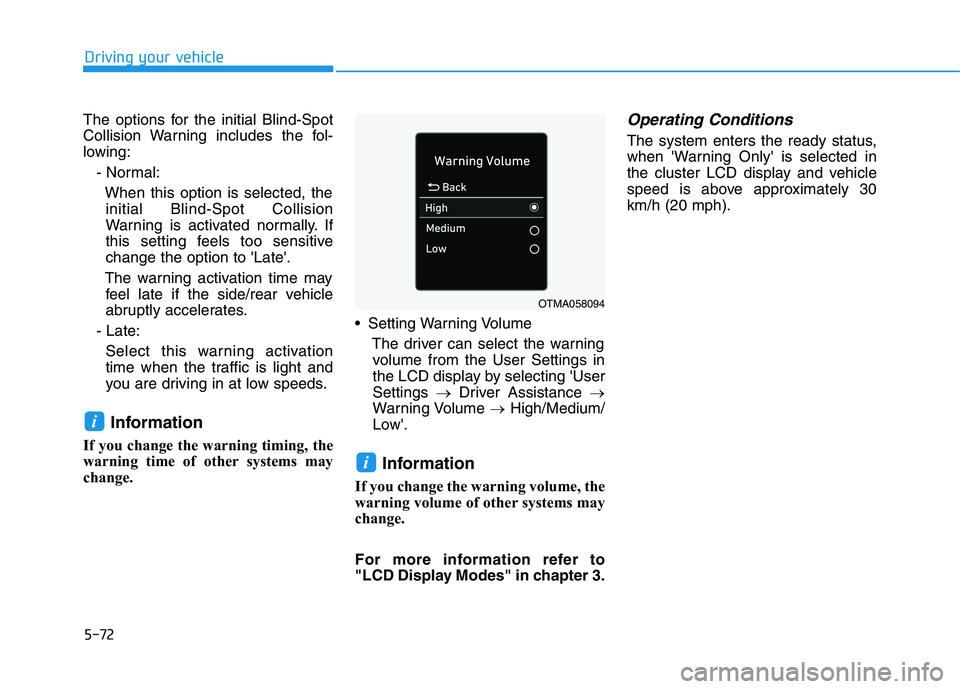
change. Setting Warning Volume
The driver can select the warningvolume from the User Settings in
the LCD display by selecting 'UserSettings Driver Assistance
Warning Volume High/Medium/
Low'.
Information
If you change the warning volume, the
warning volume of other systems may
change.
For more information refer to
"LCD Display Modes" in chapter 3.Operating Conditions
The system enters the ready status,
when 'Warning Only' is selected in
the cluster LCD display and vehicle
speed is above approximately 30km/h (20 mph).
i
i
OTMA058094
Page 363 of 546
5-73
Driving your vehicle
5
Warning message and system
control
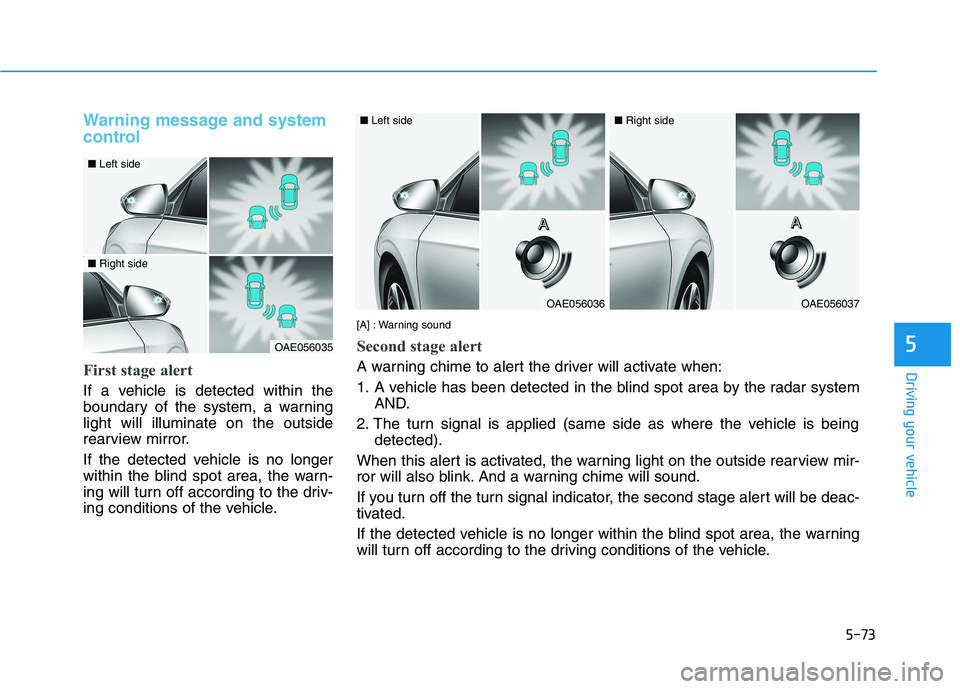
First stage alert
If a vehicle is detected within the
boundary of the system, a warninglight will illuminate on the outside
rearview mirror.
If the detected vehicle is no longer
within the blind spot area, the warn-
ing will turn off according to the driv-
ing conditions of the vehicle.
OAE056035
■Left side
■Right side
OAE056036
■Left side
OAE056037
■Right side
[A] : Warning sound
Second stage alert
A warning chime to alert the driver will activate when:
1. A vehicle has been detected in the blind spot area by the radar system AND.
2. The turn signal is applied (same side as where the vehicle is being detected).
When this alert is activated, the warning light on the outside rearview mir-
ror will also blink. And a warning chime will sound.
If you turn off the turn signal indicator, the second stage alert will be deac-
tivated.
If the detected vehicle is no longer within the blind spot area, the warning
will turn off according to the driving conditions of the vehicle. A
AAAAAAA
Page 364 of 546
5-74
Driving your vehicle
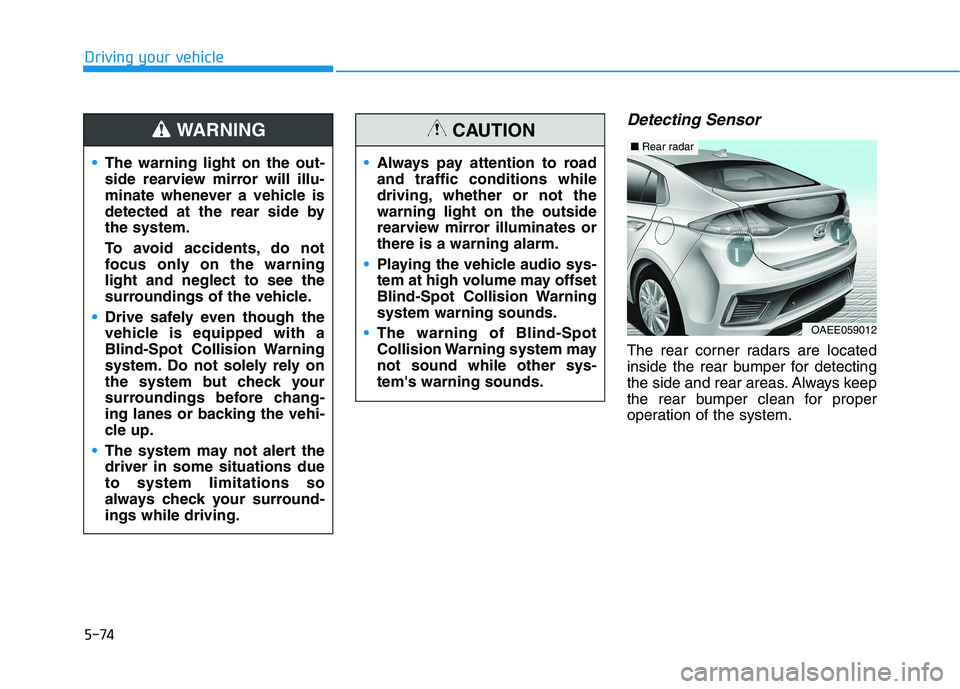
Detecting Sensor
The rear corner radars are located
inside the rear bumper for detecting
the side and rear areas. Always keep
the rear bumper clean for proper
operation of the system.
The warning light on the out-
side rearview mirror will illu-
minate whenever a vehicle is
detected at the rear side bythe system.
To avoid accidents, do not
focus only on the warninglight and neglect to see the
surroundings of the vehicle.
Drive safely even though the
vehicle is equipped with a
Blind-Spot Collision Warning
system. Do not solely rely on
the system but check your
surroundings before chang-
ing lanes or backing the vehi-
cle up.
The system may not alert the driver in some situations dueto system limitations so
always check your surround-ings while driving.
WARNING
Always pay attention to road and traffic conditions while
driving, whether or not thewarning light on the outside
rearview mirror illuminates orthere is a warning alarm.
Playing the vehicle audio sys-
tem at high volume may offset
Blind-Spot Collision Warningsystem warning sounds.
The warning of Blind-Spot
Collision Warning system maynot sound while other sys-tem's warning sounds.
CAUTION
OAEE059012
■Rear radar
Page 366 of 546
5-76
Driving your vehicle
- When a trailer or carrier isinstalled.
If any of these conditions occur, the
light on the BCW button and the sys-
tem will turn off automatically.
Information
Turn off BCW and RCCW system (if
equipped) when a trailer or carrier is
installed.
- Press the BCW button (the indica- tor on the button will turn off)
'User Settings Driver Assistance
Blind-Spot Safety'
- Deactivate RCCW system by dese- lecting
'User Settings Driver Assistance
Parking Safety Rear Cross-
Traffic Safety' When the BCW canceled warning
message is displayed in the cluster,
check to make sure that the rear
bumper is free from any dirt or snowin the areas where the sensor is
located. Remove any dirt, snow, or
foreign material that could interfere
with the radar sensors.
After any dirt or debris is removed,
the system should operate normally
after about 10 minutes of driving the
vehicle.
If the system still does not operate
normally, we recommend that the
vehicle be inspected by an author-
ized HYUNDAI dealer.
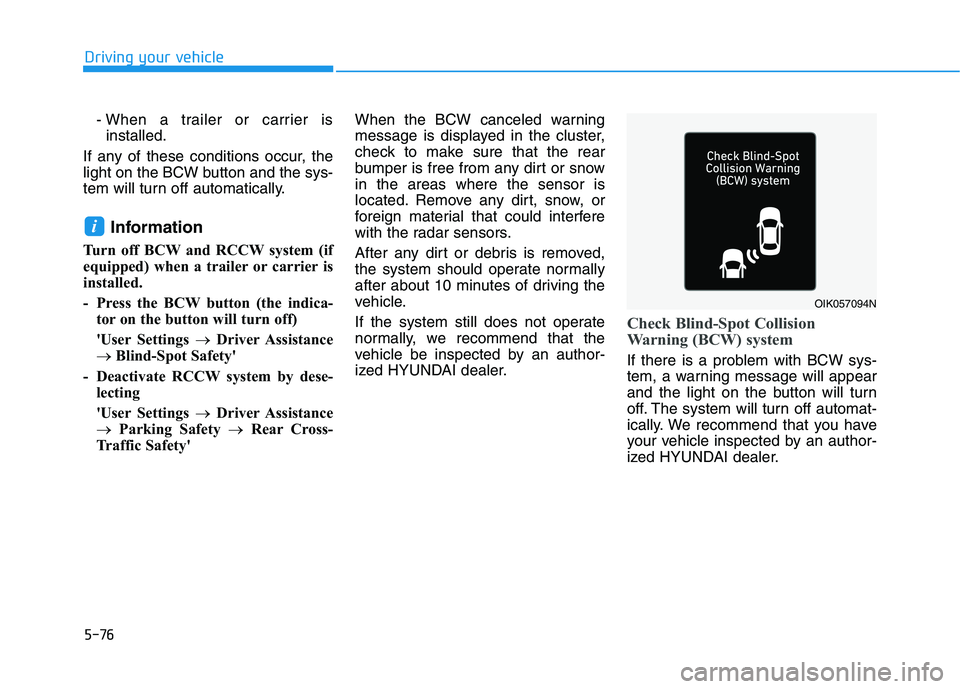
Check Blind-Spot Collision
Warning (BCW) system
If there is a problem with BCW sys-
tem, a warning message will appear
and the light on the button will turn
off. The system will turn off automat-
ically. We recommend that you have
your vehicle inspected by an author-
ized HYUNDAI dealer.
i
OIK057094N
Page 373 of 546
5-83
Driving your vehicle
5
Driver Attention Warning system dis-
plays the level of the driver’s fatigue
and inattention, considering the driv-
ing pattern, etc.
System setting and operation
System setting
The Driver Attention Warning canbe activated from the Users Settings mode in the cluster LCD
display by following the procedure
below.
1. Set the ignition switch to the ON position.
2. Select 'User Settings Driver
Assistance Driver Attention
Warning' in the cluster LCD dis-
play. Deselect the setting to turnoff the system.
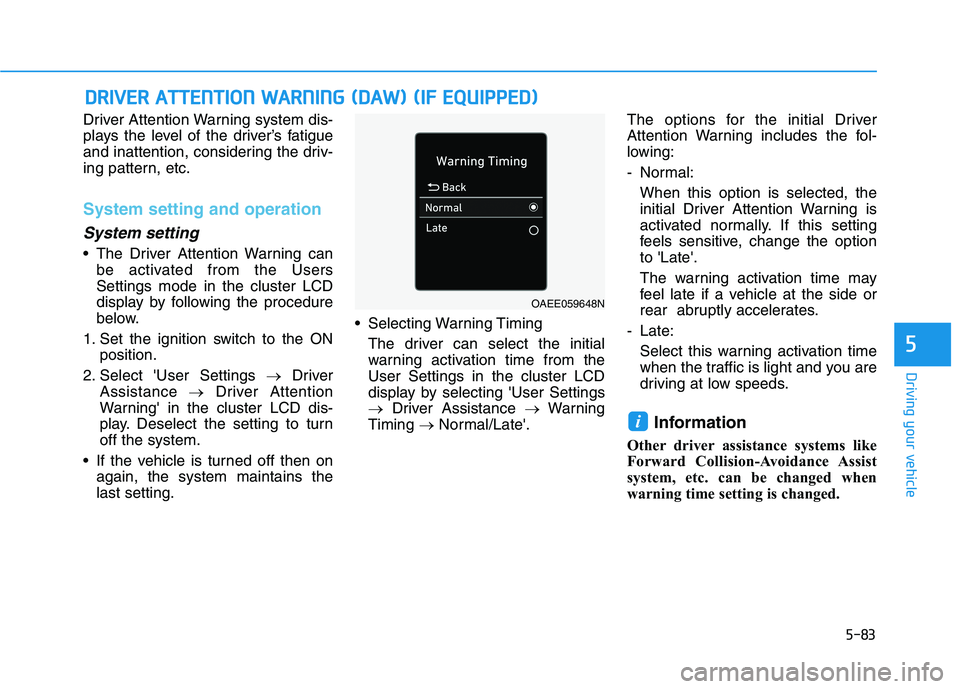
If the vehicle is turned off then on again, the system maintains thelast setting. Selecting Warning Timing
The driver can select the initialwarning activation time from theUser Settings in the cluster LCD
display by selecting 'User Settings
Driver Assistance Warning
Timing Normal/Late'. The options for the initial Driver
Attention Warning includes the fol-
lowing:
- Normal:
When this option is selected, the
initial Driver Attention Warning is
activated normally. If this setting
feels sensitive, change the optionto 'Late'.
The warning activation time may
feel late if a vehicle at the side or
rear abruptly accelerates.
- Late: Select this warning activation time
when the traffic is light and you are
driving at low speeds.
Information
Other driver assistance systems like
Forward Collision-Avoidance Assist
system, etc. can be changed when
warning time setting is changed.
i
DD RRIIVV EERR AA TTTT EENN TTIIOO NN WW AARRNN IINN GG (( DD AA WW )) (( IIFF EE QQ UUIIPP PPEEDD ))
OAEE059648N