turn signal HYUNDAI IONIQ ELECTRIC 2022 User Guide
[x] Cancel search | Manufacturer: HYUNDAI, Model Year: 2022, Model line: IONIQ ELECTRIC, Model: HYUNDAI IONIQ ELECTRIC 2022Pages: 546, PDF Size: 34.82 MB
Page 310 of 546
5-20
Resuming the Smart
Regeneration System
To re-activate the Smart
Regeneration System while driving,
pull and hold the right side paddle
shifter for more than 1 second again.
Note that the "AUTO" indicator in the
LCD display turns back on, signaling
that the Smart Regeneration System
is enabled again.
Disabling the Smart
Regeneration System
To turn off the system, shift to P (Park) and deselect 'User Settings
Convenience Smart Regeneration'
on the User Settings mode.
Vehicle-to-Vehicle Front
Recognition - Front RadarSensor
In order for the Smart Regeneration
System to operate properly, always
make sure the radar sensor cover is
clean and free of dirt, snow, and
debris. Dirt, snow, or foreign sub-
stances on the lens may adversely
affect the sensing performance of
the sensor. In this case, the system
operation may stop temporarily and
not operate normally.
Driving your vehicle
Do not apply license plate
frame or foreign objects such
as a bumper sticker or a
bumper guard near the radar
sensor. Doing so may adverse-
ly affect the sensing perform-
ance of the radar.
Always keep the radar sensor
and lens cover clean and free
of dirt and debris.
Use only a soft cloth to wash
the vehicle. Do not spray pres-
surized water directly on the
sensor or sensor cover.
Be careful not to apply unnec-
essary force on the radar sen-
sor or sensor cover. If the sen-
sor is forcibly moved out of
proper alignment, the Smart
Regeneration System may not
operate correctly. In this case,
a warning message may not
be displayed. Have the vehicle
inspected by an authorized
HYUNDAI dealer.
If the front bumper becomes
damaged in the area around
the radar sensor, the Smart
Regeneration System may not
operate properly. Have the
vehicle inspected by an
authorized HYUNDAI dealer.
Use only genuine HYUNDAI
parts to repair or replace a
damaged sensor or sensor
cover. Do not apply paint to
the sensor cover.
CAUTION
When the Smart Regeneration System is cancelled automati-
cally, adjust the vehicle speed
directly by depressing theaccelerator or brake pedal
according to the road conditionahead and driving condition.
WARNING
Page 357 of 546
5-67
Driving your vehicle
5
LKA system will not be in the
ENABLED state and the steering
wheel will not be assisted when:
The turn signal is turned on beforechanging a lane. If you change
lanes without the turn signal on,
the steering wheel might be con-trolled.
The vehicle is not driven in the mid- dle of the lane when the system is
turned on or right after changing a
lane.
ESC (Electronic Stability Control) or VSM (Vehicle Stability Management)
is activated.
The vehicle is driven on a sharp curve.
Vehicle speed is below 60 km/h (37 mph) and over 180 km/h (112mph).
The vehicle makes sharp lane changes.
The vehicle brakes suddenly.
One lane marker is detected.
The lane is very wide or narrow. There are more than two lane
markers on the road. (e.g. construc- tion area)
The vehicle is driven on a steep incline.
The steering wheel is turned sud- denly.
There are more than two lane markers on the road in front of you.
The system may not operate for 15 seconds after the vehicle is started
or the camera is initialized or
rebooting of the front view camera.
Radius of a curve is too small.
Limitations of the System
LKA system may operate premature-
ly even if the vehicle does not depart
from the intended lane, OR, LKA
system may not assist your steering
or warn you if the vehicle leaves the
intended lane under the following cir-cumstances:
When the lane and road condi- tions are poor
It is difficult to distinguish the lane marking from the road surface or
the lane marking is faded or not
clearly marked.
It is difficult to distinguish the color of the lane marker from the road.
There are markings on the road surface that look like a lane marker
that is inadvertently being detected
by the camera.
The lane marker is merged or divided (e.g. tollgate).
The lane number increases or decreases or the lane marker are
crossing complicatedly.
There are more than two lane markers on the road in front of you.
Page 360 of 546
5-70
Driving your vehicle
System description
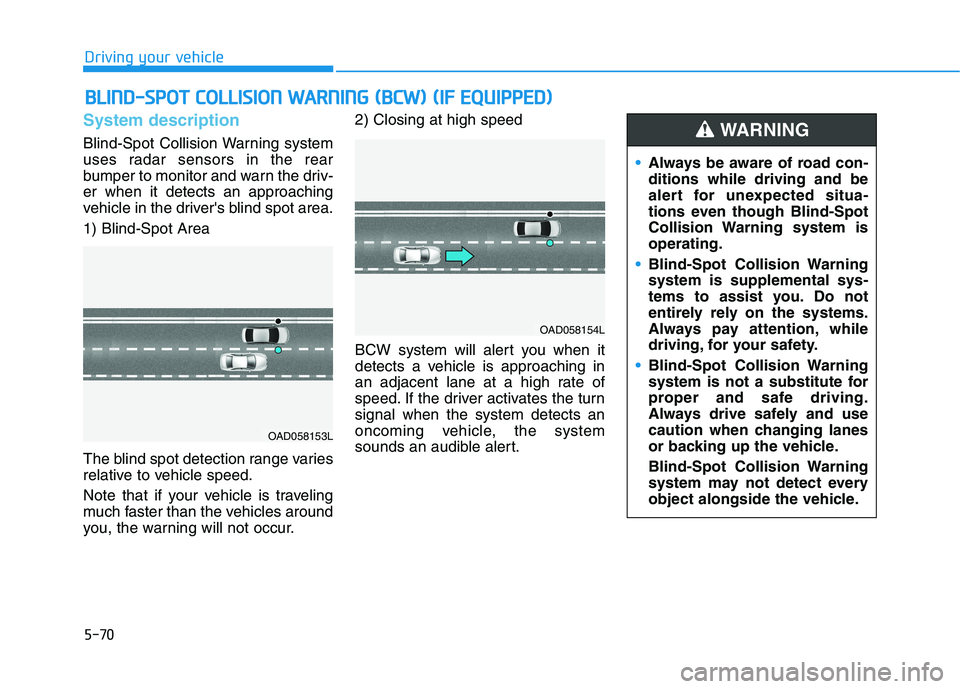
Blind-Spot Collision Warning system
uses radar sensors in the rear
bumper to monitor and warn the driv-er when it detects an approaching
vehicle in the driver's blind spot area. 1) Blind-Spot Area
The blind spot detection range varies
relative to vehicle speed.
Note that if your vehicle is traveling
much faster than the vehicles around
you, the warning will not occur.2) Closing at high speed
BCW system will alert you when it
detects a vehicle is approaching in
an adjacent lane at a high rate of
speed. If the driver activates the turnsignal when the system detects an
oncoming vehicle, the system
sounds an audible alert.
BB
LLIINN DD--SS PP OO TT CC OO LLLLIISS IIOO NN WW AARRNN IINN GG (( BB CCWW )) (( IIFF EE QQ UUIIPP PPEEDD ))
OAD058153L
OAD058154L
Always be aware of road con- ditions while driving and be
alert for unexpected situa-
tions even though Blind-Spot
Collision Warning system isoperating.
Blind-Spot Collision Warning system is supplemental sys-
tems to assist you. Do not
entirely rely on the systems.
Always pay attention, while
driving, for your safety.
Blind-Spot Collision Warning
system is not a substitute for
proper and safe driving.
Always drive safely and use
caution when changing lanes
or backing up the vehicle.
Blind-Spot Collision Warning
system may not detect every
object alongside the vehicle.
WARNING
Page 363 of 546
5-73
Driving your vehicle
5
Warning message and system
control
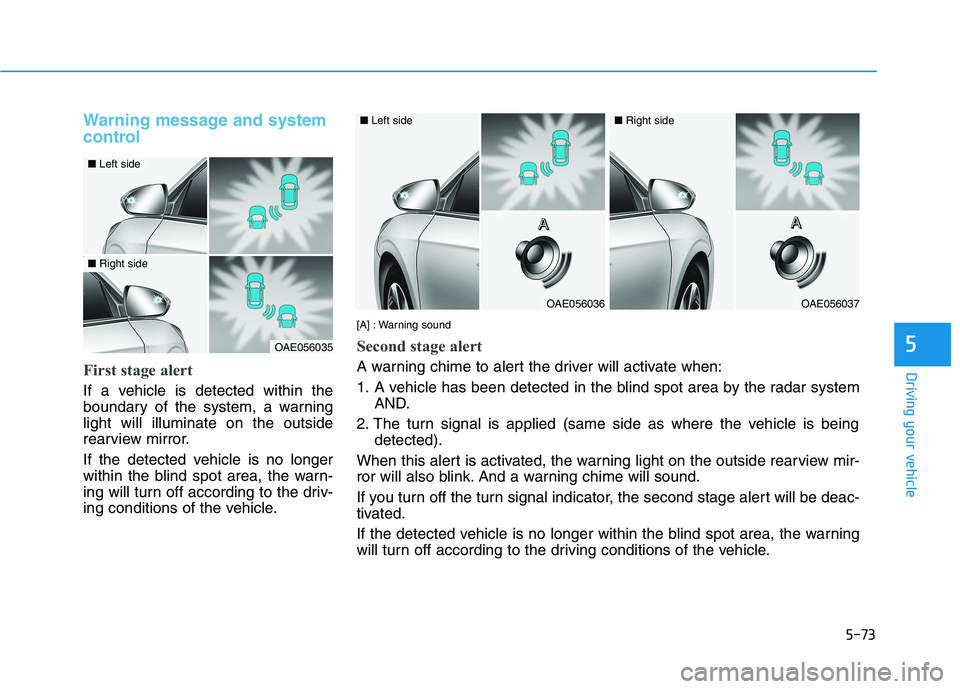
First stage alert
If a vehicle is detected within the
boundary of the system, a warninglight will illuminate on the outside
rearview mirror.
If the detected vehicle is no longer
within the blind spot area, the warn-
ing will turn off according to the driv-
ing conditions of the vehicle.
OAE056035
■Left side
■Right side
OAE056036
■Left side
OAE056037
■Right side
[A] : Warning sound
Second stage alert
A warning chime to alert the driver will activate when:
1. A vehicle has been detected in the blind spot area by the radar system AND.
2. The turn signal is applied (same side as where the vehicle is being detected).
When this alert is activated, the warning light on the outside rearview mir-
ror will also blink. And a warning chime will sound.
If you turn off the turn signal indicator, the second stage alert will be deac-
tivated.
If the detected vehicle is no longer within the blind spot area, the warning
will turn off according to the driving conditions of the vehicle. A
AAAAAAA
Page 404 of 546
5-114
Driving your vehicle
Information
Even though the steering is assisted by the system, the driver may con-
trol the steering wheel.
The steering wheel may feel heavier when the steering wheel is assisted
by the system than when it is not.
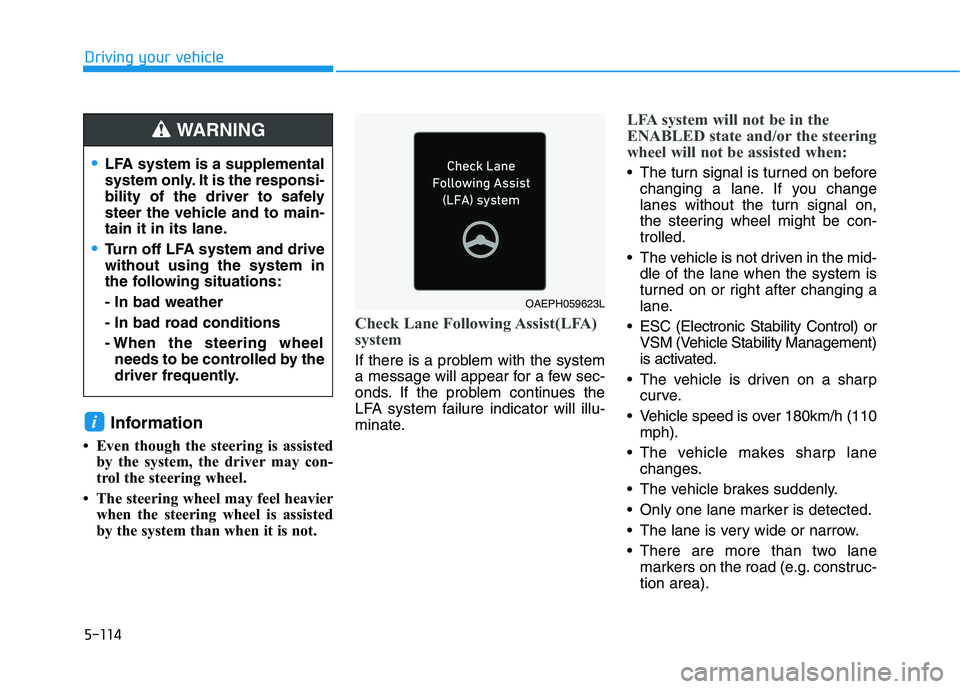
Check Lane Following Assist(LFA)
system
If there is a problem with the system
a message will appear for a few sec-
onds. If the problem continues the
LFA system failure indicator will illu-
minate.
LFA system will not be in the
ENABLED state and/or the steering
wheel will not be assisted when:
The turn signal is turned on beforechanging a lane. If you change
lanes without the turn signal on,
the steering wheel might be con-trolled.
The vehicle is not driven in the mid- dle of the lane when the system is
turned on or right after changing a
lane.
ESC (Electronic Stability Control) or VSM (Vehicle Stability Management)
is activated.
The vehicle is driven on a sharp curve.
Vehicle speed is over 180km/h (110 mph).
The vehicle makes sharp lane changes.
The vehicle brakes suddenly.
Only one lane marker is detected.
The lane is very wide or narrow.
There are more than two lane markers on the road (e.g. construc- tion area).
i
LFA system is a supplemental
system only. It is the responsi-
bility of the driver to safely
steer the vehicle and to main-
tain it in its lane.
Turn off LFA system and drive without using the system in
the following situations: - In bad weather
- In bad road conditions
- When the steering wheelneeds to be controlled by the
driver frequently.
WARNING
OAEPH059623L
Page 411 of 546
5-121
Driving your vehicle
5
HDA system will not be in the ENABLED state and/or the steer-ing wheel will not be assistedwhen:
The turn signal is turned on beforechanging a lane. If you change
lanes without the turn signal on,
the steering wheel might be con-trolled.
The vehicle is not driven in the mid- dle of the lane when the system is
turned on or right after changing a
lane.
ESC (Electronic Stability Control) or VSM (Vehicle Stability
Management) is activated.
The vehicle is driven on a sharp curve.
Vehicle speed is over 145 km/h (90 mph).
The vehicle makes sharp lane changes.
The vehicle brakes suddenly.
Only one lane marker is detected.
The lane is very wide or narrow. There are more than two lane
markers on the road (e.g. construc- tion area).
Radius of a curve is too small.
The vehicle is driven on a steep incline.
The steering wheel is turned sud- denly.System malfunction
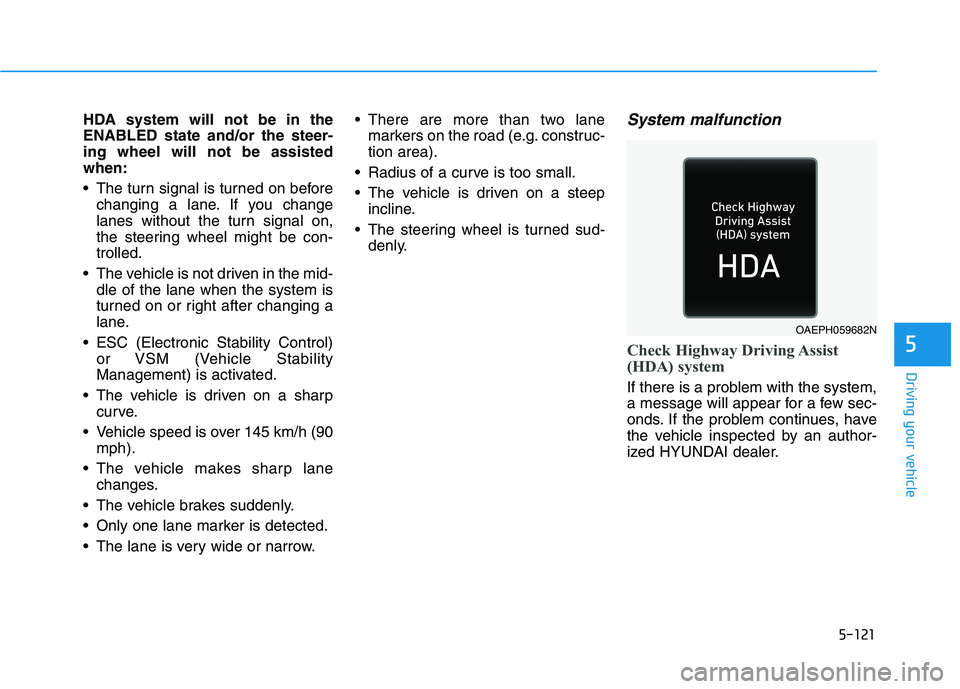
Check Highway Driving Assist
(HDA) system
If there is a problem with the system,
a message will appear for a few sec-
onds. If the problem continues, have
the vehicle inspected by an author-
ized HYUNDAI dealer.
OAEPH059682N
Page 437 of 546
6-2
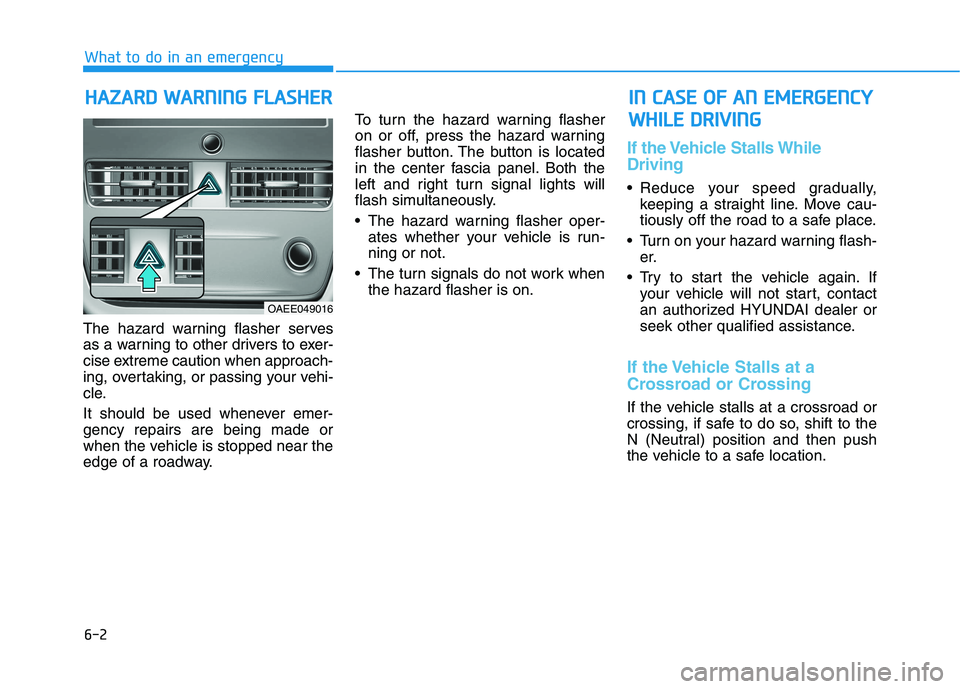
The hazard warning flasher serves
as a warning to other drivers to exer-
cise extreme caution when approach-
ing, overtaking, or passing your vehi-
cle.
It should be used whenever emer- gency repairs are being made or
when the vehicle is stopped near the
edge of a roadway. To turn the hazard warning flasher
on or off, press the hazard warning
flasher button. The button is located
in the center fascia panel. Both the
left and right turn signal lights will
flash simultaneously.
• The hazard warning flasher oper-
ates whether your vehicle is run- ning or not.
The turn signals do not work when the hazard flasher is on.
If the Vehicle Stalls While Driving
Reduce your speed gradually,keeping a straight line. Move cau-
tiously off the road to a safe place.
Turn on your hazard warning flash- er.
Try to start the vehicle again. If your vehicle will not start, contact
an authorized HYUNDAI dealer or
seek other qualified assistance.
If the Vehicle Stalls at a
Crossroad or Crossing
If the vehicle stalls at a crossroad or
crossing, if safe to do so, shift to the
N (Neutral) position and then push
the vehicle to a safe location.
HHAAZZAA RRDD WW AARRNN IINN GG FF LLAA SSHH EERR
What to do in an emergency
IINN CC AA SSEE OO FF AA NN EE MM EERR GG EENN CCYY
W
W HHIILL EE DD RRIIVV IINN GG
OAEE049016
Page 461 of 546
7
Light bulbs.............................................................7-52Headlamp, Parking Lamp, Turn Signal Lamp and
Side Marker ......................................................................7-53Daytime Running Light (DRL).......................................7-57
Side Repeater Lamp Replacement ..............................7-57
Rear Combination Light Bulb Replacement .............7-58
High Mounted Stop Light Replacement ...................7-60
License Plate Light Bulb Replacement .....................7-61
Interior Light Bulb Replacement .................................7-61
Appearance care ..................................................7-63 Exterior Care ....................................................................7-63
Interior Care .....................................................................7-69
Page 465 of 546
7-6
Maintenance
Owner Maintenance Schedule
When you stop for fuel:
• Check coolant level in the coolantreservoir.
Check the windshield washer fluid level.
Check for low or under-inflated tires.
While operating your vehicle:
Check for vibrations in the steeringwheel. Notice if there is any
increased steering effort or loose-
ness in the steering wheel, or
change in its straight-ahead posi-tion.
Notice if your vehicle constantly turns slightly or "pulls" to one side
when traveling on smooth, levelroad.
When stopping, listen and check for unusual sounds, pulling to one
side, increased brake pedal travel
or "hard-to-push" brake pedal.
If any slipping or changes in the operation of your reduction gear
occurs, check the reduction gear
fluid level.
Check the reduction gear P (Park) function.
Check the parking brake.
Check for fluid leaks under your vehicle (water dripping from the air
conditioning system during or after
use is normal).
At least monthly:
Check coolant level in the coolantreservoir.
Check the operation of all exterior lights, including the brake lights,
turn signals and hazard warning
flashers.
Check the inflation pressures of all tires including the spare for tires
that are worn, show uneven wear,or are damaged.
Check for loose wheel lug nuts.
Be careful when checking your
coolant level when the parts in
the motor compartment are hot.
This may result in coolant being
blown out of the opening and
cause serious burns and otherinjuries.
WARNING
Page 512 of 546
7-53
7
Maintenance
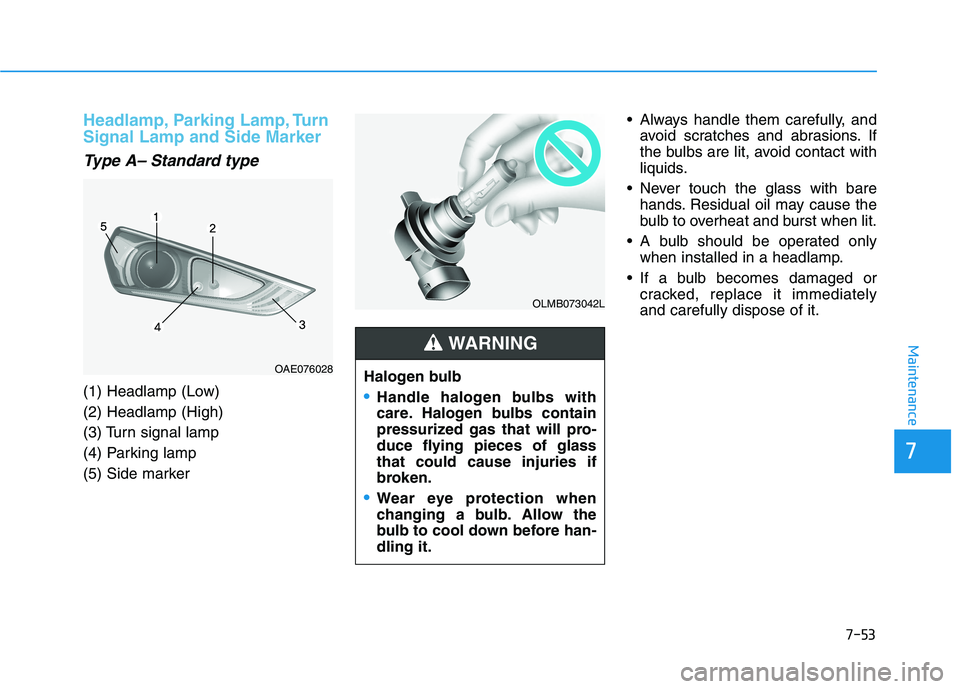
Headlamp, Parking Lamp, Turn Signal Lamp and Side Marker
Type A– Standard type
(1) Headlamp (Low) (2) Headlamp (High)
(3) Turn signal lamp
(4) Parking lamp
(5) Side marker Always handle them carefully, and
avoid scratches and abrasions. If
the bulbs are lit, avoid contact with
liquids.
Never touch the glass with bare hands. Residual oil may cause the
bulb to overheat and burst when lit.
A bulb should be operated only when installed in a headlamp.
If a bulb becomes damaged or cracked, replace it immediatelyand carefully dispose of it.
OLMB073042L
Halogen bulb
Handle halogen bulbs with
care. Halogen bulbs contain
pressurized gas that will pro-
duce flying pieces of glassthat could cause injuries if
broken.
Wear eye protection when
changing a bulb. Allow the
bulb to cool down before han-dling it.
WARNING
OAE076028