turn signal HYUNDAI IONIQ ELECTRIC 2022 Owners Manual
[x] Cancel search | Manufacturer: HYUNDAI, Model Year: 2022, Model line: IONIQ ELECTRIC, Model: HYUNDAI IONIQ ELECTRIC 2022Pages: 546, PDF Size: 34.82 MB
Page 79 of 546
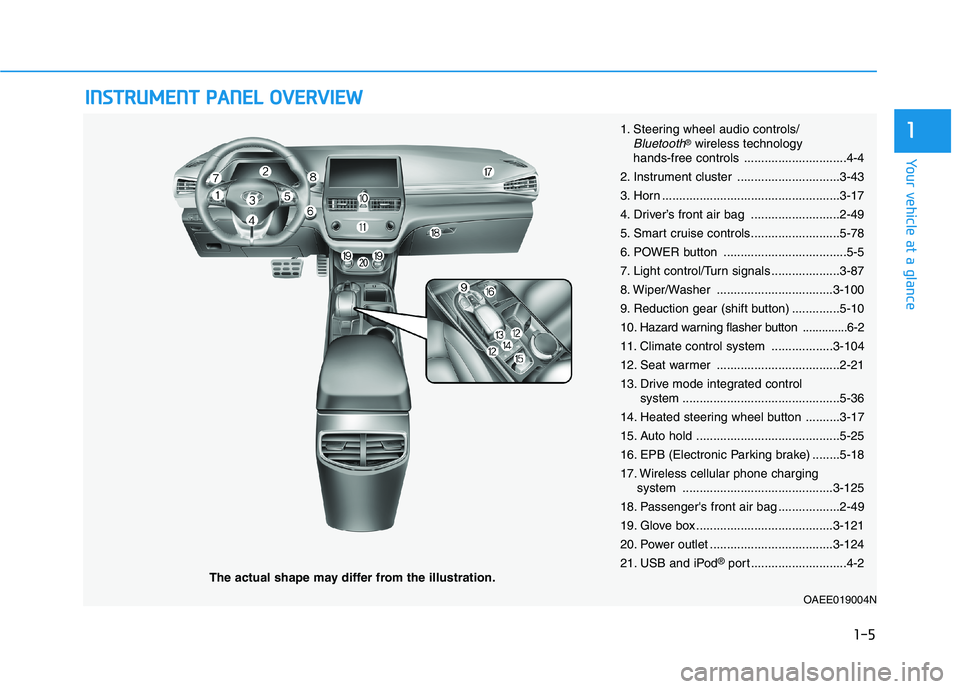
IINN SSTT RR UU MM EENN TT PP AA NN EELL OO VVEERR VV IIEE WW
The actual shape may differ from the illustration.
1-5
Your vehicle at a glance
11. Steering wheel audio controls/Bluetooth®wireless technology
hands-free controls ..............................4-4
2. Instrument cluster ..............................3-43
3. Horn ....................................................3-17
4. Driver’s front air bag ..........................2-49
5. Smart cruise controls..........................5-78
6. POWER button ....................................5-5
7. Light control/Turn signals ....................3-87
8. Wiper/Washer ..................................3-100
9. Reduction gear (shift button) ..............5-1010
. Hazard warning flasher button ..............6-2
11. Climate control system ..................3-104
12. Seat warmer ....................................2-21
13. Drive mode integrated control system ..............................................5-36
14. Heated steering wheel button ..........3-17
15. Auto hold ..........................................5-25
16. EPB (Electronic Parking brake) ........5-18
17. Wireless cellular phone charging system ............................................3-125
18. Passenger's front air bag ..................2-49
19. Glove box ........................................3-121
20. Power outlet ....................................3-124
21. USB and iPod ®
port ............................4-2
OAEE019004N
Page 134 of 546
2-54
Safety system of your vehicle
During a frontal collision, sensors will
detect the vehicle's deceleration. If
the rate of deceleration is highenough, the control unit will inflate
the front air bags. The front air bags help protect the
driver and front passenger byresponding to frontal impacts inwhich seat belts alone cannot pro-
vide adequate restraint. When need-
ed, the side air bags help provide
protection in the event of a side
impact or rollover.
Air bags are activated (able toinflate if necessary) only when the
POWER button is in the ON posi-tion.
Air bags inflate in the event of cer- tain frontal or side collisions to help
protect the occupants from serious
physical injury.
Generally, air bags are designed to inflate based upon the severity of a
collision, its direction, etc. These
two factors determine whether thesensors produce an electronic
deployment/inflation signal. Air bag deployment depends on a
number of factors including vehiclespeed, angles of impact and the
density and stiffness of the vehicles
or objects which your vehicle
impacts during a collision. The
determining factors are not limited
to those mentioned above.
The front air bags will completely inflate and deflate in an instant. It is
virtually impossible for you to see
the air bags inflate during an acci-
dent. It is much more likely that youwill simply see the deflated air bags
hanging out of their storage com-
partments after the collision.
In addition to inflating in certain side collisions, vehicles equipped
with a rollover sensor, side and
curtain air bags will inflate if the
sensing system detects a rollover.
When a rollover is detected, side
and curtain air bags will remain
inflated longer to help provide pro-tection from ejection, especiallywhen used in conjunction with the
seat belts.
If your SRS malfunctions, the air
bag may not inflate properly dur-ing an accident increasing the
risk of serious injury or death.
If any of the following condi-
tions occur, your SRS is mal-functioning:
The light does not turn on for
approximately six seconds
when the POWER button is inthe ON position.
The light stays on after illumi-
nating for approximately sixseconds.
The light comes on while the
vehicle is in motion.
The light blinks when the
vehicle is in the ready ( )
mode.
Have an authorized HYUNDAIdealer inspect the SRS as soon
as possible if any of these con-
ditions occur.
WARNING
Page 174 of 546
3-24
Convenient features of your vehicle
Programming HomeLink®
Please note the following:
When programming a garage door
opener, it is advised to park the
vehicle outside of the garage.
It is recommended that a new bat- tery be placed in the hand-held
transmitter of the device being pro-
grammed to HomeLink ®
for quicker
training and accurate transmission
of the radio-frequency signal.
Some vehicles may require the POWER button to be placed in the
ACC (or "Accessories") position for
programming and/or operation ofHomeLink ®
.
In the event that there are still pro- gramming difficulties or questions
after following the programming
steps listed below, contactHomeLink ®
at: www.homelink.com
or by calling 1-800-355-3515.
Rolling code programming
Rolling code devices which are
"code-protected" and manufactured
after 1996 may be determined by the
following:
Reference the device owner’s manual for verification.
The handheld transmitter appears to program the HomeLink ®
Universal
Transceiver but does not activate the
device.
Press and hold the trained HomeLink button. The device has
the rolling code feature if the indi-
cator light flashes rapidly and then
turns solid after 2 seconds. To train rolling code devices, follow
these instructions:
1. At the garage door opener receiv-
er (motor-head unit) in the garage,
locate the "learn" or "smart" but-
ton. This can usually be foundwhere the hanging antenna wire isattached to the motor-head unit.
Exact location and color of the but-
ton may vary by garage door
opener brand. If there is difficulty
locating the training button, refer-
ence the device owner’s manual or
please visit our Web site at
www.homelink.com.
2. Firmly press and release the "learn" or "smart" button (which
activates the "training light"). You
will have 30 seconds to initiatestep 3.
3. Return to the vehicle and firmly press, hold for two seconds andthen release the desiredHomeLink ®
button. Repeat the
"press/hold/release" sequence asecond time to complete the pro-
gramming. (Some devices may
require you to repeat thissequence a third time to complete
the programming.)
Page 209 of 546
3-59
Convenient features of your vehicle
3
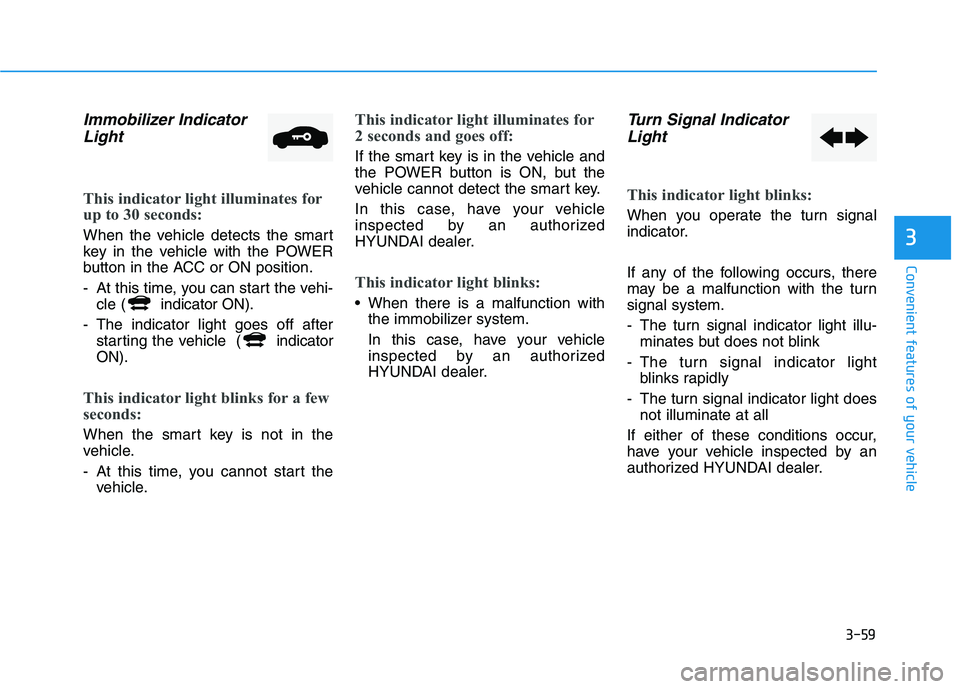
Immobilizer IndicatorLight
This indicator light illuminates for
up to 30 seconds:
When the vehicle detects the smart
key in the vehicle with the POWER
button in the ACC or ON position.
- At this time, you can start the vehi- cle ( indicator ON).
- The indicator light goes off after starting the vehicle ( indicator
ON).
This indicator light blinks for a few
seconds:
When the smart key is not in the
vehicle.
- At this time, you cannot start the vehicle.
This indicator light illuminates for
2 seconds and goes off:
If the smart key is in the vehicle and
the POWER button is ON, but the
vehicle cannot detect the smart key.
In this case, have your vehicle
inspected by an authorized
HYUNDAI dealer.
This indicator light blinks:
When there is a malfunction withthe immobilizer system.
In this case, have your vehicle
inspected by an authorized
HYUNDAI dealer.
Turn Signal Indicator
Light
This indicator light blinks:
When you operate the turn signal
indicator.
If any of the following occurs, there
may be a malfunction with the turnsignal system.
- The turn signal indicator light illu- minates but does not blink
- The turn signal indicator light blinks rapidly
- The turn signal indicator light does not illuminate at all
If either of these conditions occur,
have your vehicle inspected by an
authorized HYUNDAI dealer.
Page 210 of 546
3-60
Convenient features of your vehicle
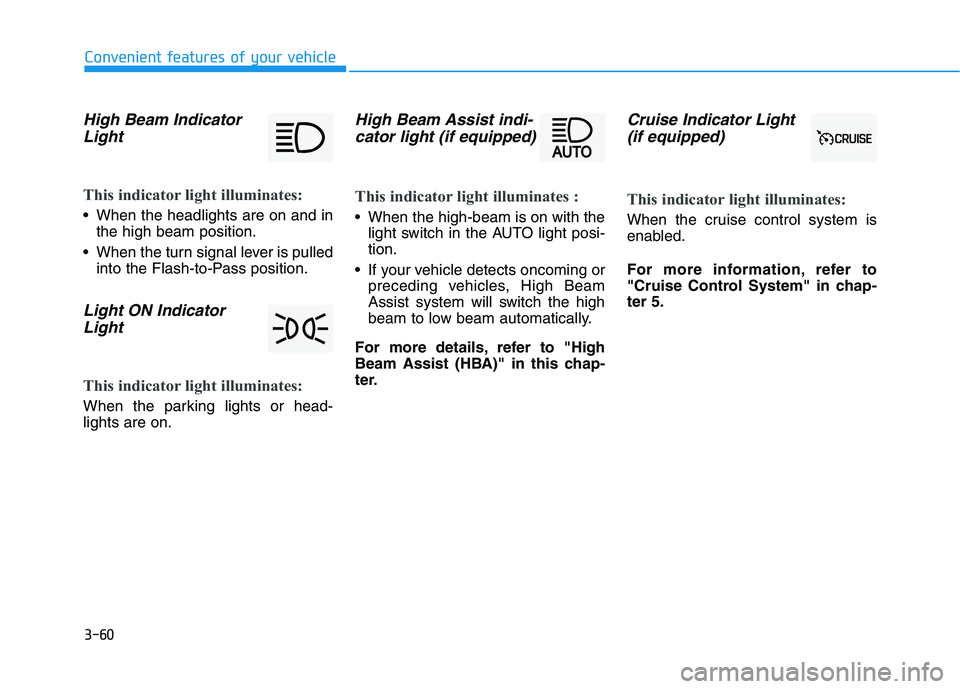
High Beam IndicatorLight
This indicator light illuminates:
When the headlights are on and in the high beam position.
When the turn signal lever is pulled into the Flash-to-Pass position.
Light ON Indicator
Light
This indicator light illuminates:
When the parking lights or head- lights are on.
High Beam Assist indi-cator light (if equipped)
This indicator light illuminates :
When the high-beam is on with the light switch in the AUTO light posi- tion.
If your vehicle detects oncoming or preceding vehicles, High Beam
Assist system will switch the high
beam to low beam automatically.
For more details, refer to "High
Beam Assist (HBA)" in this chap-
ter.
Cruise Indicator Light (if equipped)
This indicator light illuminates:
When the cruise control system is
enabled.
For more information, refer to
"Cruise Control System" in chap-ter 5.
Page 216 of 546
3-66
Convenient features of your vehicle
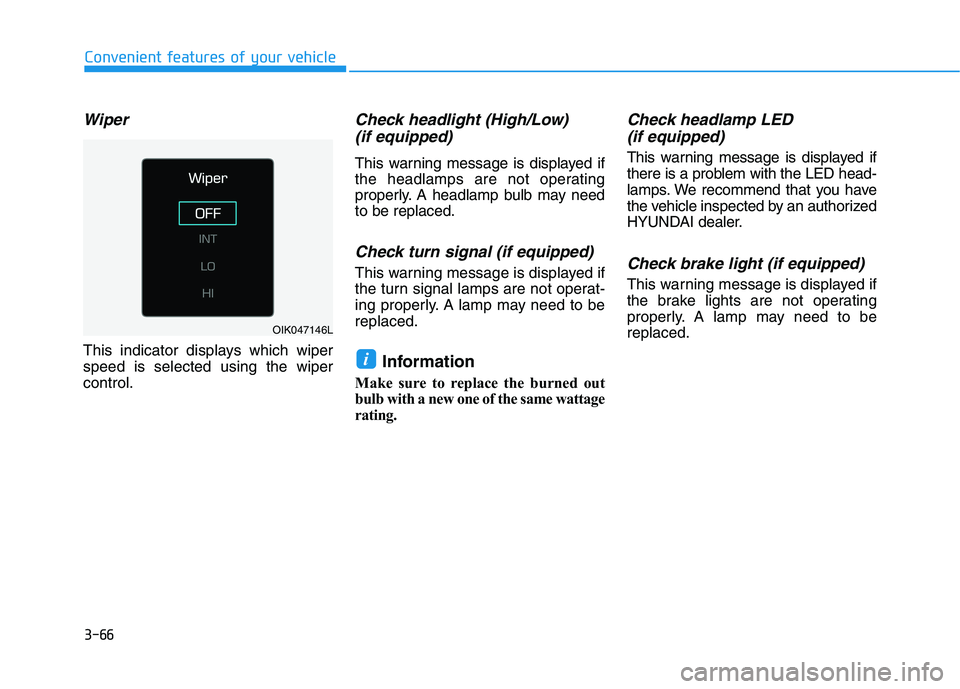
Wiper
This indicator displays which wiper speed is selected using the wipercontrol.
Check headlight (High/Low)(if equipped)
This warning message is displayed if
the headlamps are not operating
properly. A headlamp bulb may needto be replaced.
Check turn signal (if equipped)
This warning message is displayed if
the turn signal lamps are not operat-
ing properly. A lamp may need to bereplaced.
Information
Make sure to replace the burned out
bulb with a new one of the same wattage
rating.
Check headlamp LED (if equipped)
This warning message is displayed if
there is a problem with the LED head-
lamps. We recommend that you have
the vehicle inspected by an authorized
HYUNDAI dealer.
Check brake light (if equipped)
This warning message is displayed if
the brake lights are not operating
properly. A lamp may need to bereplaced.
i
OIK047146L
Page 231 of 546
3-81
Convenient features of your vehicle
3
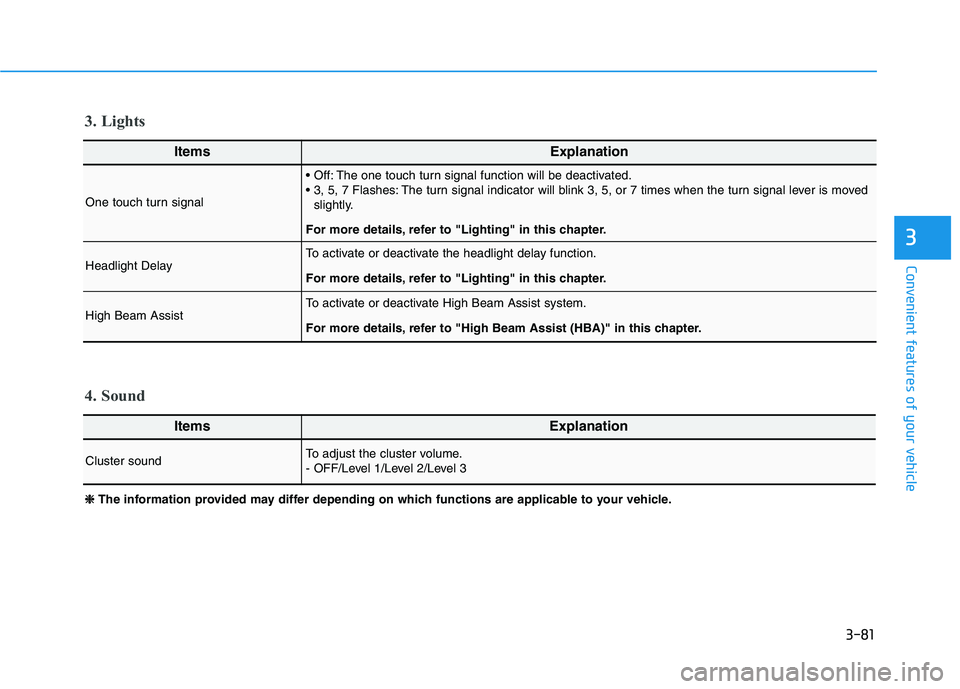
ItemsExplanation
One touch turn signal
The one touch turn signal function will be deactivated.
The turn signal indicator will blink 3, 5, or 7 times when the turn signal lever is movedslightly.
For more details, refer to "Lighting" in this chapter.
Headlight DelayTo activate or deactivate the headlight delay function.
For more details, refer to "Lighting" in this chapter.
High Beam Assist To activate or deactivate High Beam Assist system.
For more details, refer to "High Beam Assist (HBA)" in this chapter.
ItemsExplanation
Cluster soundTo adjust the cluster volume.
- OFF/Level 1/Level 2/Level 3
4. Sound
3. Lights
❈❈
The information provided may differ depending on which functions are applicable to your vehicle.
Page 246 of 546
3-96
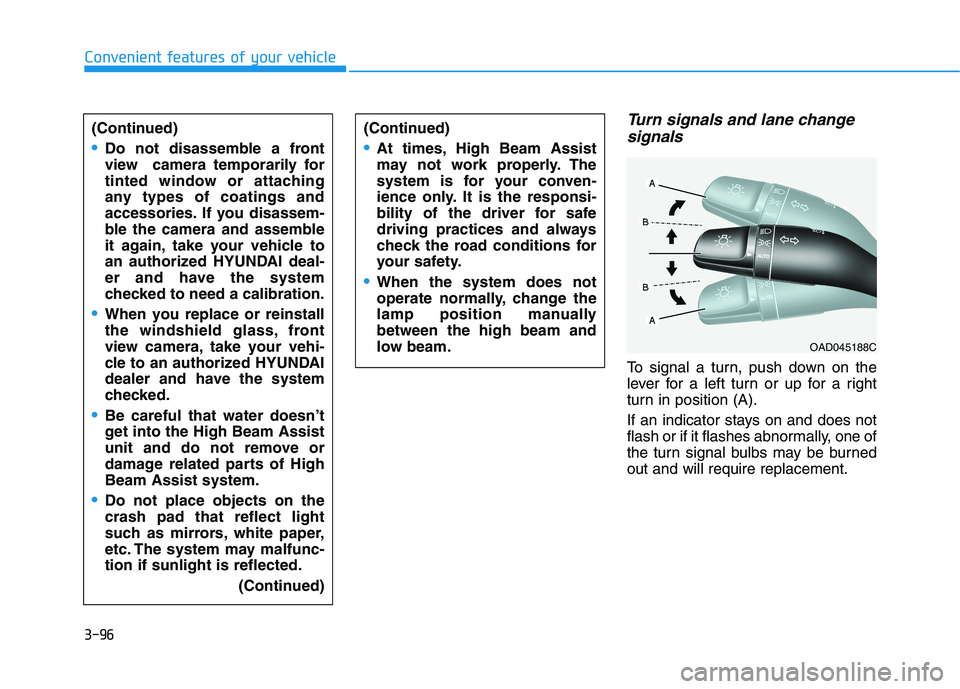
Turn signals and lane changesignals
To signal a turn, push down on the
lever for a left turn or up for a right
turn in position (A).
If an indicator stays on and does not
flash or if it flashes abnormally, one of
the turn signal bulbs may be burnedout and will require replacement.
Convenient features of your vehicle
(Continued)
Do not disassemble a front
view camera temporarily for
tinted window or attaching
any types of coatings and
accessories. If you disassem-
ble the camera and assemble
it again, take your vehicle to
an authorized HYUNDAI deal-
er and have the system
checked to need a calibration.
When you replace or reinstall
the windshield glass, front
view camera, take your vehi-
cle to an authorized HYUNDAI
dealer and have the system
checked.
Be careful that water doesn’t
get into the High Beam Assist
unit and do not remove or
damage related parts of HighBeam Assist system.
Do not place objects on the crash pad that reflect light
such as mirrors, white paper,
etc. The system may malfunc-tion if sunlight is reflected.
(Continued)
(Continued)
At times, High Beam Assist
may not work properly. The
system is for your conven-
ience only. It is the responsi-
bility of the driver for safe
driving practices and always
check the road conditions for
your safety.
When the system does not
operate normally, change the
lamp position manuallybetween the high beam and
low beam.
OAD045188C
Page 247 of 546
3-97
Convenient features of your vehicle
Onetouch turn signal function
To activate the One Touch Turn
Signal function, push the turn signal
lever up or down to position (B) andthen release it.
The lane change signals will blink 3,
5 or 7 times.
You can activate or deactivate the
One Touch Turn Signal function or
choose the number of blinking (3, 5,or 7) from the User Settings mode
(Light) on the LCD display.
For more information, refer to the
"LCD Display" section in this
chapter.
Battery saver function
The purpose of this feature is to pre-
vent the battery from being dis-
charged. The system automatically
turns off the parking lamp when the
driver turns the vehicle off and opens
the driver-side door.
With this feature, the parking lamps
will turn off automatically if the driver
parks on the side of road at night.
If necessary, to keep the lamps on
when the the vehicle is turned off, per-
form the following:
1) Open the driver-side door.
2) Turn the parking lamps OFF andON again using the light switch on
the steering column.
Headlamp delay function
(if equipped)
If the POWER button is placed in the
ACC position or the OFF positionwith the headlamps ON, the head-
lamps (and/or parking lamps) remain
on for about 5 minutes. However, if
the driver’s door is opened and
closed, the headlights are turned off
after 15 seconds. Also, with the vehi-
cle off if the driver's door is openedand closed, the headlamps (and/or
parking lamps) are turned off after 15
seconds.
The headlamps (and/or parking
lamps) can be turned off by pressing
the lock button on the smart key
twice or turning the light switch to the
OFF or AUTO position.
You can activate or deactivate the
Headlamp Delay function from theUser Settings mode (Light) on the
LCD display.
For more information, refer to the
"LCD Display" section in this
chapter.
3
Page 274 of 546
3-124
Convenient features of your vehicle
Auto Defogging System
Auto defogging system reduces the
possibility of fogging up the inside of
the windshield by automaticallysensing the moisture of inside thewindshield.
The auto defogging system operates when the heater or air conditioning ison.Information
The auto defogging system may not
operate normally, when the outside
temperature is below 10 °C (50 °F). When the Auto Defogging
System operates, the indi-
cator will illuminate.
If higher level of moisture are sensed in
the vehicle, the Auto Defogging System
will operate in the following order:
Step 1 : Outside air positionStep 2 : Operating the air conditioning
Step 3 : Blowing air toward the wind- shield
Step 4 : Increasing air flow toward the windshield
If the air conditioning is off or recircu-
lated air position is manually select-
ed while Auto Defogging System is
ON, the Auto Defogging System
Indicator will blink 3 times to signal
that the manual operation has beencanceled.
To cancel or reset the
Auto Defogging System
Press the front windshield defroster
button for 3 seconds when the
POWER button is in the ON position.
When the Auto Defogging System is
canceled, ADS OFF symbol will blink3 times and the ADS OFF will be dis-
played on the climate control infor-mation screen.
When the Auto Defogging System is
reset, ADS OFF symbol will blink 6times without a signal.
Information
When the air conditioning is turned on by Auto defogging system, if you
try to turn off the air conditioning, the
indicator will blink 3 times and the air
conditioning will not be turned off.
For efficiency, do not select recircu- lated air position while Auto defog-
ging system is operating.
When Auto defogging mode is selected, fan speed, temperature and
intake mode which is adjusted man-
ually are canceled for better defog-
ging result.
i
i