warning light HYUNDAI IONIQ ELECTRIC 2022 Workshop Manual
[x] Cancel search | Manufacturer: HYUNDAI, Model Year: 2022, Model line: IONIQ ELECTRIC, Model: HYUNDAI IONIQ ELECTRIC 2022Pages: 546, PDF Size: 34.82 MB
Page 216 of 546
3-66
Convenient features of your vehicle
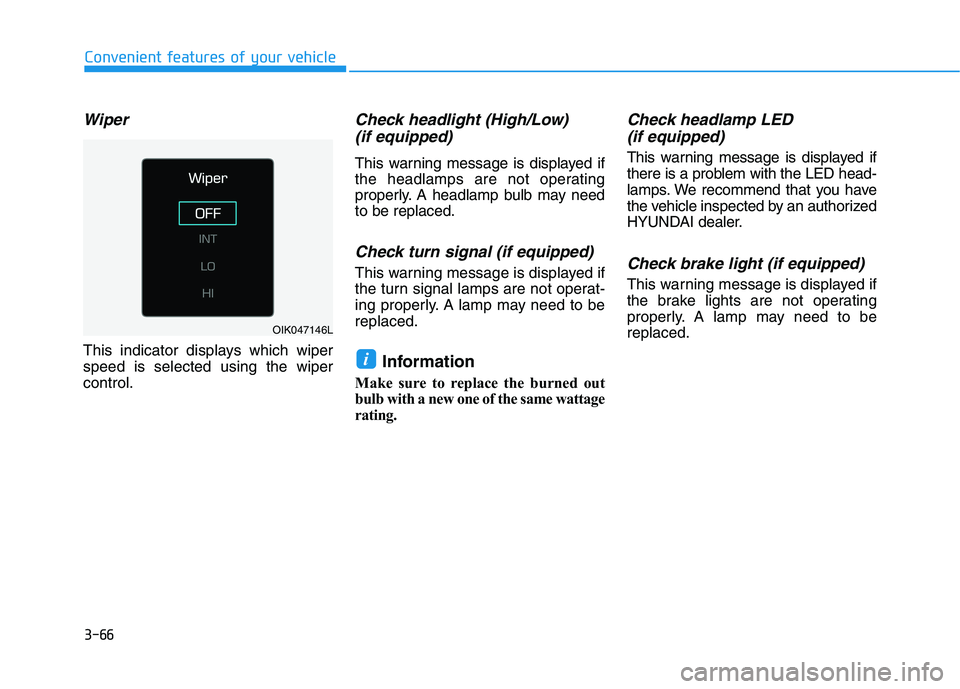
Wiper
This indicator displays which wiper speed is selected using the wipercontrol.
Check headlight (High/Low)(if equipped)
This warning message is displayed if
the headlamps are not operating
properly. A headlamp bulb may needto be replaced.
Check turn signal (if equipped)
This warning message is displayed if
the turn signal lamps are not operat-
ing properly. A lamp may need to bereplaced.
Information
Make sure to replace the burned out
bulb with a new one of the same wattage
rating.
Check headlamp LED (if equipped)
This warning message is displayed if
there is a problem with the LED head-
lamps. We recommend that you have
the vehicle inspected by an authorized
HYUNDAI dealer.
Check brake light (if equipped)
This warning message is displayed if
the brake lights are not operating
properly. A lamp may need to bereplaced.
i
OIK047146L
Page 219 of 546
3-69
Convenient features of your vehicle
3
If the same problem occurs when
charging the vehicle with a replaced
charging cable or genuine HYUNDAI
portable charger, we recommend
that you have your vehicle inspected
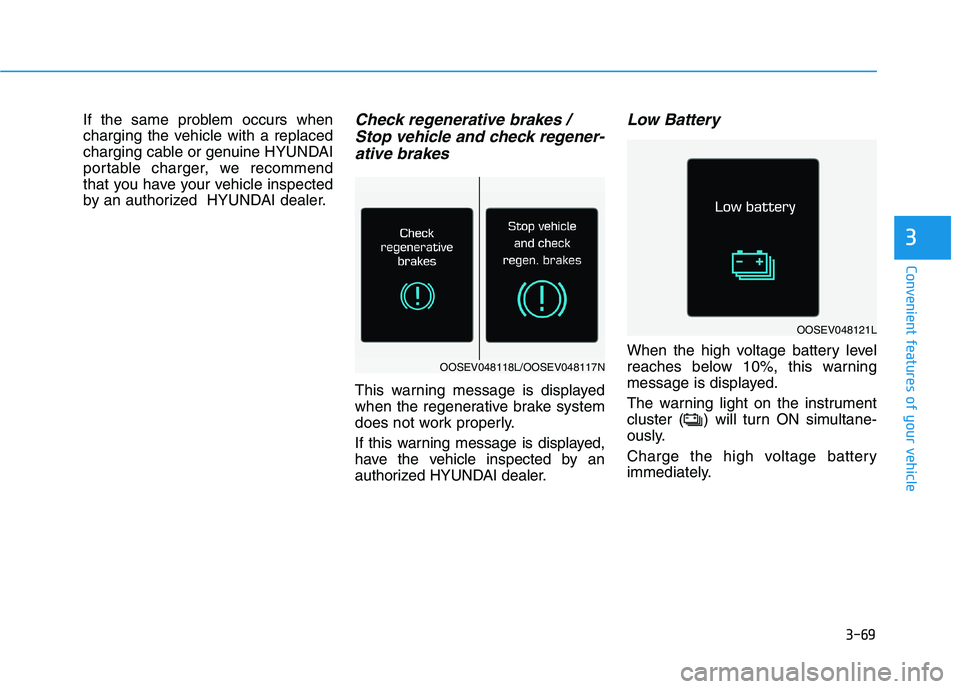
by an authorized HYUNDAI dealer.Check regenerative brakes / Stop vehicle and check regener-
ative brakes
This warning message is displayed
when the regenerative brake system
does not work properly.
If this warning message is displayed,
have the vehicle inspected by an
authorized HYUNDAI dealer.
Low Battery
When the high voltage battery level
reaches below 10%, this warning
message is displayed.
The warning light on the instrument
cluster ( ) will turn ON simultane-
ously.
Charge the high voltage battery
immediately.
OOSEV048121L
OOSEV048118L/OOSEV048117N
Page 220 of 546
3-70
Convenient features of your vehicle
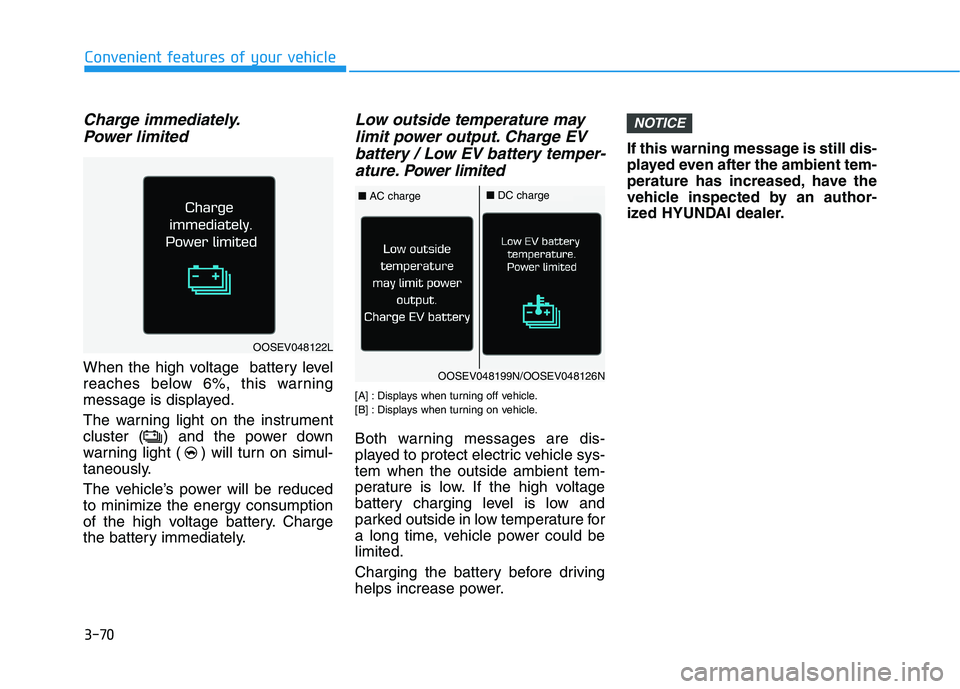
Charge immediately.Power limited
When the high voltage battery level
reaches below 6%, this warning
message is displayed.
The warning light on the instrument
cluster ( ) and the power down
warning light ( ) will turn on simul-
taneously.
The vehicle’s power will be reduced
to minimize the energy consumption
of the high voltage battery. Charge
the battery immediately.
Low outside temperature maylimit power output. Charge EV
battery / Low EV battery temper- ature. Po wer limited
[A] : Displays when turning off vehicle.
[B] : Displays when turning on vehicle.
Both warning messages are dis-
played to protect electric vehicle sys-tem when the outside ambient tem-
perature is low. If the high voltage
battery charging level is low and
parked outside in low temperature for
a long time, vehicle power could belimited.
Charging the battery before driving
helps increase power. If this warning message is still dis-
played even after the ambient tem-
perature has increased, have the
vehicle inspected by an author-
ized HYUNDAI dealer.
NOTICE
OOSEV048122L
OOSEV048199N/OOSEV048126N
■
AC charge■DC charge
Page 221 of 546
3-71
Convenient features of your vehicle
3
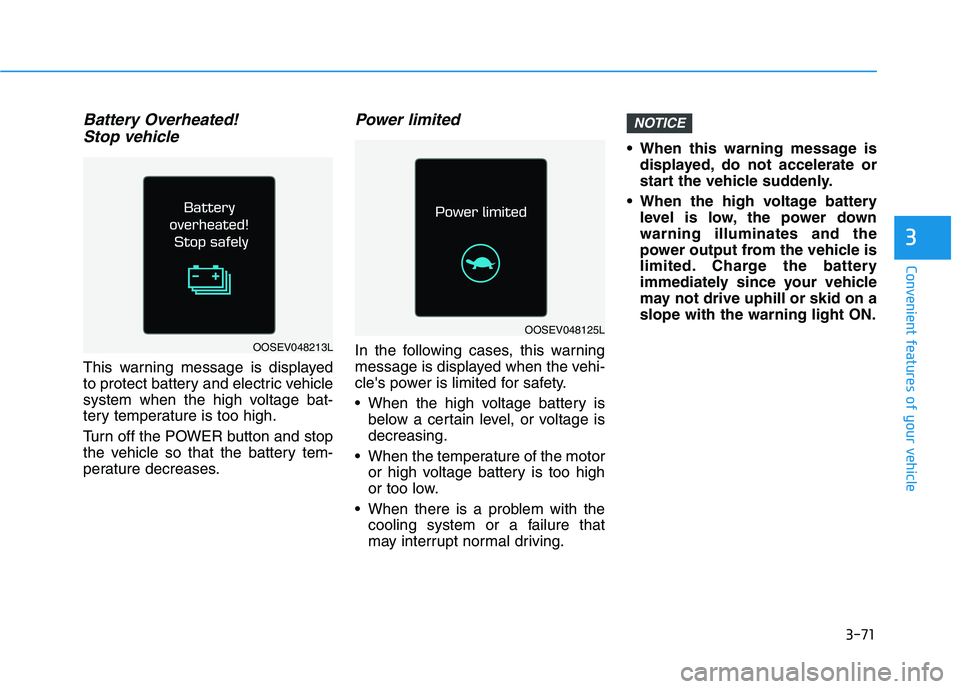
Battery Overheated! Stop vehicle
This warning message is displayed
to protect battery and electric vehicle
system when the high voltage bat-
tery temperature is too high.
Turn off the POWER button and stop
the vehicle so that the battery tem-
perature decreases.
Power limited
In the following cases, this warning
message is displayed when the vehi-
cle's power is limited for safety.
When the high voltage battery is below a certain level, or voltage is decreasing.
When the temperature of the motor or high voltage battery is too high
or too low.
When there is a problem with the cooling system or a failure that
may interrupt normal driving. When this warning message is
displayed, do not accelerate or
start the vehicle suddenly.
When the high voltage battery level is low, the power downwarning illuminates and the
power output from the vehicle is
limited. Charge the battery
immediately since your vehicle
may not drive uphill or skid on aslope with the warning light ON.
NOTICE
OOSEV048125L
OOSEV048213L
Page 224 of 546
3-74
Convenient features of your vehicle
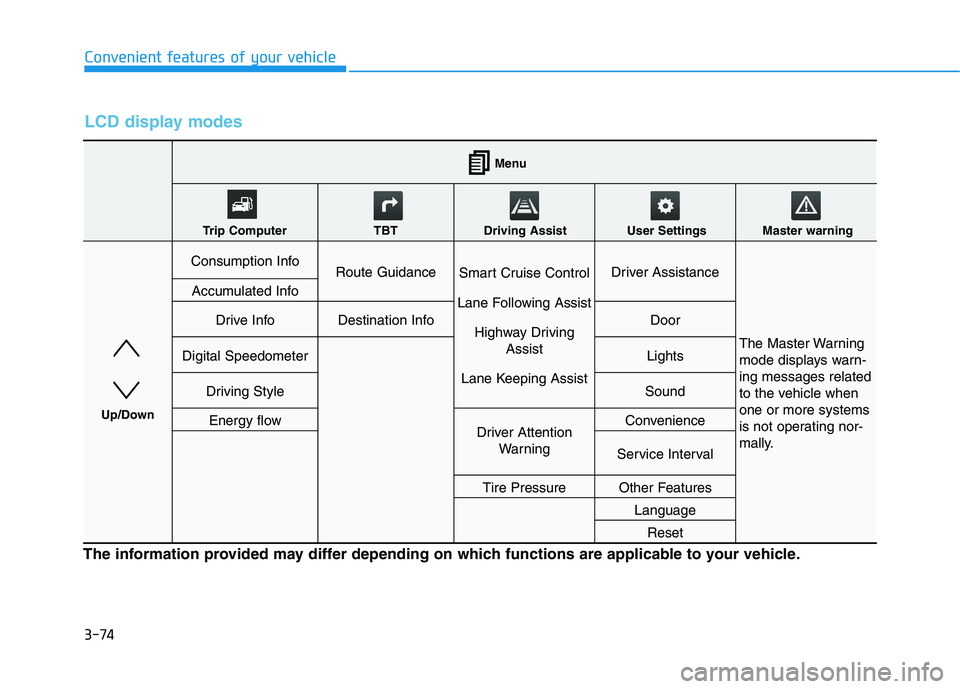
LCD display modes
The information provided may differ depending on which functions are applicable to your vehicle.
Consumption InfoRoute GuidanceSmart Cruise Control
Lane Following Assist Highway Driving Assist
Lane Keeping AssistDriver Assistance
The Master Warning
mode displays warn-ing messages related
to the vehicle whenone or more systems
is not operating nor-
mally.
Accumulated Info
Drive InfoDestination InfoDoor
Digital SpeedometerLights
Driving StyleSound
Energy flowDriver Attention WarningConvenience
Service Interval
Tire PressureOther Features
Language
Reset
Menu
Trip Computer TBT Driving Assist User Settings Master warning
Up/Down
Page 226 of 546
3-76
Convenient features of your vehicle
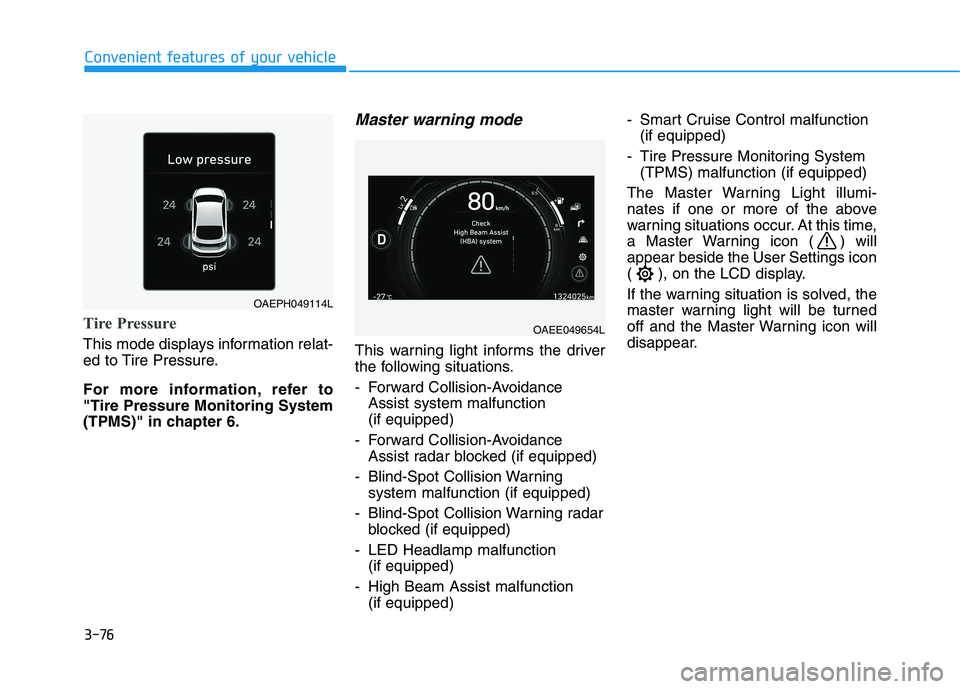
Tire Pressure
This mode displays information relat-
ed to Tire Pressure.
For more information, refer to "Tire Pressure Monitoring System
(TPMS)" in chapter 6.
Master warning mode
This warning light informs the driver
the following situations.
- Forward Collision-AvoidanceAssist system malfunction (if equipped)
- Forward Collision-Avoidance Assist radar blocked (if equipped)
- Blind-Spot Collision Warning system malfunction (if equipped)
- Blind-Spot Collision Warning radar blocked (if equipped)
- LED Headlamp malfunction (if equipped)
- High Beam Assist malfunction (if equipped) - Smart Cruise Control malfunction
(if equipped)
- Tire Pressure Monitoring System (TPMS) malfunction (if equipped)
The Master Warning Light illumi-
nates if one or more of the above
warning situations occur. At this time,
a Master Warning icon ( ) willappear beside the User Settings icon
( ), on the LCD display.
If the warning situation is solved, the
master warning light will be turned
off and the Master Warning icon will
disappear.
OAEPH049114L
OAEE049654L
Page 227 of 546
3-77
Convenient features of your vehicle
3
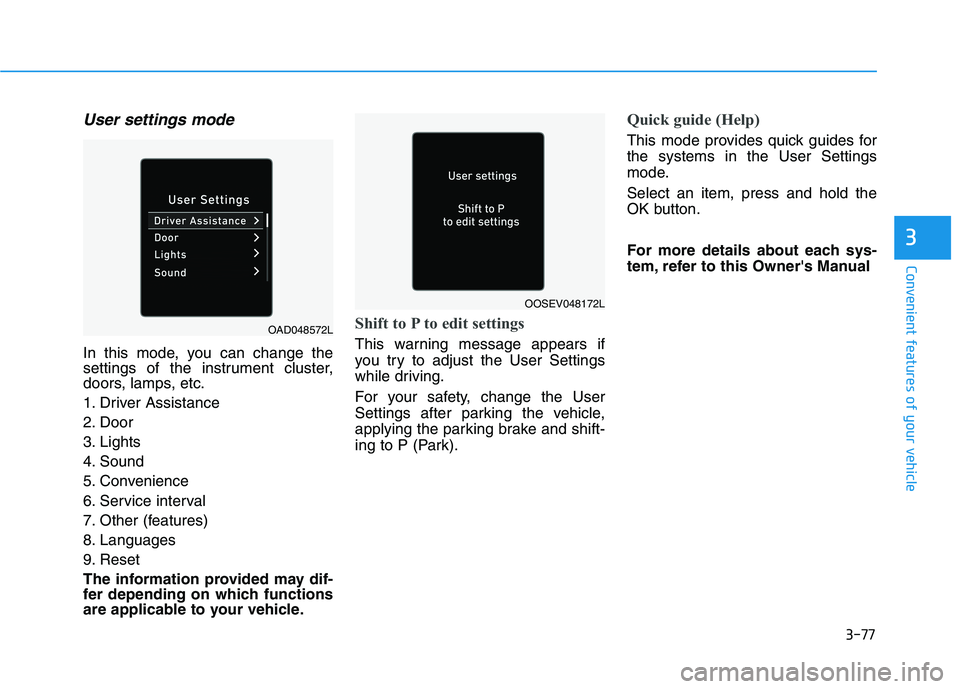
User settings mode
In this mode, you can change the
settings of the instrument cluster,
doors, lamps, etc.
1. Driver Assistance
2. Door
3. Lights
4. Sound
5. Convenience
6. Service interval
7. Other (features)
8. Languages
9. Reset
The information provided may dif-
fer depending on which functions
are applicable to your vehicle.
Shift to P to edit settings
This warning message appears if
you try to adjust the User Settings
while driving.
For your safety, change the User
Settings after parking the vehicle,
applying the parking brake and shift-
ing to P (Park).
Quick guide (Help)
This mode provides quick guides for the systems in the User Settings
mode. Select an item, press and hold the
OK button.
For more details about each sys-
tem, refer to this Owner's Manual
OAD048572L
OOSEV048172L
Page 232 of 546
3-82
Convenient features of your vehicle
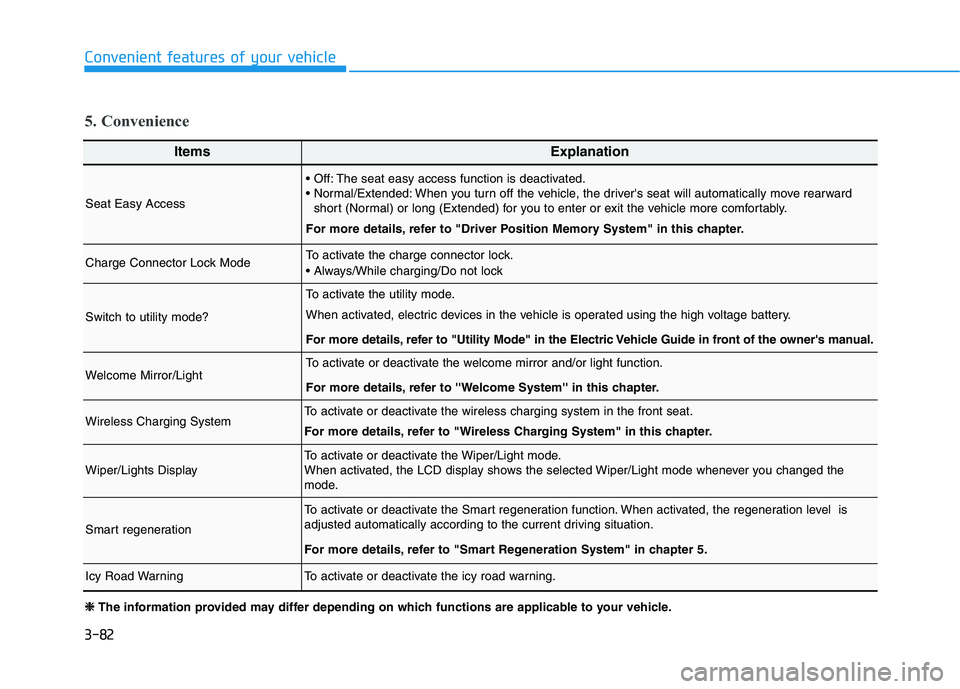
ItemsExplanation
Seat Easy Access
The seat easy access function is deactivated.
When you turn off the vehicle, the driver's seat will automatically move rearwardshort (Normal) or long (Extended) for you to enter or exit the vehicle more comfortably.
For more details, refer to "Driver Position Memory System" in this chapter.
Charge Connector Lock ModeTo activate the charge connector lock.
Switch to utility mode?
To activate the utility mode.
When activated, electric devices in the vehicle is operated using the high voltage battery.
For more details, refer to "Utility Mode" in the Electric Vehicle Guide in front of the owner's manual.
Welcome Mirror/LightTo activate or deactivate the welcome mirror and/or light function.
For more details, refer to ''Welcome System'' in this chapter.
Wireless Charging SystemTo activate or deactivate the wireless charging system in the front seat.
For more details, refer to "Wireless Charging System" in this chapter.
Wiper/Lights DisplayTo activate or deactivate the Wiper/Light mode.
When activated, the LCD display shows the selected Wiper/Light mode whenever you changed the
mode.
Smart regeneration
To activate or deactivate the Smart regeneration function. When activated, the regeneration level is
adjusted automatically according to the current driving situation.
For more details, refer to "Smart Regeneration System" in chapter 5.
Icy Road WarningTo activate or deactivate the icy road warning.
5. Convenience
❈❈
The information provided may differ depending on which functions are applicable to your vehicle.
Page 243 of 546
3-93
Convenient features of your vehicle
3
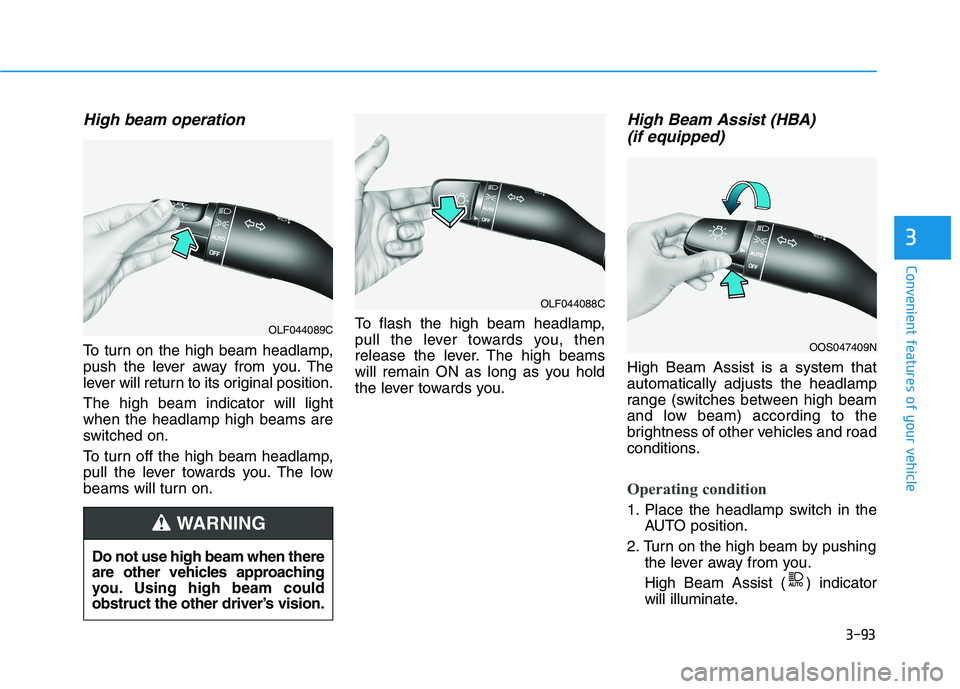
High beam operation
To turn on the high beam headlamp,
push the lever away from you. The
lever will return to its original position. The high beam indicator will light when the headlamp high beams are
switched on.
To turn off the high beam headlamp,
pull the lever towards you. The low
beams will turn on.To flash the high beam headlamp,
pull the lever towards you, then
release the lever. The high beams
will remain ON as long as you hold
the lever towards you.
High Beam Assist (HBA)
(if equipped)
High Beam Assist is a system thatautomatically adjusts the headlamp
range (switches between high beam
and low beam) according to the
brightness of other vehicles and road
conditions.
Operating condition
1. Place the headlamp switch in the AUTO position.
2. Turn on the high beam by pushing the lever away from you.
High Beam Assist ( ) indicator
will illuminate.
Do not use high beam when there
are other vehicles approaching
you. Using high beam could
obstruct the other driver’s vision.
WARNING
OLF044089C
OLF044088C
OOS047409N
Page 244 of 546
3-94
3. High Beam Assist will turn on
when vehicle speed is above 40 km/h (25 mph).
away when High Beam Assist is
operating, High Beam Assist will
turn off and the high beam will be
on continuously.
towards you when the high beam
is off, the high beam will turn onwithout High Beam Assist can-celed.
When you let go of the light switch, the lever will move to themiddle and the high beam will
turn off.
towards you when the high beam
is on by High Beam Assist, the
low beam will be on and the High
Beam Assist will turn off.
to the headlamp ON position,
High Beam Assist will turn off and
the low beam will be on continu-
ously. When High Beam Assist is operat-
ing, the high beam switches to low
beam if any of the following condi-tions occur :
- When the headlamp of an on-com-
ing vehicle is detected.
- When the tail lamp of a vehicle in front is detected.
- When the headlamp or tail lamp of a motorcycle or a bicycle is detect- ed.
- When the surrounding ambient light is bright enough that highbeams are not required.
- When streetlights or other lights are detected.
- When the headlamp switch is not in the AUTO position.
- When High Beam Assist is off.
- When vehicle speed is below 24 km/h (15 mph).
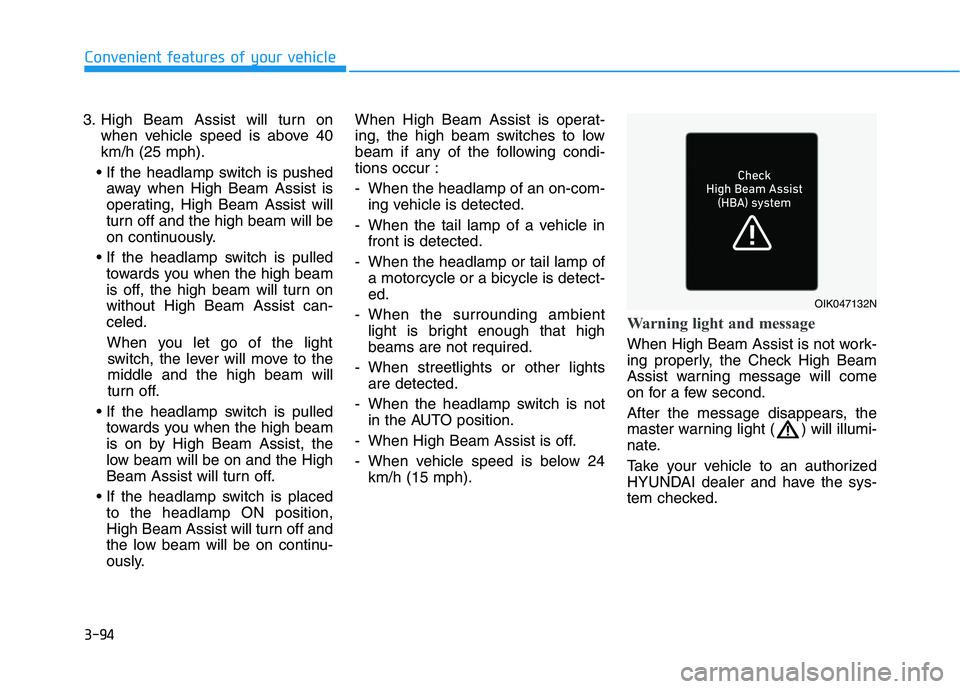
Warning light and message
When High Beam Assist is not work-
ing properly, the Check High Beam
Assist warning message will come
on for a few second.
After the message disappears, the
master warning light ( ) will illumi-
nate.
Take your vehicle to an authorized
HYUNDAI dealer and have the sys-
tem checked.
Convenient features of your vehicle
OIK047132N