change time Hyundai Ioniq Hybrid 2019 User Guide
[x] Cancel search | Manufacturer: HYUNDAI, Model Year: 2019, Model line: Ioniq Hybrid, Model: Hyundai Ioniq Hybrid 2019Pages: 603, PDF Size: 21.91 MB
Page 125 of 603
3-33
Convenient features of your vehicle
3
Erasing HomeLink®buttons
Individual buttons cannot be erased.
However, to erase all three pro-
grammed buttons:
1. Press and hold the two outerHomeLink
®buttons until the indi-
cator light begins to flash-after 20
seconds.
2. Release both buttons. Do not hold for longer than 30 seconds.
The Integrated HomeLink
®Wireless
Control System is now in the training
(learn) mode and can be pro-
grammed at any time following the
appropriate steps in the Programming
chapters above.
NVS
®is a registered trademark and
Z-Nav™ is a trademark of the Gentex
Corporation, Zeeland, Michigan.
HomeLink
®is a registered trademark
owned by Johnson Controls,
Incorporated, Milwaukee, Wisconsin.
FCC ID: NZLZTVHL3
IC: 4112A-ZTVHL3
Information
This device complies with Part 15 of
the FCC Rules.
Operation is subject to the following
three conditions:
1. This device may not cause harmful interference, and
2. This device must accept any interfer- ence received, including interference
that may cause undesired operation.
3. The transceiver has been tested and complies with FCC and Industry
Canada rules. Changes or modifica-
tions not expressly approved by the
party responsible for compliance
could void the user’s authority to
operate the device.
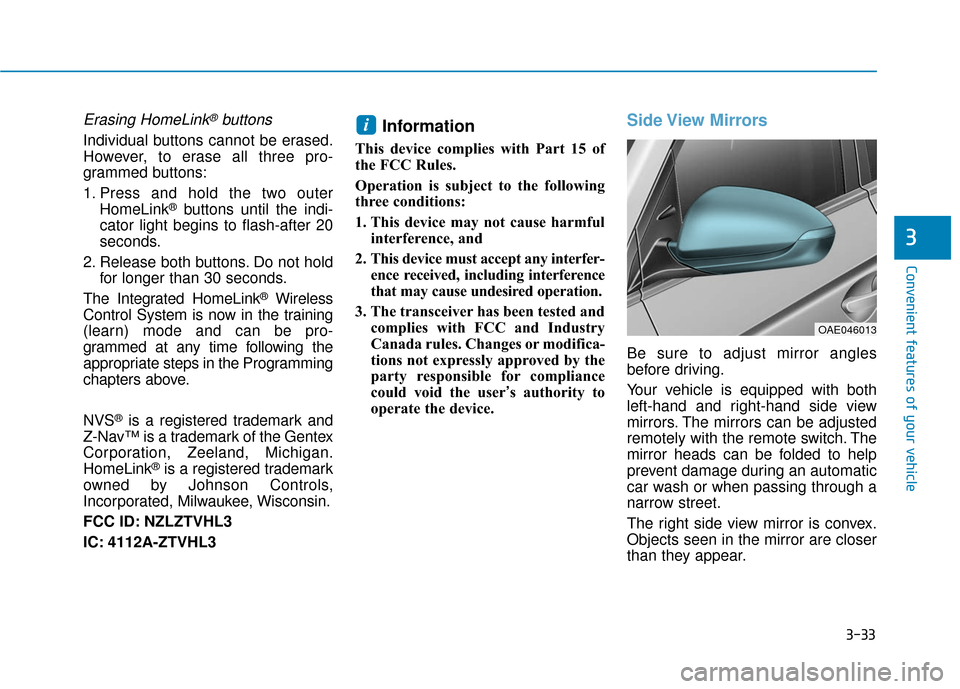
Side View Mirrors
Be sure to adjust mirror angles
before driving.
Your vehicle is equipped with both
left-hand and right-hand side view
mirrors. The mirrors can be adjusted
remotely with the remote switch. The
mirror heads can be folded to help
prevent damage during an automatic
car wash or when passing through a
narrow street.
The right side view mirror is convex.
Objects seen in the mirror are closer
than they appear.
i
OAE046013
Page 165 of 603
![Hyundai Ioniq Hybrid 2019 User Guide 3-73
Convenient features of your vehicle
Lane Keeping Assist(LKA) System IndicatorLight (if equipped)
This indicator light illuminates:
[Green] When the system operat-
ing conditions are satisfied.](/img/35/14928/w960_14928-164.png "Hyundai Ioniq Hybrid 2019 User Guide 3-73
Convenient features of your vehicle
Lane Keeping Assist(LKA) System IndicatorLight (if equipped)
This indicator light illuminates:
[Green] When the system operat-
ing conditions are satisfied.")
3-73
Convenient features of your vehicle
Lane Keeping Assist(LKA) System IndicatorLight (if equipped)
This indicator light illuminates:
[Green] When the system operat-
ing conditions are satisfied.
[White] When system operating conditions are not satisfied or
when the sensor does not detect
the lane line.
[Yellow] When there is a malfunc- tion with the lane keeping assist
system.
In this case, have your vehicle
inspected by an authorized HYUNDAI
dealer.
For more information, refer to "Lane
Keeping Assist (LKA) System" in
chapter 5.
LCD Display Messages
Shift to P
This message is displayed if you try
to turn off the vehicle with the shift
lever in the N (Neutral) position.
At this time, the Engine Start/Stop
button turns to the ACC position (If
you press the Engine Start/Stop but-
ton once more, it will turn to the ON
position).
Low Key Battery
This message is displayed if the bat-
tery of the smart key is discharged
while changing the Engine Start/
Stop button to the OFF position.
Press START button while turn- ing wheel
This message is displayed if the
steering wheel does not unlock nor-
mally when the Engine Start/Stop
button is pressed.
You should press the Engine Start/
Stop button while turning the steer-
ing wheel right and left.
Check Steering Wheel LockSystem
This message is displayed if the
steering wheel does not lock normal-
ly while the Engine Start/Stop button
changes to the OFF position.
Press brake pedal to start vehicle
This message is displayed if the
Engine Start/Stop button changes to
the ACC position twice by pressing
the button repeatedly without
depressing the brake pedal.
You can start the vehicle by depress-
ing the brake pedal.
Key not in vehicle
This message is displayed if the
smart key is not in the vehicle when
you press the Engine Start/Stop but-
ton.
When attempting to start the vehicle,
always have the smart key with you.
3
Page 186 of 603
3-94
Convenient features of your vehicle
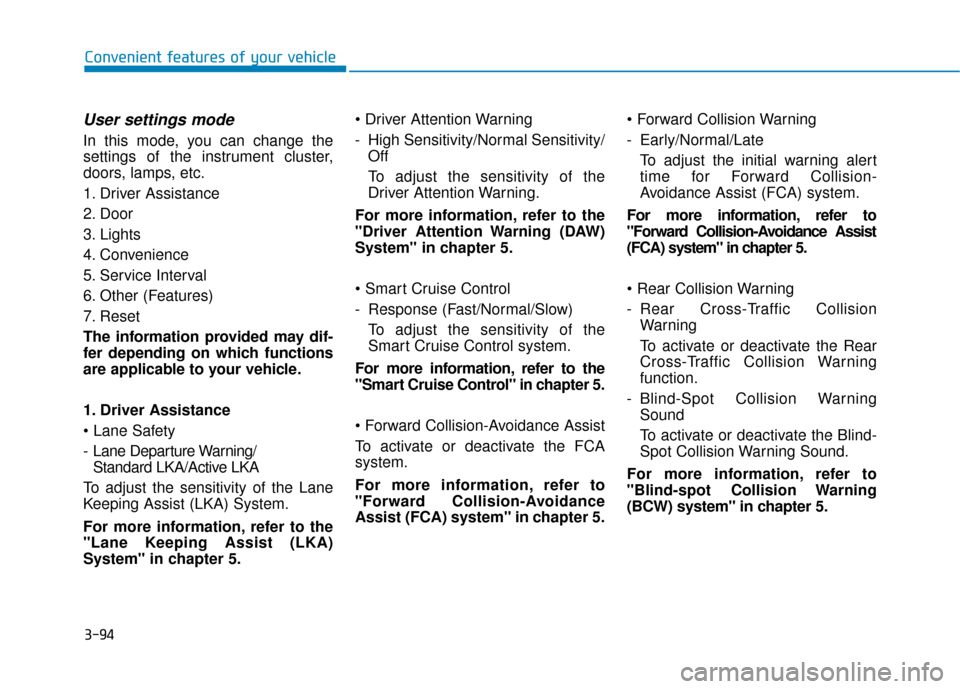
User settings mode
In this mode, you can change the
settings of the instrument cluster,
doors, lamps, etc.
1. Driver Assistance
2. Door
3. Lights
4. Convenience
5. Service Interval
6. Other (Features)
7. Reset
The information provided may dif-
fer depending on which functions
are applicable to your vehicle.
1. Driver Assistance
- Lane Departure Warning/ Standard LKA/Active LKA
To adjust the sensitivity of the Lane
Keeping Assist (LKA) System.
For more information, refer to the
"Lane Keeping Assist (LKA)
System" in chapter 5.
- High Sensitivity/Normal Sensitivity/
Off
To adjust the sensitivity of the
Driver Attention Warning.
For more information, refer to the
"Driver Attention Warning (DAW)
System" in chapter 5.
- Response (Fast/Normal/Slow) To adjust the sensitivity of the
Smart Cruise Control system.
For more information, refer to the
"Smart Cruise Control" in chapter 5.
To activate or deactivate the FCA
system.
For more information, refer to
"Forward Collision-Avoidance
Assist (FCA) system" in chapter 5.
- Early/Normal/Late
To adjust the initial warning alert
time for Forward Collision-
Avoidance Assist (FCA) system.
For more information, refer to
"Forward Collision-Avoidance Assist
(FCA) system" in chapter 5.
- Rear Cross-Traffic Collision Warning
To activate or deactivate the Rear
Cross-Traffic Collision Warning
function.
- Blind-Spot Collision Warning Sound
To activate or deactivate the Blind-
Spot Collision Warning Sound.
For more information, refer to
"Blind-spot Collision Warning
(BCW) system" in chapter 5.
Page 188 of 603
3-96
Convenient features of your vehicle
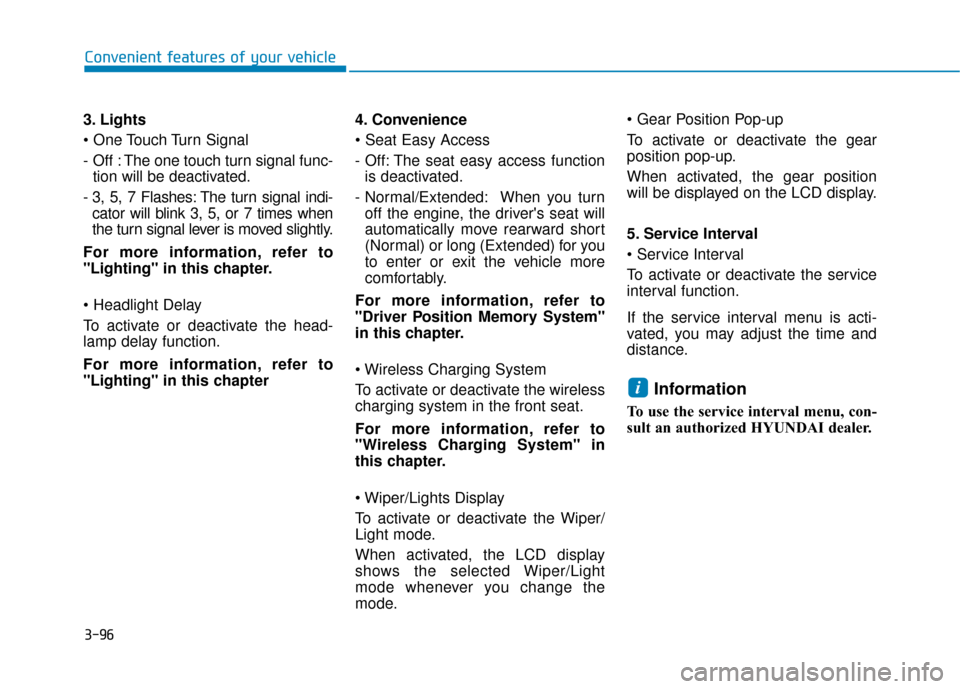
3. Lights
- Off : The one touch turn signal func- tion will be deactivated.
- 3, 5, 7 Flashes: The turn signal indi- cator will blink 3, 5, or 7 times when
the turn signal lever is moved slightly.
For more information, refer to
"Lighting" in this chapter.
To activate or deactivate the head-
lamp delay function.
For more information, refer to
"Lighting" in this chapter 4. Convenience
- Off: The seat easy access function
is deactivated.
- Normal/Extended: When you turn off the engine, the driver's seat will
automatically move rearward short
(Normal) or long (Extended) for you
to enter or exit the vehicle more
comfortably.
For more information, refer to
"Driver Position Memory System"
in this chapter.
To activate or deactivate the wireless
charging system in the front seat.
For more information, refer to
"Wireless Charging System" in
this chapter.
To activate or deactivate the Wiper/
Light mode.
When activated, the LCD display
shows the selected Wiper/Light
mode whenever you change the
mode.
To activate or deactivate the gear
position pop-up.
When activated, the gear position
will be displayed on the LCD display.
5. Service Interval
To activate or deactivate the service
interval function.
If the service interval menu is acti-
vated, you may adjust the time and
distance.
Information
To use the service interval menu, con-
sult an authorized HYUNDAI dealer.
i
Page 195 of 603
3-103
Convenient features of your vehicle
3
- Off: The two press unlock functionwill be deactivated. Therefore, all
doors will unlock if the door unlock
button is pressed.
- On: Only the driver's door will unlock if the door unlock button is
pressed. When the door unlock
button is pressed again within 4
seconds, the remaining doors will
unlock.
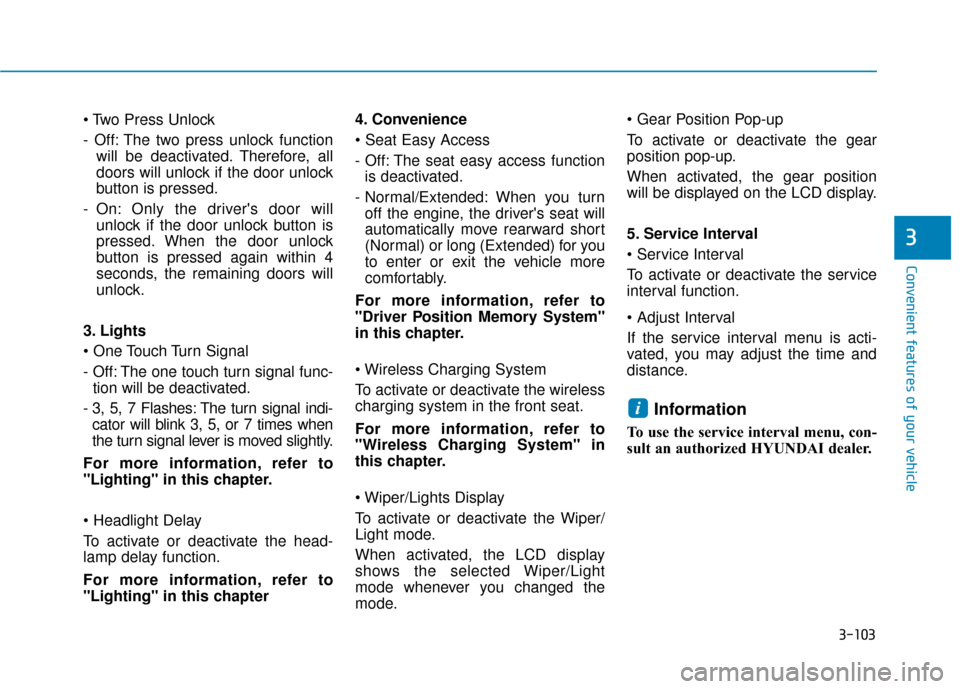
3. Lights
- Off: The one touch turn signal func- tion will be deactivated.
- 3, 5, 7 Flashes: The turn signal indi- cator will blink 3, 5, or 7 times when
the turn signal lever is moved slightly.
For more information, refer to
"Lighting" in this chapter.
To activate or deactivate the head-
lamp delay function.
For more information, refer to
"Lighting" in this chapter 4. Convenience
- Off: The seat easy access function
is deactivated.
- Normal/Extended: When you turn off the engine, the driver's seat will
automatically move rearward short
(Normal) or long (Extended) for you
to enter or exit the vehicle more
comfortably.
For more information, refer to
"Driver Position Memory System"
in this chapter.
To activate or deactivate the wireless
charging system in the front seat.
For more information, refer to
"Wireless Charging System" in
this chapter.
To activate or deactivate the Wiper/
Light mode.
When activated, the LCD display
shows the selected Wiper/Light
mode whenever you changed the
mode.
To activate or deactivate the gear
position pop-up.
When activated, the gear position
will be displayed on the LCD display.
5. Service Interval
To activate or deactivate the service
interval function.
If the service interval menu is acti-
vated, you may adjust the time and
distance.
Information
To use the service interval menu, con-
sult an authorized HYUNDAI dealer.
i
Page 213 of 603
3-121
Convenient features of your vehicle
Turn signals and lane changesignals
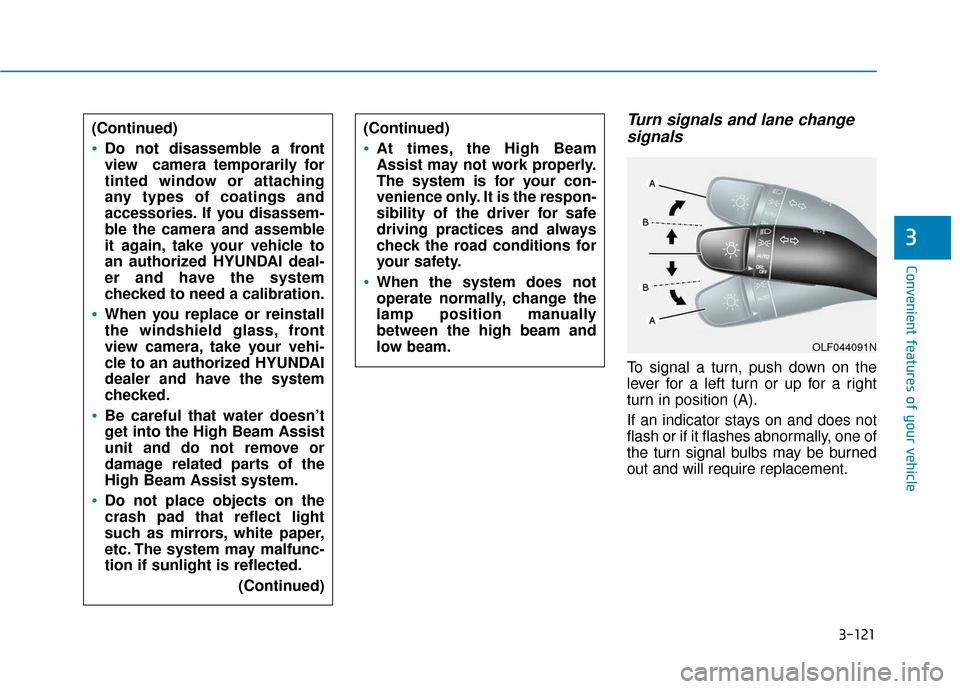
To signal a turn, push down on the
lever for a left turn or up for a right
turn in position (A).
If an indicator stays on and does not
flash or if it flashes abnormally, one of
the turn signal bulbs may be burned
out and will require replacement.
3
(Continued)
Do not disassemble a front
view camera temporarily for
tinted window or attaching
any types of coatings and
accessories. If you disassem-
ble the camera and assemble
it again, take your vehicle to
an authorized HYUNDAI deal-
er and have the system
checked to need a calibration.
When you replace or reinstall
the windshield glass, front
view camera, take your vehi-
cle to an authorized HYUNDAI
dealer and have the system
checked.
Be careful that water doesn’t
get into the High Beam Assist
unit and do not remove or
damage related parts of the
High Beam Assist system.
Do not place objects on the
crash pad that reflect light
such as mirrors, white paper,
etc. The system may malfunc-
tion if sunlight is reflected.
(Continued)
(Continued)
At times, the High Beam
Assist may not work properly.
The system is for your con-
venience only. It is the respon-
sibility of the driver for safe
driving practices and always
check the road conditions for
your safety.
When the system does not
operate normally, change the
lamp position manually
between the high beam and
low beam.
OLF044091N
Page 214 of 603
3-122
Convenient features of your vehicle
One-touch turn signal function
To activate the One Touch Turn
Signal function, push the turn signal
lever up or down to position (B) and
then release it.
The lane change signals will blink 3,
5 or 7 times.
You can activate or deactivate the
One Touch Turn Signal function or
choose the number of blinks (3, 5, or
7) from the User Settings mode
(Light) on the LCD display.
For more information, refer to the
"LCD Display" section in this
chapter.
Battery saver function
The purpose of this feature is to pre-
vent the battery from being dis-
charged. The system automatically
turns off the parking lamp when the
driver turns the vehicle off and opens
the driver-side door.
With this feature, the parking lamps
will turn off automatically if the driver
parks on the side of road at night.
If necessary, to keep the lamps on
when the vehicle is turned off, per-
form the following:
1) Open the driver-side door.
2) Turn the parking lamps OFF andON again using the light switch on
the steering column.
Headlamp delay function (if equipped)
If the Engine Start/Stop button is
placed in the ACC position or the
OFF position with the headlamps
ON, the headlamps (and/or parking
lamps) remain on for about 5 min-
utes. However, if the driver's door is
opened and closed, the headlights
are turned off after 15 seconds. Also,
with the vehicle off if the driver's door
is opened and closed, the head-
lamps (and/or parking lamps) are
turned off after 15 seconds.
The headlamps (and/or parking
lamps) can be turned off by pressing
the lock button on the smart key
twice or turning the light switch to the
OFF or AUTO position.
You can activate or deactivate the
Headlamp Delay function from the
User Settings mode (Light) on the
LCD display.
For more information, refer to the
"LCD Display" section in this
chapter.
Page 235 of 603
3-143
Convenient features of your vehicle
3
Air conditioning system operation
tips
If the vehicle has been parked indirect sunlight during hot weather,
open the windows for a short time
to let the hot air inside the vehicle
escape.
After sufficient cooling has been achieved, switch back from the
recirculated air to the fresh outside
air position.
To help reduce moisture inside of the windows on rainy or humid
days, decrease the humidity inside
the vehicle by operating the air
conditioning system with the win-
dows and sunroof closed.
Use the air conditioning system every month only for a few minutes
to ensure maximum system per-
formance. If you operate air conditioner
excessively, the difference between
the temperature of the outside air
and that of the windshield could
cause the outer surface of the
windshield to fog up, causing loss
of visibility. In this case, set the
mode selection knob or button to
the position and fan speed
control to the lower speed.
System Maintenance
Climate control air filter
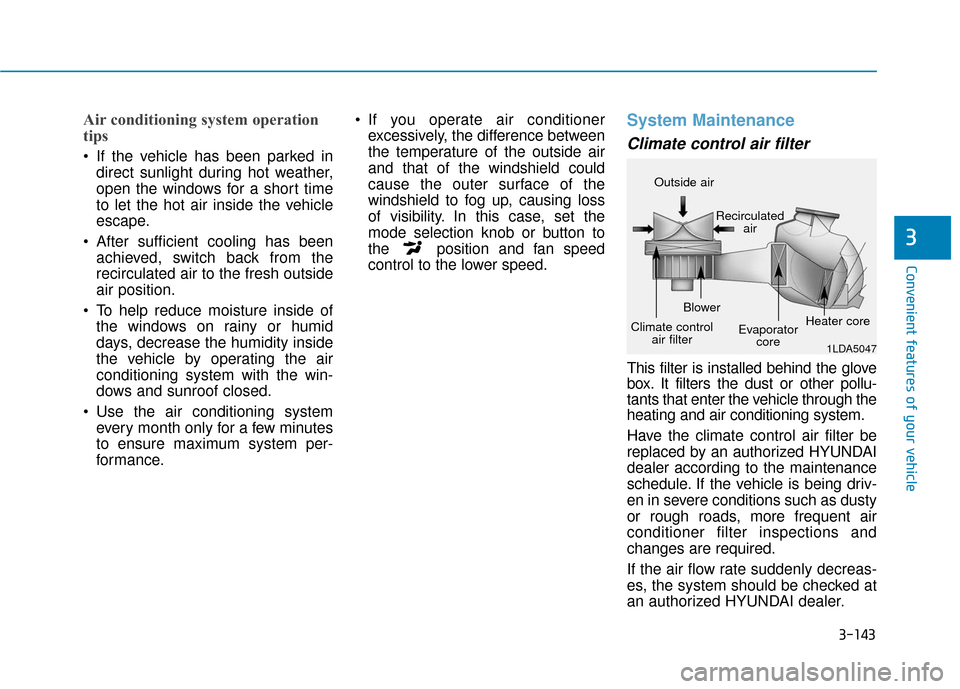
This filter is installed behind the glove
box. It filters the dust or other pollu-
tants that enter the vehicle through the
heating and air conditioning system.
Have the climate control air filter be
replaced by an authorized HYUNDAI
dealer according to the maintenance
schedule. If the vehicle is being driv-
en in severe conditions such as dusty
or rough roads, more frequent air
conditioner filter inspections and
changes are required.
If the air flow rate suddenly decreas-
es, the system should be checked at
an authorized HYUNDAI dealer.
1LDA5047
Outside air
Recirculatedair
Climate control air filter Blower
Evaporatorcore Heater core
Page 241 of 603
3-149
Convenient features of your vehicle
3
Automatic Ventilation
(if equipped)
When the Engine Start/Stop button
is in the ON position or when the
vehicle is in the ready ( ) mode
and temperature is below 59°F
(15°C) with the recirculated air posi-
tion selected more than five minutes,
the air intake position will automati-
cally change to the outside (fresh) air
position.
To cancel or reset the Automatic
Ventilation
When the air conditioning system is
on, select Face Level mode and
while pressing the A/C button, press
the recirculated air position button
five times within three seconds.
C
CL
LI
IM
M A
AT
TE
E
C
C O
O N
NT
TR
R O
O L
L
A
A D
DD
DI
IT
T I
IO
O N
NA
AL
L
F
F E
E A
A T
TU
U R
RE
ES
S
Page 263 of 603
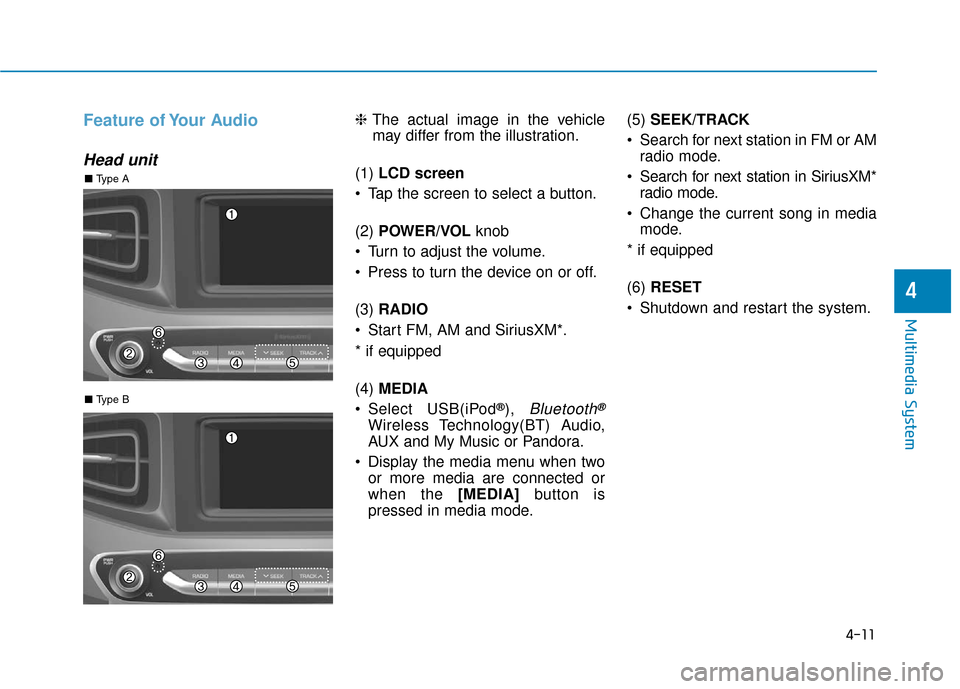
4-11
Multimedia System
4
Feature of Your Audio
Head unit
❈The actual image in the vehicle
may differ from the illustration.
(1) LCD screen
Tap the screen to select a button.
(2) POWER/VOL knob
Turn to adjust the volume.
Press to turn the device on or off.
(3) RADIO
Start FM, AM and SiriusXM*.
* if equipped
(4) MEDIA
Select USB(iPod
®), Bluetooth®
Wireless Technology(BT) Audio,
AUX and My Music or Pandora.
Display the media menu when two or more media are connected or
when the [MEDIA] button is
pressed in media mode. (5)
SEEK/TRACK
Search for next station in FM or AM radio mode.
Search for next station in SiriusXM* radio mode.
Change the current song in media mode.
* if equipped
(6) RESET
Shutdown and restart the system.
■ Type B
■ Type A