light Hyundai Ioniq Hybrid 2020 Owner's Manual - RHD (UK, Australia)
[x] Cancel search | Manufacturer: HYUNDAI, Model Year: 2020, Model line: Ioniq Hybrid, Model: Hyundai Ioniq Hybrid 2020Pages: 613, PDF Size: 58.64 MB
Page 1 of 613
HEV (Hybrid electric vehicle) system ................H-2
Hybrid Vehicle....................................................................H-2
Plug-in Hybrid Vehicle ....................................................H-3
Charging Information .......................................................H-4
Charging Time....................................................................H-4
Charging Types ..................................................................H-4
Charging Status .................................................................H-5
Charging the plug-in hybrid vehicle...................H-4
Scheduled Charging..........................................................H-6
Charging Connector AUTO/ LOCK Mode ....................H-7
Charging Precautions.......................................................H-8
Normal Charge.................................................................H-10
Trickle Charge..................................................................H-16
Driving the hybrid/plug-in hybrid vehicle.......H-28
Starting the Vehicle .......................................................H-28
Special Features ............................................................H-29
Hybrid System Gauge ....................................................H-31
Plug-in Hybrid Mode(Plug-in hybrid vehicle).........H-33
Aux. Battery Saver+ (Plug-in hybrid vehicle).........H-34
Warning and Indicator Lights ......................................H-36
LCD Display Messages ..................................................H-37
Energy Flow .....................................................................H-45
Safety precautions for hybrid system .............H-49
Hybrid Vehicle Components Safety Precautions ....H-49
Service Plug .....................................................................H-52
Hybrid Battery Cooling Duct........................................H-53
If an Accident Occurs ....................................................H-54
When the Hybrid Vehicle Shuts Off ..........................H-55
H Hy
yb
br
ri
id
d
s
sy
ys
st
te
em
m
o
ov
ve
er
rv
vi
ie
ew
w
Page 8 of 613
H8
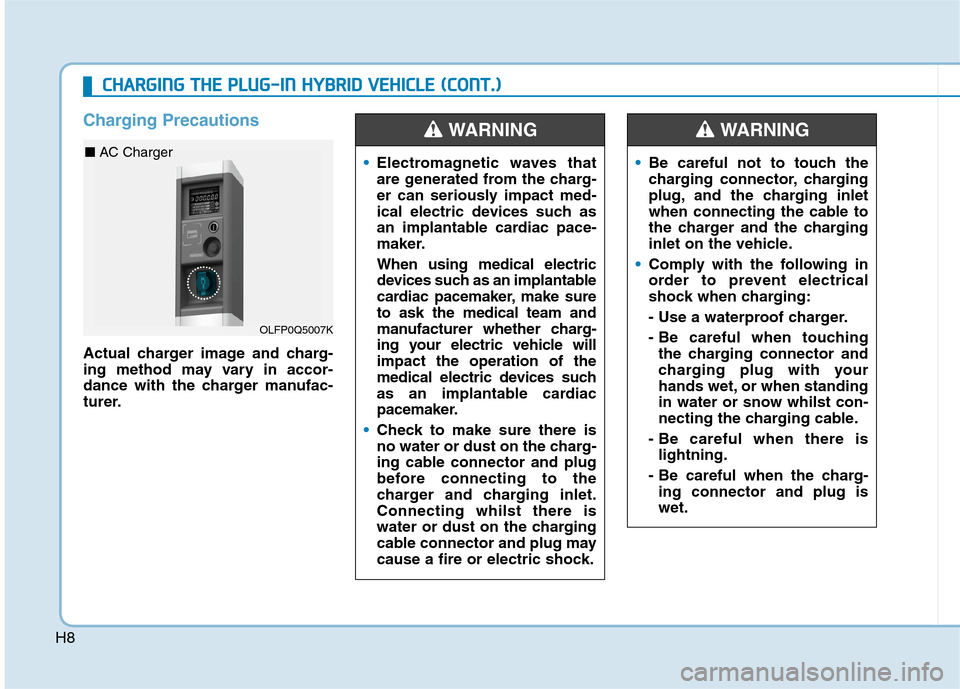
Charging Precautions
Actual charger image and charg-
ing method may vary in accor-
dance with the charger manufac-
turer.
Electromagnetic waves that
are generated from the charg-
er can seriously impact med-
ical electric devices such as
an implantable cardiac pace-
maker.
When using medical electric
devices such as an implantable
cardiac pacemaker, make sure
to ask the medical team and
manufacturer whether charg-
ing your electric vehicle will
impact the operation of the
medical electric devices such
as an implantable cardiac
pacemaker.
Check to make sure there is
no water or dust on the charg-
ing cable connector and plug
before connecting to the
charger and charging inlet.
Connecting whilst there is
water or dust on the charging
cable connector and plug may
cause a fire or electric shock.
WARNING
Be careful not to touch the
charging connector, charging
plug, and the charging inlet
when connecting the cable to
the charger and the charging
inlet on the vehicle.
Comply with the following in
order to prevent electrical
shock when charging:
- Use a waterproof charger.
- Be careful when touching
the charging connector and
charging plug with your
hands wet, or when standing
in water or snow whilst con-
necting the charging cable.
- Be careful when there is
lightning.
- Be careful when the charg-
ing connector and plug is
wet.
WARNING
OLFP0Q5007K
■ AC Charger
C
CH
HA
AR
RG
GI
IN
NG
G
T
TH
HE
E
P
PL
LU
UG
G-
-I
IN
N
H
HY
YB
BR
RI
ID
D
V
VE
EH
HI
IC
CL
LE
E
(
(C
CO
ON
NT
T.
.)
)
Page 12 of 613
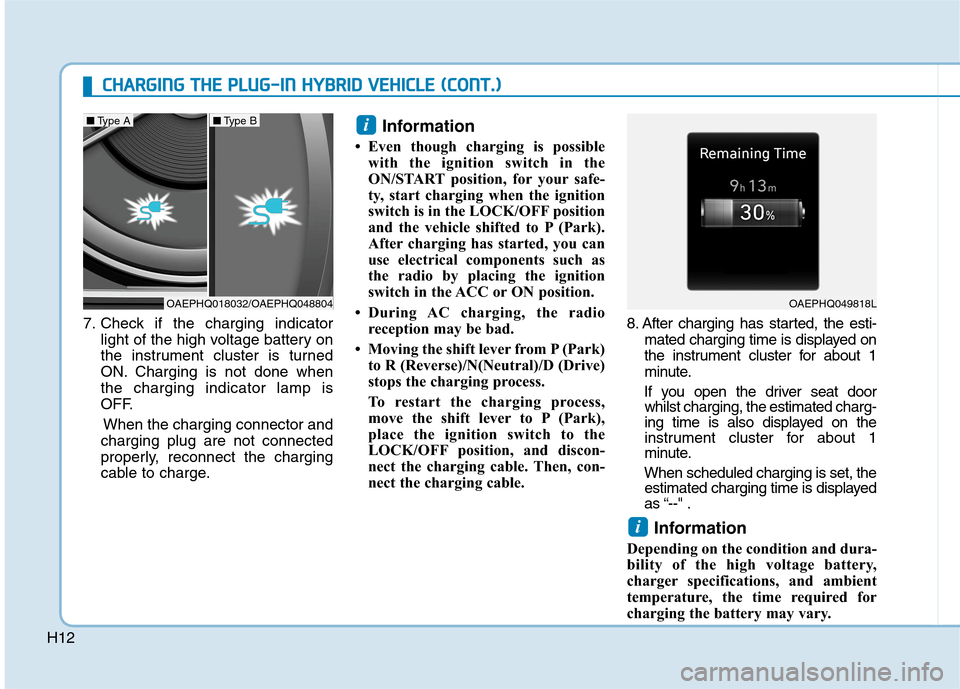
H127. Check if the charging indicator
light of the high voltage battery on
the instrument cluster is turned
ON. Charging is not done when
the charging indicator lamp is
OFF.
When the charging connector and
charging plug are not connected
properly, reconnect the charging
cable to charge.
Information
• Even though charging is possible
with the ignition switch in the
ON/START position, for your safe-
ty, start charging when the ignition
switch is in the LOCK/OFF position
and the vehicle shifted to P (Park).
After charging has started, you can
use electrical components such as
the radio by placing the ignition
switch in the ACC or ON position.
• During AC charging, the radio
reception may be bad.
• Moving the shift lever from P (Park)
to R (Reverse)/N(Neutral)/D (Drive)
stops the charging process.
To restart the charging process,
move the shift lever to P (Park),
place the ignition switch to the
LOCK/OFF position, and discon-
nect the charging cable. Then, con-
nect the charging cable.8. After charging has started, the esti-
mated charging time is displayed on
the instrument cluster for about 1
minute.
If you open the driver seat door
whilst charging, the estimated charg-
ing time is also displayed on the
instrument cluster for about 1
minute.
When scheduled charging is set, the
estimated charging time is displayed
as “--" .
Information
Depending on the condition and dura-
bility of the high voltage battery,
charger specifications, and ambient
temperature, the time required for
charging the battery may vary.
i
i
C CH
HA
AR
RG
GI
IN
NG
G
T
TH
HE
E
P
PL
LU
UG
G-
-I
IN
N
H
HY
YB
BR
RI
ID
D
V
VE
EH
HI
IC
CL
LE
E
(
(C
CO
ON
NT
T.
.)
)
OAEPHQ018032/OAEPHQ048804
■Type A■Type B
OAEPHQ049818L
Page 15 of 613
H15
3. Make sure to completely close the
charging door.
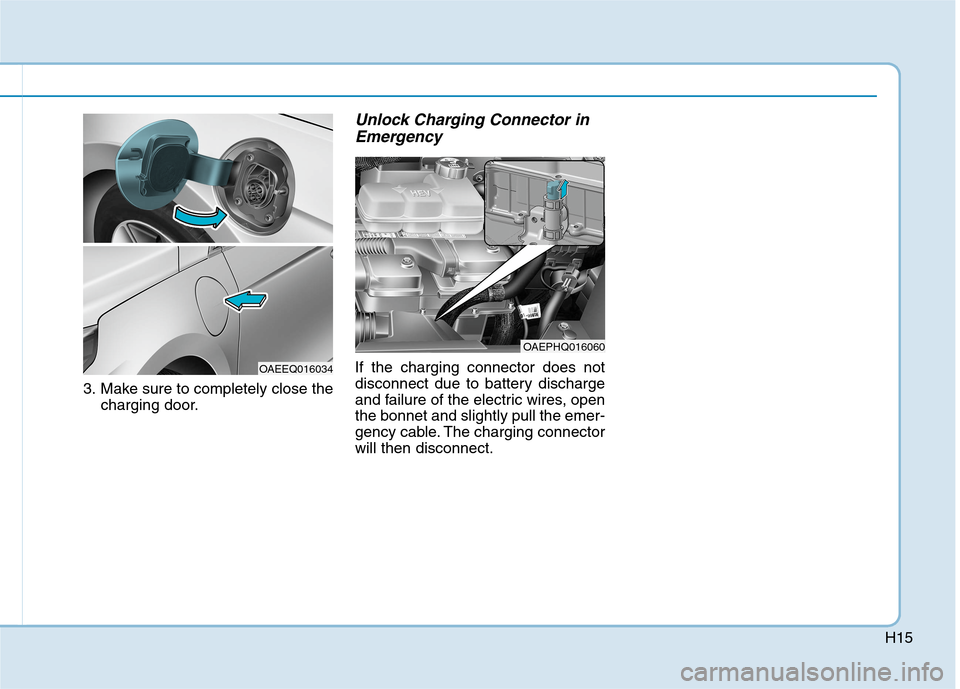
Unlock Charging Connector in
Emergency
If the charging connector does not
disconnect due to battery discharge
and failure of the electric wires, open
the bonnet and slightly pull the emer-
gency cable. The charging connector
will then disconnect.
OAEPHQ016060
OAEEQ016034
Page 20 of 613
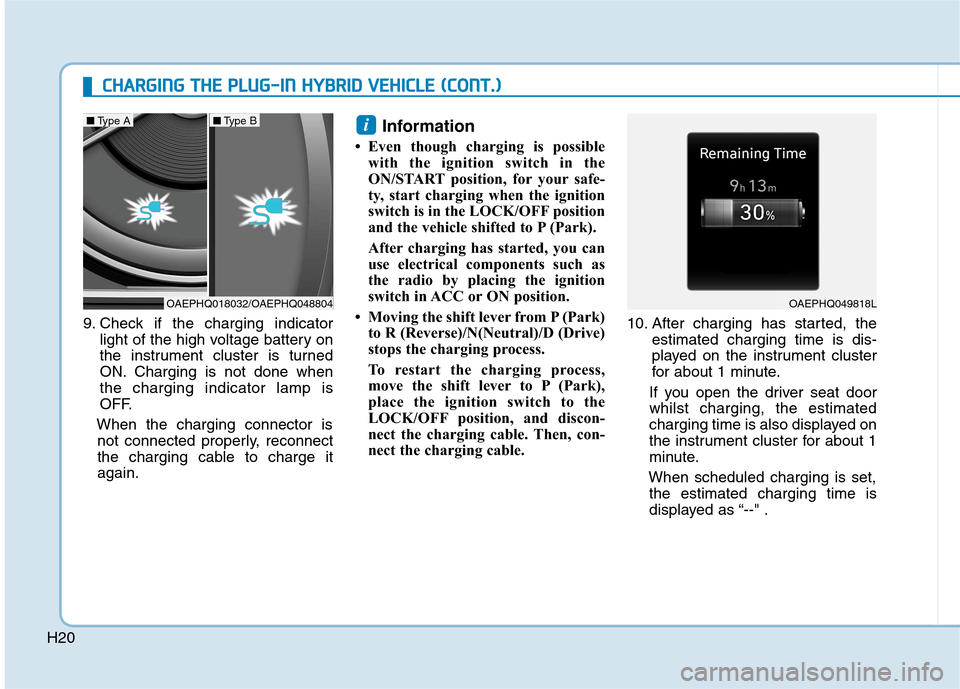
H209. Check if the charging indicator
light of the high voltage battery on
the instrument cluster is turned
ON. Charging is not done when
the charging indicator lamp is
OFF.
When the charging connector is
not connected properly, reconnect
the charging cable to charge it
again.
Information
• Even though charging is possible
with the ignition switch in the
ON/START position, for your safe-
ty, start charging when the ignition
switch is in the LOCK/OFF position
and the vehicle shifted to P (Park).
After charging has started, you can
use electrical components such as
the radio by placing the ignition
switch in ACC or ON position.
• Moving the shift lever from P (Park)
to R (Reverse)/N(Neutral)/D (Drive)
stops the charging process.
To restart the charging process,
move the shift lever to P (Park),
place the ignition switch to the
LOCK/OFF position, and discon-
nect the charging cable. Then, con-
nect the charging cable.10. After charging has started, the
estimated charging time is dis-
played on the instrument cluster
for about 1 minute.
If you open the driver seat door
whilst charging, the estimated
charging time is also displayed on
the instrument cluster for about 1
minute.
When scheduled charging is set,
the estimated charging time is
displayed as “--" .
i
C CH
HA
AR
RG
GI
IN
NG
G
T
TH
HE
E
P
PL
LU
UG
G-
-I
IN
N
H
HY
YB
BR
RI
ID
D
V
VE
EH
HI
IC
CL
LE
E
(
(C
CO
ON
NT
T.
.)
)
OAEPHQ018032/OAEPHQ048804
■Type A■Type B
OAEPHQ049818L
Page 27 of 613
H27
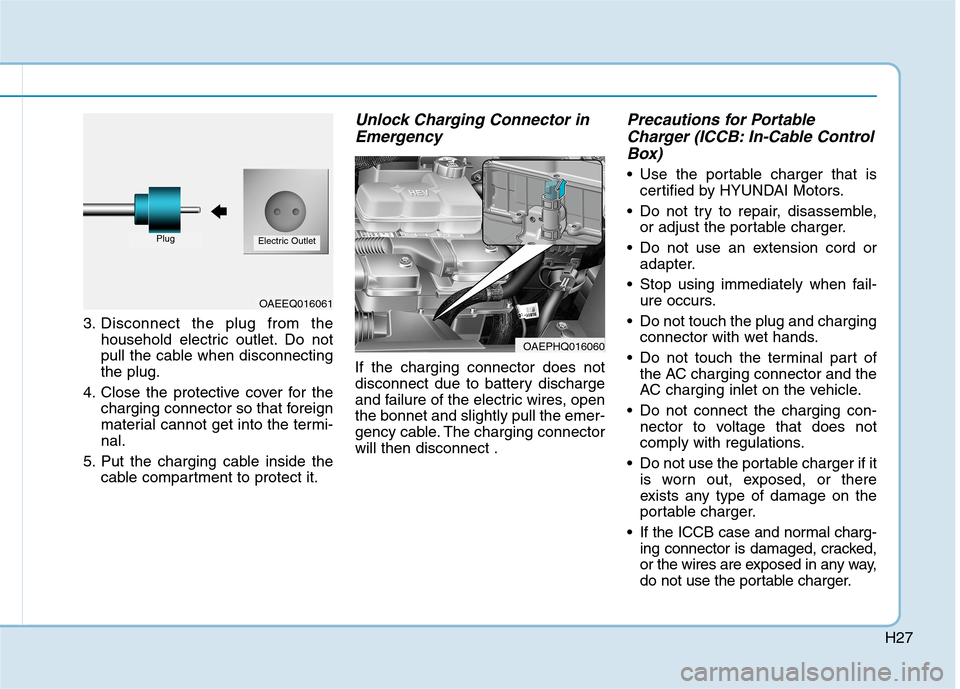
3. Disconnect the plug from the
household electric outlet. Do not
pull the cable when disconnecting
the plug.
4. Close the protective cover for the
charging connector so that foreign
material cannot get into the termi-
nal.
5. Put the charging cable inside the
cable compartment to protect it.
Unlock Charging Connector in
Emergency
If the charging connector does not
disconnect due to battery discharge
and failure of the electric wires, open
the bonnet and slightly pull the emer-
gency cable. The charging connector
will then disconnect .
Precautions for Portable
Charger (ICCB: In-Cable Control
Box)
Use the portable charger that is
certified by HYUNDAI Motors.
Do not try to repair, disassemble,
or adjust the portable charger.
Do not use an extension cord or
adapter.
Stop using immediately when fail-
ure occurs.
Do not touch the plug and charging
connector with wet hands.
Do not touch the terminal part of
the AC charging connector and the
AC charging inlet on the vehicle.
Do not connect the charging con-
nector to voltage that does not
comply with regulations.
Do not use the portable charger if it
is worn out, exposed, or there
exists any type of damage on the
portable charger.
If the ICCB case and normal charg-
ing connector is damaged, cracked,
or the wires are exposed in any way,
do not use the portable charger.
OAEEQ016061
PlugElectric Outlet
OAEPHQ016060
Page 28 of 613
H28 Do not let children operate or touch
the portable charger.
Keep the control box free of water.
Keep the normal charging connec-
tor or plug terminal free of foreign
substances.
Do not step on the cable or cord.
Do not pull the cable or cord and
do not twist or bend it.
Do not charge when there is light-
ning.
Do not drop the control box or
place a heavy object on the control
box.
Do not place an object that can
generate high temperatures near
the charger when charging.
aged household electric outlet can
result in a risk of electric shock. If
you are in doubt to the household
electric outlet condition, have it
checked by a licenced electrician.
Stop using the portable charger
immediately if the household elec-
tric outlet or any components is
overheated or you notice burnt
odors.
Action to be taken when
charging stops abruptly
When the high voltage battery does
not charge, check the followings:
1. Check the charging setting for the
vehicle. (e.g. When scheduled
charging is set, charging is not ini-
tiated immediately when the AC
charger or portable charger
(ICCB: In-Cable Control Box) is
connected.)
2. Check the operation status of AC
charger, portable charger.
(Charging Status Indicator Lamp
for Portable Charger, refer to
“Checking Charging Status” for
trickle charge in this chapter.)
❈Actual method for indicating the
charging status may vary in
accordance with the charger
manufacturer.3. When the vehicle does not charge
and a warning message appears
on the cluster, check the corre-
sponding message. Refer to “LCD
Display Messages”, in this chap-
ter.
4. If the vehicle is properly charged
when charged with another nor-
mally working charger, contact the
charger manufacturer.
5. If the vehicle does not charge
when charged with another nor-
mally working charger, we recom-
mend that you contact an autho-
rised HYUNDAI dealer for inspec-
tion.
C CH
HA
AR
RG
GI
IN
NG
G
T
TH
HE
E
P
PL
LU
UG
G-
-I
IN
N
H
HY
YB
BR
RI
ID
D
V
VE
EH
HI
IC
CL
LE
E
(
(C
CO
ON
NT
T.
.)
)
Page 29 of 613
H29
Starting the Vehicle
Vehicles with remote key system
1. Make sure the parking brake is
applied.
2. Make sure the shift lever is in P
(Park).
3. Depress the brake pedal.
4. Turn the ignition swich to the
START position. Hold the key
(maximum of 10 senconds) until
the " " indicator comes on and
release it.
Whether the engine is cold or
warm, it should be started without
depressing the accelerator.
After following the start proce-
dures, “ ” indicator on the
instrument cluster will turn on.
For more information, please check
Chapter 5.
Vehicles with smart key system
1. Carry the smart key or leave it
inside the vehicle.
2. Make sure the parking brake is
firmly applied.
3. Place the shift lever in P (Park).
With the shift lever in N (Neutral),
you cannot start the vehicle.
4. Depress the brake pedal.
5. Press the Engine Start/Stop but-
ton. If the hybrid system starts, the
" " indicator will come on.
Whether the engine is cold or
warm, it should be started without
depressing the accelerator.
After following the start proce-
dures, “ ” indicator on the
instrument cluster will turn on.
For more information, please check
Chapter 5.ECONOMICAL and SAFE OPERA-
TION of Hybrid system
Drive smoothly. Accelerate at a
moderate rate and maintain a
steady cruising speed. Do not
make "jack-rabbit" starts. Do not
race between stoplights.
Avoid heavy traffic whenever pos-
sible. Always maintain a safe dis-
tance from other vehicles so you
can avoid unnecessary braking.
This also reduces brake wear out.
The regenerative brake generates
energy when the vehicle deceler-
ates.
When the hybrid battery power is
low, the hybrid system automatical-
ly recharges the hybrid battery.
When the engine is running with
the shift lever in N (Neutral), the
hybrid system cannot generate
electricity. The hybrid battery can-
not recharge with the shift lever in N
(Neutral).
D DR
RI
IV
VI
IN
NG
G
T
TH
HE
E
H
HY
YB
BR
RI
ID
D/
/P
PL
LU
UG
G-
-I
IN
N
H
HY
YB
BR
RI
ID
D
V
VE
EH
HI
IC
CL
LE
E
Page 37 of 613
H37
Warning and Indicator Lights
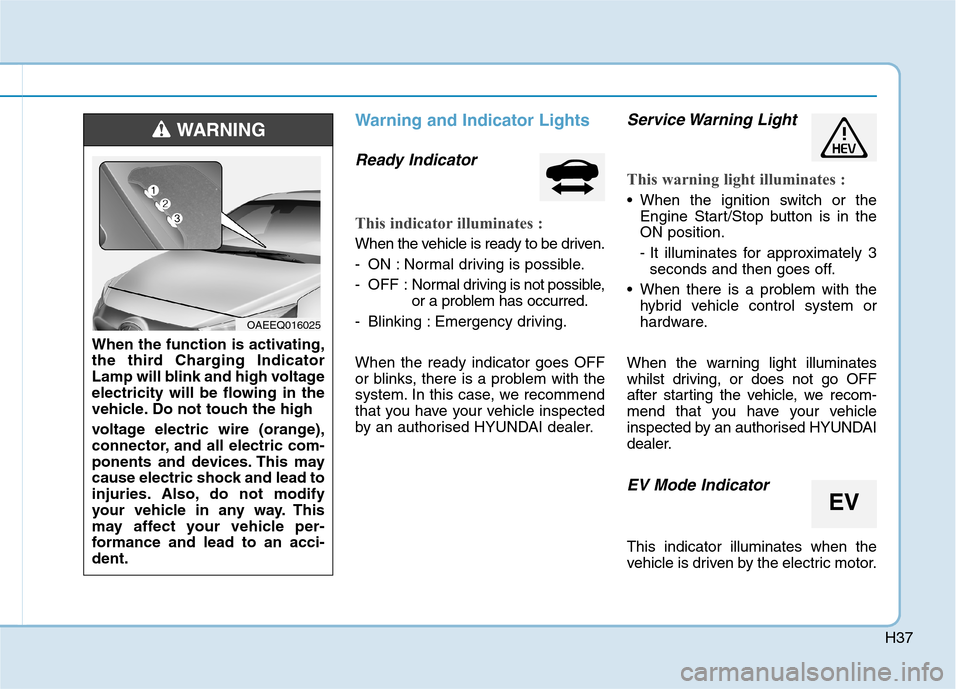
Ready Indicator
This indicator illuminates :
When the vehicle is ready to be driven.
- ON : Normal driving is possible.
- OFF : Normal driving is not possible,
or a problem has occurred.
- Blinking : Emergency driving.
When the ready indicator goes OFF
or blinks, there is a problem with the
system. In this case, we recommend
that you have your vehicle inspected
by an authorised HYUNDAI dealer.
Service Warning Light
This warning light illuminates :
When the ignition switch or the
Engine Start/Stop button is in the
ON position.
- It illuminates for approximately 3
seconds and then goes off.
When there is a problem with the
hybrid vehicle control system or
hardware.
When the warning light illuminates
whilst driving, or does not go OFF
after starting the vehicle, we recom-
mend that you have your vehicle
inspected by an authorised HYUNDAI
dealer.
EV Mode Indicator
This indicator illuminates when the
vehicle is driven by the electric motor.
EV
When the function is activating,
the third Charging Indicator
Lamp will blink and high voltage
electricity will be flowing in the
vehicle. Do not touch the high
voltage electric wire (orange),
connector, and all electric com-
ponents and devices. This may
cause electric shock and lead to
injuries. Also, do not modify
your vehicle in any way. This
may affect your vehicle per-
formance and lead to an acci-
dent.
WARNING
OAEEQ016025
Page 38 of 613
H38
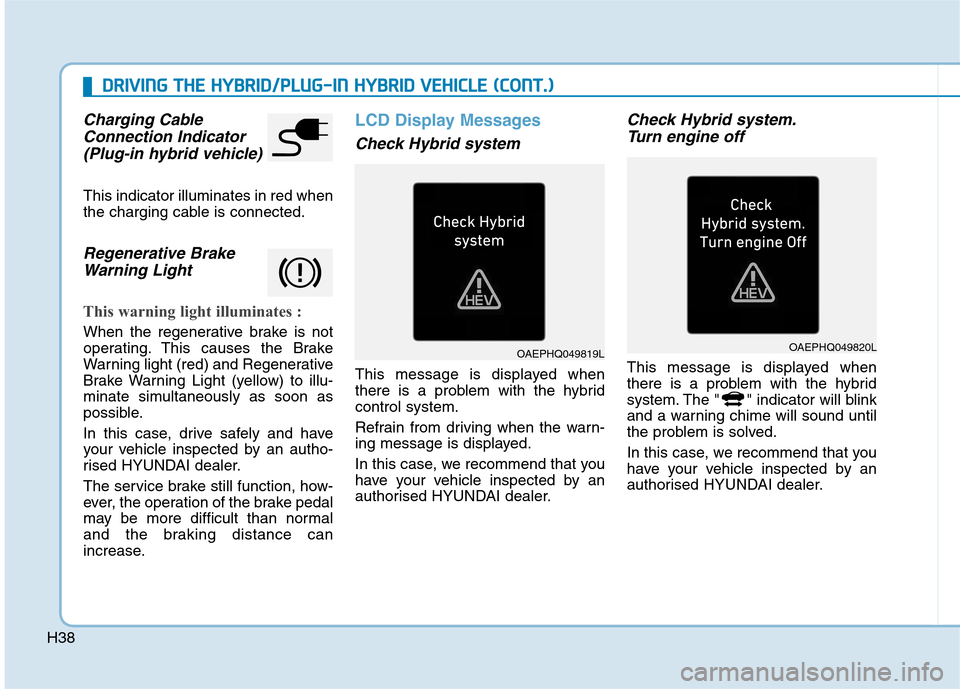
Charging Cable
Connection Indicator
(Plug-in hybrid vehicle)
This indicator illuminates in red when
the charging cable is connected.
Regenerative Brake
Warning Light
This warning light illuminates :
When the regenerative brake is not
operating. This causes the Brake
Warning light (red) and Regenerative
Brake Warning Light (yellow) to illu-
minate simultaneously as soon as
possible.
In this case, drive safely and have
your vehicle inspected by an autho-
rised HYUNDAI dealer.
The service brake still function, how-
ever, the operation of the brake pedal
may be more difficult than normal
and the braking distance can
increase.
LCD Display Messages
Check Hybrid system
This message is displayed when
there is a problem with the hybrid
control system.
Refrain from driving when the warn-
ing message is displayed.
In this case, we recommend that you
have your vehicle inspected by an
authorised HYUNDAI dealer.
Check Hybrid system.
Turn engine off
This message is displayed when
there is a problem with the hybrid
system. The " " indicator will blink
and a warning chime will sound until
the problem is solved.
In this case, we recommend that you
have your vehicle inspected by an
authorised HYUNDAI dealer.
D DR
RI
IV
VI
IN
NG
G
T
TH
HE
E
H
HY
YB
BR
RI
ID
D/
/P
PL
LU
UG
G-
-I
IN
N
H
HY
YB
BR
RI
ID
D
V
VE
EH
HI
IC
CL
LE
E
(
(C
CO
ON
NT
T.
.)
)
OAEPHQ049819LOAEPHQ049820L