battery Hyundai Ioniq Plug-in Hybrid 2018 User Guide
[x] Cancel search | Manufacturer: HYUNDAI, Model Year: 2018, Model line: Ioniq Plug-in Hybrid, Model: Hyundai Ioniq Plug-in Hybrid 2018Pages: 589, PDF Size: 21.53 MB
Page 144 of 589
3-52
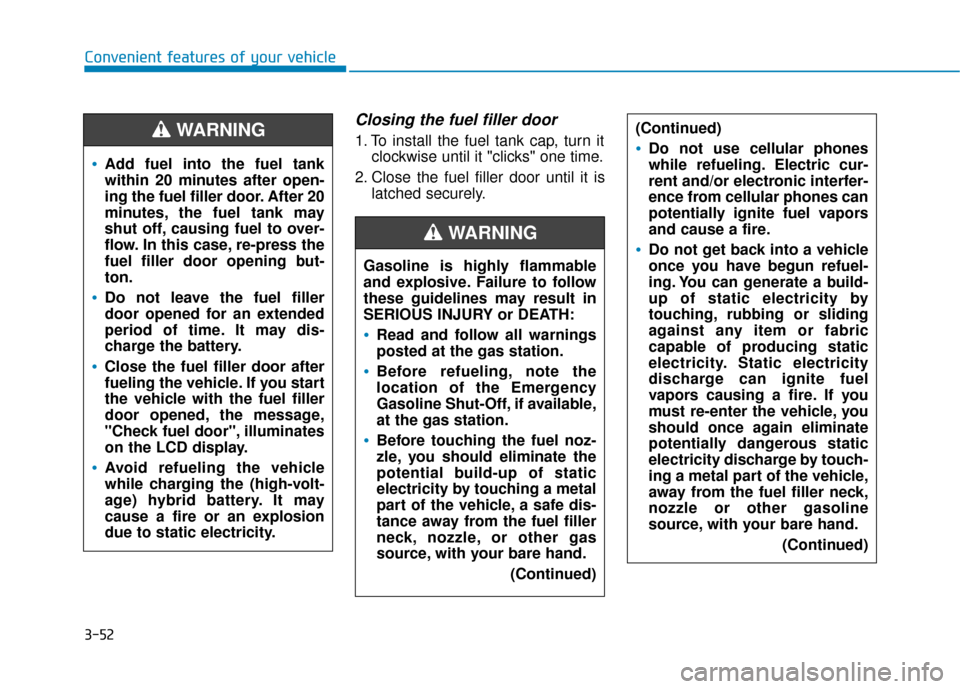
Closing the fuel filler door
1. To install the fuel tank cap, turn itclockwise until it "clicks" one time.
2. Close the fuel filler door until it is latched securely.
Convenient features of your vehicle
Gasoline is highly flammable
and explosive. Failure to follow
these guidelines may result in
SERIOUS INJURY or DEATH:
Read and follow all warnings
posted at the gas station.
Before refueling, note the
location of the Emergency
Gasoline Shut-Off, if available,
at the gas station.
Before touching the fuel noz-
zle, you should eliminate the
potential build-up of static
electricity by touching a metal
part of the vehicle, a safe dis-
tance away from the fuel filler
neck, nozzle, or other gas
source, with your bare hand.(Continued)
WARNING
(Continued)
Do not use cellular phones
while refueling. Electric cur-
rent and/or electronic interfer-
ence from cellular phones can
potentially ignite fuel vapors
and cause a fire.
Do not get back into a vehicle
once you have begun refuel-
ing. You can generate a build-
up of static electricity by
touching, rubbing or sliding
against any item or fabric
capable of producing static
electricity. Static electricity
discharge can ignite fuel
vapors causing a fire. If you
must re-enter the vehicle, you
should once again eliminate
potentially dangerous static
electricity discharge by touch-
ing a metal part of the vehicle,
away from the fuel filler neck,
nozzle or other gasoline
source, with your bare hand.(Continued)
Add fuel into the fuel tank
within 20 minutes after open-
ing the fuel filler door. After 20
minutes, the fuel tank may
shut off, causing fuel to over-
flow. In this case, re-press the
fuel filler door opening but-
ton.
Do not leave the fuel filler
door opened for an extended
period of time. It may dis-
charge the battery.
Close the fuel filler door after
fueling the vehicle. If you start
the vehicle with the fuel filler
door opened, the message,
"Check fuel door", illuminates
on the LCD display.
Avoid refueling the vehicle
while charging the (high-volt-
age) hybrid battery. It may
cause a fire or an explosion
due to static electricity.
WARNING
Page 146 of 589
3-54
I
IN
N S
ST
T R
R U
U M
M E
EN
N T
T
C
C L
LU
U S
ST
T E
ER
R
Convenient features of your vehicle
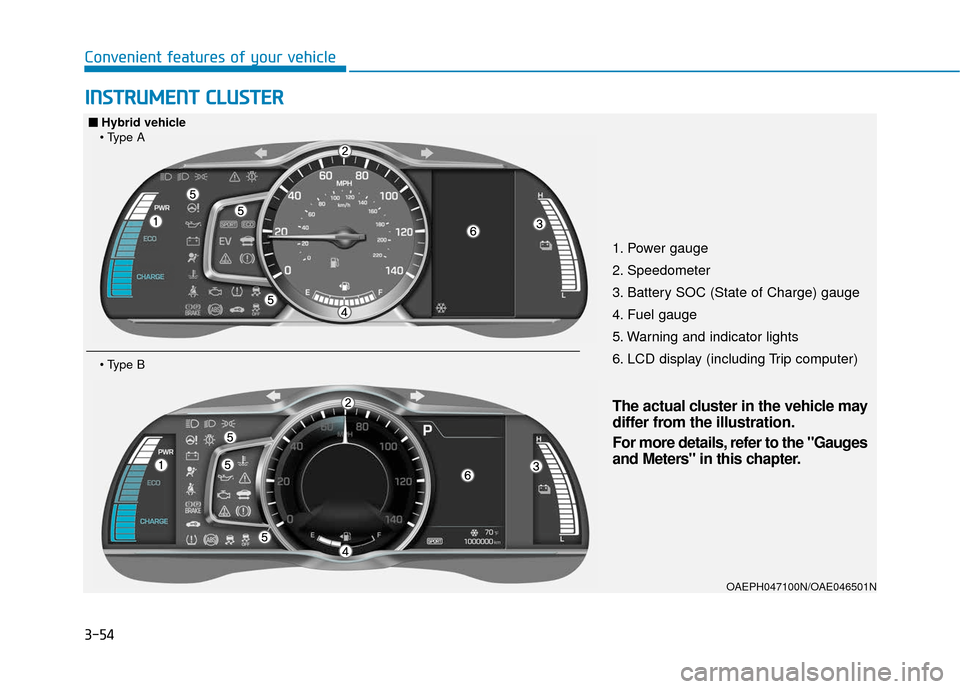
1. Power gauge
2. Speedometer
3. Battery SOC (State of Charge) gauge
4. Fuel gauge
5. Warning and indicator lights
6. LCD display (including Trip computer)
OAEPH047100N/OAE046501N
■
■
Hybrid vehicle
The actual cluster in the vehicle may
differ from the illustration.
For more details, refer to the "Gauges
and Meters" in this chapter.
Page 147 of 589
3-55
Convenient features of your vehicle
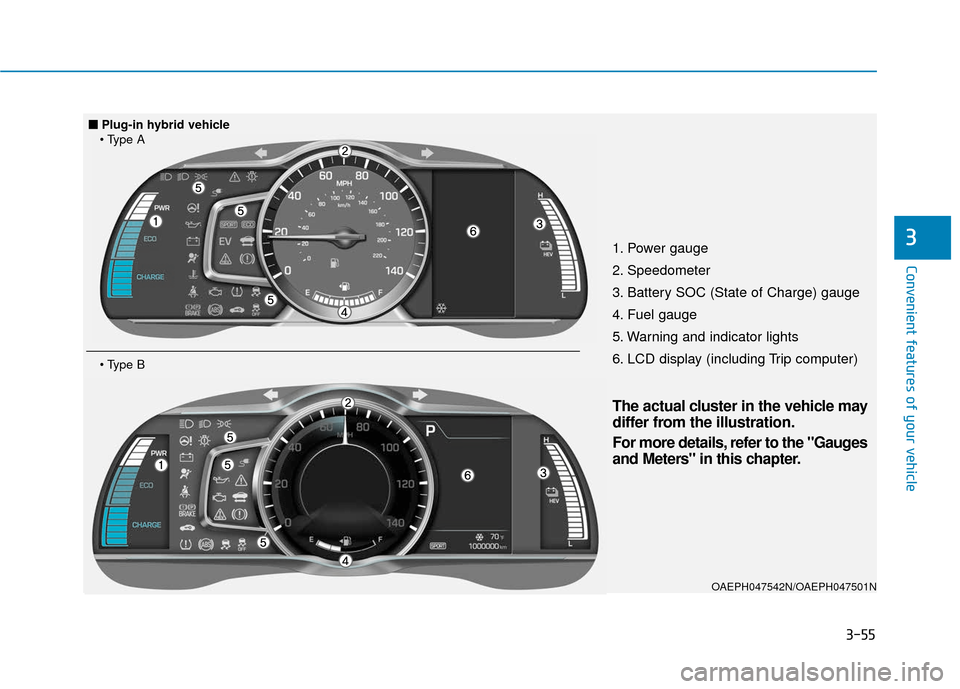
31. Power gauge
2. Speedometer
3. Battery SOC (State of Charge) gauge
4. Fuel gauge
5. Warning and indicator lights
6. LCD display (including Trip computer)
OAEPH047542N/OAEPH047501N
■
■Plug-in hybrid vehicle
The actual cluster in the vehicle may
differ from the illustration.
For more details, refer to the "Gauges
and Meters" in this chapter.
Page 151 of 589
3-59
Convenient features of your vehicle
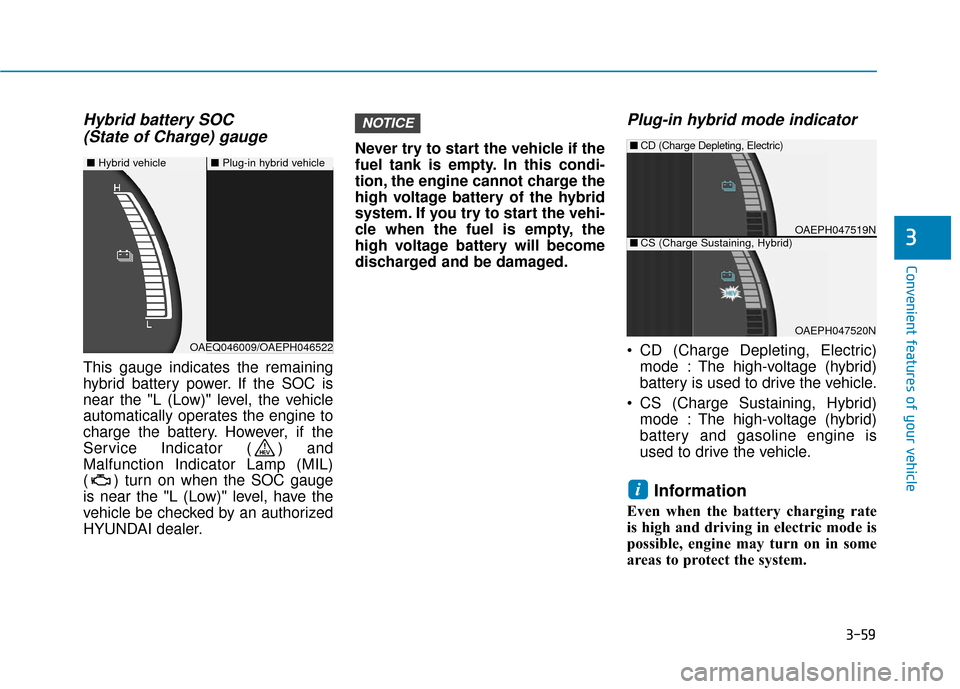
Hybrid battery SOC (State of Charge) gauge
This gauge indicates the remaining
hybrid battery power. If the SOC is
near the "L (Low)" level, the vehicle
automatically operates the engine to
charge the battery. However, if the
Service Indicator ( ) and
Malfunction Indicator Lamp (MIL)
( ) turn on when the SOC gauge
is near the "L (Low)" level, have the
vehicle be checked by an authorized
HYUNDAI dealer. Never try to start the vehicle if the
fuel tank is empty. In this condi-
tion, the engine cannot charge the
high voltage battery of the hybrid
system. If you try to start the vehi-
cle when the fuel is empty, the
high voltage battery will become
discharged and be damaged.
Plug-in hybrid mode indicator
CD (Charge Depleting, Electric)
mode : The high-voltage (hybrid)
battery is used to drive the vehicle.
CS (Charge Sustaining, Hybrid) mode : The high-voltage (hybrid)
battery and gasoline engine is
used to drive the vehicle.
Information
Even when the battery charging rate
is high and driving in electric mode is
possible, engine may turn on in some
areas to protect the system.
i
NOTICE
3
■ Hybrid vehicle■Plug-in hybrid vehicle
OAEQ046009/OAEPH046522
OAEPH047519N
■CD (Charge Depleting, Electric)
OAEPH047520N
■CS (Charge Sustaining, Hybrid)
Page 153 of 589
3-61
Convenient features of your vehicle
Range
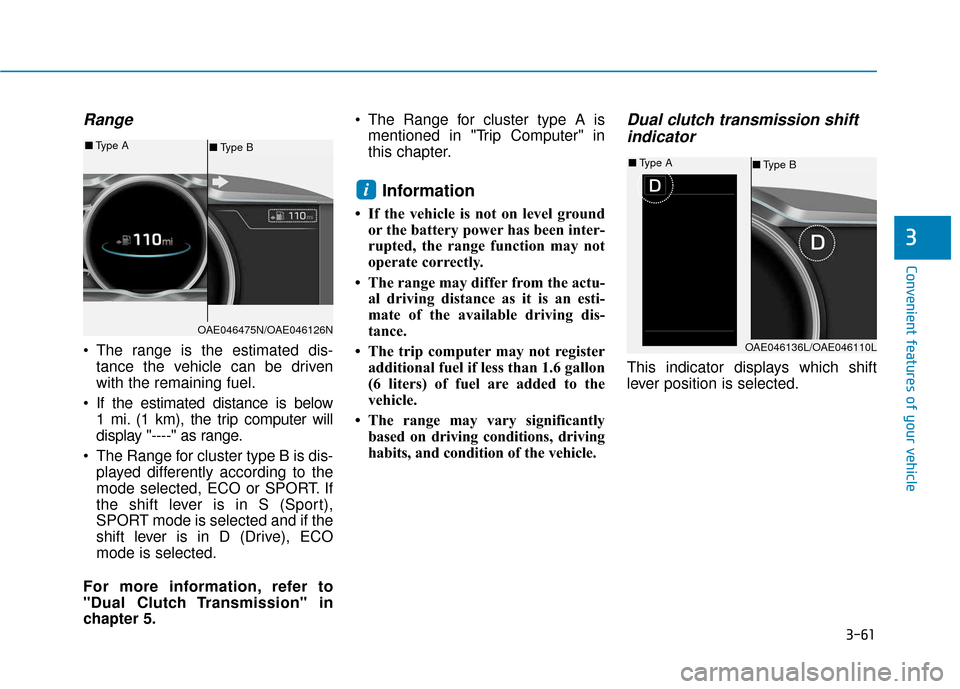
The range is the estimated dis-tance the vehicle can be driven
with the remaining fuel.
If the estimated distance is below 1 mi. (1 km), the trip computer will
display "----" as range.
The Range for cluster type B is dis- played differently according to the
mode selected, ECO or SPORT. If
the shift lever is in S (Sport),
SPORT mode is selected and if the
shift lever is in D (Drive), ECO
mode is selected.
For more information, refer to
"Dual Clutch Transmission" in
chapter 5. The Range for cluster type A is
mentioned in "Trip Computer" in
this chapter.
Information
• If the vehicle is not on level groundor the battery power has been inter-
rupted, the range function may not
operate correctly.
• The range may differ from the actu- al driving distance as it is an esti-
mate of the available driving dis-
tance.
• The trip computer may not register additional fuel if less than 1.6 gallon
(6 liters) of fuel are added to the
vehicle.
• The range may vary significantly based on driving conditions, driving
habits, and condition of the vehicle.
Dual clutch transmission shiftindicator
This indicator displays which shift
lever position is selected.
i
3
OAE046475N/OAE046126N
■ Type B
■
Type A
OAE046136L/OAE046110L
■Type B
■
Type A
Page 158 of 589
3-66
Malfunction IndicatorLamp (MIL)
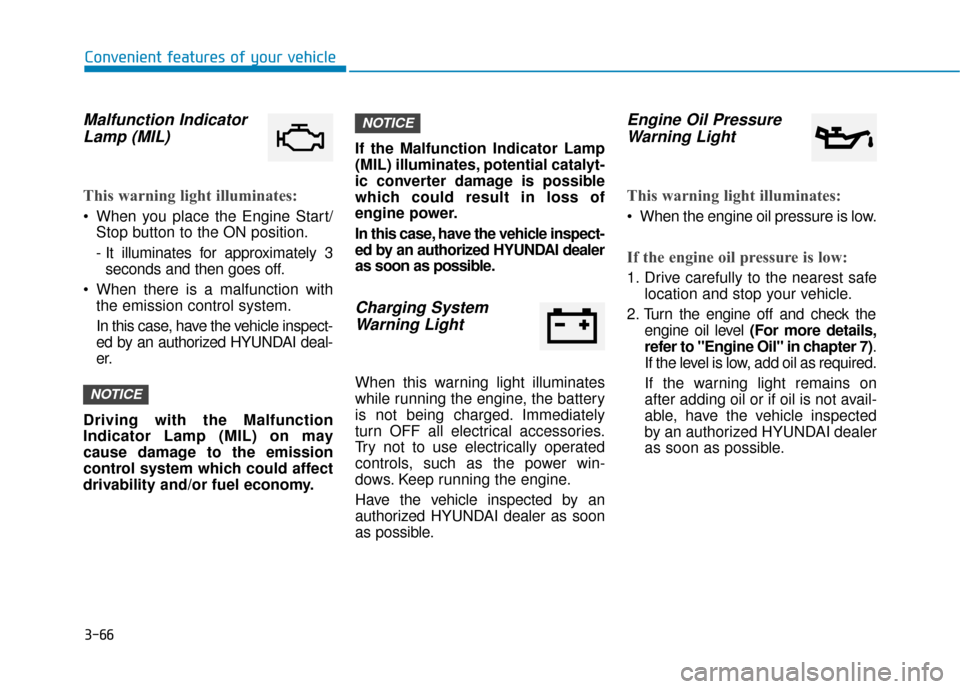
This warning light illuminates:
When you place the Engine Start/
Stop button to the ON position.
- It illuminates for approximately 3seconds and then goes off.
When there is a malfunction with the emission control system.
In this case, have the vehicle inspect-
ed by an authorized HYUNDAI deal-
er.
Driving with the Malfunction
Indicator Lamp (MIL) on may
cause damage to the emission
control system which could affect
drivability and/or fuel economy. If the Malfunction Indicator Lamp
(MIL) illuminates, potential catalyt-
ic converter damage is possible
which could result in loss of
engine power.
In this case, have the vehicle inspect-
ed by an authorized HYUNDAI dealer
as soon as possible.
Charging System
Warning Light
When this warning light illuminates
while running the engine, the battery
is not being charged. Immediately
turn OFF all electrical accessories.
Try not to use electrically operated
controls, such as the power win-
dows. Keep running the engine.
Have the vehicle inspected by an
authorized HYUNDAI dealer as soon
as possible.
Engine Oil PressureWarning Light
This warning light illuminates:
When the engine oil pressure is low.
If the engine oil pressure is low:
1. Drive carefully to the nearest safe
location and stop your vehicle.
2. Turn the engine off and check the engine oil level (For more details,
refer to "Engine Oil" in chapter 7) .
If the level is low, add oil as required.
If the warning light remains on
after adding oil or if oil is not avail-
able, have the vehicle inspected
by an authorized HYUNDAI dealer
as soon as possible.
NOTICE
NOTICE
Convenient features of your vehicle
Page 162 of 589
3-70
Convenient features of your vehicle
This indicator light illuminates for 2
seconds and goes off:
If the smart key is in the vehicle andthe Engine Start/Stop button is ON,
but the vehicle cannot detect the
smart key.
In this case, have the vehicle inspect-
ed by an authorized HYUNDAI dealer.
This indicator light blinks:
When the battery voltage of thesmart key is low.
- At this time, you can not start theengine. However, you can start
the engine if you press the
Engine Start/Stop button with the
smart key. (For more details,
refer to "Starting the Vehicle"
in chapter 5).
When there is a malfunction with the immobilizer system.
In this case, have the vehicle
inspected by an authorized
HYUNDAI dealer.
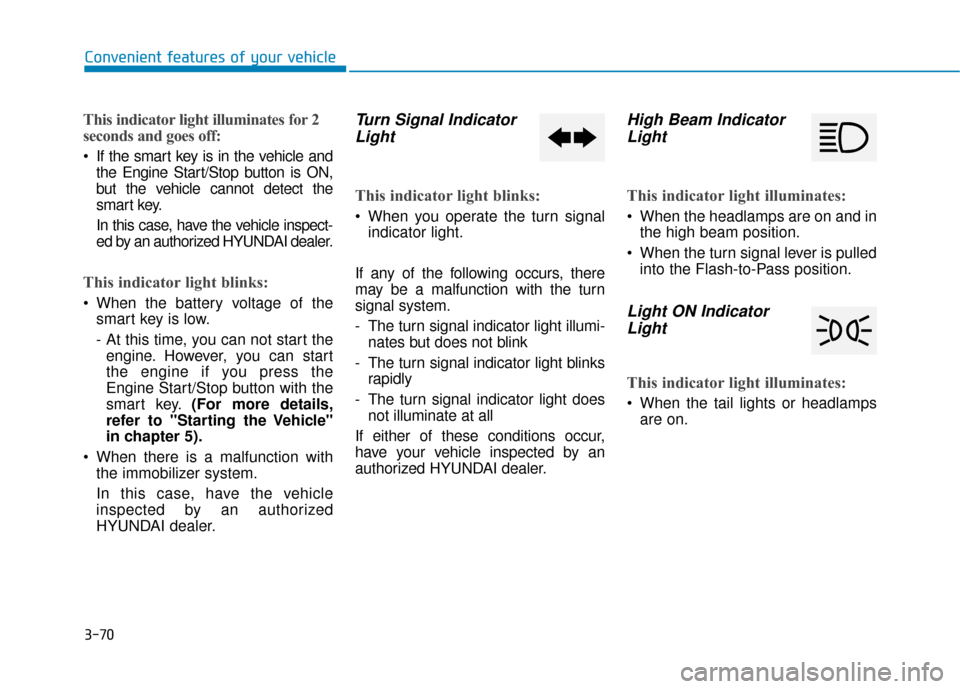
Turn Signal IndicatorLight
This indicator light blinks:
When you operate the turn signal
indicator light.
If any of the following occurs, there
may be a malfunction with the turn
signal system.
- The turn signal indicator light illumi- nates but does not blink
- The turn signal indicator light blinks rapidly
- The turn signal indicator light does not illuminate at all
If either of these conditions occur,
have your vehicle inspected by an
authorized HYUNDAI dealer.
High Beam Indicator Light
This indicator light illuminates:
When the headlamps are on and in
the high beam position.
When the turn signal lever is pulled into the Flash-to-Pass position.
Light ON IndicatorLight
This indicator light illuminates:
When the tail lights or headlamps
are on.
Page 165 of 589
3-73
Convenient features of your vehicle
LCD Display Messages
Shift to P
This message is displayed if you try
to turn off the vehicle with the shift
lever in the N (Neutral) position.
At this time, the Engine Start/Stop
button turns to the ACC position (If
you press the Engine Start/Stop but-
ton once more, it will turn to the ON
position).
Low Key Battery
This message is displayed if the bat-
tery of the smart key is discharged
while changing the Engine Start/
Stop button to the OFF position.
Press START button while turn-ing wheel
This message is displayed if the
steering wheel does not unlock nor-
mally when the Engine Start/Stop
button is pressed.
You should press the Engine Start/
Stop button while turning the steer-
ing wheel right and left.
Check Steering Wheel LockSystem
This message is displayed if the
steering wheel does not lock normal-
ly while the Engine Start/Stop button
changes to the OFF position.
Press brake pedal to start vehicle
This message is displayed if the
Engine Start/Stop button changes to
the ACC position twice by pressing
the button repeatedly without
depressing the brake pedal.
You can start the vehicle by depress-
ing the brake pedal.
Key not in vehicle
This message is displayed if the
smart key is not in the vehicle when
you press the Engine Start/Stop but-
ton.
When attempting to start the vehicle,
always have the smart key with you.
Key not detected
This message is displayed if the
smart key is not detected when you
press the Engine Start/Stop button.
Press START button again
This message is displayed if you
were unable to start the vehicle when
the Engine Start/Stop button was
pressed.
If this occurs, attempt to start the
engine by pressing the Engine Start/
Stop button again.
If the warning message appears
each time you press the Engine
Start/Stop button, have your vehicle
inspected by an authorized
HYUNDAI dealer.3
Page 171 of 589
3-79
Convenient features of your vehicle
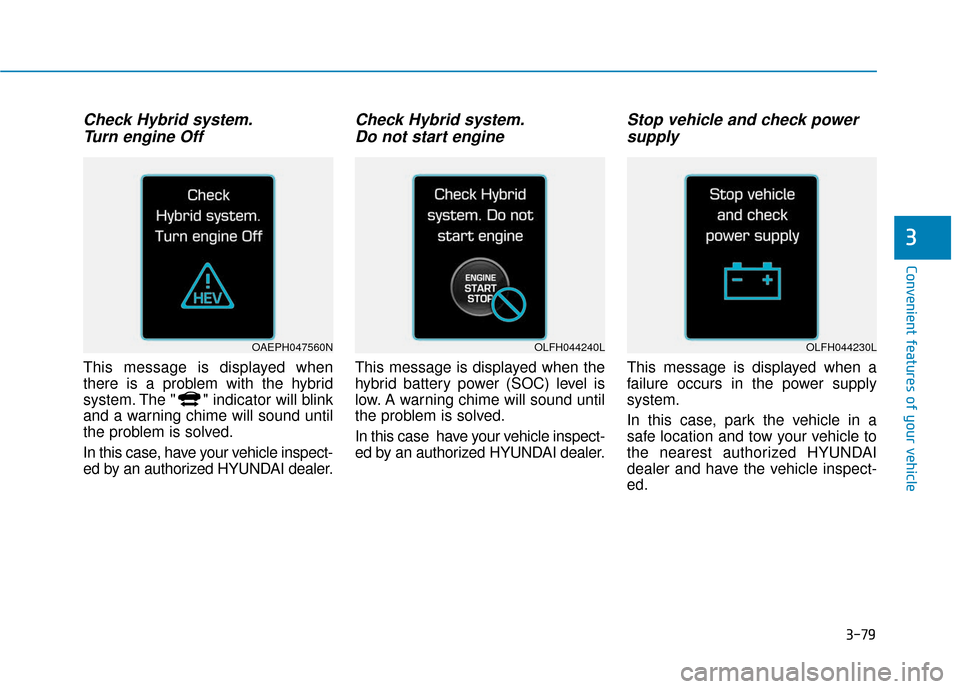
Check Hybrid system.Turn engine Off
This message is displayed when
there is a problem with the hybrid
system. The " " indicator will blink
and a warning chime will sound until
the problem is solved.
In this case, have your vehicle inspect-
ed by an authorized HYUNDAI dealer.
Check Hybrid system.Do not start engine
This message is displayed when the
hybrid battery power (SOC) level is
low. A warning chime will sound until
the problem is solved.
In this case have your vehicle inspect-
ed by an authorized HYUNDAI dealer.
Stop vehicle and check powersupply
This message is displayed when a
failure occurs in the power supply
system.
In this case, park the vehicle in a
safe location and tow your vehicle to
the nearest authorized HYUNDAI
dealer and have the vehicle inspect-
ed.
3
OAEPH047560NOLFH044240LOLFH044230L
Page 172 of 589
3-80
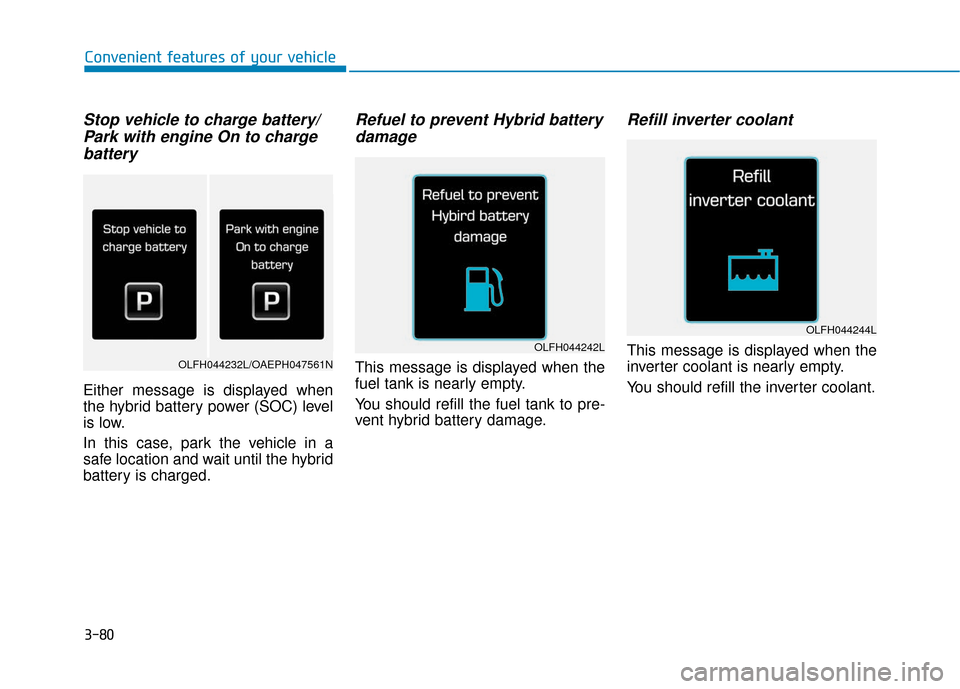
Stop vehicle to charge battery/Park with engine On to chargebattery
Either message is displayed when
the hybrid battery power (SOC) level
is low.
In this case, park the vehicle in a
safe location and wait until the hybrid
battery is charged.
Refuel to prevent Hybrid batterydamage
This message is displayed when the
fuel tank is nearly empty.
You should refill the fuel tank to pre-
vent hybrid battery damage.
Refill inverter coolant
This message is displayed when the
inverter coolant is nearly empty.
You should refill the inverter coolant.
Convenient features of your vehicle
OLFH044242L
OLFH044244L
OLFH044232L/OAEPH047561N