steering wheel Hyundai Ioniq Plug-in Hybrid 2018 Service Manual
[x] Cancel search | Manufacturer: HYUNDAI, Model Year: 2018, Model line: Ioniq Plug-in Hybrid, Model: Hyundai Ioniq Plug-in Hybrid 2018Pages: 589, PDF Size: 21.53 MB
Page 348 of 589
5-57
Driving your vehicle
5
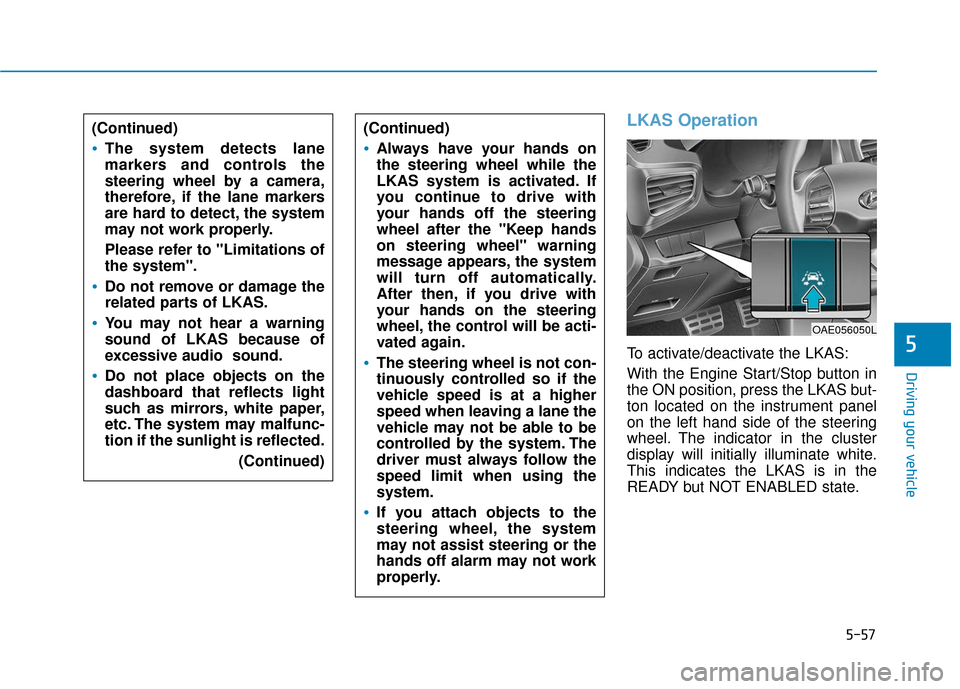
LKAS Operation
To activate/deactivate the LKAS:
With the Engine Start/Stop button in
the ON position, press the LKAS but-
ton located on the instrument panel
on the left hand side of the steering
wheel. The indicator in the cluster
display will initially illuminate white.
This indicates the LKAS is in the
READY but NOT ENABLED state.
(Continued)
Always have your hands on
the steering wheel while the
LKAS system is activated. If
you continue to drive with
your hands off the steering
wheel after the "Keep hands
on steering wheel" warning
message appears, the system
will turn off automatically.
After then, if you drive with
your hands on the steering
wheel, the control will be acti-
vated again.
The steering wheel is not con-
tinuously controlled so if the
vehicle speed is at a higher
speed when leaving a lane the
vehicle may not be able to be
controlled by the system. The
driver must always follow the
speed limit when using the
system.
If you attach objects to the
steering wheel, the system
may not assist steering or the
hands off alarm may not work
properly.
OAE056050L
(Continued)
The system detects lane
markers and controls the
steering wheel by a camera,
therefore, if the lane markers
are hard to detect, the system
may not work properly.
Please refer to "Limitations of
the system".
Do not remove or damage the
related parts of LKAS.
You may not hear a warning
sound of LKAS because of
excessive audio sound.
Do not place objects on the
dashboard that reflects light
such as mirrors, white paper,
etc. The system may malfunc-
tion if the sunlight is reflected.
(Continued)
Page 349 of 589
5-58
Driving your vehicle
Information
If the indicator (white) is activated
from the previous ignition cycle, the
system will turn ON without any addi-
tional control. If you press the LKAS
button again, the indicator on the
cluster goes off. The color of indicator will
change depending on the
condition of LKAS.
- White : Sensor does not detect
lane markers or vehicle
speed is under 40 mph (60
km/h).
- Green : Sensor detects lane mark- ers and the system is able
to control vehicle steering.
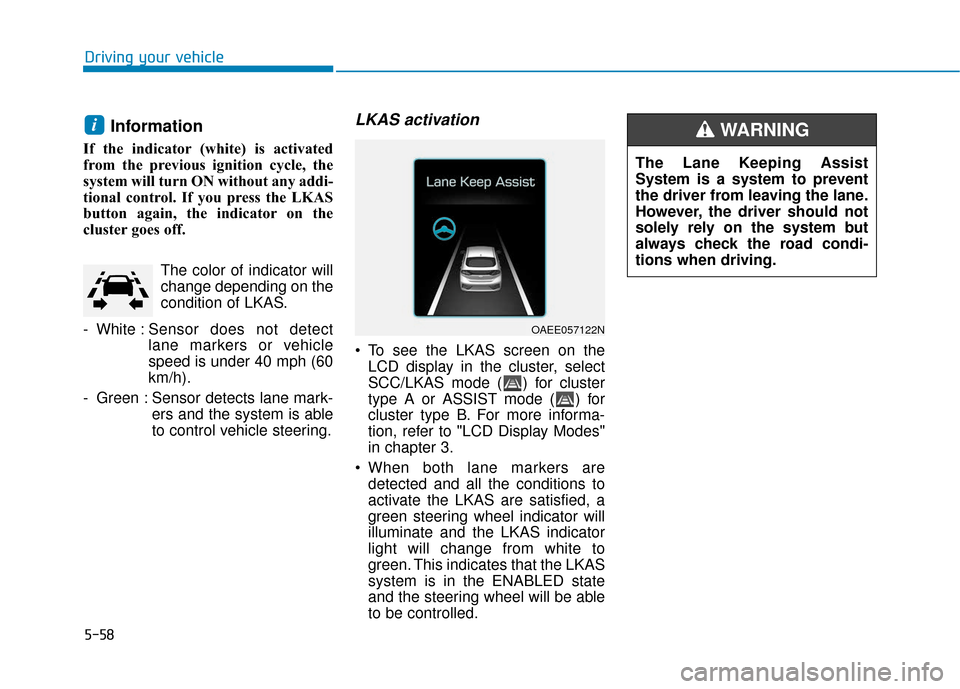
LKAS activation
To see the LKAS screen on theLCD display in the cluster, select
SCC/LKAS mode ( ) for cluster
type A or ASSIST mode ( ) for
cluster type B. For more informa-
tion, refer to "LCD Display Modes"
in chapter 3.
When both lane markers are detected and all the conditions to
activate the LKAS are satisfied, a
green steering wheel indicator will
illuminate and the LKAS indicator
light will change from white to
green. This indicates that the LKAS
system is in the ENABLED state
and the steering wheel will be able
to be controlled.
i
OAEE057122N
The Lane Keeping Assist
System is a system to prevent
the driver from leaving the lane.
However, the driver should not
solely rely on the system but
always check the road condi-
tions when driving.
WARNING
Page 350 of 589
5-59
Driving your vehicle
5
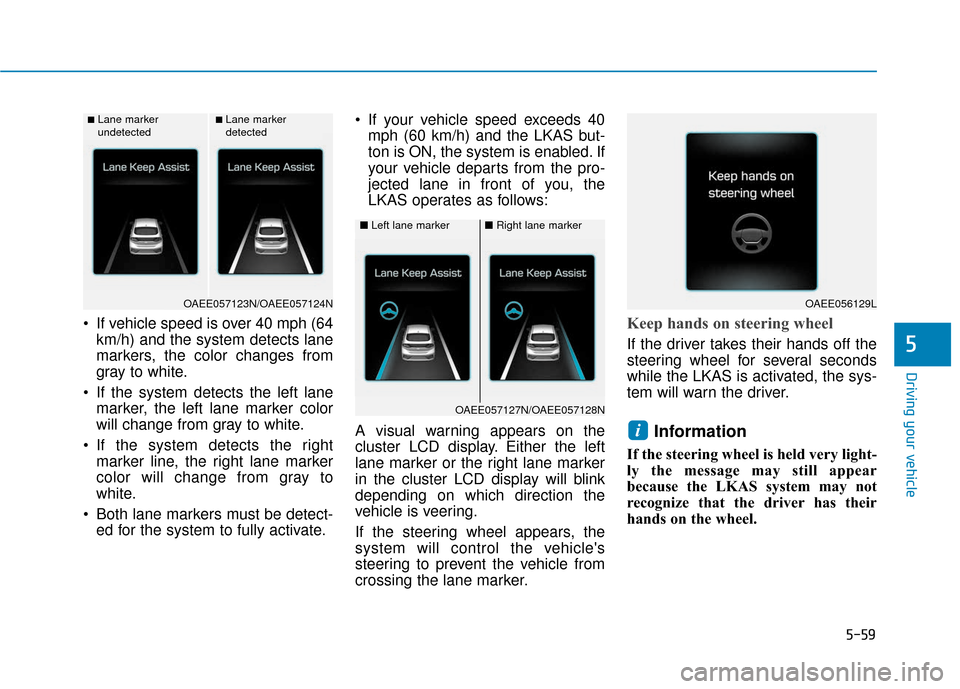
If vehicle speed is over 40 mph (64km/h) and the system detects lane
markers, the color changes from
gray to white.
If the system detects the left lane marker, the left lane marker color
will change from gray to white.
If the system detects the right marker line, the right lane marker
color will change from gray to
white.
Both lane markers must be detect- ed for the system to fully activate. If your vehicle speed exceeds 40
mph (60 km/h) and the LKAS but-
ton is ON, the system is enabled. If
your vehicle departs from the pro-
jected lane in front of you, the
LKAS operates as follows:
A visual warning appears on the
cluster LCD display. Either the left
lane marker or the right lane marker
in the cluster LCD display will blink
depending on which direction the
vehicle is veering.
If the steering wheel appears, the
system will control the vehicle's
steering to prevent the vehicle from
crossing the lane marker.Keep hands on steering wheel
If the driver takes their hands off the
steering wheel for several seconds
while the LKAS is activated, the sys-
tem will warn the driver.
Information
If the steering wheel is held very light-
ly the message may still appear
because the LKAS system may not
recognize that the driver has their
hands on the wheel.
i
■Lane marker
undetected■Lane marker
detected
OAEE057123N/OAEE057124N
■ Left lane marker■Right lane marker
OAEE057127N/OAEE057128N
OAEE056129L
Page 351 of 589
5-60
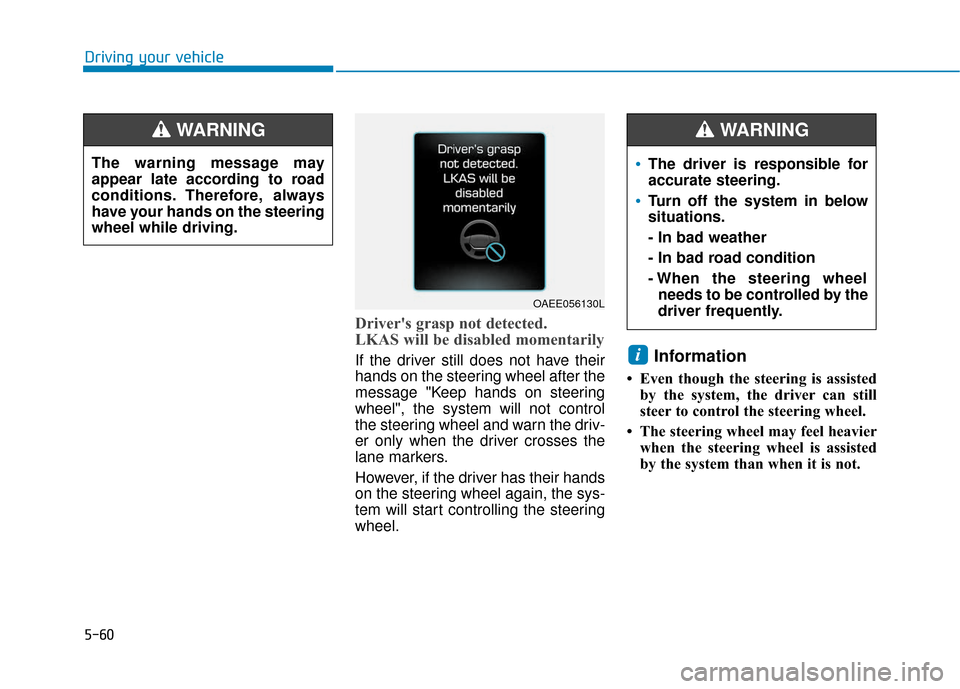
Driver's grasp not detected.
LKAS will be disabled momentarily
If the driver still does not have their
hands on the steering wheel after the
message "Keep hands on steering
wheel", the system will not control
the steering wheel and warn the driv-
er only when the driver crosses the
lane markers.
However, if the driver has their hands
on the steering wheel again, the sys-
tem will start controlling the steering
wheel.Information
• Even though the steering is assistedby the system, the driver can still
steer to control the steering wheel.
• The steering wheel may feel heavier when the steering wheel is assisted
by the system than when it is not.
i
Driving your vehicle
OAEE056130L
The driver is responsible for
accurate steering.
Turn off the system in below
situations.
- In bad weather
- In bad road condition
- When the steering wheelneeds to be controlled by the
driver frequently.
WARNING
The warning message may
appear late according to road
conditions. Therefore, always
have your hands on the steering
wheel while driving.
WARNING
Page 352 of 589
5-61
Driving your vehicle
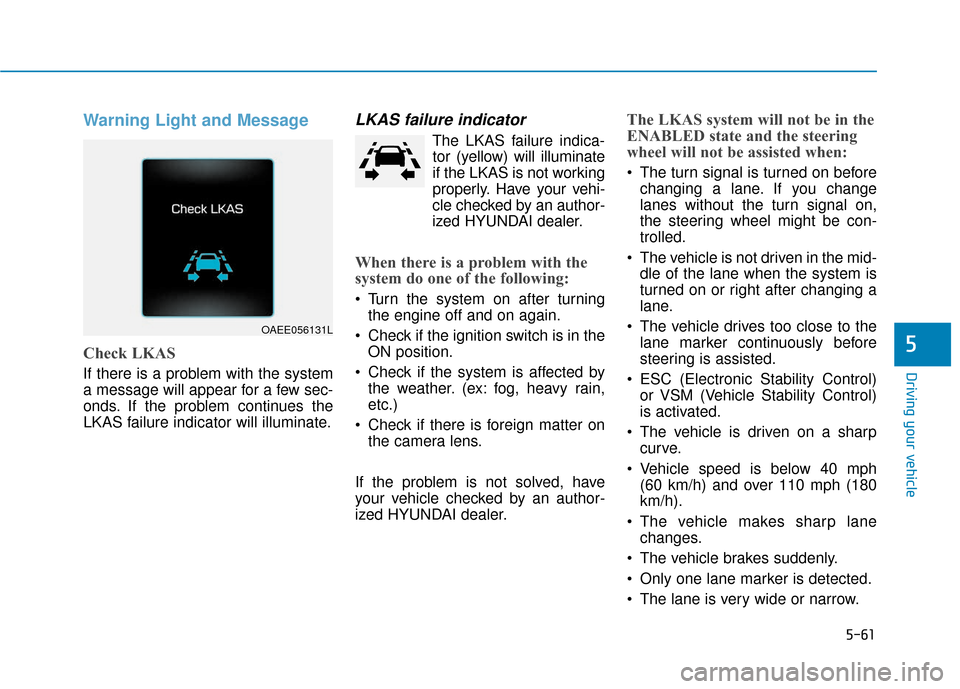
Warning Light and Message
Check LKAS
If there is a problem with the system
a message will appear for a few sec-
onds. If the problem continues the
LKAS failure indicator will illuminate.
LKAS failure indicator
The LKAS failure indica-tor (yellow) will illuminate
if the LKAS is not working
properly. Have your vehi-
cle checked by an author-
ized HYUNDAI dealer.
When there is a problem with the
system do one of the following:
Turn the system on after turning the engine off and on again.
Check if the ignition switch is in the ON position.
Check if the system is affected by the weather. (ex: fog, heavy rain,
etc.)
Check if there is foreign matter on the camera lens.
If the problem is not solved, have
your vehicle checked by an author-
ized HYUNDAI dealer.
The LKAS system will not be in the
ENABLED state and the steering
wheel will not be assisted when:
The turn signal is turned on before changing a lane. If you change
lanes without the turn signal on,
the steering wheel might be con-
trolled.
The vehicle is not driven in the mid- dle of the lane when the system is
turned on or right after changing a
lane.
The vehicle drives too close to the lane marker continuously before
steering is assisted.
ESC (Electronic Stability Control) or VSM (Vehicle Stability Control)
is activated.
The vehicle is driven on a sharp curve.
Vehicle speed is below 40 mph (60 km/h) and over 110 mph (180
km/h).
The vehicle makes sharp lane changes.
The vehicle brakes suddenly.
Only one lane marker is detected.
The lane is very wide or narrow.
5
OAEE056131L
Page 353 of 589
5-62
There are more than two lanemarkers on the road. (e.g. con-
struction area)
The vehicle is driven on a steep incline.
The steering wheel is turned sud- denly.
Limitations of the System
The LKAS may operate prematurely
even if the vehicle does not depart
from the intended lane, OR, the
LKAS may not assist your steering or
warn you if the vehicle leaves the
intended lane under the following cir-
cumstances:
When the lane and road condi-
tions are poor
It is difficult to distinguish the lanemarking from the road surface or
the lane marking is faded or not
clearly marked.
It is difficult to distinguish the color of the lane marker from the road.
There are markings on the road surface that look like a lane marker
that is inadvertently being detected
by the camera. The lane marker is merged or
divided. (e.g. tollgate)
The lane number increases or decreases or the lane marker are
crossing complicatedly.
There are more than two lane markers on the road in front of you.
thin.
The lanes ahead are not visible due to rain, snow, water on the
road, damaged or stained road
surface, or other factors.
The shadow is on the lane marker by a median strip, trees, etc.
The lanes are incomplete or the area is in a construction zone.
There are crosswalk signs or other symbols on the road.
The lane marker in a tunnel is stained with oil, etc.
The lane suddenly disappears such as at the intersection. When external condition is inter-
vened
The brightness outside changes
suddenly such as when entering or
exiting a tunnel or passing under a
bridge.
The brightness outside is too low such as when the headlamps are
not on at night or the vehicle is
going through a tunnel or passing
under a bridge..
There is a boundary structure in the roadway such as a concrete
barrier, guardrail and reflector post
that is inadvertently being detected
by the camera.
When light coming from a street light or an oncoming vehicle is
reflected on a wet road surface
such as a puddle in the road.
The field of view in front is obstructed by sun glare.
There is not enough distance between you and the vehicle in
front to be able to detect the lane
marker or the vehicle ahead is driv-
ing on the lane marker.
Driving your vehicle
Page 354 of 589
5-63
Driving your vehicle
Driving on a steep grade, over ahill, or when driving on a curved
road.
The adverse road conditions cause excessive vehicle vibrations while
driving.
The surrounding of the inside rear view mirror temperature is high
due to direct sunlight, etc.
When front visibility is poor
The windshield or the LKAS cam- era lens is blocked with dirt or
debris.
The windshield glass is fogged up; a clear view of the road is obstruct-
ed.
Placing objects on the dashboard, etc.
The sensor cannot detect the lane because of fog, heavy rain or snow.LKAS Function Change
The driver can change LKAS to Lane
Departure Warning System (LDWS)
or change the LKAS mode between
Standard LKA and Active LKA from
the LCD display. Go to the 'User
Settings →Driving Assist → Lane
Keep Assist System →Lane
Departure Warning/Standard LKA/
Active LKA'.
The system is automatically set to
Standard LKA if a function is not
selected.
Lane Departure Warning
LDWS alerts the driver with a visual
warning and a warning alarm when
the system detects the vehicle
departing the lane. The steering
wheel will not be controlled.
Standard LKA
The Standard LKA mode guides the
driver to help keep the vehicle within
the lanes. It rarely controls the steer-
ing wheel, when the vehicle drives
well inside the lanes. However, it
starts to control the steering wheel,
when the vehicle is about to deviate
out of the lanes.
Active LKA
The Active LKA mode provides more
frequent steering wheel control in
comparison with the Standard LKA
mode. Active LKA can reduce the dri-
ver’s fatigue to assist the steering for
maintaining the vehicle in the middle
of the lane.
Information
This device complies with Part 15 of
the FCC rules.
Operation is subject to the following
two conditions:
1. This device may not cause harmful interference, and
2. This device must accept any inter- ference received, including interfer-
ence that may cause undesired
operation.
i
5
Page 356 of 589
5-65
Driving your vehicle
5
Information
• During normal cruise control opera-tion, when the SET switch is activat-
ed or reactivated after applying the
brakes, the cruise control will ener-
gize after approximately 3 seconds.
This delay is normal.
• Before activating the cruise control function, the system will check to
verify that the brake switch is oper-
ating normally. Depress the brake
pedal at least once after turning ON
the ignition or starting the engine.
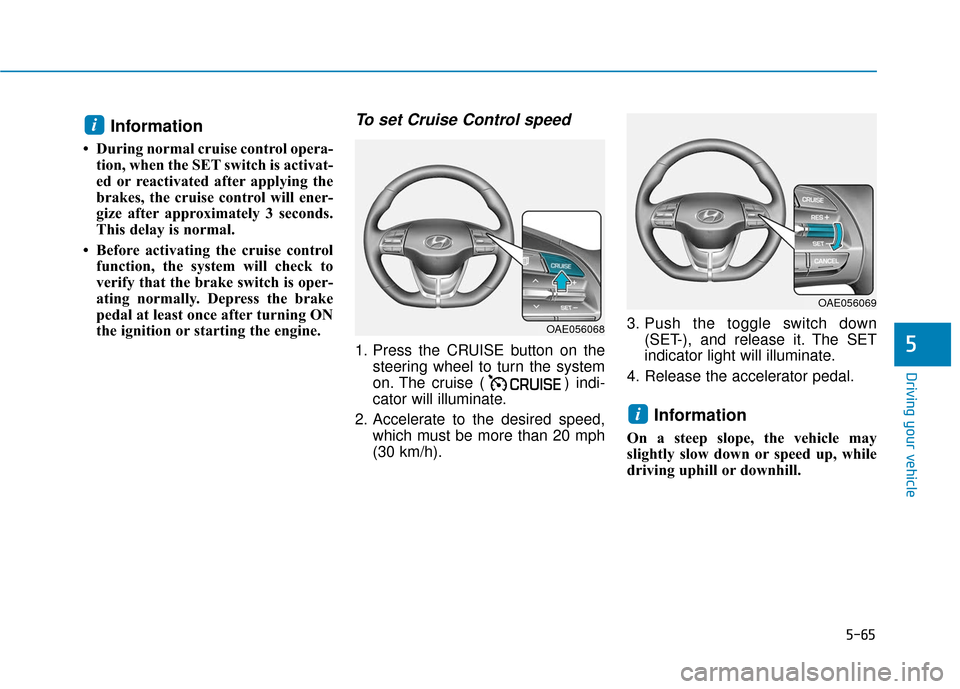
To set Cruise Control speed
1. Press the CRUISE button on the steering wheel to turn the system
on. The cruise ( ) indi-
cator will illuminate.
2. Accelerate to the desired speed, which must be more than 20 mph
(30 km/h). 3. Push the toggle switch down
(SET-), and release it. The SET
indicator light will illuminate.
4. Release the accelerator pedal.
Information
On a steep slope, the vehicle may
slightly slow down or speed up, while
driving uphill or downhill.
i
i
OAE056068
OAE056069
Page 358 of 589
5-67
Driving your vehicle
5
To temporarily accelerate withthe Cruise Control ON
Depress the accelerator pedal. When
you take your foot off the accelerator,
the vehicle will return to the previ-
ously set speed.
If you push the toggle switch down
(SET-) at the increased speed, the
Cruise Control will maintain the
increased speed.
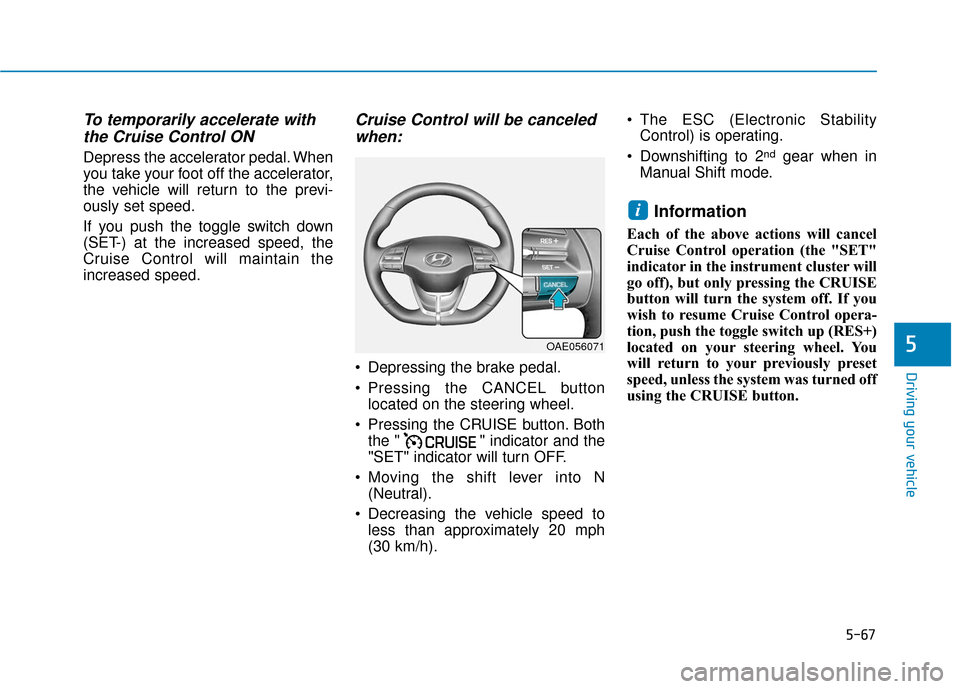
Cruise Control will be canceledwhen:
Depressing the brake pedal.
Pressing the CANCEL button
located on the steering wheel.
Pressing the CRUISE button. Both the " " indicator and the
"SET" indicator will turn OFF.
Moving the shift lever into N (Neutral).
Decreasing the vehicle speed to less than approximately 20 mph
(30 km/h). The ESC (Electronic Stability
Control) is operating.
Downshifting to 2
ndgear when in
Manual Shift mode.
Information
Each of the above actions will cancel
Cruise Control operation (the "SET"
indicator in the instrument cluster will
go off), but only pressing the CRUISE
button will turn the system off. If you
wish to resume Cruise Control opera-
tion, push the toggle switch up (RES+)
located on your steering wheel. You
will return to your previously preset
speed, unless the system was turned off
using the CRUISE button.
i
OAE056071
Page 361 of 589
5-70
Driving your vehicle
Smart Cruise Control Speed
To set Smart Cruise Controlspeed
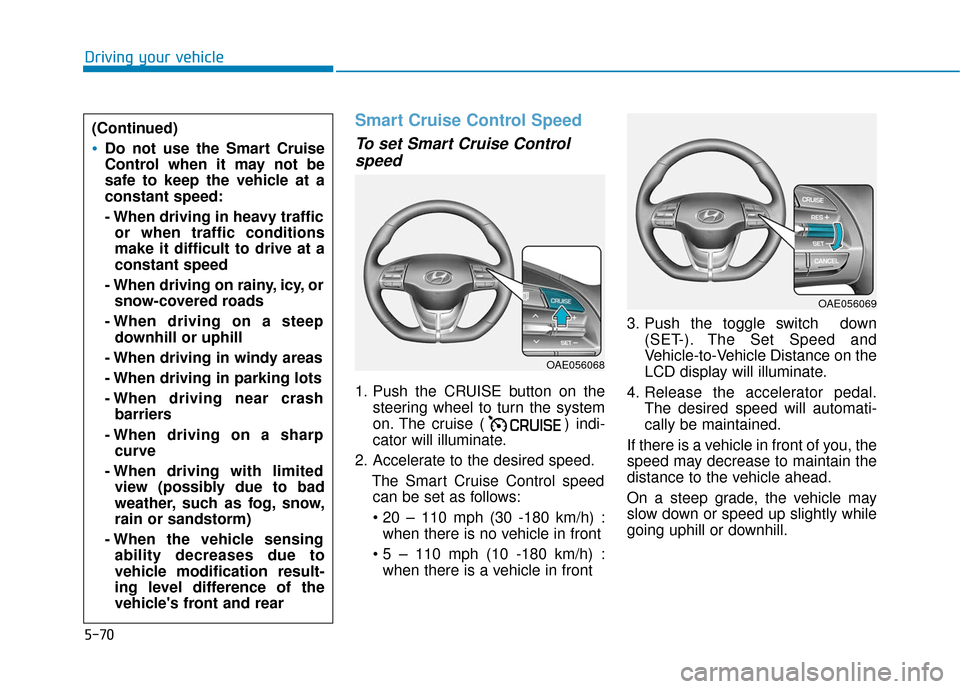
1. Push the CRUISE button on the
steering wheel to turn the system
on. The cruise ( ) indi-
cator will illuminate.
2. Accelerate to the desired speed. The Smart Cruise Control speedcan be set as follows:
when there is no vehicle in front
when there is a vehicle in front 3. Push the toggle switch down
(SET-). The Set Speed and
Vehicle-to-Vehicle Distance on the
LCD display will illuminate.
4. Release the accelerator pedal. The desired speed will automati-
cally be maintained.
If there is a vehicle in front of you, the
speed may decrease to maintain the
distance to the vehicle ahead.
On a steep grade, the vehicle may
slow down or speed up slightly while
going uphill or downhill.
(Continued)
Do not use the Smart Cruise
Control when it may not be
safe to keep the vehicle at a
constant speed:
- When driving in heavy traffic or when traffic conditions
make it difficult to drive at a
constant speed
- When driving on rainy, icy, or snow-covered roads
- When driving on a steep downhill or uphill
- When driving in windy areas
- When driving in parking lots
- When driving near crash barriers
- When driving on a sharp curve
- When driving with limited view (possibly due to bad
weather, such as fog, snow,
rain or sandstorm)
- When the vehicle sensing ability decreases due to
vehicle modification result-
ing level difference of the
vehicle's front and rear
OAE056068
OAE056069