battery HYUNDAI IX20 2015 Owner's Manual
[x] Cancel search | Manufacturer: HYUNDAI, Model Year: 2015, Model line: IX20, Model: HYUNDAI IX20 2015Pages: 385, PDF Size: 13.67 MB
Page 182 of 385
Features of your vehicle
106 4
✽NOTICE
Close the vanity mirror cover securely
and return the sunvisor to its original
position after use.
❈To learn how to use the vanity mirror
lamp, refer to "Interior light" in this sec-
tion.
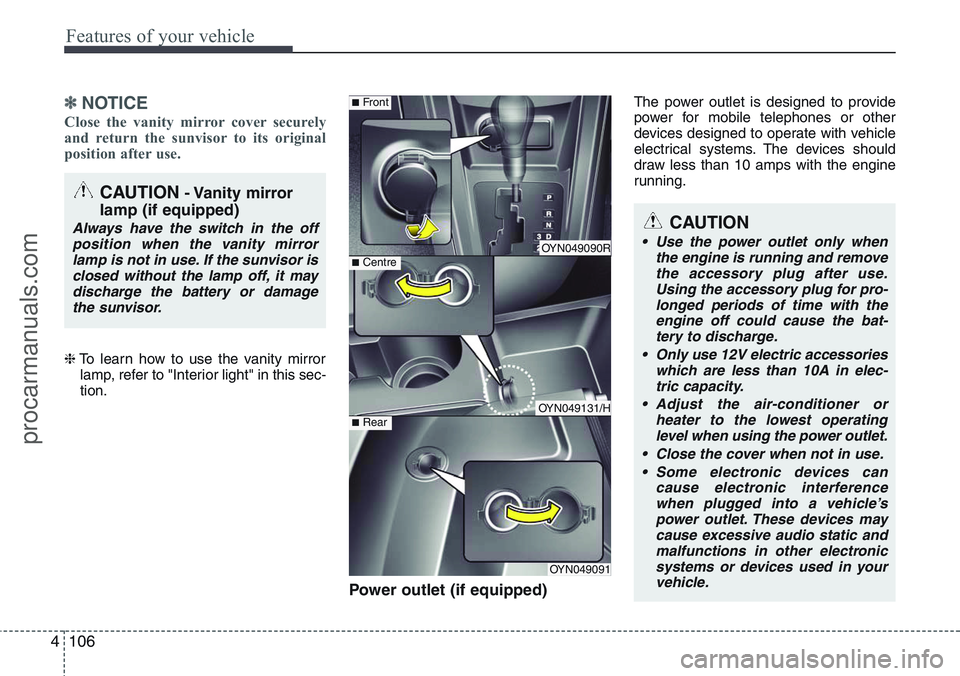
Power outlet (if equipped)
The power outlet is designed to provide
power for mobile telephones or other
devices designed to operate with vehicle
electrical systems. The devices should
draw less than 10 amps with the engine
running.
CAUTION- Vanity mirror
lamp (if equipped)
Always have the switch in the off
position when the vanity mirror
lamp is not in use. If the sunvisor is
closed without the lamp off, it may
discharge the battery or damage
the sunvisor.
OYN049090R
OYN049131/H
OYN049091
■Centre
■Front
■Rear
CAUTION
• Use the power outlet only when
the engine is running and remove
the accessory plug after use.
Using the accessory plug for pro-
longed periods of time with the
engine off could cause the bat-
tery to discharge.
• Only use 12V electric accessories
which are less than 10A in elec-
tric capacity.
• Adjust the air-conditioner or
heater to the lowest operating
level when using the power outlet.
• Close the cover when not in use.
• Some electronic devices can
cause electronic interference
when plugged into a vehicle’s
power outlet. These devices may
cause excessive audio static and
malfunctions in other electronic
systems or devices used in your
vehicle.
procarmanuals.com
Page 193 of 385
4117
Features of your vehicle
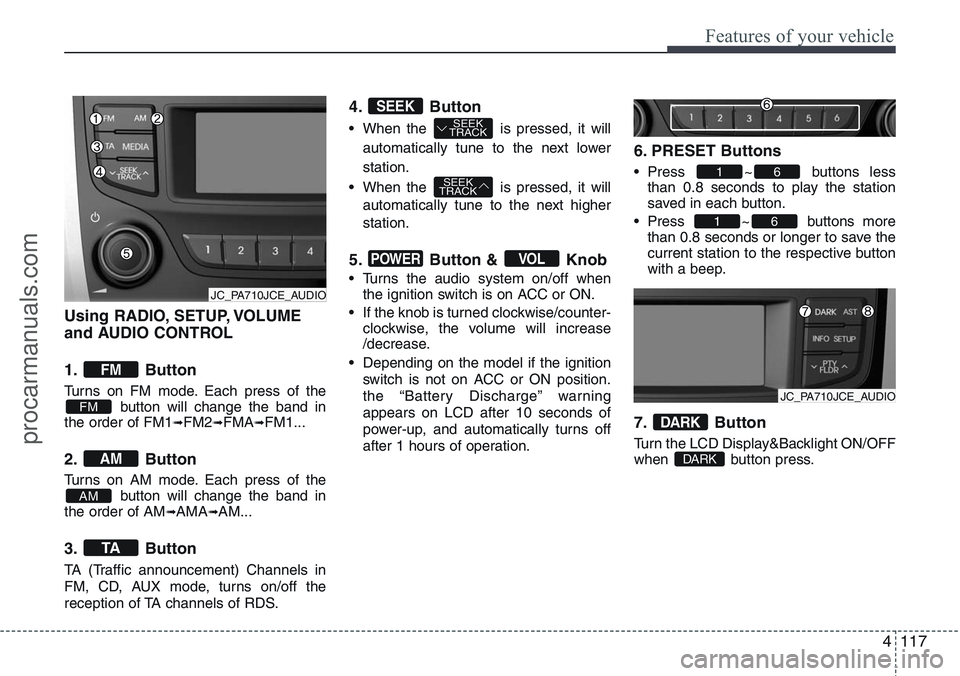
Using RADIO, SETUP, VOLUME
and AUDIO CONTROL
1. Button
Turns on FM mode. Each press of the
button will change the band in
the order of FM1
➟FM2➟FMA➟FM1...
2. Button
Turns on AM mode. Each press of the
button will change the band in
the order of AM
➟AMA➟AM...
3. Button
TA (Traffic announcement) Channels in
FM, CD, AUX mode, turns on/off the
reception of TA channels of RDS.
4. Button
• When the is pressed, it will
automatically tune to the next lower
station.
• When the is pressed, it will
automatically tune to the next higher
station.
5. Button & Knob
• Turns the audio system on/off when
the ignition switch is on ACC or ON.
• If the knob is turned clockwise/counter-
clockwise, the volume will increase
/decrease.
• Depending on the model if the ignition
switch is not on ACC or ON position.
the “Battery Discharge” warning
appears on LCD after 10 seconds of
power-up, and automatically turns off
after 1 hours of operation.
6. PRESET Buttons
• Press ~ buttons less
than 0.8 seconds to play the station
saved in each button.
• Press ~ buttons more
than 0.8 seconds or longer to save the
current station to the respective button
with a beep.
7. Button
Turn the LCD Display&Backlight ON/OFF
when button press.DARK
DARK
61
61
VOLPOWER
SEEK
TRACK
SEEK
TRACKSEEK
TA
AM
AM
FM
FM
JC_PA710JCE_AUDIO
JC_PA710JCE_AUDIO
procarmanuals.com
Page 204 of 385
Features of your vehicle
128 4
✽NOTICE FOR USING THE
iPod DEVICE
• Some iPod models might not support
the communication protocol and the
files will not be played.
Supported iPod models:
- iPod Mini
- iPod 4th (Photo) ~ 6th (Classic) gen-
eration
- iPod Nano 1st~4th generation
- iPod Touch 1st~2nd generation
• The order of search or playback of
songs in the iPod can be different
from the order searched in the audio
system.
• If the iPod disabled due to its own
malfunction, reset the iPod. (Reset:
Refer to iPod manual)
• An iPod may not operate normally on
low battery.
• Some iPod devices, such as the
iPhone, can be connected through the
Bluetooth
®interface. The device must
have audio Bluetooth®capability
(such as for stereo headphone
Bluetooth
®). The device can play, but
it will not be controlled by the audio
system.
CAUTION IN USING THE
iPod DEVICE
• The Hyundai iPod Power Cable is
needed in order to operate iPod
with the audio buttons on the
audio system. The USB cable pro-
vided by Apple may cause mal-
function and should not be used
for Hyundai vehicles.
❋The Hyundai iPod Power Cable
may be purchased through
your Hyundai Dealership.
Page 222 of 385
Driving your vehicle
4 5
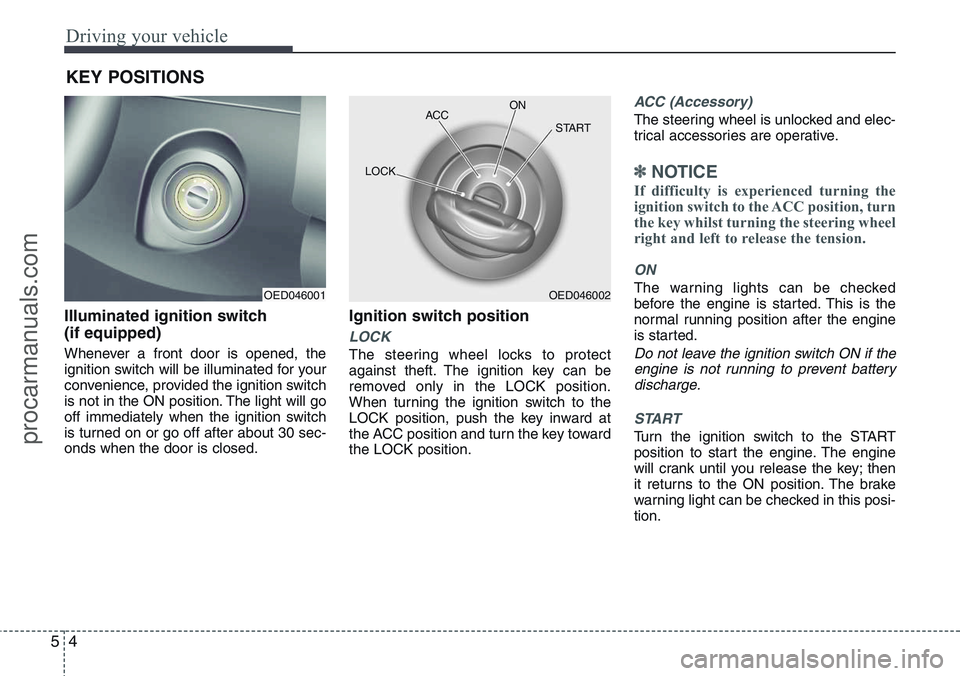
Illuminated ignition switch
(if equipped)
Whenever a front door is opened, the
ignition switch will be illuminated for your
convenience, provided the ignition switch
is not in the ON position. The light will go
off immediately when the ignition switch
is turned on or go off after about 30 sec-
onds when the door is closed.
Ignition switch position
LOCK
The steering wheel locks to protect
against theft. The ignition key can be
removed only in the LOCK position.
When turning the ignition switch to the
LOCK position, push the key inward at
the ACC position and turn the key toward
the LOCK position.
ACC (Accessory)
The steering wheel is unlocked and elec-
trical accessories are operative.
✽NOTICE
If difficulty is experienced turning the
ignition switch to the ACC position, turn
the key whilst turning the steering wheel
right and left to release the tension.
ON
The warning lights can be checked
before the engine is started. This is the
normal running position after the engine
is started.
Do not leave the ignition switch ON if the
engine is not running to prevent battery
discharge.
START
Turn the ignition switch to the START
position to start the engine. The engine
will crank until you release the key; then
it returns to the ON position. The brake
warning light can be checked in this posi-
tion.
KEY POSITIONS
OED046001OED046002 ACCON
START
LOCK
procarmanuals.com
Page 227 of 385
59
Driving your vehicle
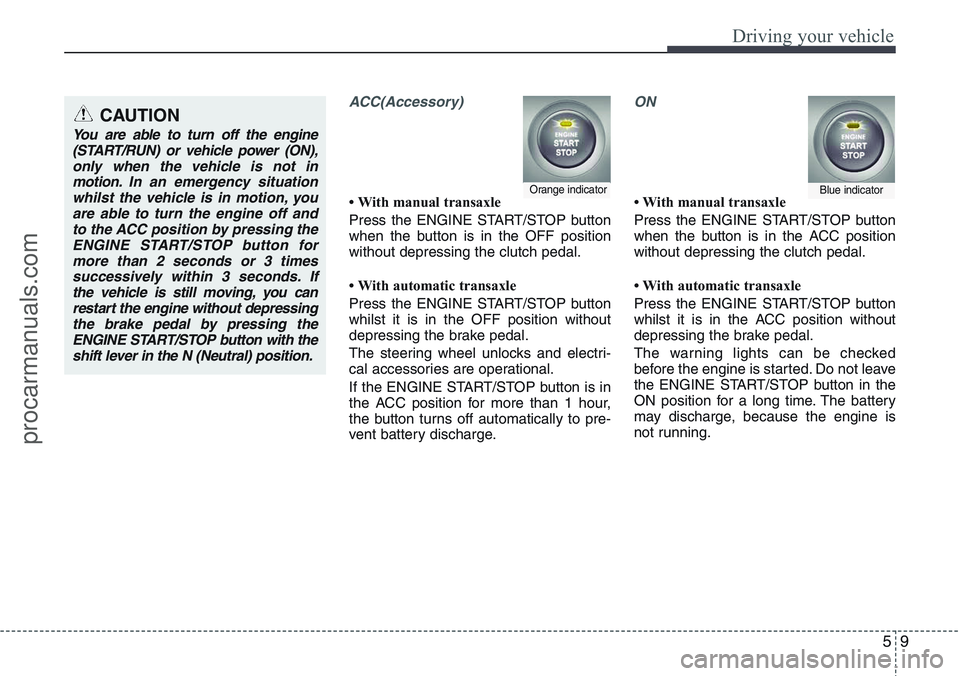
ACC(Accessory)
• With manual transaxle
Press the ENGINE START/STOP button
when the button is in the OFF position
without depressing the clutch pedal.
• With automatic transaxle
Press the ENGINE START/STOP button
whilst it is in the OFF position without
depressing the brake pedal.
The steering wheel unlocks and electri-
cal accessories are operational.
If the ENGINE START/STOP button is in
the ACC position for more than 1 hour,
the button turns off automatically to pre-
vent battery discharge.
ON
• With manual transaxle
Press the ENGINE START/STOP button
when the button is in the ACC position
without depressing the clutch pedal.
• With automatic transaxle
Press the ENGINE START/STOP button
whilst it is in the ACC position without
depressing the brake pedal.
The warning lights can be checked
before the engine is started. Do not leave
the ENGINE START/STOP button in the
ON position for a long time. The battery
may discharge, because the engine is
not running.Orange indicatorBlue indicator
CAUTION
You are able to turn off the engine
(START/RUN) or vehicle power (ON),
only when the vehicle is not in
motion. In an emergency situation
whilst the vehicle is in motion, you
are able to turn the engine off and
to the ACC position by pressing the
ENGINE START/STOP button for
more than 2 seconds or 3 times
successively within 3 seconds. If
the vehicle is still moving, you can
restart the engine without depressing
the brake pedal by pressing the
ENGINE START/STOP button with the
shift lever in the N (Neutral) position.
procarmanuals.com
Page 228 of 385
Driving your vehicle
10 5
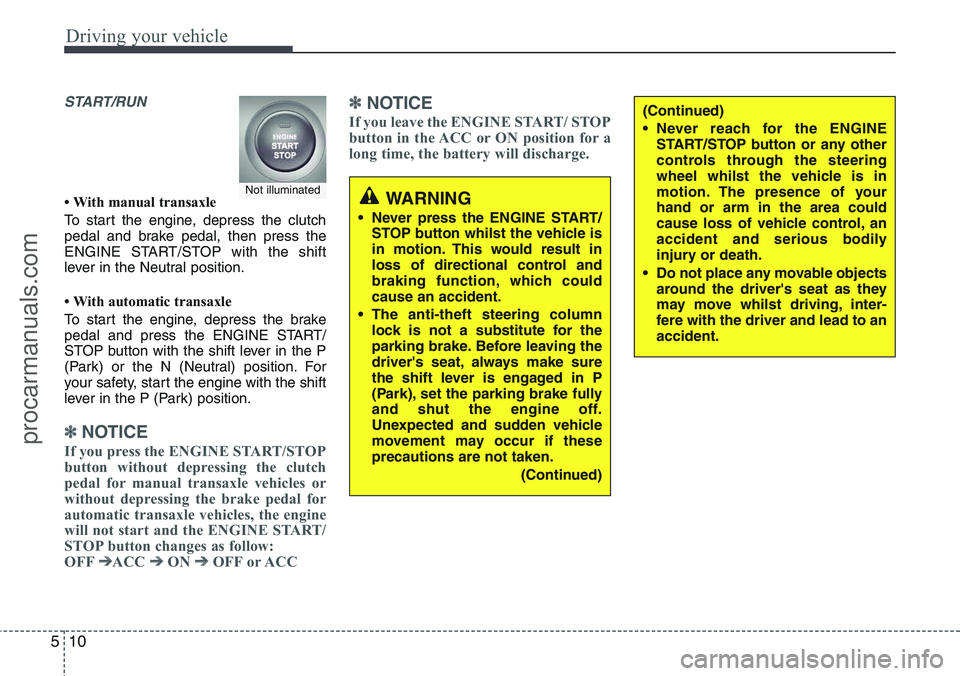
START/RUN
• With manual transaxle
To start the engine, depress the clutch
pedal and brake pedal, then press the
ENGINE START/STOP with the shift
lever in the Neutral position.
• With automatic transaxle
To start the engine, depress the brake
pedal and press the ENGINE START/
STOP button with the shift lever in the P
(Park) or the N (Neutral) position. For
your safety, start the engine with the shift
lever in the P (Park) position.
✽ NOTICE
If you press the ENGINE START/STOP
button without depressing the clutch
pedal for manual transaxle vehicles or
without depressing the brake pedal for
automatic transaxle vehicles, the engine
will not start and the ENGINE START/
STOP button changes as follow:
OFF
➔ACC ➔ON ➔OFF or ACC
✽ NOTICE
If you leave the ENGINE START/ STOP
button in the ACC or ON position for a
long time, the battery will discharge.
WARNING
• Never press the ENGINE START/
STOP button whilst the vehicle is
in motion. This would result in
loss of directional control and
braking function, which could
cause an accident.
• The anti-theft steering column
lock is not a substitute for the
parking brake. Before leaving the
driver's seat, always make sure
the shift lever is engaged in P
(Park), set the parking brake fully
and shut the engine off.
Unexpected and sudden vehicle
movement may occur if these
precautions are not taken.
(Continued)
(Continued)
• Never reach for the ENGINE
START/STOP button or any other
controls through the steering
wheel whilst the vehicle is in
motion. The presence of your
hand or arm in the area could
cause loss of vehicle control, an
accident and serious bodily
injury or death.
• Do not place any movable objects
around the driver's seat as they
may move whilst driving, inter-
fere with the driver and lead to an
accident.
Not illuminated
procarmanuals.com
Page 231 of 385
513
Driving your vehicle
✽ NOTICE
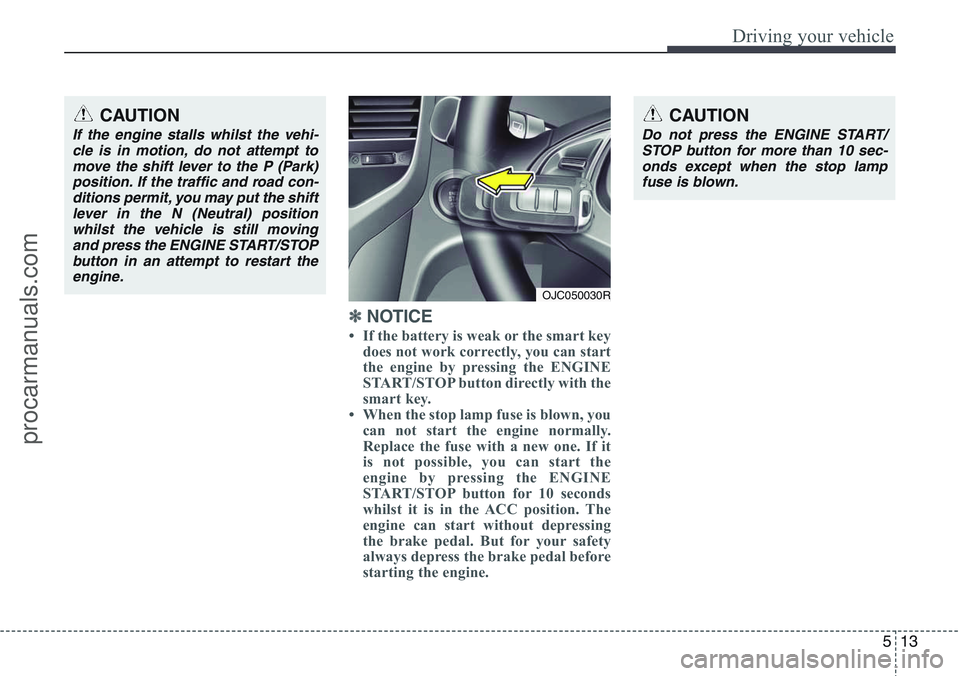
• If the battery is weak or the smart key
does not work correctly, you can start
the engine by pressing the ENGINE
START/STOP button directly with the
smart key.
• When the stop lamp fuse is blown, you
can not start the engine normally.
Replace the fuse with a new one. If it
is not possible, you can start the
engine by pressing the ENGINE
START/STOP button for 10 seconds
whilst it is in the ACC position. The
engine can start without depressing
the brake pedal. But for your safety
always depress the brake pedal before
starting the engine.
CAUTION
Do not press the ENGINE START/
STOP button for more than 10 sec-
onds except when the stop lamp
fuse is blown.
OJC050030R
CAUTION
If the engine stalls whilst the vehi-
cle is in motion, do not attempt to
move the shift lever to the P (Park)
position. If the traffic and road con-
ditions permit, you may put the shift
lever in the N (Neutral) position
whilst the vehicle is still moving
and press the ENGINE START/STOP
button in an attempt to restart the
engine.
procarmanuals.com
Page 232 of 385
Driving your vehicle
14 5
Your vehicle may be equipped with the
ISG system, which reduces fuel con-
sumption by automatically shutting down
the engine, when the vehicle is at a
standstill. (For example : red light, stop
sign and traffic jam)
The engine starts automatically as soon
as the starting conditions are met.
The ISG system is ON whenever the
engine is running.
✽NOTICE
When the engine automatically starts by
the ISG system, some warning lights
(ABS, ESP, ESP OFF, EPS or Parking
brake warning light) may turn on for a
few seconds.
This happens because of low battery
voltage. It does not mean the system is
malfunctioning.Auto stop
To stop the engine in idle stop mode
1. Decrease the vehicle speed to less
than 3 mph (5 km/h).
2. Shift into N (Neutral) position.
3. Release the clutch pedal.
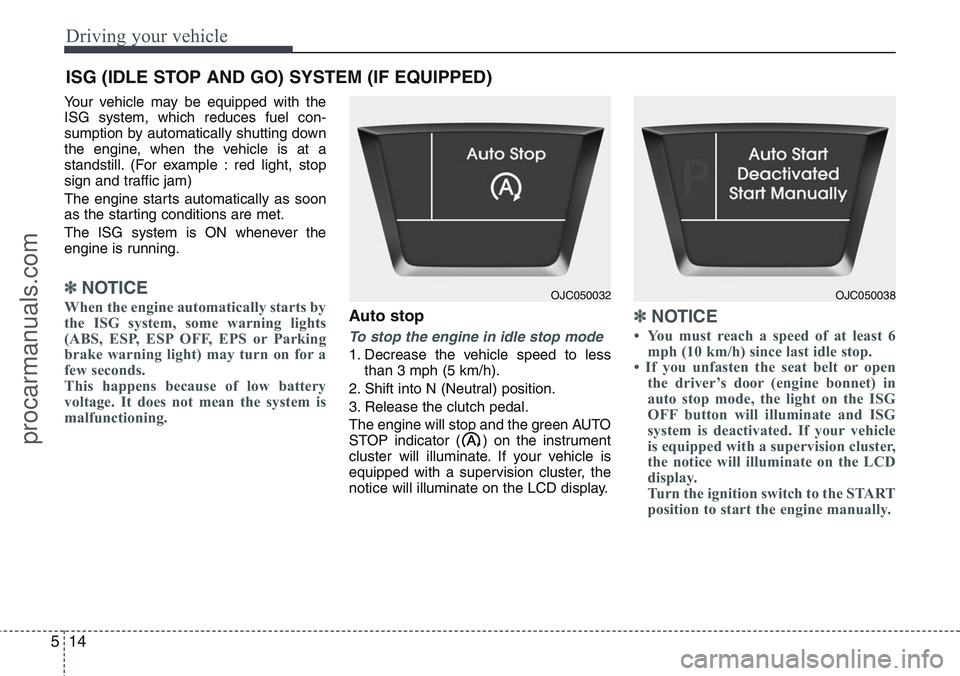
The engine will stop and the green AUTO
STOP indicator ( ) on the instrument
cluster will illuminate. If your vehicle is
equipped with a supervision cluster, the
notice will illuminate on the LCD display.
✽NOTICE
• You must reach a speed of at least 6
mph (10 km/h) since last idle stop.
• If you unfasten the seat belt or open
the driver’s door (engine bonnet) in
auto stop mode, the light on the ISG
OFF button will illuminate and ISG
system is deactivated. If your vehicle
is equipped with a supervision cluster,
the notice will illuminate on the LCD
display.
Turn the ignition switch to the START
position to start the engine manually.
ISG (IDLE STOP AND GO) SYSTEM (IF EQUIPPED)
OJC050032OJC050038
procarmanuals.com
Page 233 of 385
515
Driving your vehicle
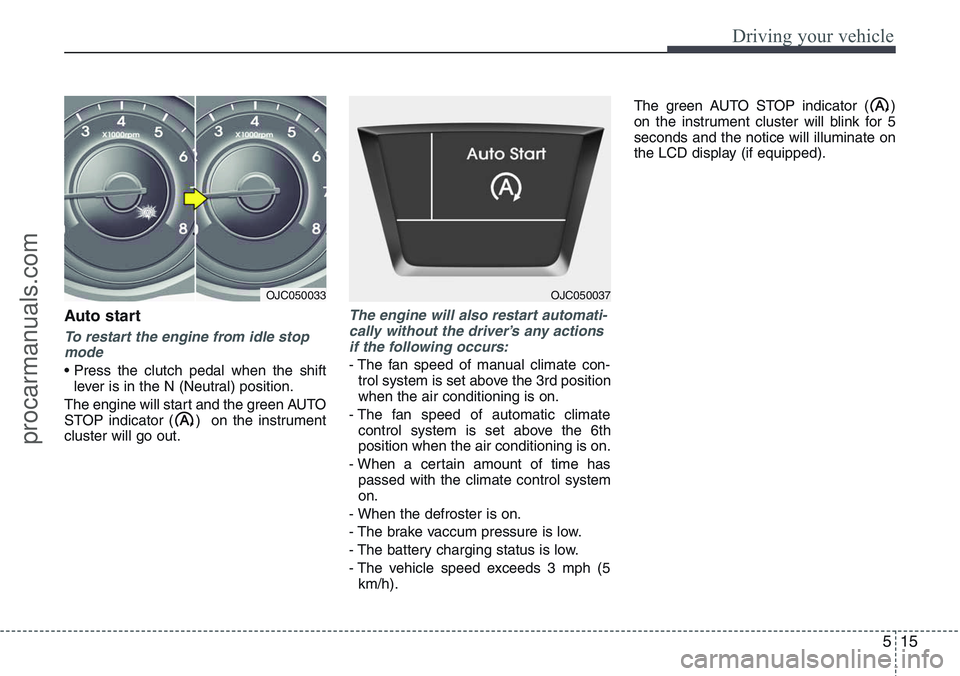
Auto start
To restart the engine from idle stop
mode
• Press the clutch pedal when the shift
lever is in the N (Neutral) position.
The engine will start and the green AUTO
STOP indicator ( ) on the instrument
cluster will go out.
The engine will also restart automati-
cally without the driver’s any actions
if the following occurs:
- The fan speed of manual climate con-
trol system is set above the 3rd position
when the air conditioning is on.
- The fan speed of automatic climate
control system is set above the 6th
position when the air conditioning is on.
- When a certain amount of time has
passed with the climate control system
on.
- When the defroster is on.
- The brake vaccum pressure is low.
- The battery charging status is low.
- The vehicle speed exceeds 3 mph (5
km/h).The green AUTO STOP indicator ( )
on the instrument cluster will blink for 5
seconds and the notice will illuminate on
the LCD display (if equipped).
OJC050033OJC050037
procarmanuals.com
Page 234 of 385
Driving your vehicle
16 5
Condition of ISG system opera-
tion
The ISG system will operate under
the following condition:
- The driver’s seat belt is fastened.
- The driver’s door and bonnet are
closed.
- The brake vaccum pressure is ade-
quate.
- The battery is sufficiently charged.
- The outside temperature is between
2°C to 35°C.
- The engine coolant temperature is not
too low.
✽NOTICE
• If the ISG system does not meet that
operation condition, the ISG system is
deactivated. The light on the ISG OFF
button will illuminate and the notice
will illuminate on the LCD display (if
equipped).
• If the light or notice comes on contin-
uously, please check the operation
condition.
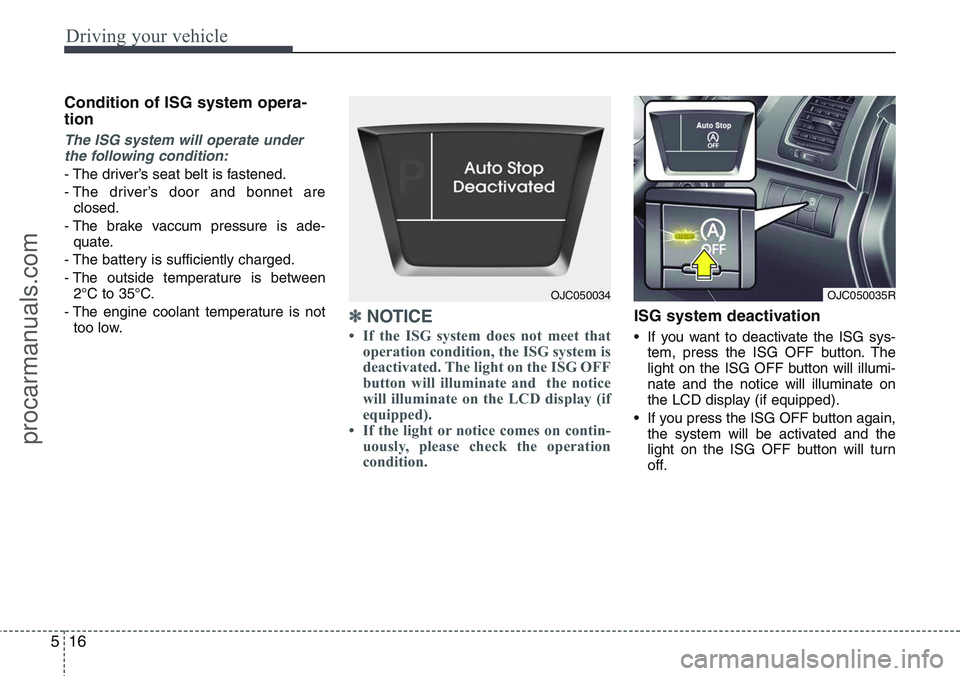
ISG system deactivation
• If you want to deactivate the ISG sys-
tem, press the ISG OFF button. The
light on the ISG OFF button will illumi-
nate and the notice will illuminate on
the LCD display (if equipped).
• If you press the ISG OFF button again,
the system will be activated and the
light on the ISG OFF button will turn
off.
OJC050035ROJC050034
procarmanuals.com