ECO mode HYUNDAI IX20 2017 User Guide
[x] Cancel search | Manufacturer: HYUNDAI, Model Year: 2017, Model line: IX20, Model: HYUNDAI IX20 2017Pages: 456, PDF Size: 9.46 MB
Page 171 of 456
493
Features of your vehicle
Manual heating and air condition- ing The heating and cooling system can be
controlled manually by pressing buttons
other than the AUTO button. In this case,
the system works sequentially according
to the order of buttons selected.
When pressing any button (or turning
any knob) except AUTO button while
automatic operation, the functions not
selected will be controlled automatically.
1. Start the engine.
2. Set the mode to the desired position.
3. Set the temperature control to thedesired position.
4. Set the air intake control to the outside (fresh) air position.
5. Set the fan speed control to the desired speed.
6. If air conditioning is desired, turn the air conditioning system on.
Press the AUTO button in order to con-
vert to full automatic control of the sys-tem.
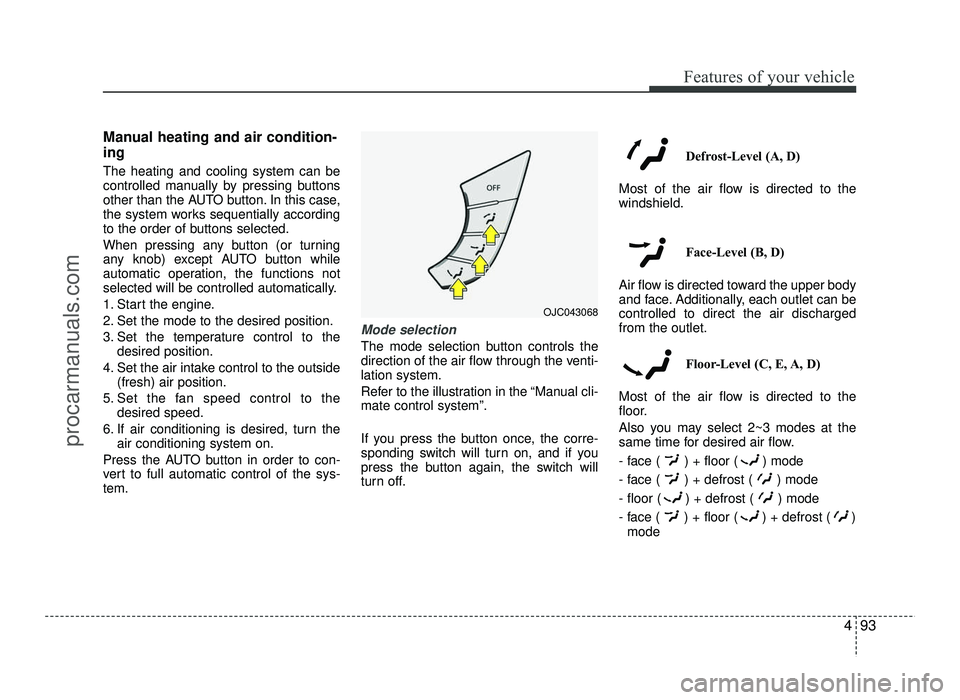
Mode selection
The mode selection button controls the
direction of the air flow through the venti-lation system.
Refer to the illustration in the “Manual cli- mate control system”.
If you press the button once, the corre-
sponding switch will turn on, and if you
press the button again, the switch will
turn off. Defrost-Level (A, D)
Most of the air flow is directed to thewindshield.
Face-Level (B, D)
Air flow is directed toward the upper body
and face. Additionally, each outlet can becontrolled to direct the air dischargedfrom the outlet.
Floor-Level (C, E, A, D)
Most of the air flow is directed to the
floor.
Also you may select 2~3 modes at the
same time for desired air flow.
- face ( ) + floor ( ) mode
- face ( ) + defrost ( ) mode
- floor ( ) + defrost ( ) mode
- face ( ) + floor ( ) + defrost ( ) mode
OJC043068
procarmanuals.com
Page 173 of 456
495
Features of your vehicle
Temperature conversion
If the battery has been discharged or dis-
connected, the temperature mode dis-
play will reset to Centigrade.
This is normal condition. You can switch
the temperature mode between
Centigrade to Fahrenheit as follows:
While pressing the AUTO button, press
the OFF button for 3 seconds or more.
The display will change from Centigrade
to Fahrenheit, or from Fahrenheit to
Centigrade.
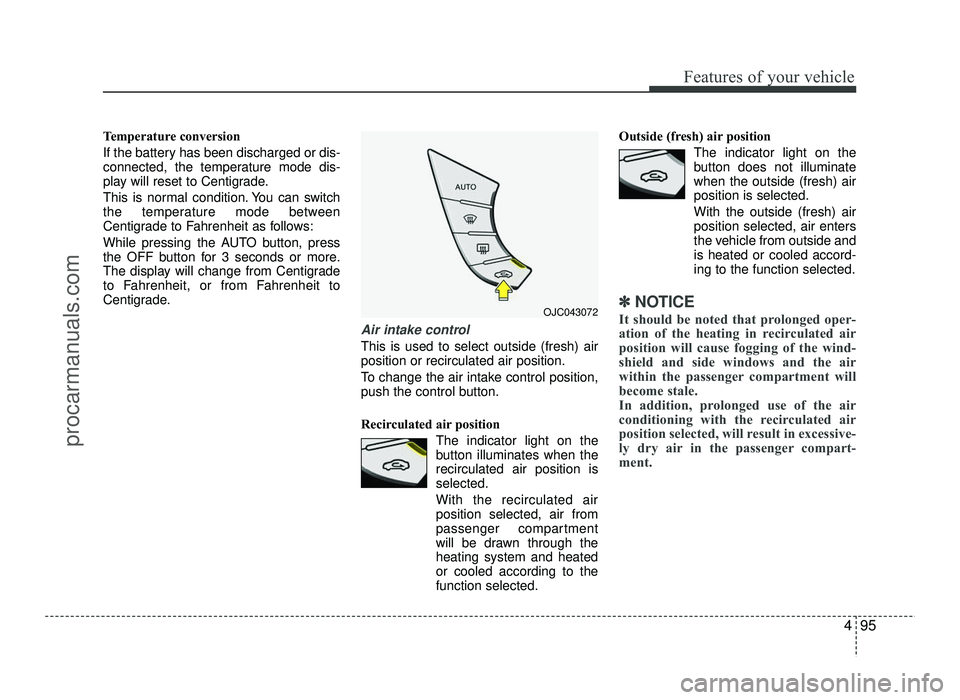
Air intake control
This is used to select outside (fresh) air position or recirculated air position.
To change the air intake control position,
push the control button.
Recirculated air positionThe indicator light on the
button illuminates when therecirculated air position isselected.
With the recirculated air position selected, air from
passenger compartment
will be drawn through theheating system and heatedor cooled according to thefunction selected. Outside (fresh) air position
The indicator light on the
button does not illuminatewhen the outside (fresh) airposition is selected. With the outside (fresh) air position selected, air enters
the vehicle from outside andis heated or cooled accord-ing to the function selected.
✽✽NOTICE
It should be noted that prolonged oper-
ation of the heating in recirculated air
position will cause fogging of the wind-
shield and side windows and the air
within the passenger compartment will
become stale.
In addition, prolonged use of the air
conditioning with the recirculated air
position selected, will result in excessive-
ly dry air in the passenger compart-
ment. OJC043072
procarmanuals.com
Page 176 of 456
Features of your vehicle
98
4
During air conditioning system opera-
tion, you may occasionally notice a slight change in engine speed as the
air conditioning compressor cycles.
This is a normal system operation
characteristic.
Use the air conditioning system every month only for a few minutes to ensure
maximum system performance.
When using the air conditioning sys- tem, you may notice clear water drip-
ping (or even puddling) on the ground
under the passenger side of the vehi-
cle. This is a normal system operation
characteristic.
Operating the air conditioning system in the recirculated air position provides
maximum cooling, however, continual
operation in this mode may cause the
air inside the vehicle to become stale.
During cooling operation, you may occasionally notice a misty air flow
because of rapid cooling and humid air
intake. This is a normal system opera-
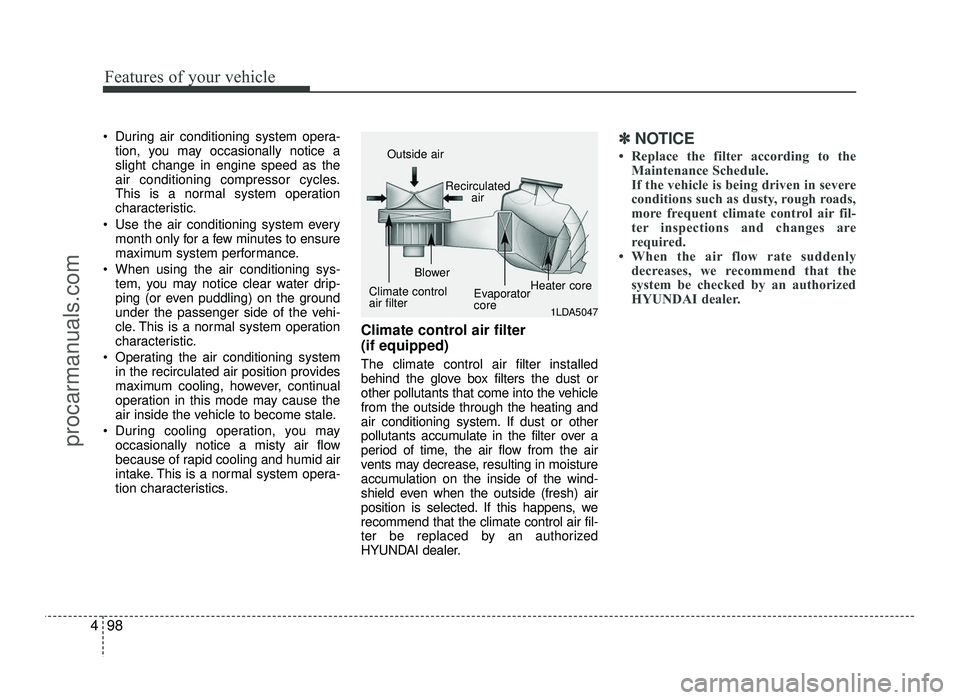
tion characteristics. Climate control air filter (if equipped) The climate control air filter installed
behind the glove box filters the dust or
other pollutants that come into the vehiclefrom the outside through the heating and
air conditioning system. If dust or other
pollutants accumulate in the filter over a
period of time, the air flow from the air
vents may decrease, resulting in moisture
accumulation on the inside of the wind-
shield even when the outside (fresh) air
position is selected. If this happens, werecommend that the climate control air fil-
ter be replaced by an authorized
HYUNDAI dealer.✽✽
NOTICE
Replace the filter according to the Maintenance Schedule.
If the vehicle is being driven in severe
conditions such as dusty, rough roads,
more frequent climate control air fil-
ter inspections and changes are
required.
When the air flow rate suddenly decreases, we recommend that the
system be checked by an authorized
HYUNDAI dealer.
1LDA5047
Outside air
Recirculatedair
Climate control air filter Blower
EvaporatorcoreHeater core
procarmanuals.com
Page 188 of 456
Features of your vehicle
110
4
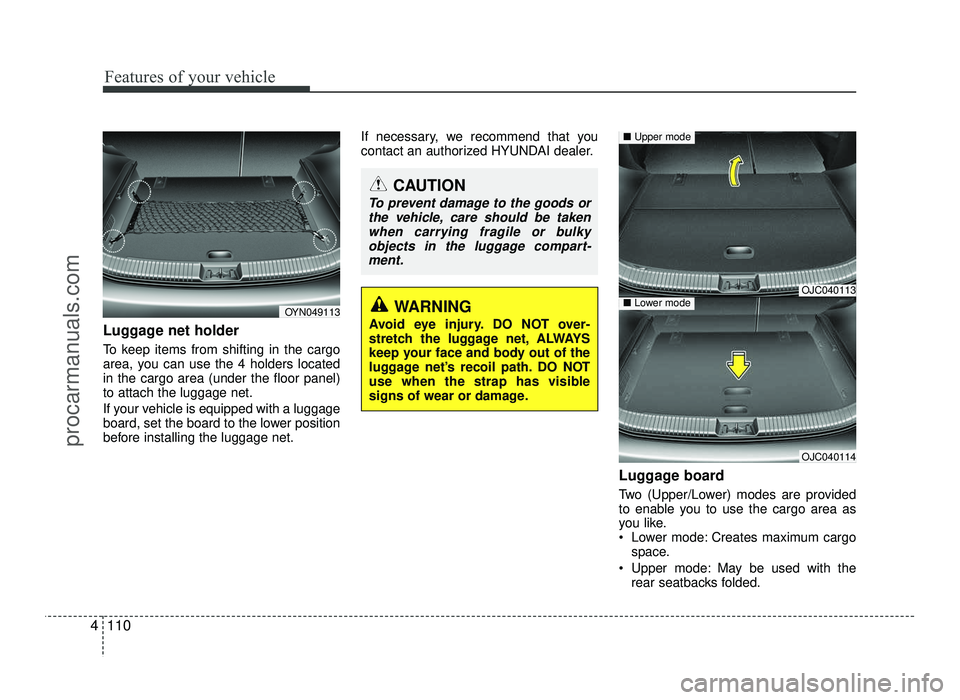
Luggage net holder
To keep items from shifting in the cargo
area, you can use the 4 holders locatedin the cargo area (under the floor panel)to attach the luggage net.
If your vehicle is equipped with a luggage
board, set the board to the lower position
before installing the luggage net. If necessary, we recommend that you
contact an authorized HYUNDAI dealer.
Luggage board
Two (Upper/Lower) modes are provided
to enable you to use the cargo area as
you like.
Lower mode: Creates maximum cargospace.
Upper mode: May be used with the rear seatbacks folded.
CAUTION
To prevent damage to the goods or
the vehicle, care should be takenwhen carrying fragile or bulky
objects in the luggage compart-ment.
WARNING
Avoid eye injury. DO NOT over-
stretch the luggage net, ALWAYS
keep your face and body out of the
luggage net’s recoil path. DO NOT
use when the strap has visible
signs of wear or damage.
OJC040113
OJC040114
■ Upper mode
■Lower modeOYN049113
procarmanuals.com
Page 197 of 456
4119
Features of your vehicle
✽✽NOTICE - USING THE USB
DEVICE
To use an external USB device, make sure the device is not connect-
ed when starting up the vehicle.
Connect the device after starting
up.
If you start the engine when the
USB device is connected, it may
damage the USB device. (USB
flashdrives are very sensitive to
electric shock.)
If the engine is started up or turned
off while the external USB device is
connected, the external USB device
may not work.
The System may not play inauthen-
tic MP3 or WMA files.
1) It can only play MP3 files with the compression rate between
8Kbps ~ 320Kbps.
2) It can only play WMA music files with the compression rate
between 8Kbps ~ 320Kbps.
Take precautions for static electric-
ity when connecting or disconnect-
ing the external USB device. (Continued)(Continued)
An encrypted MP3 PLAYER is not
recognizable.
Depending on the condition of the external USB device, the connected
external USB device can be unrec-
ognizable.
When the formatted byte/sector
setting of External USB device is
not either 512BYTE or 2048BYTE,
then the device will not be recog-
nized.
Use only a USB device formatted to
FAT 12/16/32.
USB devices without USB I/F authentication may not be recog-
nizable.
Make sure the USB connection ter- minal does not come in contact with
the human body or other objects.
If you repeatedly connect or discon-
nect the USB device in a short peri-
od of time, it may break the device.
You may hear a strange noise when connecting or disconnecting a USB
device. (Continued)(Continued)
If you disconnect the external USB
device during playback in USB mode,
the external USB device can be dam-
aged or may malfunction. Therefore,
disconnect the external USB device
when the audio is turned off or in
another mode. (e.g, Radio, CD)
Depending on the type and capacity of the external USB device or the
type of the files stored in the device,
there is a difference in the time
taken for recognition of the device.
Do not use the USB device for pur- poses other than playing music
files.
Playing videos through the USB is
not supported.
Use of USB accessories such as rechargers or heaters using USB
I/F may lower performance or
cause trouble.
If you use devices such as a USB hub purchased separately, the vehi-
cle’s audio system may not recog-
nize the USB device. In that case,
connect the USB device directly to
the multimedia terminal of the
vehicle.
(Continued)
procarmanuals.com
Page 205 of 456
4127
Features of your vehicle
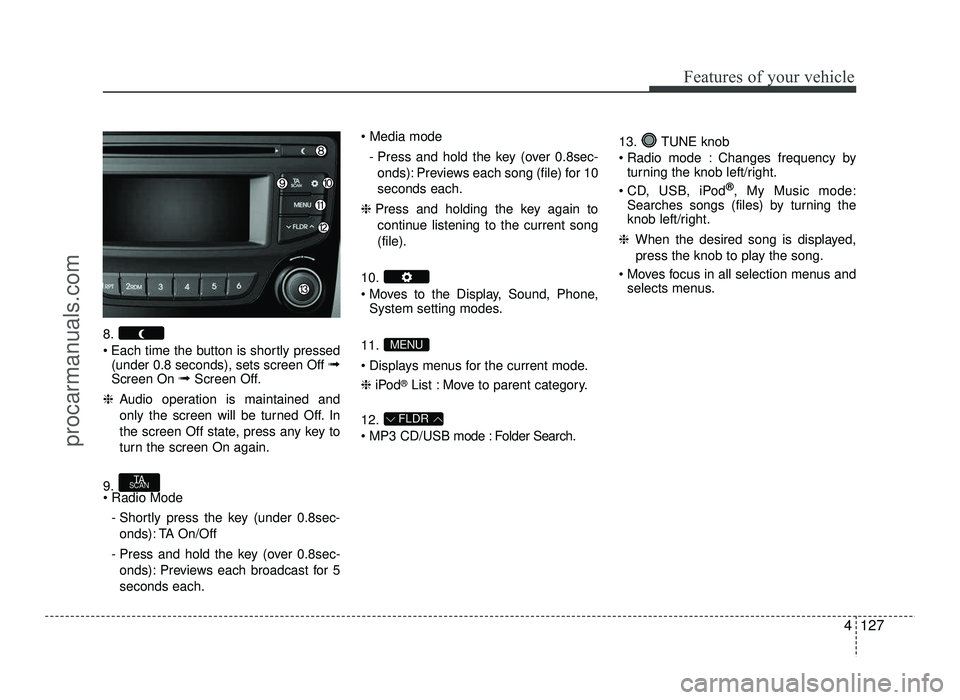
8.
Each time the button is shortly pressed(under 0.8 seconds), sets screen Off ➟
Screen On ➟Screen Off.
❈ Audio operation is maintained and
only the screen will be turned Off. In
the screen Off state, press any key to
turn the screen On again.
9. - Shortly press the key (under 0.8sec-onds): TA On/Off
- Press and hold the key (over 0.8sec- onds): Previews each broadcast for 5 seconds each.
- Press and hold the key (over 0.8sec-onds): Previews each song (file) for 10seconds each.
❈ Press and holding the key again to
continue listening to the current song(file).
10.
Moves to the Display, Sound, Phone, System setting modes.
11.
Displays menus for the current mode. ❈ iPod ®
List : Move to parent category.
12.
MP3 CD/USB mode : Folder Search. 13. TUNE knob
Radio mode : Changes frequency by
turning the knob left/right.
CD, USB, iPod ®
, My Music mode:
Searches songs (files) by turning the
knob left/right.
❈ When the desired song is displayed,
press the knob to play the song.
Moves focus in all selection menus and selects menus.
FLDR
MENU
TA
SCAN
procarmanuals.com
Page 213 of 456
![HYUNDAI IX20 2017 User Guide 4135
Features of your vehicle
System Settings
Press the key Select [System]
through tune knob or (Type A-1)
key / (Type A-2) keySelect menu
through TUNE knob Memory Information (if equipped)
D](/img/35/57916/w960_57916-212.png "HYUNDAI IX20 2017 User Guide 4135
Features of your vehicle
System Settings
Press the key Select [System]
through tune knob or (Type A-1)
key / (Type A-2) keySelect menu
through TUNE knob Memory Information (if equipped)
D")
4135
Features of your vehicle
System Settings
Press the key Select [System]
through tune knob or (Type A-1)
key / (Type A-2) keySelect menu
through TUNE knob Memory Information (if equipped)
Displays currently used memory and
total system memory.
Select [Memory Information] OK
The currently used memory is displayed on the left side while the total system
memory is displayed on the right side.
VRS Mode (if equipped)
This feature is used to change voice
command feedback between Normal and
Expert modes.
Select [VRS Mode] Set through TUNE knob
Normal : This mode is for beginner
users and provides detailed instructions
during voice command operation. Expert : This mode is for expert users
and omits some information during
voice command operation. (When using
Expert mode, guidance instructions can
be heard through the [Help] or [Menu]
commands.
❈ May differ depending on the selected
audio.
Language
This menu is used to set the display and
voice recognition language.
Select [Language] Set through TUNE knob ❈ The system will reboot after the lan-
guage is changed.
❈ Language support by region
-
34
procarmanuals.com
Page 214 of 456
Features of your vehicle
136
4
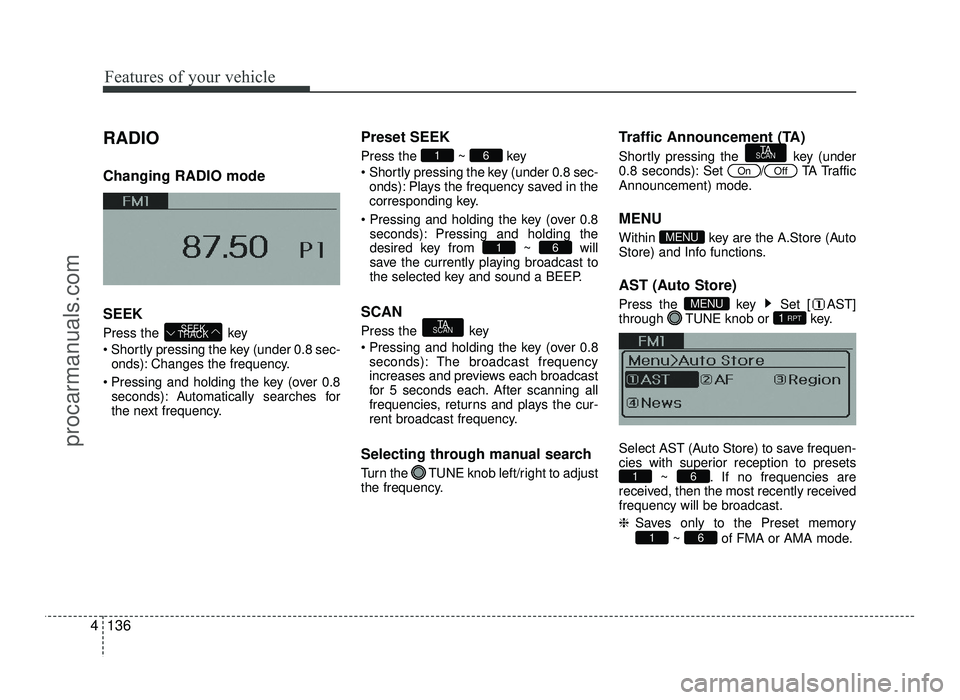
RADIO Changing RADIO mode SEEK
Press the key
Shortly pressing the key (under 0.8 sec-
onds): Changes the frequency.
Pressing and holding the key (over 0.8 seconds): Automatically searches for
the next frequency. Preset SEEK Press
the ~ key
Shortly pressing the key (under 0.8 sec- onds): Plays the frequency saved in the
corresponding key.
seconds): Pressing and holding thedesired key from ~ will
save the currently playing broadcast to
the selected key and sound a BEEP.
SCAN
Press the key
Pressing and holding the key (over 0.8 seconds): The broadcast frequency
increases and previews each broadcast
for 5 seconds each. After scanning all
frequencies, returns and plays the cur-
rent broadcast frequency.
Selecting through manual search
Turn the TUNE knob left/right to adjust
the frequency. Traffic Announcement (TA)
Shortly pressing the key (under
0.8 seconds): Set
/TA Traffic
Announcement) mode.
MENU
Within key are the A.Store (Auto
Store) and Info functions.
AST (Auto Store)
Press the key Set [ AST]
through TUNE knob or key.
Select AST (Auto Store) to save frequen-
cies with superior reception to presets ~ . If no frequencies are
received, then the most recently receivedfrequency will be broadcast. ❈ Saves only to the Preset memory
~ of FMA or AMA mode.
61
61
1 RPTMENU
MENU
OffOn
TA
SCAN
TA
SCAN
61
61
SEEK
TRACK
procarmanuals.com
Page 216 of 456
Features of your vehicle
138
4
BASIC METHOD OF USE :
Audio CD / MP3 CD / USB /
iPod / My Music (if equipped)
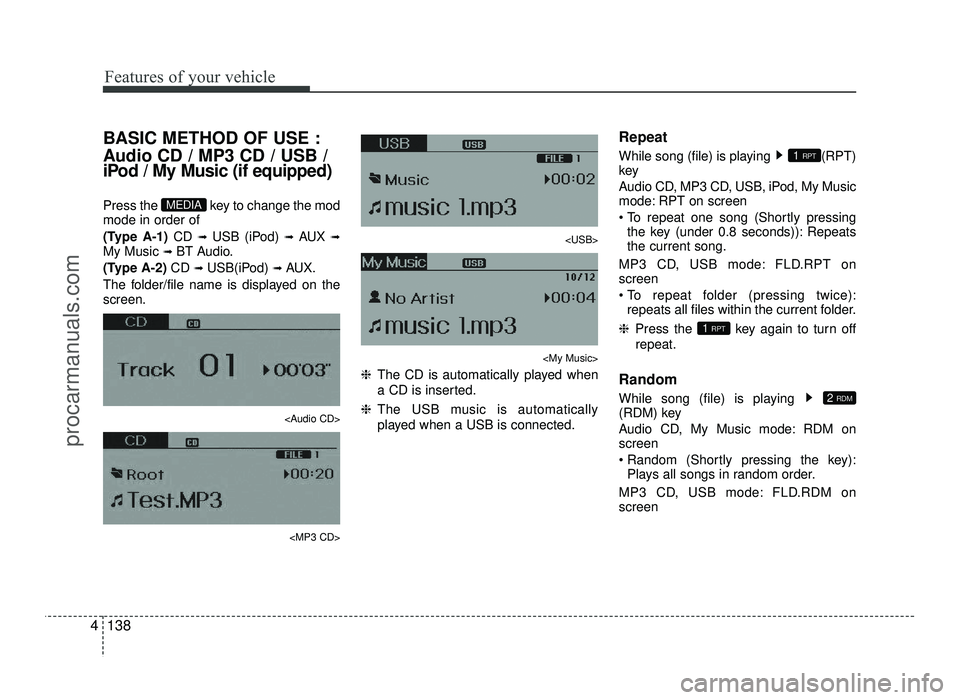
Press the key to change the mod mode in order of
(Type A-1) CD ➟
USB (iPod) ➟ AUX ➟
My Music ➟ BT Audio.
(Type A-2) CD ➟
USB(iPod) ➟ AUX.
The folder/file name is displayed on the screen.
Page 217 of 456
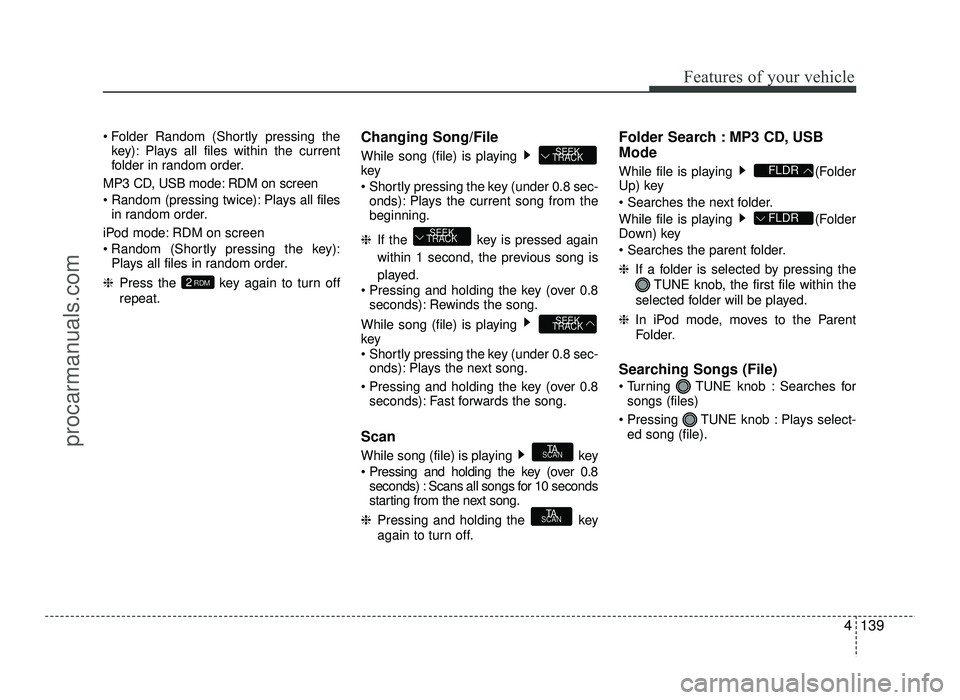
4139
Features of your vehicle
Folder Random (Shortly pressing thekey): Plays all files within the current
folder in random order.
MP3 CD, USB mode: RDM on screen
Random (pressing twice): Plays all files in random order.
iPod mode: RDM on screen
Random (Shortly pressing the key): Plays all files in random order.
❈ Press the key again to turn off
repeat. Changing Song/File
While song (file) is playing key
Shortly pressing the key (under 0.8 sec-
onds): Plays the current song from the beginning.
❈ If the key is pressed again
within 1 second, the previous song is
played.
Pressing and holding the key (over 0.8 seconds): Rewinds the song.
While song (file) is playing key
Shortly pressing the key (under 0.8 sec- onds): Plays the next song.
Pressing and holding the key (over 0.8 seconds): Fast forwards the song.
Scan
While song (file) is playing key
Pressing and holding the key (over 0.8 seconds) : Scans all songs for 10 seconds
starting from the next song.
❈ Pressing and holding the key
again to turn off. Folder Search : MP3 CD, USB Mode
While file is playing (Folder
Up) key
While file is playing (Folder
Down) key
❈
If a folder is selected by pressing the
TUNE knob, the first file within the
selected folder will be played.
❈ In iPod mode, moves to the Parent
Folder.
Searching Songs (File)
Turning TUNE knob : Searches for songs (files)
Pressing TUNE knob : Plays select- ed song (file).
FLDR
FLDR
TA
SCAN
TA
SCAN
SEEK
TRACK
SEEK
TRACK
SEEK
TRACK
2 RDM
procarmanuals.com