phone HYUNDAI IX35 2011 User Guide
[x] Cancel search | Manufacturer: HYUNDAI, Model Year: 2011, Model line: IX35, Model: HYUNDAI IX35 2011Pages: 560, PDF Size: 28.31 MB
Page 218 of 560
4143
Features of your vehicle
■■Voice Recognition Activation
The voice recognition engine con- tained in the Bluetooth System can be
activated in the following conditions:
- Button Activation
The voice recognition system will beactive when the button is pressed and after the sound of a
Beep.
- Active Listening The voice recognition system will beactive for a period of time when the
Voice Recognition system has asked
for a customer response.
The system can recognize single dig- itsfrom zero to nine while number
greater than ten will not be recognized.
If the command is not recognized, the system will announce "Pardon" or No
input voice signal from microphone.(No response)
The system shall cancel voice recogni- tion mode in following cases : When
pressing the button and saying
cancel following the beep. When not
making a call and pressing the but-
ton. When voice recognition has failed
3 consecutive times. At any time if you say “help”, the sys-
tem will announce what commands are
available.
■
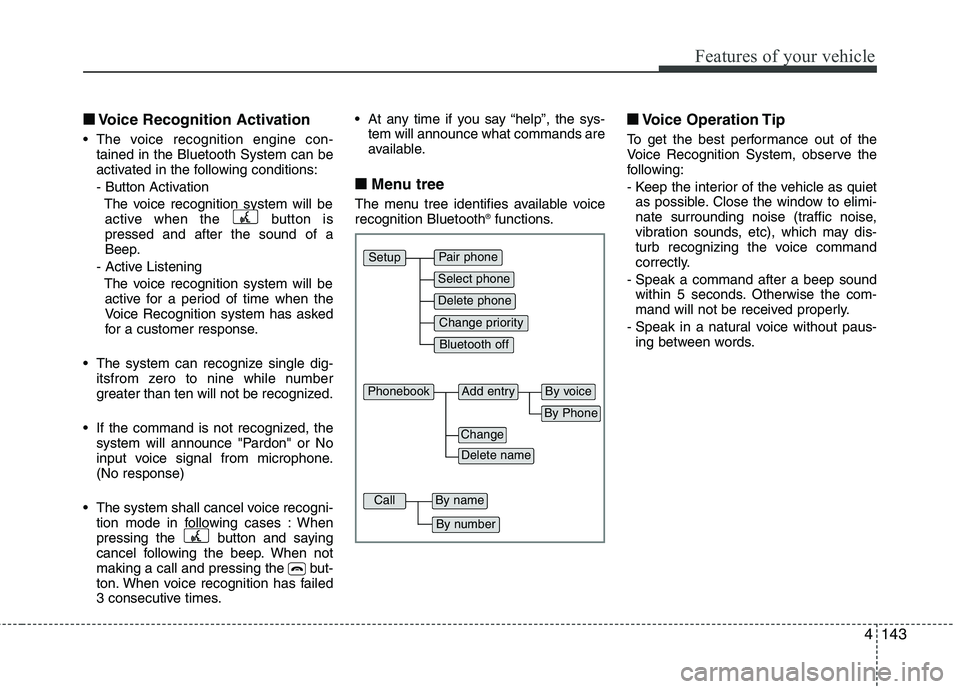
■ Menu tree
The menu tree identifies available voice recognition Bluetooth ®
functions. ■
■
Voice Operation Tip
To get the best performance out of the
Voice Recognition System, observe the
following:
- Keep the interior of the vehicle as quiet as possible. Close the window to elimi-
nate surrounding noise (traffic noise,
vibration sounds, etc), which may dis-
turb recognizing the voice command
correctly.
- Speak a command after a beep sound within 5 seconds. Otherwise the com-
mand will not be received properly.
- Speak in a natural voice without paus- ing between words.
Pair phone
Select phone
Change priority
Delete phone
Bluetooth off
Setup
Add entryPhonebook
Change
Delete name
By Phone
By voice
CallBy name
By number
Page 219 of 560
Features of your vehicle
144
4
■■
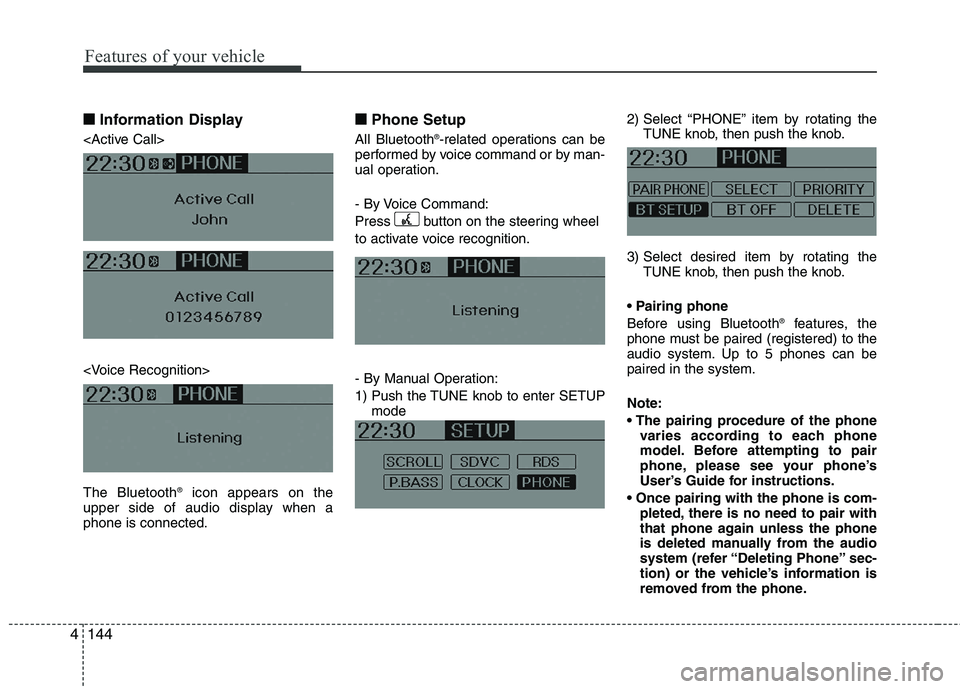
Information Display
icon appears on the
upper side of audio display when a phone is connected. ■■
Phone Setup
All Bluetooth ®
-related operations can be
performed by voice command or by man-
ual operation.
- By Voice Command:
Press button on the steering wheel
to activate voice recognition.
- By Manual Operation:
1) Push the TUNE knob to enter SETUP mode 2) Select “PHONE” item by rotating the
TUNE knob, then push the knob.
3) Select desired item by rotating the TUNE knob, then push the knob.
Before using Bluetooth ®
features, the
phone must be paired (registered) to the
audio system. Up to 5 phones can bepaired in the system. Note:
varies according to each phone
model. Before attempting to pair
phone, please see your phone’s
User’s Guide for instructions.
pleted, there is no need to pair with
that phone again unless the phone
is deleted manually from the audio
system (refer “Deleting Phone” sec-
tion) or the vehicle’s information is
removed from the phone.
Page 220 of 560
4145
Features of your vehicle
1. Press button.
2. Say “Set Up”.- The system replies with availablecommands.
- To skip the information message, press again and then a beep is heard.
3. Say “Pair Phone”
4. Proceed at Next step.
5. Say the name of your phone when prompted.
- Use any name to uniquely describe
your phone.
- Use Full name to voice tag.
- Not use to short name or similar to voice command.
6. Bluetooth ®
system will repeat the name
you stated.
7. Say "Yes" to confirm.
8. The audio displays “searching ---- passkey: 0000” and asks you to initiate
pairing procedure from the phone.
9. Search the Bluetooth ®
system on your
phone .Your phone should display your
[vehicle model name] on theBluetooth ®
device list. Then attempt
pairing on your phone
10. After Pairing is completed, your phone will start to transfer phone/contact list to the audio system. - This process may take from a few
minutes to over 10 minutes depend-
ing on the phone model and number
of entries in the phone/contact list.
11. By manual operation: - Select “PAIR” in PHONE menu,thenproceed from step 5
Note:
Until the audio displays “Transfer Complete”, Bluetooth ®
hands-free
feature may not be fully operational.
If the phone is paired to two or more vehicles of the same model, some
phones may not handle Bluetooth¢ç
devices of that name correctly. In
this case, you may need to change
the name displayed on your phone.
For example, if the vehicles' name is
HMC, you may need to change the
name displayed on you phone fromHMC.
Refer to your phone User’s Guide,
or contract your cellular carrier or
phone manufacturer for instruc-tions. When the Bluetooth
®
system is enabled,
the phone previously used is automati-
cally selected and re-connected. If you
want to select different phone previouslypaired, the phone can be selected
through “Select Phone” menu. Only a selected phone can be used with
the hands-free system at a time.
1. Press button.
2. Say "Set Up".
3. Say "Select Phone" after prompt
- The system lists all the registeredphone names.
4. Say the name or number of desired phone from the list.
5. Say "Yes" to confirm.
6. By manual operation: - Select “SELECT” in PHONE menu,then select desired phone from the list.
Page 221 of 560
Features of your vehicle
146
4
The paired phone can be deleted.
- When the phone is deleted, all the infor-
mation associated with that phone is also be deleted (including phonebook).
- If you want to use the deleted phone with the audio system again, pairing
procedure must be completed once
more.
1. Press button.
2. Say “Set Up”.
3. Say “Delete Phone” after prompt. - The system lists all the registeredphone names.
4. Say the name or number of desired phone from the list.
5. Say “Yes” to confirm.
6. By manual operation: - Select “DELETE” in PHONE menu,then select desired phone from the list.
When several phones are paired to the audio system, the system attempts to
connect following order when theBluetooth
®
system is enabled:
1) “Priority” checked phone.
2) Previously connected phone
3) Gives up auto connection.
1. Press button.
2. Say “Set Up”.
3. Say “Change Priority” after prompt. - The system lists all the registeredphone names.
4. Say the name or number of desired phone from the list.
5. Say “Yes” to confirm.
6. By manual operation: - Select “PRIORITY” in PHONE menu,then select desired phone from the list.
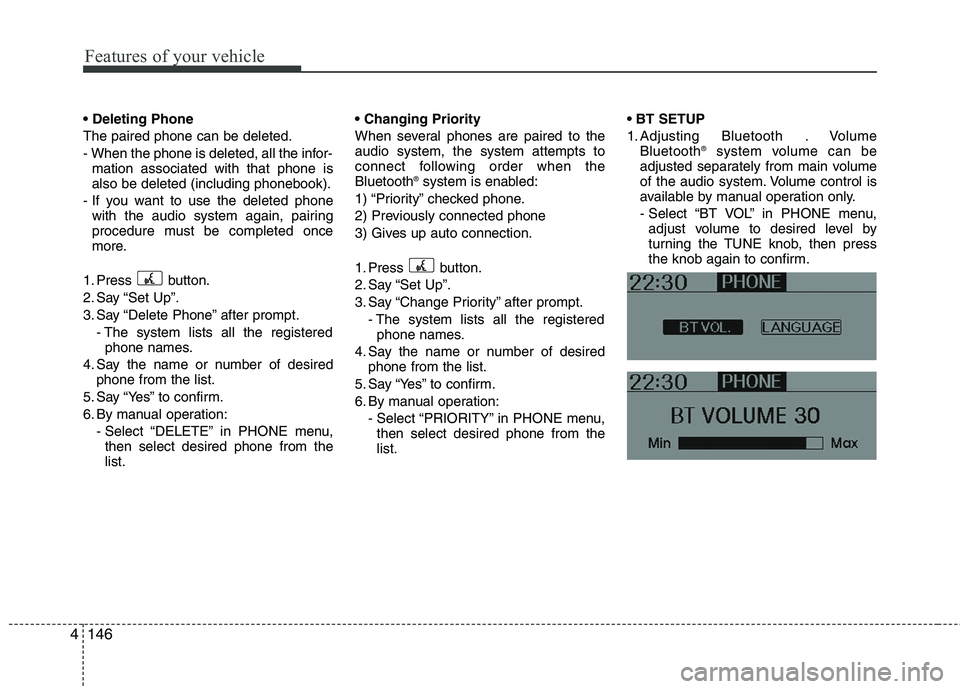
1. Adjusting Bluetooth . Volume
Bluetooth ®
system volume can be
adjusted separately from main volume
of the audio system. Volume control is
available by manual operation only.
- Select “BT VOL” in PHONE menu, adjust volume to desired level by
turning the TUNE knob, then press
the knob again to confirm.
Page 222 of 560
4147
Features of your vehicle
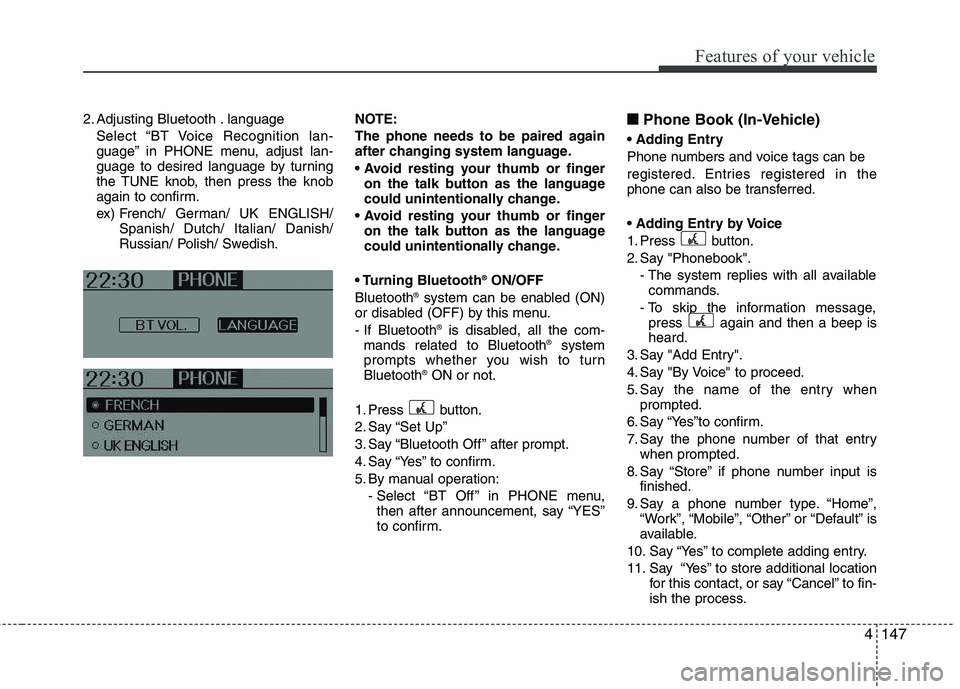
2. Adjusting Bluetooth . languageSelect “BT Voice Recognition lan-
guage” in PHONE menu, adjust lan-
guage to desired language by turning
the TUNE knob, then press the knob
again to confirm.
ex) French/ German/ UK ENGLISH/ Spanish/ Dutch/ Italian/ Danish/
Russian/ Polish/ Swedish. NOTE:
The phone needs to be paired again
after changing system language.
on the talk button as the language
could unintentionally change.
on the talk button as the language
could unintentionally change.
Bluetooth ®
ON/OFF
Bluetooth ®
system can be enabled (ON)
or disabled (OFF) by this menu.
- If Bluetooth ®
is disabled, all the com-
mands related to Bluetooth ®
system
prompts whether you wish to turn Bluetooth ®
ON or not.
1. Press button.
2. Say “Set Up”
3. Say “Bluetooth Off ” after prompt.
4. Say “Yes” to confirm.
5. By manual operation: - Select “BT Off ” in PHONE menu,then after announcement, say “YES”
to confirm. ■■
Phone Book (In-Vehicle)
Phone numbers and voice tags can be
registered. Entries registered in the
phone can also be transferred.
1. Press button.
2. Say "Phonebook". - The system replies with all availablecommands.
- To skip the information message, press again and then a beep is heard.
3. Say "Add Entry".
4. Say "By Voice" to proceed.
5. Say the name of the entry when prompted.
6. Say “Yes”to confirm.
7. Say the phone number of that entry when prompted.
8. Say “Store” if phone number input is finished.
9. Say a phone number type. “Home”, “Work”, “Mobile”, “Other” or “Default” is
available.
10. Say “Yes” to complete adding entry.
11. Say “Yes” to store additional location for this contact, or say “Cancel” to fin-
ish the process.
Page 223 of 560
Features of your vehicle
148
4
✽✽
NOTICE
The system can recognize single digits
from zero to nine. Numbers that are
ten or greater cannot be recognized.
You can enter each digit individually or group digits together in preferred
string lengths.
To speed up input, it is a good idea to
group all digits into a continuous
string.
The display corresponding to each operation appears on the screen as fol-
lows:
Input operation example:
1. Say: “Nine, nine, five” ➟
➟Display: “995”
2. And say: “Seven, three, four” ➟
➟Display: “995734”
1. Press button.
2. Say "Phonebook".
3. Say "Add Entry" after prompt.
4. Say "By Phone" to proceed.
5. Say “Yes” to confirm.
6. Your phone will start to transfer phone/
contact list to the audio system.
This process may take over 10 min-utes depending on the phone model
and number of entries
7. Wait till the audio displays “Transfer Complete” message.
The registered names can be modified.
1. Press button.
2. Say “Phonebook”
3. Say “Change Name” after prompt.
4. Say the name of the entry (voice tag)
5. Say “Yes” to confirm.
6. Say new desired name. The registered names can be deleted.
1. Press button.
2. Say “Phonebook”
3. Say “Delete Name” after prompt.
4. Say the name of the entry (voice tag)
5. Say “Yes” to confirm.
■
■ Making a Phone Call
A phone call can be made by speaking names registered in the audio system.
1. Press button.
2. Say "Call".
3. Say “Name” when prompted.
4. Say desired name (voice tag).
5. Say desired location (phone number type). Only stored locations can be selected.
6. Say “Yes” to confirm and make a call.
✽
✽ TIP
A shortcut to each of the following
functions is available:
1. Say “Call Name”
2. Say “Call
3. Say “Call
Page 224 of 560
4149
Features of your vehicle
A phone call can be made by dialing the
spoken numbers. The system can recog-
nize single digits from zero to nine.
1. Press button.
2. Say “Call”.
3. Say “Number” when prompted.
4. Say desired phone numbers.
5. Say “Dial” to complete the number andmake a call.
✽
✽ TIP
A shortcut to each of the following
functions is available:
1. Say “Dial Number”
2. Say “Dial
■
Receiving a Phone Call
When receiving a phone call, a ringtone
is audible from speakers and the audio
system changes into telephone mode.
When receiving a phone call, “Incoming”
message and incoming phone number
(if available) are displayed on the audio.
- Press button on the steering wheel.
- Press button on the steering wheel.
- Use VOLUME buttons on the steering wheel.
Call):
- Press and hold button on the steer- ing wheel until the audio system trans-
fers a call to the phone. ■■
Talking on the Phone
When talking on the phone, “Active Calls”
message and the other party’s phone
number (if available) are displayed on the
audio.
- Press button on the steering wheel.
- Press button on the steering wheel.
✽
✽ NOTICE
In the following situations, you or the
other party may have difficulty hearing
each other:
1. Speaking at the same time, your voice
may not reach each other parties.
(This is not a malfunction.) Speak
alternately with the other party on the
phone.
2. Keep the Bluetooth(R) volume to a
low level. High-level volume may
result in distortion and echo.
3. When driving on a rough road.
4. When driving at high speeds.
5. When the window is open.
6. When the air conditioning vents are facing the microphone.
7. When the sound of the air condition-
ing fan is loud.
Page 225 of 560
Features of your vehicle
150
4
■■
Using the head unit as
Bluetooth music
The head unit supports A2DP (Audio
Advanced Distribution Profile) and
AVRCP(Audio Video Remote ControlProfile).
Both profiles are available for listening to
the MP3 music via Bluetooth cellular
phone supporting above Bluetooth pro-
files.
To play MP3 music from the Bluetooth
cellular phone, press the [AUX] button
until “MP3 Play” is displayed on the LCD.
Then try playing music by phone.
When playing music from the Bluetooth
cellular phone, the head unit displaysMP3 MODE. NOTE:
Not only MP3 files, all the sounds
that the phone supports can be
heard by the audio system.
The Bluetooth cellular phones shall feature A2DP and AVRCP functions.
Some A2DP and AVRCP Bluetooth cellular phones may not play music
through the head unit on first try.
Please try the below;
i.e : Menu ➟
➟
Filemanager ➟➟
Music ➟➟
Option ➟➟
Play via Bluetooth
Please refer to User’s Guide of your phone for more detailed informa-
tion. To stop music, try stop music
by the phone and change audio
mode to different one. (e.g. FM, CD,
iPod, ...)
Page 396 of 560
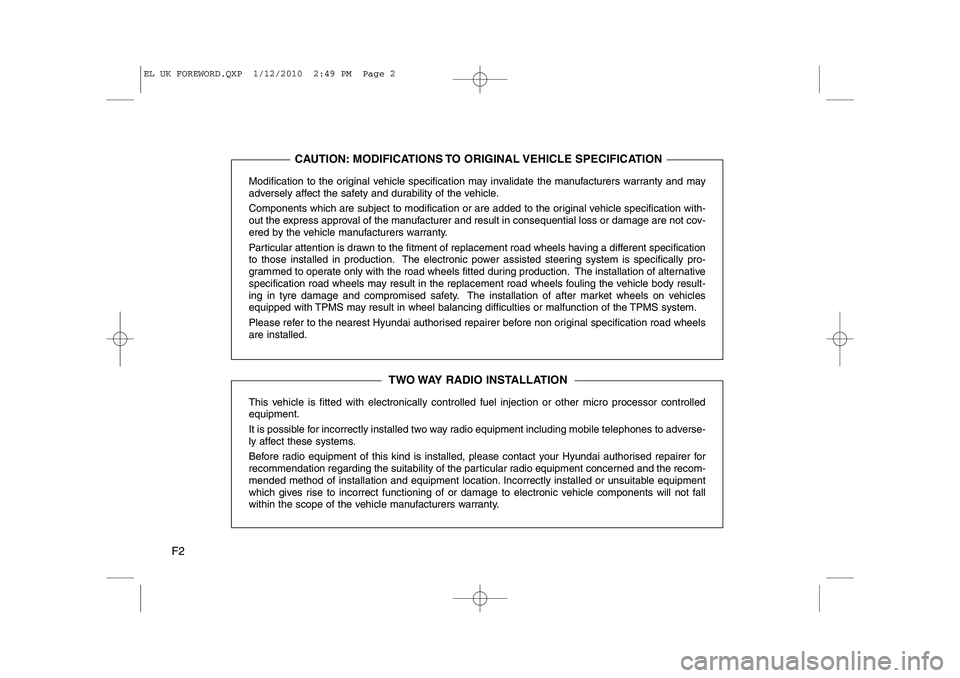
F2Modification to the original vehicle specification may invalidate the manufacturers warranty and may
adversely affect the safety and durability of the vehicle.
Components which are subject to modification or are added to the original vehicle specification with-
out the express approval of the manufacturer and result in consequential loss or damage are not cov-
ered by the vehicle manufacturers warranty.
Particular attention is drawn to the fitment of replacement road wheels having a different specification
to those installed in production. The electronic power assisted steering system is specifically pro-
grammed to operate only with the road wheels fitted during production. The installation of alternative
specification road wheels may result in the replacement road wheels fouling the vehicle body result-
ing in tyre damage and compromised safety. The installation of after market wheels on vehicles
equipped with TPMS may result in wheel balancing difficulties or malfunction of the TPMS system.
Please refer to the nearest Hyundai authorised repairer before non original specification road wheels are installed.
This vehicle is fitted with electronically controlled fuel injection or other micro processor controlled equipment.
It is possible for incorrectly installed two way radio equipment including mobile telephones to adverse-
ly affect these systems.
Before radio equipment of this kind is installed, please contact your Hyundai authorised repairer for
recommendation regarding the suitability of the particular radio equipment concerned and the recom-
mended method of installation and equipment location. Incorrectly installed or unsuitable equipment
which gives rise to incorrect functioning of or damage to electronic vehicle components will not fall
within the scope of the vehicle manufacturers warranty.
CAUTION: MODIFICATIONS TO ORIGINAL VEHICLE SPECIFICATION
TWO WAY RADIO INSTALLATION
EL UK FOREWORD.QXP 1/12/2010 2:49 PM Page 2
Page 440 of 560
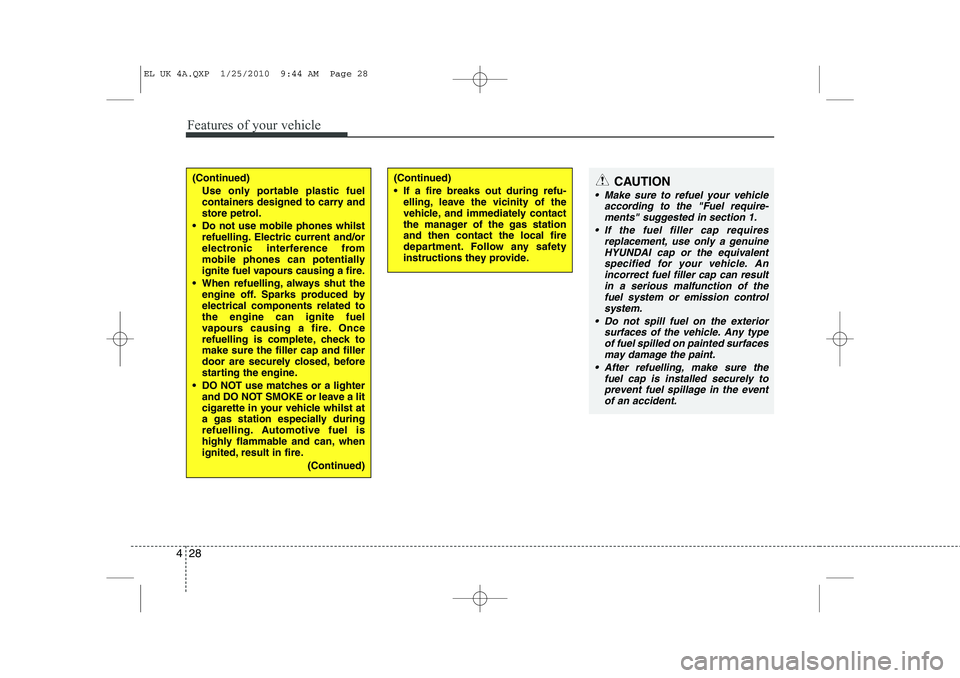
Features of your vehicle
28
4
(Continued)
Use only portable plastic fuel
containers designed to carry and
store petrol.
Do not use mobile phones whilst refuelling. Electric current and/or
electronic interference from
mobile phones can potentially
ignite fuel vapours causing a fire.
When refuelling, always shut the engine off. Sparks produced byelectrical components related tothe engine can ignite fuel
vapours causing a fire. Once
refuelling is complete, check tomake sure the filler cap and filler
door are securely closed, before
starting the engine.
DO NOT use matches or a lighter and DO NOT SMOKE or leave a lit
cigarette in your vehicle whilst at
a gas station especially during
refuelling. Automotive fuel is
highly flammable and can, when
ignited, result in fire.
(Continued)(Continued)
If a fire breaks out during refu-elling, leave the vicinity of the
vehicle, and immediately contact
the manager of the gas stationand then contact the local fire
department. Follow any safety
instructions they provide.CAUTION
Make sure to refuel your vehicle
according to the "Fuel require-
ments" suggested in section 1.
If the fuel filler cap requires replacement, use only a genuineHYUNDAI cap or the equivalent
specified for your vehicle. Anincorrect fuel filler cap can result in a serious malfunction of thefuel system or emission control
system.
Do not spill fuel on the exterior surfaces of the vehicle. Any typeof fuel spilled on painted surfaces
may damage the paint.
After refuelling, make sure the fuel cap is installed securely toprevent fuel spillage in the eventof an accident.
EL UK 4A.QXP 1/25/2010 9:44 AM Page 28