display HYUNDAI IX35 2012 User Guide
[x] Cancel search | Manufacturer: HYUNDAI, Model Year: 2012, Model line: IX35, Model: HYUNDAI IX35 2012Pages: 560, PDF Size: 28.31 MB
Page 138 of 560
463
Features of your vehicle
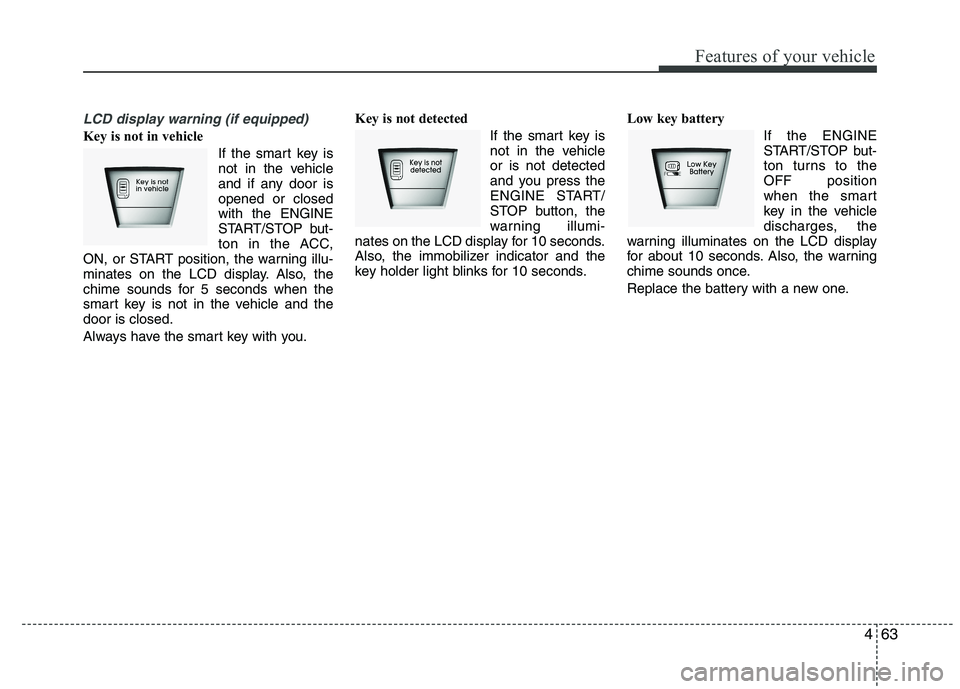
LCD display warning (if equipped)
Key is not in vehicle If the smart key is
not in the vehicle
and if any door isopened or closedwith the ENGINE
START/STOP but-
ton in the ACC,
ON, or START position, the warning illu-
minates on the LCD display. Also, the
chime sounds for 5 seconds when the
smart key is not in the vehicle and thedoor is closed.
Always have the smart key with you. Key is not detected
If the smart key is
not in the vehicleor is not detected
and you press the
ENGINE START/
STOP button, the
warning illumi-
nates on the LCD display for 10 seconds.
Also, the immobilizer indicator and the
key holder light blinks for 10 seconds. Low key battery
If the ENGINE
START/STOP but-
ton turns to theOFF position
when the smart
key in the vehicle
discharges, the
warning illuminates on the LCD display
for about 10 seconds. Also, the warning
chime sounds once.
Replace the battery with a new one.
Page 139 of 560
Features of your vehicle
64
4
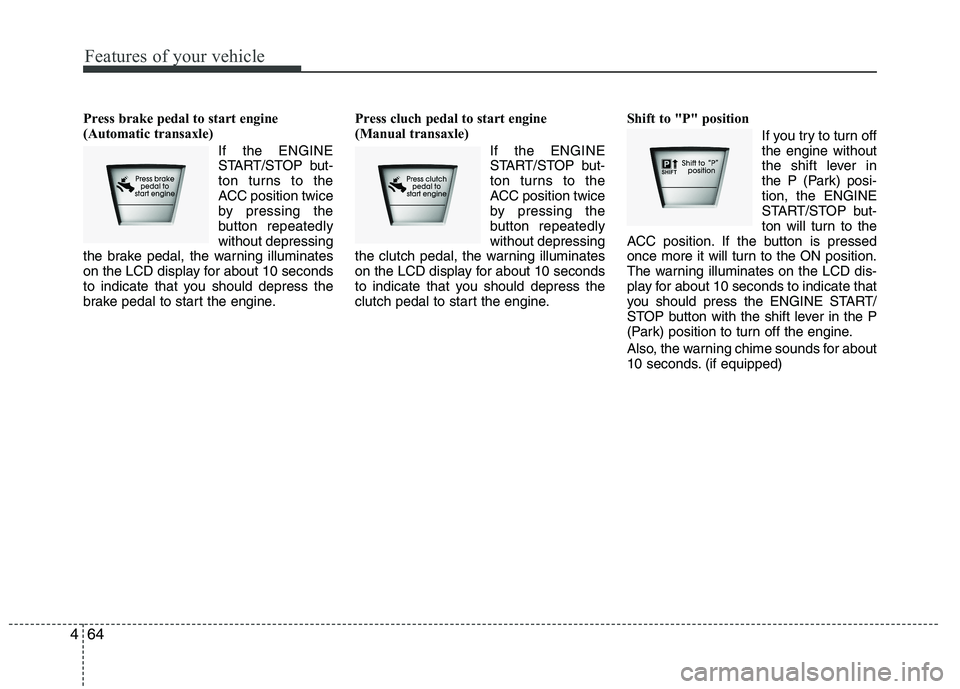
Press brake pedal to start engine
(Automatic transaxle)
If the ENGINE
START/STOP but-
ton turns to the
ACC position twice
by pressing the
button repeatedlywithout depressing
the brake pedal, the warning illuminates
on the LCD display for about 10 seconds
to indicate that you should depress the
brake pedal to start the engine. Press cluch pedal to start engine
(Manual transaxle)
If the ENGINE
START/STOP but-
ton turns to the
ACC position twice
by pressing the
button repeatedlywithout depressing
the clutch pedal, the warning illuminates
on the LCD display for about 10 seconds
to indicate that you should depress the
clutch pedal to start the engine. Shift to "P" position
If you try to turn offthe engine without
the shift lever in
the P (Park) posi-tion, the ENGINE
START/STOP but-
ton will turn to the
ACC position. If the button is pressed
once more it will turn to the ON position.
The warning illuminates on the LCD dis-
play for about 10 seconds to indicate that
you should press the ENGINE START/
STOP button with the shift lever in the P
(Park) position to turn off the engine.
Also, the warning chime sounds for about
10 seconds. (if equipped)
Page 140 of 560
465
Features of your vehicle
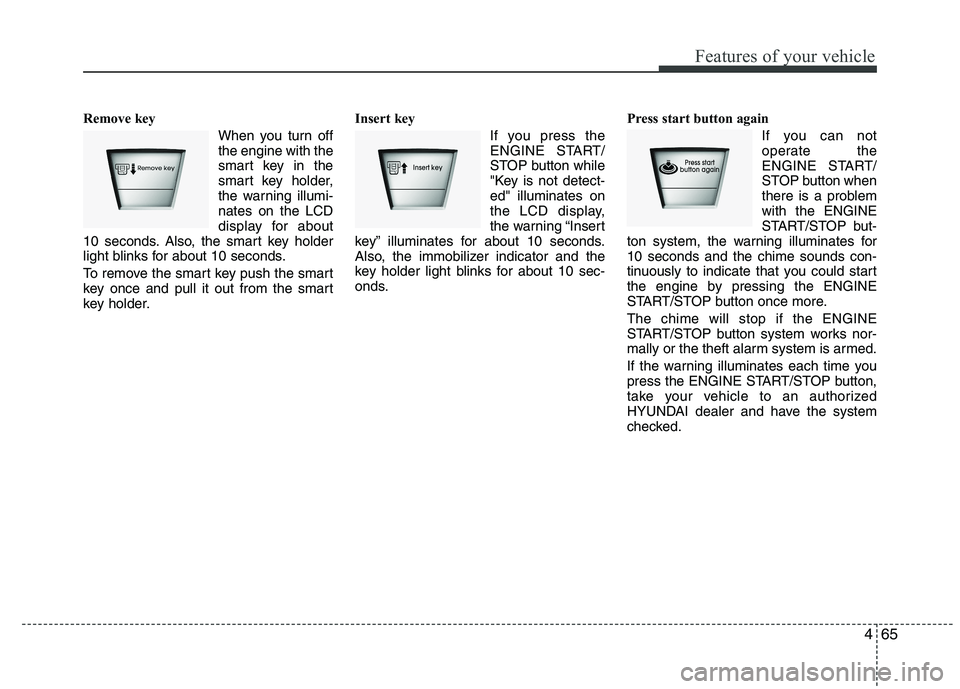
Remove key When you turn off the engine with the
smart key in the
smart key holder,
the warning illumi-nates on the LCD
display for about
10 seconds. Also, the smart key holder
light blinks for about 10 seconds.
To remove the smart key push the smart
key once and pull it out from the smart
key holder. Insert key
If you press the
ENGINE START/
STOP button while
"Key is not detect-ed" illuminates on
the LCD display,
the warning “Insert
key” illuminates for about 10 seconds.
Also, the immobilizer indicator and the
key holder light blinks for about 10 sec-
onds. Press start button again
If you can not
operate the
ENGINE START/
STOP button when
there is a problemwith the ENGINE
START/STOP but-
ton system, the warning illuminates for10 seconds and the chime sounds con-
tinuously to indicate that you could start
the engine by pressing the ENGINE
START/STOP button once more. The chime will stop if the ENGINE
START/STOP button system works nor-
mally or the theft alarm system is armed.
If the warning illuminates each time you
press the ENGINE START/STOP button,
take your vehicle to an authorized
HYUNDAI dealer and have the system
checked.
Page 141 of 560
Features of your vehicle
66
4
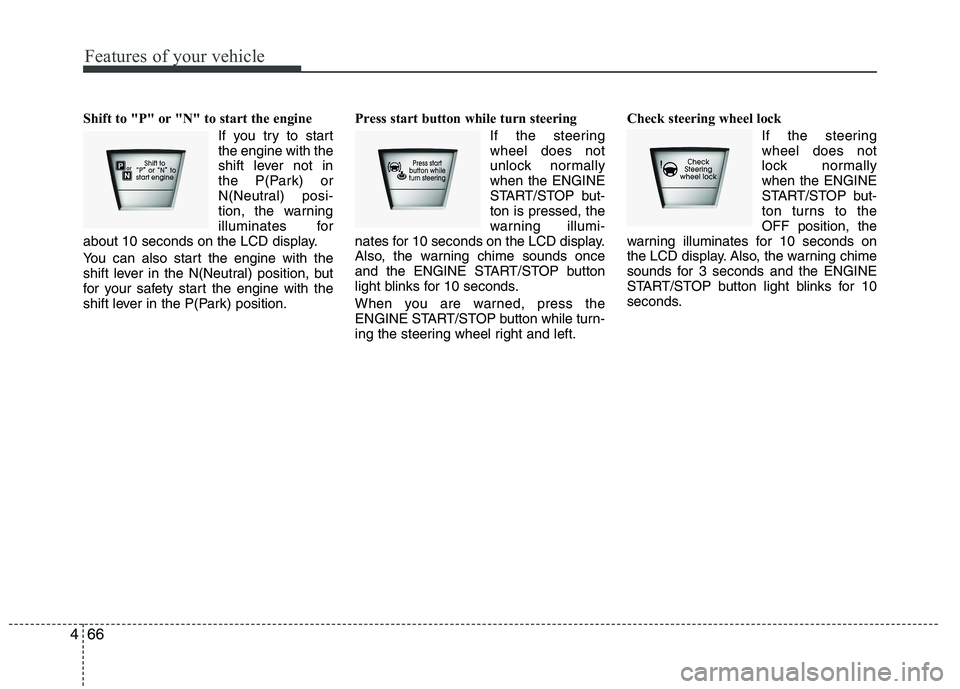
Shift to "P" or "N" to start the engine
If you try to start the engine with the
shift lever not in
the P(Park) or
N(Neutral) posi-
tion, the warning
illuminates for
about 10 seconds on the LCD display.
You can also start the engine with the
shift lever in the N(Neutral) position, but
for your safety start the engine with the
shift lever in the P(Park) position. Press start button while turn steering
If the steeringwheel does not
unlock normallywhen the ENGINE
START/STOP but-ton is pressed, the
warning illumi-
nates for 10 seconds on the LCD display.
Also, the warning chime sounds once
and the ENGINE START/STOP button
light blinks for 10 seconds.
When you are warned, press the
ENGINE START/STOP button while turn-
ing the steering wheel right and left. Check steering wheel lock
If the steeringwheel does not
lock normallywhen the ENGINE
START/STOP but-
ton turns to theOFF position, the
warning illuminates for 10 seconds on
the LCD display. Also, the warning chime
sounds for 3 seconds and the ENGINE
START/STOP button light blinks for 10
seconds.
Page 146 of 560
471
Features of your vehicle
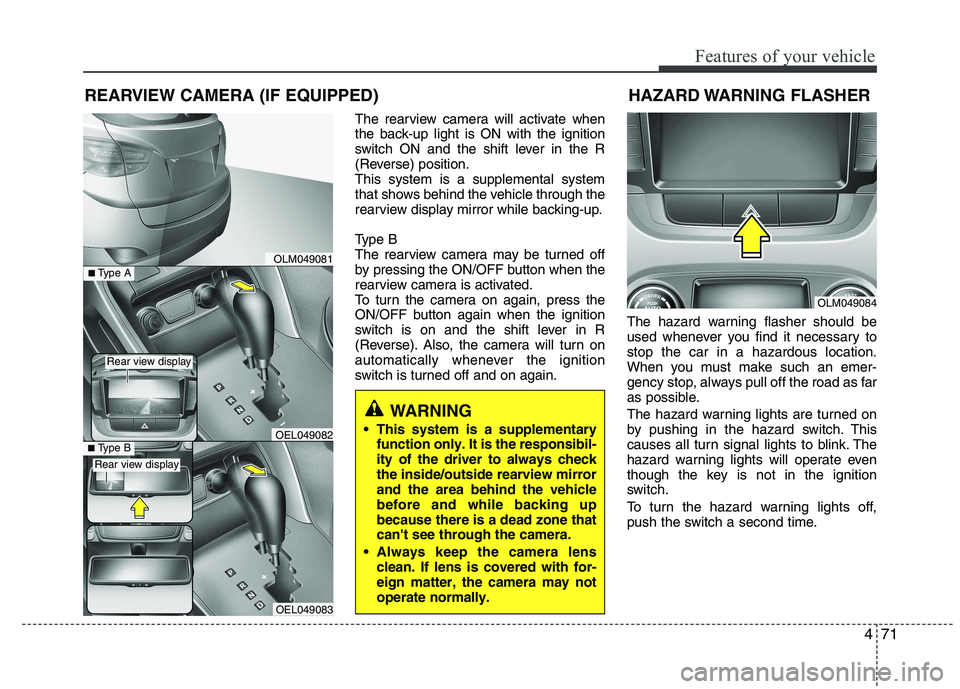
The rearview camera will activate when
the back-up light is ON with the ignition
switch ON and the shift lever in the R
(Reverse) position.This system is a supplemental system
that shows behind the vehicle through the
rearview display mirror while backing-up.
Type B
The rearview camera may be turned off
by pressing the ON/OFF button when the
rearview camera is activated.
To turn the camera on again, press the
ON/OFF button again when the ignition
switch is on and the shift lever in R
(Reverse). Also, the camera will turn on
automatically whenever the ignition
switch is turned off and on again.The hazard warning flasher should be
used whenever you find it necessary tostop the car in a hazardous location.
When you must make such an emer-
gency stop, always pull off the road as far
as possible.
The hazard warning lights are turned on
by pushing in the hazard switch. This
causes all turn signal lights to blink. The
hazard warning lights will operate even
though the key is not in the ignition
switch.
To turn the hazard warning lights off,
push the switch a second time.
REARVIEW CAMERA (IF EQUIPPED)
WARNING
This system is a supplementary function only. It is the responsibil- ity of the driver to always checkthe inside/outside rearview mirrorand the area behind the vehiclebefore and while backing upbecause there is a dead zone thatcan't see through the camera.
Always keep the camera lens clean. If lens is covered with for-eign matter, the camera may notoperate normally.
OLM049081
OLM049084
HAZARD WARNING FLASHER
OEL049083
■
Type BOEL049082
■Type A
Rear view display
Rear view display
Page 171 of 560
Features of your vehicle
96
4
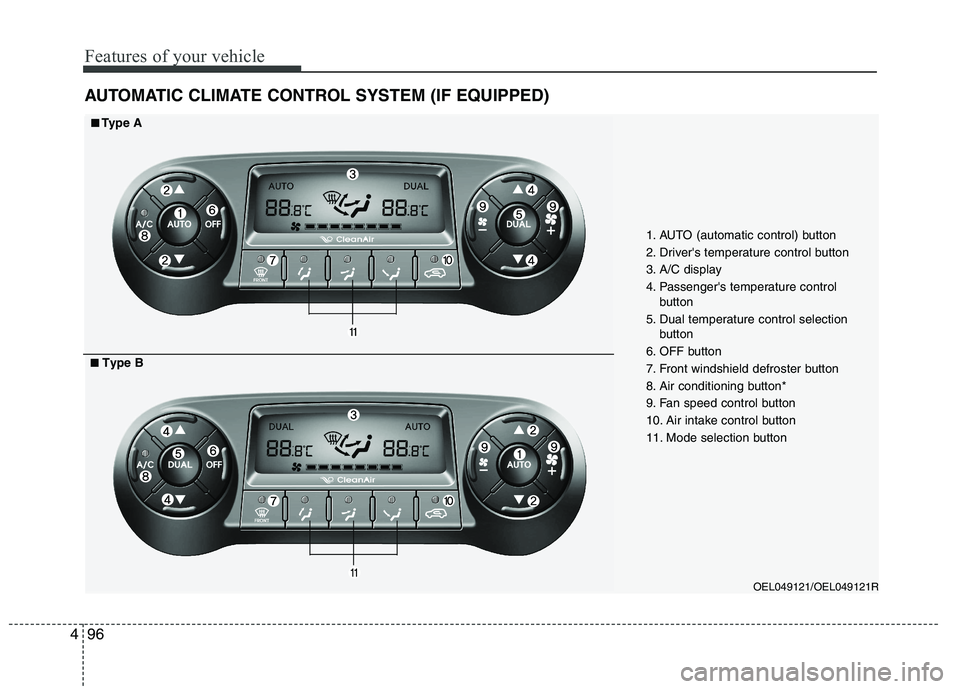
AUTOMATIC CLIMATE CONTROL SYSTEM (IF EQUIPPED)
OEL049121/OEL049121R
1. AUTO (automatic control) button
2. Driver's temperature control button
3. A/C display
4. Passenger's temperature control
button
5. Dual temperature control selection button
6. OFF button
7. Front windshield defroster button
8. Air conditioning button*
9. Fan speed control button
10. Air intake control button
11. Mode selection button
■■ Type A
■■ Type B
Page 176 of 560
4101
Features of your vehicle
Adjusting the driver and passenger side
temperature equally
1. Press the DUAL button again to deac-tivate DUAL mode. The passenger
side temperature will be set to the
same temperature as the driver side.
2. Operate the driver side temperature control button. The driver and passen-
ger side temperature will be adjusted
equally.
Temperature conversion (if equipped)
You can switch the temperature mode
between Centigrade to Fahrenheit as fol-
lows:
While pressing the OFF button, press the
AUTO button for 3 seconds or more.
The display will change from Centigrade
to Fahrenheit, or from Fahrenheit to
Centigrade.
If the battery has been discharged or dis-
connected, the temperature mode dis-
play will reset to Centigrade.
Air intake control
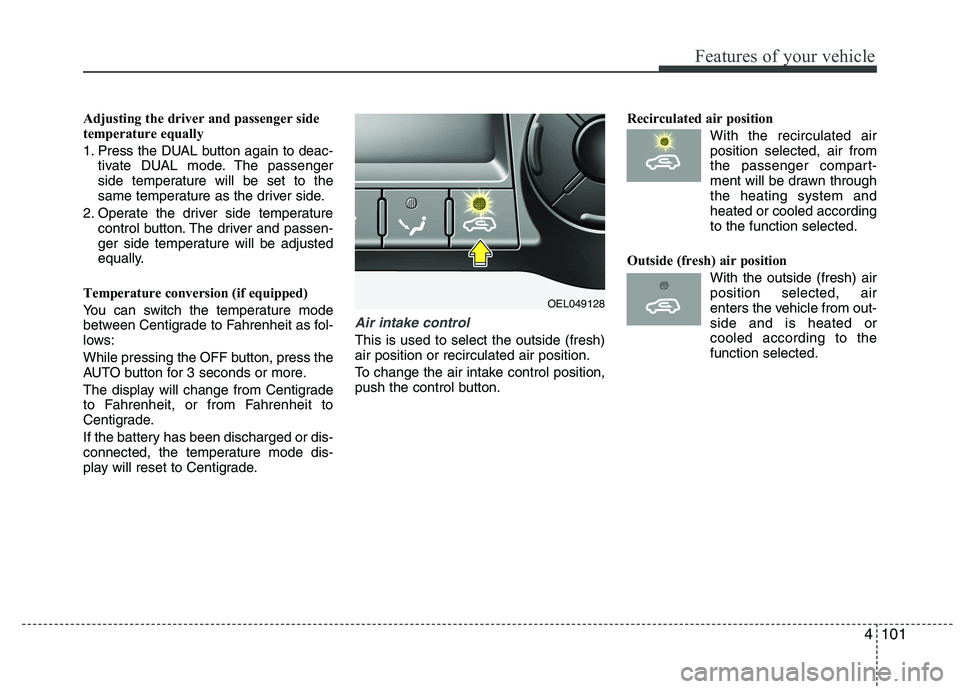
This is used to select the outside (fresh) air position or recirculated air position.
To change the air intake control position,
push the control button. Recirculated air position
With the recirculated airposition selected, air from
the passenger compart-
ment will be drawn throughthe heating system andheated or cooled according
to the function selected.
Outside (fresh) air position With the outside (fresh) airposition selected, air
enters the vehicle from out-side and is heated orcooled according to the
function selected.
OEL049128
Page 188 of 560
4113
Features of your vehicle
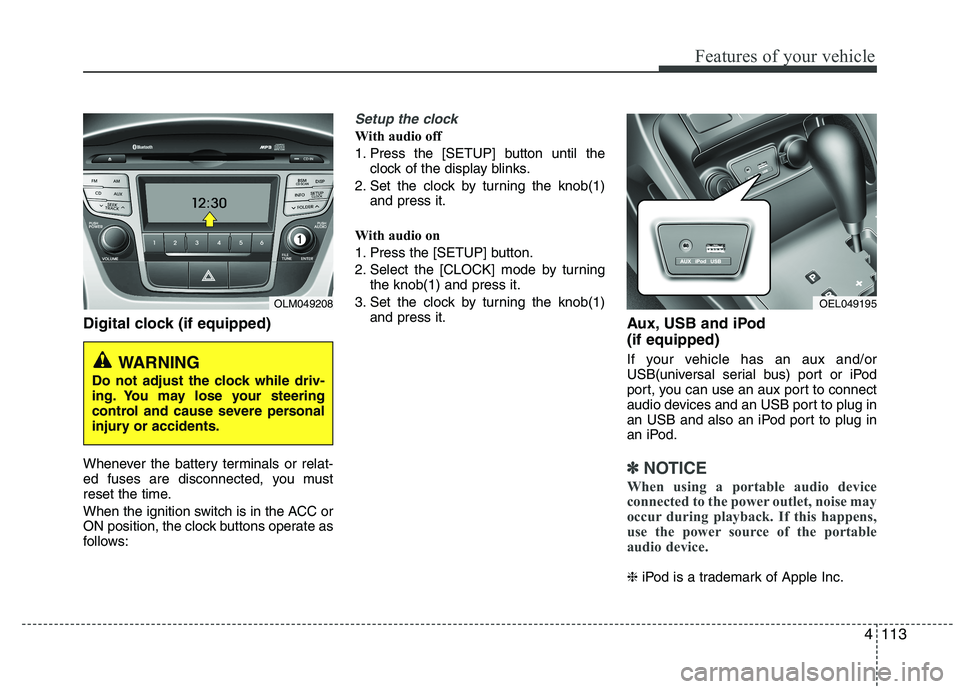
Digital clock (if equipped)
Whenever the battery terminals or relat-
ed fuses are disconnected, you must
reset the time.
When the ignition switch is in the ACC or
ON position, the clock buttons operate as
follows:
Setup the clock
With audio off
1. Press the [SETUP] button until theclock of the display blinks.
2. Set the clock by turning the knob(1) and press it.
With audio on
1. Press the [SETUP] button.
2. Select the [CLOCK] mode by turning the knob(1) and press it.
3. Set the clock by turning the knob(1) and press it. Aux, USB and iPod (if equipped)
If your vehicle has an aux and/or
USB(universal serial bus) port or iPod
port, you can use an aux port to connect
audio devices and an USB port to plug in
an USB and also an iPod port to plug in
an iPod.
✽✽NOTICE
When using a portable audio device
connected to the power outlet, noise may
occur during playback. If this happens,
use the power source of the portable
audio device.
❈ iPod is a trademark of Apple Inc.
OLM049208
WARNING
Do not adjust the clock while driv-
ing. You may lose your steering
control and cause severe personal
injury or accidents.
OEL049195
Page 200 of 560
4125
Features of your vehicle
1. Power ON/OFF Button &Volume Control Button
Turns on/off the set when the IGNITION
SWITCH is on ACC or ON. If the button
is turned to the right, it increases the vol-
ume and left,decreases the volume.
Press this button to turn the audio sys- tem ON or OFF. (EUROPE MODEL
ONLY)
Depending on the model if the ignition switch is not on ACC or ON position.
the “Battery Discharge” warningappears on LCD after 10 seconds of
power-up, and automatically turns off
after 1 hours of operation.
Adjusts the volume of the car audio system. Rotate clockwise to increase
the volume or counterclockwise to
decrease.
2. FM Selection Button
Turns to FM mode and toggles FM1and
FM2 when the button is pressed each
time. ❈ May change in order of FM1 ➟FM2 ➟
FMA in some models. 3. AM Selection Button
Pressing the [AM] button selects the AM
band. AM Mode is displayed on the LCD. ❈
May change in order of AM ➟AMA in
some models.
4. Automatic Channel Selection Button
When the [SEEK ] button is pressed, it increases the band frequency to auto-
matically select channel. Stops at the
previous frequency if no channel is
found.
5. Preset Button
Push [1]~[6] buttons less than 0.8 sec-
ond to play the channel saved in each
button. Push Preset button for 0.8 sec-
ond or longer to save current channel to
the respective button with a beep. 6. AST(AUTO STORE Button)
When the button is pressed, it automati-
cally selects and saves channels with
high reception rate to PRESET buttons
[1]~[6] and plays the channel saved in
PRESET1. If no channel is saved after
AST, it will play the previous channel.
Saves only to the Preset memory
(1)~(6) of FMA or AMA mode in some
models.
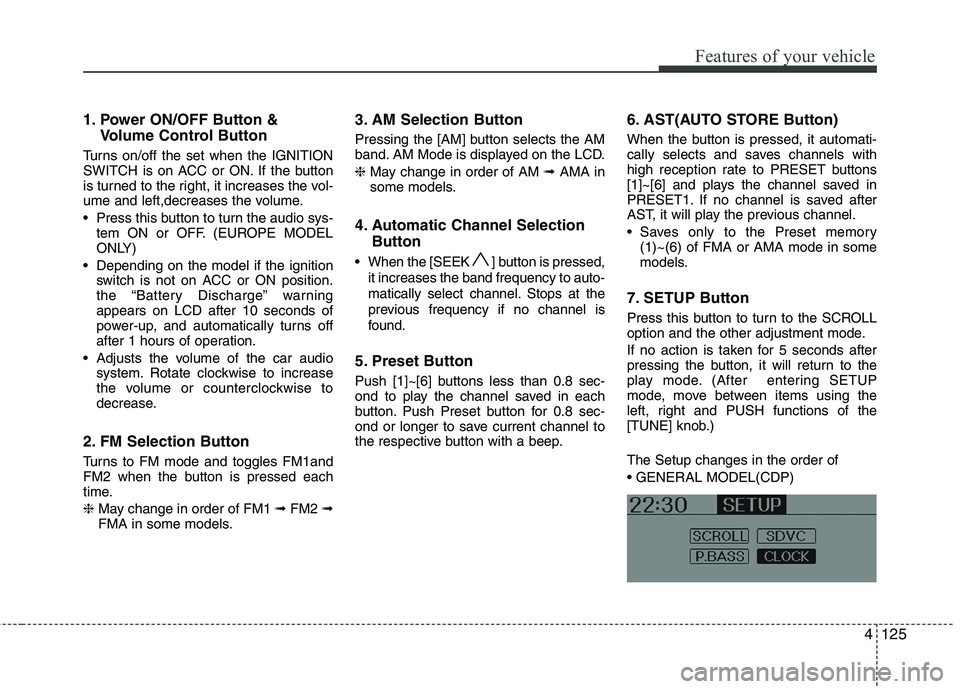
7. SETUP Button
Press this button to turn to the SCROLL
option and the other adjustment mode.
If no action is taken for 5 seconds after
pressing the button, it will return to the
play mode. (After entering SETUP
mode, move between items using the
left, right and PUSH functions of the
[TUNE] knob.) The Setup changes in the order of
Page 201 of 560
Features of your vehicle
126
4
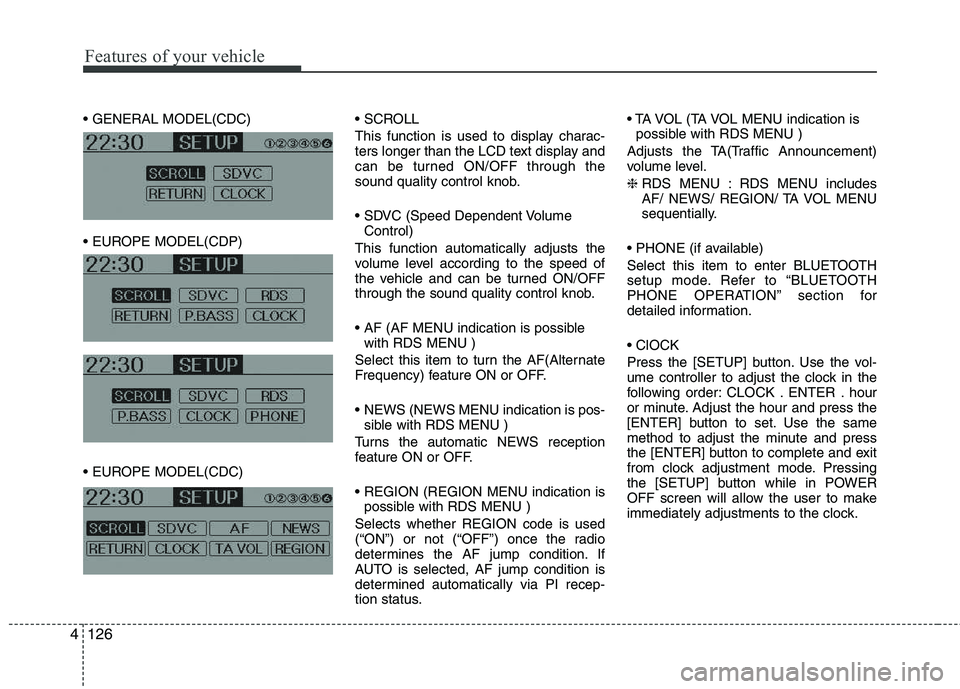
This function is used to display charac-
ters longer than the LCD text display and
can be turned ON/OFF through the
sound quality control knob.
Control)
This function automatically adjusts the
volume level according to the speed of
the vehicle and can be turned ON/OFF
through the sound quality control knob.
with RDS MENU )
Select this item to turn the AF(Alternate
Frequency) feature ON or OFF.
NEWS (NEWS MENU indication is pos- sible with RDS MENU )
Turns the automatic NEWS reception
feature ON or OFF.
possible with RDS MENU )
Selects whether REGION code is used
(“ON”) or not (“OFF”) once the radio
determines the AF jump condition. If
AUTO is selected, AF jump condition is
determined automatically via PI recep-
tion status.
possible with RDS MENU )
Adjusts the TA(Traffic Announcement)
volume level. ❈ RDS MENU : RDS MENU includes
AF/ NEWS/ REGION/ TA VOL MENU
sequentially.
Select this item to enter BLUETOOTH
setup mode. Refer to “BLUETOOTH
PHONE OPERATION” section for
detailed information.
Press the [SETUP] button. Use the vol-
ume controller to adjust the clock in the
following order: CLOCK . ENTER . hour
or minute. Adjust the hour and press the
[ENTER] button to set. Use the same
method to adjust the minute and press
the [ENTER] button to complete and exit
from clock adjustment mode. Pressing
the [SETUP] button while in POWER
OFF screen will allow the user to make
immediately adjustments to the clock.