warning HYUNDAI IX35 2012 Owners Manual
[x] Cancel search | Manufacturer: HYUNDAI, Model Year: 2012, Model line: IX35, Model: HYUNDAI IX35 2012Pages: 560, PDF Size: 28.31 MB
Page 524 of 560
Features of your vehicle
112
4
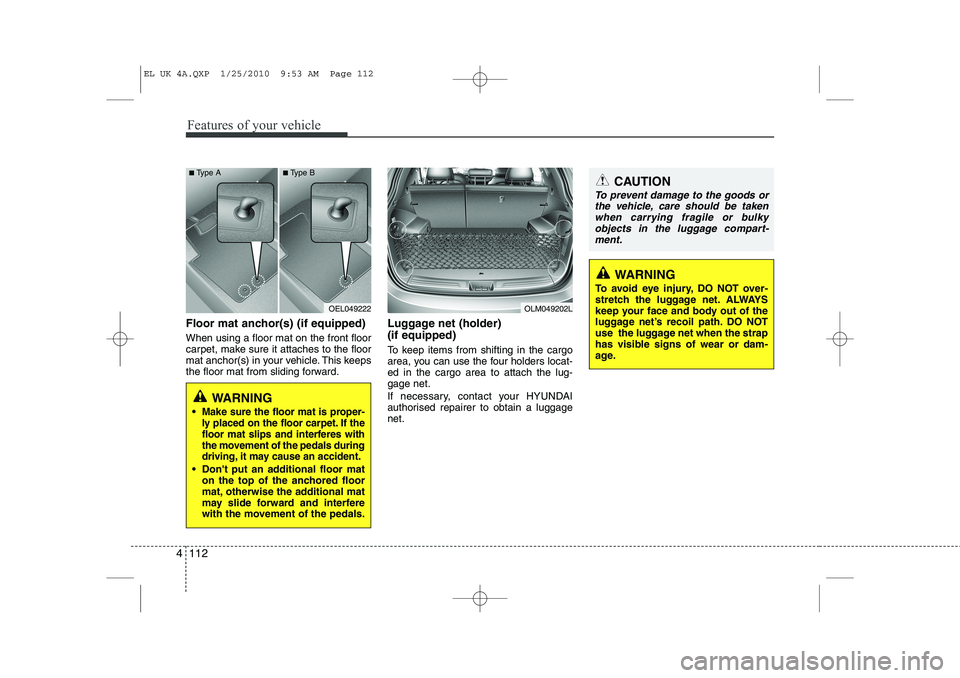
Floor mat anchor(s) (if equipped) When using a floor mat on the front floor
carpet, make sure it attaches to the floor
mat anchor(s) in your vehicle. This keeps
the floor mat from sliding forward. Luggage net (holder) (if equipped)
To keep items from shifting in the cargo
area, you can use the four holders locat-ed in the cargo area to attach the lug-gage net.
If necessary, contact your HYUNDAI
authorised repairer to obtain a luggagenet.
OEL049222
WARNING
Make sure the floor mat is proper-
ly placed on the floor carpet. If the
floor mat slips and interferes with
the movement of the pedals during
driving, it may cause an accident.
Don't put an additional floor mat on the top of the anchored floor
mat, otherwise the additional mat
may slide forward and interfere
with the movement of the pedals.
OLM049202L
CAUTION
To prevent damage to the goods or
the vehicle, care should be taken
when carrying fragile or bulkyobjects in the luggage compart-ment.
WARNING
To avoid eye injury, DO NOT over-
stretch the luggage net. ALWAYS
keep your face and body out of the
luggage net’s recoil path. DO NOT
use the luggage net when the strap
has visible signs of wear or dam-
age.
■ Type A ■Type B
EL UK 4A.QXP 1/25/2010 9:53 AM Page 112
Page 526 of 560
Features of your vehicle
114
4
WARNING
Do not place objects on the cargo security screen. Such objects
may be thrown about inside the
vehicle and possibly injure vehi-
cle occupants during an accidentor when braking.
Never allow anyone to ride in the luggage compartment. It is
designed for luggage only.
Maintain the balance of the vehi- cle and locate the weight as far
forward as possible.
CAUTION
Since the cargo security screen
may be damaged or malformed, donot put the luggage on it when it is
used.
EL UK 4A.QXP 1/25/2010 9:53 AM Page 114
Page 527 of 560
4 115
Features of your vehicle
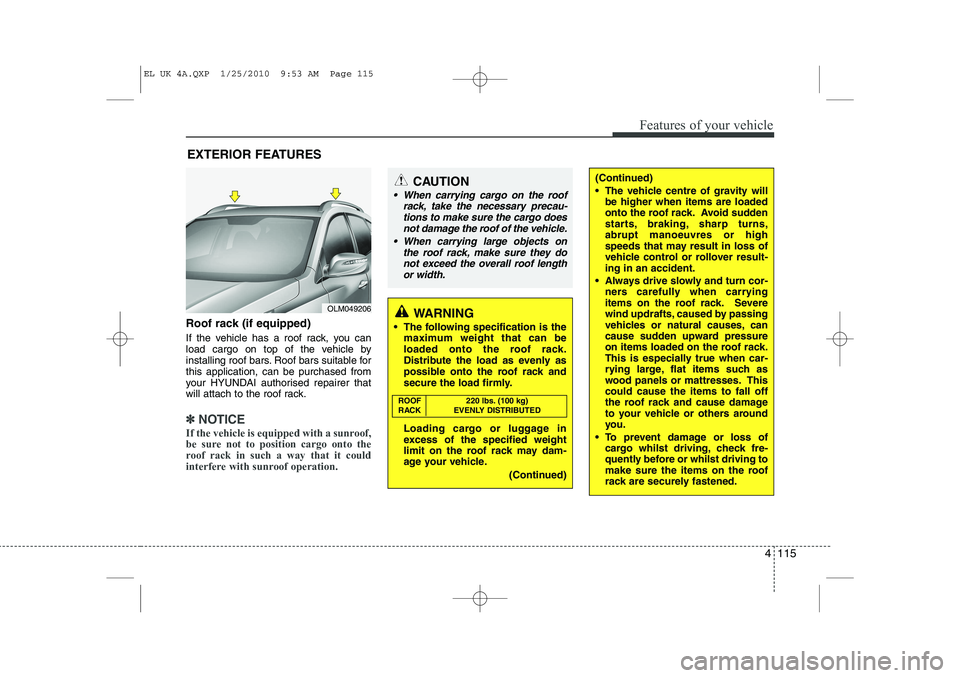
Roof rack (if equipped)
If the vehicle has a roof rack, you can
load cargo on top of the vehicle by
installing roof bars. Roof bars suitable forthis application, can be purchased from
your HYUNDAI authorised repairer that
will attach to the roof rack.
✽✽NOTICE
If the vehicle is equipped with a sunroof,
be sure not to position cargo onto the
roof rack in such a way that it could
interfere with sunroof operation.
EXTERIOR FEATURES
(Continued)
The vehicle centre of gravity will be higher when items are loaded
onto the roof rack. Avoid sudden
starts, braking, sharp turns,abrupt manoeuvres or high
speeds that may result in loss of
vehicle control or rollover result-ing in an accident.
Always drive slowly and turn cor- ners carefully when carrying
items on the roof rack. Severe
wind updrafts, caused by passing
vehicles or natural causes, can
cause sudden upward pressure
on items loaded on the roof rack.
This is especially true when car-
rying large, flat items such as
wood panels or mattresses. Thiscould cause the items to fall off
the roof rack and cause damage
to your vehicle or others around
you.
To prevent damage or loss of cargo whilst driving, check fre-
quently before or whilst driving to
make sure the items on the roof
rack are securely fastened.CAUTION
When carrying cargo on the roof
rack, take the necessary precau-
tions to make sure the cargo does not damage the roof of the vehicle.
When carrying large objects on the roof rack, make sure they do
not exceed the overall roof lengthor width.
WARNING
The following specification is the maximum weight that can be
loaded onto the roof rack.
Distribute the load as evenly as
possible onto the roof rack and
secure the load firmly.
Loading cargo or luggage in
excess of the specified weight
limit on the roof rack may dam-
age your vehicle.
(Continued)
ROOF 220 lbs. (100 kg)
RACK EVENLY DISTRIBUTED
OLM049206
EL UK 4A.QXP 1/25/2010 9:53 AM Page 115
Page 531 of 560
4 119
Features of your vehicle
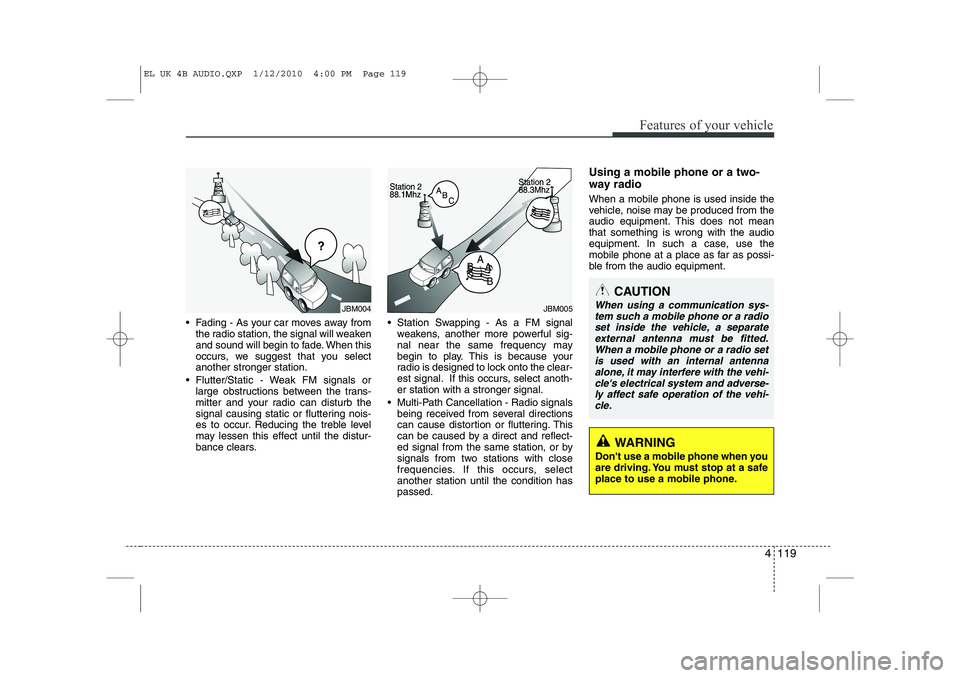
Fading - As your car moves away fromthe radio station, the signal will weaken
and sound will begin to fade. When this
occurs, we suggest that you selectanother stronger station.
Flutter/Static - Weak FM signals or large obstructions between the trans-
mitter and your radio can disturb the
signal causing static or fluttering nois-
es to occur. Reducing the treble level
may lessen this effect until the distur-
bance clears. Station Swapping - As a FM signal
weakens, another more powerful sig-
nal near the same frequency may
begin to play. This is because your
radio is designed to lock onto the clear-
est signal. If this occurs, select anoth-er station with a stronger signal.
Multi-Path Cancellation - Radio signals being received from several directions
can cause distortion or fluttering. This
can be caused by a direct and reflect-
ed signal from the same station, or by
signals from two stations with close
frequencies. If this occurs, selectanother station until the condition haspassed. Using a mobile phone or a two-
way radio When a mobile phone is used inside the
vehicle, noise may be produced from the
audio equipment. This does not meanthat something is wrong with the audio
equipment. In such a case, use the
mobile phone at a place as far as possi-
ble from the audio equipment.
JBM004JBM005
CAUTION
When using a communication sys-
tem such a mobile phone or a radio
set inside the vehicle, a separateexternal antenna must be fitted. When a mobile phone or a radio set
is used with an internal antenna alone, it may interfere with the vehi-cle's electrical system and adverse- ly affect safe operation of the vehi-
cle.
WARNING
Don't use a mobile phone when you
are driving. You must stop at a safe
place to use a mobile phone.
EL UK 4B AUDIO.QXP 1/12/2010 4:00 PM Page 119
Page 535 of 560
4 123
Features of your vehicle
1. Power ON/OFF Button &Volume Control Button
Turns on/off the set when the IGNITION
SWITCH is on ACC or ON. If the button
is turned to the right, it increases the vol-
ume and left,decreases the volume.
Press this button to turn the audio sys- tem ON or OFF. (EUROPE MODEL
ONLY)
Depending on the model if the ignition switch is not on ACC or ON position.
the “Battery Discharge” warningappears on LCD after 10 seconds of
power-up, and automatically turns off
after 1 hours of operation.
Adjusts the volume of the car audio system. Rotate clockwise to increase
the volume or counterclockwise to
decrease.
2. FM Selection Button
Turns to FM mode and toggles FM1and
FM2 when the button is pressed each
time. ❈ May change in order of FM1 ➟FM2 ➟
FMA in some models. 3. AM Selection Button
Pressing the [AM] button selects the AM
band. AM Mode is displayed on the LCD. ❈
May change in order of AM ➟AMA in
some models.
4. Automatic Channel Selection Button
When the [SEEK ] button is pressed, it increases the band frequency to auto-
matically select channel. Stops at the
previous frequency if no channel is
found.
5. Preset Button
Push [1]~[6] buttons less than 0.8 sec-
ond to play the channel saved in each
button. Push Preset button for 0.8 sec-
ond or longer to save current channel to
the respective button with a beep. 6. AST(AUTO STORE Button)
When the button is pressed, it automati-
cally selects and saves channels with
high reception rate to PRESET buttons
[1]~[6] and plays the channel saved in
PRESET1. If no channel is saved after
AST, it will play the previous channel.
Saves only to the Preset memory
(1)~(6) of FMA or AMA mode in some
models.
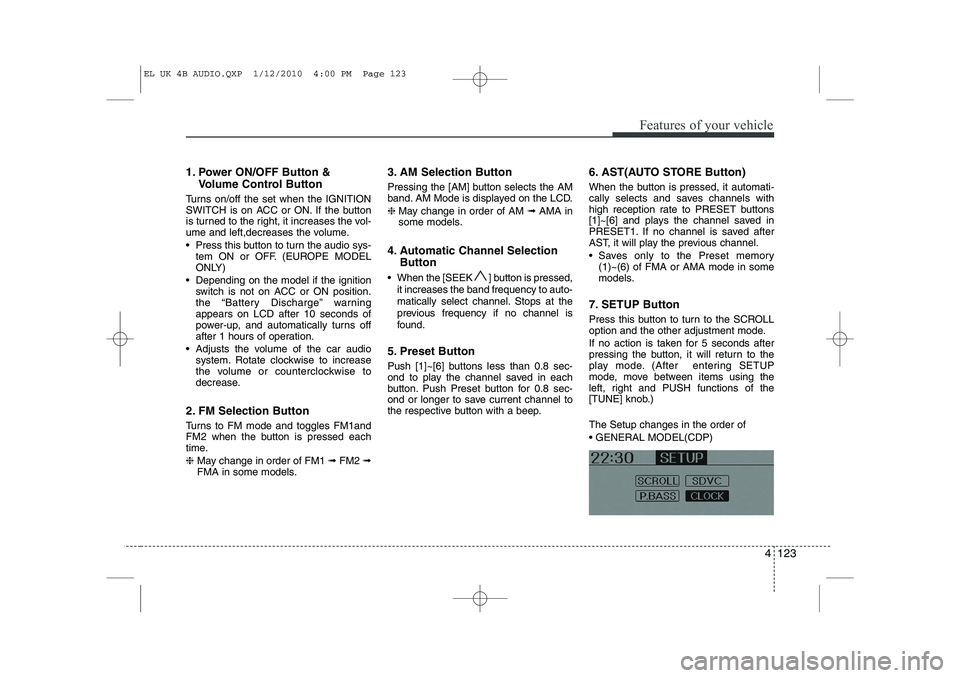
7. SETUP Button
Press this button to turn to the SCROLL
option and the other adjustment mode.
If no action is taken for 5 seconds after
pressing the button, it will return to the
play mode. (After entering SETUP
mode, move between items using the
left, right and PUSH functions of the
[TUNE] knob.) The Setup changes in the order of GENERAL MODEL(CDP)
EL UK 4B AUDIO.QXP 1/12/2010 4:00 PM Page 123